MT-VIKI MT-801HK-C 8-Port HDMI KVM Switch
Overview
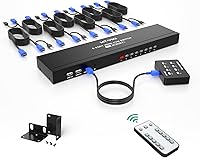
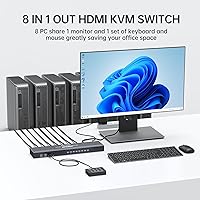
The MT-VIKI MT-801HK-C 8-Port HDMI KVM Switch is a rack-mountable solution built for IT professionals, home lab enthusiasts, and small businesses that need to manage multiple machines without cluttering their desk with extra monitors and peripherals. It sits comfortably in the mid-range tier, and what makes it stand out at this price point is how complete the package is — rack-mount ears, a wired desktop controller, an IR remote, and all eight KVM cables are included out of the box. There's no software to install, no driver headaches. Just plug everything in and you're running. The 4K 30Hz output covers most productivity use cases, though buyers expecting 60Hz performance should factor that ceiling into their decision early.
Features & Benefits
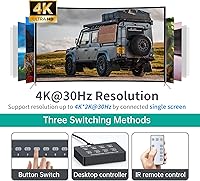
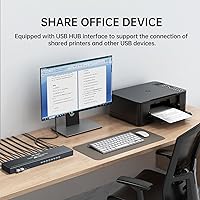
What sets this rack KVM switch apart from basic alternatives is the variety of ways you can switch between machines. The front-panel buttons work fine if you're sitting right at the rack, but the included wired desktop selector is genuinely useful when the unit is mounted in an enclosure a few feet away. The IR remote adds another layer of convenience, though its range can be inconsistent depending on room layout. Four USB 2.0 hub ports let you share additional peripherals beyond the standard keyboard and mouse. All eight dual-head KVM cables are in the box, so there's nothing extra to order. It also works across Windows, macOS, and Linux without any configuration.
Best For
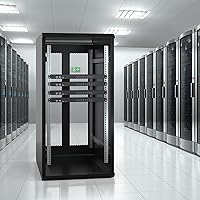
This 8-port HDMI KVM is a strong fit for anyone building out a structured home lab with a proper rack — the 1U form factor means it slots neatly into a standard 19-inch enclosure without wasted space. IT administrators juggling multiple physical servers, small office setups with dedicated workstations, or creative professionals running separate machines for editing and rendering will all find it practical. It's also a solid pick for anyone who prefers a hardware-based switching approach over remote desktop or VNC tools, which can introduce latency. If you're managing fewer than four machines without a rack, a simpler desktop KVM might be a better fit for the money.
User Feedback
Across buyer reviews, the MT-VIKI 8-port switch earns consistent praise for arriving with everything you need — no scrambling for third-party cables or mounting hardware. Build quality and rack fit get solid marks for this price range. That said, there are recurring criticisms worth knowing. The most common complaint is the lack of reliable hotkey switching; users coming from brands that support keyboard shortcuts find that frustrating. The 4K 30Hz cap also draws pushback from anyone with a 60Hz-capable monitor. A smaller number of users report occasional signal drops or slow port initialization, which matters if you're running anything that cannot tolerate brief interruptions.
Pros
- Everything needed for installation ships in the box, including all 8 dual-head KVM cables and rack-mount hardware.
- Three ways to switch between machines — panel buttons, wired selector, and IR remote — cover a wide range of workspace layouts.
- Plug-and-play setup means no driver installation across Windows, macOS, and Linux systems.
- The 1U rack form factor keeps server room or home lab builds tidy and properly integrated.
- Four USB 2.0 hub ports let you share additional peripherals beyond just keyboard and mouse.
- Build quality and rack-mount fit earn consistent praise from buyers relative to the price tier.
- The wired desktop selector is a practical touch when the rack is mounted away from the main workspace.
- Broad OS compatibility reduces friction in mixed-environment setups with different machine types.
Cons
- Keyboard hotkey switching is absent or unreliable, which frustrates users migrating from other KVM brands.
- The 4K 30Hz resolution cap is a meaningful limitation for anyone with a 60Hz-capable monitor.
- Occasional signal drops and slow port initialization have been flagged by a portion of buyers.
- IR remote range is inconsistent in larger rooms, making it an unreliable primary control method.
- The 1U rack form factor is unnecessary bulk for users without an actual rack enclosure.
- USB hub ports are limited to USB 2.0, which bottlenecks transfer speeds for connected storage devices.
- No software or mobile app control means there is no way to automate or schedule port switching.
- Some users report that port switching response time feels slower compared to pricier alternatives.
Ratings
The scores below for the MT-VIKI MT-801HK-C 8-Port HDMI KVM Switch were calculated by our AI engine after analyzing verified purchase reviews from buyers worldwide, with spam, bot-submitted, and incentivized feedback actively filtered out. Each category reflects the honest spread of real user experiences — strengths and frustrations weighted equally. Where buyers consistently agreed, the scores reflect that consensus; where opinions split, the numbers show it.
Value for Money
Ease of Setup
Build Quality
Switching Performance
Display Quality
Port Capacity
USB Hub Functionality
Remote Control
Cable Quality
OS Compatibility
Rack Integration
Package Completeness
Reliability Over Time
Suitable for:
The MT-VIKI MT-801HK-C 8-Port HDMI KVM Switch is purpose-built for anyone running a structured multi-machine setup where physical control and clean cable management actually matter. Home lab builders who have invested in a proper 19-inch rack will appreciate how neatly this slots into a 1U bay without any afterthought mounting solutions. IT administrators managing a mix of Windows, Linux, and macOS workstations from a single desk will find the plug-and-play compatibility a genuine time-saver, especially in environments where installing drivers or configuring software is not an option. Small studios running dedicated machines for rendering, editing, or development work — where you need to hop between systems quickly without touching a software interface — are also a natural fit. The included wired desktop selector is especially practical when the rack sits at floor level or inside a cabinet, letting you switch ports without walking over to the unit each time.
Not suitable for:
Buyers expecting keyboard hotkey switching will likely find this rack KVM switch frustrating, as that functionality is either absent or unreliable — a real drawback if you are coming from brands where a quick key combo is part of your daily workflow. The 4K output is capped at 30Hz, which means anyone with a high-refresh-rate monitor using it for anything beyond productivity tasks — including light gaming or smoother UI rendering — will immediately notice the limitation. The MT-VIKI MT-801HK-C 8-Port HDMI KVM Switch is also not the right call for mission-critical environments where even brief signal drops or port initialization delays are unacceptable, as a subset of users have reported exactly that. If you are only managing two or three machines and do not have a rack, the form factor and price point both push toward overkill — a compact desktop KVM would serve you better. Buyers in larger rooms should also know the IR remote range can be inconsistent, so do not count on it as your primary switching method.
Specifications
- Model Number: The unit carries the official model designation MT-801HK-C, manufactured by MT-VIKI.
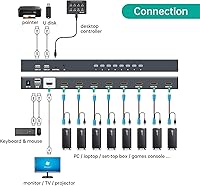
- Input Ports: Eight HDMI input ports allow simultaneous connection of up to 8 computers or source devices.
- Output Port: A single HDMI output connects to one monitor, keyboard, and mouse shared across all connected machines.
- Resolution: Maximum supported display resolution is 4K at 30Hz over HDMI.
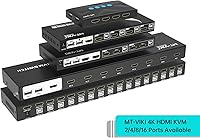
- Form Factor: The unit is designed for 1U rack-mount installation in a standard 19-inch equipment rack enclosure.
- Dimensions: Physical dimensions measure 18.11 x 7.01 x 4.25 inches, fitting within a single rack unit of vertical space.
- Weight: The unit weighs approximately 1 pound, excluding cables and accessories.
- USB Hub: Four built-in USB 2.0 hub ports are available for sharing additional peripherals across connected systems.
- USB Current Rating: The USB hub outputs up to 2 amps of current to support connected peripheral devices.
- Switching Methods: Users can switch between ports via front-panel push buttons, a wired desktop selector controller, or the included IR remote.
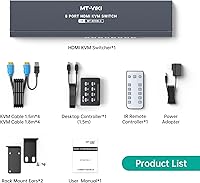
- Included Cables: Eight dual-head KVM cables combining HDMI and USB connectors are included in the package.
- Power Supply: The unit is powered by an included 5V DC power adapter supplied in the box.
- OS Compatibility: Compatible operating systems include Windows XP through Windows 10, macOS, and major Linux distributions.
- Driver Requirement: No software installation or driver configuration is required; the switch operates on a plug-and-play basis.
- Rack Hardware: A set of rack-mount ears and corresponding screws are included to facilitate standard rack installation.
- Remote Control: An IR remote control is included for wireless port switching without physical contact with the unit.
- Desktop Controller: A wired desktop selector is included, allowing port switching from the user's desk when the rack is mounted at a distance.
- Package Contents: The full package includes the KVM switch, 8 KVM cables, 1 desktop selector, 1 IR remote, rack-mount ears, screws, power adapter, and a user manual.
Related Reviews
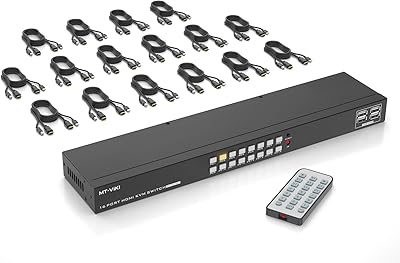
MT-VIKI MT-1601HK-C 16-Port HDMI KVM Switch
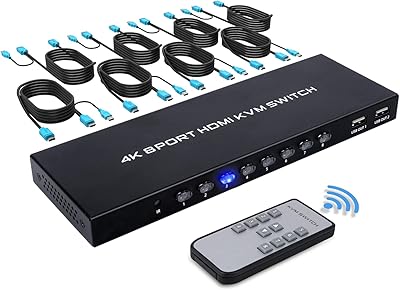
TCNEWCL KS-801 8-Port HDMI KVM Switch
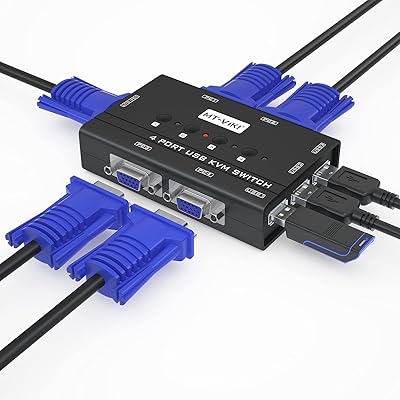
MT-VIKI 460KL 4-Port VGA KVM Switch
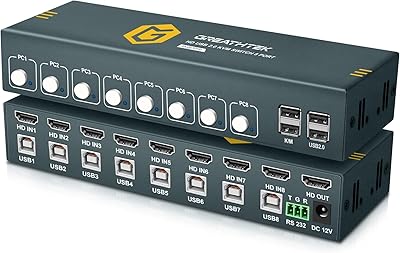
GREATHTEK 8-Port HDMI KVM Switch
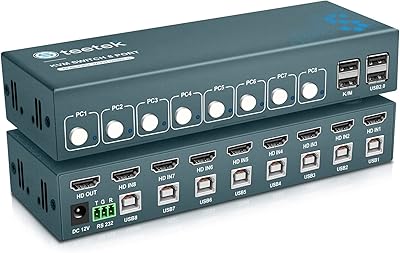
Steetek 8-Port USB 2.0 HDMI KVM Switch
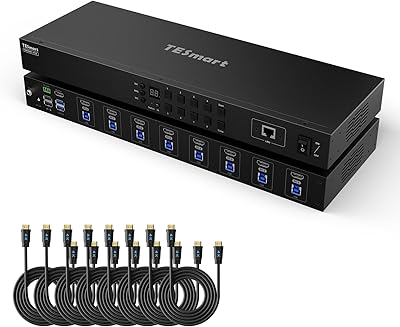
TESmart HKS801-P23 8-Port Rackmount HDMI KVM Switch
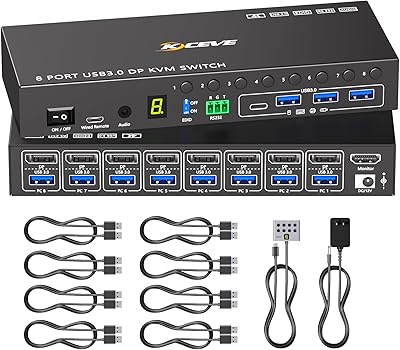
MLEEDA 8-Port DisplayPort KVM Switch
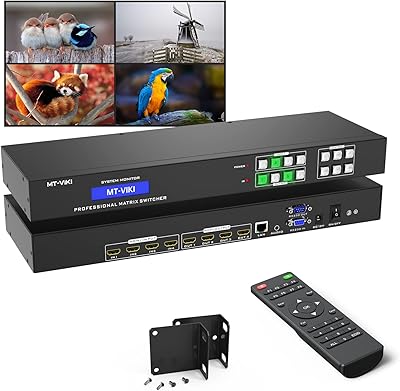
MT-VIKI MT-HD44L-DE 4x4 HDMI Matrix Switch
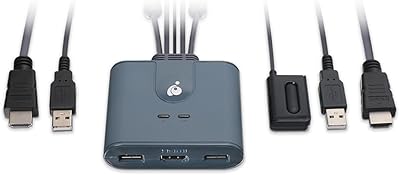
IOGEAR GCS32HU 2-Port HDMI KVM Switch
