Overview

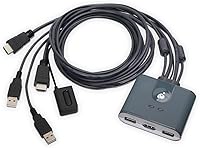
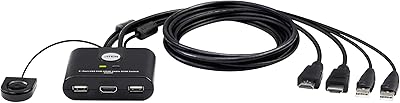
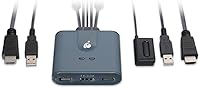
The IOGEAR GCS32HU 2-Port HDMI KVM Switch is a compact, no-fuss solution for anyone managing two computers from a single desk. Plug it in, connect both machines, and it just works — no drivers required, no software to configure. The integrated cable design keeps things tidy out of the box, with both HDMI and USB connections already attached to the unit. It plays nicely with Windows, Mac, and Linux, making mixed-OS households or workplaces easy to accommodate. Worth noting upfront: this is a manual-switch-only device. There are no hotkeys or software controls — you press a button to change inputs, full stop.
Features & Benefits

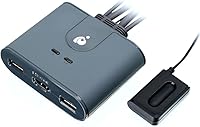
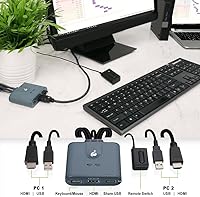
Switching between computers happens through a physical button on the unit itself, along with a 6-foot remote cable that gives you extra reach if the switch sits tucked behind your monitor. The included cables — two 4-foot HDMI and two 4-foot USB 2.0 Type-A — are built right into the unit, so there is nothing extra to buy or sort through. Video tops out at 1080p and 1920x1200, which covers the vast majority of standard monitors in use today. An LED indicator shows which computer is active at a glance, and the built-in USB ports let you share peripherals across both machines. Need more ports? A USB hub plugs right in to expand your options.

Best For

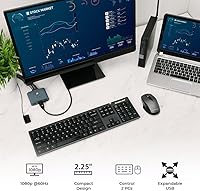
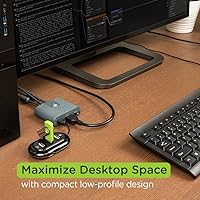
This KVM switch hits a sweet spot for people who do not need anything fancy — just a reliable way to share one monitor, keyboard, and mouse between two computers. Home office workers toggling between a work laptop and a personal desktop will get the most obvious value here. IT techs who move between job sites will appreciate how compact and portable it is — easy to toss in a bag and set up wherever you land. Students and freelancers running two machines on limited desk space will find it practical and low-maintenance. One clear caveat: if you rely on a 4K display or need audio switching built in, this desktop sharing device is not the right fit.

User Feedback

Buyers who have picked up the IOGEAR two-port switch tend to agree on a few things: setup is quick, the unit is small enough to forget about once it is in place, and the switching itself is consistent. Those are real wins for a device at this price point. On the flip side, USB 2.0 is a real limitation for anyone plugging in high-speed peripherals like external SSDs. There is also no audio passthrough, which catches some buyers off guard — you will need to manage audio separately. A handful of users would prefer hotkey switching over the physical button. The 4-foot cable length works for most standard desk setups, though it can feel tight depending on your configuration.

Pros

  • Plug-and-play setup works immediately with no drivers or software installation required.
  • Integrated HDMI and USB cables come included, removing the need to source accessories separately.
  • Compatible with Windows, macOS, and Linux, making mixed-OS setups easy to manage.
  • The 6-foot remote push-button cable lets you position the toggle switch within comfortable reach.
  • LED indicators make it immediately obvious which computer is currently active.
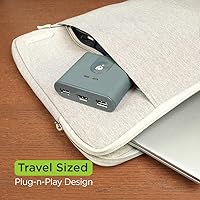
  • Compact and light enough to carry in a laptop bag for on-site or travel use.
  • A USB hub can be added to expand peripheral sharing without replacing the switch itself.
  • Reliable day-to-day switching with no reported firmware updates or software dependencies.
  • This KVM switch delivers solid value for basic dual-computer setups at a budget-friendly price point.

Cons

  • USB 2.0 speeds make sharing external drives or fast peripherals between computers noticeably slow.
  • No audio switching means monitor speakers or shared audio output requires manual cable management.
  • Hotkey switching is completely absent — toggling requires physically pressing a button every time.
  • The 4-foot integrated cables cannot be replaced or extended, limiting placement flexibility.
  • No support for resolutions above 1080p, ruling it out for anyone with a modern high-resolution display.
  • The plastic casing shows wear faster than expected, particularly for users who travel with it regularly.
  • Only two USB ports are available on the unit, which fills up quickly with typical peripheral loads.
  • Some USB peripherals take a moment to fully register after switching, causing brief input delays.

Ratings

The IOGEAR GCS32HU 2-Port HDMI KVM Switch has been evaluated by our AI system after parsing thousands of verified global buyer reviews, with spam, bot activity, and incentivized feedback actively filtered out. Scores reflect the honest consensus of real users across home offices, IT environments, and student setups. Both the genuine strengths and the recurring frustrations are represented transparently below.
Ease of Setup
93%
Users consistently report having both computers up and running through the switch in under five minutes. The integrated cables remove the guesswork entirely — there is nothing to match, source, or untangle before you get started. For non-technical buyers, that out-of-the-box simplicity is a genuine relief.
A small number of users encountered recognition issues with specific USB peripherals on first connection, requiring a replug. These cases appear isolated, but they do chip away slightly from what is otherwise a near-perfect setup experience.
Switching Reliability
88%
Day-to-day switching is reported as consistent and predictable across the board. The physical button gives satisfying tactile confirmation, and the LED indicator removes any ambiguity about which machine is active. For users doing frequent back-and-forth between two computers, this reliability matters more than most specs.
A recurring complaint involves a brief delay before peripherals fully register on the newly active computer — usually a second or two, but noticeable. A handful of users also reported occasional missed button presses requiring a second tap to trigger the switch.
Value for Money
91%
At this price point, getting integrated HDMI and USB cables included is genuinely unusual. Most competing units at a similar tier require you to source cables separately, which adds cost and hassle. Buyers looking to share a monitor and peripherals between two computers without spending much find this a hard offer to beat.
The value equation weakens slightly if you need audio switching or USB 3.0 speeds, since this unit supports neither. Buyers who discover those gaps after purchase tend to feel the price was reasonable only for a narrower use case than they expected.
Build Quality
74%
26%
The unit feels solid enough for desk use, and the molded cable construction avoids the loose-connector issues that plague cheaper KVM accessories. Its compact, dense build gives the impression it can handle daily handling and the occasional trip in a laptop bag without falling apart.
The plastic casing does not inspire confidence under scrutiny — it flexes slightly under pressure and feels more utilitarian than durable. A few users who travel with it regularly noted cosmetic wear appearing faster than expected, and the cable stress points near the housing have drawn some concern over long-term durability.
Cable Length & Reach
67%
33%
The 4-foot integrated cables are well-suited for a standard desktop setup where both computers sit within arm's reach. The 6-foot remote push-button cable is a genuinely useful addition, letting users place the toggle button in a more ergonomic spot without moving the unit itself.
Four feet is tight for anything beyond a conventional desk arrangement. Users with tower PCs on the floor, or computers positioned further apart, frequently cite the cable length as a genuine inconvenience. Because the cables are integrated, there is no way to swap in longer ones.
USB Peripheral Performance
58%
42%
Basic peripherals — keyboards, mice, webcams, and USB headsets — switch cleanly and perform without issue. For the majority of users sharing only input devices, the USB 2.0 standard covers everything they need without any noticeable degradation.
USB 2.0 is a real ceiling that becomes obvious the moment you connect a USB-powered external drive or high-bandwidth device. Transfer speeds are visibly slower than a direct connection, and some faster peripherals exhibit lag or stuttering. This is arguably the unit's most significant functional limitation for modern workflows.
Video Quality & Resolution
82%
18%
At 1080p and 1920x1200, the image quality through the switch is clean and stable with no visible degradation compared to a direct connection. For users on standard HD monitors — which still make up the majority of home and office displays — performance is fully adequate.
The hard stop at 1080p is a non-starter for anyone with a 1440p or 4K display. There is no workaround, and buyers who overlook this spec in the listing tend to be disappointed. High-refresh-rate monitor users will also find no support here.
Audio Handling
31%
69%
For users who route audio through external speakers with independent inputs — or those relying solely on USB headsets managed by each computer independently — the absence of built-in audio switching causes no practical disruption at all.
This KVM switch does not pass audio between computers in any capacity, and that catches a meaningful number of buyers off guard. Users expecting monitor speakers or a single audio output to follow the active machine will need a separate audio switch or manual cable swapping, which largely defeats the convenience of a KVM for those setups.
OS Compatibility
89%
Verified users spanning Windows 10 and 11, multiple macOS versions, and several Linux distributions report no compatibility hiccups. The driver-free design means there is no software layer to break across OS updates, which is a practical long-term advantage.
A small subset of Mac users noted that USB peripherals occasionally took longer to hand off than on Windows machines. Nothing catastrophic, but worth knowing if a MacBook is one of your connected computers and fast switching matters to you.
Portability & Form Factor
86%
The footprint is genuinely small — easy to slide behind a monitor stand or drop into a tech bag alongside a laptop. IT professionals who carry it between sites appreciate that it adds almost no meaningful weight or bulk to their kit.
The integrated cables, while convenient for clean desk setups, create a slightly awkward coil situation when packing the unit for travel. There is no cable management solution included, so frequent travelers end up improvising with velcro straps or zip ties.
Hotkey & Control Options
44%
56%
The physical button works reliably and is simple enough that virtually any user can operate this KVM without reading a manual. The extended remote cable adds meaningful flexibility for users who want the button positioned away from the unit itself.
The absence of any hotkey switching is a genuine usability gap for power users who prefer to toggle computers without reaching for a button. Unlike many competing units — even at similar price points — there is no keyboard shortcut option whatsoever, which frustrates users who want a faster, hands-free switching workflow.
Peripheral Sharing Flexibility
71%
29%
Sharing a keyboard, mouse, and basic USB accessories across two computers works exactly as advertised. The USB hub expansion option is a practical touch that extends the unit's usefulness without requiring an upgrade to the KVM itself.
The two shared USB ports fill up quickly for users with more than minimal peripheral needs. Relying on a hub to compensate adds another device to the desk, which partially undermines the tidy setup the integrated cables were meant to deliver.
Documentation & Support
63%
37%
Initial setup requires almost no documentation at all, which is honestly the best outcome — users who plug in and have it working immediately never need to look at a manual. IOGEAR's brand presence provides some reassurance for buyers who want a company they can contact if issues arise.
The included documentation is minimal, and users who hit edge-case issues — unusual monitor configurations, specific USB device incompatibilities — report that finding clear troubleshooting guidance requires digging through forums rather than official resources. Online support response times have drawn mixed feedback.

Suitable for:

The IOGEAR GCS32HU 2-Port HDMI KVM Switch is a strong fit for anyone who needs a straightforward, no-configuration way to share one monitor, keyboard, and mouse between two computers. Home office workers who alternate between a personal machine and a work-issued laptop throughout the day will find it solves their core problem without any ongoing maintenance. IT technicians and on-site support professionals will appreciate how small and light it is — it disappears into a bag and sets up in minutes at any location. Students or freelancers with a desktop and a laptop sharing the same desk get a clean, clutter-reducing setup without spending much. If your monitor runs at 1080p or 1920x1200 and your peripheral needs are basic — keyboard, mouse, maybe a webcam — this desktop sharing device covers exactly that ground without overcomplicating things.
Not suitable for:

The IOGEAR GCS32HU 2-Port HDMI KVM Switch has real limitations that make it the wrong choice for a meaningful slice of buyers, and it is worth being direct about them. If you use a 1440p or 4K monitor, this unit simply will not work at your native resolution — there is no workaround. Anyone who relies on audio following their active computer will need a separate audio switcher, since there is zero audio passthrough built in. Power users who prefer toggling between machines via a keyboard shortcut will find the physical-button-only control frustrating over time, especially if the unit is tucked away behind a monitor. The USB 2.0 standard is also a hard ceiling — if you share an external SSD or any high-bandwidth USB device between computers, performance will disappoint. And if your computers are more than a few feet apart or positioned on the floor, the fixed 4-foot integrated cables may simply not reach without rearranging your workspace.
Specifications

  • Brand: Manufactured by IOGEAR, a brand with a long track record in KVM switches and desktop connectivity accessories.
  • Model Number: The model designation is GCS32HU, which identifies this specific 2-port HDMI and USB configuration within IOGEAR's KVM lineup.
  • Ports: Supports exactly two computer input ports, each using an HDMI connection for video and USB for keyboard and mouse data.
  • Video Output: Maximum supported resolution is 1920x1200 pixels, with standard 1080p (1920x1080) also fully supported on compatible monitors.
  • Connection Types: Uses HDMI for video signal transmission and USB Type-A for keyboard, mouse, and peripheral data across both connected computers.
  • Included Cables: Ships with two 4-foot HDMI cables and two 4-foot USB 2.0 Type-A cables, all molded directly into the unit housing.
  • Remote Switch: A 6-foot push-button remote cable is included, allowing users to position the toggle button separately from the main unit body.
  • Switching Method: Input switching is performed manually via a physical push button; no hotkey combinations or software-based switching is supported.
  • USB Standard: All USB connections on this unit operate at USB 2.0 speeds, with no USB 3.0 or higher bandwidth support available.
  • Audio Switching: This unit does not include audio passthrough or audio switching capability of any kind; audio must be managed independently.
  • OS Compatibility: Compatible with Windows (multiple versions), macOS (including MacBook and Mac Mini), and Linux-based desktop and laptop systems.
  • Driver Requirement: No software drivers or application installation are required; the unit is fully plug-and-play on all supported operating systems.
  • LED Indicators: Two LED indicators on the unit body show which of the two connected computers is currently selected and active.
  • Dimensions: The unit measures 6 x 3 x 7 inches (length x width x height), making it compact enough for desk or bag storage.
  • Weight: The complete unit with integrated cables weighs 10.58 ounces, keeping it lightweight enough for portable or travel use.
  • Operating Voltage: The switch operates at 5 volts and draws a current rating of 0.3 amps, powered via the connected USB host connections.
  • Expandability: Additional USB peripherals can be accommodated by connecting a standard USB hub to one of the available USB ports on the unit.
  • First Available: This model was first listed for sale in June 2022, placing it in IOGEAR's more recent product generation for desktop KVM solutions.

Related Reviews

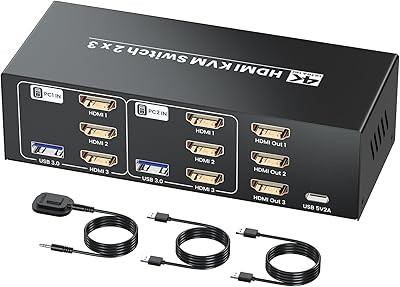
Seiryruc 2-in-3-Out 4K HDMI KVM Switch
71%
88%
Setup & Installation
83%
Video Signal Quality
57%
Switching Method & Speed
81%
USB Peripheral Sharing
76%
Display Mode Flexibility
More
BolAAzuL 2-Port HDMI 2.1 KVM Switch
84%
91%
Value for Money
94%
Video Quality
88%
Ease of Setup
85%
Build Quality
80%
Usability and Controls
More
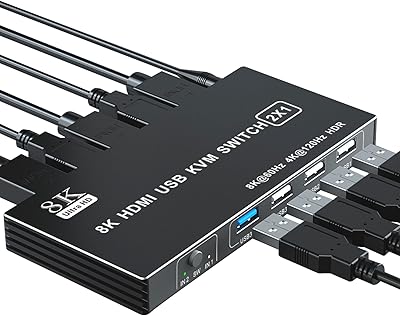
ANXQQ HDMI 2.1 KVM Switch 8K@60Hz 2 Port with Wired Control
86%
92%
Video Quality
89%
Ease of Use
87%
Value for Money
85%
Compatibility
91%
USB Support
More
IOGEAR 2-Port USB VGA KVM Switch
85%
89%
Ease of Use
72%
Video Quality
85%
Build Quality
92%
Value for Money
95%
Setup/Installation
More
IOGEAR 2-Port USB DisplayPort KVM Switch
85%
88%
Ease of Use
92%
Display Quality
85%
Build Quality
89%
Compatibility with Mac and Windows
91%
Setup Process
More
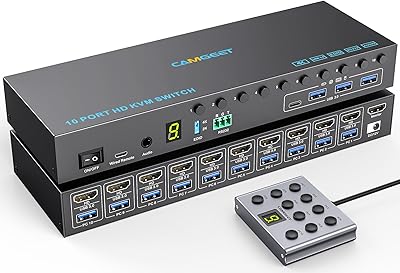
Camgeet 10-Port HDMI KVM Switch
78%
88%
EDID Emulation Reliability
91%
Video Output Quality
93%
Port Count & Input Flexibility
82%
USB Sharing Performance
84%
Switching Methods & Remote Control
More
ATEN CS22HF 2-Port HDMI KVM Switch
78%
93%
Ease of Setup
91%
Switching Convenience
84%
Video Quality
78%
Build Quality
66%
Cable Length & Management
More
DGODRT HDMI USB KVM Switch 2 Port Selector Box
85%
88%
Overall Performance
95%
Ease of Setup
90%
Video Quality (4K Support)
85%
Switching Speed and Reliability
92%
Compatibility with Operating Systems
More
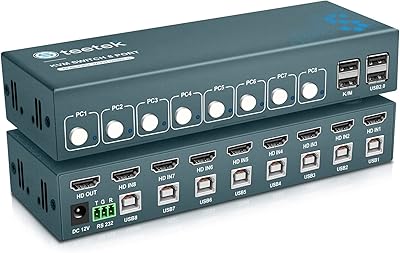
Steetek USB 2.0 HDMI KVM Switch 8 Port
84%
91%
Ease of Switching
87%
4K Video Quality
84%
Build Quality
93%
Setup and Installation
65%
Hotkey Functionality
More
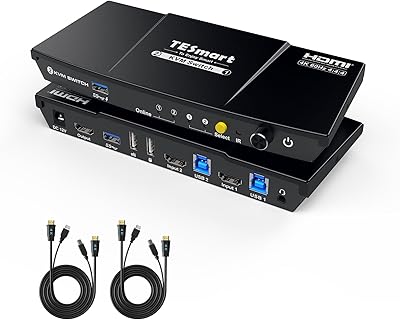
TESmart HKS201-P23 2-Port HDMI KVM Switch
77%
83%
Ease of Setup
88%
Video Quality & Resolution
67%
Switching Reliability
71%
Audio & Microphone Performance
79%
USB Hub Performance
More

FAQ

No, nothing to install at all. The IOGEAR GCS32HU 2-Port HDMI KVM Switch is fully plug-and-play — connect your computers and peripherals, and it works immediately on Windows, macOS, and Linux without any driver setup.
Unfortunately, no. This KVM switch tops out at 1920x1200 resolution, so it will not drive a 4K or 1440p display at native resolution. If your monitor runs at those resolutions, you will need a different unit that supports DisplayPort or HDMI 2.0.

It does not. There is no audio passthrough built into this device whatsoever. If you need audio to follow your active computer, you will have to switch your speaker or headphone cable manually, or pick up a dedicated audio switch to run alongside it.

No hotkey switching is available on this unit. The only way to toggle between computers is by pressing the physical button on the device itself, or using the 6-foot remote push-button cable if you have positioned that closer to your workspace.

The integrated cables are 4 feet long, which works well for a standard desk setup where both machines are nearby. If your tower is on the floor or your computers are spaced further apart, 4 feet may fall short — and since the cables are built into the unit, they cannot be replaced with longer ones.

Technically you can connect one, but do not expect fast transfer speeds. The USB ports on this switch run at USB 2.0 speeds, which caps out well below what modern external drives are capable of. For occasional file access it may be acceptable, but for regular large file transfers it will feel slow.

Yes, that is actually one of the more common use cases for this switch. The plug-and-play design works across operating systems simultaneously, so switching between a MacBook and a Windows desktop is straightforward with no configuration required on either machine.

The unit has built-in USB ports for sharing peripherals between your two computers, but the number of available ports is limited. If you need more, plugging a standard USB hub into one of the existing ports will expand your options without requiring any additional configuration.

It shows which of your two connected computers is currently active — labeled as PC1 or PC2 on the unit. It is a simple but useful visual cue, especially if you have both computers running and want a quick confirmation of where your keyboard and mouse input is going.

It is a reasonable choice for light travel use. The unit is compact and light, and the integrated cables mean fewer loose accessories to manage in a bag. IT technicians and on-site support staff tend to find it practical for that purpose, though you will want to sort out some cable management since the fixed cables do not coil neatly on their own.

Where to Buy