Overview

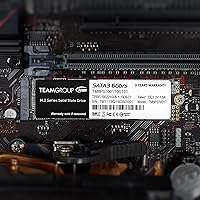
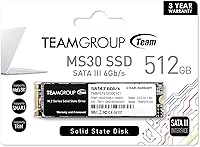
The TEAMGROUP MS30 512GB M.2 SATA SSD is a no-frills storage upgrade built for everyday users who want real speed gains without a steep outlay. TEAMGROUP is a Taiwanese manufacturer with a solid mid-market track record, and this drive sits squarely in their value lineup. One thing worth clarifying upfront: the M.2 form factor here runs on a SATA III interface, not NVMe — so do not expect PCIe-class performance. What you get instead is a dependable daily driver for typical computing workloads. With nearly 4,000 ratings averaging 4.5 stars, buyer satisfaction is genuinely strong, though the price tier sets realistic expectations from the start.
Features & Benefits

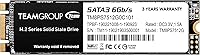
The MS30 512GB uses 3D NAND TLC flash paired with an SLC caching layer that gives burst write performance a meaningful lift — handy when installing software or copying files in short sessions. Sequential reads reach up to 530 MB/s and writes up to 430 MB/s, which is competitive within the SATA class. Physically, the drive is tiny: 3.15 x 0.87 x 0.14 inches and under half an ounce, so it fits slim laptops without fuss. The broad SATA compatibility means older motherboards are rarely a problem, and there is no proprietary software to wrestle with — just install and go.

Best For

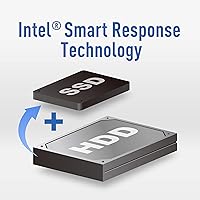
This budget SSD makes the clearest case for HDD-to-SSD upgraders — people pulling a slow spinning drive out of an aging laptop and wanting an immediately noticeable improvement in boot and load times. It also suits desktop builds where the board has no NVMe slot, which is a genuine constraint on older hardware. Students, home office users, and anyone who needs a solid OS drive will find 512 GB hits a practical sweet spot. Heavy creative workloads involving sustained large-file transfers are a tougher fit, but for everyday computing, the MS30 512GB performs reliably within its class.

User Feedback

Buyers most frequently praise the straightforward installation and the immediate improvement in boot times — many describe the process as painless even without prior hardware experience. Day-to-day reliability earns consistently positive marks, especially from users running it as a primary OS or secondary drive. The most common complaint involves sustained write speed: once the SLC cache is exhausted during heavy transfers, throughput drops noticeably, which matters if you move large files regularly. A smaller number of buyers have reported compatibility hiccups with specific older laptops, so confirming your system specs before purchasing is a smart move. Within its intended use case, satisfaction runs high.

Pros

  • Immediate, noticeable improvement over any spinning hard drive in boot speed and app load times.
  • The M.2 2280 form factor fits a wide range of laptops and desktops with minimal installation hassle.
  • SLC caching gives burst write performance a real boost for short, everyday transfer tasks.
  • Extremely light and compact — under half an ounce makes it ideal for thin and light laptops.
  • Broad SATA III compatibility means it works reliably with older motherboards that lack NVMe support.
  • No bundled software required; installation is straightforward even for first-time upgraders.
  • Nearly 4,000 buyer ratings averaging 4.5 stars reflects consistently solid real-world satisfaction.
  • Strong value-per-gigabyte ratio for users who prioritize storage capacity over peak speed.
  • Works well as a secondary drive for OS installation alongside a larger storage drive.

Cons

  • Sustained write speeds drop noticeably once the SLC cache is full — a real limitation for large file transfers.
  • SATA III tops out well below what NVMe drives deliver; systems with an M.2 NVMe slot can do significantly better.
  • Long-term endurance under heavy, continuous write workloads is not well-documented for this model.
  • A small number of buyers have reported compatibility issues with certain older laptop models.
  • TLC NAND at this price tier carries more uncertainty around multi-year reliability than higher-endurance alternatives.
  • No included cloning software or migration tools, which can add friction for users new to SSD upgrades.
  • 512 GB may feel limiting sooner than expected for users with growing game or media collections.
  • No rated MTBF or TBW figure is prominently published, making endurance comparisons harder for informed buyers.

Ratings

The TEAMGROUP MS30 512GB M.2 SATA SSD has been scored below by our AI engine after parsing thousands of verified global buyer reviews, with spam, bot activity, and incentivized feedback actively filtered out. The ratings reflect a balanced picture — where this drive genuinely earns its place and where real buyers have run into friction — so you can make a confident, eyes-open decision.
Value for Money
93%
Buyers consistently describe this as one of the strongest price-to-capacity ratios available in the M.2 SATA category. For users replacing an aging laptop HDD on a tight budget, the combination of 512 GB and reliable everyday speed at this price point is difficult to beat.
A small segment of reviewers feel the value calculus shifts if NVMe drives in the same price range go on sale, making the SATA ceiling harder to justify for users who have an NVMe-capable slot available.
Read Speed Performance
78%
22%
Sequential reads approaching 530 MB/s translate into snappy app launches and noticeably fast operating system boot times compared to any mechanical hard drive. Users running Windows or macOS as their daily driver report a satisfying day-one improvement that holds up over months of normal use.
Enthusiasts who have used NVMe drives previously often note that the SATA ceiling becomes apparent when loading large game levels or transferring significant amounts of data, where the throughput gap versus PCIe alternatives is clearly felt.
Write Speed Performance
62%
38%
For short bursts — saving documents, installing a typical application, or copying a handful of files — the SLC cache does its job and write speeds feel responsive. Most home and student users say they rarely notice any lag in their day-to-day writing tasks.
Once the SLC cache saturates during prolonged transfers, such as moving a large video project or a full game library, write speeds drop off in a way that is hard to ignore. Several users specifically flagged this during backup operations involving tens of gigabytes at once.
Installation Ease
91%
The M.2 2280 form factor slots in cleanly on both laptops and desktops, and buyers with no prior hardware experience consistently describe the physical installation as straightforward. No proprietary drivers or software installation is required after the drive is seated.
A minority of users with older or off-brand laptops reported that their system BIOS did not detect the drive immediately, requiring a firmware update or manual BIOS configuration tweak before the drive appeared — an unexpected hurdle for first-timers.
Compatibility
74%
26%
The SATA III interface is broadly supported across a wide spectrum of machines, from mid-2000s desktops retrofitted with M.2 adapters to modern budget laptops. The vast majority of buyers plug it in and it works without any configuration needed.
Compatibility friction surfaces most often with specific older laptop models where the M.2 slot is wired for NVMe only, or where the BIOS is not current enough to recognize the drive. Buyers who skip the pre-purchase compatibility check are the most likely to run into this.
Build Quality & Form Factor
82%
18%
At under half an ounce, the drive is impressively light without feeling flimsy, and the 2280 size fits without any modification in virtually every standard M.2 slot. Users upgrading slim laptops appreciate that the low profile does not interfere with case closure.
The drive ships without a heat spreader, which is typical at this price tier but worth noting for users installing it in compact desktops or high-ambient-temperature environments where thermal throttling could theoretically become a factor.
Boot Time Improvement
89%
This is the category where buyer excitement is loudest. Users who replaced 5400 RPM laptop hard drives report boot times shrinking from over a minute to under 15 seconds, a transformation that makes older machines feel genuinely usable again. It is the most frequently cited reason buyers leave a five-star review.
Users upgrading from a previous-generation SATA SSD rather than a spinning drive will see a much more modest improvement, and a handful of reviewers who expected NVMe-level results expressed disappointment that did not reflect a realistic comparison.
Long-Term Reliability
67%
33%
For users running the drive as a primary OS or light-use secondary drive, multi-year reliability reports are largely positive. Buyers who installed it two or three years prior and use it for typical home computing describe it as holding up without issues.
TLC NAND endurance under sustained write-heavy conditions is less proven over the long run, and the absence of a prominently published TBW rating makes direct endurance comparisons difficult. A small number of longer-term owners have flagged gradual performance softening after 18 to 24 months of heavy daily use.
SLC Cache Effectiveness
61%
39%
For the typical user — someone writing files in short sessions throughout the day — the SLC cache makes a real difference. Everyday tasks like browser caching, software updates, and document saves all sit comfortably within the cache window and feel fluid.
The cache size is not large enough to cover heavy continuous workloads, and once exhausted, the drop to native TLC write speeds is steep. Users who regularly back up large folders or work with raw video files found this behavior frustrating and felt it was not communicated clearly enough upfront.
Daily Workload Performance
84%
Web browsing, productivity applications, light photo editing, and casual gaming all run comfortably on this drive, and users who fall into that usage profile rarely have anything negative to say about day-to-day responsiveness. It handles the practical demands of home and student computing reliably.
Users who push the drive beyond typical office workloads — running virtual machines, working with large databases, or editing high-resolution video — find that it reaches its limits more quickly than the headline specs might suggest.
Thermal Management
71%
29%
Under typical use conditions, the drive runs cool and most users never encounter heat-related throttling in standard laptop or desktop configurations. The low operating voltage of 3V contributes to modest power draw and heat generation during light workloads.
In enclosed mini-ITX builds or thin laptops with limited airflow, a few users noted that temperatures climbed during extended sequential operations. Without any integrated heat spreader, it relies entirely on ambient airflow or a separately sourced thermal pad.
Packaging & Out-of-Box Experience
69%
31%
The drive arrives well-protected and buyers report no damage-in-transit issues in the overwhelming majority of cases. The compact packaging is straightforward, which suits buyers who just want the drive and nothing extra.
There is no included cloning software, no mounting screw in most configurations, and no quick-start guide — omissions that are common at this price tier but still generate occasional frustration among buyers who expected a more complete kit.
Brand Reputation & Support
73%
27%
TEAMGROUP has a solid standing in the mid-market storage category, and buyers generally express confidence in the brand relative to its price tier. The availability of replacement units through standard retail channels adds a layer of reassurance for cautious buyers.
Customer support responsiveness for warranty claims receives mixed reviews, and TEAMGROUP does not carry the same brand recognition as Samsung or Western Digital, which causes hesitation among buyers who prioritize long-established brand trust for critical storage.

Suitable for:

The TEAMGROUP MS30 512GB M.2 SATA SSD is a practical fit for anyone whose primary goal is breathing new life into an older machine without spending much. If your laptop or desktop still has a spinning hard drive and an M.2 SATA slot, swapping in this drive will deliver a genuine, day-one improvement in boot times and general responsiveness. Students running everyday productivity software, home users managing documents and media libraries, and budget desktop builders who just need a dependable OS drive will all find the value proposition here compelling. It also makes sense for machines that physically lack an NVMe slot — a common reality with laptops from the early-to-mid 2010s — where this drive represents the best available upgrade path. Anyone who does not need bleeding-edge throughput and simply wants reliable, faster-than-HDD storage at a fair price is squarely in the target audience.
Not suitable for:

The TEAMGROUP MS30 512GB M.2 SATA SSD is not the right call for users who regularly push large volumes of data through their storage — video editors exporting multi-gigabyte project files, photographers batch-processing RAW libraries, or anyone doing consistent disk-heavy work will likely hit the SLC cache ceiling and see write speeds fall off sharply. If your system has an available NVMe slot, spending a bit more on a PCIe-based drive will get you two to four times the sequential throughput, which matters in those workloads. Power users who track drive health obsessively may also find the long-term endurance data on TLC NAND at this price tier less reassuring than higher-endurance options. And if 512 GB feels tight for your media or game library now, it will feel tighter in a year — buyers with growing storage needs may want to step up in capacity from the start.
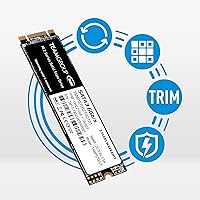
Specifications

  • Brand: Manufactured by TEAMGROUP, a Taiwanese memory and storage company with an established mid-market reputation.
  • Model Series: Part of the MS30 lineup, designed as an accessible SATA-based M.2 SSD for everyday computing needs.
  • Part Number: The official model identifier is TM8PS7512G0C101, which corresponds to the 512 GB capacity variant.
  • Capacity: Offers 512 GB of total flash storage, suitable for an operating system, applications, and moderate media libraries.
  • Form Factor: Uses the M.2 2280 standard, measuring 3.15 x 0.87 x 0.14 inches to fit the most common M.2 slot length.
  • Interface: Connects via SATA III at 6 Gb/s — this is a SATA drive in an M.2 slot, not an NVMe or PCIe device.
  • NAND Type: Built on 3D NAND TLC flash with an SLC caching layer to improve burst write performance for typical workloads.
  • Read Speed: Rated sequential read speed reaches up to 530 MB/s under optimal conditions, competitive within the SATA class.
  • Write Speed: Rated sequential write speed reaches up to 430 MB/s, with the caveat that sustained speeds may drop once the SLC cache is saturated.
  • Weight: Weighs just 0.353 oz, making it one of the lightest storage upgrades available and well-suited for slim or ultrabook laptops.
  • Voltage: Operates at 3V, consistent with standard M.2 SATA power requirements on both laptop and desktop platforms.
  • Compatibility: Designed for use in laptops and desktop PCs that feature an M.2 slot configured for SATA operation.
  • Installation: Internal installation only; no external enclosure or adapter is included, and no proprietary driver or software is required.
  • Availability: Listed as not discontinued by the manufacturer, with the product first made available in September 2018.
  • Market Rank: Holds a top-100 position in the Amazon Internal Solid State Drives category, reflecting sustained buyer demand.

Related Reviews
ORICO Y20M 512GB M.2 SATA SSD
78%
61%
Compatibility Clarity
78%
Read/Write Performance
88%
Installation Experience
84%
Value for Money
74%
Long-Term Reliability
More
Transcend MTS830S 512GB M.2 SSD
79%
82%
Real-World Speed
88%
Value for Money
79%
Compatibility
91%
Installation Experience
89%
Boot & Load Times
More
KingSpec NT Series 512GB M.2 SATA SSD
84%
88%
Performance
91%
Installation Ease
85%
Reliability
92%
Value for Money
80%
Compatibility with Non-Mac Systems
More
TEAMGROUP MP33 512GB NVMe SSD
76%
93%
Value for Money
81%
Read Speed Performance
58%
Sustained Write Performance
94%
Installation Ease
88%
Compatibility
More
Transcend MTS430S 512GB M.2 SSD
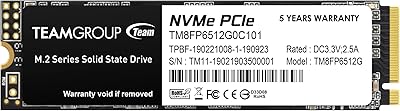
85%
94%
Form Factor Compatibility
76%
Read & Write Speed
83%
Real-World Responsiveness
91%
Installation Ease
89%
Long-Term Reliability
More
Timetec 512GB M.2 2280 SATA SSD
80%
93%
Value for Money
81%
Read Speed Performance
67%
Write Speed & Cache Behavior
91%
Installation Ease
78%
Long-term Reliability
More
dockteck DH0002 M.2 NVMe/SATA SSD Enclosure
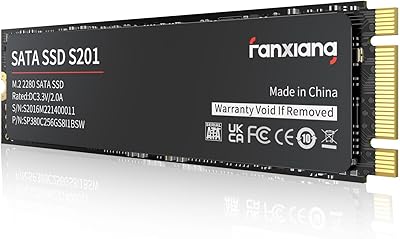
84%
88%
Transfer Speed (NVMe)
76%
SATA Drive Performance
83%
Build Quality
93%
Ease of Setup
79%
Thermal Management
More
fanxiang S201 512GB M.2 SSD
84%
88%
Performance
91%
Value for Money
85%
Compatibility with Older Systems
90%
Ease of Installation
82%
Power Efficiency
More
ChenYang CY-SA-060 mSATA M.2 SATA SSD Enclosure
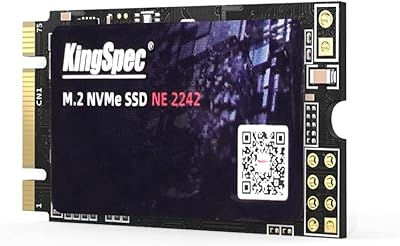
70%
88%
Value for Money
54%
Drive Compatibility
79%
JBOD Functionality
58%
Build Quality
72%
Installation Ease
More
DATO DP330 512GB M.2 2230 NVMe SSD
79%
78%
Read/Write Speed
94%
Form Factor Fit
88%
Installation Ease
83%
Value for Money
53%
Thermal Management
More

FAQ

Yes, that is actually the ideal scenario for this drive. It uses a SATA III interface in an M.2 form factor, so it is designed for exactly the kind of M.2 SATA slots found in many older or mid-range laptops. Just confirm your M.2 slot supports SATA — some newer boards only accept NVMe, so it is worth a quick check in your laptop manual or manufacturer specs page.

Absolutely. Going from a spinning HDD to this budget SSD is one of the most impactful upgrades you can make to an older machine. Boot times typically drop from a minute or more down to under 15 seconds, and everyday tasks like opening apps or loading files feel much snappier. It is not the fastest drive on the market, but compared to any mechanical hard drive, the difference is immediate and obvious.

This is where you need to set realistic expectations. The MS30 512GB uses SLC caching to boost short bursts of write activity, but once that cache fills up during a prolonged large transfer, write speeds will step down noticeably. For typical tasks like installing software, copying a few gigabytes, or moving documents, you will not hit that ceiling. For routine large-file transfers, the slowdown is real and worth knowing about.

Yes, it works with Windows 11 just as it does with Windows 10 or earlier versions. The drive does not require any special drivers — Windows will detect it during installation or after a fresh plug-in. Just make sure your system meets Microsoft's own Windows 11 hardware requirements separately, as those relate to your CPU and TPM, not the SSD itself.

Yes, and it works well in that role. As long as your desktop motherboard has an M.2 slot that supports SATA, you can install your operating system directly onto this drive. Many users run it as their primary OS drive in budget builds, and day-to-day performance for browsing, documents, and light gaming is solid.

The easiest way is to check your motherboard or laptop manual — it will list what protocols each M.2 slot supports. You can also look up your device model on the manufacturer's support page. If your slot only supports NVMe (PCIe), a SATA M.2 drive like this one will either not work or not be recognized, depending on the board. It is a quick check that can save a lot of hassle.

No, there is no bundled migration or cloning software included in the package. If you want to clone your existing drive rather than do a clean install, you will need to source a third-party tool separately. Macrium Reflect Free and Clonezilla are two commonly used options that work well for this kind of job.

For typical home or office use — web browsing, documents, media playback, light gaming — TLC NAND drives like this one generally hold up well for several years. The endurance ceiling for heavy, sustained write workloads is lower than on MLC or enterprise-grade drives, but for the workloads most home users run, reaching the practical wear limit is unlikely within a normal upgrade cycle.

For most everyday users, 512 GB is a comfortable amount of space for an operating system, a core set of applications, and a reasonable media or document library. Where it can feel tight is if you install a lot of large modern games — those alone can eat 50 to 100 GB apiece. If gaming is a priority, either sizing up or pairing this drive with a secondary storage option is worth thinking through before purchasing.

A small number of buyers have noted compatibility issues with certain older laptop models, though these cases represent a minority of the overall feedback. The most common scenario involves specific BIOS configurations or laptops that do not properly detect M.2 SATA drives without a firmware update. Checking your laptop manufacturer's support forums or compatibility lists before buying is a sensible precaution, especially with machines more than seven or eight years old.

Where to Buy