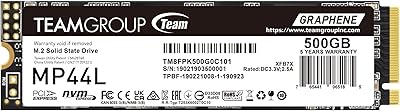
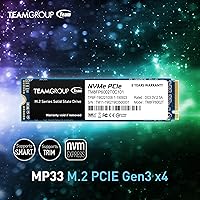
TEAMGROUP MP33 512GB NVMe SSD


Overview
The TEAMGROUP MP33 512GB NVMe SSD has been quietly earning its place as one of the more sensible budget storage upgrades since it launched in 2019. It fits the standard M.2 2280 slot found on most Intel and AMD motherboards, making it compatible with a wide range of laptops and desktops. What you're getting here is an entry-level NVMe drive — not a workstation powerhouse, but a meaningful step up from a spinning hard drive or an older SATA SSD. Think faster boot times, quicker app launches, and a generally more responsive system. Set the right expectations for the price point, and it rarely disappoints.
Features & Benefits
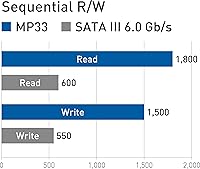
Running on a PCIe Gen3x4 interface, this entry-level NVMe hits sequential reads of up to 1700 MB/s and writes up to 1400 MB/s — noticeably faster than anything a SATA drive can offer. It uses 3D TLC NAND flash paired with SLC caching, which means short, bursty writes feel snappy. That said, if you're copying a large folder of files — say, a full game library backup — you may notice speeds settle down once the cache fills, since there's no dedicated DRAM onboard. For typical day-to-day use, that limitation rarely surfaces. The drive also carries a 350 TBW endurance rating and runs reliably across Windows 11 and most modern Linux distributions.
Best For
The TeamGroup MP33 makes the most sense for anyone upgrading from an old spinning hard drive and wanting a real-world speed boost without overspending. Students running a browser, Office apps, and a video call will find it handles their workload without issue. It's also a practical secondary drive in a desktop — useful for storing games or media when a faster primary drive is already handling the heavy lifting. Laptop users with an available M.2 2280 NVMe slot will find installation straightforward. Where it starts to show limits is with sustained large file transfers or professional creative workloads; for those, a DRAM-equipped drive from a higher tier would serve better.
User Feedback
With over 5,500 ratings and a 4.7-star average, the MP33 has built a track record that's hard to argue with at this price. Most buyers highlight how straightforward installation is and how dramatic the difference feels coming from a hard drive — Windows booting in seconds instead of minutes is a recurring observation. On the flip side, some users doing large file transfers have noticed speed dips mid-copy, which is consistent with the no-DRAM design rather than a defect. Long-term reliability feedback has been largely positive, with few complaints about firmware issues or sudden failures. The general consensus: for cost-conscious buyers, this drive punches well above its price.
Pros
- Noticeably faster than any SATA or hard drive for everyday tasks like booting and app loading.
- Fits the widely used M.2 2280 slot, compatible with most Intel and AMD laptops and desktops.
- SLC caching keeps short burst writes feeling quick during typical daily workloads.
- 350 TBW endurance rating is respectable for a drive at this price tier.
- Extremely lightweight at under a quarter of an ounce — barely registers during installation.
- Supports Windows 11 and Linux out of the box with no driver headaches reported.
- Over 5,500 buyer ratings and a 4.7-star average signal consistent real-world reliability.
- Works well as a secondary game or media drive in a desktop alongside a faster primary SSD.
- Long-standing availability since 2019 means the hardware is proven, not experimental.
Cons
- No DRAM cache means sustained write speeds slow down significantly during large file transfers.
- Not competitive with DRAM-equipped or Gen4 NVMe drives for demanding professional workloads.
- SLC caching benefits are limited — once the cache fills, performance settles to slower TLC speeds.
- Random read and write performance may lag behind pricier drives in more intensive multitasking scenarios.
- No included heatsink or thermal pad, which could matter in tight laptop chassis with poor airflow.
- The 512GB capacity may feel limiting over time as game installs and media libraries grow.
- Buyers in regions outside the US should verify local warranty terms, as support can vary internationally.
- No hardware encryption support noted, which may matter to security-conscious business users.
Ratings
The scores below for the TEAMGROUP MP33 512GB NVMe SSD were generated by our AI engine after analyzing thousands of verified global buyer reviews, with spam, incentivized, and bot-flagged submissions actively filtered out. Both consistent praise and recurring frustrations are reflected honestly — no cherry-picking. The result is a balanced, data-grounded picture of where this drive genuinely delivers and where it falls short.
Value for Money
Read Speed Performance
Sustained Write Performance
Installation Ease
Compatibility
Long-Term Reliability
Thermal Management
Gaming Load Times
Packaging & Presentation
Software & Tooling
Random Read & Write (IOPS)
Form Factor Versatility
Boot Drive Suitability
Suitable for:
The TEAMGROUP MP33 512GB NVMe SSD is a strong fit for anyone who wants a meaningful speed upgrade without spending a lot. If you're still running a mechanical hard drive or an older SATA SSD, swapping this in will make your system feel genuinely faster — boot times drop, apps open quicker, and general navigation feels more responsive. Students, home office workers, and casual users who spend most of their time in a browser, document editor, or video call app will get everything they need from this drive. It also works well as secondary storage in a desktop build, holding games or media while a higher-tier drive handles the OS. Laptop owners with an M.2 2280 NVMe slot and a tight budget will find the installation straightforward and the performance jump well worth it.
Not suitable for:
The TEAMGROUP MP33 512GB NVMe SSD is not the right call for users who regularly move large volumes of data — think video editors exporting project files, photographers bulk-transferring RAW images, or anyone doing frequent large backups. Without a dedicated DRAM cache, sustained write performance drops noticeably once the SLC cache is exhausted, which will frustrate anyone expecting consistent high throughput. Content creators, data scientists, or professionals running demanding read/write workloads should look at a DRAM-equipped drive or a PCIe Gen4 option instead. Similarly, if your system already has a capable NVMe installed and you are looking for a speed boost rather than a storage addition, this entry-level drive will likely feel like a lateral move rather than an upgrade.
Specifications
- Capacity: This drive offers 512GB of usable storage, suitable for an operating system, applications, and a moderate game library.
- Interface: It uses a PCIe 3.0 x4 interface with NVMe 1.3, which communicates faster with the CPU than older SATA-based drives.
- Form Factor: The M.2 2280 form factor measures 80mm long by 22mm wide, fitting the most common M.2 slot found in laptops and desktops.
- Sequential Read: Peak sequential read speed reaches up to 1700 MB/s under optimal, burst-load conditions.
- Sequential Write: Peak sequential write speed reaches up to 1400 MB/s, though real-world sustained speeds will vary based on workload size.
- NAND Type: The drive uses 3D TLC (Triple-Level Cell) NAND flash, a common and cost-effective storage technology for consumer drives.
- Cache Type: SLC caching is used to accelerate burst write performance; there is no dedicated DRAM cache on this drive.
- Endurance: The 512GB variant is rated for 350 TBW (Terabytes Written), representing the total data that can be written before wear becomes a concern.
- Reliability: TEAMGROUP rates the MP33 at an MTBF of 1,500,000 hours, reflecting the expected statistical reliability under normal operating conditions.
- Dimensions: The drive measures 80mm x 22mm x 3.8mm and weighs just 0.212 ounces, making it one of the lightest storage upgrades you can install.
- Voltage: It operates at DC +3.3V, drawing power directly from the M.2 slot on the motherboard with no external power connection required.
- Storage Temp: The drive can be safely stored in temperatures ranging from -40°C to 85°C when not in use.
- OS Support: Compatible operating systems include Windows 11, 10, 8.1, 8, and 7, as well as Linux kernel 2.6.33 and later.
- Platform Support: The M.2 2280 NVMe specification is compatible with most modern Intel and AMD desktop and laptop platforms.
- Brand: Manufactured by Team Group, a Taiwanese storage company that has been producing consumer memory and SSD products since 1997.
Related Reviews
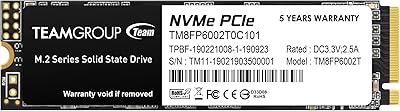
TEAMGROUP MP33 2TB NVMe M.2 SSD
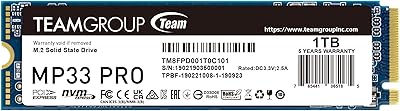
TEAMGROUP MP33 PRO 1TB NVMe SSD
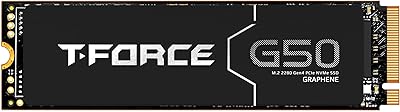
TEAMGROUP T-Force G50 512GB NVMe SSD
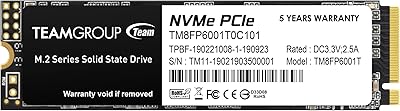
TEAMGROUP MP33 1TB M.2 PCIe NVMe SSD
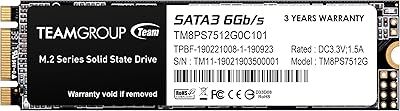
TEAMGROUP MS30 512GB M.2 SATA SSD
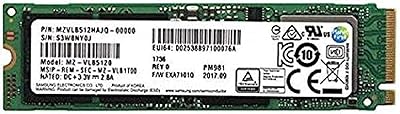
Samsung PM981 512GB NVMe SSD
TEAMGROUP MP44L 2TB NVMe M.2 SSD
TEAMGROUP MP44L 1TB NVMe SSD