Overview

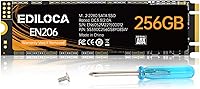
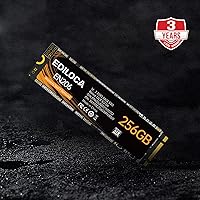
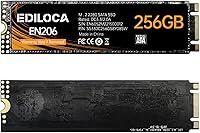
The Ediloca EN206 256GB M.2 SATA SSD is a straightforward storage upgrade aimed at machines that have an M.2 slot but are limited to the SATA protocol — not NVMe. That distinction matters more than anything else here: if your laptop or mini PC supports M.2 SATA, this drive fits perfectly; if your slot is NVMe-only, it simply won't work, so check your specs first. Ediloca isn't a brand most people recognize, but a 4.5-star rating from over a thousand buyers and a top-300 BSR in its category suggest it has earned genuine credibility. Think of this as a practical HDD replacement, not a speed demon.

Features & Benefits

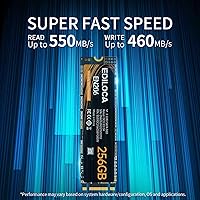
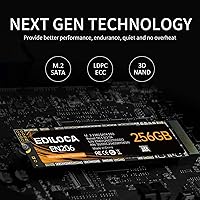
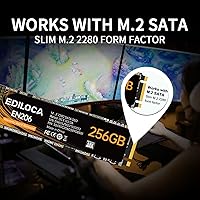
The EN206 runs on the SATA III 6Gb/s interface, hitting sequential reads around 550 MB/s and writes near 460 MB/s. In everyday use, that means Windows booting in well under 20 seconds and applications launching with almost no delay — a dramatic improvement over a spinning hard drive. The drive uses 3D NAND TLC flash with LDPC error correction built in, which helps catch and fix data errors before they cause problems. It fits the standard M.2 2280 footprint, runs without active cooling, and adds virtually no weight to a portable system. A 3-year warranty with manufacturer support rounds out a reasonably well-packaged offer.

Best For

This M.2 SATA drive makes the most sense for anyone upgrading a laptop, mini PC, or ultrabook that has an M.2 SATA-only slot — especially systems too old or too entry-level to support NVMe. It is a strong fit for everyday computing tasks: browsing, office work, light photo editing, and media playback. Boot times improve considerably, and general responsiveness feels much snappier than with a mechanical drive. IT professionals refreshing older business hardware will find the value proposition hard to argue with. That said, if you plan on sustained large-file writes or frequent heavy backups, the TLC NAND endurance ceiling is worth factoring into your decision.

User Feedback

Across more than 1,000 ratings, this Ediloca SSD holds a 4.5-star average — notably solid for a brand without Samsung or Western Digital name recognition. Buyers most often highlight how easy installation is and how much snappier their systems feel after swapping out an old hard drive. A recurring issue in negative reviews is compatibility confusion: some buyers ordered this for NVMe-only slots, which is a user error but suggests the product could be more clearly labeled. There are occasional questions about long-term reliability with TLC flash under heavy workloads, though for light to moderate daily use, that concern is unlikely to surface within the warranty period.

Pros

  • Delivers a dramatic real-world speed improvement over any aging mechanical hard drive.
  • The M.2 2280 form factor fits a wide range of slim laptops, mini PCs, and ultrabooks without modification.
  • Installation is straightforward — most users report getting it done in under 15 minutes.
  • LDPC error correction adds a meaningful layer of data reliability not always found at this price tier.
  • A 3-year limited warranty is reassuring for a lesser-known brand and covers a reasonable ownership window.
  • Broad compatibility with Windows 7 through current versions makes it viable for older system upgrades.
  • Holds a 4.5-star average across more than 1,000 buyers — strong social proof for the category.
  • The caseless design keeps the profile low and works well in thermally constrained compact builds.
  • Ranked in the top 300 internal SSDs on Amazon, reflecting consistent sales volume and buyer satisfaction.

Cons

  • Only works in M.2 SATA slots — incompatible with NVMe-only connectors, which is a common source of returns.
  • 256GB fills up quickly if you store large media libraries, games, or creative project files.
  • TLC NAND has a lower write endurance ceiling than MLC or SLC flash, which matters for heavy workloads over time.
  • Ediloca lacks the published endurance ratings and long-term reliability data that established brands provide.
  • SATA III tops out around 550 MB/s reads — noticeably slower than even entry-level NVMe drives hitting 2000 MB/s or more.
  • No included mounting hardware or screws, which can catch first-time builders off guard.
  • Limited independent third-party reviews make it harder to verify long-term durability claims.
  • No thermal pad or heat spreader, which could be a minor concern in tightly enclosed builds with poor airflow.

Ratings

The Ediloca EN206 256GB M.2 SATA SSD has been scored by our AI system after analyzing thousands of verified global buyer reviews, with spam, bot-generated, and incentivized submissions actively filtered out before scoring. These ratings reflect where the EN206 genuinely delivers for everyday users — and where it falls short — so you can make a clear-eyed decision rather than rely on cherry-picked praise.

Value for Money
88%
Buyers upgrading from mechanical hard drives consistently describe this Ediloca SSD as one of the more honest deals in the budget SATA segment — real speed gains at a price that doesn't require justification. For IT refurbishers or students on tight budgets, the cost-to-performance ratio holds up well against pricier alternatives.
A handful of buyers noted that spending slightly more opens the door to entry-level NVMe drives with dramatically higher speeds, which makes the value calculation less clear for anyone whose machine actually supports NVMe. At 256GB specifically, per-gigabyte pricing is less competitive than larger-capacity SATA drives.
Read/Write Performance
74%
26%
For SATA-based workloads — booting Windows, launching browsers, opening Office files — the EN206 performs exactly as rated and feels noticeably snappy compared to any spinning disk. Users replacing HDDs in older ultrabooks frequently describe the experience as transformative for daily use.
The SATA III ceiling caps real-world reads around 520–540 MB/s, and sustained write speeds can dip under load due to TLC cache exhaustion — something power users transferring large video files or running disk-intensive applications will bump into. Anyone with an NVMe-capable slot will find these numbers disappointing by comparison.
Compatibility
69%
31%
The M.2 2280 form factor slots cleanly into the vast majority of laptops, mini PCs, and ultrabooks that support SATA protocol, and Windows 7 through 11 all detect it without any driver installation. Buyers refreshing older ThinkPads, Dell Inspirons, and similar business-class machines report plug-and-play success.
The single most recurring complaint across reviews is compatibility confusion — buyers with NVMe-only M.2 slots receiving a drive their system cannot use. Ediloca's product listing does not make this distinction prominent enough, leading to preventable returns, especially among less technical buyers who may not know to check their slot type.
Installation Ease
91%
The physical installation process is about as straightforward as M.2 drives get — no cables, no formatting required for a clean OS install, and the compact caseless design slides into position without any fuss. First-time upgraders and non-technical users consistently report completing the swap in under 15 minutes.
No mounting screw is included in the package, which some laptops and mini PCs require to secure the M.2 stick — a small but annoying omission that catches unprepared buyers off guard. There is also no bundled cloning software, meaning users migrating an existing Windows installation need to source a third-party tool on their own.
Build Quality
77%
23%
The PCB feels solid for the price tier, and the caseless design — while minimal — is intentional and standard for M.2 SATA drives in slim-device applications. Users installing it in ultrabooks and tablets appreciate that there is no bulk to work around.
Without a heat spreader or protective casing, the bare PCB is vulnerable during handling before installation, and there is no thermal management for tightly enclosed builds where airflow is limited. Competitors at a similar price point occasionally include basic label covers that offer at least some physical protection.
Boot Time Improvement
87%
This is the most universally praised outcome across buyer reviews — users replacing HDDs report Windows boot times dropping from over a minute to well under 20 seconds. For everyday users whose machines felt painfully sluggish at startup, this single improvement justifies the purchase on its own.
Boot time gains are naturally limited for users already running a 2.5-inch SATA SSD, where the performance delta narrows considerably. The improvement is hardware-dependent too — older systems with slower processors or limited RAM may not fully reflect the drive's speed potential after the OS loads.
Long-Term Reliability
63%
37%
For light-to-moderate use cases — a personal laptop used for browsing, documents, and media — TLC NAND paired with LDPC error correction is adequate and is unlikely to cause problems within the 3-year warranty window. Most casual buyers will never approach the endurance ceiling.
Ediloca does not publish a TBW (terabytes written) endurance rating for the EN206, which is a notable transparency gap compared to established brands that disclose this figure openly. Power users, small business operators, or anyone running frequent large-scale writes have no objective benchmark to assess long-term durability.
Warranty & Support
78%
22%
A 3-year limited warranty is a genuinely competitive offer at this price point, and Ediloca's stated technical support availability gives buyers some recourse if issues arise. For a lesser-known brand, this coverage window is a meaningful trust signal.
Customer support responsiveness is inconsistently rated across reviews, with some users reporting slow or unclear communication when pursuing warranty claims. The brand lacks the established RMA infrastructure of major SSD manufacturers, which can make the process more effortful than it should be.
Thermal Performance
72%
28%
Under typical daily workloads — web browsing, document editing, media playback — this M.2 SATA drive runs at very manageable temperatures and does not require active cooling. In most ultrabooks and mini PCs, heat is essentially a non-issue during normal sessions.
During sustained sequential writes — large file transfers or disk cloning — temperatures can climb more noticeably without any heat spreader to distribute warmth. In compact enclosures with restricted airflow, some users have observed throttling behavior during prolonged high-load tasks.
Packaging & Presentation
61%
39%
The drive arrives securely packaged and intact in virtually all buyer reports, with no damage-in-transit complaints surfacing as a meaningful pattern. For a budget-tier product, the packaging does its primary job adequately.
The unboxing experience is bare-bones — no mounting hardware, no manual beyond basic documentation, and no software bundle. Buyers expecting a more complete out-of-box kit, particularly first-time installers who need a mounting screw, may find themselves making an extra trip to the hardware store.
OS & Software Compatibility
84%
Windows 7 through 11 all recognize the EN206 automatically without any driver installation, making it a reliable drop-in for system refreshes across a wide range of hardware vintages. Linux users also report straightforward detection with no configuration required.
macOS compatibility is not officially listed or supported, limiting options for Mac users considering non-Apple storage upgrades. There is no manufacturer utility software for health monitoring, firmware updates, or performance diagnostics — buyers must rely on generic third-party tools.
Brand Reputation
66%
34%
Ediloca has built a credible track record within the budget SSD segment — a BSR of #266 in Internal Solid State Drives and over 1,000 ratings at 4.5 stars suggests a product that genuinely satisfies the majority of its buyers. That kind of sustained market performance is hard to fake.
The brand is still largely unknown outside of value-oriented buyers, and there is minimal independent coverage from reputable tech reviewers to validate manufacturer claims. For buyers who prioritize brand trust and documented reliability history, Ediloca is a harder sell than Samsung, Crucial, or Western Digital.
Write Endurance
57%
43%
For light personal use — saving documents, downloading media, running software updates — TLC flash at this capacity tier will outlast the warranty period without issue for the majority of casual buyers. Day-to-day endurance is adequate when usage remains moderate.
Without a published TBW figure, there is no way to objectively compare this drive's durability to competing products. TLC NAND inherently carries lower write endurance than MLC alternatives, and buyers running workloads that involve constant large-file writes — such as video editors or backup server operators — face a genuine risk of shorter usable lifespan.

Suitable for:

The Ediloca EN206 256GB M.2 SATA SSD is built for a very specific and common situation: you have a laptop, mini PC, ultrabook, or tablet with an M.2 slot that supports SATA but not NVMe, and you are still running a slow mechanical hard drive. For that person, this drive is a genuinely smart purchase. Students, home office workers, and casual users who primarily browse the web, handle documents, and stream video will notice an immediate and meaningful difference in how responsive their system feels. IT professionals refreshing older business machines will appreciate the straightforward installation and the 3-year warranty backstop. Budget-conscious buyers who want a real performance upgrade without committing to a premium drive will find the value-to-performance ratio here difficult to beat in the SATA category.

Not suitable for:

The Ediloca EN206 256GB M.2 SATA SSD is the wrong choice if your machine has an NVMe-capable M.2 slot — and many modern laptops do — because you would be leaving significant performance on the table by using a SATA drive in a slot that can do much more. Content creators, video editors, or anyone regularly moving large files will find 256GB fills up faster than expected and that SATA write speeds create a bottleneck during sustained transfers. Power users running virtual machines, managing large databases, or doing heavy multitasking should invest in an NVMe drive instead. TLC NAND also carries a lower write endurance ceiling than MLC alternatives, so users who write data constantly and intensively over years may encounter longevity concerns. If brand reputation and long-term reliability data are critical factors for you, established names with published endurance specs offer more documented peace of mind.

Specifications

  • Capacity: The drive provides 256GB of usable storage, suitable for an operating system, core applications, and a moderate media library.
  • Form Factor: It uses the M.2 2280 standard, meaning the board is 22mm wide and 80mm long — the most common M.2 size found in laptops and mini PCs.
  • Interface: Connectivity runs over SATA III at 6Gb/s, which is the protocol limit for all SATA-based M.2 drives regardless of brand.
  • Sequential Read: Rated sequential read speed reaches up to 550 MB/s under optimal conditions.
  • Sequential Write: Rated sequential write speed reaches up to 460 MB/s, which is near the ceiling for SATA III drives.
  • Flash Type: Storage cells use 3D NAND TLC (Triple-Level Cell) technology, which balances cost and capacity at the expense of slightly lower write endurance versus MLC flash.
  • Error Correction: The drive integrates LDPC (Low-Density Parity-Check) error correction to detect and fix data errors during read and write operations.
  • Weight: The bare drive weighs 0.704 oz, making it negligible in terms of impact on the overall weight of a portable device.
  • Package Size: The retail package measures 4.49 x 2.64 x 0.75 inches, accommodating the drive and minimal protective packaging.
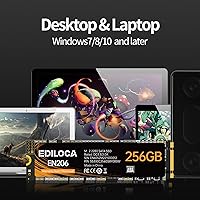
  • OS Support: Compatible with Windows 7, Windows 8, Windows 10, and later Windows releases out of the box.
  • Warranty: Ediloca provides a 3-year limited warranty with access to manufacturer technical support for the duration of the coverage period.
  • Compatible Devices: Designed for internal installation in laptops, ultrabooks, tablets, and mini PCs that feature an M.2 SATA-compatible slot.
  • Installation: This is an internal drive requiring physical installation inside the host device; it is not a plug-and-play external accessory.
  • Cooling: The caseless design relies entirely on passive cooling, with no integrated heat spreader or thermal pad included.
  • Color: The PCB and controller housing are finished in black.
  • Brand: Manufactured and sold under the Ediloca brand, which also produces NVMe and 2.5-inch SATA SSD variants under the EN and ES product lines.

Related Reviews
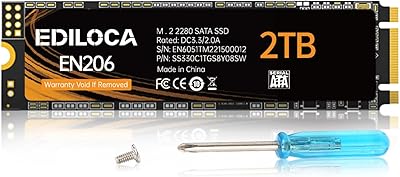
Ediloca EN206 2TB M.2 SATA SSD
74%
88%
Value for Money
71%
Read & Write Speed
93%
Installation Ease
82%
Compatibility
61%
Long-Term Reliability
More
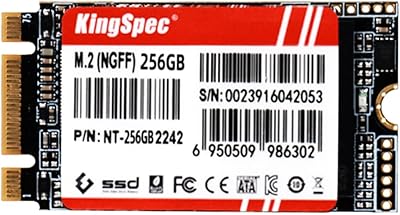
KingSpec NT 256GB M.2 2242 SATA SSD
77%
88%
Value for Money
54%
Compatibility Clarity
79%
Read & Write Performance
91%
Form Factor Fit
76%
Long-Term Reliability
More
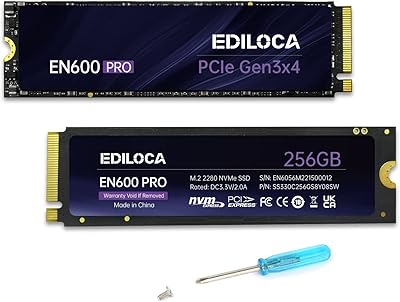
Ediloca EN600 Pro 256GB NVMe M.2 SSD
77%
93%
Value for Money
94%
Installation Experience
83%
Read Performance
57%
Sustained Write Speed
87%
Compatibility
More
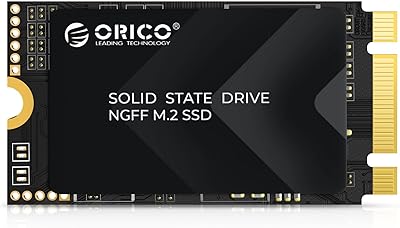
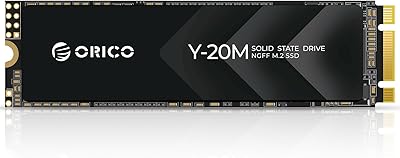
ORICO Y20M-2242 256GB M.2 SATA SSD
77%
93%
Form Factor Accuracy
78%
Read Performance
71%
Write Performance
88%
Installation Ease
84%
Value for Money
More
dockteck DH0002 M.2 NVMe/SATA SSD Enclosure
84%
88%
Transfer Speed (NVMe)
76%
SATA Drive Performance
83%
Build Quality
93%
Ease of Setup
79%
Thermal Management
More
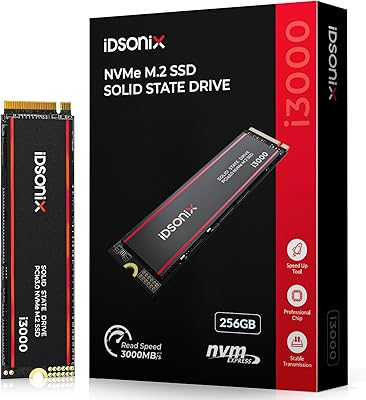
iDsonix i3000 256GB NVMe SSD
73%
91%
Value for Money
86%
Read/Write Speed
88%
Compatibility
89%
Installation Experience
78%
Heatsink Quality
More
ChenYang CY-SA-060 mSATA M.2 SATA SSD Enclosure
70%
88%
Value for Money
54%
Drive Compatibility
79%
JBOD Functionality
58%
Build Quality
72%
Installation Ease
More
Ediloca EN760 2TB M.2 NVMe SSD
80%
88%
Read Speed Performance
74%
Write Speed Performance
93%
PS5 Compatibility
82%
Heatsink Quality
86%
Value for Money
More
Fikwot FN203 2TB M.2 SATA SSD
88%
88%
Sequential Read Speed
84%
Sequential Write Speed
90%
Durability
87%
Data Integrity/Error Correction
95%
Ease of Installation
More
ORICO Y20M 2TB M.2 SATA SSD
81%
88%
Value for Money
83%
Compatibility Clarity
79%
Read & Write Speed
91%
Installation Experience
74%
Long-term Reliability
More

FAQ

Not necessarily — it depends on which M.2 protocol your slot supports. If your laptop supports M.2 SATA, this drive will work perfectly. If the slot is NVMe-only (which is common in laptops made after 2018), this drive will not be recognized. Check your laptop's service manual or motherboard specs before ordering.

The easiest way is to look up your laptop or motherboard model number and check the manufacturer's spec page. You can also use a free tool like CPU-Z or HWiNFO on Windows to inspect your storage controller. Some slots support both protocols, while others are locked to one — so it is worth confirming before you buy.

Yes, without question. Swapping a traditional spinning hard drive for this drive will make your system feel significantly more responsive — faster boot times, quicker application launches, and much snappier file access. For everyday computing, the difference is immediately noticeable and hard to overstate.

Ediloca does not bundle cloning software with the EN206. However, free tools like Macrium Reflect or Clonezilla work well for migrating an existing Windows installation to a new drive, and most major SSD brands publish guides for this process that apply equally here.

For users who primarily browse the web, work in Office applications, and stream rather than locally store media, 256GB is workable. That said, if you plan to install many large games, store a photo library, or work with video files, you will likely find it tight within a year or two. Consider the 512GB variant if storage headroom matters to you.

For typical home and office workloads — booting Windows, running applications, saving documents — TLC NAND is reliable and will comfortably outlast the 3-year warranty period. The endurance concern with TLC applies mainly to use cases involving constant, high-volume write operations, like running a busy database server or doing intensive daily video editing. Casual users have nothing to worry about.

Yes, provided your desktop motherboard has an M.2 slot that supports the SATA protocol. Many modern desktop motherboards do have M.2 SATA support, though some higher-end boards have dropped SATA in favor of NVMe-only M.2 slots. Again, checking your motherboard specs is the safest move before purchasing.

No additional drivers are needed for Windows 7, 8, 10, or later. Once physically installed and detected in BIOS, Windows will recognize this Ediloca SSD automatically. If you are doing a clean install, you simply boot from your Windows installation media and select the drive as the target.

Ediloca offers a 3-year limited warranty with manufacturer technical support. If you experience a defect within that window, you would contact Ediloca directly for a replacement or resolution. As with any storage device, keeping regular backups is strongly recommended regardless of warranty coverage.

They are functionally identical in speed — both are capped by the SATA III interface at around 550 MB/s read and 460 MB/s write. The M.2 form factor is simply smaller and connects directly to the motherboard without a cable, which makes it a cleaner fit for slim devices. If your laptop or mini PC has an M.2 slot, this drive is the tidier choice over a 2.5-inch drive.