dockteck DH0002 M.2 NVMe/SATA SSD Enclosure



Overview
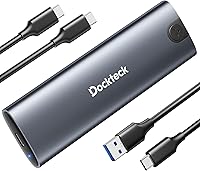
The dockteck DH0002 M.2 NVMe/SATA SSD Enclosure arrived in mid-2024 as a slim, no-fuss option for anyone needing to connect an M.2 drive externally without spending much. The aluminum housing already puts it ahead of plastic-bodied rivals at this price point. Setup takes under a minute: slide off the end cap, seat your drive, slide it back. No screwdrivers, no fumbling. It ships with both a USB-C to C and a USB-A to C cable, a thermal pad, and a spare mounting pin included, so nothing is missing out of the box. At just 1.92 ounces, it barely registers in a bag. The 4.7-star average across 200-plus ratings suggests buyers are genuinely satisfied.
Features & Benefits
The USB 3.2 Gen 2 interface pushes up to 10Gbps with a compatible NVMe drive — fast enough to move a large video file in seconds rather than minutes. SATA drives top out at 6Gbps, which is still respectable. UASP and TRIM support are baked in, meaning more consistent speeds during longer transfers rather than the throttling common with cheaper bridge chips. The enclosure handles M-Key and B+M Key drives across all four standard form factors — 2230, 2242, 2260, and 2280 — with support up to 4TB. An auto-sleep function kicks in after 15 minutes of idle time, a small but practical touch that reduces unnecessary wear on the drive and lowers power draw.
Best For
This M.2 enclosure makes the most sense for people who have a specific job to do. Drive cloning before a system upgrade, migrating storage ahead of selling a machine, or pulling files off a spare NVMe sitting unused in a drawer — it handles all of that without complaint. Steam Deck owners running games off external storage will appreciate the compact form factor. Photographers and video editors shuttling large RAW files or footage between locations will value the transfer headroom. The tool-free design also makes it practical for IT folks who regularly swap drives and want to carry less gear. Budget-conscious buyers get genuinely solid hardware without paying a premium brand tax.
User Feedback
Buyers consistently highlight straightforward setup and broad OS compatibility as the standout strengths — most report it simply works without any driver installation across Windows, macOS, and Android devices. Real-world NVMe speeds appear to track the advertised specs reasonably well according to reviewers, which is not always guaranteed at this price. On the downside, a handful of users raise minor fit-and-finish concerns, specifically about how snugly the end cap holds after multiple drive swaps. A few note the included cables run about 10 inches, which can feel short depending on desk configuration. Compatibility with the 2230 form factor — common in thin laptops and the Steam Deck — appears solid based on multiple buyer reports, which is a reassuring data point.
Pros
- Tool-free setup takes under two minutes with no prior hardware experience required.
- Aluminum body feels noticeably more durable than plastic rivals in the same price range.
- Supports both NVMe and SATA M.2 drives, covering virtually every common M.2 drive a buyer might already own.
- Real-world NVMe transfer speeds closely match advertised rates according to the majority of verified buyers.
- Ships with both USB-C and USB-A cables so it works immediately with older and newer machines alike.
- UASP and TRIM support keeps read and write consistency strong across longer transfer sessions.
- At under two ounces, this M.2 enclosure is genuinely pocketable for daily carry.
- Auto-sleep after 15 minutes of idle time reduces unnecessary wear on the drive without any manual intervention.
- Plug-and-play recognition across Windows, macOS, Linux, and Android eliminates driver headaches entirely.
- The spare mounting pin in the box is a small but thoughtful detail that saves a frustrating parts hunt later.
Cons
- The sliding end cap can loosen noticeably after repeated drive swaps, raising long-term durability concerns.
- Included cables are only about 10 inches long, which feels restrictive when connecting to rear desktop ports.
- Thermal throttling has been reported during extended, hours-long cloning or backup sessions.
- The printed manual does not cover 2230 pin placement clearly, leaving some Steam Deck users to figure it out via forums.
- A subset of buyers report intermittent disconnections when using the enclosure through a USB hub rather than a direct port.
- Compatibility with smart TVs and certain game consoles is inconsistently reported and appears overstated in the listing.
- Some niche or OEM NVMe controllers have caused recognition issues requiring a reboot or cable re-seat to resolve.
- No SSD is included, which occasionally surprises first-time buyers who skim the product listing.
Ratings
The scores below were generated by AI after analyzing verified buyer reviews worldwide for the dockteck DH0002 M.2 NVMe/SATA SSD Enclosure, with spam, bot-submitted, and incentivized feedback actively filtered out before scoring. Both the genuine strengths and the recurring frustrations are reflected here — nothing is glossed over. The result is an honest, category-by-category breakdown to help you decide whether this NVMe adapter case fits your specific workflow.
Transfer Speed (NVMe)
SATA Drive Performance
Build Quality
Ease of Setup
Thermal Management
Protocol & Drive Compatibility
Plug-and-Play Reliability
Included Accessories
Portability
Auto-Sleep Functionality
Value for Money
Documentation & Packaging
Long-Term Durability
OS & Platform Versatility
Suitable for:
The dockteck DH0002 M.2 NVMe/SATA SSD Enclosure is a practical pick for anyone who needs to access, migrate, or repurpose an M.2 drive without buying a new internal slot or a more expensive enclosure. It fits naturally into a laptop upgrade workflow — clone your old drive to the new one, then keep the original as a fast external backup. Steam Deck owners looking to add external storage via USB-C will find the compact form factor and broad compatibility a good match for portable gaming use. Photographers and video editors who offload large files in the field will appreciate the real-world NVMe speeds, which are fast enough to keep up with demanding transfer jobs. IT professionals and power users who deal with a rotation of drives across multiple machines will also find the dual-protocol support and tool-free swap mechanism genuinely useful rather than just a marketing bullet point. If you already own a spare M.2 drive and just need a reliable, no-drama housing for it, this NVMe adapter case covers that job well at a price that does not require much justification.
Not suitable for:
Buyers who need an enclosure for continuous, heavy-duty workloads — think overnight server backups, persistent NAS-style access, or hours-long cloning jobs on a tight deadline — should temper expectations with the dockteck DH0002 M.2 NVMe/SATA SSD Enclosure. Passive cooling has real limits, and sustained high-throughput use can push temperatures to the point where the drive throttles. Users who swap drives very frequently should also be aware that the sliding end cap has drawn repeated feedback about loosening over time, which could become genuinely frustrating in a high-rotation environment. If your host machine only has USB 3.0 or USB 2.0 ports, the Gen 2 speed advantage disappears entirely and you would be overpaying for hardware your setup cannot utilize. Anyone expecting to use this with a smart TV, game console, or ChromeOS device should verify compatibility carefully before buying, as real-world reports from those platforms are inconsistent. Finally, first-time buyers should note that no SSD is included — the enclosure is the housing only, so the total cost depends on what drive you already have or plan to pair with it.
Specifications
- Interface: Connects via USB 3.2 Gen 2 Type-C, delivering up to 10Gbps bandwidth for compatible NVMe drives.
- SATA Speed: SATA M.2 drives are capped at 6Gbps, which is the maximum the SATA protocol supports regardless of enclosure.
- Protocols: Supports NVMe and SATA drive protocols, plus UASP and TRIM for improved real-world transfer consistency and drive longevity.
- Key Compatibility: Accepts M-Key and B+M Key M.2 drives, covering the vast majority of consumer and prosumer SSDs on the market.
- Form Factors: Compatible with 2230, 2242, 2260, and 2280 M.2 drive sizes, accommodating drives found in laptops, desktops, and handheld consoles.
- Max Capacity: Supports M.2 SSDs up to 4TB in capacity, suitable for high-density storage use cases.
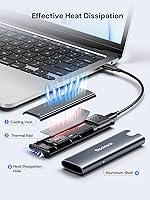
- Body Material: Constructed from aluminum alloy, providing passive heat dissipation and a more durable shell than plastic alternatives in the same price range.
- Thermal Pad: Includes a silicone thermal pad that bridges the drive to the aluminum body to help manage heat during sustained data transfers.
- Dimensions: Measures 4.9 x 1.5 x 0.6 inches, making it compact enough to fit in a shirt pocket or small accessory pouch.
- Weight: Weighs 1.92 ounces fully assembled without a drive, adding negligible bulk to a laptop bag or travel kit.
- Color: Available in Space Grey, with an anodized aluminum finish that resists minor surface scratches during daily carry.
- Cables Included: Ships with one USB-C to USB-C cable and one USB-A to USB-C cable, each measuring approximately 9.8 inches in length.
- Auto-Sleep: Automatically enters a low-power sleep state after 15 minutes of read/write inactivity to protect drive health and reduce power consumption.
- Driver Requirement: No driver installation is required; the enclosure is recognized as a standard USB mass storage device across all supported operating systems.
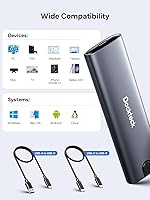
- OS Compatibility: Works plug-and-play with Windows, macOS, Linux, and Android; compatibility with ChromeOS and smart TVs is not officially guaranteed.
- Accessories Included: Package includes the enclosure, two cables, one silicone thermal pad, one spare mounting pin, and a printed user manual.
- Model Number: The official model identifier is DH0002, manufactured by dockteck and first listed on Amazon in April 2024.
Related Reviews
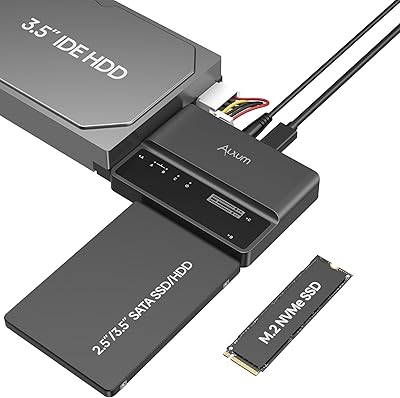
Alxum S1235A 3-in-1 Hard Drive Enclosure
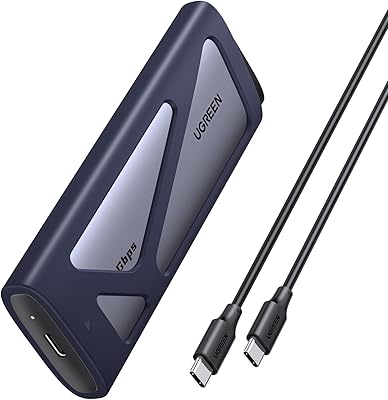
UGREEN 20Gbps M.2 NVMe SATA SSD Enclosure
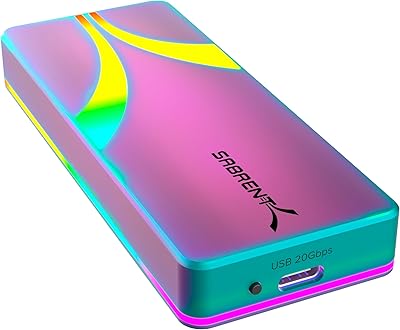
SABRENT EC-RGBC M.2 NVMe SSD Enclosure

Cenmate 5-Bay Hybrid HDD/NVMe Enclosure

ineo C2605-NVMe M.2 NVMe SSD Enclosure

WAVLINK Dual-Bay NVMe M.2 SSD Cloner

Cable Matters USB4 40Gbps M.2 NVMe Enclosure

Plugable M.2 NVMe SSD Enclosure
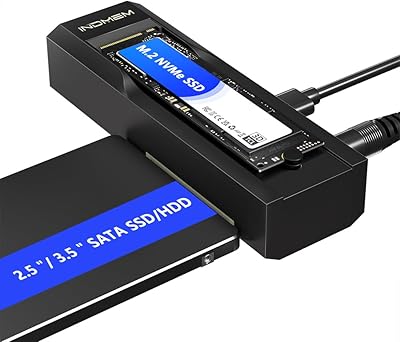
elecacc Dual Bay NVMe SATA SSD Enclosure