Targus DOCK182USZ USB-C Docking Station

Overview
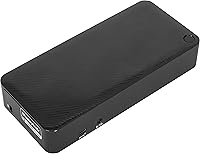
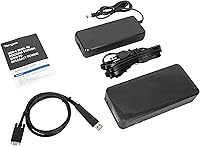
The Targus DOCK182USZ USB-C Docking Station is a mid-range hub built for hybrid and remote workers who need a reliable dual-monitor setup without committing to a single operating system. It handles Windows, Mac, Android, and iOS — though how well it performs across all four depends on your specific host device. The vertical form factor keeps the desk footprint manageable, and the detachable 1M USB-C cable is a thoughtful design choice that makes replacement straightforward if it eventually wears out. Targus also bundles in a Legacy Host Power Kit, extending compatibility to older laptops that would otherwise be left out. Port selection is solid for the price tier, though real-world 4K performance deserves a closer, honest look.
Features & Benefits
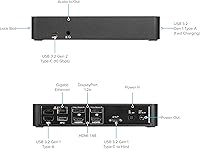
The dock provides dual 4K output through two HDMI and two DisplayPort connections, but achieving true dual 4K at 60Hz depends heavily on your laptop's USB-C controller and whether it supports DisplayLink or native Alt Mode — something worth confirming before purchase. Power Delivery tops out at 100W under PD 3.0, enough to charge most laptops while working. Five USB ports cover everyday peripherals without a scramble, including a USB 3.2 Gen 2 Type-C slot running at 10 Gbps and one fast-charging Type-A port. Gigabit Ethernet keeps video calls stable and large transfers moving, while the built-in 3.5mm audio jack lets you plug a headset directly into the dock rather than reaching around your laptop.
Best For
This Targus dock makes the most sense for hybrid professionals who regularly switch between a Windows machine and a MacBook and want one hub that handles both without reconfiguring everything. Home office users who want a clean dual-monitor arrangement without managing a tangle of individual cables will also find it practical. The included Legacy Host Power Kit is a genuine differentiator for anyone still running an older laptop without full USB-C power delivery support — not something every competitor bothers to include. That said, the DOCK182USZ is physically larger than many slim alternatives, so if desk space is tight or you travel with your dock, the size and weight are worth factoring in before committing.
User Feedback
Sitting at 4.3 stars across more than 100 ratings, buyer sentiment is generally positive but not without caveats. Plug-and-play setup is the most consistently praised quality, with many users appreciating that cross-platform switching works without major headaches. Where opinions diverge is around dual 4K output — some users hit full resolution on both screens without issues, while others report their laptop bottlenecks one display to a lower output. Durability questions come up occasionally, with a few reviewers noting wear at the cable connection after extended daily use. Targus support gets mixed marks in user comments — prompt for some, slower for others. Solid overall for the price tier, but buyers with demanding display setups should verify host compatibility first.
Pros
- Single-cable connection gets dual monitors, Ethernet, audio, and charging running in under a minute for most users.
- 100W Power Delivery keeps even larger, power-hungry laptops fully charged throughout a full workday.
- Broad Windows and macOS compatibility makes this Targus dock a practical choice for mixed-device households or offices.
- Gigabit Ethernet delivers noticeably more stable video call performance compared to relying on Wi-Fi.
- Five USB ports handle a keyboard, mouse, external drive, and more without requiring an additional hub.
- The detachable host cable is replaceable, so a worn cable does not mean replacing the entire dock.
- Legacy Host Power Kit extends usability to older laptops that lack native USB-C power delivery support.
- Built-in lock slot supports standard security cables, a practical feature for co-working or open office environments.
- Vertical design saves horizontal desk space while keeping ports accessible without crawling under the desk.
- USB 3.2 Gen 2 Type-C port at 10 Gbps handles fast external SSD transfers without becoming a bottleneck.
Cons
- True dual 4K at 60Hz is not guaranteed and depends entirely on the host laptop's USB-C controller.
- The host cable connection point shows wear on some units after months of daily connect-and-disconnect use.
- No SD or microSD card reader is a meaningful omission given the port count and intended audience.
- A single combo audio jack means you cannot run separate headphone and microphone outputs simultaneously.
- At 2.3 pounds and nearly 9 inches tall, it is impractical to carry in a laptop bag for travel.
- iOS compatibility is largely limited to charging — full display output for Apple mobile devices is not reliably supported.
- Customer support response times appear inconsistent, with some buyers reporting slow or unresolved warranty interactions.
- Chassis runs noticeably warm under heavy sustained loads, raising durability questions for always-on desk setups.
- The security lock is sold separately, adding to the real-world cost of a fully secured installation.
Ratings
The Targus DOCK182USZ USB-C Docking Station earns a broadly positive but nuanced verdict after our AI system analyzed hundreds of verified global buyer reviews, actively filtering out incentivized submissions and bot-pattern feedback. Scores reflect both the genuine strengths that keep this dock popular among home office professionals and the recurring pain points that prevent it from being a unanimous recommendation. Where trade-offs exist, they are reflected honestly in the numbers below.
Plug-and-Play Setup
Dual Monitor Performance
Cross-Platform Compatibility
Power Delivery
Port Selection & Variety
Build Quality & Materials
Cable Quality
4K Resolution Reliability
Ethernet Performance
Legacy Host Power Kit Value
Thermal Management
Physical Design & Footprint
Security Features
Value for Money
Targus Support & Warranty Experience
Suitable for:
The Targus DOCK182USZ USB-C Docking Station is a strong fit for hybrid professionals who regularly alternate between a Windows laptop and a MacBook and want one permanent desk hub that handles both without reconfiguring their setup every time. Home office workers who want to run two external monitors, keep their laptop charged, and maintain a wired Ethernet connection through a single cable will find this dock covers those bases reliably. It is particularly well-suited for users in shared or corporate office environments who appreciate the built-in lock slot for securing equipment when stepping away. If you are still running an older laptop that lacks full USB-C power delivery support, the included Legacy Host Power Kit meaningfully extends what this dock can do for your specific machine — a detail that genuinely sets it apart from stripped-down alternatives. Anyone who prioritizes port variety and day-to-day reliability over having the most compact or travel-friendly option will generally get good mileage from this USB-C docking station.
Not suitable for:
Buyers whose primary goal is guaranteed dual 4K output at 60Hz on both screens should approach the Targus DOCK182USZ USB-C Docking Station with caution and verify their laptop's USB-C controller capabilities before purchasing, because real-world performance on that front is host-dependent and inconsistent enough to be a recurring complaint. If you travel frequently and expect to pack your dock alongside your laptop, the 2.3-pound weight and nearly 9-inch height make this a poor choice compared to the slim, bus-powered alternatives designed with portability in mind. Content creators, photographers, or anyone who depends on a built-in SD card reader will need to factor in the cost of an additional adapter, since this dock does not include one. Users who need simultaneous independent headphone and microphone outputs will also find the single combo audio jack limiting. Finally, if you are running Linux or an older operating system, the plug-and-play experience that most buyers praise may not apply to your setup, and troubleshooting compatibility issues has proven frustrating for a portion of users in that situation.
Specifications
- Brand & Model: Manufactured by Targus under model number DOCK182USZ, a brand with a long-established presence in professional laptop accessories.
- Host Interface: Connects to the host laptop via USB-C (USB 3.2 Gen 2), delivering both data and power through a single detachable 1M cable.
- Video Outputs: Provides two HDMI ports and two DisplayPort outputs, supporting connection of up to two external monitors simultaneously.
- Max Resolution: Supports up to 4K UHD resolution on external displays, though true dual 4K output at 60Hz is dependent on the host device's USB-C controller capabilities.
- Power Delivery: Delivers up to 100W of Power Delivery 3.0 to the connected host laptop, sufficient to charge most modern laptops including larger 15-inch and 16-inch models.
- USB-C Port: Includes one USB 3.2 Gen 2 Type-C port running at 10 Gbps, suitable for high-speed external storage or connecting additional USB-C peripherals.
- USB-A Ports: Features four USB 3.2 Gen 1 Type-A ports, one of which supports fast charging for phones or accessories even when the host laptop is not connected.
- Ethernet: Equipped with one Gigabit RJ-45 Ethernet port for stable wired network connections up to 1000 Mbps.
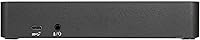
- Audio: Includes one 3.5mm combo audio in/out jack, supporting a single headset with integrated microphone directly from the dock.
- Security Slot: Features an integrated Kensington-style lock slot that accommodates standard security cable locks, which are sold separately.
- Host Cable: Ships with a detachable 1M USB-C host cable that is replaceable if it wears out, avoiding the need to replace the entire unit.
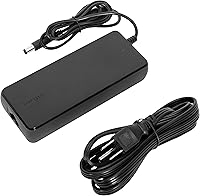
- Legacy Kit: Includes a Legacy Host Power Kit in the box, extending compatibility to older laptops that lack native USB-C power delivery support.
- Dimensions: Measures 6.97″ long by 3.5″ wide by 8.82″ tall, standing vertically to reduce horizontal desk footprint.
- Weight: Weighs 2.3 pounds, making it better suited as a permanent desk installation than a portable travel accessory.
- Color & Finish: Available in a matte black finish that resists fingerprints and integrates cleanly into most professional desk setups.
- OS Compatibility: Officially compatible with Windows, macOS, Android, and iOS, though full feature support — particularly display output — varies by host device and operating system version.
- Total Ports: Offers a combined total of nine ports including video, USB, Ethernet, and audio connections in a single vertical unit.
- Warranty: Covered by the Targus Products Limited Warranty when purchased new from an authorized retailer; coverage terms should be confirmed directly with Targus at time of purchase.
Related Reviews

Plugable UD-3900Z

WAVLINK WL-ST334UA Dual-Bay USB 3.0 Hard Drive Docking Station

StarTech DK31C3HDPD USB-C USB-A Docking Station
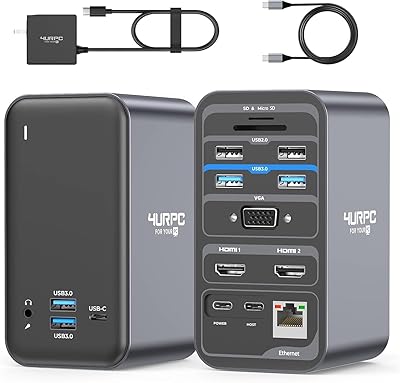
4URPC DSC05 USB-C Docking Station
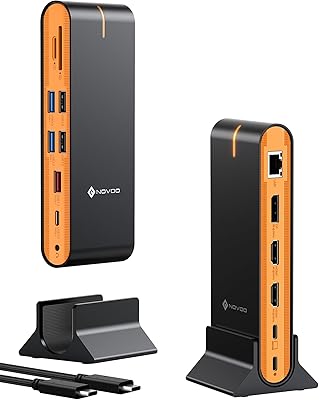
NOVOO 15-in-1 USB C Docking Station

LIONWEI Triple Monitor USB-C Docking Station
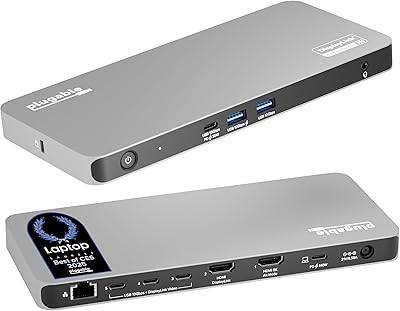
Plugable UD-7400PD 5-Monitor USB-C Docking Station
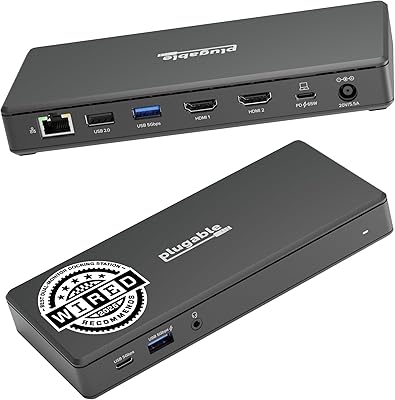
Plugable UD-MSTH2 USB-C Docking Station
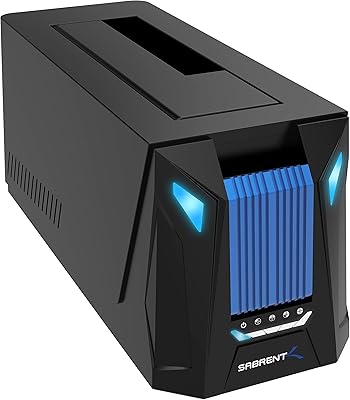
Sabrent DS-UNHC USB-C Docking Station