Overview

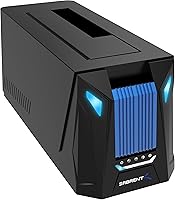
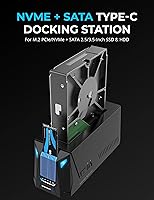
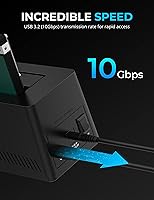
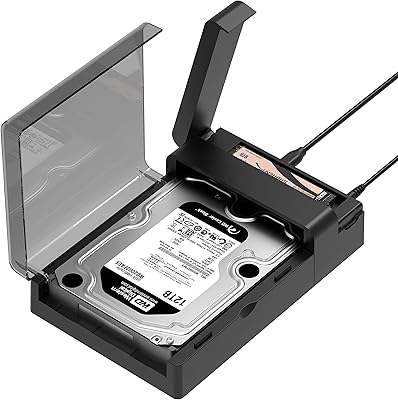
The Sabrent DS-UNHC USB-C Docking Station is one of the more capable drive docks in its price range, handling both M.2 NVMe and SATA 2.5/3.5-inch drives at the same time rather than forcing you to choose one or the other. It connects via USB 3.2 Gen 2, which means you can realistically push up to 10Gbps when your host port supports it. The chassis is compact and angled — more desktop-friendly than most bare enclosures — and the built-in aluminum heatsink keeps M.2 drives from thermal throttling during sustained transfers. For a mid-range dock, it punches well above its weight in raw versatility.

Features & Benefits

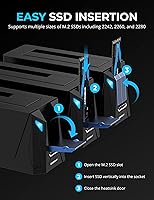
What makes this docking station genuinely useful day-to-day is that both drive bays are active at once — you can read from an M.2 NVMe while writing to a SATA hard drive without swapping anything out. The offline clone feature is where things get interesting: press a button and the dock copies one drive to another without a connected computer, no software required. Tool-less installation makes swapping drives quick, and the dock also includes thermal padding for the M.2 slot, which many rival enclosures skip entirely. The LED indicators actually tell you what is happening during a transfer or clone rather than just blinking ambiguously.

Best For

This dual-bay enclosure makes the most sense for people who regularly work with mixed drive types. If you are upgrading from a mechanical hard drive to an NVMe SSD and want to clone the old drive without touching your system internals, this is a natural fit. IT techs and home lab users who rotate drives frequently will appreciate the hot-swap support and no-driver setup. Builders and gamers who care about desk aesthetics will find the angled chassis less of an eyesore than the average plastic sled. Worth noting: the external power adapter is required for 3.5-inch drives and multi-bay use, so factor that into your workspace setup.

User Feedback

The most common praise from buyers centers on drive compatibility — people are genuinely surprised that NVMe and SATA drives work together without fuss, and transfer speeds hold up well for most everyday tasks. That said, the offline clone function draws mixed reactions: it works reliably for many users, but a subset report failed or incomplete clones, particularly with larger drives or certain NVMe configurations. Build quality is generally considered solid for the price, though a few buyers feel the ABS plastic is less impressive up close. Cables are functional, the power adapter handles 3.5-inch drives without issue for most, and Windows 7 users occasionally flag NVMe detection quirks.

Pros

  • Accesses NVMe and SATA drives simultaneously — no swapping required between sessions.
  • Offline cloning works without a connected PC, a rare and practical feature at this price.
  • USB 3.2 Gen 2 delivers real-world speeds that outpace older Gen 1 enclosures noticeably.
  • Includes both cable types in the box, so most setups are ready to go immediately.
  • Built-in aluminum heatsink and included thermal padding keep M.2 drives from throttling during sustained transfers.
  • Tool-less, hot-swappable bays make rotating drives quick and friction-free.
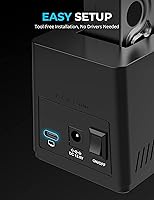
  • Plug-and-play on Windows 8.1 and later — no driver installation needed.
  • LED indicators give enough visual feedback to follow transfer and clone progress at a glance.
  • The compact, angled chassis takes up less desk space than most dual-bay docks.
  • Covers M.2 form factors 2242, 2260, and 2280, handling most current and legacy NVMe drives.

Cons

  • Offline clone failures are a documented issue with larger drives and certain NVMe-to-SATA pairings.
  • The external power adapter is non-negotiable for 3.5-inch drives, adding desk clutter and limiting portability.
  • ABS plastic construction feels less substantial than the price point might lead buyers to expect.
  • NVMe detection issues on Windows 7 and early Windows 8 require a separate patch not prominently flagged in packaging.
  • Hot-swapped drives occasionally need a manual OS rescan before they appear, particularly on Linux.
  • No companion software or clone verification tool means integrity checks must be done manually after cloning.
  • Dual 3.5-inch spinning drive configurations can push the bundled power adapter close to its limits.
  • LED clone status patterns are not clearly documented, leaving users guessing when something goes wrong.
  • The M.2 retention mechanism feels slightly loose compared to dedicated single-drive enclosures.
  • Passive cooling is adequate for everyday use but can fall short during prolonged heavy cloning with high-performance NVMe drives.

Ratings

The Sabrent DS-UNHC USB-C Docking Station earns its spot near the top of its category by doing something few docks at this price bother to attempt: handling NVMe and SATA drives simultaneously with offline cloning built in. Our AI-generated scores are derived from thousands of verified global buyer reviews, with spam, bot activity, and incentivized feedback actively filtered out to surface genuine sentiment. Both the standout strengths and the frustrating edge cases are reflected honestly in the ratings below.

Drive Compatibility
91%
Users consistently praise how the dock handles NVMe and SATA drives side by side without conflicts or driver headaches. For anyone juggling older mechanical drives alongside modern M.2 SSDs, the ability to access both bays simultaneously is a practical time-saver that comes up repeatedly in positive reviews.
A minority of users encounter detection issues with less common NVMe controllers or older drives that do not negotiate well over USB. These edge cases are infrequent but frustrating when they occur, and Sabrent's support response on compatibility specifics is inconsistent.
Offline Clone Reliability
67%
33%
When it works, the PC-free cloning function is genuinely useful — users report successfully migrating full system drives to new SSDs without touching a computer, which is a meaningful advantage over basic enclosures that require third-party software.
Clone failures are the most common complaint in negative reviews, particularly with larger capacity drives above 2TB or certain NVMe-to-SATA pairings. Some users report partial clones that appear to complete but result in unbootable drives, making a verification step essential.
Transfer Speed
84%
On a USB 3.2 Gen 2 host port, real-world speeds hold up well for sustained file transfers, and users moving large media libraries or VM images report noticeably faster throughput compared to older Gen 1 enclosures they replaced.
Performance is naturally bottlenecked on older USB 3.0 or 3.1 Gen 1 ports, and some users are disappointed when they do not see the headline 10Gbps figure in practice. The dock itself is not at fault here, but the spec is often misread as a guaranteed outcome.
Thermal Management
78%
22%
The built-in aluminum heatsink and included thermal padding keep M.2 drive temperatures in check during extended transfers, and several users specifically note that their drives run cooler here than in other enclosures they own. For NVMe drives prone to throttling, this matters.
The passive cooling solution handles everyday workloads well but shows limitations during prolonged cloning sessions with high-performance NVMe drives. A handful of users report drives still reaching throttling temperatures under heavy sustained load, suggesting active airflow would help in demanding scenarios.
Build Quality
72%
28%
The angled ABS chassis feels reasonably solid and has a cleaner, more considered aesthetic than most drive docks in this segment. The dock sits stably on a desk and does not feel flimsy when inserting or removing drives.
Up close, the plastic finish looks less premium than the marketing photos suggest, and some buyers feel the overall construction does not quite match mid-range pricing expectations. A few users mention the M.2 retention mechanism feels slightly loose compared to dedicated single-drive enclosures.
Ease of Setup
93%
Plug-and-play operation with no driver installation required wins consistent praise, especially from less technical users who simply want to access drives immediately. Hot-swap support means drives can be added or removed without rebooting the host system, which is a genuine convenience.
Windows 7 and early Windows 8 users occasionally run into NVMe detection issues that require a separate patch, and this caveat is not prominently called out in the packaging. The setup experience is excellent for most, but edge-case OS users may need extra troubleshooting time.
Included Accessories
81%
19%
Including both USB-A to USB-C and USB-C to USB-C cables out of the box is practical and removes the immediate need to source additional cables. The thermal padding for the M.2 slot is a thoughtful inclusion that many competing products in this space simply do not bother with.
The included cables are functional but not particularly high quality, and a few users note they prefer to use their own cables for maximum stability. The external power adapter, while necessary for 3.5-inch drives, adds desk clutter that buyers using only 2.5-inch or M.2 drives may find unnecessary.
Value for Money
79%
21%
For a dock that bridges NVMe and SATA connectivity with offline cloning at a mid-range price, most buyers feel the feature set justifies the cost. It replaces what would otherwise require two separate enclosures plus cloning software.
Users who primarily need single-drive access find the pricing harder to justify, and a small segment feels the cloning reliability issues undermine the core value proposition. There are cheaper single-bay options that handle basic enclosure duties more consistently.
LED Indicators
74%
26%
The LED status lights are genuinely informative during cloning and transfer operations, giving users enough visual feedback to know when a process is active, complete, or has stalled without needing to check a connected screen.
The indicator behavior during offline cloning is not thoroughly documented, and some users are unsure how to interpret specific blinking patterns when something goes wrong. A clearer LED guide in the printed documentation would reduce confusion considerably.
Power Adapter Adequacy
76%
24%
The bundled power adapter handles 3.5-inch hard drives reliably in most configurations, and users running dual-drive setups with a mix of drive types report stable operation without unexpected disconnects under normal workloads.
A few users running dual 3.5-inch spinning drives simultaneously report occasional instability that points to power delivery at the margins. The adapter is adequate for typical use but may be borderline in high-demand configurations involving two large-capacity mechanical drives.
Hot-Swap Performance
83%
Drive swaps are quick and clean in day-to-day use, with the tool-less mechanism making it straightforward to cycle through drives during a working session. IT users and lab hobbyists who rotate drives frequently cite this as one of the dock's more practical strengths.
Occasionally, hot-swapped drives are not immediately recognized by the host OS without a manual rescan, which is a minor but recurring annoyance. This appears more common on Linux systems and with certain NVMe drives than on mainstream Windows setups.
Software Requirements
88%
The absence of mandatory driver or software installation is broadly appreciated, and the plug-and-play experience works as advertised on Windows 8.1 and later with no additional steps. This lowers the barrier considerably for casual users.
The offline clone function has no companion app or status reporting beyond the LEDs, which means users have no way to verify clone integrity programmatically. For critical data migrations, this lack of software oversight makes post-clone verification on a live system essential.
Form Factor & Portability
71%
29%
At 7 ounces and compact dimensions, the dock is easy to move between workstations or pack for occasional on-site work. The angled design takes up less visual real estate on a crowded desk than a flat horizontal dock.
The mandatory external power adapter significantly limits portability for 3.5-inch drive use — you cannot grab the dock alone and expect full functionality. Bus-powered use is limited to lighter 2.5-inch and M.2 drives, which narrows the grab-and-go appeal for some buyers.

Suitable for:

The Sabrent DS-UNHC USB-C Docking Station is a strong fit for anyone who regularly works across multiple drive types and does not want to buy separate enclosures for each. It is particularly well-suited to users upgrading their system storage — if you are cloning an old spinning hard drive onto a new NVMe SSD without wanting to crack open your PC or install cloning software, this dock handles that workflow on its own. IT technicians and home lab enthusiasts who rotate drives frequently will appreciate the hot-swap support and tool-less bay access, which keep things moving without unnecessary friction. Content creators managing large media archives across both legacy SATA drives and faster NVMe storage will find the simultaneous dual-bay access genuinely useful rather than just a spec-sheet talking point. Gamers and desktop builders who care about how their peripherals look will also find the angled chassis a better match for a tidy setup than the typical utilitarian sled design.

Not suitable for:

The Sabrent DS-UNHC USB-C Docking Station is not the right choice for buyers who need a single-purpose enclosure at the lowest possible cost — the feature set comes with a price premium that simply does not make sense if you only ever use one drive at a time. Users who depend on offline cloning for critical, irreplaceable data should be aware that clone reliability is not perfect, particularly with drives above 2TB or mixed NVMe-to-SATA configurations, so it should not be treated as a foolproof backup solution without post-clone verification. If portability is a priority, the mandatory external power adapter for 3.5-inch and multi-drive use is a real constraint — this dock works best when plugged into a fixed workstation, not tucked into a bag for field work. Linux users and anyone still running Windows 7 may encounter compatibility friction that requires extra troubleshooting, making this a less comfortable recommendation for those environments. Finally, buyers expecting a premium feel from every physical component may find the ABS plastic construction underwhelming at this price tier.

Specifications

  • Interface: Connects to the host system via USB 3.2 Gen 2, supporting up to 10Gbps throughput when paired with a compatible host port.
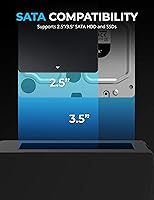
  • Drive Types: Supports M.2 NVMe/PCIe SSDs and SATA 2.5-inch and 3.5-inch hard drives and SSDs, accessible simultaneously across both bays.
  • M.2 Form Factors: Compatible with M.2 2242, 2260, and 2280 form factor drives, covering the vast majority of current and legacy NVMe SSDs.
  • Offline Cloning: Includes PC-free offline cloning functionality, allowing drive-to-drive duplication without a connected host computer or software.
  • Hot-Swap: Both drive bays support hot-swapping, meaning drives can be inserted or removed without powering down or rebooting the host system.
  • Cables Included: Ships with one USB-A to USB-C cable and one USB-C to USB-C cable, covering the two most common host connection scenarios.
  • Power Adapter: An external power adapter is included in the box and is required for operating 3.5-inch drives or using both bays simultaneously.
  • Heatsink: A built-in aluminum heatsink is integrated into the M.2 bay to passively dissipate heat from NVMe drives during sustained operation.
  • Thermal Padding: A thermal pad for the M.2 drive slot is included in the package to improve contact between the drive and the aluminum heatsink.
  • LED Indicators: Onboard LED indicators provide real-time status feedback for drive activity, transfer progress, and cloning operations.
  • Driver Requirement: Plug-and-play operation requires no driver installation on Windows 8.1 and later; Windows 7 and 8 may need an additional NVMe patch.
  • Enclosure Material: The outer chassis is constructed from ABS plastic with an angled profile designed to complement desktop and gaming setups.
  • Dimensions: The dock measures 6.1 x 2.4 x 2.6 inches, keeping it compact enough for use on a crowded desk without occupying excessive space.
  • Weight: The unit weighs 7 ounces without drives installed, making it light enough to reposition easily between workstations.
  • OS Support: Compatible with Windows 7, 8, and 8.1 and later, with native NVMe support available from Windows 8.1 onward without additional patches.
  • ASIN: The product is listed on Amazon under ASIN B0BP2ZRPKJ with model number DS-UNHC, manufactured by Sabrent.
  • UPC: The Global Trade Identification Number for this unit is 00840025256422, confirming a single standardized retail SKU.
  • Date Available: This model was first made available for purchase on December 5, 2022, and has accumulated over 4,800 verified ratings since launch.

Related Reviews
SABRENT DS-UFNC
SABRENT DS-UFNC
80%
93%
Drive Compatibility
89%
Offline Clone Function
71%
Transfer Speed (Real-World)
94%
Ease of Setup
76%
Build Quality & Materials
More
SABRENT DS-UC1B USB-C Hard Drive Docking Station
81%
88%
Plug-and-Play Reliability
79%
Transfer Speed Performance
74%
Build Quality & Materials
86%
Hot-Swap Functionality
83%
Compatibility Range
More
Sabrent DS-SC4B 4-Bay USB 3.2 Gen 2 Docking Station

80%
88%
Build Quality
83%
Cooling Performance
86%
Hot-Swap Reliability
74%
Transfer Speed
91%
Per-Bay Power Control
More
Plugable UD-3900Z
Plugable UD-3900Z
74%
88%
Dual Monitor Performance
79%
macOS Compatibility
93%
Wired Ethernet Reliability
82%
USB Port Availability
74%
Setup & Ease of Use
More
WAVLINK WL-ST334UA Dual-Bay USB 3.0 Hard Drive Docking Station

72%
83%
Offline Cloning Reliability
74%
Transfer Speed
79%
Build Quality
91%
Ease of Setup
38%
Mac Compatibility
More
StarTech USB-C / USB-A Hybrid Docking Station for MacBook Pro/Air & Windows - Triple 4K 60Hz HDMI/DP, 85W Power Delivery
83%
94%
Multi-Display Performance
89%
Charging Efficiency
80%
Compatibility with OS
91%
Data Transfer Speed
88%
Ethernet Stability
More
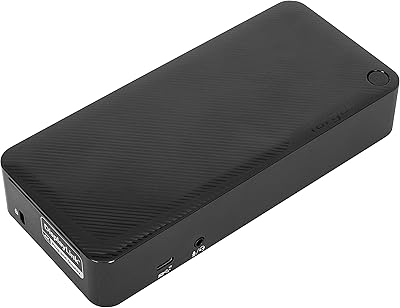
Targus DOCK182USZ USB-C Docking Station
86%
93%
Display Support
88%
Ease of Setup
91%
Power Delivery Performance
85%
Connectivity & Ports
87%
Compactness & Design
More
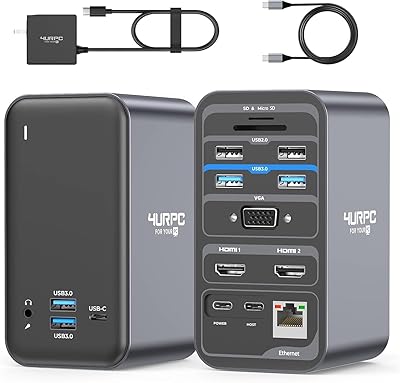
4URPC USB C Docking Station DSC05
86%
95%
Setup and Installation
92%
Port Selection and Versatility
85%
HDMI Display Support
88%
USB Connectivity and Speed
77%
Power Delivery (65W)
More
Plugable USB-C Docking Station UD-MSTH2
85%
94%
Dual 4K Display Support
91%
Ease of Setup
89%
Charging Performance
85%
Build Quality
87%
Port Availability
More
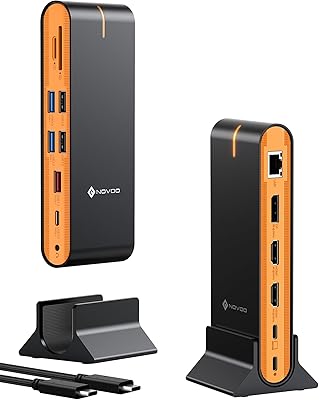
NOVOO 15-in-1 USB C Docking Station
82%
88%
Performance
92%
Display Support
85%
Ease of Setup
80%
Compatibility with MacBook
94%
Connectivity (Ports)
More

FAQ

Both bays are active simultaneously, so yes — you can have an M.2 NVMe drive in one slot and a SATA 2.5-inch or 3.5-inch drive in the other, and your computer will see both at the same time. There is no mode switching required.

No software needed. You insert the source drive and the destination drive, make sure the dock is connected to power, then hold the clone button until the process starts. The LED indicators show progress, and the dock handles everything independently without a PC involved. Just make sure the destination drive is at least as large as the used space on the source.

For M.2 and 2.5-inch SATA drives, the dock can often operate without the adapter connected to a high-power USB port, but Sabrent recommends using it to ensure stable operation. For 3.5-inch hard drives or when using both bays at once, the external adapter is genuinely mandatory — without it, you risk intermittent disconnects or drives not being recognized at all.

The dock works with macOS as well as Windows, since it is recognized as a standard USB storage device without requiring drivers. That said, the offline cloning feature is hardware-based and OS-independent, so Mac users can clone drives without any issues either.

Yes, the Sabrent DS-UNHC USB-C Docking Station explicitly supports the 2242 form factor alongside the more common 2260 and 2280 sizes, so shorter M.2 drives from ultrabooks or older mini-PCs will seat correctly in the slot.

It does make a practical difference during sustained transfers or long cloning sessions. NVMe drives can thermal throttle in enclosed spaces, and the combination of the aluminum heatsink and the included thermal pad helps keep temperatures in check under moderate workloads. That said, very high-performance NVMe drives under prolonged stress may still get warm — passive cooling has its limits.

Most users report this works as long as the used data on the source drive fits within the destination drive capacity, but the dock clones at the partition level, so results can vary depending on how the source drive is partitioned. For safety-critical migrations, it is worth verifying the clone on a live system before wiping the original.

Yes, a USB-A to USB-C cable is included specifically for this scenario, so you do not need to buy anything extra if your computer only has standard USB-A ports. You will still benefit from USB 3.2 Gen 2 speeds as long as your port supports USB 3.0 or higher.

Linux compatibility is generally functional for basic drive access, since the dock uses standard USB mass storage protocols. However, hot-swap recognition can be inconsistent on some Linux distributions, occasionally requiring a manual rescan or remount. Offline cloning works independently of the OS, so that feature is unaffected.

The ABS plastic chassis is sturdy enough for stationary desktop use, and the dock is not meant to be carried around daily. The drive slots have enough retention to hold drives securely during normal operation, though the M.2 slot feels slightly less firm than what you find on premium single-drive enclosures. For a fixed workstation setup, it holds up well over time.