Plugable UD-3900Z


Overview
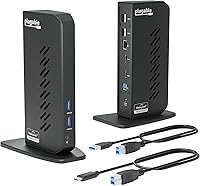
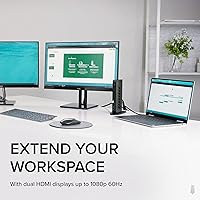
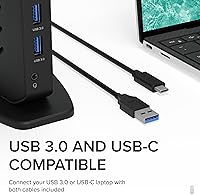
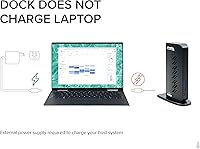
The Plugable UD-3900Z is a vertical USB docking station built for home office workers who need two monitors without spending a fortune on a Thunderbolt setup. It relies on DisplayLink technology to push dual HDMI outputs through a single USB connection — a clever workaround that keeps costs down while delivering real dual-display capability. The box includes both a USB-A 3.0 and a USB-C cable, so it connects to a wide range of laptops straight away. One thing worth knowing upfront: this docking station does not charge your laptop. If you expect to power your machine through the dock, you will need to keep your original charger plugged in separately.
Features & Benefits
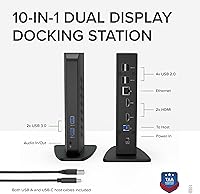
The two HDMI ports on this docking station each support up to full HD-plus resolution, which comfortably covers spreadsheet, browser, and video-call workflows. Wired Gigabit Ethernet is a real standout — drop this into a hotel room or coworking space and you instantly have a stable connection that Wi-Fi rarely matches. Six USB ports are spread across the unit, with two faster USB 3.0 ports on the front for quick access and four USB 2.0 ports at the back, plus a combo audio jack for headphones and a mic in one port. Mac users with M-series chips will need to install a free DisplayLink driver first — it takes about two minutes and is straightforward once you know it is required.
Best For
This USB hub dock is a strong fit for remote workers and home office professionals who want two monitors running from a single laptop without paying Thunderbolt-tier prices. It is especially valuable for anyone using a newer Apple Silicon MacBook — those machines cannot natively drive two external displays, and this dock solves that cleanly. It also doubles as a handy travel tool for anyone who regularly needs wired Ethernet on the road. That said, gamers, 4K video editors, or anyone needing DRM-protected content playback should look at other options. And if you are on Linux, this dock simply is not for you — the platform is not supported at all.
User Feedback
With close to 1,900 ratings and a 4.5-star average, the Plugable dock has earned a solid reputation over time. Buyers consistently praise broad laptop compatibility and call out Plugable's customer support by name — in a category where after-sale help is often nonexistent, that reputation carries real weight. On the downside, a recurring complaint is that the lack of laptop charging caught people off guard, so take that seriously before purchasing. Some Mac users also find the DisplayLink driver step confusing initially, though the process itself is not difficult. Linux users, however, should skip this one entirely — there is no path to making it work on that platform.
Pros
- Solves the two-external-display limitation on Apple Silicon Macs without requiring a Thunderbolt dock.
- Gigabit Ethernet delivers consistent, fast wired connectivity — a genuine advantage for remote workers with unreliable Wi-Fi.
- Both USB-A and USB-C host cables are included, so it connects to older and newer laptops right out of the box.
- The Plugable dock runs stably for months on Windows with no driver intervention after the initial setup.
- Vertical form factor keeps the desk footprint small — roughly the size of a thick paperback.
- Two-year warranty plus lifetime support from a North American-based team is rare and reassuring at this price point.
- Front-facing USB 3.0 ports make plugging in a flash drive quick without reaching around the back.
- Light enough to pack in a laptop bag for coworking or travel use without adding much bulk.
Cons
- No laptop charging passthrough — you must keep your original charger connected separately at all times.
- Mac users must manually download and install a DisplayLink driver before any external display will work.
- After major macOS updates, the DisplayLink driver can break and requires reinstallation until an updated version ships.
- Four of the six USB ports are USB 2.0, making file transfers to external drives noticeably slow.
- Only one audio port is included, so separate headphone and microphone devices cannot be connected simultaneously.
- HDCP is not supported, meaning copy-protected streaming content cannot be played back on connected monitors.
- The plastic stand has no rubber grip on the base, causing it to shift on smooth desks.
- Linux is entirely unsupported, with no official or unofficial path to get the dock working on that platform.
- The included host cables are on the shorter side, which can be awkward on larger desks.
- Resolution tops out at standard full HD-plus — not suitable for high-density or wide-format monitors.
Ratings
The Plugable UD-3900Z has been evaluated by our AI rating system after analyzing thousands of verified global user reviews, with spam, bot-generated, and incentivized submissions actively filtered out. The scores below reflect both what this docking station genuinely does well and where real buyers have run into friction — nothing is glossed over. Whether you are considering it as a dual-monitor solution for your MacBook or a reliable home office hub, the breakdown below gives you an honest, unvarnished picture.
Dual Monitor Performance
macOS Compatibility
Wired Ethernet Reliability
USB Port Availability
Setup & Ease of Use
Build Quality & Design
Value for Money
Laptop Charging Passthrough
Audio Performance
Cable & Connectivity Flexibility
Driver Stability Over Time
Customer Support
Warranty & Long-Term Ownership
Linux & Platform Breadth
Desk Footprint & Portability
Suitable for:
The Plugable UD-3900Z is built for the kind of person who works from a laptop but wants a proper two-monitor desk setup without committing to an expensive Thunderbolt ecosystem. It is particularly well-suited to remote workers and home office professionals running everyday productivity software — think browser tabs, email, spreadsheets, and video calls spread across two screens. Apple Silicon MacBook users are a standout use case: since M1, M2, M3, and M4 Macs cannot natively drive two external displays, this docking station fills that gap at a fraction of the cost of a Thunderbolt alternative. It also makes a lot of sense for anyone who frequently works in hotels or coworking spaces and wants reliable wired Ethernet without hunting for an adapter. If your priorities are stable dual-monitor output, a dependable network connection, and enough USB ports to run your full peripheral setup, this dock covers all of that cleanly.
Not suitable for:
The Plugable UD-3900Z is the wrong tool if you expect to charge your laptop through the dock — it simply does not do that, and running a separate power brick alongside the dock cable partially undermines the whole point of a tidy single-cable setup. Gamers and video editors should look elsewhere too: the resolution ceiling is fine for office work but falls short for 4K monitors or fast-refresh-rate displays, and the dock cannot handle HDCP-protected content, which rules out streaming services on an external screen. Linux users have no supported path to make it work, full stop. If you are a Mac user who is not comfortable downloading and installing a third-party driver — or whose macOS version tends to update frequently — the ongoing driver maintenance can become a recurring friction point. And anyone who regularly needs to transfer large files to external storage will notice that most of the USB ports operate at older USB 2.0 speeds, which gets tedious fast.
Specifications
- Model Number: This docking station carries the official model designation UD-3900Z.
- Video Outputs: Two full-size HDMI ports allow simultaneous connection of two external monitors.
- Max Resolution: Each HDMI output supports up to 1920x1200 at 60Hz, comfortably covering standard 1080p and WUXGA displays.
- Display Technology: Video output is powered by a DisplayLink chip, which handles dual HDMI over a single USB connection via software driver.
- USB Ports: Six USB ports are included in total: two USB 3.0 ports on the front panel and four USB 2.0 ports on the rear.
- Network: A single Gigabit Ethernet (RJ-45) port provides wired network speeds of up to 1000 Mbps.
- Audio: One 3.5mm combination jack supports both headphone output and microphone input through a single port.
- Host Connection: The dock connects to the host laptop via an included USB 3.0 Type-A cable or an included USB-C cable — both are in the box.
- Laptop Charging: This docking station does not provide any power delivery or charging to the connected laptop.
- Form Factor: The unit is designed to stand vertically, minimizing desk footprint while keeping ports accessible.
- Dimensions: The dock measures 5.31″ in length, 2.76″ in width, and 7.48″ in height.
- Weight: The unit weighs approximately 333g (around 11.7 oz), making it light enough for occasional travel use.
- Color: The dock is finished in matte black.
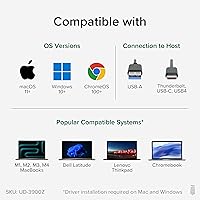
- OS Support: Compatible with Windows 7 through 11, macOS 10.14 and later (DisplayLink driver required), and ChromeOS 100 and above.
- Linux Support: Linux is not officially supported and no driver path is provided by the manufacturer.
- macOS Driver: On macOS, the free DisplayLink Manager driver must be manually downloaded and installed before any external display will function.
- HDCP Support: HDCP (copy protection) is not supported, meaning encrypted or DRM-protected video content cannot be played back on connected monitors.
- Warranty: Every unit is covered against manufacturing defects for two years, with lifetime technical support from a North American-based team.
- Power Input: The dock draws up to 24W from its included power adapter to run the DisplayLink chip and connected USB peripherals.
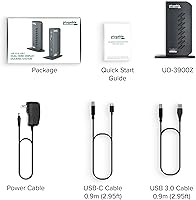
- In the Box: The package includes the dock unit, a USB 3.0 Type-A host cable, a USB-C host cable, and a power adapter.
Related Reviews
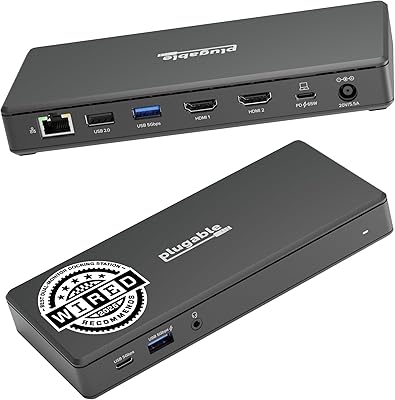
Plugable UD-MSTH2 USB-C Docking Station
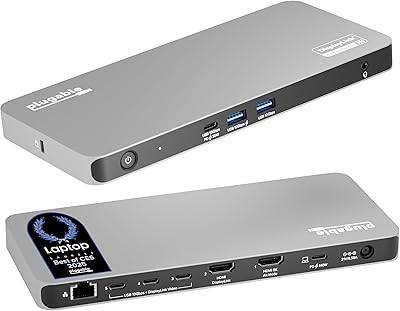
Plugable UD-7400PD 5-Monitor USB-C Docking Station
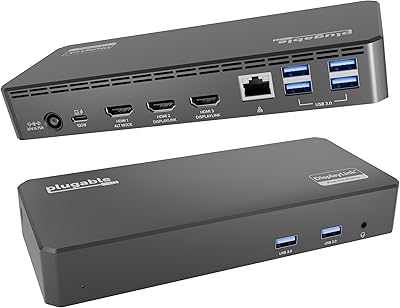
Plugable UD-3900PDZ USB-C Triple Display Docking Station
GIGABYTE Z390 UD ATX Intel Motherboard
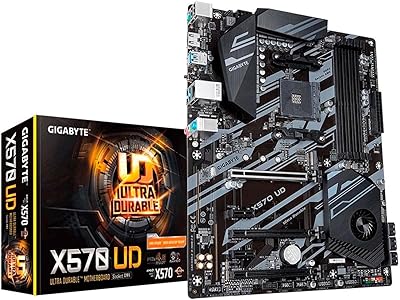
GIGABYTE X570 UD Motherboard
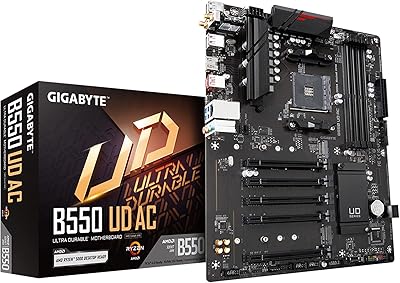
GIGABYTE B550 UD AC ATX Motherboard

GIGABYTE Z790 UD AC ATX Motherboard
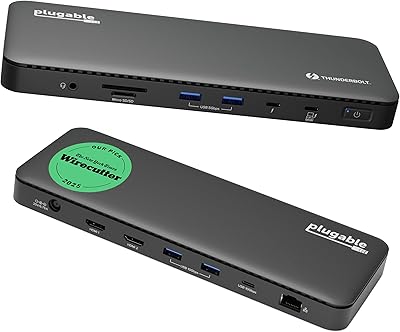
Plugable TBT4-UD5 Thunderbolt 4 Dock

Plugable M.2 NVMe SSD Enclosure