Overview

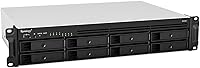
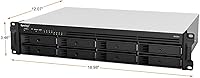
The Synology RS1221+ 8-Bay Rackmount NAS is built squarely for small-to-medium businesses that need reliable, shared storage without stepping into full enterprise territory. What sets it apart physically is its short-depth 2U chassis — just 298 mm deep — a genuine advantage when your server room or network cabinet is space-constrained. Under the hood, an AMD Ryzen V1500B quad-core processor handles multi-user workloads without breaking a sweat. One thing to flag upfront: this unit ships diskless, meaning you supply your own drives. That is not a drawback — it gives you full control over capacity and drive type from day one. Just factor it into your total budget planning.

Features & Benefits

The RS1221+ delivers up to 2,315 MB/s read throughput, which keeps things moving even when a dozen users are hitting the system simultaneously. Four 1GbE RJ-45 ports with link aggregation come standard, giving you meaningful redundancy and combined bandwidth out of the box. Need more speed? The PCIe Gen3 expansion slot lets you drop in a 10GbE card — SFP+ or RJ-45 — when your workload demands it. The system ships with 4 GB of ECC DDR4 RAM, expandable to 32 GB, which matters for data integrity under continuous load. Storage can also scale to 12 bays by adding the RX418 expansion unit as your capacity requirements grow.

Best For

This rackmount NAS is a natural fit for SMBs running file sharing, surveillance workloads, or lightweight virtualization across multiple concurrent users. IT teams will particularly appreciate the short-depth chassis, which slides comfortably into shallow racks and compact cabinets that full-depth gear simply cannot. If your organization already runs Synology hardware, the RS1221+ plugs right into that ecosystem with no friction. It also supports pairing two units into a High Availability cluster, delivering minute-level failover at a cost well below traditional enterprise solutions. And because it ships without drives, buyers get to spec the storage exactly as needed — an appeal to anyone with specific performance or capacity targets already in mind.

User Feedback

Owners rate this Synology unit highly overall, with most praise directed at DSM software — Synology's operating system is genuinely well-designed, and the app ecosystem covers everything from cloud sync to Docker containers. Thermal performance gets positive marks too, with the unit running quietly under real workloads. That said, a few users report it runs warm in racks with poor airflow, so ventilation planning matters. The 10GbE story also draws some grumbling: the PCIe card is a separate purchase that adds to total cost. Worth noting — the base model lacks redundant power supply; if uptime is critical, the RS1221RP+ variant addresses that. Most negative reviews circle back to price, not reliability.

Pros

  • DSM software is one of the most polished NAS operating systems available, covering everything from file sharing to Docker to surveillance management.
  • Short 298 mm chassis depth fits wall-mount cabinets and shallow racks where full-depth units simply will not go.
  • ECC DDR4 RAM protects data integrity silently in the background — critical for always-on business storage.
  • Four 1GbE ports with link aggregation deliver real redundancy and combined bandwidth without any extra purchases.
  • Drive selection is entirely up to you, so you can optimize for capacity, endurance, or speed based on actual workload needs.
  • RAM is expandable to 32 GB, giving the unit substantial headroom for virtualization and memory-intensive applications.
  • High Availability clustering with a second unit provides minute-level failover at a fraction of traditional enterprise HA costs.
  • Quiet operation under typical workloads makes it tolerable in office-adjacent equipment spaces, not just dedicated server rooms.
  • The PCIe expansion slot provides a clear, non-disruptive upgrade path to 10GbE when your network demands it.
  • Expandable to 12 bays via the RX418 unit, supporting staged storage growth without replacing the primary chassis.

Cons

  • 10GbE networking requires a separately purchased PCIe card — it is not included and costs extra on top of an already significant base price.
  • Ships with only 4 GB of RAM stock, which is thin for anything beyond straightforward file serving from day one.
  • No redundant power supply in this base model; power-sensitive deployments require stepping up to the RP variant instead.
  • Drive compatibility is gated by Synology's approved list, and off-list drives can trigger DSM warnings or mounting issues.
  • The unit runs noticeably warm in poorly ventilated racks, making proper airflow planning non-optional rather than recommended.
  • Total deployment cost climbs fast once drives, RAM, and a 10GbE card are factored in alongside the chassis price.
  • Fan noise increases audibly during RAID rebuilds or sustained heavy workloads, which is disruptive in quiet office environments.
  • Maximum bay count tops out at 12 with expansion, which can feel limiting for organizations with faster-than-expected storage growth.
  • Some advanced DSM features and package licenses carry additional costs that are not always obvious during initial purchase evaluation.
  • The weight and rack installation process typically requires two people, making solo deployment awkward and potentially risky.

Ratings

The Synology RS1221+ 8-Bay Rackmount NAS earns consistently high marks across verified buyer communities worldwide, and the scores below reflect an AI-driven analysis of real user feedback — with spam, bot activity, and incentivized reviews actively filtered out. Across performance, software, and long-term reliability, this rackmount NAS draws strong endorsements from IT professionals and SMB operators alike. Strengths and genuine pain points are both represented transparently, so you can weigh this unit against your specific deployment needs.
Throughput Performance
92%
In real multi-user environments — think a small creative agency with several editors hitting the NAS simultaneously — the read speeds hold up impressively. Users running concurrent file transfers across four connected workstations report minimal bottlenecking, which is exactly what this class of hardware promises.
Peak throughput figures assume optimal conditions, including a 10GbE network card that does not ship with the unit. Without that upgrade, everyday 1GbE connections cap your real-world speeds well below the advertised ceiling, which frustrates buyers who did not factor in the extra cost.
Software & DSM Ecosystem
94%
DiskStation Manager is the single most praised aspect across user reviews. IT admins appreciate how quickly they can configure storage pools, set up Active Directory integration, or spin up Docker containers — all through a browser-based interface that feels polished rather than enterprise-clunky.
The depth of DSM can be overwhelming for first-time Synology users, and a handful of reviewers note that certain advanced features require additional paid licenses. The learning curve, while manageable, is real if your team has no prior NAS administration experience.
Build Quality & Chassis
89%
The all-metal construction feels solid and rack-ready out of the box. Buyers who have handled cheaper plastic-chassis NAS units consistently comment on how much more confident they feel sliding this unit into a production rack — it does not flex, rattle, or feel like it will cause problems down the line.
At nearly 20 pounds diskless, the unit is hefty to handle solo during installation. A few reviewers also noted that the drive trays, while functional, feel slightly less premium than the chassis itself, which is a minor but noticeable inconsistency at this price tier.
Networking Flexibility
83%
Four 1GbE ports with link aggregation and failover support give you real redundancy right out of the box — a setup that genuinely matters when your storage is serving a busy office. The PCIe slot adds a meaningful upgrade path to 10GbE without requiring a full hardware replacement.
The 10GbE upgrade requires a separately purchased PCIe network card, and compatibility is limited to Synology's approved list. Buyers who assumed 10GbE was included have expressed frustration, and the added cost of a compatible card is not trivial.
Short-Depth Form Factor
91%
The 298 mm chassis depth is a genuine differentiator for teams working with wall-mount cabinets or shallow open-frame racks. IT administrators managing small branch offices or co-working spaces specifically call out this dimension as the deciding factor in choosing this unit over a standard-depth competitor.
The short depth does reduce internal airflow compared to full-depth chassis designs. In tightly packed or poorly ventilated racks, this contributes to the warmth that some reviewers flag — it is not a dealbreaker, but rack placement planning is more important here than with deeper units.
RAM & Expandability
81%
19%
ECC DDR4 memory is not a given at this tier, and users running virtualization workloads or Synology Surveillance Station appreciate the error-correction protection it provides. The ability to scale up to 32 GB means the unit will not become a bottleneck as workloads grow.
The stock 4 GB configuration feels thin for anything beyond basic file serving from day one. Buyers running memory-intensive applications typically report needing to upgrade RAM early, adding another line item to the initial deployment budget.
High Availability Support
88%
The ability to pair two units into a Synology High Availability cluster is a compelling feature for SMBs that cannot afford prolonged downtime. Users who have deployed SHA report that failover behavior in testing is fast and reliable, with service restoration measured in minutes rather than hours.
Achieving genuine HA requires purchasing two complete units, which effectively doubles the hardware cost. This is understood by professional buyers but can catch smaller teams off guard who see the HA feature mentioned without fully registering the two-unit requirement.
Storage Scalability
86%
Starting at eight bays and expanding to twelve via the RX418 gives admins a clear growth runway without committing to oversized hardware upfront. Several buyers note this staged approach to capacity planning suits the budget cycles of small businesses far better than purchasing excess bay count immediately.
The RX418 expansion unit is an additional purchase, and its cost adds up. A few users also note that twelve bays remains the hard ceiling, which can feel limiting for organizations that grow faster than expected and find themselves shopping for a new primary unit sooner than anticipated.
Thermal Management
76%
24%
Under typical office workloads, the RS1221+ runs quietly and maintains acceptable temperatures. Users in well-ventilated rack environments report no thermal issues even during extended backups or heavy surveillance recording sessions that push drive activity for hours.
Reviewers in warm server closets or densely packed racks consistently report higher-than-comfortable operating temperatures. The short chassis depth limits the space available for airflow, and without active rack ventilation, drive temperatures can creep into ranges that raise long-term reliability concerns.
Drive Compatibility & Flexibility
88%
Shipping diskless is genuinely useful for buyers with specific workload requirements. Whether you need high-capacity NAS-grade HDDs for archival, SSDs for caching, or a hybrid setup, you are not stuck paying for drives you would have replaced anyway.
Synology publishes a compatibility list, and drives not on it can trigger warnings in DSM — occasionally refusing to mount without workarounds. Budget buyers who gravitate toward off-list drives to save money sometimes encounter frustrating support limitations that would not exist on a more permissive platform.
Value for Money
71%
29%
For IT-managed SMB environments where storage reliability directly impacts business continuity, the investment is well-justified. Buyers who have priced out comparable rackmount NAS hardware from enterprise vendors frequently note that this Synology unit offers a strong capability-to-cost ratio within its segment.
The base price is significant, and when you add drives, a RAM upgrade, and potentially a 10GbE PCIe card, the total deployment cost climbs sharply. Home users or very small teams with modest needs will likely find the overall spend hard to rationalize compared to desktop NAS alternatives.
Noise Level
84%
Multiple verified buyers describe the unit as surprisingly quiet during normal operation, particularly when idle or handling light file transfers. For teams running the NAS in an office-adjacent equipment room rather than a dedicated data center, this matters more than spec sheets suggest.
Under sustained heavy load — long RAID rebuilds or continuous surveillance recording — fan speeds ramp up noticeably. It never becomes disruptive in a proper server room, but in a quiet office environment the audible change during peak activity is something users mention with mild regularity.
Redundant Power Supply
58%
42%
For organizations where power redundancy is not a hard requirement, the base model delivers everything needed at a lower cost point. The option to choose the RS1221RP+ variant means buyers can self-select based on their actual uptime requirements rather than paying for redundancy they do not need.
The absence of a redundant PSU in this base model is the most structurally significant omission at this price and performance tier. Buyers who discover this after purchase — expecting enterprise-grade power protection — tend to feel the limitation should be more prominently communicated upfront.
Setup & Initial Configuration
82%
18%
Synology's setup wizard is among the most approachable in the NAS industry. Even IT generalists without deep storage administration experience can get volumes configured, users provisioned, and network shares active within an hour of racking the unit — assuming drives are already installed.
First-time rackmount NAS deployments almost always surface at least one configuration decision that requires deeper research, particularly around RAID selection and network bonding. Users without prior Synology experience occasionally report spending more time in documentation than they expected before feeling confident in their setup.
Long-Term Reliability
87%
Buyers who have owned the RS1221+ for a year or more consistently report stable, uneventful operation. DSM updates arrive reliably, ECC RAM catches soft errors silently, and the metal chassis shows no signs of wear even in 24/7 duty cycles — reassuring for mission-critical deployments.
A small number of long-term owners have reported fan wear after 18 to 24 months of continuous operation, requiring replacement. While not widespread, it is worth noting for environments where unplanned maintenance windows are disruptive, and where a hot-swap fan design would have been preferred.

Suitable for:

The Synology RS1221+ 8-Bay Rackmount NAS is purpose-built for small-to-medium businesses that need dependable, high-throughput shared storage managed by a real IT team — not a single enthusiast running cables on the weekend. If your organization has multiple users simultaneously accessing files, running IP surveillance cameras, or hosting virtual machines, this rackmount NAS has the processing headroom and network flexibility to keep up without constant babysitting. IT administrators who manage compact server rooms or shallow-depth network cabinets will find the short-chassis design genuinely practical rather than a marketing footnote. Teams already invested in the Synology ecosystem get immediate value from DSM compatibility and familiar tooling across their infrastructure. Buyers who want to hand-select their own drives — whether for maximum capacity, high endurance, or mixed SSD caching — will appreciate shipping diskless as a feature rather than an inconvenience. Organizations planning for growth can start with eight bays, expand to twelve, and later deploy a second unit for a High Availability cluster, all without replacing their core hardware investment.

Not suitable for:

The Synology RS1221+ 8-Bay Rackmount NAS is simply the wrong tool for home users, solo freelancers, or anyone without a rack, a switch, and at least a basic understanding of network storage administration. The hardware investment alone is substantial, and that figure rises considerably once you add drives, a RAM upgrade, and a 10GbE PCIe card to actually unlock the headline speeds. Buyers expecting 10GbE out of the box will be caught off guard — it requires a separately purchased, compatibility-list-approved card, which is an extra step that casual users rarely anticipate. The base model also ships without redundant power supply, which matters if your environment has unstable power or zero tolerance for single-point hardware failures; those buyers should look at the RS1221RP+ variant instead. Anyone operating in a warm, poorly ventilated closet rather than a proper rack environment will need to address airflow before installation, or thermal performance will disappoint. If your storage needs top out at a few terabytes shared among two or three people, there are far more cost-effective desktop NAS options that require none of this infrastructure overhead.
Specifications

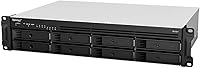
  • CPU: Powered by an AMD Ryzen V1500B quad-core processor running at 2.2 GHz, providing reliable headroom for multi-user and virtualization workloads.
  • RAM: Ships with 4 GB DDR4 ECC SODIMM pre-installed, expandable to a maximum of 32 GB using two 16 GB modules.
  • Drive Bays: Offers 8 drive bays in a diskless configuration, giving buyers full control over drive selection based on their capacity and performance needs.
  • Max Bay Count: Storage capacity can be extended to 12 bays total by connecting the optional Synology RX418 expansion unit.
  • Read Performance: Delivers sequential read speeds of up to 2,315 MB/s under optimal multi-drive and network conditions.
  • Write Performance: Achieves sequential write speeds of up to 1,147 MB/s, supporting demanding concurrent write operations across multiple users.
  • LAN Ports: Equipped with four RJ-45 1GbE ports that support Link Aggregation and automatic failover for improved network reliability.
  • 10GbE Support: 10GbE connectivity is not built in and requires a separately purchased compatible PCIe network card, either SFP+ or RJ-45 format.
  • PCIe Slot: Includes one PCIe Gen3 x8 slot with an x4 link, used for adding a 10GbE network card or other compatible expansion hardware.
  • Form Factor: Designed as a 2U rackmount unit, fitting standard 19-inch server racks and compatible mounting rails.
  • Chassis Depth: The chassis measures just 298 mm in depth, making it well-suited for shallow-depth racks and compact network cabinets.
  • Dimensions: Overall unit dimensions are 23 x 16.5 x 8.5 inches (length x width x height), standard for a 2U rackmount enclosure.
  • Weight: The diskless unit weighs 19.36 pounds, so two-person installation is advisable when mounting in an elevated rack position.
  • Material: Chassis is constructed from metal, providing structural rigidity and durability suited to 24/7 business environments.
  • Redundant Power: The base RS1221+ model does not include a redundant power supply; buyers requiring power redundancy should consider the RS1221RP+ variant.
  • Operating System: Runs Synology DiskStation Manager (DSM), a browser-based NAS operating system with extensive package, app, and integration support.
  • HA Clustering: Supports Synology High Availability (SHA) configuration by pairing two compatible units, enabling minute-level service failover.
  • Memory Type: Uses DDR4 ECC SODIMM memory, where ECC error-correction actively protects stored data from soft memory errors during continuous operation.

Related Reviews

Synology DS1823xs+ 8-Bay NAS Enclosure
80%
91%
Build Quality & Chassis Durability
88%
Processor Performance
93%
Network Throughput & Connectivity
86%
Storage Expansion Flexibility
89%
DSM Software Ecosystem
More
Asustor Lockerstor 8 AS6508T 8-Bay NAS
77%
91%
Network Performance
84%
Value for Money
88%
Build Quality
62%
Software (ADM)
83%
SSD Caching
More
KCMconmey NAS-812 8+2 Bay DIY NAS Case
84%
86%
Build Quality
62%
Cooling Performance
88%
Ease of Use
90%
Compatibility with PSU Types
91%
Customization Options
More
Synology DS223
Synology DS223
77%
94%
Software & OS Experience
88%
Setup & Initial Configuration
61%
CPU & Processing Performance
67%
Network Connectivity
83%
Build Quality & Design
More
Synology DS620slim 6-Bay NAS Enclosure
82%
91%
Build Quality
93%
Software & DSM Experience
88%
Storage Performance
84%
Drive Bay Flexibility
63%
Value for Money
More
AUDHEID K7 8 Bay NAS Case
86%
88%
Ease of Setup
91%
Cooling Performance
86%
Build Quality
89%
Customization Flexibility
92%
Noise Level
More
Synology DS420+ 4-Bay NAS Enclosure
80%
93%
Software Experience
88%
Build Quality
84%
Thermal Management & Noise
91%
Storage Flexibility
62%
Network Performance
More
Synology DiskStation DS124 1-Bay NAS
83%
94%
Ease of Setup
91%
Value for Money
83%
Performance & Reliability
88%
User Interface & Software Experience
89%
Storage Expansion & Flexibility
More
Synology DS418 4-Bay NAS Enclosure
84%
93%
Software Experience
81%
Build Quality
88%
Performance for File Sharing
62%
CPU and Processing Power
78%
Value for Money
More
QNAP TS-435XeU-4G 4-Bay Rackmount NAS
74%
88%
Network Performance
91%
Build Quality & Physical Design
72%
Software & OS Flexibility
61%
Setup & Initial Configuration
67%
M.2 NVMe Cache Performance
More

FAQ

No, the RS1221+ ships completely diskless — no drives are included. That is intentional, not an oversight. It lets you choose exactly the drives you want, whether that is high-capacity NAS-grade HDDs, SSDs, or a mix. Just make sure any drives you select appear on Synology's official compatibility list to avoid any warnings in DSM.

Technically it can rest on a flat surface, but it is genuinely designed for rack mounting. The chassis is heavy, the ventilation assumes rack airflow, and without rails it is awkward to manage cables and access drives cleanly. If you do not have a rack, a desktop NAS model will serve you much better both practically and economically.

For basic file sharing among a small team, 4 GB is workable out of the box. But if you plan to run Synology Surveillance Station, virtual machines, or Docker containers, you will want to upgrade RAM early in the deployment. The good news is the unit supports up to 32 GB, so there is plenty of room to grow without replacing the hardware.

Not out of the box. The Synology RS1221+ 8-Bay Rackmount NAS includes a PCIe Gen3 slot specifically for adding a 10GbE network card, but that card is a separate purchase. Make sure the card you choose appears on Synology's compatibility list — not every 10GbE card will work, and using an unsupported one can cause stability issues.
Synology High Availability (SHA) lets you pair two RS1221+ units so that if one fails, the other takes over automatically within minutes — with minimal service interruption. It is genuinely useful for businesses where storage downtime directly costs money, like media production studios or retail operations. If your workload can tolerate a few hours of downtime for recovery, SHA is probably overkill and adds significant cost.

Under typical office workloads it is quite reasonable — most users describe it as background hum rather than intrusive noise. The fans do ramp up audibly during heavy operations like RAID rebuilds or extended backup jobs, so you will notice the difference. For a proper server room it is a non-issue, but in a quiet open office it would stand out during those intensive periods.

Synology publishes an official compatibility list, and drives on that list are fully supported with no friction. You can technically install drives not on the list, but DSM may display health warnings or, in some cases, refuse to recognize them. To keep things clean and avoid support headaches, sticking to listed drives is strongly recommended even if it slightly limits your options.

The main difference is power redundancy. The RS1221RP+ includes a redundant power supply, meaning if one PSU fails, the other keeps the unit running without any downtime. The base RS1221+ has a single PSU. If your environment has stable power and you have a recovery plan for hardware failures, the base model is fine. If you cannot afford a sudden shutdown under any circumstances, pay the premium for the RP variant.

Honestly, probably not as a first NAS. This rackmount unit assumes you have a rack, a managed network switch, some familiarity with storage concepts like RAID and link aggregation, and a plan for drive selection. Synology's DSM software is friendly once you are in, but the infrastructure requirements and investment level make this a poor match for someone just getting started with network storage at home.

You can add the Synology RX418 expansion unit to bring the total bay count from 8 up to 12. Beyond that, the RS1221+ does not support further expansion, so plan your capacity growth accordingly. If you anticipate needing significantly more than 12 bays within a few years, it may be worth evaluating a higher-bay model now rather than hitting the ceiling and needing to replace the core unit prematurely.

Where to Buy