Overview

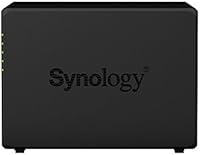
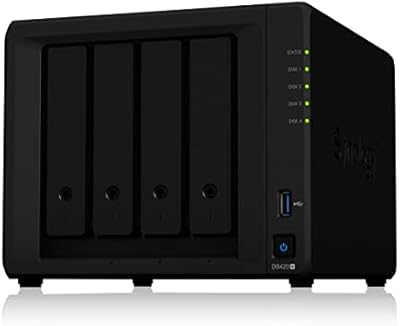
The Synology DS418 4-Bay NAS Enclosure is a diskless network storage unit squarely aimed at home users and small businesses that need a reliable, centralized place to store and share files. It sits comfortably in the mid-range of Synology's lineup — ARM-based hardware backed by some of the strongest NAS software available at this price tier. One thing to flag upfront: the box ships empty. You supply your own drives, which offers real flexibility in choosing capacity and brand, but also means a higher total investment than the enclosure price alone suggests. Think of this as a capable file server and backup hub, not a powerhouse for heavy compute workloads. Over 2,100 Amazon ratings averaging 4.6 stars indicate it delivers consistently on that promise.
Features & Benefits

The DS418 runs on a Realtek RTD1296 quad-core 1.4 GHz processor paired with 2GB of DDR4 RAM — a meaningful step up from entry-level Synology units when juggling multiple packages at once. Day-to-day transfers are brisk, with sequential reads topping 226 MB/s and writes clearing 170 MB/s. The dual Gigabit Ethernet ports add practical value: configure them for Link Aggregation to push throughput higher, or keep one as a failover so a loose cable never takes your storage offline. Hardware AES-NI encryption protects data at rest without noticeably taxing the processor. The enclosure accepts 3.5-inch and 2.5-inch SATA drives, including SSDs, and everything is managed through Synology DSM — a browser-based operating system that remains one of the most approachable interfaces in the NAS category.

Best For

This 4-bay Synology is a strong fit for home users who want a central file server they can build out gradually — start with two drives, expand as needs grow. Families looking to stop paying for cloud subscriptions by hosting their own photos and documents will find the setup surprisingly approachable. Small teams also get solid value here, particularly anyone relying on Time Machine or Windows scheduled backups, since DSM handles both natively. If you already own other Synology hardware and want consistent software across your setup, the DiskStation fits right in. That said, buyers expecting everything in one box should note the diskless design — sourcing drives separately is part of the deal.

User Feedback

Across a substantial pool of verified buyers, the DiskStation earns its high marks mainly for DSM's reliability and the kind of quiet, long-term stability that makes you forget the unit is even running. The feedback is not without its rough edges, though. Users who pushed the ARM processor toward on-the-fly Plex transcoding or resource-heavy Docker containers found it hitting its ceiling faster than expected. A fair share of first-timers were also caught off guard by the added cost of drives on top of the enclosure. Some buyers flagged that RAM is not upgradeable, which matters if you intend to run several memory-intensive packages simultaneously. Those who went in with accurate expectations largely came away satisfied with the value.

Pros

  • DSM is one of the most polished and feature-rich operating systems available in consumer NAS hardware today.
  • Dual Gigabit Ethernet ports with Link Aggregation give you real throughput headroom beyond what a single port can deliver.
  • Hardware AES-NI encryption keeps data secure without dragging down everyday performance.
  • Sequential read speeds over 226 MB/s make large file transfers feel quick and practical.
  • The 4-bay design lets you start small and expand storage capacity incrementally as needs grow.
  • Broad RAID support — including RAID 5 and 6 — gives meaningful data redundancy options for a home or small office setup.
  • Native Time Machine and Windows backup compatibility makes this a low-friction backup destination for mixed-OS environments.
  • Drive flexibility across 3.5-inch and 2.5-inch SATA HDDs and SSDs means you are not locked into one hardware format.
  • Long-term stability is a recurring theme among owners, with many reporting years of reliable, unattended operation.
  • A large and active Synology user community makes troubleshooting and package discovery much easier than with lesser-known brands.

Cons

  • The enclosure ships without drives, adding significant extra cost that first-time buyers sometimes do not anticipate.
  • The ARM CPU struggles with on-the-fly Plex transcoding unless client devices can handle direct play natively.
  • RAM is soldered and cannot be upgraded, which limits headroom for memory-intensive DSM packages over time.
  • Drive bays are not hot-swappable, meaning a drive swap requires powering down the unit.
  • Four bays can fill up faster than expected if you rely on RAID 5 or 6 for redundancy, reducing usable capacity noticeably.
  • No 10GbE option or expansion slot means network throughput is capped at Gigabit speeds regardless of your infrastructure.
  • Running several DSM packages simultaneously — surveillance, VPN, and download manager together, for example — can noticeably tax system resources.
  • USB 3.0 ports are present but external drive performance through them is secondary to the primary network storage use case.

Ratings

The scores below for the Synology DS418 4-Bay NAS Enclosure were generated by our AI system after analyzing thousands of verified buyer reviews from global markets, with spam, bot-submitted, and incentivized feedback actively filtered out. Each category reflects what real users consistently praised or criticized over extended ownership — not just first impressions. Both the strengths that make this DiskStation a standout choice and the limitations that have frustrated certain buyers are represented transparently.
Software Experience
93%
DSM is the single most praised aspect of owning this unit — reviewers describe it as the reason they stay loyal to Synology. The browser-based interface is intuitive enough for first-timers while still offering the depth that power users need, and the Package Center keeps expanding its app library meaningfully over time.
A small but vocal group of users found the initial DSM configuration curve steeper than expected, particularly around RAID setup and user permission management. Occasional DSM update bugs have also caused temporary disruptions for some owners, though Synology tends to issue patches relatively quickly.
Build Quality
81%
19%
The metal chassis feels solid and purposeful — not something you would expect to wobble or flex under the weight of four populated drives. Owners who have run this unit continuously for two or more years report no structural deterioration, loose bay latches, or fan housing issues.
The drive trays themselves feel noticeably less premium than the chassis, with a slightly plastic-heavy construction that does not inspire the same confidence. A handful of users also noted that the tray locking mechanism requires a firm, deliberate push to seat drives securely, which can feel unintuitive at first.
Performance for File Sharing
88%
For its primary purpose — sharing files across a home or small office network — this 4-bay Synology delivers reliably. Transferring large video archives or syncing project folders over Gigabit Ethernet feels fast and consistent, with real-world speeds that hold close to the rated sequential read ceiling under normal conditions.
Performance dips noticeably when multiple users hit the NAS simultaneously with mixed read and write operations, which is where the ARM processor starts showing its constraints. Users running this in a busier office environment with six or more concurrent users reported occasional slowdowns during peak hours.
CPU and Processing Power
62%
38%
For typical NAS duties — serving files, running backups, hosting a lightweight VPN, or managing a modest Surveillance Station setup — the quad-core Realtek processor handles things without complaint. Users with straightforward workloads rarely find themselves pushing it hard enough to notice any limitation.
The ARM chip hits a hard ceiling the moment workloads demand real compute — on-the-fly Plex transcoding, heavy Docker container use, and running multiple simultaneous packages all expose its limits quickly. This is the most common source of disappointment among buyers who overestimated what a mid-range ARM NAS can realistically handle.
Value for Money
78%
22%
Buyers who understood the diskless nature upfront and budgeted accordingly generally feel the DS418 delivers strong long-term value — the DSM software ecosystem alone justifies a premium over cheaper alternatives. The hardware has proven durable enough that many owners are still running units purchased several years ago without issue.
The total cost of ownership surprises first-time NAS buyers who did not account for drives, and at the enclosure's price point, some users feel the non-upgradeable RAM and absence of hot-swap bays should not be trade-offs they have to accept. Compared to competing units at a similar price, the feature-to-cost ratio is good but not exceptional.
Setup and Initial Configuration
84%
Synology's web assistant handles the initial setup process gracefully — plug in drives, connect to the network, open a browser, and the wizard takes over. Most users report going from unboxed hardware to a functional NAS within 30 to 60 minutes, including RAID configuration.
The experience is less frictionless if you run into drive compatibility questions or need to configure more advanced network settings like Link Aggregation, which requires router-side configuration most home users are unfamiliar with. The learning curve is real for anyone completely new to network storage.
Noise Level
74%
26%
At idle with low-demand workloads, the DS418 sits quietly in the background — users in home offices describe the sound as easy to tune out during the day. The fan profile under light use is conservative enough that many people place the unit on a desk without complaints.
Under sustained load — particularly during initial RAID builds or large backup jobs — the fan becomes meaningfully audible and has kept some users from placing the unit in sleeping areas. A few reviewers noted that fan noise increases noticeably as drives age and spin faster to compensate for minor degradation.
Network Connectivity
86%
Having two Gigabit Ethernet ports is a genuine differentiator at this tier — users who configured Link Aggregation on a compatible switch reported measurably better throughput when multiple devices accessed the NAS simultaneously. Failover configuration also adds a layer of network resilience that home users rarely get at this price.
The lack of any 10GbE option or expansion slot means that users with newer multi-gigabit home networks cannot take full advantage of their infrastructure. As home network speeds continue to increase, the Gigabit ceiling will become a more limiting factor for this unit over time.
Drive Compatibility
89%
Synology maintains a thorough and actively updated compatibility list, and the DS418 supports a wide range of NAS-rated drives from major brands without issue. Users who followed Synology's recommended drive list reported no compatibility headaches during setup or long-term operation.
Drives not on Synology's official compatibility list can trigger DSM warnings even when they function correctly in practice, which confuses some buyers who purchased unlisted but otherwise capable drives. A small number of users also found the four-bay limit constraining faster than expected once they implemented redundant RAID configurations.
Data Security Features
87%
Hardware AES-NI encryption runs efficiently without dragging down file transfer speeds in everyday use, which is something earlier ARM-based NAS units could not claim. Users who store sensitive business documents or personal financial records appreciate being able to enable volume encryption as a standard precaution rather than a performance sacrifice.
Encryption is not enabled by default and requires deliberate setup, which means less technically confident users may never activate it without guidance. Some reviewers also noted that encrypted volumes add minor complexity to drive recovery scenarios if the NAS itself fails and drives need to be accessed on a different unit.
Long-term Reliability
91%
Long-term reliability is arguably where the DS418 builds its strongest reputation — a meaningful portion of the review pool comes from users who have run their units for three or more years without hardware failure. Continuous 24/7 operation appears to be a genuine strength, with thermal management holding up well under sustained use.
A small number of users reported fan failures after extended operation, which is not unusual for any always-on device but is worth monitoring. Since the RAM is not replaceable and the board cannot be easily serviced, any hardware failure beyond a fan swap effectively means replacing the unit.
Remote Access
82%
18%
QuickConnect works reliably for the vast majority of users and does not require any router configuration, which lowers the barrier considerably for non-technical buyers. The Synology mobile apps for iOS and Android are polished and receive consistent updates, making remote file access and photo browsing practical in everyday use.
Users who prefer not to route traffic through Synology's relay servers find the manual port forwarding alternative adds friction that not everyone is comfortable configuring. Remote access speeds are also naturally constrained by the upload speed of the home internet connection, which some users mistakenly attribute to the NAS itself.
Backup Ecosystem
92%
The DiskStation handles backup duties exceptionally well — Time Machine integration is reliable and native, Active Backup for Business covers Windows endpoints without additional licensing costs, and Hyper Backup supports cloud destinations for off-site redundancy. For anyone whose primary use case is centralized backup, this is one of the strongest software stacks available at any price point.
The breadth of backup options can be genuinely overwhelming for users who just want a simple Time Machine target and stumble into the full Package Center. Documentation is thorough but scattered, and finding the right setup guide for a specific backup scenario sometimes requires more effort than it should.

Suitable for:

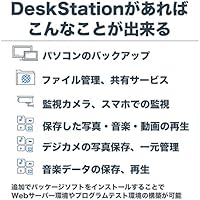
The Synology DS418 4-Bay NAS Enclosure is a well-matched choice for home users and small offices that want a dependable, centralized storage hub without the complexity of enterprise hardware. If you have been paying monthly fees for cloud storage and are ready to own your data outright, this DiskStation gives you the infrastructure to do that — with room to scale up to 40TB of raw capacity as your needs grow. Families juggling photo libraries, video backups, and shared documents across multiple devices will appreciate how smoothly DSM handles multi-user access without requiring any real IT knowledge to set up. Small teams that rely on Time Machine for Mac backups or scheduled Windows backups will find native, reliable support baked right into the software. If you are already in the Synology ecosystem and want consistent software behavior across your devices, this 4-bay unit slots in without friction.
Not suitable for:

The Synology DS418 4-Bay NAS Enclosure is not the right call if your workload leans heavily on real-time video transcoding, running multiple resource-intensive Docker containers, or anything that demands sustained compute performance. The ARM-based processor is capable within its intended scope, but it hits its ceiling quickly when pushed beyond straightforward file serving and backup tasks — Plex users who need on-the-fly transcoding in particular will likely find it underpowered without a capable client to handle decoding locally. This unit also ships without drives, so buyers expecting a ready-to-run storage appliance out of the box will face an additional purchasing step and cost that catches some people off guard. The RAM is not user-upgradeable, which is a meaningful constraint if you plan to run several memory-hungry packages simultaneously. And if hot-swappable drives are a hard requirement for your workflow, this DiskStation does not offer that feature.
Specifications

  • Drive Bays: The unit provides 4 internal drive bays, supporting a maximum raw capacity of 40TB when populated with four 10TB drives.
  • Processor: A Realtek RTD1296 quad-core processor running at 1.4 GHz handles system operations and DSM package workloads.
  • Memory: 2GB of DDR4 RAM comes installed from the factory and is not user-upgradeable.
  • Sequential Read: Under optimal conditions, sequential read throughput reaches over 226 MB/s, suitable for fast network file transfers.
  • Sequential Write: Sequential write performance is rated at over 170 MB/s, supporting steady large-file backup and copy operations.
  • LAN Ports: Two Gigabit Ethernet ports are included, with support for both Link Aggregation (802.3ad) and automatic failover configuration.
  • USB Ports: Two USB 3.0 ports allow connection of external drives or UPS devices for expanded functionality.
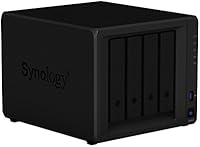
  • Drive Compatibility: The enclosure accepts 3.5-inch SATA HDDs, 2.5-inch SATA HDDs, and 2.5-inch SATA SSDs across all four bays.
  • Encryption: A hardware AES-NI encryption engine enables volume-level data encryption with minimal impact on processor load.
  • RAID Support: DSM supports Basic, JBOD, RAID 0, RAID 1, RAID 5, RAID 6, and RAID 10 configurations across the four bays.
  • Transcoding: The hardware transcoding engine supports 10-bit H.265 (HEVC), MPEG-4 Part 2, MPEG-2, and VC-1 at up to 4K resolution and 30fps.
  • Operating System: Synology DiskStation Manager (DSM) provides the browser-based management interface and access to the full Synology Package Center.
  • Dimensions: The enclosure measures 8.78 x 7.83 x 6.54 inches (L x W x H), making it compact enough for a desk or small equipment shelf.
  • Weight: The unit weighs 5.03 pounds without drives installed, keeping it easy to position or relocate during setup.
  • Material: The chassis is constructed from metal, contributing to structural rigidity and passive heat dissipation during continuous operation.
  • Voltage: The unit operates at 240 volts; buyers should verify local power compatibility before installation.
  • Hot Swap: Drive bays on this model do not support hot-swapping, so drives must be installed or replaced with the unit powered down.
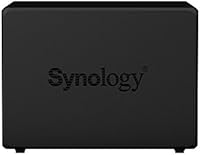
  • Color: The enclosure is finished in black, fitting unobtrusively into most home office or small business environments.

Related Reviews

Asustor Drivestor 4 Pro AS3304T 4-Bay NAS
78%
88%
Network Performance
83%
Software & ADM Interface
74%
Media Playback & Transcoding
76%
App Ecosystem
57%
RAM & Multitasking
More
Asustor Lockerstor 4 Gen3 AS6804T 4-Bay NAS
84%
91%
Performance
88%
Build Quality
94%
Network Speed
87%
Storage Expandability
89%
Ease of Setup
More
KCMconmey NAS-411 4+1 Bay DIY NAS Case
84%
85%
Ease of Setup
80%
Build Quality
70%
Cooling Performance
90%
Customization Options
88%
Drive Compatibility
More
Synology DS620slim 6-Bay NAS Enclosure
82%
91%
Build Quality
93%
Software & DSM Experience
88%
Storage Performance
84%
Drive Bay Flexibility
63%
Value for Money
More
Synology DS1823xs+ 8-Bay NAS Enclosure
80%
91%
Build Quality & Chassis Durability
88%
Processor Performance
93%
Network Throughput & Connectivity
86%
Storage Expansion Flexibility
89%
DSM Software Ecosystem
More
Synology DS223
Synology DS223
77%
94%
Software & OS Experience
88%
Setup & Initial Configuration
61%
CPU & Processing Performance
67%
Network Connectivity
83%
Build Quality & Design
More
Synology DS423 4-Bay DiskStation
87%
88%
Performance & Reliability
91%
Ease of Setup
82%
Storage & Expandability
89%
Data Protection (Backup & Snapshots)
84%
Remote Access
More
Asustor AS5404T 4-Bay NAS Enclosure
80%
88%
Build Quality
82%
Processing Performance
93%
NVMe Storage Flexibility
87%
Network Throughput
76%
Software Ecosystem (ADM OS)
More
TerraMaster F4-212 4-Bay NAS Enclosure
70%
76%
Value for Money
83%
Setup & Initial Configuration
61%
Software & OS Experience
67%
Performance & Responsiveness
42%
RAM & Expandability
More
Synology RS1221+ 8-Bay Rackmount NAS
83%
92%
Throughput Performance
94%
Software & DSM Ecosystem
89%
Build Quality & Chassis
83%
Networking Flexibility
91%
Short-Depth Form Factor
More

FAQ

No, it does not. The Synology DS418 4-Bay NAS Enclosure ships as a diskless unit, meaning you need to purchase drives separately. This is actually common in the NAS category and gives you the freedom to choose your own drive brand, capacity, and type — but it is worth budgeting for upfront.
Synology maintains a compatibility list on their website that covers tested drives from brands like Seagate, Western Digital, and Toshiba. NAS-rated drives — such as the WD Red or Seagate IronWolf lines — are generally the recommended choice since they are built for continuous operation and handle the vibration of multi-drive enclosures better than standard desktop drives.

You can install the Plex Media Server package through DSM, but there is an important limitation to understand. The ARM-based processor in this unit is not powerful enough to transcode video on the fly for most formats. If your playback devices support direct play — meaning they can handle the original file format without the NAS converting it in real time — it works well. If you need regular transcoding, you will likely run into buffering and performance issues.

Reasonably straightforward, especially compared to building a DIY file server. You install your drives, connect the unit to your router, and Synology's web assistant walks you through the rest. DSM is one of the more approachable NAS interfaces available. That said, if you have never set up RAID or thought about network storage before, plan to spend an hour or two reading through Synology's documentation — it is thorough and well-written.

Unfortunately, no. The 2GB of DDR4 RAM in this unit is soldered to the board and cannot be expanded. For most file-sharing and backup use cases, 2GB is adequate, but if you plan to run several memory-intensive packages simultaneously — like Surveillance Station alongside a VPN server and a download manager — you may start to feel that constraint over time.

DSM supports Basic, JBOD, RAID 0, 1, 5, 6, and 10. For most home or small office users with four drives, RAID 5 is a practical starting point — it gives you redundancy against a single drive failure while keeping most of your total capacity usable. RAID 6 tolerates two simultaneous drive failures but costs you more usable space. Synology also offers their own Hybrid RAID (SHR) format, which is worth considering if you plan to mix different drive sizes.

Yes, and it works reliably. DSM includes built-in support for Time Machine over the network, so you can point your Mac's backup directly at the DiskStation without any third-party software. You set up a shared folder, configure it as a Time Machine destination in DSM, and macOS handles the rest just as it would with a directly attached drive.

At idle, the DS418 is relatively quiet — most users describe it as a low, consistent hum rather than an intrusive noise. Under sustained load, the fan spins up and becomes more noticeable. In a living room during the day it would likely blend into background noise, but in a quiet bedroom at night some people find it audible enough to be a mild disturbance. Placement in a nearby closet or home office is a common workaround.

Yes. Synology's QuickConnect service lets you access the DiskStation through a browser or mobile app without needing to configure port forwarding on your router. The DS mobile apps for iOS and Android are solid, and DSM also supports standard protocols like WebDAV and SFTP if you prefer not to use Synology's cloud relay.

That depends on which RAID configuration you are using. In RAID 5 or RAID 6, the system continues operating normally after a drive failure — DSM alerts you, and you replace the failed drive and rebuild the array. In RAID 0 or Basic mode, a drive failure means data loss, which is why redundant RAID configurations are strongly recommended for anything important. NAS redundancy protects against drive failure specifically; it is not a substitute for a separate off-site or cloud backup.

Where to Buy