Overview

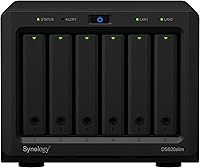
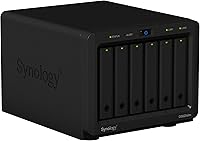
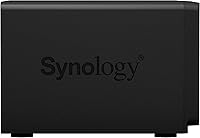
The Synology DS620slim 6-Bay NAS Enclosure is one of those rare devices that makes you do a double-take when you first see it — six drive bays packed into a chassis not much bigger than a hardcover book. That compact footprint is the headline, but it is not the whole story. Sitting in the premium tier of the SMB and prosumer NAS market, it sets expectations high: buyers here want reliable hardware and software that actually keeps pace with real workloads. Synology's DiskStation Manager is a big part of why people choose this brand over cheaper alternatives — it is mature, regularly updated, and genuinely feature-rich without requiring a sysadmin background.

Features & Benefits

Six 2.5-inch bays might sound limiting compared to larger tower units, but the ability to mix SSDs and HDDs in the same enclosure opens up interesting tiered storage configurations. Performance holds up well under real-world conditions — reads clearing 220 MB/s and writes staying above 190 MB/s, with AES encryption running the whole time. The standard 2GB of RAM is workable for basic file sharing, but bumping it to 6GB makes a noticeable difference when running multiple packages at once. Hardware 4K transcoding for H.265 and H.264 means the processor is not bottlenecked during media playback. The Btrfs file system quietly handles thousands of scheduled snapshots that can genuinely save you in a data-loss situation.

Best For

This slim NAS hits a sweet spot for a specific type of buyer. Small offices needing shared storage and redundancy but unable to dedicate shelf space to a tower unit will appreciate the sub-5-inch height. Home lab users get a credible platform for running Active Backup, Surveillance Station, or a personal cloud without it dominating their desk. If you are running Plex or Video Station with 4K content, the hardware transcoding support earns its keep. Existing Synology users upgrading from a 2- or 4-bay device will feel immediately at home in DSM. One honest caveat: buyers stepping up from budget NAS territory may find the total build cost — enclosure plus six 2.5-inch drives — climbs faster than expected.

User Feedback

Owners consistently praise the metal build quality and how quietly the unit runs day-to-day — it is easy to forget it is on at all. DSM stability earns its own round of compliments, with very few reports of software-related crashes or data integrity problems over extended use. On the hardware side, the recurring complaint is predictable: 2.5-inch drives cost significantly more per terabyte than 3.5-inch alternatives, and that gap compounds across six bays. Many buyers recommend upgrading RAM early if multiple packages are on the agenda. Setup is generally considered approachable, though a handful of less technical owners noted the initial configuration took longer than expected without prior NAS experience.

Pros

  • Six drive bays in a chassis under 5 inches tall is genuinely rare and useful in tight spaces.
  • DSM is one of the most polished NAS operating systems available, with regular updates and a broad package library.
  • Encrypted read and write speeds hold up well under sustained real-world workloads.
  • Btrfs snapshots make accidental file recovery fast and reliable without third-party backup tools.
  • Hardware 4K transcoding handles H.265 and H.264 streams without leaning heavily on the CPU.
  • The metal chassis feels durable and runs quietly enough for shared office or home desk placement.
  • RAM is user-upgradeable, giving the slim NAS a practical path to better multi-tasking performance.
  • Active Backup covers PCs, VMs, and cloud services without per-device licensing fees.
  • Mixing SSDs and HDDs in the same enclosure allows tiered storage configurations not possible on entry-level units.
  • Link aggregation across dual Gigabit ports improves throughput when multiple clients access the device at once.

Cons

  • Populating all six bays with 2.5-inch drives costs significantly more than equivalent 3.5-inch storage.
  • The stock 2GB of RAM creates real bottlenecks when multiple DSM packages run simultaneously.
  • Dual Gigabit networking offers no headroom for buyers investing in 2.5GbE or faster home network infrastructure.
  • Drives not on Synology's official compatibility list can trigger persistent DSM warning banners, even when functioning normally.
  • Firmware updates have occasionally introduced new compatibility warnings for previously stable drive configurations.
  • First-time NAS users report a steeper learning curve than competing entry-level devices during initial setup.
  • Snapshot schedules, if left unmanaged, can quietly consume a significant portion of available volume space.
  • The white exterior shows dust and surface scuffs more visibly than darker enclosure alternatives.
  • Multi-stream 4K transcoding beyond two simultaneous sessions pushes the processor noticeably.
  • Community third-party packages have become less reliably maintained across recent DSM versions.

Ratings

The Synology DS620slim 6-Bay NAS Enclosure has been scored by our AI system after parsing hundreds of verified global buyer reviews, with spam, incentivized, and bot-flagged submissions actively filtered out before analysis. The result is an honest, weighted breakdown that captures what real owners love about this slim NAS and where it genuinely falls short. Both the highlights and the frustrations are reflected in the numbers below.

Build Quality
91%
Owners repeatedly comment on the solid metal chassis feeling far more substantial than the unit's small size suggests. The drive trays slot in firmly with no rattle, and the overall fit and finish matches what buyers expect from a premium enclosure that is meant to run continuously for years.
A small number of users noted that the white plastic accents around the front panel show scuff marks more easily than the metal body, which is a minor but recurring cosmetic gripe for those who keep the unit in visible desk setups.
Software & DSM Experience
93%
DSM consistently earns the highest praise of any aspect in user feedback. Buyers cite the intuitive web interface, the reliable package ecosystem, and the fact that major features like Active Backup and Hybrid Share work without needing third-party tools as major differentiators from competing NAS platforms.
A subset of less technical buyers found the initial DSM configuration steeper than expected, particularly around RAID selection and network share permissions. Occasional mandatory reboots after DSM updates also frustrated users running the device as an always-on server.
Storage Performance
88%
Real-world transfer speeds hold up well against the advertised figures, with users reporting strong throughput whether copying large video files or running simultaneous backup jobs. The fact that encryption does not visibly throttle performance is a frequently mentioned positive in small-office deployments.
Performance does dip noticeably when several DSM packages are active simultaneously and RAM is at the default 2GB level. A few users also pointed out that 2.5-inch drive spindle speeds cap sequential throughput below what a comparable 3.5-inch NAS could deliver at the same price point.
Drive Bay Flexibility
84%
The ability to mix 2.5-inch SSDs and HDDs in the same enclosure is genuinely useful for tiered storage setups, and the six-bay count gives enough room for meaningful RAID 5 or RAID 6 configurations without feeling cramped. SSD-only builds report noticeably snappier random I/O for database and VM workloads.
Being locked to 2.5-inch drives is a real cost constraint. Users consistently flag that populating all six bays with quality HDDs or SSDs carries a significant premium over what the same raw capacity would cost in 3.5-inch form factor, and there is no workaround within this enclosure.
Value for Money
63%
37%
For buyers who specifically need six bays in a compact chassis, the DS620slim sits in a very thin market segment and delivers on its core promise. When evaluated purely on features per cubic inch, experienced NAS buyers consider the enclosure price reasonable given what Synology charges for comparable models.
The total cost of ownership story is where this unit struggles most in reviews. Add six decent 2.5-inch drives to the enclosure price and the final outlay climbs well above equivalent-capacity 3.5-inch alternatives. Budget-conscious buyers frequently recommend considering a 4-bay tower NAS instead unless space is genuinely the primary constraint.
Noise & Thermal Management
86%
Day-to-day operation is consistently described as quiet enough to live on a desk or in a shared office space without being distracting. The internal fan management in DSM keeps temperatures in check during sustained transfers without ramping the fan to noticeable levels under normal load.
During prolonged intensive workloads, such as initial RAID rebuilds or large backup jobs, the fan does spin up audibly. A few users in very quiet home office environments found this intermittent noise more disruptive than expected, though it was never described as a persistent issue.
RAM & Expandability
74%
26%
The ability to expand beyond the stock 2GB up to 6GB is a practical upgrade path that many owners take advantage of, particularly those running Surveillance Station alongside Active Backup. Buyers who upgraded RAM early report a much smoother multi-package experience with no meaningful slowdowns.
The base 2GB ceiling creates real limitations before the upgrade. Owners who tried running three or more active packages simultaneously on stock RAM reported sluggish DSM response and occasional package crashes, making the RAM upgrade feel less optional than Synology's product page implies.
4K Media Transcoding
79%
21%
Hardware-accelerated H.265 and H.264 transcoding works reliably for users running Video Station or Plex with a moderate number of simultaneous streams. For a single 4K stream with on-the-fly transcoding, owners report smooth playback without putting visible CPU pressure on the rest of the system.
Multi-stream 4K transcoding exposes the processor's limits fairly quickly. Plex users who run more than two simultaneous transcoded 4K streams on the same device report buffering and quality drops, and direct play is strongly recommended wherever client devices support it.
Setup & Initial Configuration
71%
29%
Users with prior NAS experience or basic networking knowledge generally get the unit up and running within an hour, and Synology's setup wizard is clear enough that most technically inclined buyers need no external documentation for a standard SMB share configuration.
Complete newcomers to NAS hardware had a harder time than expected, according to a consistent thread in reviews. Concepts like RAID mode selection, static IP assignment, and QuickConnect setup tripped up buyers coming from simple plug-and-play storage devices, and Synology's help documentation, while thorough, is dense.
Snapshot & Data Protection
92%
The Btrfs snapshot capability is one of the most praised data protection features in owner feedback, with IT-oriented users specifically calling out the granularity of per-folder snapshot schedules. Recovering accidentally deleted files or rolling back a corrupted shared folder takes minutes rather than hours, which resonates strongly with small business owners.
Snapshot storage consumption can grow quickly if schedules are not managed carefully, and a handful of users discovered this only after their available volume space dropped unexpectedly. Better in-DSM warnings about snapshot space usage would prevent this from being a surprise for less experienced admins.
Drive Compatibility
76%
24%
Synology's compatibility list for the DS620slim covers a solid range of 2.5-inch drives from major manufacturers, and most owners using listed drives report zero compatibility issues over extended periods. The regular DSM and firmware updates have resolved past edge-case compatibility problems for several drives on the list.
Drives not on the official compatibility list are a gamble, and a number of users reported warning banners in DSM after installing unlisted but otherwise functional drives. Long-term firmware updates have occasionally introduced new compatibility warnings for drives that previously worked without issue, which frustrated some owners mid-deployment.
Package Ecosystem
89%
The breadth of first-party Synology packages available through the Package Center is a genuine selling point. Active Backup for Business alone covers PCs, VMs, and Microsoft 365 backup under one tool without per-device licensing fees, which small business owners consistently highlight as a major value add over competing NAS platforms.
Third-party package support through community channels has become patchier as DSM has matured, and a few popular community packages no longer receive updates compatible with recent DSM versions. Users relying on specific third-party tools should verify compatibility before committing.
Physical Footprint & Design
87%
The compact dimensions are the single most frequently praised physical attribute. Owners who placed the unit in space-constrained environments — on a crowded desk, inside a small server cabinet, or behind a monitor — repeatedly comment that the size-to-capacity ratio is unlike anything else they found at this tier.
The white color, while clean-looking initially, attracts dust visibly and is harder to keep looking presentable than darker NAS enclosures. Cable management at the rear is also tighter than on larger tower units, which a few users found awkward when connecting multiple drives and a pair of network cables simultaneously.
Network Connectivity
81%
19%
Dual Gigabit LAN ports allow for link aggregation or failover depending on network infrastructure, and owners who configured link aggregation reported measurably better aggregate throughput when multiple clients accessed the device simultaneously. The ports are solid and have not drawn any complaints about reliability or negotiation issues.
In an era where competing NAS units are beginning to ship with 2.5GbE or even 10GbE options, the dual Gigabit ceiling does limit the DS620slim for buyers planning around faster home or office networks. Upgrading the wider network infrastructure to 2.5GbE delivers no benefit here.

Suitable for:

The Synology DS620slim 6-Bay NAS Enclosure is a strong fit for anyone who needs serious multi-drive redundancy but cannot spare the desk or shelf space for a conventional tower NAS. Small business owners who want centralized file sharing, automated offsite backups, and basic surveillance storage under one roof will find the combination of DSM's package ecosystem and six drive bays genuinely hard to replicate in a smaller form factor. Home lab users who already think in terms of RAID configurations, snapshot policies, and network shares will feel right at home here without needing to compromise on capability. Media enthusiasts building a personal 4K library will appreciate the hardware transcoding support, particularly when streaming to devices that cannot handle direct play. If you are already using a Synology device and outgrowing it, stepping up to this 6-bay enclosure is a natural progression that keeps all your existing DSM familiarity intact.

Not suitable for:

The Synology DS620slim 6-Bay NAS Enclosure is not the right choice for buyers primarily motivated by maximizing raw storage capacity per dollar spent. Because the enclosure only accepts 2.5-inch drives, populating all six bays with quality HDDs or SSDs costs noticeably more than loading a comparably priced 3.5-inch tower NAS with larger, cheaper drives. First-time NAS buyers with no networking background may also find the initial setup more involved than expected — DSM is approachable, but it is not a plug-and-play experience. Users who need high-speed 2.5GbE or 10GbE connectivity for modern fast-network environments will hit a ceiling with the dual Gigabit ports. Anyone planning to run four or more demanding packages simultaneously should factor in the cost of a RAM upgrade from the start, as the base configuration will feel constrained fairly quickly.

Specifications

  • Drive Bays: Six hot-swappable 2.5″ bays accept both SATA HDDs and SATA SSDs, enabling flexible RAID configurations including RAID 0, 1, 5, 6, and 10.
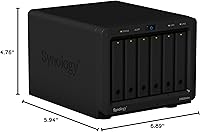
  • Dimensions: The enclosure measures 6.89″ x 5.94″ x 4.76″ (L x W x H), making it one of the most compact 6-bay NAS units commercially available.
  • Weight: The unit weighs 3.08 pounds without drives installed, reflecting its dense metal chassis construction.
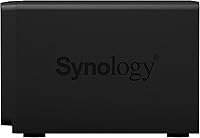
  • Material: The primary enclosure body is constructed from metal, with select front panel accent components in plastic.
  • RAM: Ships with 2GB of DDR3L memory installed, expandable by the user to a maximum of 6GB for more demanding multi-package workloads.
  • Read Speed: Sustained sequential read speeds exceed 220 MB/s, maintained even when AES-256 volume encryption is active.
  • Write Speed: Sustained sequential write speeds exceed 190 MB/s under encrypted data transmission conditions.
  • File System: Supports the Btrfs file system, which enables up to 65,000 system-wide snapshots and up to 1,024 snapshots per individual shared folder.
  • Max Volume Size: The maximum size for a single storage volume is 108TB, providing ample headroom for large-scale data consolidation across all six bays.
  • Video Transcoding: Supports dual-channel hardware-accelerated transcoding for H.265 and H.264 video formats at up to 4K resolution.
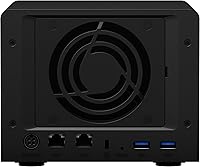
  • Network Ports: Equipped with two RJ-45 Gigabit Ethernet ports supporting link aggregation and network failover configurations.
  • Operating System: Runs Synology DiskStation Manager (DSM), a Linux-based NAS OS with a browser-accessible interface and an extensive first-party and third-party package library.
  • USB Ports: Includes USB 3.0 ports for direct-attached storage expansion or local backup to external USB drives.
  • Color: Available in white with a clean, minimal aesthetic suited for both office desk and home environments.
  • ASIN: The Amazon Standard Identification Number for this product is B07V6CC4M2.
  • Release Date: This model was first made available for purchase in July 2019 and remains in active production as of this review.
  • Manufacturer: Designed and manufactured by Synology Inc., a Taiwanese company specializing in NAS hardware and storage software solutions.
  • Model Number: The official model designation is DS620slim, where DS indicates DiskStation, 620 reflects the six-bay configuration, and slim denotes the 2.5″ small form factor.
  • Snapshot Support: Btrfs-based snapshots support up to 65,000 system-wide entries and 1,024 per shared folder, enabling granular point-in-time data recovery.
  • Encryption: Supports AES-256 volume-level encryption managed natively through DSM without requiring third-party software.

Related Reviews

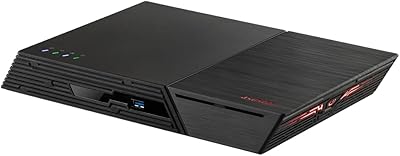
Asustor Lockerstor 6 Gen3 AS6806T 6-Bay NAS
79%
93%
Raw Throughput Performance
91%
NVMe Cache Flexibility
89%
Network Connectivity
88%
CPU & Processing Headroom
86%
Build Quality & Chassis
More
Asustor Flashstor 6 FS6706T 6-Bay NAS Storage
85%
86%
Performance
88%
Ease of Setup
90%
Network Speed (Dual 2.5GbE)
81%
Build Quality
83%
Expandability (RAM & Storage)
More
Asustor FLASHSTOR 6 Gen2 FS6806X 6-Bay M.2 SSD NAS
88%
94%
Performance
89%
Ease of Setup
92%
Build Quality
93%
Data Transfer Speed
88%
Storage Flexibility
More
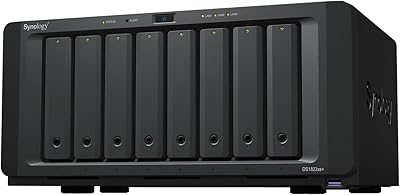
Synology DS1823xs+ 8-Bay NAS Enclosure
80%
91%
Build Quality & Chassis Durability
88%
Processor Performance
93%
Network Throughput & Connectivity
86%
Storage Expansion Flexibility
89%
DSM Software Ecosystem
More
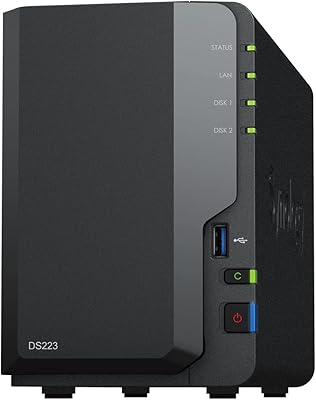
Synology DS223
Synology DS223
77%
94%
Software & OS Experience
88%
Setup & Initial Configuration
61%
CPU & Processing Performance
67%
Network Connectivity
83%
Build Quality & Design
More
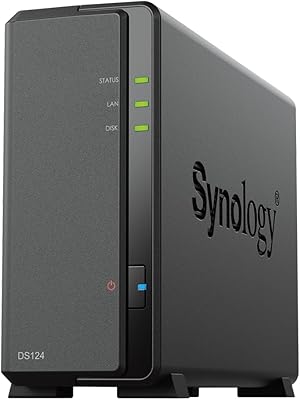
Synology DiskStation DS124 1-Bay NAS
83%
94%
Ease of Setup
91%
Value for Money
83%
Performance & Reliability
88%
User Interface & Software Experience
89%
Storage Expansion & Flexibility
More
Synology DS420+ 4-Bay NAS Enclosure
80%
93%
Software Experience
88%
Build Quality
84%
Thermal Management & Noise
91%
Storage Flexibility
62%
Network Performance
More
Synology RS1221+ 8-Bay Rackmount NAS
83%
92%
Throughput Performance
94%
Software & DSM Ecosystem
89%
Build Quality & Chassis
83%
Networking Flexibility
91%
Short-Depth Form Factor
More
Synology DS418 4-Bay NAS Enclosure
84%
93%
Software Experience
81%
Build Quality
88%
Performance for File Sharing
62%
CPU and Processing Power
78%
Value for Money
More
QNAP TVS-h674T-i5-32G 6-Bay NAS
84%
91%
Performance
85%
Ease of Setup
93%
Speed/Connectivity
88%
Build Quality
79%
Software Experience
More

FAQ

No, the DS620slim ships as a diskless enclosure — you need to purchase 2.5″ SATA HDDs or SSDs separately. Before buying drives, check Synology's official compatibility list to avoid warning banners in DSM after installation.

No. The Synology DS620slim 6-Bay NAS Enclosure is designed exclusively for 2.5″ SATA drives. The physical drive trays and internal clearance do not accommodate 3.5″ HDDs, which is the main hardware trade-off to weigh against the compact size.
It is manageable but not trivial for complete beginners. DSM walks you through the initial setup with a wizard, and the interface itself is fairly intuitive once you are past RAID selection and basic network configuration. Most technically comfortable users get up and running within an hour; first-timers may need to budget extra time and consult Synology's online documentation for network share and user permission setup.

Yes, and it is worth doing early if you plan to run multiple packages. The DS620slim has a user-accessible RAM slot that accepts standard DDR3L SO-DIMMs, and the upgrade process requires basic hardware comfort — essentially removing a panel and seating the module. Synology documents the procedure, and many owners report doing it without any prior NAS experience.

Yes, Plex Media Server is available through the Synology Package Center. For direct play, it works well without putting heavy load on the processor. Hardware-accelerated transcoding for H.265 and H.264 at 4K is supported, though running more than two simultaneous transcoded 4K streams will push the processor noticeably. If your client devices support direct play natively, you will get the best experience.

The six-bay configuration supports RAID 0, RAID 1, RAID 5, RAID 6, RAID 10, and Synology Hybrid RAID (SHR). RAID 6 is a popular choice for users who want to tolerate up to two simultaneous drive failures, and SHR is a good option for buyers mixing drives of different capacities.

As of this writing, the DS620slim continues to receive DSM updates and remains on Synology's active support roster. Synology has a reasonable track record of supporting its NAS hardware for several years post-release, though it is worth checking Synology's product support lifecycle page for the most current information on this specific model.

Under typical day-to-day workloads like file access and light backup jobs, most owners describe it as quiet enough to share a room with comfortably. The fan does spin up during intensive tasks like RAID rebuilds or heavy simultaneous transfers, but it is not a persistent noise issue — just something to be aware of in very quiet environments.

Direct internal expansion is not possible since you are limited to six 2.5″ bays, but you can connect USB external drives for additional backup or overflow storage via the USB 3.0 ports. For network-level expansion, Synology's ecosystem also supports pairing with compatible expansion units, though this slim NAS has no dedicated eSATA expansion port like some larger Synology tower models do.

Yes, this 6-bay enclosure handles backup-centric workloads well. Active Backup for Business covers PCs, virtual machines, and Microsoft 365 data without per-device licensing fees, and Hyper Backup supports scheduled backups to a range of cloud destinations. The Btrfs snapshot system also provides local point-in-time recovery that many dedicated backup appliances charge extra for.

Where to Buy

NAS Headquarters
In stock $1,697.00