




Overview
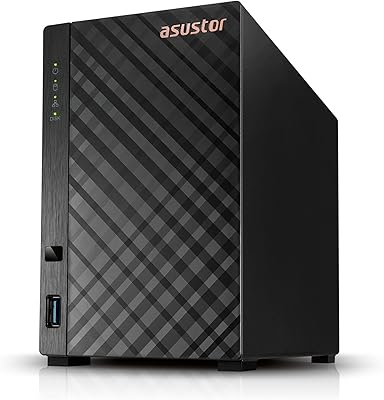
The Asustor Flashstor 6 Gen2 NAS represents a meaningful departure from the spinning-disk boxes that most home and studio users have relied on for years. This all-SSD NAS drops the traditional hard drive entirely, packing six M.2 NVMe slots into a compact metal chassis that weighs under two pounds. The AMD Ryzen processor and DDR5 RAM signal this is serious hardware — not entry-level gear dressed up with marketing copy. One thing to be clear about upfront: it ships diskless, so the drives are a separate purchase that significantly affects your total spend. If you are new to NAS setups, there is a real learning curve here.
Features & Benefits
The six M.2 bays all run PCIe 4.0 x4, and that distinction matters. When you are editing multi-stream 4K or pulling large RAW files across a network, sequential throughput is what separates a fast NAS from one that keeps you waiting. Pairing that storage architecture with a 10 Gigabit Ethernet port means the network itself will not be the choke point, which is the usual weak link in traditional setups. The dual USB4 Type-C ports sound impressive, but be aware: AMD's current driver limits them to external storage devices and direct connections between same-series Asustor units — not general Thunderbolt peripherals. The quad-core Ryzen handles Docker containers and light transcoding without strain, and 8 GB of DDR5 with ECC support keeps things stable under sustained workloads.
Best For
This 6-bay NVMe enclosure suits people whose work genuinely demands fast shared storage — video editors juggling 4K timelines, photographers syncing large libraries across workstations, or small creative teams where a sluggish NAS means people sit idle waiting for files. Home lab users who want server-grade features in a desktop form factor will find a lot to like here, especially if they already run a 10GbE switch. If raw capacity is the priority over speed, the math points elsewhere — spinning drives still win on cost-per-terabyte by a wide margin. But for those who value silence, low heat, and NVMe-level throughput over a local network, this is a genuinely compelling option.
User Feedback
With over 300 ratings and a 4-out-of-5-star average, buyers are broadly satisfied — but the feedback splits in predictable ways. The loudest praise centers on real-world network speeds that actually hold up to what the specs suggest, which is not always the case with NAS marketing. ASUSTOR ADM earns credit for its app ecosystem and relatively smooth initial setup, though users without prior NAS experience report a steeper learning curve than expected. The USB4 limitation comes up often and with visible frustration — buyers expecting Thunderbolt-style flexibility feel let down. Heat under full load with six active NVMe drives is a recurring concern. And while well-prepared buyers are happy, many flag the diskless pricing as a surprise that inflates the true cost of entry.
Pros
- Real-world network speeds consistently match advertised NVMe-over-network performance claims, which is rare in this category.
- All six M.2 bays support PCIe 4.0 x4, giving each drive maximum bandwidth rather than sharing a limited pool.
- The 10GbE port means the network itself is no longer the weak link in your storage pipeline.
- DDR5 RAM with ECC support adds a meaningful layer of data integrity for professional workloads.
- At under two pounds, this 6-bay NVMe enclosure is unusually easy to move between studio locations or workspaces.
- ASUSTOR ADM offers a solid app ecosystem covering media serving, backup, Docker, and more from a single interface.
- The AMD Ryzen quad-core handles transcoding and container workloads without the sluggishness common in ARM-based NAS units.
- Completely silent operation — no spinning drives, no vibration, no audible fan noise at idle.
- Compact metal build feels premium and durable without the bulk of rack-oriented alternatives.
Cons
- Sold diskless, so the real cost of ownership is substantially higher than the unit price alone suggests.
- USB4 ports are restricted by AMD driver limitations and cannot function as general Thunderbolt connections.
- Only M.2 2280 NVMe drives are supported — no SATA M.2 compatibility, which limits drive selection.
- Thermal management under sustained full-load with six active NVMe drives has raised concerns among some users.
- ASUSTOR ADM has a steeper learning curve than expected for buyers coming from simpler consumer NAS platforms.
- A single 10GbE port means no built-in link aggregation or failover redundancy at the network level.
- NVMe SSD prices mean scaling storage capacity is expensive compared to HDD-based alternatives.
- Users new to NAS networking may need a 10GbE switch or adapter to actually realize the performance this hardware promises.
Ratings
Our AI rating system analyzed hundreds of verified global reviews for the Asustor Flashstor 6 Gen2 NAS, actively filtering out incentivized, bot-generated, and outlier feedback to surface what real buyers consistently experience. The scores below reflect both the genuine strengths that make this hardware compelling and the friction points that have frustrated even technically experienced users. Nothing has been smoothed over — if buyers ran into a wall, you will see it in the numbers.
Storage Performance
Network Connectivity
USB4 Versatility
Processor Capability
RAM & ECC Support
Thermal Management
Build Quality
Software (ASUSTOR ADM)
Drive Compatibility
Value for Money
Noise & Acoustics
Compact Form Factor
Setup Experience
Expandability
Suitable for:
The Asustor Flashstor 6 Gen2 NAS was built for people whose work genuinely punishes slow storage — video editors cutting 4K or multi-stream footage, photographers managing large RAW libraries across multiple workstations, and small creative teams where a bottlenecked NAS means lost billable hours. If you are already running a 10GbE switch and have been held back by spinning drives, this is the obvious next step. Home lab enthusiasts who want to run Docker containers, lightweight virtualization, or a personal media server without the noise and heat of traditional hard drives will find the AMD Ryzen processor and DDR5 RAM give them genuine headroom. It also suits prosumers who want a capable, compact unit that fits on a desk rather than in a rack. Buyers who prioritize throughput speed and system responsiveness over maximum raw capacity are exactly who this hardware was designed for.
Not suitable for:
The Asustor Flashstor 6 Gen2 NAS is a poor fit for buyers primarily chasing storage capacity on a budget — six NVMe SSDs cost significantly more per terabyte than spinning drives, and the diskless price is just the starting point of your total investment. If you need to store tens of terabytes affordably for archiving, backups, or media hoarding, a traditional HDD-based NAS will serve you better at a fraction of the overall cost. This unit also demands some familiarity with NAS concepts like RAID configurations, network shares, and software ecosystems — first-time NAS buyers may find the learning curve steeper than expected. Buyers hoping to use the USB4 ports as general-purpose Thunderbolt connections will be disappointed by the current AMD driver restrictions, which limit those ports to external storage and same-series Asustor units only. Anyone running a standard 1GbE home network will also leave most of this hardware's potential untapped.
Specifications
- Processor: The unit runs an AMD Ryzen V3C14 quad-core CPU clocked at 2.3 GHz with a burst speed of up to 3.8 GHz, built on a 6nm process node.
- RAM: 8 GB of SO-DIMM DDR5-4800 memory is included, with support for ECC (Error-Correcting Code) to protect data integrity under sustained workloads.
- Drive Bays: Six M.2 2280 NVMe slots are available, each running a full PCIe 4.0 x4 connection for maximum per-drive bandwidth.
- Drive Compatibility: Only M.2 2280 NVMe drives are supported; SATA-based M.2 drives are not compatible with this enclosure.
- Network: One 10 Gigabit Ethernet port supports auto-negotiation across 10G, 2.5G, 1G, and 100M speeds.
- USB Ports: Two USB4 Type-C ports operate at up to 40 Gbps, and three USB 3.2 Gen 2 Type-A ports operate at up to 10 Gbps each.
- USB4 Limitation: Current AMD USB4 drivers restrict the Type-C ports to external storage devices and direct connections between same-series Asustor NAS units only.
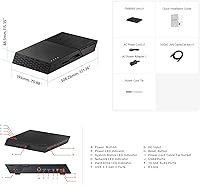
- Dimensions: The chassis measures 11.81 x 13.39 x 3.54 inches (L x W x H), making it a compact desktop unit despite holding six drives.
- Weight: The fully assembled diskless unit weighs 1.71 lbs (775g), which is notably light for a 6-bay enclosure.
- Chassis Material: The enclosure is constructed from metal, providing structural rigidity and passive heat dissipation compared to plastic alternatives.
- Form Factor: Designed as a desktop unit and sold diskless; no drives are included, and buyers must source their own M.2 NVMe SSDs separately.
- Operating System: Ships with ASUSTOR Data Master (ADM), Asustor's proprietary NAS operating system, which supports a wide app ecosystem including Docker, media servers, and backup utilities.
- Release Date: The product became available in October 2024, making it a recent-generation platform with active firmware development support.
- Amazon Rating: Holds a 4.0 out of 5 stars rating based on over 320 verified customer ratings on Amazon.
- Category Rank: Ranked in the top 20 of Amazon's Network Attached Storage Enclosures category at time of review.
Related Reviews
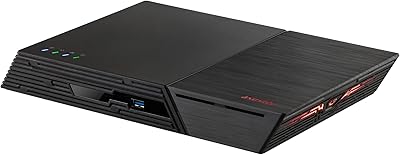
Asustor Flashstor 6 FS6706T All-SSD NAS
Asustor Flashstor 12 Pro Gen2 NAS
Asustor Lockerstor 6 Gen3 AS6806T 6-Bay NAS
Asustor Drivestor 2 Pro Gen2 2-Bay NAS
Asustor AS5404T 4-Bay NAS Enclosure
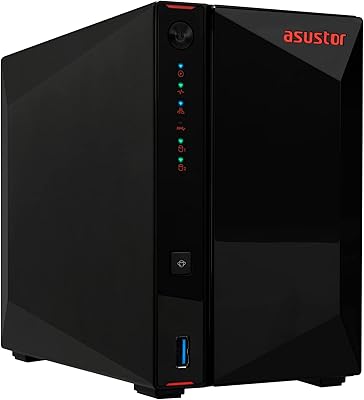
Asustor AS5402T 2-Bay NAS Enclosure
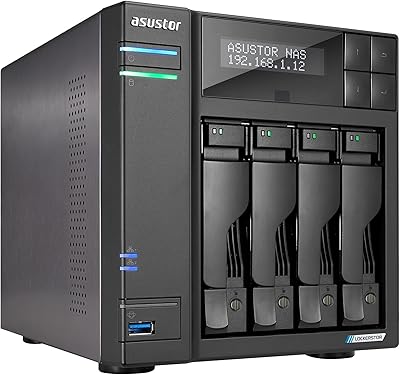
Asustor Lockerstor 4 Gen2 4-Bay NAS
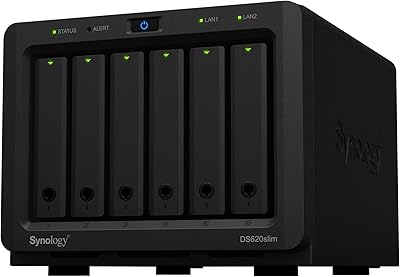
Synology DS620slim 6-Bay NAS Enclosure
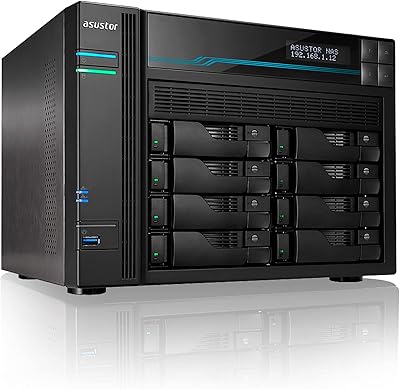
Asustor Lockerstor 8 AS6508T 8-Bay NAS