Overview

The Asustor Lockerstor 6 Gen3 AS6806T 6-Bay NAS is built for a specific kind of buyer — one who shoots 4K, manages large media libraries, and has outgrown consumer-grade storage. This is a genuinely different class of device, powered by an AMD Ryzen Embedded CPU, ECC DDR5 memory, and PCIe 4.0 NVMe support — hardware you would expect in a workstation, not a home closet. It ranks in the top 25 in its Amazon category and holds a strong community standing. But be clear-eyed: this ships diskless, so your real investment includes drives, and it rewards buyers who already understand multi-gigabit networking.
Features & Benefits

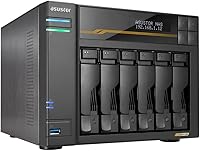
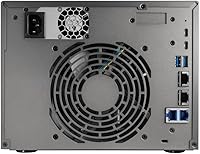
The quad-core AMD Ryzen inside the Lockerstor 6 Gen3 runs at 2.3 GHz and bursts to 3.8 GHz — enough headroom to transcode a multi-cam 4K project while containers run in the background. The 16GB of ECC DDR5 RAM matters for always-on systems protecting irreplaceable files; it is expandable to 64GB if workloads grow. Four M.2 NVMe slots on PCIe 4.0 let you build a dedicated SSD cache tier without consuming a single drive bay. Two 10GbE and two 5GbE ports handle simultaneous multi-user access without bottlenecking. One honest caveat: the two USB4 ports currently only support external storage or direct Lockerstor-to-Lockerstor connections — not a full USB4 ecosystem yet.

Best For

This 6-bay NAS is purpose-built for content creators who need serious throughput, not just storage capacity. If you are editing 4K footage from multiple cameras, running a Plex server alongside a Docker container, or managing a shared drive for a small creative team, this unit fits that workflow well. Power users building a home lab — containers, VMs, NVMe caching — will find the hardware headroom genuinely useful. Fair warning though: this unit is not beginner-friendly. The diskless design means you will need to research and purchase compatible drives separately, and if terms like link aggregation or RAID are unfamiliar, plan on a steep setup curve.

User Feedback

Sitting at 4.4 stars across a solid review pool, the Lockerstor 6 Gen3 earns consistent praise for its build quality and network speed, with users noting it handles high-demand file transfers without breaking a sweat. The ADM operating system gets mixed responses — experienced NAS users appreciate its app ecosystem, but newcomers find the learning curve steeper than expected. Fan noise under load comes up occasionally, particularly in quieter home office setups. On the positive side, Asustor's firmware update cadence is frequently cited as reliable. Buyers who upgraded from a 4-bay model report a noticeable improvement in sustained throughput, making the jump feel justified for anyone outgrowing their previous setup.

Pros

  • Dual 10GbE ports enable genuine multi-user access at speeds that most prosumer NAS units cannot touch.
  • Four independent NVMe PCIe 4.0 slots let you build a full SSD cache tier without sacrificing any drive bay.
  • ECC DDR5 RAM protects data integrity on a system that is often running around the clock.
  • The AMD Ryzen quad-core CPU handles 4K transcoding, Docker containers, and file serving simultaneously without obvious strain.
  • Six drive bays plus four M.2 slots and expandable RAM make this unit unusually scalable for its form factor.
  • Build quality is solid and chassis-dense — it feels like professional equipment, not a consumer appliance.
  • Wake on LAN and Wake on WAN support lets you keep the unit off when idle, saving power without sacrificing remote accessibility.
  • Asustor's firmware update cadence has been consistent, giving buyers reasonable confidence in long-term platform support.
  • The Lockerstor 6 Gen3 sits among the top-ranked NAS units in its category, backed by a substantial and largely positive review pool.

Cons

  • The diskless design means your real budget needs to account for drives — potentially thousands more before the unit is usable.
  • USB4 ports currently only support external storage and direct NAS-to-NAS links, not the broader USB4 device ecosystem.
  • ADM software has a steep learning curve that regularly catches first-time NAS buyers off guard.
  • Fan noise ramps up noticeably under sustained heavy compute loads, which is an issue in quiet home office environments.
  • Realizing the full network performance requires a multi-gigabit switch — hardware many buyers do not already own.
  • NVMe slot compatibility is not universal; off-list drives have caused stability issues that required firmware intervention.
  • Expanding RAM means replacing the existing DIMM rather than simply adding a second stick, which feels wasteful.
  • In-app documentation for advanced features like cache configuration and link aggregation is sparse and often sends users to community forums.
  • Wake on WAN reliability can vary with router and ISP setup, and Asustor's setup guide for this feature is underdeveloped.

Ratings

The Asustor Lockerstor 6 Gen3 AS6806T 6-Bay NAS earns a 4.4-star consensus from a substantial pool of verified global buyers, and our AI-driven scoring system has processed those reviews carefully — filtering out incentivized submissions, duplicate accounts, and bot activity — to surface what real prosumer users actually experience day to day. The scores below reflect both the genuine strengths that make this unit stand out in its category and the friction points that have frustrated even technically confident buyers. Nothing has been smoothed over.
Raw Throughput Performance
93%
Users running multi-cam 4K editing workflows consistently report that the Lockerstor 6 Gen3 handles sustained transfers without throttling — something its predecessors struggled with. The combination of dual 10GbE and a fast CPU means multiple users can pull large files simultaneously without anyone waiting at a spinning cursor.
Achieving peak throughput requires a properly configured network switch that supports multi-gigabit speeds, which many buyers did not already own. Out of the box, on a standard gigabit router, the performance advantage is largely invisible and disappointing.
NVMe Cache Flexibility
91%
Having four dedicated M.2 PCIe 4.0 slots that sit entirely separate from the six drive bays is a real architectural advantage. Buyers who populated all four NVMe slots reported dramatically improved random read speeds for frequently accessed media assets, without giving up a single spinning disk slot in the process.
The NVMe slots add meaningful cost to an already significant initial investment — four quality PCIe 4.0 SSDs are not cheap. A few users also noted that configuring the cache correctly inside ADM required more trial and error than expected, with limited in-app guidance.
Network Connectivity
89%
Four Ethernet ports — two at 10GbE and two at 5GbE — give small studio teams genuine flexibility. Users who bonded the 10GbE ports for link aggregation reported stable, high-bandwidth connections that held up under simultaneous access from three or four workstations without any noticeable degradation.
The multi-port networking advantage only materializes if your infrastructure supports it. Buyers on a standard home router setup saw no real benefit, and a few noted that configuring link aggregation through ADM was not particularly intuitive for first-timers.
CPU & Processing Headroom
88%
The AMD Ryzen Embedded quad-core running up to 3.8 GHz gives this unit real muscle for tasks beyond file serving — think Plex hardware transcoding, running Docker containers, or spinning up a lightweight VM alongside active storage workloads. Users doing all of the above simultaneously reported the processor held its ground.
Under sustained heavy compute loads — multiple simultaneous 4K transcodes plus active container workloads — CPU usage climbs fast and fan speed follows. A handful of users in quiet home office environments flagged the audible fan ramp-up as a genuine annoyance.
Build Quality & Chassis
86%
The chassis feels dense and purposeful — not the kind of plastic shell you find on entry-level units. Drive trays slot in firmly, the rack-mount option is practical for small server room deployments, and the overall fit and finish reads as a professional piece of equipment rather than a glorified desktop.
At just over ten pounds diskless, it is heavier than expected for desktop placement, and the footprint is not small. A few buyers noted the drive trays, while solid, lack the tool-less convenience found on some competing units in this price range.
RAM & Memory Architecture
84%
Starting with 16GB of ECC DDR5 is a meaningful baseline — error-correcting memory is genuinely important when a NAS is running around the clock protecting irreplaceable project files. Users who upgraded to 32GB or 64GB reported a noticeable improvement in VM responsiveness and ADM multitasking stability.
The single populated DIMM slot means you need to buy a matching 32GB module to expand rather than simply adding to what is already there, which feels inefficient. Third-party RAM compatibility has also tripped up a small number of buyers who did not verify the supported module list beforehand.
ADM Software Experience
71%
29%
Long-time Asustor users and those coming from other NAS ecosystems generally find ADM capable and well-featured — the app center covers most use cases including surveillance, media serving, and container management. Firmware updates have been issued at a reasonable cadence, which buyers note as a positive sign of continued platform support.
New users frequently describe ADM as disorienting compared to Synology DSM or QNAP QTS. The interface is functional but inconsistent in places, and some advanced settings — particularly around storage pool configuration and cache tuning — are buried behind non-obvious menus with sparse documentation.
USB4 Implementation
58%
42%
When used within its supported scope — connecting external USB4 storage or direct device-to-device transfer with another Lockerstor Gen3 or Flashstor Gen2 unit — the 40 Gbps ports perform well and deliver fast backup or migration speeds that USB 3.2 simply cannot match.
The USB4 limitation is real and should not be understated. The current AMD driver only supports external storage and direct NAS-to-NAS connections, not the broader USB4 ecosystem many buyers assumed was included. Several technically fluent users felt this was inadequately disclosed at point of sale.
Value for Money
74%
26%
For power users who will genuinely use the multi-gigabit networking, NVMe caching, and ECC RAM, the hardware justifies the price tier when compared directly against building an equivalent x86 server. The component quality and platform longevity make the unit feel like a long-term investment rather than a short-cycle purchase.
The diskless pricing creates a common sticker shock moment when buyers calculate the full drive cost on top. For anyone who will not leverage the 10GbE ports or NVMe slots, there are capable alternatives in the NAS market that cost substantially less and would serve the workload just as well.
Setup & Initial Configuration
62%
38%
For buyers with prior NAS or homelab experience, the initial setup is straightforward and takes under an hour to reach a functional state. Asustor's online documentation has improved, and the community forums are active enough that most configuration questions have documented answers.
First-time NAS buyers routinely report that setup is far more involved than anticipated — drive compatibility, RAID selection, network configuration, and ADM initialization all front-load the complexity. There is no guided wizard experience that meaningfully holds a novice's hand through the process.
Noise & Thermal Management
67%
33%
Under light to moderate loads — standard file serving and background tasks — the unit runs quietly enough for a home office or small studio without drawing attention. The thermal design keeps drive temperatures in a healthy range even in warmer ambient conditions.
When CPU-intensive tasks kick in, the fans spin up audibly and stay there. Users who run sustained transcoding jobs overnight have noted the fan noise becomes intrusive in otherwise quiet rooms. Custom fan curves through ADM help somewhat, but the tuning options are limited.
Expandability & Future-Proofing
87%
Six drive bays plus four independent NVMe slots, RAM expandable to 64GB, and a CPU platform with meaningful compute reserves makes this unit unusually scalable for its form factor. Buyers who plan ahead can grow their storage and performance capacity significantly without replacing the unit itself.
The USB4 ecosystem constraints are a cap on one important expansion vector, and PCIe-based expansion cards — common on competing platforms — are not an option here. What you see in terms of connectivity is largely what you get for the life of the device.
Wake on LAN / Remote Access
81%
19%
Wake on LAN and Wake on WAN support is a practical feature for users who do not want the unit running continuously. Several buyers with remote creative collaborators noted that WAN wake worked reliably through the Asustor portal, keeping the device powered down when not actively needed.
Wake on WAN reliability can vary depending on router and ISP configuration, and Asustor's documentation on setting it up correctly is thinner than it should be. A handful of users reported intermittent failures that required rebooting the unit manually before the feature stabilized.
Drive Compatibility
79%
21%
The unit accepts 3.5-inch SATA HDDs, 2.5-inch SATA drives, and M.2 NVMe SSDs across its slots, giving buyers meaningful flexibility in how they build out their storage. Popular NAS-grade drives from major brands work without issue, and the compatibility list is regularly updated.
Not all consumer-grade SSDs are supported in the M.2 slots, and the compatibility list requires cross-referencing before purchasing. A few users reported stability issues with off-list NVMe drives that required firmware updates to resolve — an avoidable headache with better upfront guidance.

Suitable for:

The Asustor Lockerstor 6 Gen3 AS6806T 6-Bay NAS is built for the kind of buyer who has outgrown a slower or smaller unit and knows exactly why. Video editors cutting multi-cam 4K projects will appreciate the sustained transfer speeds made possible by dual 10GbE ports and a processor that can handle background transcoding without grinding everything else to a halt. Small creative studios where two, three, or four people need simultaneous access to a shared media library will find the multi-port networking setup genuinely practical rather than theoretical. Power users who want to run containers, host a Plex server, manage virtual machines, and maintain an NVMe cache tier — all from one box — have enough hardware headroom here to do it comfortably. Prosumers upgrading from a 4-bay or entry-level unit will notice the difference immediately, particularly if they are pairing this with NAS-grade HDDs and a managed switch that supports link aggregation.
Not suitable for:

The Asustor Lockerstor 6 Gen3 AS6806T 6-Bay NAS is a poor match for anyone who is buying their first NAS or who expects a plug-and-play experience. The device ships without drives, which means the purchase price is only the beginning — adding six NAS-grade HDDs and potentially four NVMe SSDs can more than double your outlay before the unit is even operational. The ADM operating system has a real learning curve, and if navigating RAID configurations, storage pools, and network settings sounds daunting, this unit will frustrate rather than empower. Buyers on a standard gigabit home network will not come close to using what the hardware offers, making the investment difficult to justify. Anyone primarily looking for a simple media streamer or personal cloud backup solution would be better served by a more approachable and affordable two-bay or four-bay unit from any major NAS brand.

Specifications

  • CPU: AMD Ryzen Embedded V3C14 quad-core processor runs at a base clock of 2.3 GHz and bursts up to 3.8 GHz under sustained workloads.
  • RAM: Ships with 16GB of ECC DDR5-4800 SO-DIMM memory in a single slot, expandable to a maximum of 64GB using two 32GB modules.
  • Drive Bays: Six hot-swappable bays support 3.5″ SATA HDDs, 2.5″ SATA HDDs, and 2.5″ SATA SSDs simultaneously.
  • NVMe Slots: Four independent M.2 2280 slots running on PCIe 4.0 allow NVMe SSDs to be installed without occupying any of the six primary drive bays.
  • 10GbE Ports: Two 10-Gigabit Ethernet ports support speeds of 10G, 2.5G, 1G, and 100M for high-bandwidth LAN connectivity and link aggregation.
  • 5GbE Ports: Two additional 5-Gigabit Ethernet ports support speeds of 5G, 2.5G, 1G, and 100M, giving a total of four network interfaces.
  • USB Ports: Two USB4 Type-C ports operate at 40 Gbps alongside three USB 3.2 Gen 2 Type-A ports rated at 10 Gbps each.
  • USB4 Limitation: The USB4 ports currently support only external storage devices and direct connections to other Lockerstor Gen3 or Flashstor Gen2 series units.
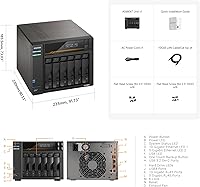
  • Form Factor: The unit is designed as a rack-mountable desktop enclosure with a footprint of 12.6 x 12.6 x 12.2 inches.
  • Weight: The chassis weighs 10.14 pounds when diskless; total weight will increase significantly once drives are installed.
  • Operating System: Runs ASUSTOR Data Master (ADM), Asustor's proprietary NAS operating system, which supports containers, VMs, media apps, and surveillance packages.
  • Power Features: Wake on LAN and Wake on WAN are both supported, enabling the unit to be powered up remotely without requiring physical access.
  • Drive Config: This unit ships completely diskless — no HDDs, SSDs, or NVMe drives are included and must be purchased and installed separately.
  • Memory Type: ECC (Error-Correcting Code) DDR5 memory is used to detect and automatically correct single-bit memory errors, protecting data integrity in always-on deployments.
  • PCIe Generation: The four M.2 NVMe slots operate on PCIe 4.0, offering roughly double the theoretical bandwidth of PCIe 3.0 slots found on older NAS generations.
  • Amazon Ranking: This unit holds a top-25 position in the Network Attached Storage Devices category on Amazon with a 4.4-star rating across hundreds of verified reviews.
  • Manufacturer: Manufactured by Asustor, a subsidiary of ASUS focused exclusively on NAS hardware and storage solutions since 2011.
  • Model Number: The official model designation is AS6806T, which corresponds to the 6-bay variant in the Lockerstor Gen3 product line.

Related Reviews

Asustor Lockerstor 10 Gen3 AS6810T 10-Bay NAS
87%
95%
Network Performance
92%
Drive Flexibility
93%
CPU & Processing Speed
90%
Memory Reliability
78%
Setup & Installation
More
Asustor Lockerstor 4 Gen3 AS6804T 4-Bay NAS
84%
91%
Performance
88%
Build Quality
94%
Network Speed
87%
Storage Expandability
89%
Ease of Setup
More
Asustor Flashstor 6 FS6706T 6-Bay NAS Storage
85%
86%
Performance
88%
Ease of Setup
90%
Network Speed (Dual 2.5GbE)
81%
Build Quality
83%
Expandability (RAM & Storage)
More
Asustor FLASHSTOR 6 Gen2 FS6806X 6-Bay M.2 SSD NAS
88%
94%
Performance
89%
Ease of Setup
92%
Build Quality
93%
Data Transfer Speed
88%
Storage Flexibility
More
Asustor Lockerstor 8 AS6508T 8-Bay NAS
77%
91%
Network Performance
84%
Value for Money
88%
Build Quality
62%
Software (ADM)
83%
SSD Caching
More
Asustor Lockerstor 10 Pro AS7110T 10-Bay NAS
83%
92%
Performance
96%
Storage Capacity
89%
Connectivity
62%
Setup and Installation
90%
Build Quality
More
Synology DS620slim 6-Bay NAS Enclosure
82%
91%
Build Quality
93%
Software & DSM Experience
88%
Storage Performance
84%
Drive Bay Flexibility
63%
Value for Money
More
Asustor AS5404T 4-Bay NAS Enclosure
80%
88%
Build Quality
82%
Processing Performance
93%
NVMe Storage Flexibility
87%
Network Throughput
76%
Software Ecosystem (ADM OS)
More
Asustor AS5402T 2-Bay NAS Enclosure
78%
88%
Hardware Value
82%
Processing Performance
86%
Network Throughput
84%
Thermal Management
63%
Software & OS Experience
More
QNAP TVS-h674T-i5-32G 6-Bay NAS
84%
91%
Performance
85%
Ease of Setup
93%
Speed/Connectivity
88%
Build Quality
79%
Software Experience
More

FAQ

No, the Asustor Lockerstor 6 Gen3 AS6806T 6-Bay NAS ships completely diskless. You will need to purchase drives separately — whether that is NAS-grade HDDs for the six SATA bays, NVMe SSDs for the M.2 slots, or both. Factor this into your total budget before buying, because the drive cost can easily match or exceed the unit price itself.

For the SATA bays, NAS-rated drives like the Seagate IronWolf or WD Red Pro series are the most commonly paired options and are well-supported. For the M.2 slots, stick to PCIe 4.0 NVMe drives from Asustor's official compatibility list — not all consumer-grade SSDs are validated, and off-list drives have caused stability issues for some users.

Yes. To actually benefit from the multi-gigabit network ports, your switch needs to support 10GbE or at minimum 2.5GbE speeds. A standard gigabit home router will bottleneck everything regardless of how fast the NAS is. Managed 10GbE switches have come down in price, but it is still an additional infrastructure cost worth planning for.

Yes, the four M.2 slots can be used either as a dedicated SSD cache tier to accelerate spinning disk reads and writes, or as standalone storage volumes entirely. The key advantage is that they sit independently of the six drive bays, so you are not giving up any HDD slots to use them.

The two USB4 ports on the Lockerstor 6 Gen3 currently only support two use cases: connecting external USB4 storage devices, and direct device-to-device transfers with another Lockerstor Gen3 or Flashstor Gen2 series NAS. This is a driver-level limitation tied to AMD's current USB4 implementation, not a hardware defect. Asustor has acknowledged it, but there is no confirmed timeline for broader USB4 ecosystem support.

Honestly, yes — this is not a beginner-friendly device. Between selecting and installing drives, choosing a RAID configuration, configuring the network ports, and learning ADM, there is a meaningful setup curve. If you have never set up a NAS before, plan to spend a few hours reading documentation and community guides before everything runs the way you expect.

Under light workloads — basic file serving, background syncing — it is quiet enough for a home office. The fans are audible but not intrusive. When you push it hard with sustained transcoding or heavy container workloads, the fans ramp up noticeably. Some users in quiet rooms have found this distracting, though the ADM fan control settings offer limited tuning options.

Yes, and this is genuinely one of the strongest use cases for this unit. The AMD Ryzen quad-core CPU has enough headroom to handle Plex transcoding, a few active Docker containers, and a lightweight VM running simultaneously without the system becoming unresponsive. If you plan to push all three heavily at the same time, upgrading the RAM to 32GB or more is a smart move.

ADM is capable and reasonably feature-complete, but most users who switch from Synology DSM find it less polished and less intuitive, particularly around storage management and app discovery. The ADM app center covers the main use cases well, and Asustor has been improving it steadily with firmware updates. If you are coming from Synology, expect an adjustment period rather than a direct equivalent experience.

If you are regularly working with large media libraries, running multi-user workflows, or expect to need RAID redundancy plus active storage capacity, the two additional bays are worth it. Buyers who upgraded from the 4-bay Lockerstor Gen3 consistently report that the extra capacity removes a planning constraint they were already feeling. If your current storage needs are modest, the 4-bay is the smarter starting point.

Where to Buy