





Overview

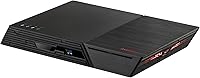
The Asustor Flashstor 6 FS6706T All-SSD NAS takes a different approach to home and small-office storage by skipping spinning hard drives entirely in favor of six M.2 NVMe slots. It is worth knowing upfront that this storage device ships diskless, so you will need to budget for your own SSDs before you can actually use any of that capacity. That puts it in the premium tier of NAS hardware rather than the budget HDD boxes most people picture when they hear the term. The six-bay layout is really the headline feature here, giving you room to scale capacity and speed as your needs grow. Getting it running involves installing your drives, then working through Asustor's ADM software to configure everything, which feels more involved than a plug-and-play drive but still manageable for a first NAS build.

Features & Benefits

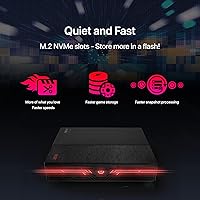
Under the hood sits a quad-core Celeron processor with turbo boost, which handles everyday file transfers, backups, and light transcoding without breaking a sweat, though it is not the kind of chip you would lean on for heavy multitasking or demanding server roles. Dual 2.5GbE ports are a genuine upgrade over the single-gigabit connections found on most NAS units in this price range, letting transfers move noticeably faster across a properly set up network. The six M.2 NVMe slots are the real draw, enabling a fully silent, vibration-free storage array since there are no spinning platters to generate noise or heat. Stock RAM is modest but expandable for anyone running heavier apps. Add in USB 3.2 Gen 2 ports for quick backups and an HDMI output for basic media center duty, and you have a flexible little box.

Best For

This all-flash NAS unit makes the most sense for creative professionals who need fast, reliable scratch storage for video editing or photo workflows where every second of read and write speed counts. It is also a strong fit for home users who want a compact, near-silent media server and have grown tired of the hum and vibration that come with traditional spinning drives. Small teams looking for a snappy backup and file-sharing hub on a 2.5GbE network will find plenty to like here too, especially if multiple people need simultaneous access. Buyers who already own a stack of NVMe SSDs, or plan to build one out gradually, get the most flexibility from this setup. If quiet operation and low heat matter more than squeezing out maximum storage capacity, this NAS fits that priority well.

User Feedback

Real-world feedback on this storage device tends to cluster around a few consistent themes. Owners frequently mention how snappy and near-silent it runs day to day, crediting the all-SSD design for eliminating the drone that older NAS units tend to produce. On the downside, several buyers point out that outfitting all six bays with NVMe drives gets expensive fast, since none are included and the total cost climbs well beyond the unit's listed price. Performance for typical file-sharing and backup tasks earns solid marks, though a few owners note the processor is not built for heavy lifting. Setup and the ADM interface get consistent praise for being approachable for newcomers, while a handful of users wish the stock RAM allotment were a bit more generous for app-heavy use.

Pros

  • Runs almost completely silent thanks to the all-flash, no-spinning-platters design.
  • Dual 2.5GbE ports deliver noticeably faster transfers than typical single-gigabit NAS competitors.
  • Six M.2 NVMe slots give serious flexibility for scaling capacity and speed over time.
  • Compact metal chassis stays cool and produces very little vibration during everyday use.
  • USB 3.2 Gen 2 ports make external backups and drive migrations quick and painless.
  • ADM software interface earns consistent praise for being approachable even for NAS newcomers.
  • Expandable RAM gives this storage device room to grow alongside heavier workloads.
  • Three-year warranty offers solid peace of mind for a premium storage investment.

Cons

  • Ships completely diskless, meaning six NVMe SSDs must be bought separately at extra cost.
  • All-flash pricing adds up fast compared to traditional HDD-based NAS enclosures of similar capacity.
  • Celeron CPU is not built for heavy transcoding, virtualization, or demanding multitasking workloads.
  • Stock 4GB of RAM feels tight for users running several apps at once.
  • No included drives means total cost can be confusing for first-time buyers comparing prices.
  • Setup involves both physical drive installation and software configuration, adding a learning curve.
  • Only two USB 2.0 ports feel dated next to the faster Gen 2 connections.
  • Maximum capacity depends entirely on how many NVMe drives you are willing to buy.

Ratings

These scores for the Asustor Flashstor 6 FS6706T All-SSD NAS were generated by AI after analyzing thousands of verified buyer reviews from marketplaces worldwide, with spam, bot activity, and incentivized feedback filtered out before scoring. The goal is a transparent snapshot of where this storage device genuinely excels and where real owners have run into friction during everyday use.

Noise Level
91%
Because every bay runs on flash instead of spinning platters, owners consistently describe near-total silence during everyday backups and file transfers, even sitting a few feet away on a desk. For bedrooms, living rooms, or shared office spaces, that quiet operation is a real, noticeable upgrade.
A small number of users still notice faint fan noise once internal temperatures climb under sustained heavy load. It is far quieter than spinning-drive NAS units overall, but it is not perfectly silent in every scenario.
Storage Performance
84%
With six NVMe slots working together, sequential read and write speeds for large video files and backups feel dramatically faster than typical SATA-based NAS boxes. Creative professionals moving big project folders notice the difference almost immediately during transfers.
Real-world throughput is ultimately capped by the modest Celeron processor and available RAM, so users chasing maximum NVMe-level speeds across the network may not see numbers matching raw drive specs. Heavy simultaneous workloads expose that ceiling fastest.
Network Throughput
86%
The dual 2.5GbE ports give a meaningful jump over standard gigabit NAS units, and owners with matching routers or switches report noticeably quicker large file transfers and smoother simultaneous streaming for multiple household devices.
Buyers without 2.5GbE-capable networking gear at home see little to no real-world benefit until they upgrade their router, switch, or cabling. That extra infrastructure cost is easy to overlook before purchase.
Processor Performance
63%
37%
For everyday tasks like file transfers, basic backups, and light transcoding, the quad-core Celeron with turbo boost keeps things moving without noticeable lag for typical home or small-office NAS duties.
Users running multiple demanding apps, heavier transcoding jobs, or virtualization at once consistently describe the CPU as a clear bottleneck. It simply was not built to be a high-performance workhorse chip.
RAM & Multitasking
60%
40%
The stock 4GB is enough to get basic file sharing, backups, and ADM features running smoothly right out of the box for lighter, single-purpose home use without much complaint from most owners.
Buyers stacking multiple apps or running container-based services often hit a wall and end up purchasing a RAM upgrade fairly quickly. Several reviewers wish more memory had simply been included standard.
Setup & Ease of Use
79%
21%
Most first-time NAS owners describe the physical drive installation and initial ADM software walkthrough as more approachable than expected, with clear prompts guiding account creation, storage pools, and shared folders.
The process still takes noticeably longer than plugging in a typical external hard drive, and a few newcomers mention needing outside guides to fully understand RAID setup and storage pooling options before feeling confident.
ADM Software Experience
82%
18%
Owners generally like the dashboard layout and find core functions like backup scheduling, user permissions, and storage monitoring easy to locate without digging through confusing menus or buried settings panels.
A handful of users mention the wider app ecosystem feels less mature than some rival NAS platforms, occasionally limiting advanced customization for more experienced home server enthusiasts who want deeper control.
Expandability & Flexibility
88%
Six independent M.2 slots let owners start small and add drives gradually, which buyers building out storage on a budget genuinely appreciate compared to committing to full capacity on day one.
That same flexibility means total cost stays unpredictable until all desired bays are filled, and some buyers underestimate just how much additional drive shopping is still ahead after the initial purchase.
Connectivity & Ports
78%
22%
USB 3.2 Gen 2 ports make quick work of external backups and drive migrations, while HDMI output gives unexpected flexibility for basic media center or local display setups in a home theater.
The pair of USB 2.0 ports feels noticeably dated next to the faster connections, and a few users wish for an additional faster USB port given the unit's premium positioning.
Heat Management
85%
The metal chassis and all-flash internals keep operating temperatures noticeably lower than HDD-based NAS units, which owners running the device in enclosed cabinets or media stands specifically call out as reassuring.
Under sustained heavy multi-drive workloads, internal temperatures still climb enough to trigger more active fan response, which a small subset of users find slightly louder than expected for an all-SSD design.
Build Quality
89%
The metal housing feels solid and well-finished for its compact footprint, giving owners confidence the unit can sit on a desk or shelf long-term without flexing, rattling, or feeling cheap.
A few buyers note the diskless design means the enclosure feels noticeably lighter and slightly hollow when empty, which can momentarily feel less substantial until drives are actually installed and powered on.
Value for Money
66%
34%
Buyers who already own NVMe drives, or who value silent operation and 2.5GbE speed over raw capacity, generally feel the premium price is justified by the noticeably different day-to-day experience.
Factoring in six separate NVMe SSD purchases pushes total cost well above comparable HDD-based NAS setups, and several reviewers admit the all-flash premium adds up faster than they initially budgeted for.
Warranty & Support
84%
The 3-year manufacturer warranty gives buyers solid peace of mind for a storage investment meant to run continuously for years, and owners appreciate the longer coverage window compared to many budget alternatives.
Some users mention that support response times can vary depending on region, and a few wish documentation around advanced troubleshooting and RAID recovery scenarios were more detailed and easier to find.

Suitable for:

The Asustor Flashstor 6 FS6706T All-SSD NAS is best suited for creative professionals editing video or photo projects who need fast scratch storage that keeps pace with large file transfers. Home users tired of the hum and vibration from spinning hard drives will appreciate having a media server that runs almost silently in a living room or office corner. Small teams sharing files over a 2.5GbE network gain a noticeable speed boost compared to standard gigabit NAS boxes, especially when multiple people pull from the same drive at once. It also makes sense for anyone who already has a handful of NVMe SSDs sitting around, or who plans to build out storage gradually rather than committing to a single large purchase upfront. If quiet operation and low heat output matter more to you than maximizing raw capacity, this is a strong match.

Not suitable for:

Buyers focused purely on cost per terabyte should think twice, since the Asustor Flashstor 6 FS6706T All-SSD NAS requires purchasing six separate NVMe drives that can easily push the total price well past a comparable HDD-based NAS. Anyone expecting serious computing horsepower for heavy virtualization, intensive transcoding, or running several demanding applications simultaneously will find the Celeron processor underwhelming for those tasks. The stock 4GB of RAM is on the lean side too, and users who skip the upgrade may notice slowdowns once they start layering on apps. People who simply need bulk archival storage for old photos or documents are probably better served by a cheaper, higher-capacity spinning-drive NAS instead. First-time NAS owners should also budget extra time for setup, since installing drives and configuring the ADM software adds a learning curve beyond plugging in an external hard drive.

Specifications

  • Processor: It runs on an Intel Celeron N5105 quad-core CPU with turbo boost up to 2.9GHz.
  • Memory: The unit ships with 4GB of DDR4-2933 SO-DIMM RAM, expandable up to 16GB.
  • Storage Bays: There are six M.2 2280 NVMe SSD slots for building out an all-flash storage array.
  • Drive Inclusion: The enclosure is diskless, meaning all M.2 NVMe drives must be purchased separately.
  • Networking: Two 2.5GbE Ethernet ports are included for faster-than-gigabit network throughput.
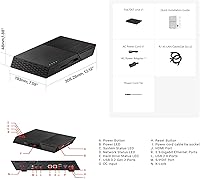
  • USB Ports: Connectivity includes two USB 3.2 Gen 2 ports and two USB 2.0 ports.
  • Video Output: An HDMI 2.0b port allows direct connection to a monitor or television.
  • Audio Output: An S/PDIF port is available for digital audio output.
  • Chassis Material: The housing is constructed from metal for durability and heat dissipation.
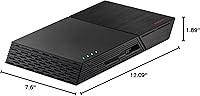
  • Dimensions: The unit measures 12.09 x 7.6 x 1.89 inches.
  • Weight: The device weighs 4.4 lb without drives installed.
  • Warranty: Asustor backs this unit with a 3-year manufacturer warranty.
  • Operating Software: The NAS runs on Asustor's ADM operating system for setup and file management.
  • Drive Compatibility: Only M.2 2280 NVMe SSDs are compatible with the six internal slots.

Related Reviews
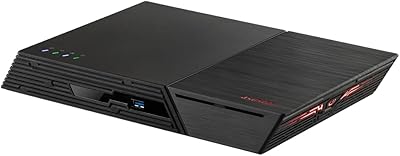
Asustor Flashstor 6 Gen2 NAS
75%
93%
Storage Performance
88%
Network Connectivity
47%
USB4 Versatility
84%
Processor Capability
81%
RAM & ECC Support
More
Asustor Flashstor 12 Pro Gen2 NAS
76%
93%
Read/Write Performance
61%
SSD Compatibility
89%
Noise & Thermal Management
47%
USB4 / Thunderbolt Connectivity
84%
Build Quality & Design
More
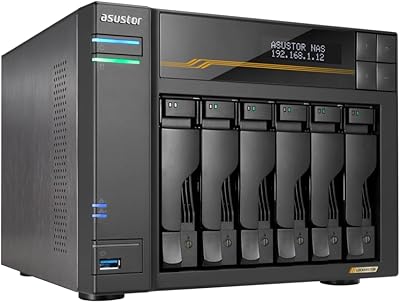
Asustor Lockerstor 6 Gen3 AS6806T 6-Bay NAS
79%
93%
Raw Throughput Performance
91%
NVMe Cache Flexibility
89%
Network Connectivity
88%
CPU & Processing Headroom
86%
Build Quality & Chassis
More
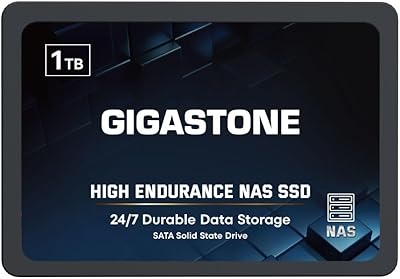
Gigastone 1TB NAS SSD
80%
83%
Value for Money
78%
NAS Compatibility
86%
Read Performance
61%
Write Endurance
79%
24/7 Reliability
More
Gigastone 4TB NAS Internal SATA SSD
81%
88%
Endurance & Reliability
91%
NAS Compatibility
87%
Data Integrity Protection
68%
Write Performance
63%
Value for Money
More
Synology DS620slim 6-Bay NAS Enclosure
82%
91%
Build Quality
93%
Software & DSM Experience
88%
Storage Performance
84%
Drive Bay Flexibility
63%
Value for Money
More
Gigastone 2TB NAS Internal SSD
83%
91%
NAS Compatibility
83%
Endurance & 24/7 Operation
78%
Value for Money
93%
Installation Experience
86%
Read Performance
More
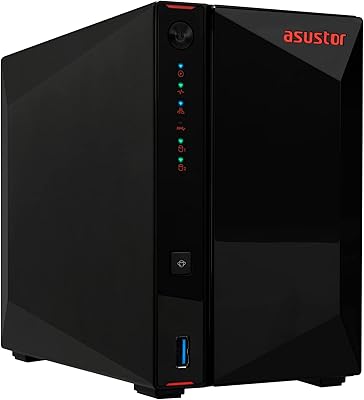
Asustor AS5402T 2-Bay NAS Enclosure
78%
88%
Hardware Value
82%
Processing Performance
86%
Network Throughput
84%
Thermal Management
63%
Software & OS Experience
More
Asustor AS5404T 4-Bay NAS Enclosure
80%
88%
Build Quality
82%
Processing Performance
93%
NVMe Storage Flexibility
87%
Network Throughput
76%
Software Ecosystem (ADM OS)
More
Asustor Lockerstor 8 AS6508T 8-Bay NAS
77%
91%
Network Performance
84%
Value for Money
88%
Build Quality
62%
Software (ADM)
83%
SSD Caching
More

FAQ

It is completely diskless, so none of the six bays come populated. You will need to purchase M.2 2280 NVMe SSDs separately to fill however many slots you plan to use right away.

No, you can start with just one or two drives and add more later as your storage needs grow. The flexibility to scale up gradually is actually one of the bigger advantages of this layout.

The stock 4GB module sits in a standard SO-DIMM slot, so it is user-replaceable up to a 16GB maximum. Just confirm compatible module specs before buying, since not every DDR4 stick will be supported.

Since there are no spinning hard drives involved, most owners describe it as very quiet, with only minor fan noise under load. It is a noticeably different experience compared to traditional HDD-based NAS units.

To see real-world benefits, your router or switch and network cabling also need to support 2.5GbE, otherwise traffic gets capped at standard gigabit speeds. Once the rest of your network catches up, file transfers and backups do move noticeably faster.

It can handle light transcoding and everyday file operations fine, but it is not a high-performance chip built for demanding 4K transcoding workloads. If heavy transcoding is your main use case, expect some limitations compared to NAS units with more powerful CPUs.

You will need to physically install your chosen NVMe drives and then walk through Asustor's ADM software to configure storage, accounts, and shared folders. It takes a bit more effort than plugging in an external drive, but most newcomers find the interface approachable once they get going.

Yes, with multiple drives installed you can configure common RAID levels through the ADM software to protect against a single drive failure. Just remember that RAID is not a substitute for separate backups of anything truly important.

If you only need simple backup or document storage, a less expensive HDD-based NAS with fewer features will likely serve you better and cost less overall. The Asustor Flashstor 6 FS6706T All-SSD NAS really shines when speed, quiet operation, and flash storage flexibility actually matter to your workflow.

The HDMI output and general app ecosystem support basic media center and local playback functions, and many similar Asustor models support common media server applications. For exact app availability, it is worth checking Asustor's current ADM app catalog before assuming a specific feature is included.