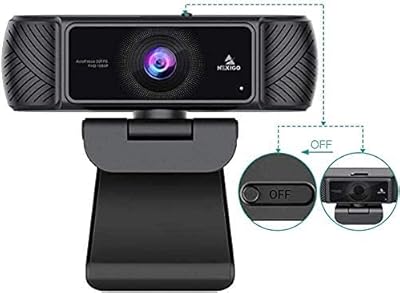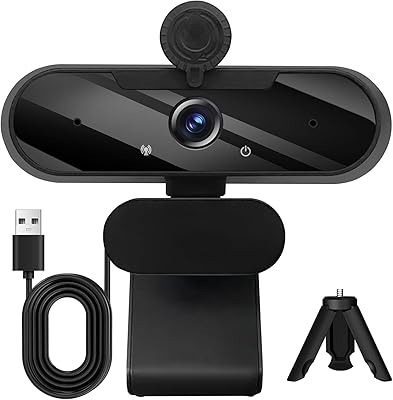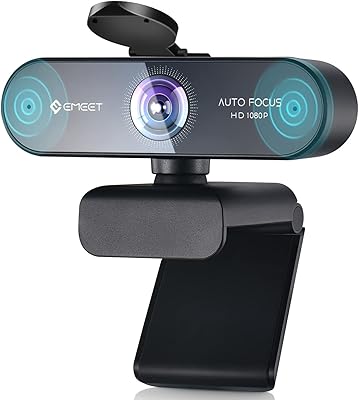
Overview

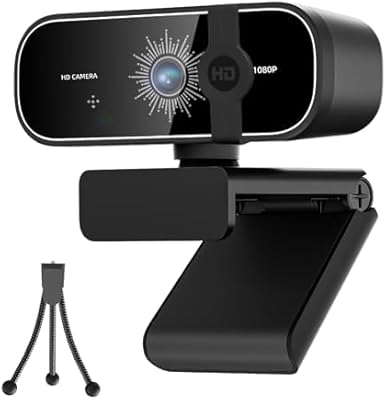
The Svcouok pT011 1080p Webcam is a straightforward, no-fuss option from a brand that has been quietly building a following in the budget webcam space. Plug it into a USB port and it is recognized immediately — no driver downloads, no setup wizard. That alone makes it appealing for anyone who has wasted time fighting software installs. The pT011 also ships with a physical tripod, which is a genuine bonus at this price tier; most competitors here do not bother. Whether you are joining calls from a home office or attending online classes, this webcam covers the essentials without demanding a significant investment.

Features & Benefits

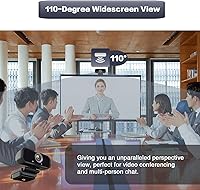
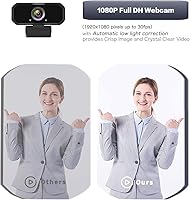
The 110-degree wide-angle lens is one of the pT011’s most practical traits, capturing a broad field of view without constant repositioning. Sharpness holds up well at a normal sitting distance, though the fixed-focus design means objects placed very close to the lens will not look crisp. Automatic light correction adjusts color and brightness in dim rooms so your face stays visible without manual tweaking. The built-in microphone handles quiet environments reasonably well, picking up voice from across a room, but it does struggle when background noise increases. The six-foot USB cable adds real flexibility for monitor or desk placement.

Best For

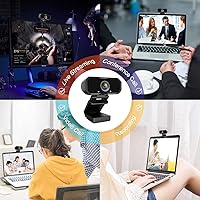
This webcam makes the most sense for people who want a practical upgrade from a laptop’s built-in camera without overspending. Remote workers, students, and casual streamers will get genuinely usable results on Zoom, Google Meet, OBS, or Skype. The wide field of view is especially handy for shared-desk setups or anyone wanting to show a whiteboard during a call. First-time content creators still figuring out their workflow will appreciate how little friction is involved. If you expect broadcast-level quality, this budget camera is not the right fit, but for reliable everyday video communication it handles the job well.

User Feedback

Buyers consistently praise how fast the setup is, with many reporting a live call within minutes of unboxing. The included tripod is frequently called out as a welcome surprise. On the downside, a number of users note that the fixed focus becomes noticeable when sitting close to the screen, producing a slightly soft image at short range. The microphone earns decent marks in quiet rooms but draws criticism in louder environments. Mac users generally report smooth compatibility, while a few Windows users mention minor hiccups. Edge distortion from the wide lens is occasionally flagged but rarely considered a dealbreaker at this price.

Pros

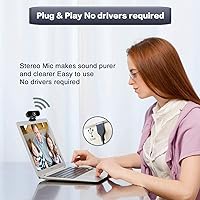
  • Plug-and-play setup works instantly on Windows, Mac, and Linux with zero driver installation.
  • The included tripod is a genuine extra that most competing webcams at this price skip entirely.
  • Wide-angle coverage captures more of your space, useful for shared desks and whiteboard presentations.
  • Automatic light correction keeps your face visible during evening or low-lamp calls without any manual adjustments.
  • The six-foot USB cable gives real flexibility in how you position this webcam relative to your monitor.
  • Image quality is a clear and noticeable step up from typical built-in laptop cameras.
  • H.264 compression keeps video calls smooth even on slower home internet connections.
  • Compatible with every major video platform including Zoom, Google Meet, OBS, Skype, and more.
  • Lightweight and compact enough to toss in a bag for portable use between locations.
  • The rotatable clip adjusts to fit monitors, laptops, and flat surfaces without additional hardware.

Cons

  • Fixed focus produces soft, blurry images when sitting closer than a normal viewing distance.
  • The built-in microphone struggles noticeably in rooms with any meaningful background noise.
  • Plastic construction and clip hinge feel fragile for users who reposition the camera frequently.
  • Edge distortion from the wide-angle lens is visible in presentation or teaching scenarios.
  • Some Windows users report intermittent disconnect issues after the computer wakes from sleep.
  • Capped at 30fps, which creates slightly choppy motion compared to higher frame-rate alternatives.
  • Non-detachable cable means a damaged cord requires replacing the entire unit.
  • Long-term clip durability is uncertain, with some buyers reporting loosening after regular adjustments.
  • No privacy shutter included, which is a feature many buyers now expect as standard.
  • Low-light performance degrades quickly in genuinely dark rooms despite the brightness correction feature.

Ratings

The Svcouok pT011 1080p Webcam has been rated by our AI system after processing thousands of verified global buyer reviews, with spam, bot-generated, and incentivized feedback actively filtered out. The scores below reflect a transparent, balanced picture of where this budget camera genuinely delivers and where it falls short. Both enthusiastic praise and recurring frustrations are weighted equally in every category.

Image Clarity
74%
26%
For a webcam in this price range, the 1080p output surprised a lot of buyers who were used to fuzzy built-in laptop cameras. In well-lit rooms, faces appear sharp and colors look reasonably accurate during Zoom and Google Meet calls.
In lower light, some softness creeps in despite the automatic brightness adjustment. Users who sit very close to their screen also notice that the fixed-focus lens cannot sharpen up at short distances the way an autofocus model would.
Low-Light Performance
63%
37%
The automatic light correction does make a visible difference in dim home offices or evening calls, adjusting exposure without the user touching any settings. Several buyers noted their face stayed recognizable even under just desk lamp lighting.
It is not a true low-light camera — in genuinely dark rooms the image gets grainy and washed out. Users comparing it to pricier webcams with larger sensors found the gap most obvious after sunset or in windowless spaces.
Microphone Quality
58%
42%
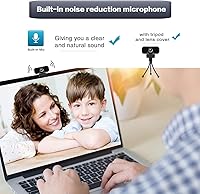
In quiet home environments, the built-in stereo mic picks up voice clearly enough for calls without needing a separate microphone. The noise reduction does filter out a noticeable amount of consistent background hum, like fans or air conditioners.
Any dynamic background noise — keyboards, household activity, street sound — cuts through and reaches the other end of the call. Buyers expecting usable audio for streaming or recording in imperfect spaces were regularly disappointed.
Ease of Setup
93%
Plug-and-play compatibility is the single most praised aspect across buyer reviews. Users on Windows, Mac, and even Linux reported the camera was recognized and live within seconds of plugging in, with zero driver hunting required.
A small number of Windows users encountered recognition delays or needed to switch USB ports to get a stable connection. These cases appear to be edge situations rather than a widespread issue, but they do come up consistently enough to note.
Wide-Angle Coverage
77%
23%
The broad field of view is a genuine practical strength, especially for people who share a desk with a partner, want to show a whiteboard, or simply prefer not to feel like they need to sit perfectly centered in front of the lens.
Some buyers found the wide angle introduced noticeable barrel distortion at the edges, making the sides of the frame look slightly curved. For straightforward face-to-face calls this rarely matters, but it is visible in presentation or teaching scenarios.
Build Quality
61%
39%
The camera body feels solid enough for everyday desk use and does not rattle or creak when adjusting the clip. Most buyers treated it as a set-and-forget device and had no durability complaints within the first several months of use.
The plastic housing feels lightweight in a way that signals its price tier, and the clip hinge has been called flimsy by buyers who frequently move the camera between setups. Long-term durability beyond a year is a recurring uncertainty in reviews.
Tripod & Mount Versatility
82%
18%
The included mini tripod is a legitimate value-add that most competitors skip at this price. Buyers appreciated being able to place the camera on a desk at eye level rather than clipping it to a thin monitor bezel, giving more natural framing.
The tripod itself is compact and lightweight, which limits stability on vibration-prone surfaces. A few users found the rotatable clip loosened over time and would not hold a precise angle as firmly as it did out of the box.
Cable Length & Flexibility
81%
19%
The six-foot USB cable is long enough to run from a desktop tower to a monitor without tension, and gives laptop users real freedom in how they position the camera relative to their screen. Buyers with unusual desk configurations called it a practical detail.
The cable is not detachable, so if it gets damaged the whole unit is affected. A handful of users also noted the cable is a bit stiff and takes some coaxing to route neatly along a desk without looking messy.
Compatibility
88%
The standard UVC protocol means this webcam works across Windows, macOS, Linux, and Android TV without any fuss. Mac users in particular appreciated that it was immediately recognized in FaceTime, Zoom, and OBS without any manual configuration.
A small segment of Windows users reported intermittent disconnects or the camera not being detected after a system resume from sleep. These appear to be driver-handshake issues rather than hardware failures, but they were annoying enough to warrant mention.
Video Call Performance
79%
21%
On Zoom, Google Meet, and Skype, the pT011 produces a noticeably cleaner picture than a typical built-in laptop camera. H.264 compression keeps the stream smooth even on modest internet connections, which buyers on slower home broadband appreciated.
The fixed 30fps cap means motion can look slightly choppy during animated gestures or fast head movements compared to cameras that push higher frame rates. For standard talking-head calls this is a non-issue, but active streamers may find it limiting.
Value for Money
89%
When buyers weigh what is included — 1080p video, a functional microphone, a tripod, and a generous cable — against the asking price, most feel the deal is genuinely fair. It consistently earns praise as a smart first webcam purchase.
Buyers who compared it side by side with slightly pricier autofocus alternatives sometimes felt the gap in real-world image quality justified spending more. The value case is strong, but only if expectations are calibrated to the price tier.
Streaming Suitability
62%
38%
Casual streamers on Twitch or YouTube who are just getting started find this webcam workable for face-cam overlays on OBS. The wide-angle coverage can actually be useful for full-body or room-context shots that a narrower lens would miss.
Serious streamers quickly run into the ceiling: no autofocus, a microphone that struggles with room noise, and a fixed 30fps output. Most content creators treat the pT011 as a starting point they expect to upgrade from once they grow.
Packaging & Accessories
71%
29%
The box arrives with the webcam, tripod, and rotatable clip all included, which is more than buyers expect at this price. Unboxing reviews frequently mention that the accessory bundle made it feel like a more complete purchase than anticipated.
The packaging and included materials are minimal — no user manual beyond a basic quick-start sheet. Buyers who are less tech-savvy and wanted written guidance had to seek help online, which is a small but real friction point.

Suitable for:

The Svcouok pT011 1080p Webcam is a strong fit for anyone who needs a meaningful upgrade from a built-in laptop camera without committing serious money to the task. Remote workers joining daily video calls, students attending online classes, and people working from a shared desk will find that it handles the fundamentals reliably. The wide-angle lens is particularly practical for setups where you want to show more context — a whiteboard, a co-worker sitting nearby, or a workspace rather than just a tight face shot. First-time streamers who want to test the waters on Twitch or YouTube before investing in better gear will get usable results, especially in reasonably well-lit rooms. The plug-and-play setup also makes it a good choice for less tech-savvy users or anyone who simply does not want to wrestle with software to get on a call.

Not suitable for:

The Svcouok pT011 1080p Webcam is not the right tool for buyers who need professional-grade output or work in challenging lighting conditions regularly. The fixed-focus lens is a real limitation if you frequently sit close to your screen or switch between distances — it cannot adjust the way an autofocus camera does, and close-up shots will look noticeably soft. Content creators who care about audio quality will quickly find the built-in microphone insufficient in anything but a quiet room; background noise bleeds through and the overall capture is thin compared to even a basic standalone mic. The 30fps ceiling and lack of higher-resolution output options mean this webcam will feel limiting for anyone producing polished video content rather than just joining calls. If your workflow demands consistent sharpness, clean audio in imperfect spaces, or a build that will hold up to daily repositioning over several years, spending more on a mid-range or dedicated streaming camera is the smarter long-term move.

Specifications

  • Model Number: The unit is designated as model pT011, manufactured by Svcouok.
  • Video Resolution: Supports full HD 1080p as the primary resolution, with 720p and 480p available as lower-bandwidth options.
  • Frame Rate: Captures video at up to 30 frames per second at 1080p resolution.
  • Sensor Type: Uses a CMOS image sensor to capture video and handle automatic exposure adjustments.
  • Focus Type: Fixed-focus lens with no autofocus mechanism; optimized for normal sitting distances from a monitor.
  • Field of View: Wide-angle lens covers a 110-degree horizontal field of view.
  • Video Compression: Supports H.264 video compression to reduce bandwidth consumption during live calls and streams.
  • Microphone: Built-in stereo microphone with noise reduction, rated to pick up voice from up to approximately 5 meters away.
  • Connectivity: Connects via standard USB, with plug-and-play recognition requiring no additional drivers on supported systems.
  • Cable Length: Attached USB cable measures 6 feet, providing flexible placement relative to the host device.
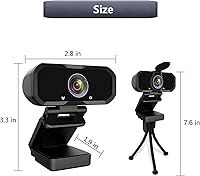
  • Dimensions: The camera body measures 5.51 x 3.54 x 2.36 inches.
  • Weight: The unit weighs 3.53 ounces, making it lightweight enough for portable use.
  • Mount Type: Features a tripod-ready rotatable clip that fits monitors, laptop screens, and flat surfaces.
  • Included Accessories: Ships with a mini tripod and a rotatable monitor clip in the box.
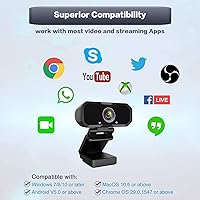
  • Compatible OS: Works with Windows, macOS, Linux, and Android TV via standard UVC protocol support.
  • Supported Platforms: Compatible with major video applications including Zoom, Skype, Google Meet, OBS, and Facetime.
  • Light Correction: Automatic light correction and HDR technology adjust brightness and color balance in varying ambient light conditions.
  • Audio Format: Captures audio in AAC format through the integrated stereo microphone.

Related Reviews

HuddleCamHD HC-WEBCAM-94

77%
83%
Video Quality (Daylight)
51%
Low-Light Performance
91%
Field of View
94%
Ease of Setup
57%
Audio Quality
More
Akyta 1080P Webcam
Akyta 1080P Webcam
82%
88%
Video Quality
85%
Audio Quality
94%
Ease of Setup
82%
Field of View
80%
Noise Reduction
More
ZIQIAN 1080P Webcam
ZIQIAN 1080P Webcam
83%
88%
Video Quality
76%
Audio Performance
91%
Ease of Setup
85%
Wide-Angle Lens
78%
Microphone Quality
More
Maciebelle CP008
Maciebelle CP008
79%
71%
Video Quality
83%
Microphone Performance
74%
Built-in Speaker
94%
Ease of Setup
88%
Privacy Controls
More
TOUCAN 1080P Webcam with Microphone
88%
89%
Video Quality
91%
Microphone Performance
95%
Ease of Use
88%
Field of View
93%
Privacy Protection
More
MTORED 1080p USB Webcam
84%
89%
Video Quality
94%
Ease of Setup
78%
Microphone Quality
85%
Wide-Angle Lens
82%
Build Quality
More
ISKOVI C28 1080P Webcam
79%
83%
Video Clarity
76%
Low-Light Performance
68%
Microphone Quality
94%
Ease of Setup
91%
Privacy Cover
More
NexiGo N60 1080P Webcam
74%
78%
Image Quality
93%
Setup & Ease of Use
67%
Microphone Performance
91%
Value for Money
88%
Privacy Cover
More
Angetube PC 1080P Webcam
85%
88%
Video Quality
90%
Audio Quality
95%
Ease of Setup
84%
Low Light Performance
87%
Wide-Angle Lens
More
NexiGo N980P
NexiGo N980P
78%
83%
Video Clarity
88%
Frame Rate Smoothness
71%
Low-Light Performance
79%
Wide-Angle Lens
62%
Built-in Microphone
More

FAQ

No, you do not. The Svcouok pT011 1080p Webcam uses standard USB plug-and-play, so your operating system recognizes it automatically. Just plug it in and it should be ready within seconds on Windows, Mac, or Linux.

Yes, it is compatible with all of those platforms and more, including Skype, Facetime, and Twitch. Since it follows the standard UVC protocol, any software that can access a webcam will recognize it without any special configuration.

The lens is set at a fixed focal distance, meaning there is no way to adjust it manually or automatically. It is calibrated for normal seated distances from a monitor, roughly arm's length away. If you sit very close to the camera or try to film objects right in front of the lens, the image will appear soft and out of focus.

For quiet home environments and casual calls, the built-in mic is adequate and noticeably better than most laptop microphones. That said, it is still a budget-tier microphone — in noisy rooms or open-plan spaces, background sound bleeds through. If audio quality matters a lot to you, pairing it with a basic USB microphone is worth considering.

Generally yes — Mac users report smooth compatibility across macOS versions, with the camera recognized immediately in Zoom, FaceTime, and OBS. A small number of users have reported intermittent detection issues after system sleep on both Mac and Windows, though switching USB ports usually resolves it.

There is some barrel distortion at the edges, which is normal for wide-angle lenses. For standard face-to-face video calls it is barely noticeable, but if you are filming a whiteboard or a room-wide shot, the edges of the frame will appear slightly curved. Most buyers find it acceptable given the price.

It is a compact mini tripod, so it is not going to win any awards for stability, but it is genuinely functional for placing the camera on a desk at eye level. Buyers who want to avoid clipping the camera to a monitor will appreciate having it included. On uneven or vibration-prone surfaces it can wobble, so just factor that in.

The cable is 6 feet long, which is enough to reach from most desktop towers or laptop ports to a monitor without any tension. Unfortunately, the cable is fixed — it is not detachable. If the cable gets damaged, you would need to replace the whole unit.

It is listed as compatible with Android TV and some other UVC-capable devices beyond standard computers. Compatibility with gaming consoles like the Nintendo Switch depends on the specific use case and system software, so results may vary and it is worth checking current user reports for your exact setup before assuming it will work out of the box.

Because the lens is fixed-focus, the sweet spot is roughly the distance you would normally sit from your monitor — about 50 to 80 centimeters. Keeping your face centered and avoiding sitting too close will give you the clearest picture. Good ambient lighting in front of you, rather than behind, will also make the biggest difference in overall image quality.