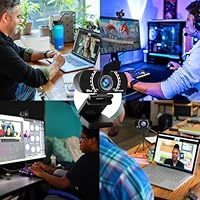
Overview

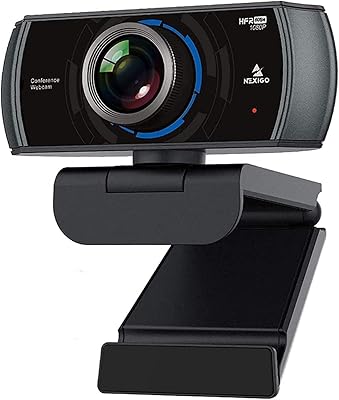
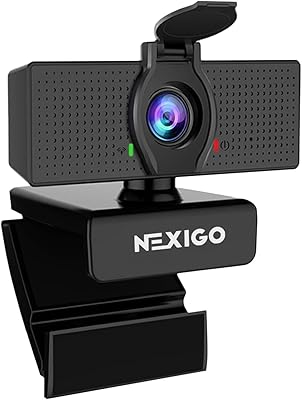
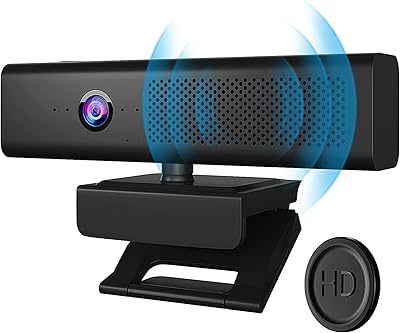
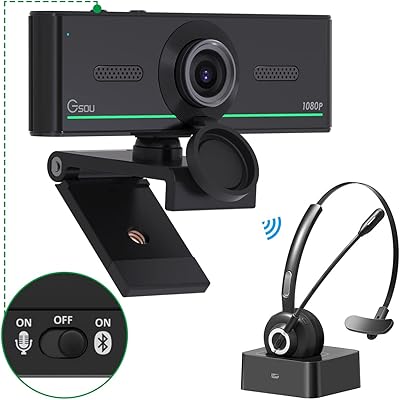
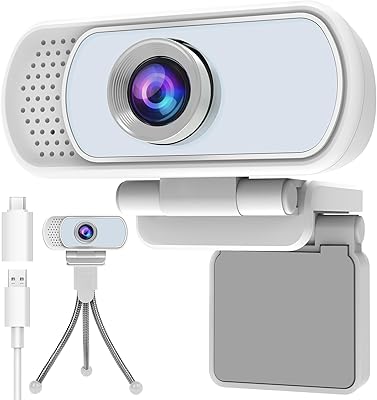
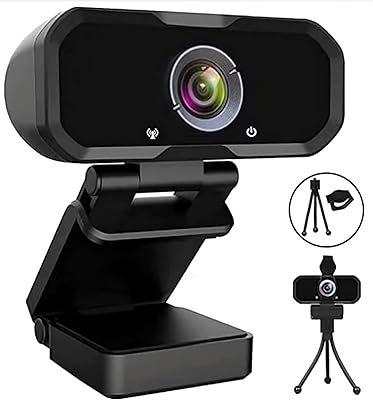
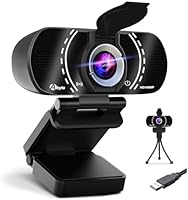
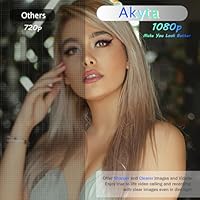
The Akyta 1080P Webcam offers a solid solution for video calls, streaming, and online meetings. This webcam provides 1080P HD resolution, ensuring clear and crisp visuals for both work and play. Its compact size and plug-and-play USB connection make it easy to set up and compatible with PCs, Macs, and laptops. The built-in noise-canceling microphone adds value, offering clear audio for meetings and calls. Additionally, the webcam includes a privacy cover, allowing users to easily block the lens when not in use for enhanced security.

Features & Benefits

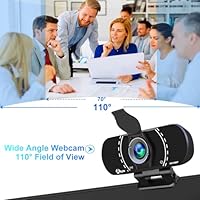
One of the standout features of this webcam is its auto low light correction, which helps maintain a bright and clear image even in dimly lit environments. Its wide 110° field of view is perfect for group video calls, capturing everyone in the frame without needing to adjust the camera. The built-in noise-reduction microphone ensures that your voice comes through clearly, even in noisy surroundings. The included privacy cover is a simple but effective feature that provides peace of mind when the webcam is not in use.

Best For

The Akyta 1080P Webcam is ideal for remote workers who require a reliable tool for daily video conferencing. Streamers and content creators will also appreciate its high-definition video quality and affordability. Additionally, educators and online tutors can benefit from this webcam's clear video and audio, making it an excellent choice for virtual classrooms. Its easy setup and wide compatibility with various devices make it versatile for different types of online communication.

User Feedback

Users have praised the Akyta 1080P Webcam for its easy setup and plug-and-play functionality, with many noting that it requires no drivers. Positive feedback frequently highlights the crisp 1080P video quality and clear audio during meetings and calls. However, some users have mentioned that while the wide-angle view is great for group calls, it can cause slight distortion at the edges. Overall, it is seen as a great value webcam for personal and professional use, but may not be ideal for those seeking a premium product.

Pros

  • Setup is effortless, with plug-and-play functionality and no drivers required.
  • Crisp 1080P video quality provides clear, sharp visuals for video calls and streaming.
  • Built-in noise-canceling microphone ensures clear voice capture even in noisy environments.
  • Wide 110° field of view is perfect for group video calls, offering better coverage.
  • Includes a privacy cover to easily block the camera lens when not in use.
  • Ideal for remote workers, streamers, and educators looking for an affordable, reliable webcam.

Cons

  • Wide-angle view can cause slight distortion at the edges, which may be distracting during calls.
  • Auto low light correction works well but may not fully compensate for very dim environments.
  • Some users report that the camera lens is fixed-focus, which limits flexibility for close-up shots.
  • The cable length of 6 feet might not be long enough for users with a distant setup.
  • Not suitable for users seeking the highest-end video quality in low-light conditions.
  • While the microphone reduces noise, it may still pick up ambient sound in busy environments.

Ratings

After analyzing verified user reviews from multiple countries and platforms, the Akyta 1080P Webcam has received a diverse range of feedback. Reviews were filtered for authenticity, focusing on high-quality, non-incentivized opinions. Both the strengths and minor drawbacks of the webcam are reflected in the ratings, helping potential buyers make informed decisions based on real-world experiences across languages and regions.

Video Quality
88%
Many users highlight the crisp 1080P resolution as a standout feature, especially for video calls and streaming. The quality of both video clarity and color accuracy makes it a solid choice for professionals and casual streamers alike.
However, a few reviewers mentioned that the video quality can degrade in lower light settings, even with the auto-correction feature. Some found the image to be less sharp when compared to other higher-end webcams.
Audio Quality
85%
The built-in noise-canceling microphone delivers clear audio, with many users noting that background noise is effectively minimized. This makes it an excellent choice for meetings and virtual events where clarity is essential.
Despite its noise-canceling capabilities, some users reported that the microphone occasionally picks up ambient sounds when the environment is too noisy. Others found the microphone volume to be slightly lower than expected, especially during long calls.
Ease of Setup
94%
One of the most praised features is its plug-and-play setup, with no additional drivers or software needed. Users love the ease of installation, particularly for non-technical users who appreciate how quick and hassle-free it is to get started.
On the flip side, a small number of users faced compatibility issues with specific operating systems, requiring them to troubleshoot or search for workarounds. While rare, this caused some frustration for those with less tech-savvy backgrounds.
Field of View
82%
18%
The wide 110° field of view is excellent for group video calls, as it ensures everyone is in the frame without having to adjust the webcam. It provides a more inclusive experience during virtual meetings or casual group chats.
Some buyers mentioned that the wide-angle view can cause slight distortion at the edges, making it less ideal for solo video calls. This issue could be a concern for users who need precise framing.
Noise Reduction
80%
20%
The noise-reduction feature performs well in environments with moderate background noise, ensuring that voices remain clear and distinct. Users appreciate that the microphone picks up voice with minimal interference, even during busy calls.
A few users felt the noise reduction wasn't always effective in more noisy settings, such as busy offices or large public spaces. This may require additional external noise-canceling tools for optimal performance in extreme conditions.
Low Light Performance
78%
22%
The auto low light correction works reasonably well in dim environments, with many users commenting that the image is still usable even in low-light settings, such as during evening meetings or in rooms with limited natural light.
However, the low light feature isn't perfect, and some users reported noticeable graininess and reduced image sharpness when in very dark rooms. This can affect the webcam's performance in more challenging lighting conditions.
Build Quality
77%
23%
The overall build quality is solid for a webcam in this price range. Users mention that it feels sturdy and well-constructed, with an adjustable design that allows for flexible positioning during calls and streams.
While the build is sturdy, some users expressed concerns about the plastic construction, which may not feel as premium compared to more expensive models. There are occasional mentions of the webcam feeling somewhat lightweight and flimsy.
Value for Money
92%
For its price, this webcam offers excellent performance, providing features like 1080P resolution, noise-canceling microphone, and low light correction. Many users feel it offers great value compared to similarly priced competitors.
Some users feel that while it’s affordable, it lacks some advanced features found in higher-end models, such as 60FPS video output. For those seeking the very best, this webcam might fall just short in certain aspects.
Privacy Features
90%
The inclusion of a privacy cover is a standout feature, giving users peace of mind when not using the webcam. It’s simple to use and provides an extra layer of security, especially for those concerned with privacy during remote work or online learning.
Some users wish the privacy cover could be more securely attached or lock into place better, as a few mentioned it might get loose if moved frequently. This can cause inconvenience when quickly switching between uses.
Compatibility
85%
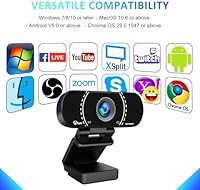
The webcam is compatible with a variety of operating systems, including Windows, macOS, and Linux. This broad compatibility ensures that users across different platforms can easily set it up without worrying about missing drivers.
A few users reported some trouble with compatibility on certain Linux distributions, where the webcam either didn't work or required extra steps to get running. While this isn't a widespread issue, it can be frustrating for some users.
Customer Support
70%
30%
Customer support, when contacted, has been responsive and polite. Several users mentioned that the team was quick to reply to questions and provided useful troubleshooting tips for basic issues.
However, some users noted that more complex issues took longer to resolve. A few mentioned that they were directed to FAQs or self-help resources rather than receiving direct assistance, leading to frustration in more complicated cases.
Distortion at Edges
60%
40%
The wide-angle view is helpful for accommodating multiple people during video calls, making it a good option for group chats or meetings.
Unfortunately, the wide-angle view leads to noticeable distortion at the edges of the frame, which can make it less ideal for single-user calls. This issue has been a common point of dissatisfaction for users who prioritize a more focused and distortion-free image.

Suitable for:

The Akyta 1080P Webcam is ideal for remote workers, educators, and content creators who need a reliable and affordable video conferencing solution. With its 1080P HD resolution, plug-and-play setup, and built-in noise-canceling microphone, it suits professionals looking for a no-fuss, high-quality webcam for virtual meetings and classes. Streamers will also appreciate the wide 110° field of view, which accommodates group calls without distortion. For anyone working in a home office or teaching remotely, this device provides a solid mix of video clarity and ease of use, all at a reasonable price point.

Not suitable for:

However, this webcam may not be the best choice for users seeking the highest-end video quality, particularly in low-light conditions. While it features auto light correction, some users reported a loss of image sharpness in poorly lit rooms. Additionally, the wide-angle lens can cause edge distortion, which may be distracting for individuals needing a precise, distortion-free image. Those in professional environments that demand the highest quality video or those who plan to use the webcam in very bright or dim lighting might find this model lacking compared to more premium alternatives.

Specifications

  • Resolution: 1080P HD video resolution for clear and sharp image quality during video calls and streaming.
  • Field of View: Wide 110° field of view ideal for group calls and capturing multiple participants in the frame.
  • Frame Rate: 30FPS (frames per second) for smooth video performance during real-time communication.
  • Microphone: Built-in noise-canceling microphone that reduces background noise and enhances voice clarity.
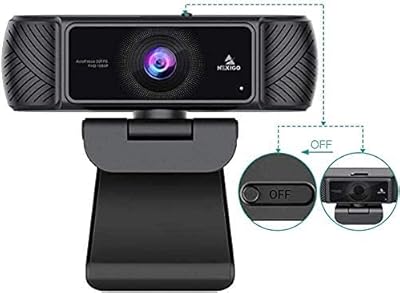
  • Privacy Cover: Includes a privacy cover to block the camera lens when not in use, offering additional security.
  • Auto Light Correction: Adjusts to low light conditions automatically, ensuring better visibility in dim environments.
  • Compatibility: Compatible with Windows, macOS, Linux, and Chrome OS, allowing for versatile usage across devices.
  • Connection: USB 2.0/3.0 interface for reliable, plug-and-play connectivity without the need for drivers.
  • Cable Length: Comes with a 6-foot USB cable, providing sufficient length for most setups.
  • Focus: Fixed focus design that provides consistent video clarity at typical distances.
  • Tripod Included: A tripod is included, providing stability and flexibility in positioning the webcam.
  • Dimensions: Compact form factor for easy placement on monitors, laptops, or desks.
  • Weight: Lightweight design that makes it portable and easy to move between locations.
  • Streaming Support: Supports high-quality streaming, ideal for content creators and gamers looking for an affordable camera solution.
  • Audio Performance: Clear audio capture with noise-reduction for crisp sound even in noisy environments.
  • Video Conferencing: Perfect for professional video calls, offering both high-quality video and audio.
  • Software Requirements: No drivers required; works with popular video conferencing and streaming software out of the box.
  • Security Features: Equipped with a privacy cover for users concerned about camera security when not in use.

FAQ

The Akyta 1080P Webcam is designed for easy, plug-and-play setup. Simply connect the USB cable to your PC, Mac, or laptop, and it will automatically install without the need for drivers. This makes it very convenient for users who want a hassle-free installation experience.

This webcam offers a wide 110° field of view, making it ideal for group video calls or streaming. It captures a broader scene, allowing multiple people to fit into the frame without having to adjust the camera constantly.

Yes, the Akyta 1080P Webcam is compatible with Windows, macOS, Linux, and Chrome OS. It supports USB 2.0/3.0 connections, so it should work with most modern computers and laptops across various platforms.

Yes, the Akyta webcam includes auto low-light correction, which improves visibility when you're in dimly lit environments. While it works well in moderate lighting, extremely low light conditions may still impact video quality.

The built-in noise-canceling microphone provides clear audio even in noisy environments. It’s designed to capture voice clearly during video calls and streaming, although some users report that ambient noise may still occasionally be picked up.

Yes, the Akyta 1080P Webcam comes with a built-in privacy cover that allows you to physically block the lens when the webcam is not in use. This is a great feature for users concerned about security and privacy.

Absolutely! The Akyta 1080P Webcam is a great choice for video conferencing. Its 1080P resolution ensures clear video quality, while the wide field of view makes it perfect for group calls, and the noise-canceling microphone ensures crisp audio.

The Akyta webcam comes with a 6-foot cable, providing ample length for most desk setups. This should be long enough for typical use, but if you need more distance, you may require a USB extension cable.

Yes, the Akyta 1080P Webcam is ideal for streaming due to its high-quality 1080P video, wide field of view, and noise-reduction microphone. It provides excellent video and audio clarity, making it a solid option for streamers looking for an affordable solution.

The Akyta 1080P Webcam has fixed focus, which is suitable for most typical use cases like video conferencing and streaming. However, it may not be ideal for users who need to adjust focus for close-up shots or detailed work.