Overview

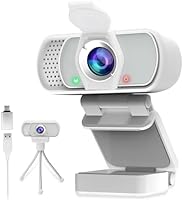
The ZIQIAN 1080P USB-C Webcam entered the market in early 2024 as a genuinely affordable option for remote workers, students, and casual streamers who want a step up from their laptop's built-in camera. ZIQIAN isn't a household name, which is worth noting — but over 12,000 ratings and a 4.1-star average suggest it has earned some real-world trust. The white design is clean and compact, and the package includes a tripod and privacy cover right out of the box, which isn't something you typically see at this price. For budget-conscious buyers, that bundled value is hard to ignore.
Features & Benefits

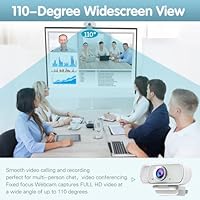
The wide-angle lens is one of this webcam's most practical selling points — at 110 degrees, it captures a broad enough field that you won't need to readjust every time someone leans into frame on a group call. Video runs at 1080p and 30fps, which holds up well in good lighting. The built-in stereo microphone includes auto noise reduction and can reportedly pick up voices from across a room, but don't expect studio-level audio — it handles calls comfortably, not podcasts. Low-light correction softens the blow in dim environments, though fixed focus means you can't dial in sharpness manually. Setup is genuinely instant: plug in, and it works.

Best For

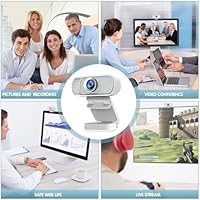
This USB-C webcam makes the most sense for people who just want something that works without fuss. Remote workers and students tired of blurry laptop cameras will find a real improvement here, and the dual USB-A and USB-C connectivity makes it easy to move between devices without hunting for an adapter. It also appears on the compatibility list for Nintendo Switch 2, which broadens its appeal for budget-minded console streamers. And if you're cautious about privacy, the physical lens cover is a genuine comfort — not a gimmick. It won't satisfy professional content creators, but for everyday use, it delivers more than its price suggests.

User Feedback

Across thousands of reviews, a clear pattern emerges. Buyers tend to be satisfied with daytime image clarity and consistently mention how quick the setup was — no software installs, no configuration headaches. The bundled accessories get called out regularly as a pleasant surprise. On the other side, a vocal minority has flagged that performance gets shakier in low-light conditions, and the fixed focus can feel limiting for anyone who likes to sit close to the camera. Microphone quality draws split opinions — functional for a video call, but noticeably thin if you're used to a dedicated mic. Long-term durability and brand support are still open questions, given how recently ZIQIAN entered this space.

Pros

  • True plug-and-play setup works instantly across Windows, macOS, Chrome OS, and Android — no driver downloads needed.
  • The 110-degree wide-angle lens comfortably frames your desk without needing to reposition the camera.
  • Bundled tripod and privacy cover add real, practical value that most competitors skip at this price.
  • Dual USB-A and USB-C connectivity means this webcam works with a wide range of devices without adapters.
  • Daytime image quality is clean and stable, making it a solid upgrade over any built-in laptop camera.
  • The physical privacy cover offers genuine peace of mind, not just a software toggle.
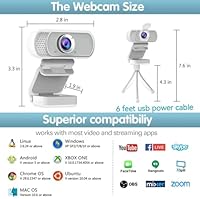
  • Compatible with all major streaming and calling platforms, including OBS, Twitch, Zoom, and Skype.
  • Lightweight and compact enough to toss in a bag for use on the go or in different rooms.
  • The 6-foot cable gives you real flexibility in positioning without needing an extension.

Cons

  • Fixed focus cannot be adjusted, which means close-up shots often look noticeably soft.
  • Low-light performance is inconsistent — dimly lit rooms expose the sensor's limitations quickly.
  • The built-in microphone is adequate for calls but lacks the clarity needed for any serious audio recording.
  • The wide angle can produce slight edge distortion, which is distracting in close-framing situations.
  • ZIQIAN is a newer brand with limited long-term reliability data and uncertain after-sales support.
  • 30fps cap means the video can look less fluid compared to higher-end webcams during fast movement.
  • White finish shows dust and smudges easily, which may bother users who keep a clean desk setup.
  • No autofocus means the webcam cannot compensate if you move around during a call or stream.

Ratings

The scores below reflect our AI-driven analysis of thousands of verified global reviews for the ZIQIAN 1080P USB-C Webcam, with spam, bot submissions, and incentivized feedback actively filtered out to ensure accuracy. Every category was scored by weighing both enthusiastic praise and recurring frustrations from real buyers across work-from-home setups, student desks, and casual streaming rigs. Strengths and genuine weak points are represented equally — no glossing over the trade-offs.

Daytime Image Quality
78%
22%
In a well-lit home office or near a window, this webcam produces noticeably sharper, more vibrant video than any built-in laptop camera. Remote workers joining midday calls consistently praise how clean and detailed the image looks without any tweaking in software settings.
The CMOS sensor is squarely entry-level, and it shows in side-by-side comparisons with mid-range competitors — colors can look slightly flat and fine details sometimes smear in areas of motion. It is good for this price tier, but not one to brag about.
Low-Light Performance
54%
46%
The onboard low-light correction does make a measurable difference compared to webcams with no compensation at all — evening calls in a living room with a single lamp are passable rather than unwatchable. Users in moderately dim rooms report the correction keeps faces recognizable and not too grainy.
Once the room gets genuinely dark, the image degrades quickly into muddy, noise-heavy footage that low-light correction cannot rescue. A meaningful portion of critical reviewers specifically called out poor evening performance as a dealbreaker, particularly for streamers who work in darker setups.
Plug-and-Play Setup
94%
This is arguably where the webcam earns its strongest marks — users across Windows, macOS, Chrome OS, and Android report the camera was recognized and ready to use within seconds of plugging in, with zero driver installation required. Even less tech-savvy buyers praise the complete absence of setup friction.
A small number of users encountered brief hiccups on older Windows versions or certain Android TV configurations, but these cases appear rare rather than systematic. For the overwhelming majority, it just works.
Microphone Quality
61%
39%
For standard video calls on Zoom or Teams, the built-in stereo microphone holds its own — voices come through clearly enough that colleagues rarely ask you to repeat yourself. The auto noise reduction noticeably dampens keyboard clatter and ambient room noise during typical work-from-home sessions.
Anyone expecting broadcast-quality audio will be disappointed; the microphone introduces a thin, slightly compressed character to voices that becomes obvious on recordings or larger calls. Streamers and educators who care about audio presence should treat this as a placeholder and budget for a separate microphone.
Wide-Angle Lens Coverage
76%
24%
The 110-degree field of view is genuinely practical for desk-mounted use — it captures enough space that you can lean back, gesture freely, or share a frame with a second person without needing to reposition the camera constantly. Conference call participants tend to appreciate the natural, uncropped framing.
The wide angle introduces mild barrel distortion at the edges, which becomes visible when the camera is positioned close to a face or subject. A handful of reviewers noted that straight lines in the background — bookshelves, window frames — look slightly curved, which is distracting in more polished streaming setups.
Fixed Focus Usability
58%
42%
For users who stay seated at a fixed distance from their screen, the fixed focus is rarely a problem in practice — the lens is calibrated for the typical desk-to-face distance and stays sharp throughout most standard use cases without any adjustment needed.
The lack of any focus control becomes a real limitation the moment your distance from the camera changes — sitting closer for detail work or leaning back causes noticeable softness with no way to correct it. Users who move around during calls or streaming sessions find this frustrating and limiting.
Build Quality & Feel
63%
37%
The camera body feels reasonably solid for a budget device — the plastic does not creak or feel hollow, and the monitor clip has enough tension to hold its position without constant readjustment. Most users report it feels more substantial than its weight and price would suggest.
The white finish shows fingerprints and desk dust readily, and the clip mechanism — while functional — is not quite as sturdy as those on pricier webcams. A few long-term reviewers noted the clip hinge loosened noticeably after several months of daily adjustments.
Privacy Cover
88%
The sliding physical privacy cover is one of the most frequently praised elements in user reviews — people genuinely value having a mechanical block over the lens rather than relying on software settings they cannot verify. It snaps open and shut cleanly and does not feel like it will wear out quickly.
The cover can shift slightly if the webcam is bumped or repositioned aggressively, though it does not slide open entirely on its own. It is a minor complaint, but buyers who frequently reposition the camera may find the cover less stable than they would like.
Tripod & Accessories
83%
The bundled mini tripod is a genuine quality-of-life addition — it lets users place the webcam on a shelf, TV stand, or beside a console setup without needing a monitor to clip it to. Reviewers repeatedly flagged both the tripod and privacy cover as unexpected value that made the package feel more complete.
The tripod is compact by design and is not height-adjustable, which limits its usefulness for setups that require the camera to be elevated above desk level. It is best understood as a stable base for flat surfaces, not a flexible positioning tool.
Connectivity & Compatibility
86%
Supporting both USB-A and USB-C through an included adapter makes this webcam genuinely versatile — users who switch between a newer laptop and an older desktop no longer need to carry separate cables or adapters. Compatibility across all major platforms and operating systems adds further practical value.
The adapter is a passive connector rather than a built-in cable, meaning there is a small extra piece to keep track of and potentially lose. A native dual-cable design or a permanently attached USB-C cable would have been more elegant.
Value for Money
82%
18%
When you account for the tripod, privacy cover, and dual connectivity included in the box, the overall package competes well against similarly priced options that ship with nothing extra. Buyers who just need a reliable everyday webcam without spending a lot report feeling genuinely satisfied with what they receive.
Compared to slightly higher-priced alternatives from more established brands, the gap in image quality and microphone performance becomes apparent — the value proposition is strong at the entry level, but users who stretch their expectations beyond casual use may feel they outgrew it quickly.
Software Compatibility
89%
Across thousands of reviews, compatibility issues with major platforms are rare — Zoom, Skype, OBS, Teams, and browser-based tools all recognize the webcam immediately without configuration. Streamers using OBS on both Windows and macOS report smooth integration right out of the box.
A small number of users reported occasional frame drops or resolution capping in certain third-party apps, particularly older conferencing platforms not on the primary compatibility list. These cases are the exception, not the rule, but worth knowing if you rely on niche software.
Brand Reliability
52%
48%
The sheer volume of reviews and the stable 4.1-star rating after more than a year on the market suggests the product is at least consistently delivering on its basic promises for the majority of buyers. That kind of review density typically weeds out early flukes and reflects genuine, repeated satisfaction.
ZIQIAN has a limited track record and minimal public presence beyond its Amazon listings, which makes warranty support and long-term reliability genuinely hard to assess. Buyers who have run into issues report difficulty getting clear responses, and there is simply not enough long-term ownership data yet to draw confident conclusions.

Suitable for:

The ZIQIAN 1080P USB-C Webcam is a strong fit for remote workers and students who are tired of the grainy, narrow view of a built-in laptop camera and want a genuine upgrade without spending much. If your day revolves around video calls on Zoom, Teams, or Skype, the wide-angle lens and plug-and-play setup mean you can be up and running in under a minute, on virtually any operating system. Casual streamers who are just getting started and want to test the waters on Twitch or YouTube will appreciate that the package includes a tripod and privacy cover — two things you'd otherwise have to buy separately. The dual USB-A and USB-C connectivity also makes this webcam a practical choice for anyone who regularly switches between a newer laptop and an older desktop. Console gamers exploring streaming on the Nintendo Switch 2 will find it a compatible, low-friction option that doesn't require a big upfront investment.
Not suitable for:

The ZIQIAN 1080P USB-C Webcam is not the right tool for anyone who needs professional-grade image quality or precise control over their video output. The fixed-focus lens means you cannot adjust sharpness manually — if you sit closer than the lens is calibrated for, the image will look soft, and there is no way around that. Content creators who produce polished video for YouTube channels, brand work, or client-facing presentations will likely find the image quality and color accuracy underwhelming compared to mid-range alternatives. The built-in microphone is workable for a quick call, but podcasters, educators recording course content, or anyone who cares about audio quality should budget for a separate microphone regardless. Low-light performance has drawn criticism from real users, so if your workspace is poorly lit or you often record in the evening, this webcam will struggle. Finally, buyers who prioritize purchasing from established brands with proven customer support may want to pause — ZIQIAN is still relatively new to the market, and long-term reliability data is thin.

Specifications

  • Video Resolution: Captures full HD video at 1080p and 30 frames per second for smooth, clear footage in well-lit conditions.
  • Sensor Type: Uses a CMOS image sensor, which is standard for webcams in this price range and performs well in good lighting.
  • Field of View: The fixed-focus lens covers a 110-degree wide angle, making it well-suited for desk setups and multi-person video calls.
  • Focus System: Fixed focus only — there is no autofocus or manual focus adjustment available on this webcam.
  • Connectivity: Connects via USB-A or USB-C, with both cable types supported through an included adapter for broader device compatibility.
  • Cable Length: The attached USB cable measures 6 feet, providing reasonable reach between the camera and a laptop or desktop port.
  • Microphone: Built-in stereo microphone with auto noise reduction, rated for voice pickup at distances of up to approximately 3 meters.
  • Low-Light Mode: Onboard low-light correction helps brighten the image in dim environments, though results vary depending on room conditions.
  • Driver Requirement: No additional drivers or software are required — the webcam is recognized immediately as a plug-and-play USB device.
  • OS Compatibility: Compatible with Windows (7, 8, 10, and later), macOS X, Chrome OS, and Android-based smart TV systems.
  • Platform Support: Works with major video and streaming platforms including Zoom, Skype, Microsoft Teams, OBS, YouTube, Twitch, and Facebook Live.
  • Video Formats: Supports MJPG and YUV video capture formats, which are widely accepted by streaming and recording software.
  • Audio Formats: Audio output is encoded in PCM and AAC formats, ensuring broad compatibility with recording and conferencing applications.
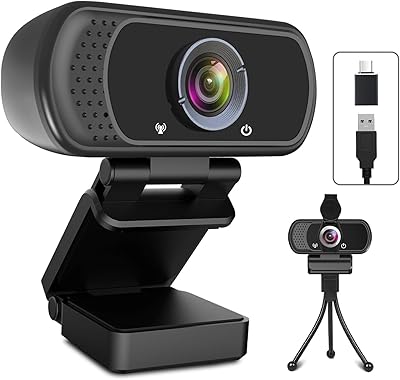
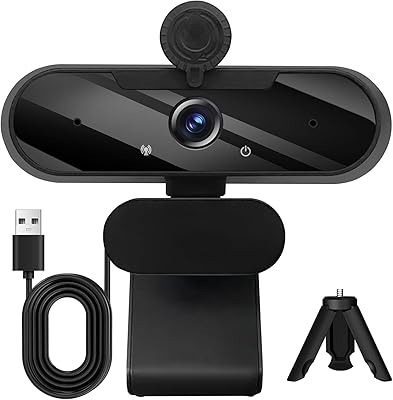
  • In the Box: Package includes the webcam, a USB-C to USB-A adapter, a mini tripod, and a sliding privacy cover that clips over the lens.
  • Weight: The webcam unit weighs 6.5 oz, making it light enough for monitor mounting or portable desk use.
  • Dimensions: Packaged dimensions measure approximately 4.84 x 3.07 x 2.28 inches, reflecting the compact footprint of the camera body.
  • Color: Available in white with a clean matte finish; a black variant of the standard USB-A model is also offered separately.
  • Mounting: Features a universal clip mount compatible with standard laptop screens and flat-panel monitors, with the included tripod as an alternative.

Related Reviews

HuddleCamHD HC-WEBCAM-94
77%
83%
Video Quality (Daylight)
51%
Low-Light Performance
91%
Field of View
94%
Ease of Setup
57%
Audio Quality
More
MTORED TWC-25 1080p Webcam
74%
74%
Video Quality
51%
Low-Light Performance
61%
Microphone Quality
93%
Ease of Setup
88%
Value for Money
More
ToLuLu USB C Webcam
ToLuLu USB C Webcam
85%
88%
Video Quality
91%
Ease of Setup
75%
Microphone Performance
85%
Field of View
89%
Light Adjustment
More
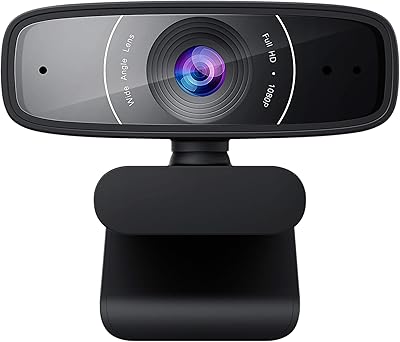
ASUS Webcam C3 1080p HD USB Camera
85%
88%
Video Quality
72%
Audio Quality
94%
Ease of Use
85%
Field of View
90%
Adjustability (Tilt/Rotation)
More
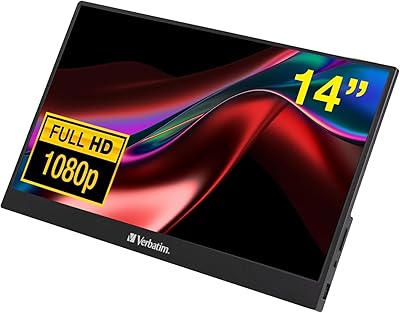
Verbatim 14-inch Full HD Portable Monitor
74%
91%
Portability
83%
Display Clarity
74%
Color Reproduction
89%
Ease of Setup
61%
Build Quality
More
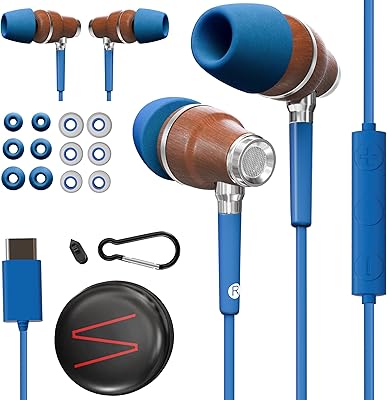
Symphonized NRG C USB-C Earphones
81%
90%
Sound Quality
85%
Build Quality
75%
Comfort & Fit
80%
Noise Isolation
92%
USB-C Connectivity
More
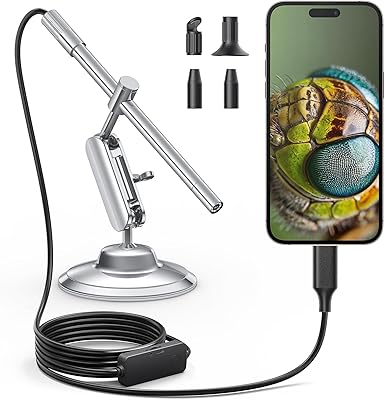
Teslong MS100-C USB-C Digital Microscope
76%
93%
Device Compatibility
91%
Ease of Setup
84%
Build Quality
78%
Image Quality (Mid-Range Zoom)
54%
Image Quality (Max 200X Zoom)
More
ySky 512GB Dual-Interface USB-C Flash Drive
78%
78%
Transfer Speed
91%
Dual Connector Design
88%
Build Quality
86%
iPhone 15 Compatibility
93%
Portability
More
CHHI D800 Wireless Mouse with Bluetooth, USB-A, USB-C Receiver
88%
88%
Performance
91%
Battery Life
85%
Ergonomics
90%
Connectivity Options
89%
Ease of Setup
More
LIDER PD 36W Recessed Outlet Station with USB-A and USB-C Ports
86%
94%
Ease of Installation
89%
Charging Speed (USB-C Power Delivery)
90%
Safety Features (Tamper-Resistant Outlets)
88%
Design and Aesthetics
75%
Cord Length (6.5 ft)
More

FAQ

No, you do not. The ZIQIAN 1080P USB-C Webcam is a true plug-and-play device — just connect it to your computer and your operating system will detect it automatically. This works on Windows, macOS, Chrome OS, and Android without any additional setup steps.
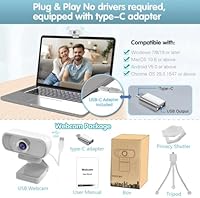
Yes, it will. The webcam includes both a USB-C connection and a USB-A adapter in the box, so it covers both port types. Whether you have a newer MacBook with only USB-C ports or an older laptop with USB-A, you should be covered without buying anything extra.

For everyday video calls on Zoom, Teams, or Skype, the built-in microphone is functional and the noise reduction helps filter out background sounds. That said, if you are recording voiceovers, doing podcasts, or presenting to large audiences, a dedicated external microphone will make a noticeable difference. Think of it as a solid call mic, not a recording mic.

The webcam does have onboard low-light correction that helps brighten the image, but it is not a substitute for decent room lighting. In genuinely dark conditions, the image can look grainy or washed out. If your workspace tends to be dim, a small ring light or desk lamp will make a bigger improvement than any software correction can.

Yes, this USB-C webcam is compatible with OBS, Twitch, and YouTube, and many casual streamers use it without issues. Just keep in mind that it captures at 1080p and 30fps, which is perfectly fine for most streams, but viewers expecting 60fps video will notice the difference if that matters to your content.

The 110-degree field of view is quite broad, so yes — it will pick up more of your background than a standard webcam lens. You cannot adjust the angle of view without physically repositioning the camera. Using a virtual background in your video call software is the easiest way to manage what others see behind you.

The privacy cover is a small physical slider that blocks the camera lens completely when you push it closed. It is a simple, mechanical solution — no settings or software involved. When you want the camera blocked, you slide it shut; when you want to use it, you slide it open. It is a small feature but genuinely reassuring for anyone who keeps the webcam on their desk all day.

The mini tripod is a compact desktop stand, not a tall photography tripod. It works well for placing the webcam on a desk, shelf, or TV stand, especially if you are not using it clipped to a monitor. For a webcam at this price to include one at all is worth noting — it gives you meaningful flexibility in how and where you position the camera.

ZIQIAN is a relatively new brand that launched this model in early 2024, so there is not a long track record to point to yet. The volume of reviews — well over 12,000 — does suggest broad adoption, and the ratings hold steady at 4.1 stars. As with any newer brand, buying through a platform with a clear return policy is a smart move, since long-term durability and warranty support are still largely unproven.

Yes, the webcam is listed as compatible with the Nintendo Switch 2, and its plug-and-play USB connection means setup should be straightforward without any extra configuration. It is a practical, affordable option for console streamers who want a webcam without making a large investment.