Overview
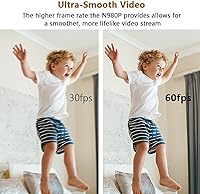
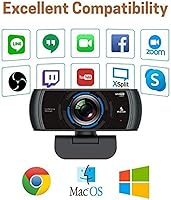
The NexiGo N980P sits in an interesting spot in the webcam market — it targets remote workers and video callers who have outgrown their laptop's built-in camera but aren't ready to spend on prosumer gear. The jump from a standard 30fps webcam to 60fps smooth video is more noticeable than most people expect, and that alone sets this camera apart from cheaper alternatives. Setup couldn't be simpler: plug it in via USB and it works immediately across Windows, Mac, Linux, and Chrome OS. A companion software app adds manual controls for those who want to dig deeper.
Features & Benefits
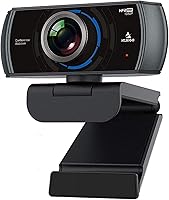
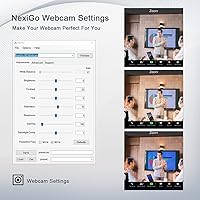
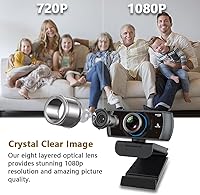
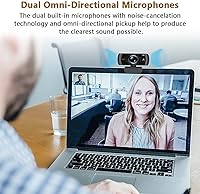
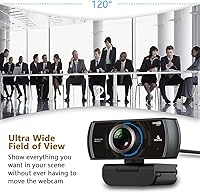
At the core of this webcam is a 1080p 60fps output that makes on-screen motion look fluid rather than choppy — a real difference during fast head movements or gesture-heavy presentations. The 120° wide-angle lens is genuinely useful for covering a full desk setup or including a second person in frame, though the edges can show mild barrel distortion. Built-in dual microphones handle background noise reasonably well for calls. Low-light correction works quietly in the background, keeping your image usable in dim rooms. Manual focus and the NexiGo software controls let you fine-tune exposure and white balance beyond what your OS alone allows.
Best For
This 60fps camera makes the most sense for remote professionals who spend hours daily on Zoom, Teams, or Google Meet and want noticeably better video without a complex setup. Streamers and casual content creators on a tighter budget will also appreciate the smoother frame rate over typical entry-level options. The wide field of view makes it especially practical for shared desks or small meeting rooms where more than one person needs to be in frame. If your home office lighting is inconsistent or you rely heavily on a dim desk lamp, the auto brightness adjustment gives this webcam a practical edge.
User Feedback
Buyers consistently highlight how big a step up this webcam feels compared to a built-in laptop camera, particularly in terms of image clarity and motion smoothness. The microphone gets more mixed reactions — it handles video calls acceptably, but anyone coming from a dedicated USB mic will notice the difference. A handful of users have flagged that the companion software can behave inconsistently on certain Windows setups, so your experience there may vary. The wide-angle lens earns praise for versatility, though a few reviewers mention visible edge distortion. Overall, the value-to-performance ratio is where most positive reviews converge.
Pros
- Smooth 60fps output makes a visible difference during fast-moving video calls and casual streaming.
- Wide 120-degree field of view easily fits two people at a shared desk without repositioning.
- Plug-and-play setup works instantly across Windows, macOS, Linux, and Chrome OS — no driver hunting required.
- Auto low-light correction keeps your image usable in dim rooms without manual intervention.
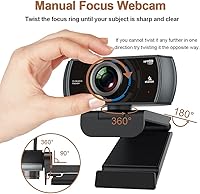
- Manual focus eliminates the mid-call hunting and shifting that plagues cheaper autofocus webcams.
- The companion software unlocks meaningful image adjustments that go well beyond basic OS-level controls.
- Built-in privacy cover is a small but genuinely useful feature for security-conscious users.
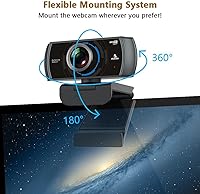
- Tripod thread support gives mounting flexibility beyond just clipping it to a monitor.
- Consistent image quality in stable lighting conditions makes daily calls look reliably professional.
- Strong overall value for what you get at this price tier compared to similarly priced rivals.
Cons
- Built-in microphones produce a thin, distant sound that most dedicated mic users will find unacceptable.
- Barrel distortion at the edges of the wide-angle lens can make close-up shots look unflattering.
- Companion software is buggy on certain Windows versions and noticeably limited on macOS and Linux.
- No autofocus option means any change in seating distance requires manual readjustment of the focus ring.
- Auto-brightness can overcorrect when ambient lighting shifts, briefly washing out skin tones.
- Cable length is short enough to cause routing problems on some desk configurations.
- Image quality degrades more noticeably than expected in genuinely poor or rapidly changing lighting.
- The clip mechanism lacks fine adjustability and can feel insecure on thicker monitor bezels.
Ratings
Our AI rating system analyzed thousands of verified global user reviews for the NexiGo N980P, actively filtering out incentivized, bot-generated, and duplicate submissions to surface what real buyers actually experience day-to-day. The scores below reflect both the genuine strengths that keep this webcam consistently well-rated and the recurring frustrations that prevent it from scoring higher in certain areas. Nothing has been smoothed over — the pain points are just as visible as the wins.
Video Clarity
Frame Rate Smoothness
Low-Light Performance
Wide-Angle Lens
Built-in Microphone
Software & Controls
Plug-and-Play Setup
Build Quality & Design
Manual Focus Control
Compatibility
Value for Money
Mounting Flexibility
Consistency Across Lighting
Suitable for:
The NexiGo N980P is a strong fit for remote professionals who spend a significant portion of their workday on video calls and have grown frustrated with the soft, choppy output of a built-in laptop camera. If your typical setup involves a moderately lit home office — maybe a desk lamp and some natural light but nothing professionally rigged — this webcam handles that environment competently without requiring you to also invest in a lighting kit. The wider-than-usual field of view makes it particularly practical for shared desks, small huddle rooms, or anyone who presents physical materials on camera and needs a bit more frame real estate. Budget-conscious content creators and streamers who want noticeably smoother footage without stepping into prosumer pricing will also find it a worthwhile upgrade. Anyone working across multiple operating systems or switching between a Windows desktop and a Linux machine will appreciate how universally it just works out of the box.
Not suitable for:
If you care deeply about audio quality, the NexiGo N980P is likely to disappoint — the built-in microphones are a reasonable fallback for occasional calls, but anyone who already owns a dedicated USB microphone or records content where voice clarity really matters will almost certainly keep reaching for a separate audio solution. Users who need reliable autofocus — whether because they move around frequently, work at varying distances from the camera, or share the webcam with colleagues — will find the manual-only focus system more of a daily inconvenience than a feature. Content creators or professionals who require truly clean, edge-to-edge image quality will notice the barrel distortion that creeps in at the periphery of the wide-angle lens, especially in close-up framing. If your primary machine runs macOS or Linux and you were hoping to use the companion software to dial in your image, expect a stripped-down experience compared to what Windows users get. This is genuinely a mid-range webcam, and buyers expecting performance that competes with higher-tier options from Logitech or Elgato at twice the price will come away underwhelmed.
Specifications
- Resolution: Captures video at 1080p Full HD (1920x1080) for clear, detailed image output during calls and recordings.
- Frame Rate: Supports up to 60 frames per second, delivering noticeably smoother motion compared to standard 30fps webcams.
- Field of View: Features a 120-degree wide-angle lens that accommodates wider room coverage or multiple people in a single frame.
- Aperture: F2.1 maximum aperture allows more light into the sensor, supporting better image quality in lower-light conditions.
- Sensor: Uses a 2MP CMOS image sensor designed to balance color accuracy and light sensitivity for everyday use.
- Focus Type: Manual focus only — users adjust the focus ring by hand to set a fixed depth for their typical shooting distance.
- Microphone: Dual omnidirectional microphones with built-in noise reduction are integrated directly into the camera housing.
- Connection: Connects via USB-A with plug-and-play UVC driver support, requiring no additional software installation for basic operation.
- Compatibility: Works with Windows XP through 11, macOS 10.6 and later, Linux 2.6.24+, Chrome OS 29.0.1547+, and Ubuntu 10.04+.
- Video Format: Outputs video in MJPEG format, which is standard across most major video conferencing and streaming platforms.
- Audio Format: Records and transmits audio in PCM format, ensuring broad compatibility with video call and recording applications.
- Dimensions: Measures 3.45 x 1.95 x 2.6 inches, making it compact enough to sit unobtrusively on a monitor or laptop screen.
- Weight: Weighs 7 ounces, light enough for stable clip mounting without putting significant stress on monitor bezels.
- Mounting: Includes a clip mount for monitors and laptop screens, plus a 1/4-inch tripod thread for alternative positioning.
- Privacy Cover: A built-in physical privacy cover slides over the lens to block the camera when not in use.
- Software: Compatible with the NexiGo companion app, which provides manual controls for exposure, white balance, and brightness beyond OS defaults.
- Power Source: Draws power entirely through the USB connection — no external power supply or batteries are required.
- Cable Type: Attached USB-A cable; the webcam does not support wireless or Bluetooth connectivity of any kind.
Related Reviews
NexiGo N930E
NexiGo N930AF Webcam
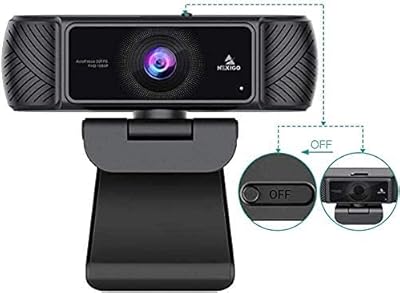
NexiGo N680 1080P Webcam
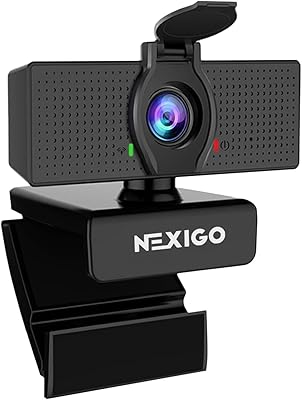
NexiGo N60 1080P Webcam
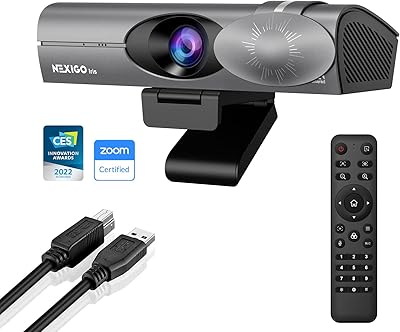
NexiGo Iris 4K AI Webcam
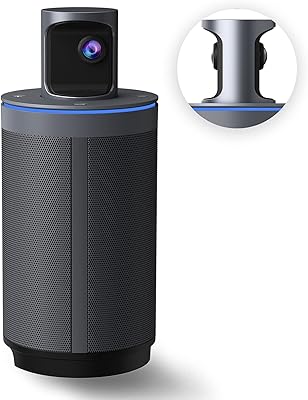
NexiGo Meeting 360 Gen 2 Conference Camera
NexiGo N950P Gen 2 4K Webcam
NexiGo PJ40 Gen 3 1080P Projector
NexiGo N660P