Overview
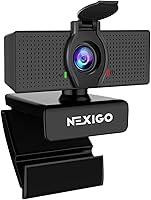
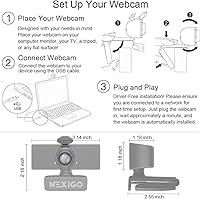
The NexiGo N60 1080P Webcam sits in a crowded budget category but has earned a spot near the top of Amazon's webcam bestseller list for good reason. It clips onto a monitor or laptop lid without fuss, and getting it running takes less than a minute — no driver installation, no setup headaches. Out of the box, you also get a built-in microphone and a sliding privacy cover, two features that typically cost more on competing models. For anyone who needs a dependable daily driver without spending a lot, this webcam makes a strong opening argument.
Features & Benefits
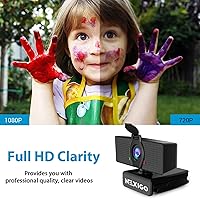
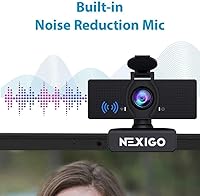
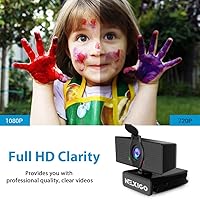
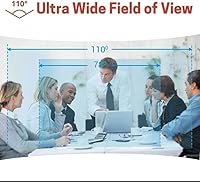
The 1080p Full HD output at 30fps looks noticeably sharper than what most built-in laptop cameras produce, and the 110-degree field of view means you can capture your full desk setup without constantly repositioning the camera. The fixed-focus glass lens is optimized for the distance most people actually sit from a screen, roughly two to twelve feet. A noise-canceling microphone handles the basics well in quiet rooms, and the companion software app lets you tweak brightness, contrast, and white balance manually — genuinely handy when your lighting is inconsistent. Broad OS compatibility covers Windows, Mac, Linux, Chrome OS, and Android without any driver downloads required.
Best For
This budget webcam makes the most sense for remote workers who join video calls daily but have no desire to spend heavily on peripherals. Students stepping up from a grainy integrated laptop camera will notice an immediate difference in clarity. It also suits hobbyist streamers or content creators who need clean 1080p footage without a large upfront investment. Desktop PC users replacing a broken or nonexistent built-in camera will appreciate how quickly the N60 gets them operational. Where it falls short is close-up or variable-distance work, since the fixed lens does not adapt to shifting subject distances the way an autofocus model would.
User Feedback
Across a large volume of reviews, two things come up repeatedly: buyers are happy with how fast setup goes, and they find the image quality genuinely solid for the price. The privacy cover earns consistent praise as a practical, no-nonsense inclusion. On the downside, the microphone can pick up room echo in spaces with hard surfaces, which is worth knowing before relying on it in an untreated room. A smaller number of users encountered audio sync delays — NexiGo does provide a firmware update to address this, so it is fixable. The most common hardware wish across critical reviews is autofocus, which the fixed lens simply cannot provide.
Pros
- Plug-and-play setup works immediately on Windows, Mac, Linux, and Chrome OS with zero driver installation.
- 1080p video quality is a visible upgrade over built-in laptop cameras for everyday calls.
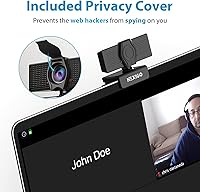
- Sliding privacy cover physically blocks the lens — a practical feature not always included at this price.
- The 110-degree field of view covers a wide desk area without needing to reposition the camera.
- Companion software lets you manually adjust brightness, contrast, and white balance for better image control.
- Built-in noise-canceling microphone handles quiet room calls without needing a separate audio device.
- Compact clip-on design fits most monitors and laptop lids securely without taking up desk space.
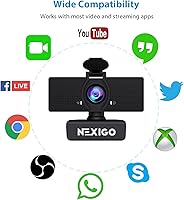
- Broad platform and app compatibility covers Zoom, Teams, OBS, Twitch, and more out of the box.
- Lightweight and easy to move between workspaces, making it practical for hybrid workers.
- Represents strong overall value when the full feature set is weighed against the asking price.
Cons
- Low-light performance drops noticeably in dim rooms, producing grainy and washed-out footage after dark.
- Fixed focus lens cannot adapt to subjects closer than roughly 20 inches, limiting versatile use cases.
- Microphone picks up room echo and reverb in spaces with hard walls or open layouts.
- A subset of users experienced audio sync delays on first use, requiring a firmware update to resolve.
- The non-detachable cable creates minor inconvenience when packing or managing cable routing on a tidy desk.
- Digital zoom degrades image quality quickly, making it a limited substitute for true optical zoom.
- Plastic construction shows wear faster than expected when the webcam is moved or handled regularly.
- No autofocus means there is no recovery when subject distance changes during a call or recording.
- Mount does not grip reliably on ultra-thin bezels or curved monitor edges without adjustment.
- Software companion app can reset manual settings after the webcam is disconnected and reconnected.
Ratings
The NexiGo N60 1080P Webcam has accumulated thousands of verified purchases globally, and the scores below reflect an AI-driven analysis of that real-world feedback — with spam, incentivized reviews, and bot activity actively filtered out. Every category captures what genuine buyers consistently praised or criticized, so the results reflect both the strengths and the honest shortcomings of this budget webcam. Nothing is glossed over.
Image Quality
Setup & Ease of Use
Microphone Performance
Value for Money
Privacy Cover
Build Quality & Durability
Field of View
Software & Manual Controls
Compatibility
Fixed Focus Performance
Mounting & Stability
Low-Light Performance
Audio Sync Reliability
Portability
Suitable for:
The NexiGo N60 1080P Webcam is a strong fit for anyone who needs a functional, no-fuss video solution without a significant financial commitment. Remote workers and hybrid employees who spend their days on Zoom, Teams, or Google Meet will find it handles back-to-back calls reliably, especially in a decently lit home office. Students attending online classes are a natural audience — the step up from a grainy built-in laptop camera is immediate and meaningful, and the plug-and-play setup means no IT headaches before the first lecture. Desktop PC users who have no integrated webcam at all will appreciate how quickly this webcam gets them up and running. Hobby streamers or casual content creators who want clean 1080p footage without committing to expensive gear will also get solid results, particularly when combined with a basic ring light to compensate for the fixed lens limitations in low light.
Not suitable for:
Buyers with more demanding visual requirements will likely find the NexiGo N60 1080P Webcam falls short of their expectations, and it is worth being honest about where those limits are. Professional streamers, YouTubers, or anyone producing content where camera quality is a visible differentiator will quickly notice the fixed-focus lens struggles at unconventional distances and that low-light performance lacks the depth and color accuracy that higher-tier webcams deliver. If your setup involves sitting very close to the camera — for instrument tutorials, product reviews, or close-up demonstrations — the fixed focus is a real practical obstacle with no workaround. Buyers who work in echo-prone rooms or open-plan environments and plan to rely solely on the built-in microphone for professional calls should factor in that audio quality will be noticeably affected. Anyone needing USB-C connectivity, a detachable cable, or compatibility with gaming consoles should also look elsewhere, as this webcam does not cover those bases.
Specifications
- Resolution: Captures video at 1080p Full HD (1920x1080) using a 2MP CMOS sensor.
- Frame Rate: Records and streams at up to 30 frames per second for smooth, natural motion.
- Lens: 3.6mm fixed-focus glass lens optimized for subjects between 19.6 inches and 13 feet away.
- Field of View: 110-degree wide-angle field of view covers a broad area without repositioning the camera.
- Digital Zoom: Supports up to 2x digital zoom, though image quality degrades at maximum zoom.
- Microphone: Single built-in noise-canceling microphone designed to reduce ambient background sounds during calls.
- Privacy Cover: Attached sliding plastic cover physically blocks the lens when the webcam is not in use.
- Connection: USB-A connector compatible with both USB 2.0 and USB 3.0 ports; no adapter required.
- Dimensions: Measures 3.22 x 2.08 x 1.96 inches, making it compact enough for most monitor clip setups.
- Weight: Weighs 5.3 ounces including the mounting clip and attached USB cable.
- OS Support: Compatible with Windows 7, 8, 10, and 11; Mac OS X 10.7 and above; Linux 2.6.24; Chrome OS 29.0.1547; Ubuntu 10.04 and above; and Android 4.0 or higher.
- Video Format: Captured video is encoded in ASF (Advanced Systems Format) by default.
- Audio Formats: Supports MP3, WAV, and AAC audio formats for recorded output.
- Software: Optional NexiGo companion app available for manual control of brightness, contrast, and white balance settings.
- Mounting: Includes an integrated clip mount designed to attach to monitor bezels or laptop lids without tools.
- Driver Requirement: No additional drivers are required; the webcam is recognized automatically by compatible operating systems.
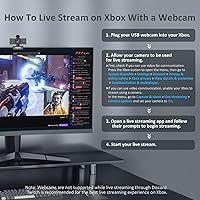
- Console Compatibility: Not compatible with Xbox, PlayStation 4, or PlayStation 5 consoles.
- Sensor Type: Uses a CMOS (Complementary Metal-Oxide Semiconductor) image sensor for video capture.
- Memory: Equipped with internal flash memory for firmware storage; no external memory card is required or supported.
- Model Number: Officially designated as model N60 by manufacturer NexiGo, first available in May 2020.
Related Reviews
NexiGo N680 1080P Webcam
NexiGo N980P
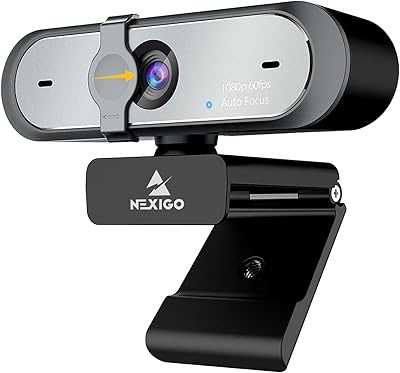
NexiGo N660P

HuddleCamHD HC-WEBCAM-94

ZIQIAN 1080P USB-C Webcam
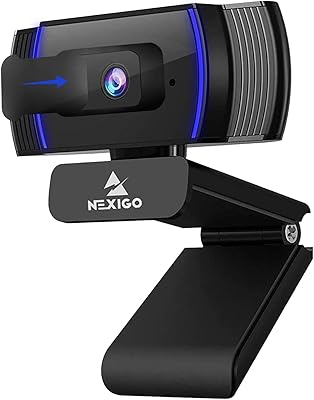
NexiGo N930AF Webcam

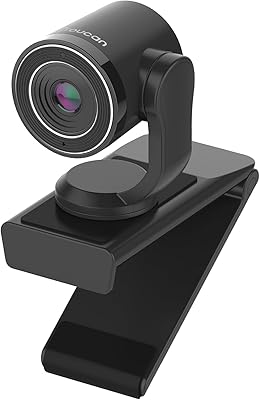
TOUCAN 1080P Webcam with Microphone
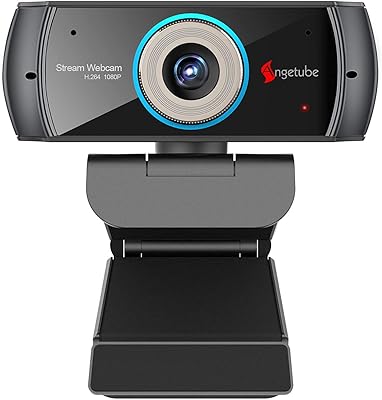
Angetube PC 1080P Webcam