Overview

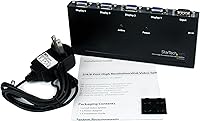
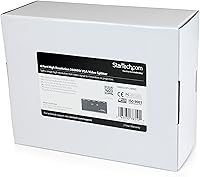
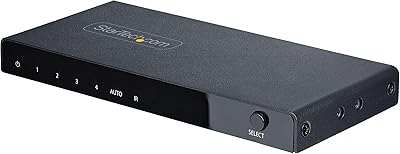
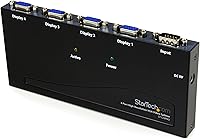
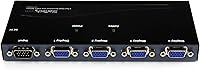
The StarTech ST124PRO 4-Port VGA Splitter has been a quiet workhorse in AV and IT installations since its introduction in 2002 — and that kind of longevity in a niche hardware category speaks for itself. This VGA splitter does one thing: it takes a single VGA source and mirrors it across four displays simultaneously, with no software, no configuration, and no fuss. It is not a matrix switch, and it won't extend your desktop — every connected screen shows the same image. With a 4.3-star rating from over 300 buyers and mid-range pricing that fits professional budgets, it occupies a practical sweet spot between consumer-grade adapters and expensive broadcast hardware.
Features & Benefits

At the core of what makes this four-port splitter worth considering is a 350 MHz bandwidth — high enough to push resolutions up to 2048x1536 at 80Hz across all four outputs without visible signal degradation. That's genuinely sharp, and more than adequate for detailed technical presentations or data-heavy screens. Setup is plug-and-play; connect your source, run your cables, and all four displays come to life without touching a driver or config menu. The daisy-chain capability is a practical bonus for larger deployments — link multiple units to serve well beyond four screens. Cable runs up to 210 feet also give you real flexibility in spreading displays across a large room or building.

Best For

This VGA splitter fits naturally into professional environments where the goal is identical content on multiple screens — not independent feeds. IT teams rolling out kiosk stations, digital signage networks, or uniform desktop displays across an office will find it straightforward and dependable. Educators and trainers who need one laptop to feed several classroom projectors will appreciate how little effort the setup demands. It's also a solid pick for government and institutional buyers, since it carries TAA compliance — a non-negotiable requirement in many procurement processes. Even in home media rooms still running legacy VGA gear, the ST124PRO handles the job reliably without requiring an equipment overhaul.

User Feedback

Buyers consistently highlight two things: the signal stays clean across all four outputs, and setup takes minutes, not hours. No flickering, no hunting for drivers — for a lot of IT staff, that alone justifies the purchase. The criticism that comes up most is a genuine limitation worth knowing upfront: every monitor shows the same image, full stop. Anyone expecting to run separate content on each display will need a different type of device entirely. A handful of reviewers also noted some softness in image quality when pushing cables close to the maximum distance. Overall, the picture from real-world users is positive — this four-port splitter delivers on its promises in demanding professional settings.

Pros

  • Genuinely plug-and-play — no drivers, no software, no configuration required on any major OS.
  • Signal stays clean and flicker-free across all four outputs in typical office and classroom deployments.
  • 350 MHz bandwidth supports resolutions up to 2048x1536, well above what most VGA installations actually need.
  • Daisy-chain support lets you scale beyond four monitors without switching to more complex distribution hardware.
  • TAA compliance makes procurement straightforward for government and institutional buyers.
  • Cable runs up to 210 feet give real flexibility for spreading displays across large rooms or across hallways.
  • Over two decades on the market with consistent reviews signals robust, proven hardware — not a flash-in-the-pan product.
  • Broad compatibility with projectors and monitors from different manufacturers reduces integration headaches.
  • Passively cooled design means no fan noise and no mechanical parts to fail in always-on deployments.

Cons

  • All outputs mirror the source exactly — there is no way to display different content on individual screens.
  • Image quality softens noticeably on cable runs approaching the 210-foot maximum, especially with budget cabling.
  • No rack-mount ears or official mounting accessories are included, which is a real gap for clean rack installations.
  • Daisy-chain performance degrades meaningfully beyond the first linked unit, with no published specs to guide planning.
  • The input VGA connector can feel slightly loose after extended continuous use in permanent installations.
  • Mixing monitors with different native resolutions forces all outputs to the lowest common denominator.
  • No HDMI or DisplayPort outputs mean this VGA splitter is a dead end if your displays ever get upgraded.
  • Warm ambient environments or sealed AV cabinets can cause the chassis to run hot without adequate airflow.

Ratings

The StarTech ST124PRO 4-Port VGA Splitter earns its ratings from a rigorous AI-driven analysis of verified global buyer reviews, with spam, bot-generated, and incentivized submissions actively filtered out before scoring. Across professional IT deployments, classroom AV setups, and institutional procurement use cases, both consistent strengths and recurring frustrations are reflected transparently in every category below. No score has been softened — if real users ran into friction, it shows up here.
Signal Quality
91%
Across hundreds of verified installations, users consistently report clean, stable output on all four ports simultaneously. In office and classroom environments where flickering or ghosting would be immediately disruptive, this splitter holds up well — reviewers running it for months in demanding AV racks note no degradation over time.
A small but notable subset of buyers encountered mild softness in image sharpness when all four outputs were active at the highest supported resolution. It is not widespread, but users pushing the hardware to its ceiling on all ports at once may notice it on very sharp or high-contrast content.
Ease of Setup
94%
The plug-and-play experience is one of the most praised aspects across all buyer segments. IT administrators deploying units across multiple rooms report that no drivers, utilities, or configuration menus are ever needed — connect power, connect source, connect displays, and it works immediately on virtually every OS.
A few buyers using older or non-standard VGA hardware reported that one or more outputs failed to sync on first connection, requiring a cable re-seat or power cycle. This is uncommon, but worth knowing if your setup involves legacy or mixed-brand display equipment.
Build Quality
78%
22%
The metal enclosure feels appropriately sturdy for a fixed AV installation — it is clearly built to sit in a rack, on a shelf, or behind a display without concern for accidental damage. At nearly 14 ounces, the unit has physical substance that budget splitters lack, and the port connectors feel properly reinforced.
Some users found the overall construction less refined than the price point suggests, particularly around the VGA port housings which feel slightly loose on the input side after extended use. It is a long-term concern rather than an out-of-box issue, but users planning permanent rack installations should factor this in.
Cable Distance Performance
67%
33%
In typical office or classroom runs of 50 to 100 feet, this four-port splitter delivers clean output without signal boosters or repeaters. The 350 MHz bandwidth gives it a genuine advantage over lower-spec competitors in medium-distance deployments, and many digital signage users run it confidently at those lengths daily.
Near the 210-foot maximum, several buyers documented noticeable image degradation — softness, slight color bleed, and reduced contrast. The rated maximum is technically achievable, but real-world performance near that ceiling depends heavily on cable quality and the displays used. Expecting broadcast-quality output at full cable length is unrealistic.
Daisy-Chain Expandability
82%
18%
The ability to chain multiple units and serve well beyond four displays is a genuine differentiator for larger installations. IT teams managing signage networks or multi-room classroom deployments have used this feature to scale without investing in more complex distribution hardware, and the signal generally holds well through the first chain stage.
Signal fidelity does degrade meaningfully when daisy-chaining more than two units, and StarTech does not publish clear specs on how many stages maintain acceptable quality. Buyers planning deep chains for large-scale digital signage should test their specific setup before committing to a full deployment.
Resolution & Refresh Rate
88%
Support for 2048x1536 at 80Hz is legitimately impressive for a splitter in this category, and users running high-density technical content — CAD drawings, detailed maps, medical imaging displays — appreciate the clarity it preserves. In practice, most buyers use it at 1080p or below, where it performs without any reservations.
The top resolution and refresh rate are only reliably achievable with high-quality, short cable runs on well-matched displays. Users mixing older monitors with newer ones in the same chain sometimes report that the system defaults to the lowest common denominator resolution across all outputs, which can frustrate users expecting uniform high-res output.
Compatibility
86%
Broad compatibility with monitors, projectors, and mixed display environments is a recurring positive theme in user feedback. Buyers running it across different display brands in the same installation — which is common in classrooms and meeting rooms — generally report no handshake or sync issues with standard VGA equipment.
Compatibility with certain KVM switches and video capture cards used in broadcast or streaming setups has caused intermittent issues for a niche group of buyers. The unit is not designed for those workflows, but buyers in hybrid AV environments should verify compatibility before purchasing.
Value for Money
83%
At its mid-range price point, this VGA splitter competes well against cheaper alternatives that sacrifice signal bandwidth or skip TAA compliance. For institutional buyers who need reliable, compliant hardware without paying premium prices for broadcast-grade equipment, the value equation works cleanly and without compromise.
Budget-conscious buyers can find four-port VGA splitters for significantly less, and for simple home or light-office use, the price difference may be hard to justify. The premium here is really for reliability and compliance — users who do not need TAA certification may feel they are paying for credentials they will never use.
TAA Compliance
96%
For government agencies, federally funded educational institutions, and defense contractors, TAA compliance is not optional — it is a procurement requirement. The ST124PRO meets that standard cleanly, and procurement officers and IT buyers in regulated environments specifically call out this feature as the deciding factor in their purchase.
For the majority of commercial buyers, TAA compliance adds no practical benefit and is essentially invisible during use. It contributes to the price without delivering tangible performance improvements, which makes it feel like a cost overhead for private-sector buyers who simply need a functional splitter.
Thermal Management
74%
26%
The unit runs passively — no fan, no vents that collect dust — which makes it well suited to always-on deployments like digital signage or control room screens that run 24 hours a day. Users in those environments appreciate that there is nothing mechanical to wear out or clean over time.
In warm rack environments or enclosed AV cabinets without airflow, several users noted the chassis gets noticeably warm after extended use. It has not caused failures in documented feedback, but deploying it in a sealed enclosure without considering heat dissipation is a risk in high-ambient-temperature environments.
Documentation & Support
71%
29%
StarTech provides reasonably clear product documentation, and their support reputation among IT professionals is generally positive. Buyers who needed help confirming compatibility or troubleshooting cable distance issues reported that responses were helpful and technically accurate, which matters in professional deployment scenarios.
The included printed documentation is minimal, and some users felt the listed specifications — particularly around daisy-chain performance and real-world cable distance limits — were optimistic rather than conservative. A more detailed technical data sheet with real-world test conditions would reduce buyer uncertainty significantly.
Form Factor & Installation
79%
21%
The compact rectangular enclosure fits comfortably on a shelf, behind a display, or in a shallow rack space, and the port layout keeps cables organized without awkward bends. For permanent installations, the physical footprint is unobtrusive and the unit stays put without needing additional mounting hardware in most setups.
There are no rack-mount ears or official mounting kit options included, which is a real gap for buyers who want a clean rack installation. Several reviewers in server-room or AV-rack deployments resorted to velcro or third-party brackets, which feels like an oversight for a product clearly aimed at professional environments.
Long-Term Reliability
87%
The fact that this product has maintained active sales and consistent reviews for over two decades is meaningful data in itself. Multiple buyers specifically mention units running continuously for years without failure, and the absence of firmware or driver dependencies means there are simply fewer things that can go wrong over time.
A small number of long-term users reported port degradation after several years of continuous use, particularly on the input connector. This is not unusual for any hardware in that duty cycle, but buyers deploying in mission-critical environments should consider a spare unit or a replacement cycle plan for multi-year deployments.

Suitable for:

The StarTech ST124PRO 4-Port VGA Splitter is purpose-built for professionals who need one video source displayed identically across multiple screens without any configuration overhead. IT administrators rolling out kiosk stations, information displays, or uniform desktop setups across a floor will find the plug-and-play operation a genuine time-saver at scale. Educators and corporate trainers who regularly connect a single laptop or PC to several projectors or classroom monitors will appreciate both the signal stability and the flexible cable reach, which handles most real-world room layouts without a signal booster. Government agencies, defense contractors, and federally funded institutions will recognize the TAA compliance as a procurement prerequisite that eliminates paperwork headaches. Digital signage operators running legacy VGA infrastructure who need reliable, always-on mirrored content across multiple screens will also find this four-port splitter a dependable long-term solution.
Not suitable for:

Anyone expecting to run different content on each connected display should stop here — the StarTech ST124PRO 4-Port VGA Splitter is a signal splitter, not a multi-display adapter, and every output will always show an exact mirror of the source. Users who have already moved to HDMI, DisplayPort, or USB-C displays will find no use for this hardware, as it is strictly a VGA solution with no conversion capability built in. Creative professionals, traders, or power users who rely on extended desktop workflows across multiple monitors need a graphics card with multiple outputs or a dedicated display adapter instead. Budget buyers who only need to split a signal for casual or occasional home use may find the price harder to justify, since simpler passive splitters exist for lighter workloads. Finally, anyone planning a deep daisy-chain deployment across many units should validate signal quality at their specific scale before committing, as performance beyond the first chain stage can be inconsistent.
Specifications

  • Input Ports: The unit provides one VGA (HD-15) input port for connecting the video source.
  • Output Ports: Four VGA (HD-15) output ports allow simultaneous connection to four separate displays.
  • Display Mode: All four outputs mirror the source signal identically; independent or extended desktop configurations are not supported.
  • Max Resolution: Supports video resolutions up to 2048x1536 at 80Hz across all connected displays.
  • Video Bandwidth: A 350 MHz video bandwidth preserves signal integrity and minimizes degradation across all output ports.
  • Max Cable Length: VGA cable runs of up to 210 ft (65 m) are supported between the splitter and connected displays.
  • Connector Type: All ports use the standard VGA HD-15 connector, compatible with the vast majority of VGA-equipped monitors and projectors.
  • Expandability: Units are daisy-chainable, allowing multiple splitters to be linked together to serve more than four displays from a single source.
  • TAA Compliance: The product meets Trade Agreements Act requirements, making it eligible for U.S. government and federally funded institutional procurement.
  • Driver Requirement: No drivers or software installation are required; the device operates as a true plug-and-play hardware splitter on any operating system.
  • Compatible Devices: Designed for use with VGA-equipped monitors, projectors, and other HD-15 displays across a broad range of manufacturers.
  • Dimensions: The unit measures 9.65 x 3.39 x 7.4 inches, providing a compact footprint suitable for shelf or rack-adjacent placement.
  • Weight: The device weighs 13.8 oz, reflecting a solid metal construction appropriate for permanent professional installations.
  • Enclosure Color: The chassis is finished in black, consistent with standard AV and IT rack equipment aesthetics.
  • Cooling: The device is passively cooled with no internal fan, making it suitable for always-on deployments without mechanical wear concerns.
  • Manufacturer: Designed and sold by StarTech.com, a professional AV and IT connectivity hardware brand established in Canada.
  • Model Number: The official model identifier is ST124PRO, used for ordering, procurement documentation, and warranty reference.
  • Market Availability: This product has been commercially available since June 2002, reflecting over two decades of continuous production and active support.

Related Reviews

KAGO 4-Port VGA KVM Switch
84%
92%
Value for Money
96%
Ease of Setup
85%
Performance
78%
Build Quality
87%
Display Quality
More
Closs 1-In-4-Out 4-Port Gigabit PoE Splitter
81%
93%
Ease of Setup
88%
PoE Compatibility
84%
Power Delivery Accuracy
91%
Gigabit Throughput
78%
Build Quality
More
DGODRT KS204V 4-Port VGA KVM Switch
83%
86%
Switching Reliability
89%
Desktop Controller Convenience
91%
Value for Money
78%
Cable Quality & Included Accessories
73%
USB Peripheral Compatibility
More
MT-VIKI 460KL 4-Port VGA KVM Switch
80%
91%
Value for Money
93%
Ease of Setup
84%
Switching Reliability
78%
Build Quality
76%
Video Output Quality
More
StarTech SV431HDU3A2 4-Port HDMI KVM Switch
73%
74%
Switching Reliability
69%
Video Quality
66%
USB 3.0 Hub Performance
71%
Audio Switching
83%
Setup & Installation
More
StarTech 4-Port 8K HDMI 2.1 Switch
84%
91%
Signal Integrity
88%
Build Quality
93%
4K 120Hz Performance
74%
Auto-Switching Reliability
89%
Gaming Feature Passthrough
More
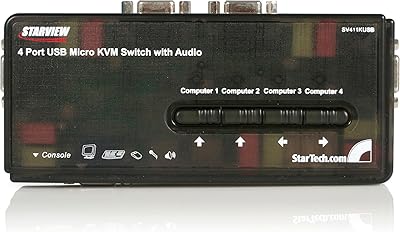
StarTech SV411KUSB 4-Port USB KVM Switch
72%
88%
Ease of Setup
61%
Video Quality
58%
Build Quality
67%
USB Switching Reliability
63%
Audio Passthrough
More
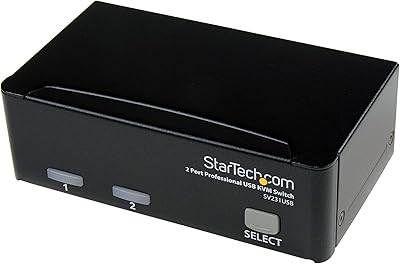
StarTech SV231USB 2-Port VGA USB KVM Switch
81%
88%
Switching Reliability
91%
Setup & Out-of-Box Experience
79%
Video Quality
67%
Compatibility
74%
Value for Money
More
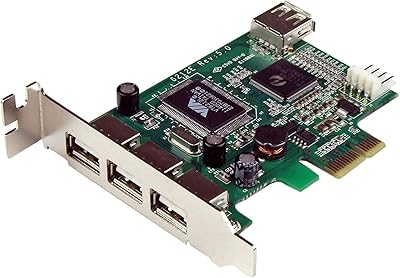
StarTech PEXUSB4DP 4-Port PCIe USB 2.0 Card
82%
92%
Ease of Installation
88%
Port Reliability
91%
Low-Profile Case Compatibility
61%
USB Transfer Speed
83%
Power Delivery per Port
More
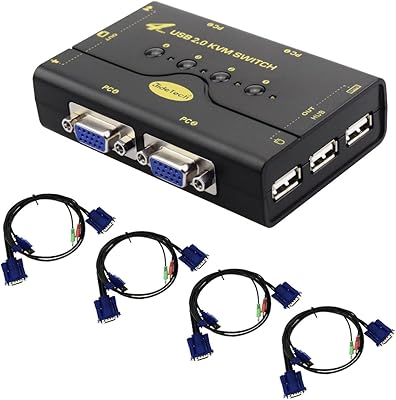
JideTech JD-41UA 4-Port VGA KVM Switch
71%
83%
Value for Money
88%
Ease of Setup
71%
Switching Reliability
67%
Audio Switching
79%
Video Quality
More

FAQ

They all show the same image — that is the fundamental behavior of any VGA splitter. The StarTech ST124PRO 4-Port VGA Splitter mirrors your source signal to all four outputs simultaneously. If you need each display to show different content or act as an extended desktop, you need a multi-output graphics card or a display adapter, not a splitter.
Not at all. Just connect your source to the input, run cables to your displays, and power it on. The unit is completely plug-and-play and works transparently with Windows, macOS, Linux, and any other OS that supports standard VGA output — no configuration required.

Yes, through daisy-chaining. You can connect the output of one unit into the input of another to serve additional displays. That said, signal quality does degrade as you add more stages, so if you are planning a large multi-unit chain, test your specific setup before deploying it across an entire installation.

StarTech rates the maximum VGA cable run at 210 feet (65 meters). In practice, real-world results near that limit depend heavily on cable quality and the displays involved — some users report softness or reduced contrast as they approach the ceiling. For reliable, sharp output, staying under 100 feet is a safer target if image quality is a priority.

It works with both. Any display device that accepts a standard VGA HD-15 connection — monitors, projectors, large-format displays — will work with this four-port splitter. It is a common choice for classroom and conference room setups where a mix of monitors and projectors are used together.

In most real-world conditions, no — the 350 MHz bandwidth is high enough that signal degradation across four outputs is not visible to the eye. Where you might notice a difference is at the absolute maximum resolution with long cable runs on all ports simultaneously, which is an edge case most users will never encounter.

Unfortunately, no. When displays with different native resolutions are connected, the system typically defaults to the lowest resolution supported across all connected screens. If consistent high-resolution output matters to you, using displays with matching native resolutions will give you much better results.

Yes, and that is actually one of its strongest use cases. The passive cooling design means there is no fan to wear out, and the hardware has a well-documented track record of running continuously in signage and control room environments for years without failure. Just make sure it is not installed in a sealed or high-heat enclosure without airflow.

No — this is a VGA-only device. If your displays use HDMI or DisplayPort, you would need a separate signal converter or a different splitter entirely. This VGA splitter is specifically designed for legacy VGA infrastructure and does not include any signal conversion capability.

StarTech.com typically backs their professional hardware with a multi-year warranty, and their technical support team has a solid reputation among IT professionals for providing accurate, technically grounded responses. For current warranty terms specific to your purchase, it is worth confirming directly with StarTech or your retailer at the time of purchase.

Where to Buy