Overview

The StarTech PEXUSB4DP 4-Port PCIe USB 2.0 Card is one of those practical, no-drama upgrades that solves a real problem: your desktop is short on USB ports, and you'd rather not swap out the motherboard to fix it. StarTech has been building connectivity hardware for decades, and this card reflects that institutional knowledge — compact, reliable, and built with low-profile cases in mind. That last point matters more than it sounds; plenty of expansion cards assume you have a full-tower with room to spare. One thing to be clear about upfront: this is a USB 2.0 card, capped at 480 Mbps. For government or enterprise buyers, TAA compliance is baked in.
Features & Benefits

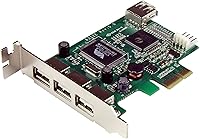
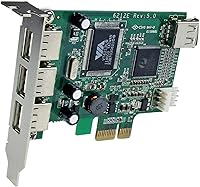
The port layout here is smarter than it first appears. You get three external ports on the bracket plus a fourth as an internal header — handy for connecting hidden devices like a Bluetooth module or an internal card reader without extra cables hanging out the back. The card drops into any available PCIe slot, so compatibility with modern motherboards is essentially a given. Each port supports up to 500mA of power, backed by a dedicated power connector that keeps power-hungry peripherals from dropping out. Installation is plug-and-play on Windows, Mac, and Linux — no driver disc, no manual configuration required.

Best For

This USB expansion card makes the most sense in a few specific scenarios. Desktop users with aging machines that have run out of ports — but still run fine otherwise — get connectivity back without touching the motherboard. IT pros building out compact workstations will appreciate the low-profile bracket, which lets this card fit inside slim cases that a standard-height card simply cannot. The internal USB header is a quiet bonus for anyone wanting to add a hidden device like a Bluetooth adapter or internal hub. And for procurement teams in government or education settings, TAA compliance is often a non-negotiable requirement, making this port-adding card a logical, compliant choice.

User Feedback

With a 4.2-star average across more than 200 reviews, the StarTech PCIe card has built a quiet, consistent track record. Installation is the most praised aspect — buyers consistently report dropping it into their system and having it recognized immediately, with no driver hunting required. The low-profile bracket earns specific mentions from users in slim desktop builds, where case compatibility is a genuine concern. The main criticism is predictable: a few buyers expected USB 3.0 performance and were disappointed by the 480 Mbps ceiling. That is a USB 2.0 limitation, worth knowing before you buy. Long-term stability feedback skews positive, with minimal reports of devices dropping or failing to be recognized after extended daily use.

Pros

  • Drops into any available PCIe slot with no driver installation required on Windows 10 or Linux.
  • The low-profile bracket is included in the box, making this USB expansion card immediately compatible with slim desktop cases.
  • Three external ports plus an internal USB header give you flexible connectivity options in a single card.
  • Dedicated power input ensures peripherals receive stable power, reducing dropouts with demanding USB devices.
  • TAA compliance makes this one of very few low-profile USB cards eligible for government and institutional procurement.
  • Backward compatible with USB 1.0 and 1.1 devices, so older legacy hardware integrates without issue.
  • Works across Windows, Mac, and Linux, covering most mixed-OS environments without additional configuration.
  • Long-term port reliability is consistently praised — peripherals stay recognized through reboots and extended use.
  • The internal USB header is a practical bonus for hiding Bluetooth adapters or card readers inside the case.

Cons

  • USB 2.0 speed ceiling of 480 Mbps makes this port-adding card unsuitable for file transfers to external drives.
  • Official OS compatibility documentation has not been updated to cover Windows 11 or recent macOS releases.
  • The low-profile bracket occasionally requires minor physical adjustment to align correctly in certain slim-case chassis.
  • 500mA per port cannot support tablet charging or bus-powered external hard drives reliably.
  • Printed documentation is minimal and does not cover non-standard Linux configurations or server OS deployment.
  • Home users without TAA compliance requirements may find better value in a USB 3.0 alternative at a similar price.
  • The auxiliary power connector must be connected to achieve rated port output — easy to overlook during installation.
  • Driver stability after Mac OS X updates has caused occasional re-recognition issues requiring a system reboot.

Ratings

The scores below were generated by AI after analyzing verified buyer reviews for the StarTech PEXUSB4DP 4-Port PCIe USB 2.0 Card from across multiple global platforms, with spam, incentivized, and bot-flagged submissions actively filtered out. Both the genuine strengths and the recurring frustrations are reflected here without softening either side. If you are trying to decide whether this port-adding card fits your specific setup, these ratings are designed to give you an honest, grounded picture.
Ease of Installation
92%
Most buyers report the card is recognized immediately after seating it in a PCIe slot — no driver disc, no manual configuration, no BIOS adjustments needed. On Windows 10 and recent Linux distributions especially, the experience is genuinely plug-and-play, which IT professionals managing multiple machines at once find particularly efficient.
A small number of users on older Windows 7 systems or less common Linux distributions report needing to locate drivers manually, which adds friction. Cases involving non-standard PCIe slot configurations on legacy motherboards occasionally require a reboot cycle before the card is recognized.
Port Reliability
88%
Day-to-day reliability is where this USB expansion card earns its reputation. Peripherals like keyboards, mice, barcode scanners, and external drives stay connected without dropping out, even after weeks of continuous use. Buyers running point-of-sale setups or industrial workstations particularly value this consistency.
A handful of reviews mention isolated device recognition failures when connecting power-hungry peripherals without using the dedicated power input connector. Users who skip connecting that auxiliary power lead occasionally experience unstable connections, which is an avoidable issue but still shows up in feedback.
Low-Profile Case Compatibility
91%
The included low-profile bracket is a genuine differentiator for buyers with slim desktops or small-form-factor workstations. Many competing cards only ship with a full-height bracket, so the fact that this one accommodates compact cases out of the box saves buyers from sourcing aftermarket hardware.
The card ships with both bracket options, but a few users report that the low-profile bracket alignment is slightly off on certain slim-case chassis, requiring minor filing or adjustment. It is a minor inconvenience, but worth knowing if your case has particularly tight tolerances.
USB Transfer Speed
61%
39%
For the workloads this card is actually designed for — keyboards, mice, printers, legacy scanners, barcode readers, and similar peripherals — the 480 Mbps USB 2.0 ceiling is entirely sufficient. Backward compatibility with USB 1.0 and 1.1 devices also means older hardware integrates without issue.
This is the single most common source of buyer disappointment. Users who assumed the card offered USB 3.0 performance were caught off guard by the speed ceiling. Transferring large files to a USB flash drive or external hard disk is noticeably slower than modern standards, and this card is simply not the right tool for that job.
Power Delivery per Port
83%
At up to 500mA per port with a dedicated power input, the StarTech PCIe card handles most standard USB peripherals without the voltage sag that cheaper expansion cards often produce. Buyers using multiple input devices or charging small accessories simultaneously report stable, consistent power output.
The 500mA ceiling per port is adequate for most peripherals but falls short for devices that require higher-amperage charging. If you are trying to charge a tablet or power a bus-powered external hard drive through this card, you may hit the limit. The dedicated power connector must be used to achieve even the rated output.
OS Compatibility
86%
Support spans Windows 7 through Windows 10, multiple Windows Server editions, Mac OS X Mavericks and Yosemite, and Linux — making this port-adding card a realistic option for mixed-OS environments. IT departments managing heterogeneous fleets find this breadth genuinely useful rather than merely a marketing claim.
Compatibility with newer OS versions beyond the listed specifications is not officially documented, and buyers running Windows 11 or recent macOS releases note that while the card generally works, it operates on community confirmation rather than manufacturer guarantee. StarTech's documentation has not kept pace with OS updates.
Build Quality
79%
21%
The card feels solid for its weight class — the green PCB is well-constructed and the port housing does not flex when cables are plugged in and out repeatedly. The bracket hardware is metal rather than plastic, which holds up better over time in environments where cables get swapped frequently.
At just 1.62 ounces, the card feels lightweight, and some buyers express mild skepticism about long-term durability in high-vibration environments like server rooms or industrial floors. The PCB coating and component soldering are functional, but this is not premium-grade hardware construction.
TAA Compliance
89%
For procurement teams in federal agencies, government contractors, educational institutions, and certain corporate environments, TAA compliance is not a nice-to-have — it is a purchasing requirement. This USB expansion card meets that standard, which meaningfully narrows the field of eligible alternatives for those buyers.
TAA compliance adds little practical value for home or small-business buyers who have no regulatory requirement to meet. For that audience, paying for compliance they do not need may make competing non-TAA cards at lower price points more attractive options.
Value for Money
74%
26%
For buyers who specifically need low-profile form factor, TAA compliance, or both, the price reflects genuine market scarcity — there are not many cards that check both boxes simultaneously. IT professionals who have priced out the alternatives tend to view the cost as justified given the compatibility and compliance benefits.
For home users simply wanting to add a couple of USB ports to a standard desktop tower, the price is on the higher end for a USB 2.0 card when USB 3.0 alternatives exist at competitive prices. If your use case does not require low-profile form or TAA compliance, better value options exist in this space.
Documentation & Packaging
71%
29%
The package includes both full-height and low-profile brackets, which is practical and reduces the chance of buyers discovering mid-install that they have the wrong hardware. Basic installation guidance is included, and StarTech's online support resources are generally well-organized for a connectivity hardware brand.
The printed documentation is minimal — essentially a quick-start sheet — and more complex installation scenarios like Linux driver configurations or server OS deployment are not covered in depth. Buyers with non-standard setups often end up on community forums rather than official documentation.
PCIe Slot Compatibility
87%
Using a PCIe interface rather than the older PCI standard means this card slots into virtually any desktop motherboard built in the last decade, including those that have fully dropped legacy PCI support. System builders and IT professionals appreciate not having to audit motherboard slot availability before purchasing.
The card occupies a PCIe lane, which on entry-level or older motherboards with limited slots can create a minor resource conflict with other expansion cards. Buyers running a GPU, sound card, and this USB card simultaneously on a budget motherboard occasionally report needing to adjust slot assignments.
Internal USB Header Utility
78%
22%
The fourth port as an internal USB header is a feature many buyers did not expect to use but end up appreciating. Connecting a hidden Bluetooth adapter, an internal card reader, or a USB hub to the header keeps the exterior of the case clean and reduces visible cable clutter significantly.
The internal header is a nice addition but requires a compatible internal USB device and some comfort with cable routing inside the case. Buyers who are not familiar with internal headers may find it confusing, and the documentation does not walk through this use case in any meaningful detail.
Driver Stability Over Time
82%
18%
Long-term driver stability is generally solid — buyers who have run this card for one to three years report that Windows and Linux updates do not typically break functionality. The lack of proprietary driver software means there is less surface area for update-related conflicts to emerge.
Some buyers on Mac OS X report that system updates occasionally require re-recognition of the card, with a reboot resolving the issue. It is not a severe problem, but in production environments where uptime matters, any post-update disruption is a concern worth noting.

Suitable for:

The StarTech PEXUSB4DP 4-Port PCIe USB 2.0 Card is a well-matched solution for anyone working with a desktop that has run out of USB ports but is otherwise perfectly functional — the kind of machine where a full motherboard replacement would be overkill. IT professionals managing fleets of slim workstations will find real value here, particularly because the included low-profile bracket makes it compatible with compact cases that simply cannot accept a standard-height card. If your environment relies on legacy USB peripherals — barcode scanners, receipt printers, older input devices, lab instruments — this USB expansion card provides the stable, consistent connectivity those devices need without the complexity of USB hubs or dongles. Government agencies, federal contractors, and educational institutions with TAA compliance requirements will also find this one of the few low-profile cards in this category that meets that standard, which can make it the only viable option in regulated procurement environments. DIY builders who want to route a hidden Bluetooth adapter or internal USB device through the onboard header will appreciate having that flexibility built in from the start.
Not suitable for:

Anyone expecting USB 3.0 performance should stop here — the StarTech PEXUSB4DP 4-Port PCIe USB 2.0 Card is capped at 480 Mbps, which is the hard ceiling of the USB 2.0 standard, and no configuration or firmware change will alter that. If you regularly transfer large files to external drives or USB flash storage, the speed limitation will be a daily frustration rather than an occasional inconvenience. Home users with a standard full-tower desktop and no compliance requirements may also find the price harder to justify when USB 3.0 PCIe expansion cards exist at competitive price points with meaningfully faster throughput. This port-adding card is also not the right pick for anyone needing to charge tablets, power bus-powered hard drives, or support high-amperage USB devices, since 500mA per port is a firm limit. Finally, buyers on platforms running the very latest OS versions — Windows 11 or current macOS — should note that official compatibility documentation has not been updated to cover those environments, which introduces a small but real uncertainty for production systems where stability is non-negotiable.

Specifications

  • Interface: The card connects to the host system via a PCI Express (PCIe) slot, ensuring compatibility with modern motherboards that have phased out legacy PCI.
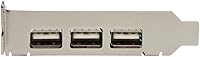
  • External Ports: Three USB 2.0 Type-A ports are accessible from the rear bracket for connecting external peripherals.
  • Internal Header: One internal USB 2.0 header is included, allowing connection of internal devices such as Bluetooth adapters or card readers.
  • USB Standard: The card is fully USB 2.0 compliant and backward compatible with USB 1.0 and USB 1.1 devices.
  • Transfer Rate: Maximum data transfer rate is 480 Mbps, which is the hard ceiling of the USB 2.0 specification.
  • Power per Port: Each port delivers up to 500mA of power, supported by a dedicated auxiliary power input connector on the card.
  • Power Input: A dedicated power connector is included on the PCB to ensure stable, consistent power delivery across all four ports simultaneously.
  • Form Factor: The card ships with both a full-height and a low-profile bracket, making it compatible with standard tower and slim desktop cases.
  • Dimensions: The card measures 3.5″ long by 3.1″ wide by 0.8″ high, fitting comfortably in a single PCIe expansion slot.
  • Weight: The card weighs 1.62 ounces, making it a lightweight addition that places no meaningful stress on the PCIe slot.
  • PCB Color: The printed circuit board is green, which is standard for StarTech connectivity hardware in this product line.
  • TAA Compliance: This card is Trade Agreements Act (TAA) compliant, meeting federal procurement requirements for government and institutional buyers.
  • OS Support: Officially supported operating systems include Windows 7 through Windows 10, Windows Server 2012 through 2019, Mac OS X Mavericks and Yosemite, and Linux.
  • Plug-and-Play: The card is plug-and-play compatible on supported operating systems, typically requiring no manual driver installation after physical installation.
  • Processor Count: The card uses a single onboard USB controller chip to manage all four ports.
  • Brand: Manufactured by StarTech.com, a connectivity hardware brand with over three decades of experience in expansion cards, cables, and accessories.
  • Model Number: The official model number is PEXUSB4DP, used for warranty registration, driver lookup, and procurement documentation.
  • Availability Status: As of the most recent listing data, this card has not been discontinued by the manufacturer and remains in active production.
  • Market Rank: The card holds a Best Sellers Rank of #113 in the Internal USB Port Cards category on Amazon.
  • Average Rating: Based on 227 verified ratings, the card holds an average score of 4.2 out of 5 stars across buyer reviews.

Related Reviews
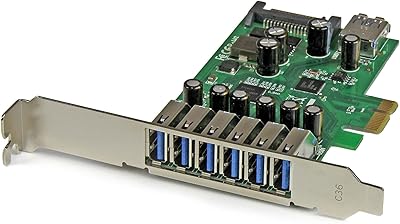
StarTech PEXUSB3S7 7-Port PCIe USB 3.0 Card
79%
91%
Ease of Installation
84%
Build Quality
88%
Port Count & Layout
76%
Transfer Performance
78%
Driver & OS Compatibility
More
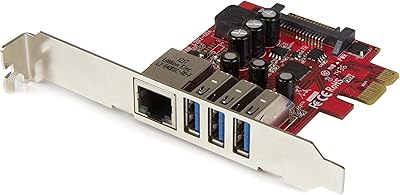
StarTech PEXUSB3S3GE USB 3.0 PCIe Card
75%
83%
Ease of Installation
78%
USB Port Performance
57%
Ethernet Reliability
61%
Build Quality
68%
Value for Money
More
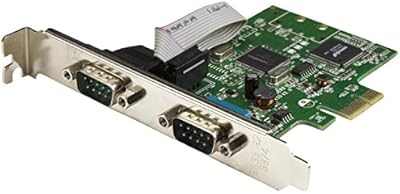
StarTech PEX2S1050 2-Port PCIe Serial Card
80%
88%
Driver Installation & Setup
61%
OS Compatibility
91%
Signal Reliability & UART Performance
83%
Physical Build Quality
86%
Low-Profile Bracket Usability
More
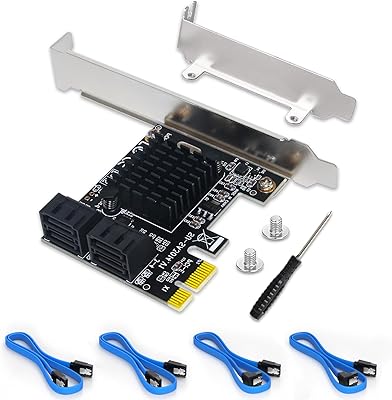
Moonqkuses 4-Port SATA 3.0 PCIe Expansion Card
78%
88%
Ease of Installation
91%
Driver & OS Compatibility
86%
Drive Detection Reliability
72%
Boot as System Disk
78%
Thermal Performance
More
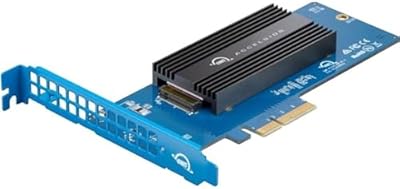
OWC 2TB Accelsior 1M2 M.2 SSD to PCIe 4.0 Adapter Card
86%
91%
Performance
88%
Ease of Installation
89%
Compatibility with Mac/PC
93%
Data Transfer Speed
85%
Build Quality
More
HighPoint Rocket 640L 4-Port SATA RAID Controller
69%
83%
Ease of Installation
44%
Linux Driver Support
57%
RAID Reliability
79%
JBOD & Port Expansion Performance
88%
3TB+ Drive Compatibility
More
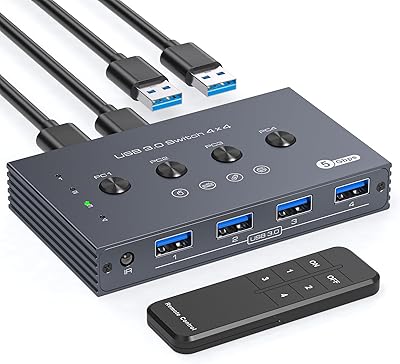
TJCXELE USB 3.0 Switch Selector 4-Port for 4 Computers
88%
94%
Ease of Use
89%
Performance
91%
Remote Control Feature
76%
Power Supply and Stability
98%
Setup and Installation
More
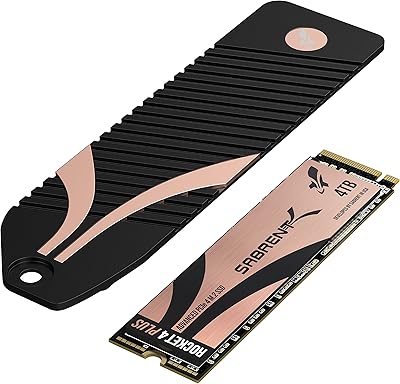
Sabrent 4TB Rocket 4 Plus NVMe 4.0 Gen4 PCIe M.2 SSD
87%
95%
Performance
89%
Thermals & Cooling
93%
PS5 Compatibility
85%
Value for Money
91%
Build Quality & Durability
More
StarTech 8-Port SATA III PCIe Expansion Card
80%
88%
Drive Detection Reliability
84%
Multi-Controller Architecture
79%
OS Compatibility
86%
Motherboard Compatibility
81%
Included Cables
More
StarTech PEX1394B3 3-Port FireWire PCIe Card
87%
91%
Data Transfer Speed
89%
Ease of Installation
93%
Compatibility with Operating Systems
84%
Build Quality
88%
Reliability
More

FAQ

StarTech has not officially updated compatibility documentation to include Windows 11, but many users report it working without issues under that OS. Since the card relies on standard USB controller drivers that Windows 11 includes natively, plug-and-play recognition typically works fine. That said, if you are deploying this in a regulated or production environment, the lack of official certification is worth noting.

In most cases, no. On Windows 10, recent Linux distributions, and the listed Mac OS X versions, the card is recognized automatically after installation. The only scenarios where manual driver installation tends to come up are older Windows versions or less common Linux kernel builds, where you may need to pull drivers from StarTech's support site.

Yes, and this is actually one of the card's strongest selling points. The package includes a low-profile bracket alongside the standard full-height one, so you do not need to source a replacement bracket separately. Just swap the bracket before installing and it should fit most slim and mini-tower cases without issue.

No, and this is important to understand before purchasing. The StarTech PEXUSB4DP 4-Port PCIe USB 2.0 Card is strictly USB 2.0, with a maximum transfer rate of 480 Mbps. If you need faster throughput for external drives or large file transfers, you would want to look at a USB 3.0 PCIe expansion card instead.

Technically the card can function without it, but you should connect it. The auxiliary power connector ensures each port can deliver up to 500mA stably. Without it, power-hungry peripherals may behave erratically or fail to be recognized, especially if multiple ports are in use simultaneously.

The internal header works just like a motherboard USB header — you can connect internal Bluetooth adapters, internal card readers, or proprietary internal USB devices. It is a practical way to add hidden connectivity without running cables out the back of the case, and DIY builders use it frequently for that reason.

The card is officially listed as Linux-compatible, and in practice it works well on most mainstream distributions including Ubuntu, Debian, Fedora, and CentOS. The underlying USB controller typically uses a kernel driver that is already included in most modern Linux builds, so no additional setup is usually required.

Yes, it is TAA compliant. Whether it matters depends entirely on your context — for most home and small business buyers, TAA compliance is irrelevant. But for federal government agencies, contractors working on government projects, and many educational institutions, TAA compliance is a hard procurement requirement, and this card is one of relatively few low-profile USB expansion cards that qualifies.

This card uses a single PCIe lane, which is standard for USB expansion cards in this category. It will fit in any available PCIe x1, x4, x8, or x16 slot, giving you significant flexibility when choosing which slot to use on your motherboard.

StarTech.com typically backs their hardware with a two-year warranty, though you should verify current terms on their official site or your retailer's listing at the time of purchase. StarTech also offers direct technical support, which buyers report is more responsive than what you get from off-brand expansion card manufacturers.

Where to Buy