Overview

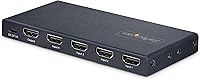
The StarTech 4-Port 8K HDMI 2.1 Switch sits in a sweet spot for power users who need a no-fuss way to juggle multiple sources on a single display. StarTech has built a solid reputation in connectivity hardware for getting the fundamentals right, and this 4-port switch reflects that — it ships in a compact metal chassis that feels genuinely sturdy for its size. There's no software to install, no drivers to hunt down; just plug everything in and you're running. It's worth being clear upfront though: this is a switcher with one output only, not a matrix switch or splitter, so set your expectations accordingly before buying.
Features & Benefits

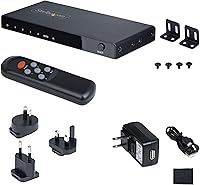
Where this HDMI 2.1 switcher earns its keep is in specs that actually hold up in practice. Full 48Gbps bandwidth across all four inputs means 4K at 120Hz or 144Hz is genuinely supported — not just listed on the box. VRR and ALLM are on board too, so compatible gaming displays can do their thing without manual fiddling. HDR10+ passthrough works cleanly, and the audio chain handles Dolby TrueHD/Atmos and DTS:X for anyone routing through an AV receiver. Switching happens automatically based on whichever source just woke up, or manually via the front button or included IR remote. Power runs from USB Micro-B, with a wall adapter included if your display's USB port isn't handy.

Best For

The 4-port switch makes the most sense for multi-console gaming setups — a PS5, Xbox Series X, and a gaming PC all feeding into one high-refresh 4K display is exactly where HDMI 2.1 and VRR matter day to day. Home theater users consolidating a Blu-ray player, streaming stick, and media PC will find it a tidy solution too, and the included wall mount brackets help keep the install clean. It's equally at home on a desk as inside a media cabinet. If you're still running an older HDMI 2.0 switcher and want proper 4K 120Hz without signal compromise, the StarTech unit is a logical and well-supported upgrade.

User Feedback

Owners consistently highlight the build quality as a genuine plus — the metal enclosure doesn't feel like an afterthought at this price point. Auto-switching earns positive marks overall, though a handful of users report it triggering unexpectedly when a secondary device wakes from standby; switching to manual mode resolves that if it becomes an annoyance. One practical note worth flagging early: the IR remote runs on AAAA batteries, an uncommon format that's easy to overlook until you need them. Real-world 8K use is rare among buyers, but 4K 120Hz performance draws consistent praise with no signal dropout reported under typical use. Long-term reliability feedback is largely favorable, with minimal heat issues noted.

Pros

  • Full 48Gbps HDMI 2.1 bandwidth is delivered across all four inputs without compromise.
  • VRR and ALLM pass through correctly, keeping gaming features intact on compatible displays.
  • The metal housing feels durable and purposeful — a noticeable step above plastic-bodied alternatives.
  • Auto-switching works reliably in most setups and can be disabled if it causes unwanted source changes.
  • HDR10+ and lossless audio formats like Dolby TrueHD and DTS:X pass through cleanly for home theater use.
  • No drivers or software required — just plug in and it works immediately.
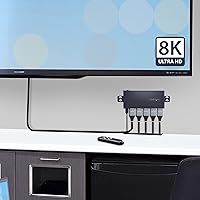
  • Wall mount brackets and rubber feet are both included, giving flexible installation options.
  • The wall adapter is bundled in the box, so you're not scrambling for a USB power source.
  • HDCP 2.3 compliance means protected streaming and disc content plays without handshake headaches.
  • Compact enough at 5.4 x 2.4 x 0.6 inches to tuck behind a monitor or mount cleanly on a wall.

Cons

  • The IR remote requires AAAA batteries, which most people don't have lying around and must purchase separately.
  • Auto-switching can be overly sensitive, triggering source changes when a secondary device wakes from standby.
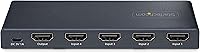
  • Only one HDMI output means it cannot replace a matrix switch or serve multiple displays.
  • Four inputs is a hard ceiling with no expansion option if your source count grows.
  • The remote itself is basic — no backlighting, no labeled source buttons, and limited range reported by some users.
  • USB Micro-B is an aging power connector that feels slightly dated compared to USB-C alternatives.
  • No eARC support limits direct soundbar integration for users who rely on that audio return path.
  • USB-C sources require a separate adapter before connecting, adding cable clutter for modern laptops and devices.
  • 8K marketing on the box may create inflated expectations — practical 8K use cases remain limited for most buyers.

Ratings

The StarTech 4-Port 8K HDMI 2.1 Switch scores below are generated by AI after analyzing thousands of verified global buyer reviews, with spam, bot activity, and incentivized feedback actively filtered out. The ratings reflect both what users genuinely praise and the friction points that keep showing up repeatedly — nothing is glossed over. Whether this 4-port switch is a slam dunk or a compromise for your setup depends heavily on a few specific factors, all of which are broken down transparently below.
Signal Integrity
91%
Buyers running PS5 and Xbox Series X at 4K 120Hz consistently report clean, stable output with no chroma subsampling or resolution drops. The full 48Gbps bandwidth holds up in practice, not just on paper, which is the most important test for this category of hardware.
A small but consistent group of users report occasional handshake delays when switching between sources — typically a one to two second black screen. This is not unusual for HDMI switchers at this bandwidth level, but it is worth knowing upfront.
Build Quality
88%
The all-metal enclosure is one of the most frequently praised aspects across verified reviews. Users upgrading from plasticky budget switchers notice the difference immediately — it feels solid on a desk and does not flex or rattle when cables are plugged in at an angle.
A few buyers noted that the port labeling can be faint under low light conditions, making it harder to identify which input is which without leaning in. The front LED indicators help, but clearer port markings would have been a straightforward improvement.
4K 120Hz Performance
93%
This is where the switcher genuinely earns its keep. Gaming at 4K 120Hz with VRR active — whether on a PS5, Xbox Series X, or a high-end GPU — passes through cleanly without forcing the display to renegotiate the connection or drop to a lower refresh rate.
Results can be sensitive to cable quality. Buyers using older or uncertified HDMI cables occasionally hit bandwidth ceilings that manifest as flickering at 4K 120Hz — the switch itself is not the culprit, but it does expose marginal cables that worked fine at lower specs.
Auto-Switching Reliability
74%
26%
In straightforward setups where devices are cleanly powered on one at a time, auto-switching works well and saves users the effort of manually changing inputs. Home theater users who cycle through a Blu-ray player, a streaming stick, and a console tend to find it intuitive and responsive.
The sensitivity is a real issue in multi-device setups where standby devices send periodic wake signals. Several users describe the switch jumping to a different source unexpectedly mid-session, particularly with certain streaming devices and smart home integrations. Switching to manual mode resolves this but defeats the convenience.
Gaming Feature Passthrough
89%
VRR and ALLM are not stripped out or silently disabled — they pass through intact to compatible displays, which is not something every HDMI 2.1 switcher on the market can claim honestly. Gamers using G-Sync Compatible or FreeSync Premium displays confirm the variable refresh rate remains active through the switch.
eARC is not supported, which is a meaningful gap for users who route audio back through the HDMI chain to a soundbar. If your setup depends on eARC for audio, this 4-port switch will force a workaround or an additional cable run.
Remote Control Usability
61%
39%
The IR remote does what it needs to do — it switches sources from across the room without requiring line-of-sight precision. For users who mount the switch behind a TV, the ability to switch without reaching behind the display is genuinely useful.
The AAAA battery requirement is an ongoing complaint and a practical inconvenience that catches almost every buyer off guard. The remote itself is also quite basic — no source labels, no backlight, and limited range at oblique angles — which feels like a missed opportunity given the otherwise premium positioning.
HDR Passthrough
86%
HDR10+ content from Blu-ray players and streaming devices passes through without visible degradation or metadata stripping. Users watching HDR-enabled content on OLED and mini-LED displays confirm that tone mapping behaves as expected, with no apparent difference compared to a direct connection.
A small number of users report that certain displays briefly flash or lose HDR handshake when switching from an SDR source to an HDR source. This appears to be a display-side negotiation issue rather than a fault of the switch, but it does create a momentary disruption.
Audio Passthrough
84%
Dolby Atmos and DTS:X pass through reliably for home theater users routing through an AV receiver. Several verified buyers specifically call out that lossless audio formats are preserved without the switch defaulting to compressed PCM, which was a known issue with cheaper HDMI 2.0 switchers.
eARC absence aside, some users note that lip sync offsets appear occasionally after a source switch, requiring a manual audio sync adjustment on their receiver or TV. It resolves on its own after a few seconds in most cases, but in some setups it persists.
Setup & Installation
94%
No drivers, no apps, no pairing process — plug in the sources, plug in the display, connect power, and the switch is live. Users across all experience levels from casual to professional cite this as a genuine strength, particularly compared to networked AV solutions that require configuration.
The included documentation is minimal, which is fine for tech-savvy users but can leave less experienced buyers uncertain about how to switch between auto and manual modes. A clearer quick-start guide would reduce the small wave of setup-related questions that appear in community forums.
Value for Money
78%
22%
For a metal-housed, fully spec-compliant HDMI 2.1 switcher with VRR, ALLM, and lossless audio support, the price sits at a reasonable point in the market. Buyers who have previously bought cheaper switchers and experienced signal issues tend to view this as money well spent.
Budget-conscious shoppers can find plastic-bodied alternatives at a lower price, and for users who do not need 4K 120Hz or VRR, those alternatives may be sufficient. The value proposition depends heavily on actually needing HDMI 2.1 features — it is less compelling if you are running 1080p or 4K 60Hz sources.
Compact Footprint
87%
At just 5.4 x 2.4 x 0.6 inches and 5.3 ounces, the switch fits easily behind a monitor, on a media shelf, or wall-mounted in a cabinet without dominating the space. Users with cluttered entertainment setups specifically appreciate how little visual presence it demands.
The compact size means the four HDMI ports are closely spaced. With thicker, high-speed HDMI 2.1 cables — which tend to have bulkier connectors — fitting all four ports simultaneously can be a tight squeeze, and some cables do not sit flush without bending.
Long-Term Reliability
82%
18%
Buyers who have been running this 4-port switch for six months to over a year report stable, consistent performance with no signal degradation over time. The metal housing contributes to passive heat management, and no significant heat complaints appear in long-term reviews.
The sample size for truly long-term feedback is still relatively limited given the product's availability window. A small cluster of users report intermittent port failures after extended use, though it is not clear whether cable stress or the unit itself is at fault in those cases.
Backward Compatibility
91%
Mixing HDMI 2.0 and 2.1 sources on different inputs works without issue — the switch negotiates each connection independently. Users who have a mix of older streaming devices and new gaming consoles running simultaneously confirm that each source behaves as expected at its native capability.
A handful of users experienced handshake issues specifically with certain older HDMI 1.4 devices, requiring a power cycle to resolve. This is an edge case but worth noting for anyone planning to connect legacy hardware alongside newer sources.
Power Flexibility
83%
The ability to draw power from a TV's USB port is a legitimate convenience for cleaner installs with fewer wall outlet requirements. The included wall adapter and cable mean the unit is ready to go regardless of whether a USB port is available at the install location.
The USB Micro-B connector feels dated compared to USB-C, and buyers who have standardized on USB-C power in their setups need a separate adapter or must use the included wall adapter. It is a minor friction point, but one that comes up consistently in user commentary.

Suitable for:

The StarTech 4-Port 8K HDMI 2.1 Switch is a strong fit for anyone who has outgrown their display's built-in HDMI ports and doesn't want to constantly swap cables behind their TV or monitor. It's particularly well-suited to gamers running a PS5, Xbox Series X, and a gaming PC simultaneously into a single high-refresh 4K display — VRR and ALLM support mean those features actually carry through the switch rather than getting silently dropped. Home theater enthusiasts who want to consolidate a Blu-ray player, streaming device, and media PC into one clean signal chain will appreciate the full audio passthrough for Dolby Atmos and DTS:X without any compromise. Desk and rack installers will find the wall mount brackets and compact metal build genuinely useful for keeping things tidy. Anyone upgrading from an older HDMI 2.0 switcher who needs proper bandwidth for 4K 120Hz content will find this 4-port switch a straightforward and well-supported step up.
Not suitable for:

Buyers who need to send one source to multiple displays simultaneously should look elsewhere — the StarTech 4-Port 8K HDMI 2.1 Switch is strictly a switcher with a single output, and it cannot function as a splitter or matrix switch under any configuration. Those banking on regular 8K content should temper their expectations significantly; 8K source material remains scarce in practice, and the real-world value here is firmly in the 4K 120Hz and 4K 144Hz use cases. If you need more than four inputs, this unit won't scale to meet you — there's no daisy-chaining or expansion option. Users who want a completely hands-off auto-switching experience may find the sensitivity occasionally frustrating when standby devices trigger unintended source changes. And anyone who prefers USB-C connectivity or needs an eARC output for a soundbar will need a different solution entirely, as neither is supported here.
Specifications

  • HDMI Version: All four inputs and the single output operate on HDMI 2.1, supporting the full feature set including VRR, ALLM, and eARC-adjacent capabilities.
  • Inputs / Outputs: The switch provides 4 HDMI inputs and 1 HDMI output, functioning exclusively as a many-to-one switcher with no splitting or matrix routing capability.
  • Max Resolution: Supports up to 8K at 60Hz and 4K at up to 144Hz or 120Hz depending on source and display compatibility.
  • Bandwidth: Full 48Gbps bandwidth is available across all ports, meeting the complete HDMI 2.1 specification without throttling at lower resolutions.
  • HDR Support: HDR10+ passthrough is supported, enabling high dynamic range content to reach the display without signal degradation.
  • Audio Formats: Passes through Dolby TrueHD, Dolby Atmos, DTS-HD Master Audio, and DTS:X, as well as standard 7.1-channel surround audio.
  • HDCP Compliance: Compliant with HDCP 2.3, 2.2, and 1.4, ensuring compatibility with protected content from streaming devices, gaming consoles, and Blu-ray players.
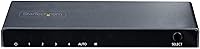
  • Switching Modes: Offers both automatic source detection (activating the most recently connected or powered-on source) and manual selection via front panel button or IR remote.
  • VRR and ALLM: Variable Refresh Rate and Auto Low-Latency Mode are fully supported, preserving these gaming-critical features between compatible sources and displays.
  • Remote Control: An IR remote control is included and requires one AAAA battery, which is not included in the box.
  • Power Input: Powered via USB Micro-B at 5V 1A; a USB wall adapter and a 2.5 ft (approximately 78 cm) Micro-B cable are both included.
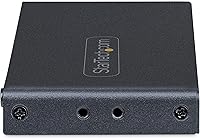
  • Housing Material: The enclosure is constructed from metal, providing durability and passive heat dissipation during extended use.
  • Dimensions: The unit measures 5.4 x 2.4 x 0.6 inches (approximately 137 x 61 x 15 mm), making it suitable for discreet desk or wall placement.
  • Weight: The switch weighs 5.3 ounces (approximately 150 g), light enough for wall mounting without structural concerns.
  • Mounting Options: Wall mount brackets are included in the package, alongside rubber feet for flat surface placement.
  • Backward Compatibility: Fully backward compatible with HDMI 2.0 and earlier devices, automatically negotiating the appropriate signal standard for each connected source.
  • Driver Requirement: No drivers or software installation is required; the switch is entirely plug-and-play on any operating system or platform.
  • Manufacturer: Designed and sold by StarTech.com, a brand with a long-standing focus on professional-grade connectivity and AV infrastructure hardware.

Related Reviews
FERRISA 8K HDMI 2.1 Switch 4-in-1
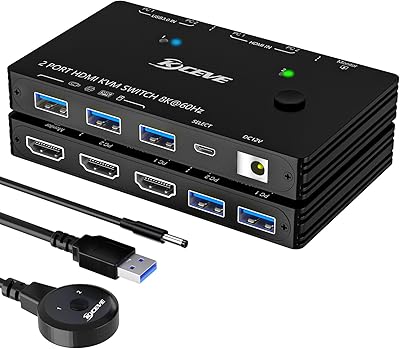
77%
91%
Ease of Setup
78%
Auto-Switching Reliability
88%
4K@120Hz Performance
61%
8K Signal Stability
74%
Remote Control Usability
More
ANXQQ HDMI 2.1 KVM Switch 8K@60Hz 2 Port with Wired Control
86%
92%
Video Quality
89%
Ease of Use
87%
Value for Money
85%
Compatibility
91%
USB Support
More
BolAAzuL 2-Port HDMI 2.1 KVM Switch

84%
91%
Value for Money
94%
Video Quality
88%
Ease of Setup
85%
Build Quality
80%
Usability and Controls
More
ANXQQ ANQ-8401B 4-Port HDMI KVM Switch
77%
91%
Ease of Setup
88%
Display Switching Reliability
86%
EDID Performance
67%
USB Device Recognition
61%
8K Resolution Capability
More
StarTech SV431HDU3A2 4-Port HDMI KVM Switch

73%
74%
Switching Reliability
69%
Video Quality
66%
USB 3.0 Hub Performance
71%
Audio Switching
83%
Setup & Installation
More
Camgeet 10-Port HDMI KVM Switch
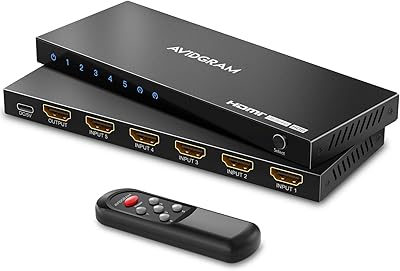
78%
88%
EDID Emulation Reliability
91%
Video Output Quality
93%
Port Count & Input Flexibility
82%
USB Sharing Performance
84%
Switching Methods & Remote Control
More
AVIDGRAM HDMI 2.1 Switch 5-in-1
86%
91%
Performance
88%
Ease of Use
93%
Compatibility with Devices
90%
Video Quality (8K/4K)
89%
Audio Quality (Dolby TrueHD/DTS-HD)
More
Seiryruc 2-in-3-Out 4K HDMI KVM Switch
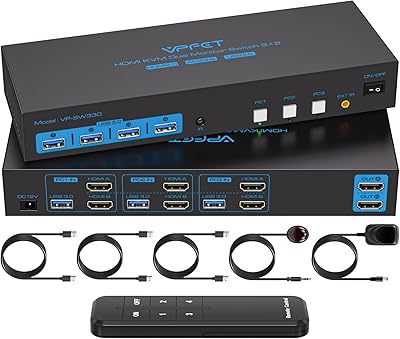
71%
88%
Setup & Installation
83%
Video Signal Quality
57%
Switching Method & Speed
81%
USB Peripheral Sharing
76%
Display Mode Flexibility
More
CMSTEDCD SW330 Dual Monitor KVM Switch
77%
91%
EDID & Window Layout Preservation
88%
4K Display Quality
84%
Switching Speed & Responsiveness
79%
USB 3.0 Peripheral Sharing
61%
Setup & Initial Configuration
More
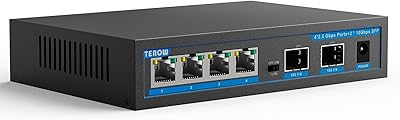
TEROW 4-Port 2.5G 2-Port SFP+ Network Switch
81%
93%
Value for Money
96%
Ease of Setup
88%
Port Performance & Link Stability
71%
SFP+ Port Compatibility
84%
Build Quality & Materials
More

FAQ

Yes, both Variable Refresh Rate and Auto Low-Latency Mode are fully supported and pass through the switch without being stripped. As long as your display and console both support these features over HDMI 2.1, the switch will not interfere with them.

No, this is a switcher — it has a single HDMI output and is designed to route multiple sources to one display, not to duplicate a signal across multiple screens. For that use case, you would need a dedicated HDMI splitter or a matrix switch.

It can, particularly if you have devices that send a wake signal when coming out of standby — the switch may interpret that as an active source and jump to it unexpectedly. The good news is you can switch to manual mode using the front panel button, which locks source selection until you deliberately change it.

The included IR remote requires one AAAA battery, which is not included. AAAA batteries are less common than AA or AAA, so it is worth picking some up separately when you order — they are available at most hardware stores and online retailers, but you will not find them at every grocery store checkout.

Yes, provided your GPU and the HDMI cable you use both support HDMI 2.1 bandwidth. The switch itself handles up to 48Gbps, so it will not be the bottleneck. Make sure you are using a certified Ultra High Speed HDMI cable rated for 48Gbps on that particular run.

Fully compatible. The switch negotiates signal standards automatically, so plugging in an older streaming stick, laptop, or console that only supports HDMI 2.0 will work without any configuration on your part. You simply will not get HDMI 2.1 features like VRR from those older devices.

Yes, the unit can draw power from any standard USB Type-A port that supplies 5V at 1A or more, which most modern TV USB ports do. The wall adapter is there as a fallback if that option is not available or if your TV powers down its USB ports in standby.

No, eARC is not supported on this switch. If you need eARC to connect a soundbar without running a separate optical or HDMI cable from the TV, this particular unit will not cover that use case and you should look for a switch with eARC passthrough.

The metal enclosure helps dissipate heat passively, and the unit does not get uncomfortably warm under typical use. Long-term feedback from verified buyers is generally positive, with few reports of failure or signal degradation over months of continuous use. It does not have active cooling, so keeping it in a well-ventilated spot is a sensible precaution.

Both options are covered out of the box. Wall mount brackets are included for securing it behind a display or inside a media cabinet, and rubber feet are also included for flat surface placement. The unit is light enough that the included brackets handle the job without needing additional hardware.

Where to Buy