Overview
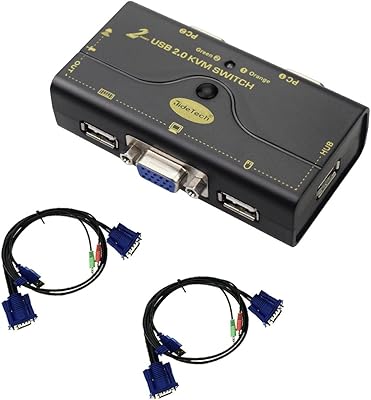
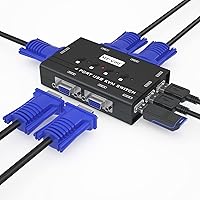
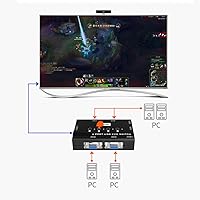
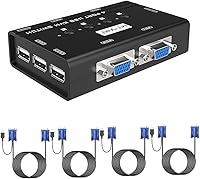
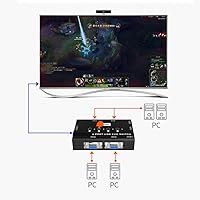
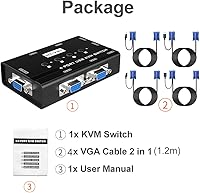
The MT-VIKI 460KL 4-Port VGA KVM Switch is a straightforward, no-frills solution for anyone juggling multiple computers at a single desk. It lets you share one monitor, keyboard, mouse, and even a printer across up to four machines — a practical setup for home offices or small workspaces that don't need anything fancy. Four 2-in-1 KVM cables are included in the box, which is a genuine convenience at this price point. It supports resolutions up to 1920x1440, covering 1080p and older display standards without issue. Over 630 Amazon buyers have weighed in with an average 4.4-star rating, which is respectable for a budget peripheral.
Features & Benefits
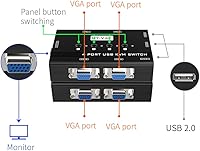
This desktop sharing box keeps things practical with three USB 2.0 hub ports built right into the unit, so you can share a printer or plug in a flash drive without disconnecting anything. Just don't expect fast file transfers — USB 2.0 is perfectly adequate for peripherals, not bulk data. Switching between computers is handled by physical push buttons, which feels more dependable than software-based methods. The box supports DDC, meaning your monitor gets identified automatically with no fiddling required after every switch. Cable management stays tidy too, since the included cables carry both power and data over a single USB connection.
Best For
This 4-port VGA KVM switch is squarely aimed at users who still run VGA monitors — and that's not a knock. Plenty of workplaces and home labs run older displays that work perfectly fine. IT techs managing a handful of legacy machines, retro computing hobbyists with mixed OS setups, or small offices that just need a cost-effective sharing solution will find it fits the bill. It works across Windows, Mac, Linux, and even DOS or Unix environments with no driver installation required. If you want plug-and-play simplicity and don't need DisplayPort or HDMI, this is a genuinely sensible choice.
User Feedback
Buyers tend to appreciate how quickly the MT-VIKI switch gets up and running — most report it working right out of the box with no configuration needed. The build quality draws positive comments too, especially given the price tier. On the flip side, a handful of reviewers mention occasional keyboard or mouse dropout when waking a computer from sleep, which can be annoying in daily use. Some users note the included cables are on the shorter side, which may cause problems if your machines are spread across a larger desk. Long-term button durability comes up occasionally, though the majority of buyers seem satisfied after extended use.
Pros
- Ships with four KVM cables included, so most buyers can set up without purchasing anything extra.
- Push-button switching is fast, tactile, and reliable — no software, no lag, no guesswork.
- Works across a remarkably wide range of operating systems, including Linux, Mac, and legacy Windows builds.
- The built-in USB hub lets you share a printer or USB storage device across all connected machines.
- DDC support means your monitor is recognized automatically after every switch, with no manual reconfiguration.
- Bus-powered design keeps the setup clean — no extra power adapter cluttering your desk.
- Lightweight and compact enough to sit on a desk or tuck out of sight underneath it.
- Solid 4.4-star rating from a large pool of real buyers points to consistent, dependable performance.
- Supports resolutions up to 1920x1440, which covers 1080p and most common VGA monitor standards.
Cons
- USB 2.0 hub ports are too slow for practical file transfers between machines — peripheral use only.
- Some users report intermittent keyboard or mouse dropout when a connected PC wakes from sleep.
- Included cables may be too short for larger desks or setups where machines are spread apart.
- No HDMI or DisplayPort support means this switch is a dead end if you upgrade your monitor.
- Push buttons may show wear over time with heavy daily use, based on a subset of long-term buyer reports.
- No hotkey switching option, which some users coming from higher-end KVM switches may miss.
- Limited to four ports — users who need to connect five or more machines will need a different unit.
- Audio switching is not supported, so users who need shared speakers must handle that separately.
Ratings
Our AI rating engine analyzed hundreds of verified global purchases of the MT-VIKI 460KL 4-Port VGA KVM Switch, actively filtering out incentivized, duplicate, and bot-generated feedback to surface what real users actually experience day to day. Scores reflect both where this desktop sharing box genuinely delivers and where it falls short — no sugarcoating, no omissions. The result is a transparent, balanced scorecard that helps you decide whether this switch fits your specific setup.
Value for Money
Ease of Setup
Switching Reliability
Build Quality
Video Output Quality
USB Hub Performance
Cable Quality & Length
OS Compatibility
Peripheral Sharing
Footprint & Placement
Long-Term Durability
Plug-and-Play Experience
Resolution Support
Suitable for:
The MT-VIKI 460KL 4-Port VGA KVM Switch is a strong fit for anyone managing multiple computers from a single desk who hasn't yet moved away from VGA displays — and there's nothing wrong with that if your monitors still serve you well. IT technicians maintaining a small cluster of legacy machines will find the plug-and-play setup saves real time, since there are no drivers to install and OS compatibility is broad enough to cover just about anything you might throw at it, including Linux and older Windows builds. Home lab hobbyists who run a mix of operating systems across several boxes will appreciate being able to hop between machines with a single button press rather than fumbling with cables. Small offices on tight budgets that need to share a printer or USB peripheral between workstations will also get solid everyday value out of the built-in USB hub. If your setup is older, practical, and cost-conscious, this desktop sharing box checks the right boxes without overcomplicating things.
Not suitable for:
If your monitor uses HDMI or DisplayPort exclusively, the MT-VIKI 460KL 4-Port VGA KVM Switch simply isn't the right tool — VGA is an analog standard, and there's no adapter workaround that preserves full functionality through a KVM. Users who regularly transfer large files between machines via USB will also find the USB 2.0 hub frustrating; it handles keyboards, mice, and printers just fine, but it's not built for speed-sensitive data tasks. Anyone who relies on waking computers from deep sleep frequently may hit occasional peripheral dropout issues that some buyers have reported, which can disrupt workflow in a professional environment. Gamers or creative professionals who depend on high-refresh-rate displays or color-accurate output should look at HDMI or DisplayPort KVM options instead. And if your computers are spread far apart on a wide desk or across a room, the included cables may fall short — longer replacements would need to be sourced separately.
Specifications
- Brand: This switch is manufactured by MT-VIKI, a brand focused on KVM and display switching hardware.
- Model: The model number is 460KL, also referenced internally as MT-000KL by the manufacturer.
- Port Count: The unit provides 4 VGA computer input ports, allowing up to four PCs to share one set of peripherals.
- Display Standard: Video output is handled via analog VGA, with no HDMI or DisplayPort support on this model.
- Max Resolution: The switch supports video resolutions up to 1920x1440, fully covering 1080p, 720p, and 480p signals.
- USB Hub: Three USB 2.0 hub ports are built into the unit for sharing peripherals such as printers and flash drives.
- Switching Method: Computers are selected using physical push-buttons on the front of the device, one button per port.
- Included Cables: Four 2-in-1 VGA and USB combo KVM cables are included in the box, one for each computer port.
- Power Source: The device is bus-powered via USB at 5 volts and 1 amp, requiring no separate power adapter.
- DDC Support: Display Data Channel (DDC) support is included, enabling automatic monitor identification after each port switch.
- OS Compatibility: Compatible operating systems include Windows XP through 10 (32/64-bit), Mac, Linux, DOS, Unix, Netware, and Win3.
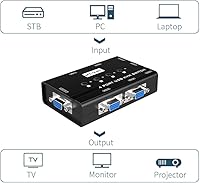
- Shared Peripherals: The switch supports sharing of a keyboard, mouse, VGA monitor, printer, and USB storage across all connected PCs.
- Weight: The unit weighs approximately 1 pound, making it light enough to place on a desk or mount out of sight.
- Contact Type: The internal switching contacts are rated as normally open, with a metal contact material for reliable conductivity.
- Protection Rating: The unit carries an IP54 rating, indicating resistance to dust ingress and splash water from any direction.
- Amazon Rank: At the time of evaluation, this switch held a Best Sellers Rank of #198 in the KVM Switches category on Amazon.
- User Rating: The product holds an average rating of 4.4 out of 5 stars based on over 630 verified Amazon customer reviews.
- Availability: The product was first listed on Amazon on July 3, 2019, indicating several years of sustained market availability.
Related Reviews
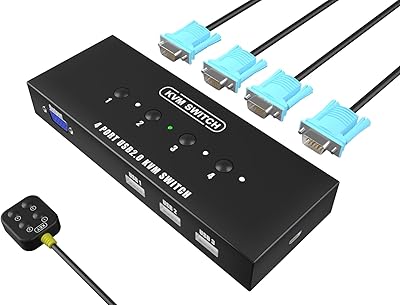
KAGO 4-Port VGA KVM Switch
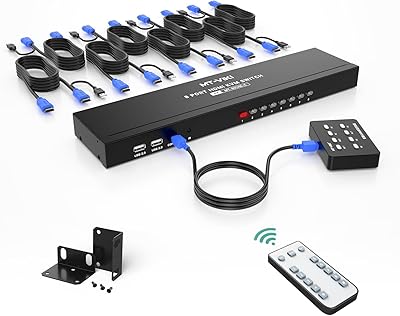
MT-VIKI MT-801HK-C 8-Port HDMI KVM Switch
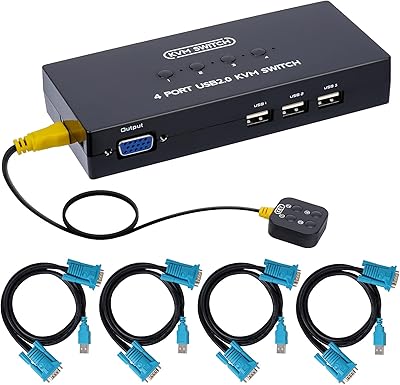
DGODRT KS204V 4-Port VGA KVM Switch
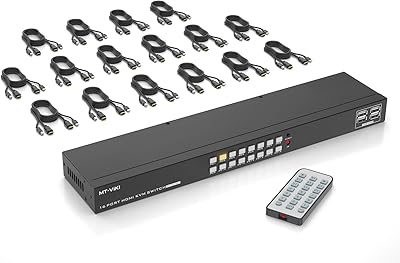
MT-VIKI MT-1601HK-C 16-Port HDMI KVM Switch
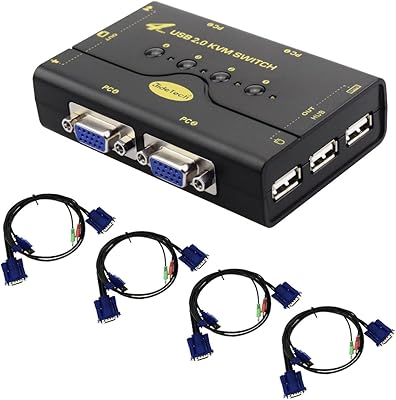
JideTech JD-41UA 4-Port VGA KVM Switch

DiamondTiger KS304DL 4-Port DisplayPort KVM Switch

StarTech SV431HDU3A2 4-Port HDMI KVM Switch
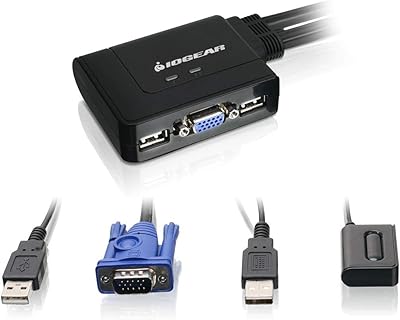
IOGEAR 2-Port USB VGA KVM Switch

DGODRT KS604H 4-Port HDMI KVM Switch