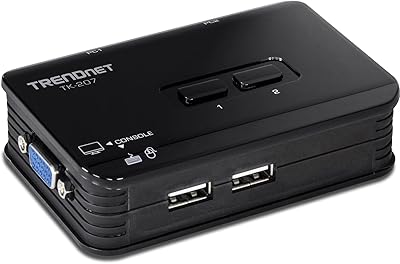
StarTech SV231USB 2-Port VGA USB KVM Switch
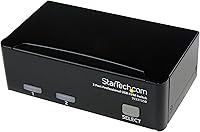
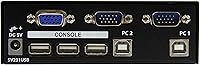
Overview
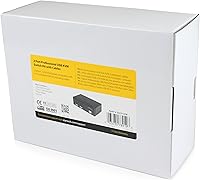
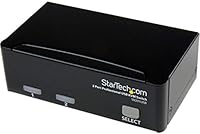
The StarTech SV231USB 2-Port VGA USB KVM Switch is a no-nonsense solution for anyone who needs to run two VGA-connected computers from a single monitor, keyboard, and mouse. Worth saying upfront: this is a VGA-only device, so if your monitor uses HDMI or DisplayPort, look elsewhere. For those still working with legacy VGA hardware, it covers the basics well. It draws power directly from USB — no external power brick needed — and ships with all cables included, so setup takes minutes rather than a trip to the store. It sits at a practical mid-range price point for home offices and IT desks.
Features & Benefits
Resolution support tops out at 1920x1440, which is genuinely solid for a VGA connection and covers most older monitors without issue. The USB 2.0 interface handles keyboard and mouse without requiring any driver installation — just plug in and it works. Switching between computers is handled by a physical push button on the unit, which means there is zero software involved and zero lag when you flip. The enclosure is compact enough to tuck beside a keyboard without taking over the desk, and the IP54 rating adds a modest layer of protection against dust and accidental splashes. For government or institutional buyers, TAA compliance is a notable box checked.
Best For
This KVM switch is a natural fit for IT professionals managing two aging workstations that still rely on VGA output — think a test machine next to a production box, or dual-purpose lab setups. Home office users juggling a personal PC and a work machine on the same desk will also get real value from it, provided both run VGA. The TAA-compliant build makes this dual-computer switch a valid procurement option for government agencies and schools with compliance requirements. Anyone who wants a hardware-only solution — no apps, no hotkeys, no configuration — will appreciate the simplicity. If your setup is VGA-based, this fits the bill.
User Feedback
Across its 129 ratings, this KVM switch holds a 4-star average — respectable, though not without caveats. Users consistently praise the push-button mechanism for holding up reliably over time, and many appreciate that the included cables mean nothing extra to hunt down at setup. On the downside, a handful of buyers have noted compatibility hiccups when the switch is connected through certain USB hubs rather than directly into a machine's native ports. The most recurring complaint, though, is really a fit issue: buyers expecting HDMI or multi-monitor support quickly found this is a VGA-only device. Read the specs carefully before purchasing and it is unlikely to let you down.
Pros
- All necessary KVM cables are included in the box, so setup requires zero extra purchases.
- USB bus-powered design eliminates the need for a separate power adapter or nearby outlet.
- Physical push-button switching is instant and requires no software, drivers, or configuration.
- TAA compliance makes this KVM switch a viable procurement option for government and institutional buyers.
- Supports resolutions up to 1920x1440, covering virtually every VGA monitor in active use today.
- Compact enough at under five inches long to sit on a crowded desk without demanding dedicated space.
- IP54 rating adds genuine dust and splash resistance useful in light industrial or lab environments.
- Works across different operating systems without compatibility headaches — plug in and it functions.
- Long market track record with a consistent bestseller ranking signals proven, tested reliability.
- StarTech.com customer support is more technically knowledgeable than most off-brand KVM alternatives.
Cons
- Strictly VGA-only — incompatible with any monitor using HDMI, DisplayPort, or USB-C connections.
- Connecting through a USB hub rather than directly into a native port can cause peripheral recognition failures.
- No hotkey switching option means you must physically press the button every time you change computers.
- Lightweight build shifts on smooth desk surfaces when the button is pressed firmly.
- Included cables are fixed-length and may fall short in setups where computers are more than a couple of feet apart.
- Wireless keyboard and mouse combos are unreliable with this switch; wired peripherals are strongly recommended.
- Minimal documentation makes initial setup confusing for buyers unfamiliar with KVM concepts.
- Only two computer ports — users needing to switch between three or more machines must look elsewhere.
- No support for routing additional USB devices like storage drives or audio interfaces through the switch.
- The button mechanism can feel stiff and less refined compared to higher-priced KVM units.
Ratings
The StarTech SV231USB 2-Port VGA USB KVM Switch has been scored by our AI system after analyzing verified buyer reviews from around the world, with spam, bot submissions, and incentivized feedback actively filtered out. Based on 129 confirmed ratings averaging 4 stars, these scores reflect an honest picture of where this dual-computer switch genuinely delivers and where it falls short for real users.
Switching Reliability
Setup & Out-of-Box Experience
Video Quality
Compatibility
Value for Money
Build Quality
Size & Desk Footprint
Cable Management
Driver-Free Operation
TAA Compliance
USB Peripheral Support
Long-Term Durability
Brand & Support Reputation
Suitable for:
The StarTech SV231USB 2-Port VGA USB KVM Switch is a genuinely practical pick for anyone who still operates within a VGA-based setup and needs to share one monitor, keyboard, and mouse between two computers without the hassle of physically swapping cables. IT technicians managing a pair of legacy workstations — think an older test machine sitting alongside a production box — will find the plug-and-play simplicity a real time-saver in day-to-day workflows. Home office users juggling a personal PC and an employer-issued work machine on the same desk will also get solid, reliable use out of this dual-computer switch, provided both machines output VGA. Government agencies, schools, and federal contractors with procurement compliance requirements benefit from the TAA-compliant build, which clears regulatory purchasing restrictions that rule out many cheaper alternatives. Anyone who actively wants a hardware-only solution — no software to install, no hotkeys to memorize, no configuration to maintain — will appreciate how straightforwardly this KVM switch operates day after day.
Not suitable for:
If your monitor connects via HDMI, DisplayPort, or USB-C, the StarTech SV231USB 2-Port VGA USB KVM Switch is simply not the right tool — full stop, and no adapter workaround changes that fundamental limitation. Users who want to share more than two computers from a single input set will also need to look at larger switch configurations, since this unit is strictly a two-port device with no expansion capability. Power users who rely on keyboard hotkey shortcuts for fast switching will find the button-only design limiting, especially if the switch is positioned somewhere inconvenient on a desk. Those hoping to route USB peripherals beyond a standard keyboard and mouse — drawing tablets, audio interfaces, or storage drives — should know that the USB ports here are intended solely for input devices. And buyers in purely private, non-regulated environments who are price-sensitive may find better value in a no-frills alternative, since part of this unit's cost reflects compliance and brand reliability rather than added consumer features.
Specifications
- Brand: Manufactured by StarTech.com, a brand with an established reputation in professional IT connectivity hardware.
- Model Number: The unit is officially designated as model SV231USB.
- Video Interface: Uses VGA (analog) as its sole video interface — not compatible with HDMI, DisplayPort, or USB-C monitors.
- Computer Ports: Provides exactly 2 VGA computer input ports, allowing one monitor to be shared between two machines.
- Max Resolution: Supports video resolutions up to 1920x1440, covering the full range of standard VGA monitor output.
- USB Version: Keyboard and mouse connectivity runs over USB 2.0, compatible with the vast majority of standard wired input devices.
- Power Source: Draws power directly from the host computer via USB bus — no external power adapter or nearby outlet required.
- Switching Method: Computer switching is performed via a physical push button on the unit body, with no software or hotkey dependency.
- Cables Included: Ships with USB KVM cables in the box, providing a complete ready-to-use solution without additional purchases.
- Dimensions: The unit measures 4.9 x 2.8 x 1.6 inches (L x W x H), making it suitable for placement on a standard desk.
- Weight: The switch weighs 14.9 ounces, giving it a solid feel without being cumbersome to reposition.
- Color: Available in black only.
- IP Rating: Carries an IP54 rating, offering meaningful protection against dust ingress and light water splashing.
- TAA Compliance: Fully TAA (Trade Agreements Act) compliant, meeting procurement requirements for U.S. government and institutional buyers.
- Operating Voltage: Operates at 12 volts DC under normal conditions.
- Current Rating: Rated at 2 amps maximum current draw during operation.
- Wattage: Maximum power consumption is rated at 10 watts.
- Contact Material: Switch contacts are constructed from metal, contributing to reliable electrical performance over repeated actuations.
- Positions: The switch mechanism has 2 selectable positions corresponding to the two connected computer inputs.
- Availability: Currently active and not discontinued by the manufacturer, with the product first listed in January 2012.
Related Reviews
IOGEAR 2-Port USB VGA KVM Switch
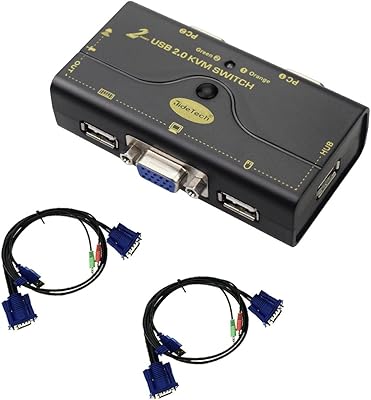
JideTech JD-21UA 2-Port VGA KVM Switch
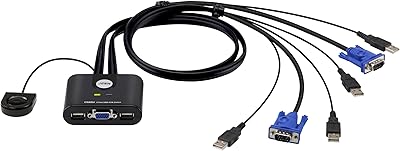
ATEN CS22U 2-Port VGA KVM Switch
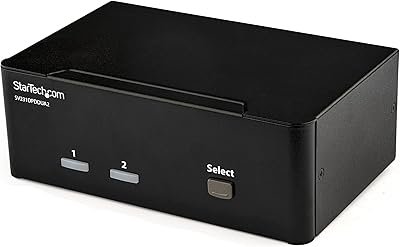
StarTech SV231DPDDUA2 Dual-Monitor DisplayPort KVM Switch
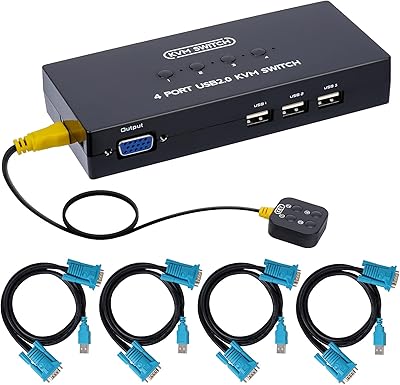
DGODRT KS204V 4-Port VGA KVM Switch
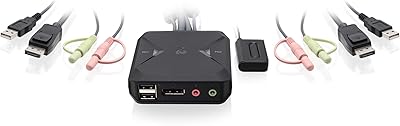
IOGEAR 2-Port USB DisplayPort KVM Switch
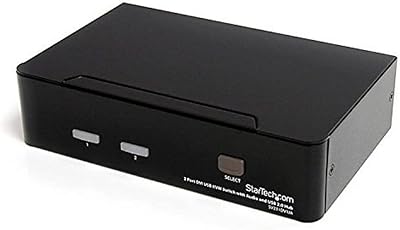
StarTech SV231DVIUA 2-Port DVI KVM Switch
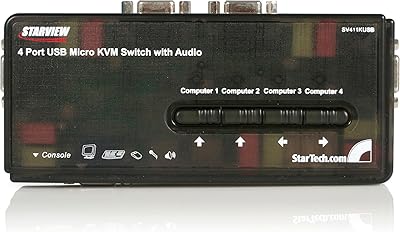
StarTech SV411KUSB 4-Port USB KVM Switch
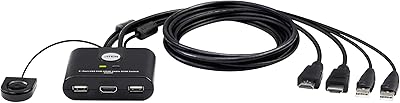
ATEN CS22HF 2-Port HDMI KVM Switch