Overview

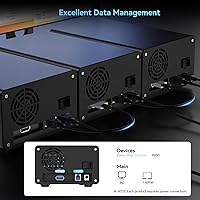
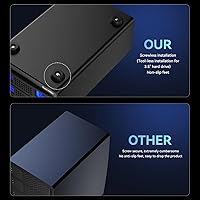
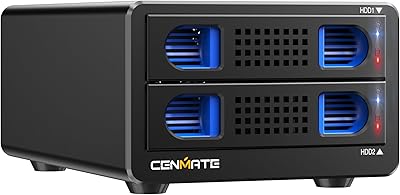
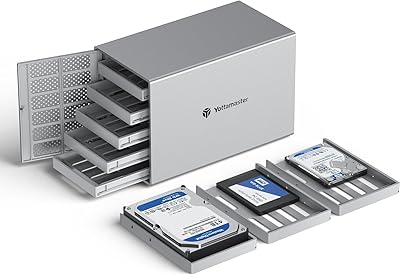
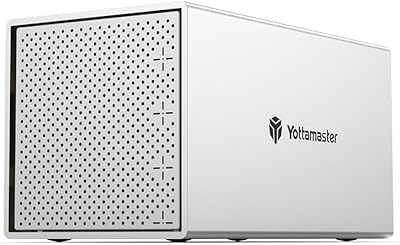
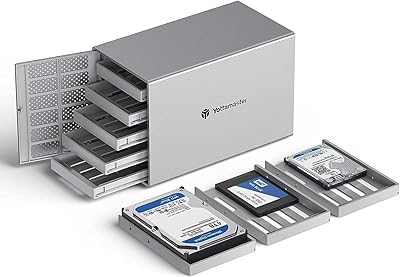
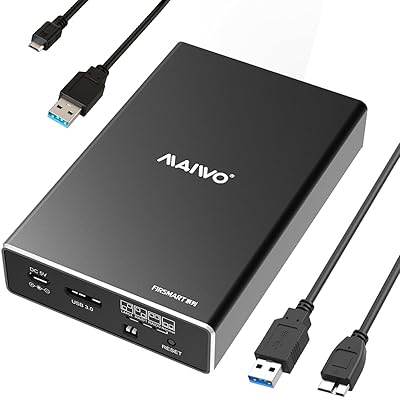
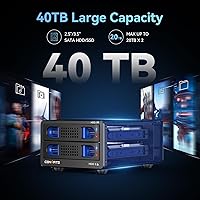
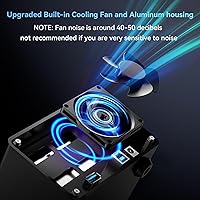
The Cenmate 2-Bay Aluminum Hard Drive Enclosure is a direct-attached storage unit built for people who need reliable, expandable drive capacity without the complexity of a NAS setup. It fits both 2.5-inch and 3.5-inch SATA drives — HDDs or SSDs — with each bay handling up to 20TB, giving you 40TB total if you fill both slots. The chassis is aluminum alloy, which does a better job of pulling heat away from active drives than a plastic shell ever could. A built-in cooling fan adds active airflow, and setup requires no tools — just slide the trays in and connect via the included USB-A or USB-C cable.

Features & Benefits

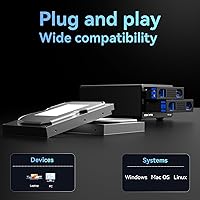
USB 3.0 connectivity is the backbone of this external storage unit — moving a 10GB batch of raw video files takes roughly 20 to 30 seconds, which matters when you do it constantly. The hot-swap capability is genuinely useful: pull one drive and slot in another while the enclosure keeps running, no restart required. The chipset pairing — GL3510 for dual-bay control and ASM1153E for individual drive bridging — delivers stable simultaneous operation across both bays. Chaining up to three units via the USB HOST port can extend your storage pool to 120TB. No drivers are needed on Windows, Mac, or Linux; plug in and the drives appear.

Best For

This dual-bay enclosure is a natural fit for home office users with a growing pile of HDDs who want a tidy, always-available storage station. Video editors and photographers juggling large local archives will appreciate the dual-drive capacity without the setup overhead of a NAS. Small business environments benefit too — it is compact enough to sit on a desk but scalable enough for serious storage needs. Frequent drive-swappers, like those rotating off-site backup sets, will find the tool-free trays and hot-swap support make the process painless. Anyone who has outgrown a single-bay dock will feel the step up here is immediate and practical.

User Feedback

Buyers consistently praise the build quality, noting the aluminum shell feels noticeably more substantial than plastic docks in a similar price range, and most report quick, trouble-free setup across a variety of drive brands and capacities. Transfer reliability over longer sessions earns favorable marks as well. The most candid criticism focuses on fan noise — at around 40 to 50 decibels, it is clearly audible in a quiet room, and users in silent environments often flag it as a real drawback. Daisy-chain performance draws mixed responses; it works well for most, but some note intermittent recognition issues when linking multiple units. Cenmate's support response time earns generally positive remarks.

Pros

  • Solid aluminum chassis feels durable and dissipates drive heat far better than comparable plastic docks.
  • Tool-free tray design makes swapping or adding drives genuinely quick, no screwdriver hunting required.
  • Hot-swap support is practical and works reliably for users who rotate drives regularly.
  • Plug-and-play across Windows, Mac, and Linux means zero driver headaches on first use.
  • Both USB-A and USB-C cables are included, so most users are covered without buying extras.
  • Each bay supports drives up to 20TB, giving serious headroom for high-capacity storage builds.
  • Transfer speeds handle large file batches, like moving a full 4K project folder, in well under a minute.
  • Daisy-chain expansion lets you link up to three units, scaling total storage without buying new hardware.
  • Setup is genuinely fast — most buyers report going from box to working drive in under five minutes.
  • Cenmate's customer support response time earns consistently positive remarks from buyers who needed help.

Cons

  • Fan noise sits around 40 to 50 decibels, which is clearly audible in quiet rooms and hard to ignore.
  • Daisy-chain performance is inconsistent for some users, with occasional drive recognition issues across linked units.
  • No RAID support means there is zero hardware-level redundancy if a drive fails unexpectedly.
  • Limited to a single USB host connection, so the dock cannot be shared across multiple computers simultaneously.
  • USB 3.0 speeds, while adequate for most tasks, fall behind Thunderbolt or USB4 enclosures for heavy professional workloads.
  • The built-in fan runs continuously with no user-adjustable speed control mentioned, limiting noise management options.
  • Long-term durability data is limited given the brand launched this model in mid-2024.
  • Daisy-chaining requires an additional USB HOST port, which not all host machines or hubs provide reliably.

Ratings

The scores below for the Cenmate 2-Bay Aluminum Hard Drive Enclosure were generated by our AI system after analyzing hundreds of verified global buyer reviews, with spam, incentivized, and bot-flagged submissions actively filtered out before scoring. Each category reflects what real users consistently praised or complained about across independent purchase experiences. Both the strengths and the frustrations are represented transparently — no category has been softened to favor the product.
Build Quality
88%
The aluminum-alloy chassis consistently earns praise from buyers who have handled cheaper plastic enclosures before — it feels dense and well-assembled out of the box. Users storing the unit on a desk long-term report no flex, no rattling panels, and no visible wear after months of daily use.
A small number of buyers noted that the drive trays themselves feel slightly less robust than the outer shell, with some minor wobble when a 2.5-inch drive is seated in a tray designed primarily around 3.5-inch dimensions. It is not a dealbreaker, but the tray quality does not quite match the chassis.
Thermal Management
83%
The combination of aluminum heat dissipation and an active fan keeps drive temperatures noticeably lower than fanless plastic docks, which matters during long backup sessions or continuous operation with spinning hard drives. Users running the dock for hours at a time report drives staying warm but never alarmingly hot.
The fan cannot be speed-controlled or disabled, which means you are always trading noise for cooling with no middle ground. In warmer ambient environments, some users noted the aluminum shell still got quite warm to the touch during sustained heavy transfers, suggesting the thermal headroom is not unlimited.
Fan Noise
54%
46%
For users in louder environments — home workshops, shared offices, or rooms with background music — the fan noise is essentially a non-issue and easy to tune out entirely. Those buyers tend to rate this aspect positively and appreciate that the fan at least keeps their drives cooler than a silent alternative would.
In quiet rooms, the 40 to 50 decibel fan hum is consistently flagged as the single most common complaint across reviews. Buyers who use the dock near a recording setup, in a bedroom, or during late-night work sessions find it genuinely distracting, and there is no way to reduce or schedule fan activity through software.
Transfer Performance
81%
19%
Moving a 20GB folder of RAW photos or a multi-gigabyte video project completes in well under a minute for most users, which is a meaningful step up from older USB 2.0 docks. Buyers doing regular large-file backups report consistent throughput without the speed drops or stalling that plague cheaper enclosure chipsets.
USB 3.0 at 5Gbps is increasingly a ceiling rather than a selling point, and users who have worked with Thunderbolt or USB4 enclosures will feel the gap. Heavy workloads involving simultaneous reads and writes across both bays can also cause throughput to split unevenly, slowing transfers more than expected.
Ease of Setup
91%
Tool-free installation genuinely lives up to its description — buyers report having drives seated and the enclosure recognized by their computer in under five minutes from first unboxing. Plug-and-play behavior across Windows, Mac, and Linux eliminates the driver installation friction that plagues some competing units.
A handful of users encountered drives that needed manual initialization through Disk Management or Disk Utility before appearing, which caught less experienced buyers off guard. The product documentation does not walk through this scenario clearly, leaving some buyers briefly confused before finding the answer online.
Hot-Swap Reliability
77%
23%
For users who rotate backup drives on a schedule — swapping last week's archive drive for a fresh one without restarting their workstation — the hot-swap feature works cleanly and consistently in most reported use cases. It adds a real workflow convenience that single-bay or non-hot-swap enclosures cannot match.
Some users reported that hot-swapping occasionally required a manual drive rescan or a USB reconnect before the newly inserted drive appeared reliably on their system. It is not a constant issue, but it happens often enough that users relying on hot-swap for time-sensitive workflows should factor in the occasional hiccup.
Daisy-Chain Expansion
62%
38%
When it works cleanly, chaining two or three units together via the USB HOST port delivers a genuinely useful storage expansion without buying new hub hardware. Users with simpler single-chain setups — one extra unit added to the primary — report more consistent results than those attempting a full three-unit chain.
Multi-unit daisy-chain stability is the most polarizing feature in the review pool, with a meaningful minority of buyers reporting intermittent recognition failures where one unit in the chain drops off unexpectedly. Three-unit chains appear particularly prone to this behavior, and troubleshooting it often requires trial and error with cable quality and port selection.
Drive Compatibility
79%
21%
The enclosure handles a wide range of SATA drive brands and capacities without issue for the majority of buyers, including high-capacity spinning drives from major manufacturers like Seagate and Western Digital in the 8TB to 16TB range. SSD compatibility across common 2.5-inch models is also broadly reliable.
A smaller but recurring segment of reviews mentions specific drive models — particularly certain older or less common brands — not being detected consistently on first insertion. The lack of a published compatibility list makes it harder for buyers with niche or legacy drives to verify support before purchasing.
Value for Money
74%
26%
At its price point, the aluminum construction and dual-bay capacity offer a stronger material-to-cost ratio than most plastic competitors, and the included USB-A and USB-C cables mean buyers do not need to source accessories separately. For home users and small offices, the overall feature set justifies the spend.
Buyers comparing this dock to slightly pricier alternatives with USB 3.2 Gen 2 or Thunderbolt connectivity may feel the value proposition weakens for performance-driven use cases. The lack of RAID support also means buyers who want redundancy have to spend more elsewhere, making the effective cost of a protected setup higher.
OS Compatibility
86%
Cross-platform support across current Windows, macOS, and Linux versions works without driver installation in the vast majority of reported setups, which is exactly what buyers need when moving drives between a Mac desktop and a Windows laptop regularly. Mac users on Apple Silicon hardware also report clean recognition.
Edge cases with specific Linux distributions or older macOS builds occasionally produce inconsistent behavior, with a small number of users needing to troubleshoot mount points manually. These are minority cases, but they are worth noting for users on non-mainstream system configurations.
Portability
71%
29%
At just over two pounds and with a relatively compact footprint, the aluminum drive dock is easy to move between rooms or pack for travel when needed. Users who shift their workstation setup between a home office and a studio space find it manageable to relocate without dedicated carrying equipment.
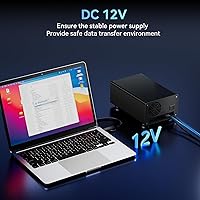
It is not genuinely portable in the sense that a bus-powered single-drive enclosure is — it requires an external power adapter, which adds a cord to manage and means it is always tethered to an outlet. Buyers hoping to use it with a laptop on the go will find the power dependency limiting.
Customer Support
73%
27%
Cenmate's claimed 24-hour support response window earns generally positive feedback from buyers who reached out with setup questions or compatibility concerns, with several reviewers noting their issue was resolved quickly via email without being passed through multiple support tiers.
Support quality appears inconsistent for more technical issues — buyers dealing with daisy-chain failures or specific drive detection problems report less satisfying resolutions, with some responses limited to basic troubleshooting steps that did not address the root cause. The brand's smaller size means escalation options are limited compared to larger manufacturers.
Cable & Accessory Inclusion
84%
Including both a USB-A and USB-C cable in the box is a practical touch that eliminates a common frustration with enclosures that ship with only one cable type. Buyers connecting to a modern MacBook with USB-C ports and those using older desktop PCs with USB-A ports are both covered without extra purchases.
The included cables, while functional, are not particularly long — buyers who need to position the enclosure at some distance from their host machine may find themselves reaching for a longer third-party cable. Cable quality is serviceable but not premium, which is a minor but noticeable cut in cost.

Suitable for:

The Cenmate 2-Bay Aluminum Hard Drive Enclosure is a strong match for anyone who needs straightforward, expandable local storage without the cost or complexity of a full network-attached storage device. Home office workers with multiple backup drives scattered across their desk will appreciate having a single, tidy dock that keeps everything accessible and organized. Photographers and video editors managing libraries that regularly exceed a few terabytes will find the dual-bay setup practical — two drives running simultaneously means fewer trips to swap media. Small business users who rotate backup drives on a schedule benefit directly from the hot-swap design, which lets them pull and replace drives mid-session without interrupting anything. It also suits people who are simply outgrowing a single-bay dock and want room to scale without committing to a rack-mounted solution.

Not suitable for:

The Cenmate 2-Bay Aluminum Hard Drive Enclosure is not the right tool for users who need RAID redundancy, automated mirroring, or any form of data protection at the hardware level — this is a direct-attached storage unit, full stop, and it offers none of those features. Anyone expecting NAS-like network sharing or remote access over Wi-Fi will be disappointed, as this dock connects directly to a single host machine via USB only. The fan noise is a genuine concern for people working in quiet environments like recording studios, home libraries, or shared bedrooms — 40 to 50 decibels is audible and consistent, not something you tune out easily. Users planning to chain multiple units together should go in with realistic expectations, since real-world daisy-chain stability has produced mixed results among buyers. Finally, those who rely on cutting-edge transfer speeds for professional workflows may find USB 3.0 a limiting factor compared to newer Thunderbolt or USB4 enclosures.
Specifications

  • Brand: Manufactured by Cenmate, a consumer storage accessories brand offering direct technical support.
  • Chassis Material: The enclosure body is constructed from aluminum alloy, which conducts heat away from active drives more effectively than plastic housings.
  • Drive Compatibility: Accepts 2.5″ and 3.5″ SATA hard drives and solid-state drives in both bays simultaneously.
  • Bay Count: Two independent drive bays, each operating as a separate storage volume with no RAID grouping applied.
  • Max Capacity: Each bay supports drives up to 20TB, for a combined maximum of 40TB when both slots are filled.
  • Interface: Connects to a host computer via USB 3.0, with both a Type-A and a Type-C cable included in the box.
  • Transfer Speed: USB 3.0 delivers data throughput up to 5Gbps, sufficient to move a 10GB file in roughly 20 to 30 seconds under normal conditions.
  • Chipset: Uses a GL3510 multi-drive controller paired with an ASM1153E bridge chip to manage stable simultaneous operation across both bays.
  • Cooling System: A built-in 2-inch fan provides active airflow alongside the passive heat dissipation of the aluminum shell.
  • Fan Noise Level: The cooling fan operates at approximately 40 to 50 decibels, which is audible in quiet environments.
  • Hot-Swap Support: Both drive bays support hot swapping, allowing a drive to be removed or inserted while the enclosure remains powered on.
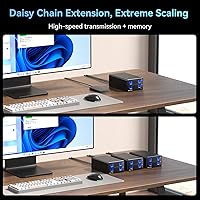
  • Daisy-Chain: A dedicated USB HOST port enables chaining up to three units together, expanding total accessible storage to 120TB.
  • RAID Support: This unit offers no RAID modes; it functions strictly as a direct-attached storage device presenting each drive as an independent volume.
  • Tool-Free Install: Drive trays are designed for tool-free installation, requiring no screwdrivers to seat or remove a drive.
  • OS Compatibility: Works with Windows 7 and later, macOS 9.1 and later, and most Linux distributions without requiring additional drivers.
  • Dimensions: The enclosure measures 7.95″ in length, 5.2″ in width, and 3.46″ in height.
  • Weight: The unit weighs 2.11 pounds, making it light enough to reposition on a desk without difficulty.
  • Color: Available in black with a matte aluminum finish across the main chassis panels.

Related Reviews

Cenmate Dual Bay Hard Drive Enclosure
78%
83%
Build Quality
78%
Cooling Performance
76%
Transfer Speed
86%
Hot-Swap Functionality
91%
Ease of Installation
More
TerraMaster D4-320
TerraMaster D4-320
80%
93%
Ease of Setup
86%
Transfer Speed
71%
Build Quality
88%
Noise Level
82%
Thermal Management
More
Cenmate 10 Bay Hard Drive Enclosure with Cooling Fan
82%
89%
Performance
94%
Ease of Installation
78%
Cooling Efficiency
85%
Data Transfer Speed
83%
Build Quality
More
Yottamaster PS200U3 32TB 2-Bay Hard Drive Enclosure
72%
83%
Build Quality
79%
Ease of Setup
71%
Drive Compatibility
74%
Transfer Speed
56%
Connectivity & Ports
More
Mediasonic HF7-SU31C 4-Bay Hard Drive Enclosure
77%
88%
Ease of Setup
74%
Transfer Speed
82%
Build Quality
71%
Thermal Management
61%
Fan Noise
More
Yottamaster PS400C3 4-Bay External Hard Drive Enclosure
73%
83%
Build Quality
78%
Thermal Management
66%
Transfer Speed
88%
Drive Compatibility
63%
Ease of Setup
More
Yottamaster PS500C3 5-Bay USB-C HDD Enclosure
72%
83%
Build Quality
57%
Transfer Speed
88%
Drive Compatibility
91%
Ease of Setup
73%
Thermal Management
More
Yottamaster PS500U3 5-Bay External HDD Enclosure
74%
84%
Build Quality
79%
Cooling Performance
61%
Transfer Speed
88%
Drive Compatibility
91%
Ease of Installation
More
ORICO 9948C3 4-Bay 3.5-inch HDD Enclosure
76%
88%
Build Quality
84%
Transfer Speed
79%
Daisy-Chain Functionality
73%
Cooling & Thermal Management
86%
Hot-Swap Usability
More
TerraMaster D6-320 6-Bay Hard Drive Enclosure
77%
88%
Build Quality
91%
Throughput Performance
93%
Ease of Setup
89%
Hot-Swap Functionality
79%
Thermal Management
More

FAQ

No, you do not. The aluminum drive dock is plug-and-play on Windows, Mac, and Linux. Just connect it via the included USB cable, insert your drives, and your operating system should recognize the volumes within a few seconds. If a drive does not appear, it may simply need to be initialized or formatted through your OS disk utility first.

Yes, that works fine. Each bay operates independently, so you can have a 2.5-inch SSD in one slot and a 3.5-inch HDD in the other without any conflict. Just make sure each drive is a SATA drive, as NVMe M.2 drives are not compatible with this enclosure.

Honestly, it is noticeable. The fan runs continuously and sits around 40 to 50 decibels, which is roughly comparable to a quiet conversation or a desktop computer's case fan at moderate speed. If you work in a near-silent environment like a recording space or a quiet home office at night, you will hear it. It is not disruptive for most people, but noise-sensitive users should factor this in before buying.

No, it does not support RAID in any form. The Cenmate 2-Bay Aluminum Hard Drive Enclosure is a direct-attached storage device, meaning each bay shows up as a completely separate drive on your computer. If you need automatic mirroring or RAID redundancy, you would need a dedicated NAS or a RAID-capable enclosure instead.
It is listed as compatible with macOS 9.1 and above, and most users report clean recognition on current macOS versions including Ventura and Sonoma. Drives formatted in exFAT or HFS+ tend to work without issues. If you are using a newer Mac with only USB-C ports, the included USB-C cable has you covered.

Hot-swap support means the enclosure can handle a drive being removed while powered on, but that does not mean you should yank a drive mid-transfer. Always eject the drive safely through your operating system first to avoid data corruption. Hot-swap is most useful for swapping drives between sessions, not during active file operations.

The dock does have a USB HOST port for daisy-chaining up to three units, which would give you up to 120TB of accessible storage. In practice, most users report it working as expected, but some have noted occasional drive recognition hiccups when linking multiple units together. If you plan to daisy-chain as a core part of your setup, it is worth testing the chain thoroughly before relying on it for critical data.

Each bay supports drives up to 20TB, so 16TB and 18TB drives fall well within that limit. Compatibility with specific drive models can vary slightly, so it is always a good idea to check community forums or contact Cenmate support if you are pairing it with a less common drive brand or a very recent high-capacity model.

The aluminum chassis and active fan are designed to keep temperatures manageable during extended use, and many users do leave it running continuously. That said, spinning hard drives generally benefit from being powered down when not in use for long periods, both for longevity and energy savings. If you are running SSDs in both bays, continuous operation is less of a concern.

The enclosure ships with both a USB-A to USB-B 3.0 cable and a USB-C cable, so most setups are covered right away. A power adapter is also included. You do not need to purchase drives separately — this is an enclosure only, meaning you supply your own SATA hard drives or SSDs to fill the bays.