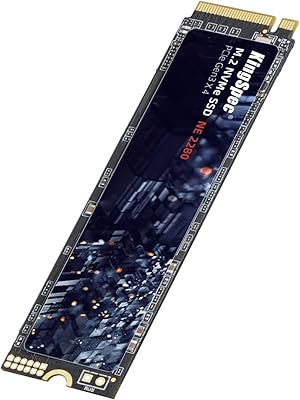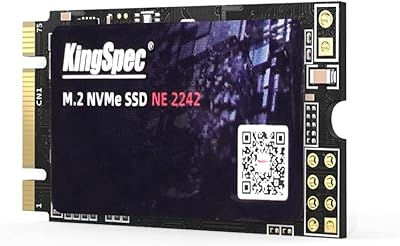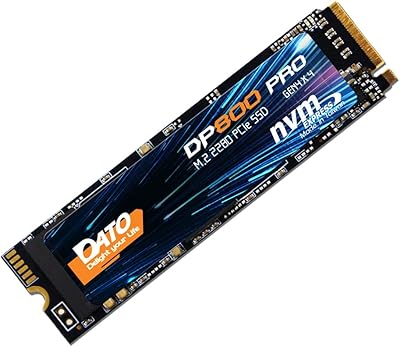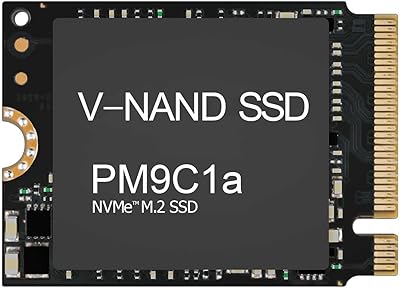
Overview

The Speederlash PCIE3 512GB NVMe M.2 SSD arrived in late 2024 from a brand most storage enthusiasts haven't encountered before, and that's worth acknowledging upfront. It targets users looking to ditch a sluggish hard drive or aging SATA SSD without spending heavily on a name-brand alternative. Built around a PCIe 3.0 x4 interface in the standard M.2 2280 form factor, it competes directly against budget NVMe staples from more established names. On Amazon it holds a 4.6-star rating across 78 reviews, sitting at #409 in Internal SSDs — respectable early numbers, though the brand's short history means long-term reliability is still an open question.

Features & Benefits

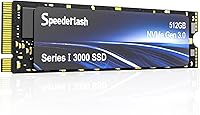
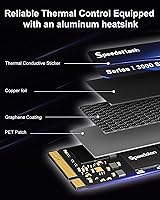
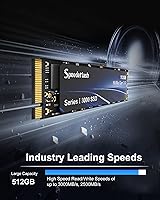
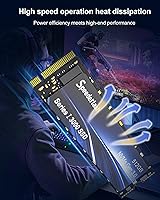
On paper, this budget NVMe drive promises sequential reads up to 3000MB/s and writes up to 2500MB/s — figures that place it squarely in capable PCIe 3.0 territory. In practice, those peaks lean on an SLC cache layer that handles burst activity well but can slow noticeably once the cache fills during large, sustained transfers. The M.2 2280 size fits virtually any modern laptop or desktop slot, so compatibility is rarely a concern. What genuinely stands out at this price is the included heatsink — most drives this affordable ship bare. It won't replace active cooling, but it does help during extended workloads. The 3D NAND construction also claims better endurance than older flash generations.

Best For

This M.2 upgrade makes the most sense for specific buyers rather than everyone. If you're pulling a spinning hard drive out of an older laptop and want a real speed boost without a heavy investment, it fits the bill well. Students, casual users, and anyone running a light gaming setup on a tight budget are the natural audience here. It also works as a secondary storage drive in a desktop, where offloading less-critical data reduces the risk of depending on an unfamiliar brand. For professional workloads or anyone regularly moving very large files, a drive with more predictable sustained performance from a proven manufacturer would be the smarter call.

User Feedback

A 4.6-star average is a solid early showing, but 78 ratings is a thin sample for a drive that only launched in December 2024 — treat the score as promising rather than definitive. On the positive side, buyers consistently highlight easy installation and a clear improvement in system responsiveness over whatever they replaced. Thermal complaints are scarce, which suggests the heatsink pulls its weight. The honest gap in the feedback is depth: few reviewers appear to have stress-tested the drive or followed up after several months of heavy use. No alarming failure patterns have surfaced yet, but long-term durability simply cannot be confirmed given how recently this drive entered the market.

Pros

  • Delivers a dramatic real-world speed boost over any mechanical hard drive or aging SATA SSD.
  • Standard M.2 2280 form factor fits a wide range of laptops, mini PCs, and desktop motherboards.
  • Includes a heatsink straight out of the box, which is rare at this price point.
  • SLC caching handles everyday burst tasks — app launches, file copies, web browsing — without hesitation.
  • Lightweight and compact, making DIY installation approachable even for first-timers.
  • Early Amazon reviewers consistently report noticeable system snappiness after installation.
  • 3D NAND construction offers better theoretical endurance than older flash designs.
  • 512GB of storage is practical enough for an OS drive plus a healthy library of apps or games.
  • No significant failure patterns have emerged in early user feedback.
  • Strong value proposition for secondary or non-critical storage roles in desktop builds.

Cons

  • Speederlash is a brand-new, largely unknown manufacturer with no long-term reliability data to speak of.
  • Sustained write speeds can fall significantly once the SLC cache fills during large, continuous transfers.
  • Only 78 reviews exist — far too few to draw confident conclusions about real-world durability.
  • No established warranty reputation or known customer support track record if issues arise.
  • Advertised peak speeds are manufacturer maximums and unlikely to be maintained under real workload conditions.
  • Not a practical choice as a primary drive for anyone storing irreplaceable or business-critical data.
  • The drive launched in December 2024, so multi-year endurance simply cannot be verified yet.
  • Buyers comparing against tested budget alternatives from WD, Kingston, or Crucial have more reliability evidence to work with.

Ratings

The scores below reflect AI-driven analysis of verified global buyer reviews for the Speederlash PCIE3 512GB NVMe M.2 SSD, with spam, bot-generated, and incentivized feedback actively filtered out before scoring. Each category is rated on what real users actually experienced day-to-day, not what the spec sheet promises. Both the genuine strengths and the honest shortcomings are reflected here without sugarcoating.

Value for Money
83%
For buyers upgrading from a mechanical hard drive or old SATA SSD, the price-to-performance ratio is hard to argue with at this tier. Users consistently report that the system responsiveness improvement felt well worth what they paid, especially when factoring in the included heatsink that most competing budget drives omit.
When stacked directly against established budget NVMe brands at similar or slightly higher prices, the value calculus becomes less clear. Buyers who prioritize long-term reliability over upfront savings may find the unknown brand history makes the deal feel less compelling than the price suggests.
Read & Write Performance
74%
26%
Day-to-day tasks like booting Windows, launching applications, and opening large project files feel noticeably quick, which is what most casual users and students actually care about. The SLC cache does a solid job handling the burst-heavy workload patterns typical of everyday computing.
Sequential write speeds under sustained load — think large video exports or multi-gigabyte file transfers — drop off once the SLC cache fills, which is a known limitation of budget drives using this architecture. Users expecting consistent 2500MB/s writes across long operations will likely be disappointed by real-world throughput.
Installation Ease
91%
Reviewers across skill levels found the physical installation straightforward, with the standard M.2 2280 form factor sliding in cleanly on the first attempt in most laptop and desktop setups. Several users specifically noted they completed the swap in under ten minutes with no prior experience.
A small number of users ran into confusion around cloning their existing drive versus doing a clean OS install, which is a software-side challenge rather than a hardware issue. The drive itself ships with no installation guide or migration software, which leaves true beginners to figure out the software steps independently.
Compatibility
88%
The M.2 2280 form factor covers the overwhelming majority of laptops and desktop motherboards produced in the last several years, and buyers report it fitting cleanly into a wide range of systems without adapter issues. Mini PC upgraders also found it compatible with their compact builds.
A minority of users with older machines or non-standard M.2 slot lengths discovered compatibility issues they had not anticipated before purchasing. The listing could do more to clarify PCIe lane requirements for systems that only support PCIe 3.0 x2 rather than x4.
Thermal Management
78%
22%
The bundled heatsink is a genuine differentiator at this price point, and users running extended gaming sessions or back-to-back file operations noted that the drive did not throttle or feel hot to the touch. Thermal complaints in the review pool are notably scarce relative to similar budget drives.
The heatsink adds a small amount of height that can cause clearance issues in ultra-slim laptops where the M.2 bay cover sits very close to the module. Users with thinner chassis should verify bay clearance before assuming the heatsink will fit without modification.
Build Quality
69%
31%
The physical construction feels solid enough for an internal component that will never be handled after installation, and the blue finish on the heatsink gives it a cleaner look than the bare PCB typical of competing drives at this price. Users report no issues with connector fit or board flex during installation.
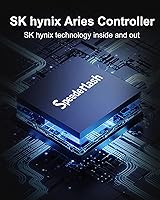
As a budget drive from a new manufacturer, there are no independent teardowns or component disclosures confirming the quality of the controller or NAND sourcing. Buyers have no way to verify whether the internals match the advertised 3D NAND specification without third-party testing tools.
Long-Term Reliability
52%
48%
No significant failure clusters or early-death reports have surfaced in the review pool to date, which is at least an encouraging baseline signal for a drive that launched in late 2024. Users treating it as secondary storage or a low-stakes upgrade have had no reported issues through early ownership.
The drive simply has not been on the market long enough for anyone to meaningfully evaluate multi-year endurance, and Speederlash has no established reliability track record to fall back on. Buyers storing important data on this as a primary drive are accepting a level of brand risk that established alternatives do not carry.
Brand Trust
48%
52%
The early Amazon rating of 4.6 stars is a promising signal, and the absence of negative review patterns in the initial months suggests the drive at least functions as advertised out of the box. Some buyers appear comfortable with new brands at this price tier, treating it as an acceptable risk.
Speederlash has essentially no public brand history, no established community of long-term users, and no visible presence in independent storage testing circles. For buyers who research purchases carefully, the lack of any track record is the single biggest hesitation point and difficult to rationalize away purely on early review scores.
Real-World Speed Consistency
67%
33%
For the workloads most everyday users actually run — web browsing, document editing, moderate gaming, and streaming — the drive delivers consistent responsiveness that feels on par with more expensive PCIe 3.0 drives. Users upgrading from SATA environments are especially satisfied with the perceived speed improvement.
Users who ran benchmark tools like CrystalDiskMark reported that sustained write speeds fell noticeably below the advertised maximums under extended testing conditions. The gap between peak cache-assisted performance and real sustained throughput is wider than the spec sheet implies.
Packaging & Accessories
61%
39%
The heatsink ships included and pre-assembled, which saves buyers the cost and hassle of sourcing a thermal pad and aftermarket cooler separately. Most users found everything needed for physical installation in the box.
No installation guide, no cloning software license, and no mounting screw are included in some reported unboxing experiences, which means buyers need to source a screw from their chassis or purchase one separately. Compared to brands that bundle migration tools, the out-of-box accessory experience is barebones.
Noise & Heat in Use
86%
As a solid-state drive with no moving parts, it operates in complete silence, and users report no perceptible heat transfer to surrounding laptop components during normal workloads. The heatsink appears to keep surface temperatures controlled even during back-to-back data transfers.
In very compact chassis with poor airflow, the heatsink alone may not be sufficient to prevent thermal throttling under prolonged intensive workloads. Users in thermally constrained mini PCs should monitor drive temperatures with a utility like CrystalDiskInfo during the first few weeks of heavy use.
Software & Tooling Support
43%
57%
The drive works immediately upon installation with any standard NVMe driver included in modern versions of Windows, requiring no proprietary software to get up and running. Plug-in and boot functionality works as expected across reported user experiences.
Speederlash offers no companion software, no health monitoring utility, and no firmware update tool — all things that established brands like Samsung and WD provide as standard. Buyers who want granular drive health visibility beyond what third-party tools offer will find nothing from the manufacturer to fill that gap.
Gaming Load Times
77%
23%
Light to mid-range gaming users report meaningful reductions in game load times compared to their previous SATA or HDD setups, with open-world games and level transitions loading noticeably faster. For the casual gamer audience this drive targets, the improvement feels tangible and satisfying.
Hardcore gamers running DirectStorage-optimized titles or expecting PCIe 4.0-level asset streaming performance will find this budget NVMe drive underwhelming at its ceiling. It is a capable everyday gaming drive, not a performance gaming drive, and that distinction matters for certain titles.

Suitable for:

The Speederlash PCIE3 512GB NVMe M.2 SSD is built for a pretty clear audience: anyone who wants a meaningful speed upgrade without committing serious money to the exercise. If you're pulling a mechanical hard drive out of an older laptop or swapping out a sluggish SATA SSD, this budget NVMe drive will feel like a genuine transformation in day-to-day responsiveness — booting faster, opening apps quicker, and generally getting out of your way. Students running standard productivity software, casual users who browse, stream, and store documents, and light gamers who care more about cost-per-gigabyte than chasing benchmark records are all well-served here. It also makes practical sense as a secondary drive in a desktop PC, where you're not betting your critical data on an unproven brand. The standard M.2 2280 form factor means installation is straightforward and compatible with the vast majority of modern systems.

Not suitable for:

Buyers who depend on consistent, heavy-duty storage performance should look elsewhere before considering this M.2 upgrade. Like most budget NVMe drives, this Speederlash SSD relies on SLC caching to hit its headline speeds — once that cache is saturated during large sequential writes, throughput can drop off sharply, which matters if you regularly move big video files, run large backups, or work with high-resolution media. The brand itself is also a legitimate concern for anyone who needs long-term peace of mind: Speederlash is new to the market, has no established reliability track record, and offers no meaningful brand history to lean on if something goes wrong years from now. Power users, content creators working with large raw files, and anyone building a primary production workstation would be better served by a proven name with documented endurance ratings and solid warranty support. This is not the right drive if storage failure would carry serious consequences.

Specifications

  • Storage Capacity: This drive provides 512GB of usable NVMe storage, suitable for an operating system, applications, and a reasonable media library.
  • Interface: It uses a PCIe 3.0 x4 NVMe interface, which delivers substantially faster data throughput than any SATA-based SSD connection.
  • Form Factor: The M.2 2280 form factor measures 22mm wide and 80mm long, fitting the most common M.2 slot found in modern laptops and desktops.
  • Read Speed: Manufacturer-rated maximum sequential read speed is up to 3000MB/s under ideal, cache-assisted conditions.
  • Write Speed: Manufacturer-rated maximum sequential write speed is up to 2500MB/s, though real-world sustained speeds may be lower once the SLC cache is exhausted.
  • Cache Type: An SLC caching layer is employed to accelerate burst read and write operations during everyday computing tasks.
  • NAND Technology: The drive uses 3D NAND flash memory, which stacks memory cells vertically to improve density and theoretical endurance over older planar designs.
  • Heatsink: A custom heatsink is included in the package, designed to help manage operating temperatures during extended or intensive workloads.
  • Dimensions: Physical dimensions are 3 x 0.8 x 0.2 inches, consistent with the standard M.2 2280 specification.
  • Weight: The drive weighs 1.76 oz, making it light enough to have negligible impact on overall system or laptop weight.
  • Compatible Devices: Designed for use in laptops, desktop PCs, and mini PCs that feature an M.2 slot with PCIe 3.0 or PCIe 4.0 support.
  • Installation Type: Internal installation only; the drive slots directly into an M.2 socket and is secured with a single mounting screw.
  • Color: The drive and heatsink are finished in blue, though color has no bearing on compatibility or performance.
  • Brand: Manufactured by Speederlash, a brand that entered the Amazon marketplace in December 2024 with limited prior market history.
  • Amazon Rating: Currently holds a 4.6 out of 5 star rating based on 78 customer ratings, ranking at #409 in the Internal Solid State Drives category.

Related Reviews
ORICO M.2 NVMe SSD 512GB with Heatsink
86%
89%
Performance
92%
Cooling Efficiency
85%
Installation Ease
90%
Read/Write Speeds
88%
Capacity for Gaming & Everyday Use
More
Vansuny X15 512GB NVMe M.2 SSD
75%
88%
Value for Money
74%
Read/Write Performance
91%
Installation Ease
69%
Build Quality
62%
Long-Term Reliability
More
KingSpec NE 512GB M.2 NVMe SSD
74%
91%
Value for Money
83%
Read/Write Speed
94%
Installation Ease
88%
Compatibility
41%
NAND Transparency
More
KingSpec NE-512 2242 512GB M.2 NVMe SSD

77%
88%
Value for Money
79%
Read Performance
71%
Write Performance
93%
Installation Ease
91%
Form Factor Compatibility
More
Speederlash PCIE4 1TB NVMe SSD
75%
91%
Value for Money
83%
Read Speed Performance
76%
Write Speed Performance
84%
Heatsink Quality
88%
PS5 Compatibility
More
Ediloca EN600 PRO 512GB NVMe M.2 SSD
85%
91%
Performance
88%
Speed for Gaming
83%
Thermal Management
65%
Compatibility with Older Systems
90%
Build Quality
More
Kioxia BG4 512GB M.2 2230 NVMe SSD
87%
91%
Performance Speed
87%
Compatibility with Devices
88%
Build Quality & Durability
85%
Ease of Installation
93%
Size & Form Factor
More
DATO DP800 Pro 512GB M.2 NVMe SSD
90%
94%
Performance
95%
Speed/Read-Write Performance
87%
Installation Ease
90%
Power Efficiency
88%
Durability (Shock Resistance)
More
Samsung PM9C1A 512GB M.2 2230 NVMe SSD
87%
94%
Performance
92%
Speed
89%
Value for Money
88%
Ease of Installation
90%
Compatibility
More
DATO DP700Pro 512GB M.2 NVMe SSD
77%
83%
Read/Write Performance
91%
Value for Money
94%
Installation Ease
61%
Thermal Management
67%
Brand Trust & Reliability
More
SABRENT Rocket NVMe 2242 512GB SSD
81%
96%
Form Factor Compatibility
83%
Sequential Read Performance
61%
Sustained Write Performance
91%
Power Efficiency
88%
Value for Money
More

FAQ

If your laptop has an M.2 slot that accepts the 2280 size (80mm long) and supports PCIe NVMe, it should be compatible. The safest step before buying is to check your laptop's manual or manufacturer spec page for the supported M.2 key type and length. Most laptops from the last several years support M.2 2280 NVMe without issue.

Very much so. Jumping from a mechanical hard drive to any NVMe SSD is one of the most noticeable upgrades you can make to an older system. Boot times, application launches, and general system responsiveness all improve dramatically. The gap between this budget NVMe drive and a hard drive is far larger than the gap between this drive and a premium NVMe SSD.

For typical everyday use like browsing, documents, and light gaming, the heatsink is not strictly necessary. However, it does help keep temperatures in check during longer sustained workloads, and since it ships included, there is no reason not to attach it. Just make sure your laptop's M.2 bay has enough clearance, as some ultrabooks have very tight tolerances.

That is the honest question most buyers should be asking. Speederlash is a new brand with a short track record — the Speederlash PCIE3 512GB NVMe M.2 SSD only appeared on Amazon in late 2024. Early reviews are positive, but there is simply not enough time in the field yet to draw conclusions about long-term endurance. Treat it as a value-tier option where you accept some brand-risk in exchange for a lower price.

Yes, and this is true of virtually all budget NVMe drives that rely on SLC caching. For the first several gigabytes of a large transfer, speeds will be fast. Once the cache fills, the drive falls back to the slower native NAND speed. For everyday tasks this rarely matters, but if you regularly move large video files or run big backups, the slowdown can be noticeable.

It works fine as a Windows boot drive and most users install it exactly that way. For macOS, compatibility depends entirely on whether your Mac has a standard M.2 PCIe slot — most modern Macs use proprietary Apple silicon storage and will not accept a third-party M.2 drive at all. Older Intel-based Macs with accessible M.2 slots may work, but always verify your specific model first.

Not really. If you are comfortable with a small screwdriver and following a YouTube tutorial for your specific laptop or motherboard, the physical installation takes about five minutes. The drive slides into the M.2 slot at an angle, sits flat, and gets secured with a single screw. After that, you will need to either clone your existing drive or do a fresh OS install.

Established brands like WD Blue SN580 or Kingston NV3 carry more documented reliability data, longer brand histories, and generally better warranty support infrastructure. This Speederlash SSD may offer competitive headline specs on paper, but buyers choosing those alternatives are paying a small premium for peace of mind backed by years of real-world user reports rather than a few months of early reviews.

Speederlash lists warranty terms on Amazon, but given the brand is new, their warranty support experience is untested in practice. Before buying, it is worth checking the current product listing for the stated warranty period and reading any seller Q and A for details. Established brands tend to have clearer and more reliably honored warranty processes.

It depends on what you play. A single modern AAA title can run anywhere from 50GB to over 100GB, so 512GB fills up faster than most people expect if gaming is your primary use. For a small rotating library of games or indie titles, it is manageable. If you plan to keep many large games installed simultaneously, pairing this M.2 upgrade with a secondary storage drive would be the smarter long-term setup.