Overview

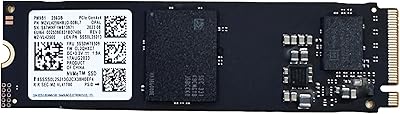
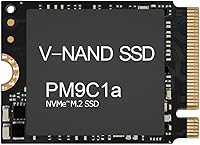
The Samsung PM9C1A 512GB M.2 NVMe SSD is one of those quiet workhorses that earns genuine respect once you understand what it is actually for. This is an OEM-sourced drive — meaning it ships without retail packaging, warranty cards, or branded stickers, just bare functional hardware pulled from commercial supply chains. That distinction matters before you buy. The M.2 2230 form factor, just 30mm long, is the whole point here: it fits slots where a standard 2280 drive physically cannot, making it relevant to a surprisingly wide range of modern thin laptops and handheld gaming devices. Its top-250 bestseller rank in its category reflects real buyer demand, not marketing noise.
Features & Benefits

The PM9C1A runs on a PCIe Gen4 x4 interface, hitting sequential reads around 4,500 MB/s — fast enough that game load screens on a handheld feel nearly instantaneous. Write speeds land closer to 2,700 MB/s, which is respectable but noticeably behind the read ceiling; for typical install-and-play workloads that gap rarely matters, though heavy file transfers will reveal it. Samsung uses its own TLC NAND here, bringing the reliability and endurance track record the brand is known for. A Full Power Mode keeps performance consistent under sustained loads rather than throttling after an initial burst. At under half an ounce, this compact NVMe drive adds nothing meaningful to device weight.

Best For

This 2230 SSD was practically made for the handheld gaming crowd — Steam Deck, ROG Ally, and Legion Go owners who have hit the storage wall and want a clean internal swap. It is equally at home in business laptops like the ThinkPad, ProBook, Latitude, or Inspiron where the 2230 slot is the only option. PS5 and Xbox Series S users hunting a fast secondary drive will find it compatible and capable. That said, it suits people comfortable opening a device with a screwdriver; there is no bundled software or cloning tool. If your workload leans read-heavy — loading games, booting an OS, streaming media — the PM9C1A is genuinely well-matched to the task.

User Feedback

With a 4.5-star average across roughly 90 ratings, this 2230 SSD has built its reputation through consistent buyer satisfaction rather than sheer volume. Most owners report clean drop-in installations with immediate device recognition and real-world snappiness that matches the specs. On the downside, a recurring concern is OEM warranty ambiguity — since this is not a retail-boxed unit, Samsung's standard consumer warranty may not apply, and coverage depends heavily on the seller. A few users in thin chassis mention noticeable warmth during prolonged transfers, though thermal throttling complaints are rare. Against alternatives like the WD SN740 or SK Hynix BC711, buyers generally rate the Samsung competitive on reliability, if occasionally pricier per listing.

Pros

  • Gen4 x4 speeds mean game load times on handheld consoles drop dramatically compared to factory storage.
  • The 2230 form factor opens up upgrade paths that simply do not exist with standard-length drives.
  • Samsung-fabricated TLC NAND brings a strong reliability track record to an otherwise budget-friendly price point.
  • Most host devices recognize the PM9C1A immediately with zero driver fiddling required.
  • At under half an ounce, this compact NVMe drive adds no meaningful weight to portable hardware.
  • Random read performance at 400K IOPS keeps OS boot times and app launches feeling sharp.
  • Full Power Mode sustains consistent throughput rather than dropping off after a short burst.
  • Buyers report a noticeably snappier real-world feel compared to the OEM drives these units replace.
  • Competitive pricing for OEM Samsung Gen4 hardware makes this 2230 SSD one of the better-value options in its category.

Cons

  • No Samsung retail warranty — coverage depends entirely on the individual seller, which varies widely.
  • Write speeds, while solid, fall noticeably short of the read ceiling and lag behind some competing Gen4 drives.
  • 512GB fills up faster than expected for users managing multiple large game installs simultaneously.
  • No bundled cloning software or installation accessories are included, so migration is fully on the buyer.
  • OEM labeling can cause confusion; some buyers are surprised to receive hardware with no branding or packaging.
  • Thermal warmth in ultra-thin chassis has been noted during sustained transfers, though throttling is uncommon.
  • Buyers must independently confirm their device has a 2230 slot before ordering — a step easy to overlook.
  • Seller warranty quality is inconsistent, making the post-purchase support experience unpredictable.

Ratings

The Samsung PM9C1A 512GB M.2 NVMe SSD has been scored by our AI system after analyzing verified global buyer reviews, with spam, bot submissions, and incentivized feedback actively filtered out. Scores reflect the full picture — where this compact drive genuinely excels and where real-world buyers have run into friction. Both strengths and honest trade-offs are weighted into every category below.

Read Performance
93%
Buyers consistently report that game loading on handheld consoles feels dramatically faster after swapping in the PM9C1A — open-world titles that used to stall on asset streaming now move almost without pause. The Gen4 sequential read ceiling translates into tangible day-to-day snappiness, especially on OS boot and large application launches.
A small number of users in thermally constrained thin laptops noticed occasional speed dips during back-to-back large reads, suggesting the chassis environment matters as much as the drive itself. Sustained synthetic benchmarks sometimes fall slightly short of the rated peak depending on host controller and thermal headroom.
Write Performance
76%
24%
For typical mixed workloads — installing games, saving project files, copying moderate-sized folders — the write speeds feel more than adequate and users rarely mention write performance as a bottleneck in everyday tasks. The gap between read and write is largely invisible during normal handheld gaming or laptop use.
Buyers who tested large sequential write jobs, such as moving a full game library or writing a multi-gigabyte backup, noticed the write speed falls noticeably behind the read performance and behind some competing Gen4 alternatives. For content creators or anyone regularly moving large files, the write ceiling is a real and honest limitation.
Compatibility
91%
The vast majority of buyers report zero compatibility issues — the drive is recognized immediately by Steam Deck, ROG Ally, ThinkPad, Latitude, PS5, and Xbox Series S without any firmware patching or driver installation. That plug-and-play reliability across such a wide range of devices is one of the most frequently praised aspects in user feedback.
A handful of desktop users found that their motherboards lacked a 2230-length slot or a retaining screw position for the shorter form factor, requiring an aftermarket bracket. Buyers who do not verify their exact M.2 slot length before ordering occasionally receive a drive that physically fits but leaves an unsecured gap in a 2280-only slot.
Installation Experience
88%
Users with even basic DIY confidence consistently describe installation as straightforward — seat the drive, secure the screw, power on, and the host device finds it without fuss. Several Steam Deck owners noted the swap took under ten minutes start to finish, including the time to reinstall SteamOS.
There is no bundled cloning software, heatsink, or installation guide, which catches first-time upgraders off guard. PS5 installers in particular need to source a heatsink separately, and buyers who expected a more complete package express mild frustration at the bare-drive OEM presentation.
Value for Money
84%
For OEM Samsung Gen4 hardware at this price tier, buyers broadly consider the PM9C1A a strong deal — you are getting genuine Samsung-fabricated NAND and a well-engineered controller without paying for retail packaging or branding overhead. In a niche where 2230 drives are limited and often overpriced, this one lands at a competitive spot.
When spot prices shift or competing 2230 drives drop in price, the value proposition weakens, and some buyers feel the OEM sourcing risk slightly undercuts the premium positioning. A few reviewers noted that comparable 1TB options from rivals were available for only marginally more, making the 512GB capacity feel like a tighter compromise at full asking price.
Reliability & Endurance
89%
Samsung's in-house TLC NAND has a long track record in commercial deployments, and buyers who have run this 2230 SSD for several months report no errors, no unexpected slowdowns, and no signs of wear under regular gaming or productivity use. The Samsung brand carries genuine credibility in storage reliability among informed buyers.
Because this is an OEM unit, there is no published TBW (terabytes written) endurance rating accessible to consumers, which makes long-term endurance harder to evaluate objectively. A small number of buyers expressed unease about not being able to verify the drive health history prior to receiving it, since OEM units may have passed through testing cycles.
Thermal Behavior
71%
29%
Under typical gaming sessions and everyday laptop workloads, the PM9C1A runs warm but not problematically hot, and most users in well-ventilated devices or handheld consoles with active cooling report no thermal throttling complaints. Casual users essentially never notice heat as an issue.
In ultra-thin laptop chassis with poor airflow, sustained transfers can cause the drive to warm noticeably, and a few users observed brief performance dips during back-to-back write-heavy operations. No thermal pad or heatspreader is included, so buyers with tight thermal budgets are on their own for mitigation.
OEM Warranty & Support
52%
48%
Buyers who purchased from reputable sellers with clear return policies generally report satisfactory resolution on the rare occasions something went wrong, and the underlying Samsung hardware quality means warranty claims are uncommon in the first place.
This is the most consistently flagged concern in user feedback — there is no Samsung retail warranty card, no direct Samsung consumer support path, and coverage is entirely at the seller's discretion. Buyers who later wanted to register the drive or make a direct manufacturer claim found themselves with no straightforward recourse, which is a genuine and meaningful risk.
Packaging & Presentation
44%
56%
For buyers who understood the OEM nature of the product before ordering, the bare presentation was not a problem — the drive itself arrived protected in anti-static packaging in most reported cases, which is the practical minimum.
First-time buyers unfamiliar with OEM sourcing are routinely surprised by the lack of any branded box, label, or documentation. Several reviewers mention feeling uncertain whether they received a genuine Samsung unit at all until they ran diagnostic software, which points to a real confidence gap that the bare presentation creates.
Random I/O Responsiveness
86%
Day-to-day responsiveness — snappy file browsing, near-instant application launches, and quick save-game writes — is where buyers notice the most consistent improvement over whatever drive they replaced. The 400K random read IOPS rating translates into a genuinely livelier feel during mixed workloads.
In heavily multitasked scenarios with many small simultaneous writes, a small number of power users noted the responsiveness advantage over well-tuned Gen3 drives narrowed considerably. For the average gaming or productivity use case this is inconsequential, but benchmark enthusiasts will note the ceiling.
Physical Build Quality
82%
18%
The PCB feels solid and the component layout is clean and single-sided, which is exactly what you need for 2230 slots with limited vertical clearance. Buyers handling the drive before installation frequently note it feels well-made despite the compact footprint.
Without a heatspreader or any protective coating, the bare PCB is more vulnerable to fingerprint oils and static discharge during installation than a retail-packaged alternative would be. This is a minor point but worth mentioning for cautious first-time installers.
Capacity Adequacy
67%
33%
For business laptop users focused on documents, light applications, and cloud-synced files, 512GB proves comfortable as a primary drive. Handheld gaming users treating it as a secondary overflow drive alongside existing storage also find the capacity workable.
As a sole storage drive for a gaming-focused handheld, 512GB disappears quickly — a handful of modern titles can fill half the drive within days of installation. Multiple buyers wished they had gone straight to 1TB, and this capacity tier generates the most post-purchase regret comments in the feedback.
Brand Trust & Recognition
88%
The Samsung name carries significant weight with informed buyers in the storage category, and many specifically sought out this drive over rivals precisely because they trust Samsung NAND quality from prior experiences with retail Samsung SSDs. That brand confidence translates into higher purchase confidence even for an OEM product.
Because the OEM unit arrives unlabeled, a subset of buyers struggled to independently verify Samsung authenticity without running diagnostic tools like Samsung Magician, which adds an extra verification step that a retail product would not require.

Suitable for:

The Samsung PM9C1A 512GB M.2 NVMe SSD is the right call for anyone upgrading a device that physically requires a 2230-length drive — and that list is longer than most people realize. Handheld gaming console owners running a Steam Deck, ROG Ally, or Legion Go are probably the most obvious candidates, since the 2230 slot is the only internal option those machines offer and storage fills up fast with modern game installs. Business laptop users on ThinkPad, ProBook, Latitude, or Inspiron lines with restricted M.2 slots will find this a clean, capable drop-in replacement. PS5 and Xbox Series S owners chasing extra high-speed internal storage will also benefit, provided their setup supports the interface. This drive suits practical DIY upgraders who are comfortable with a screwdriver, know to verify their slot length before ordering, and want genuine Samsung internals without paying a retail premium for the box.

Not suitable for:

The Samsung PM9C1A 512GB M.2 NVMe SSD is a poor fit if you need a standard 2280-length drive, which covers the vast majority of desktop PCs, mid-tower builds, and most gaming laptops — the physical dimensions simply will not fill those longer slots without an adapter bracket. Buyers who expect retail packaging, a Samsung-branded warranty card, or direct manufacturer support should look elsewhere; this is an OEM unit, and warranty coverage depends entirely on the seller rather than Samsung's consumer program. If your workload involves sustained large-file writes — video editing, backup jobs, or frequent large data transfers — the write speed ceiling, while decent, lags behind top-tier Gen4 alternatives at a comparable price. Users who are not comfortable opening their device and verifying slot compatibility beforehand may find the process frustrating, since there is no bundled migration software or installation guide included. Finally, 512GB may feel limiting relatively quickly if you are managing a large game library or creative project archive.

Specifications

  • Form Factor: M.2 2230 format measuring 22mm x 30mm, designed for devices with space-constrained slots that cannot accommodate a standard 2280-length drive.
  • Interface: PCIe Gen4 x4 NVMe, offering roughly double the bandwidth ceiling of the previous Gen3 standard over the same physical connection.
  • Capacity: 512 GB of usable storage, formatted and ready for installation as a primary or secondary internal drive.
  • Sequential Read: Up to 4,513 MB/s sequential read speed under sustained workloads with Full Power Mode active.
  • Sequential Write: Up to 2,726 MB/s sequential write speed, which is strong but meaningfully lower than the read ceiling.
  • Random Read: Up to 400,000 IOPS random read performance, keeping OS boot times and application launches responsive.
  • Random Write: Up to 320,000 IOPS random write performance, suitable for typical mixed desktop and gaming workloads.
  • NAND Type: Samsung-fabricated TLC (Triple-Level Cell) NAND flash, balancing endurance, density, and cost within a proven in-house supply chain.
  • Key Type: M Key edge connector, compatible with M.2 sockets found in laptops, handheld consoles, tablets, and select desktop motherboards.
  • Dimensions: Physical dimensions measure 1.65 x 0.86 x 0.1 inches (approximately 42mm x 22mm x 2.38mm including component height).
  • Weight: The drive weighs 0.317 ounces, making it one of the lightest storage upgrade options available for portable devices.
  • Power Mode: Full Power Mode keeps the controller running at peak throughput continuously rather than stepping down during extended transfers.
  • Compatible Devices: Verified compatible with laptops, desktop systems, gaming consoles including PS5 and Xbox Series S, tablets, and handheld gaming PCs.
  • Model Number: Official Samsung model number is MZ-9LQ512C, part of the PM9C1A series targeting OEM and commercial channel distribution.
  • Supply Channel: Sold as an OEM unit, meaning it ships without retail packaging, warranty documentation, or branded accessories.
  • Installation Type: Internal installation only; the drive mounts directly to the M.2 slot on the host device motherboard and is not externally accessible once installed.
  • Color: Titanium-colored PCB finish, consistent with Samsung commercial-grade drive aesthetics rather than consumer retail styling.

Related Reviews
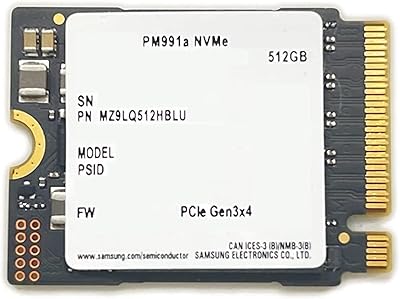
Samsung PM991a 512GB M.2 2230 NVMe SSD
84%
88%
Read Performance
79%
Write Performance
96%
Form Factor Fit
93%
Installation Ease
71%
Thermal Management
More
ORICO M.2 NVMe SSD 512GB with Heatsink
86%
89%
Performance
92%
Cooling Efficiency
85%
Installation Ease
90%
Read/Write Speeds
88%
Capacity for Gaming & Everyday Use
More
Vansuny X15 512GB NVMe M.2 SSD
75%
88%
Value for Money
74%
Read/Write Performance
91%
Installation Ease
69%
Build Quality
62%
Long-Term Reliability
More
KingSpec NE 512GB M.2 NVMe SSD
74%
91%
Value for Money
83%
Read/Write Speed
94%
Installation Ease
88%
Compatibility
41%
NAND Transparency
More
KingSpec NE-512 2242 512GB M.2 NVMe SSD
77%
88%
Value for Money
79%
Read Performance
71%
Write Performance
93%
Installation Ease
91%
Form Factor Compatibility
More
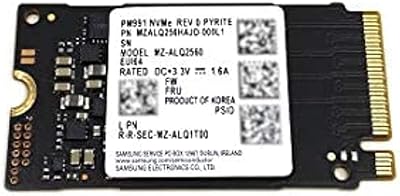
Samsung PM991 256GB M.2 2242 NVMe SSD

78%
94%
Form Factor Fit
78%
Read/Write Performance
88%
Build Reliability
83%
Value for Money
91%
Installation Ease
More
DATO DP800 Pro 512GB M.2 NVMe SSD
76%
83%
Value for Money
87%
Sequential Performance
91%
Installation Experience
57%
Thermal Management
74%
Build and Durability
More
Samsung 970 EVO 500GB NVMe M.2 SSD
86%
94%
Read Speed
89%
Write Speed
91%
Reliability
78%
Ease of Installation
83%
Thermal Performance
More
Kioxia BG4 512GB M.2 2230 NVMe SSD
87%
91%
Performance Speed
87%
Compatibility with Devices
88%
Build Quality & Durability
85%
Ease of Installation
93%
Size & Form Factor
More
Samsung PM9B1 256GB M.2 NVMe SSD
77%
91%
Value for Money
84%
Read Speed Performance
67%
Write Speed & Sustained Performance
88%
Authenticity & Build Quality
82%
Compatibility
More

FAQ

Yes, both devices use a 2230 M.2 slot, and the PM9C1A is built specifically for that length. Just make sure you have the right screwdriver for your device before you start — the Steam Deck uses a Phillips head for the back panel and a separate fastener for the drive itself.

OEM simply means the drive was sourced through commercial supply channels rather than consumer retail. You get the same Samsung hardware inside, but no box, no sticker, and no Samsung-branded warranty card. Coverage depends on the seller you purchase from, so read their return and warranty policy before you buy — this is the most important due diligence step with any OEM drive.

It does. The PS5 supports M.2 NVMe drives in the 2230 size, and the Gen4 interface meets Sony's recommended speed threshold. You will need a small heatsink on top of the drive before installing it in the PS5 expansion bay, as Sony requires one — they are inexpensive and easy to find separately.

It depends on your use case. For a laptop used for everyday work and light gaming, 512GB is usually workable. For handheld gaming consoles where modern titles can run 50 to 100GB each, you may hit the ceiling faster than expected. If storage anxiety is a concern, a 1TB 2230 drive is worth the extra cost upfront.

All three are solid Gen4 2230 options. The PM9C1A and SN740 trade blows in benchmarks with the Samsung holding a slight edge in random read IOPS. The BC711 is a Gen3 drive, so it is slower on paper, though real-world differences in handheld consoles are often minimal. Price and availability at the time you shop tend to be the deciding factors.

Nothing is bundled with this 2230 SSD, so you will need to source a cloning tool separately. Macrium Reflect Free works well on Windows, and most handheld consoles like the Steam Deck involve a fresh OS reinstall rather than a clone. Plan your migration method before the drive arrives.

Some users report noticeable warmth during sustained large file transfers, which is normal behavior for any high-performance NVMe drive in a compact chassis. Thermal throttling under typical gaming or productivity workloads is uncommon. If you are in a thermally restricted device, keeping background tasks minimal during large transfers helps.

Technically yes, if your motherboard has a 2230-compatible M.2 slot. Many desktop boards only have 2280 slots, though some newer boards and small form factor builds include shorter slots or support both via an adapter bracket. Check your motherboard manual before ordering.

For most everyday tasks, the difference is hard to feel. Where Gen4 pulls ahead is in large sequential operations — loading a big open-world game level, copying a large video project, or booting a heavy OS image. If you are primarily doing web browsing and document work, the gap between Gen3 and Gen4 is mostly a benchmark statistic.

Since this is an OEM product, your recourse runs through the seller rather than Samsung directly. Before returning, try reseating the drive firmly in the slot and checking your device BIOS or firmware settings — occasionally a firmware update is needed for newer drives to register correctly. If the drive is genuinely faulty, a reputable seller should offer a straightforward replacement.