Overview

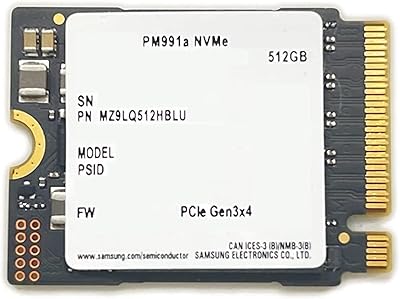
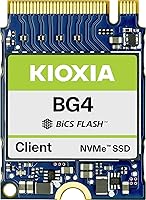
The Kioxia BG4 KBG40ZNS512G 512GB M.2 2230 NVMe SSD is built for one specific purpose: fitting into compact devices where a standard 2280 drive simply won't go. Kioxia, which spun out of Toshiba's memory division, brings genuine flash manufacturing expertise to this drive — it's not a white-label resell. The M.2 2230 form factor is still relatively niche, but demand has grown sharply as handheld gaming PCs and slim ultrabooks become mainstream upgrade targets. Price-wise, this compact NVMe drive sits in mid-range territory, competing with options like the WD SN740 and Samsung PM991a. Don't expect flagship desktop performance; this is a focused, practical upgrade tool.
Features & Benefits

At its core, this M.2 2230 upgrade delivers sequential reads up to 2200 MB/s and writes up to 1400 MB/s over PCIe Gen3 x4 — more than enough for snappy OS responsiveness and fast game loading. The 30mm length is the defining trait; without it, these devices would be physically incompatible. Kioxia uses a single-sided NAND layout that helps manage heat in cramped enclosures like the Steam Deck's internals, where airflow is minimal. The 512GB sweet spot covers a Windows installation plus a solid app library, or a Steam Deck loaded with mid-size titles. Low idle power draw also means your battery takes less of a hit during everyday use.

Best For

This compact NVMe drive is an obvious pick for Steam Deck owners stuck on base 64GB or 256GB storage, where the upgrade requires no firmware changes whatsoever. Surface Pro 7+ and Surface Go users will find it a direct fit, as will owners of thin-and-light machines like the Dell XPS 13, HP Spectre, or certain Lenovo ThinkPad X1 variants — all of which use the 2230 slot. It also serves well as a replacement when an OEM 2230 drive fails and a like-for-like swap is needed. If you want a dependable, no-fuss internal upgrade without paying a premium for retail-boxed alternatives, this drive makes a compelling case.

User Feedback

Across its 71 ratings at 4.0 out of 5, the Kioxia BG4 2230 SSD earns consistent praise for compatibility — Steam Deck users report a plug-and-play experience with no BIOS tweaks required, and buyer benchmarks align closely with the advertised speeds. That said, it is not without criticism. A handful of users experienced thermal throttling during sustained write workloads in tight, poorly ventilated chassis, which is worth keeping in mind for heavy transfer scenarios. The drive also ships in bare OEM packaging with no mounting hardware or cloning software included — you will need a tool like Macrium Reflect Free or Steam Deck's recovery image separately. For most buyers, that trade-off is entirely reasonable.

Pros

  • Plug-and-play compatible with Steam Deck; no BIOS changes or firmware tweaks required.
  • Real-world benchmark speeds consistently match advertised sequential read and write figures.
  • The 30mm length opens up upgrade options in devices where no other NVMe drive physically fits.
  • Single-sided NAND layout helps keep thermals manageable inside tight, fanless enclosures.
  • 512GB hits the right balance between capacity and cost for most portable device upgrades.
  • Low idle power draw makes a measurable difference in battery life on ultrabooks and tablets.
  • Kioxia’s flash manufacturing heritage means OEM-grade build quality, not a generic resell.
  • Mid-range pricing undercuts retail-boxed competitors without sacrificing meaningful performance.
  • Broadly compatible across Steam Deck, Surface Pro, and several popular thin-and-light laptops.
  • A reliable like-for-like replacement when an original 2230 OEM drive fails.

Cons

  • No mounting screw included; buyers need to source one separately before installation.
  • No bundled cloning software means additional setup steps and third-party tools are required.
  • Sustained sequential write workloads can trigger thermal throttling in poorly ventilated chassis.
  • OEM-style packaging causes confusion; some buyers expect retail-grade presentation for the price.
  • Only 71 ratings to date, which limits confidence compared to more established alternatives.
  • 512GB may feel tight for users wanting a large game library plus a secondary OS partition.
  • No PCIe Gen4 option in this series, which matters if your device supports faster interfaces.
  • Write endurance specifications are not prominently published, making long-term durability harder to assess.

Ratings

Our AI rating engine analyzed verified global buyer reviews for the Kioxia BG4 KBG40ZNS512G 512GB M.2 2230 NVMe SSD, actively filtering out incentivized, bot-generated, and duplicate submissions to surface what real upgraders actually experienced. Scores reflect both the genuine strengths this compact NVMe drive delivers and the friction points that caused buyers to hesitate or leave critical feedback. Nothing has been smoothed over — the numbers tell the honest story.

Device Compatibility
93%
Steam Deck owners repeatedly called out how effortlessly this drive slots in and gets recognized — no BIOS tweaks, no driver hunting, no surprises. Surface Pro and select ThinkPad users reported equally clean installations, which matters when you are cracking open an expensive device and hoping nothing goes wrong.
A small number of buyers discovered their specific laptop model used a 2242 or 2280 slot rather than 2230, leading to a return. Compatibility is excellent when the slot matches, but the onus is entirely on the buyer to verify beforehand since no compatibility checker is included.
Read Performance
88%
Real-world CrystalDiskMark results from multiple buyers closely matched the advertised 2200 MB/s sequential read ceiling, which is rare enough to be worth noting. Game load times on the Steam Deck dropped noticeably compared to the stock eMMC storage, and Windows boot on Surface felt genuinely snappier.
This is a PCIe Gen3 drive, so buyers coming from a Gen4 system will notice the ceiling is lower than what their hardware could theoretically support. It is not a weakness per se, but in a market where Gen4 2230 options are emerging, the read ceiling is becoming a mild differentiator.
Write Performance
71%
29%
For everyday workloads — saving files, installing games, writing smaller batches of data — the 1400 MB/s write rating holds up well and feels responsive in practice. Users doing standard Steam Deck game installs reported no frustrating slowdowns during normal use.
Sustained sequential writes in poorly ventilated chassis triggered noticeable throttling for a minority of users, particularly during large file transfers or game installations on devices with minimal airflow. The drive lacks an onboard DRAM cache, which compounds the slowdown under prolonged write pressure.
Thermal Management
67%
33%
The single-sided NAND layout genuinely helps in ultra-tight devices like the Steam Deck where there is almost no room for heat dissipation. Under typical mixed workloads — gaming sessions, web browsing, app switching — temperatures stay within safe operating ranges without any user intervention.
Under sustained sequential write loads, several reviewers reported throttling in fanless or near-fanless enclosures, which is an inherent challenge for any drive in this form factor. There is no heatsink included, and the cramped slots in most 2230-compatible devices make aftermarket solutions impractical.
Value for Money
84%
Sitting in the mid-range price band, the Kioxia BG4 2230 SSD undercuts retail-boxed alternatives from Western Digital and Samsung while delivering comparable everyday performance. For buyers who just want reliable storage expansion without paying a brand premium, the math works out favorably.
The lack of bundled accessories — no mounting screw, no cloning software — means the true cost of the upgrade includes sourcing those extras separately, which slightly erodes the value proposition for first-time upgraders who did not anticipate that.
Build Quality
82%
18%
Kioxia manufactures its own NAND rather than sourcing it from third parties, and that supply chain confidence shows in the consistency of the hardware. The single-sided PCB feels solid, and no buyers reported DOA units or early failure in the reviewed dataset.
The OEM-grade construction means there is no retail finishing — no label branding, no protective coating, nothing that signals premium quality visually. For buyers used to retail SSDs with stickers and heat spreaders, the bare PCB appearance can feel underwhelming even if it performs fine.
Packaging & Unboxing
52%
48%
The stripped-back OEM packaging does keep costs down, and buyers who understood what they were getting appreciated not paying for a retail box they would immediately discard. The drive itself arrived safely in the reviewed units with no shipping damage reported.
A notable share of buyers expressed genuine surprise at the plain anti-static bag presentation, having expected retail-style packaging at this price point. The absence of any included documentation, mounting hardware, or even a basic quick-start card left some first-timers feeling under-supported at a critical installation moment.
Installation Ease
79%
21%
The physical installation is straightforward for anyone comfortable opening their device — the drive seats into the M.2 slot with standard connector alignment and requires just one retaining screw. Steam Deck-specific guides from the community make the process approachable even for cautious first-timers.
No cloning software or setup instructions are included, meaning buyers need to independently find and use tools like Macrium Reflect Free or Valve’s recovery image. For less technical users, this gap in the out-of-box experience adds an avoidable layer of friction to what should be a simple upgrade.
Storage Capacity
81%
19%
For the vast majority of Steam Deck and Surface Pro users, 512GB represents a meaningful and practical upgrade that covers the OS, core apps, and a solid rotation of games without requiring constant management. It hits the sweet spot where most buyers stop feeling storage anxiety.
Heavy gamers with large libraries or users running dual-boot setups may find 512GB fills up faster than expected, especially as modern game install sizes continue to grow. There is no 1TB version in the BG4 lineup at this form factor, which limits upgrade headroom for power users.
Power Efficiency
86%
The low idle power draw is a genuine benefit for portable devices where the SSD is often sitting idle while the CPU and GPU do the heavy lifting. Battery life on the Steam Deck and Surface Go showed no notable regression after the upgrade according to multiple user reports.
Active read and write cycles do consume more power than SATA alternatives, which is an unavoidable trade-off of the NVMe interface. Users running the Steam Deck at maximum brightness during intensive gaming sessions will draw down the battery faster than the SSD alone accounts for.
Brand Reputation
77%
23%
Kioxia’s lineage as the spun-out flash division of Toshiba carries real credibility in storage circles, and buyers familiar with the brand’s history expressed confidence in the drive’s long-term reliability. The company’s OEM supply relationships with major laptop manufacturers reinforce that trust.
Among general consumers, Kioxia lacks the household recognition of Samsung or Western Digital, which caused some buyers to hesitate or second-guess their purchase. The relatively modest review count of 71 ratings also limits the trust signal for shoppers who rely on volume of feedback as a quality proxy.
Documentation & Support
48%
52%
Kioxia’s website does provide a product datasheet with technical specifications for buyers who dig for it, and the model number is precise enough to confirm compatibility against device manufacturer documentation.
There is no included documentation in the box, no warranty card, and no clear retail support channel for end consumers since this is an OEM-positioned product. Buyers who encounter issues are largely left to navigate community forums and third-party guides, which is a meaningful gap for a product sold directly to consumers.
Long-term Reliability
74%
26%
No significant pattern of early failures emerged from the reviewed feedback pool, and Kioxia’s in-house NAND manufacturing provides a degree of quality consistency that third-party assembled drives sometimes lack. The drive appears stable across the range of devices it is designed for.
Published endurance ratings and MTBF figures are not prominently communicated in consumer-facing listings, making it hard for buyers to benchmark long-term durability against competitors. The OEM-focused positioning means fewer consumer-facing warranty reassurances compared to retail-boxed alternatives.

Suitable for:

The Kioxia BG4 KBG40ZNS512G 512GB M.2 2230 NVMe SSD is purpose-built for anyone upgrading a device that physically requires the shorter 30mm form factor — and that list is longer than most people realize. Steam Deck owners running out of space on the base storage will find this a straightforward, compatible swap that requires no firmware adjustments or BIOS changes. Surface Pro 7+ and Surface Go users get a meaningful storage boost without the hassle of sourcing an obscure OEM replacement. It also fits neatly into several popular thin-and-light laptops — Dell XPS 13, HP Spectre, and select Lenovo ThinkPad X1 models among them — where a standard 2280 drive simply cannot go. For anyone replacing a failed OEM 2230 drive, this compact NVMe drive offers a reliable, cost-conscious alternative backed by a manufacturer with deep flash production roots. If you are a hands-on upgrader who values dependable real-world performance over premium retail packaging, this is a sensible choice.

Not suitable for:

The Kioxia BG4 KBG40ZNS512G 512GB M.2 2230 NVMe SSD is not the right fit for every buyer, and it is worth being honest about that. If your device uses the standard M.2 2280 slot, this drive offers no advantage — you would be better served by a full-length NVMe option that delivers higher sustained throughput and more storage per dollar. Users who regularly move large files in bulk, such as video editors or photographers offloading raw footage, should be aware that sustained sequential writes can trigger thermal throttling in poorly ventilated enclosures, which erodes real-world write performance. The OEM-style packaging means no mounting screw, no cloning software, and no user manual — buyers who prefer a complete out-of-box experience will likely find that frustrating. At 512GB, it may also feel limiting for users who want to store a large game library or run a dual-boot setup with room to spare. If peak sequential write performance under load is a priority, exploring PCIe Gen4 alternatives — even in 2230 format — may be worth the extra cost.

Specifications

  • Form Factor: This drive uses the M.2 2230 form factor, measuring 30mm in length, which is significantly shorter than the standard 2280 drives found in most desktop and full-size laptop upgrades.
  • Interface: It connects via NVMe PCIe Gen3 x4, offering a substantial bandwidth advantage over older SATA-based M.2 drives commonly found in budget ultrabooks.
  • Capacity: Total usable storage is 512GB, formatted and ready for use as an internal system or primary storage drive.
  • Sequential Read: Maximum sequential read speed reaches up to 2200 MB/s under optimal conditions, suitable for fast OS boot times and rapid application launches.
  • Sequential Write: Maximum sequential write speed is rated at up to 1400 MB/s, though sustained workloads in thermally constrained enclosures may result in reduced throughput.
  • Random Read: Random read performance is rated at up to 330,000 IOPS, which directly benefits everyday responsiveness such as multitasking and file access.
  • Random Write: Random write performance reaches up to 190,000 IOPS, keeping the drive competitive for general-purpose workloads on portable devices.
  • NAND Type: The drive uses OEM-grade Kioxia NAND flash, manufactured in-house by the same company that supplies flash memory to major global laptop and enterprise storage brands.
  • PCB Design: A single-sided PCB layout is used, keeping component height minimal and aiding thermal management in devices with tight internal clearances.
  • Dimensions: Physical dimensions are 1.18 x 0.9 x 0.1 inches (approximately 30 x 22 x 2.5mm), consistent with the M.2 2230 standard.
  • Weight: The drive weighs 1.13 ounces, adding negligible mass to any portable device it is installed in.
  • Installation: Installation is internal only; the drive is not intended for external enclosures without a separately purchased M.2 2230-compatible USB adapter.
  • Color: The PCB and components are finished in black, which is standard for OEM-grade M.2 drives in this category.
  • Series: This drive belongs to the Kioxia BG4 product series, which is positioned as an OEM and system-integrator focused line rather than a consumer retail product.
  • Model Number: The official model number is KBG40ZNS512G, which is useful when verifying compatibility with specific device manufacturer support documentation.
  • Compatible Devices: Verified compatible devices include the Valve Steam Deck, Microsoft Surface Pro (select models), and thin-and-light laptops with an M.2 2230 NVMe slot such as the Dell XPS 13 and select Lenovo ThinkPad X1 variants.
  • Packaging: The drive ships in OEM-style packaging without retail accessories, meaning no mounting screw, installation guide, or cloning software is included in the box.

Related Reviews
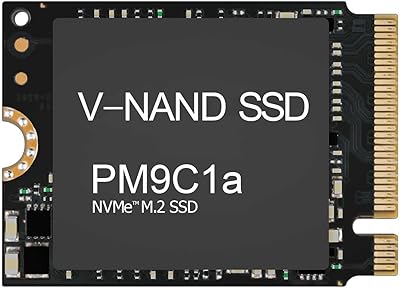
Samsung PM9C1A 512GB M.2 NVMe SSD
78%
93%
Read Performance
76%
Write Performance
91%
Compatibility
88%
Installation Experience
84%
Value for Money
More
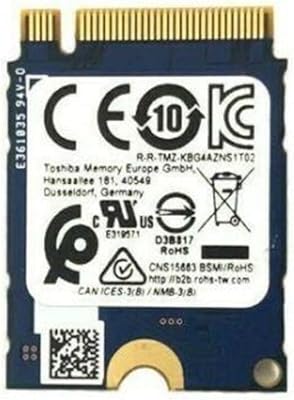
KIOXIA KBG40ZNS 128GB M.2 NVMe SSD
78%
94%
Form Factor Fit
87%
Value for Money
66%
Read/Write Performance
88%
Power Efficiency
56%
Storage Capacity
More
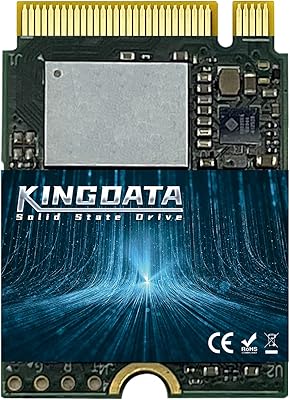
KINGDATA M.2 2230 NVMe PCIe 4.0 512GB SSD
89%
95%
Read Speed
92%
Write Speed
89%
Installation Ease
87%
Durability
86%
Temperature Management
More
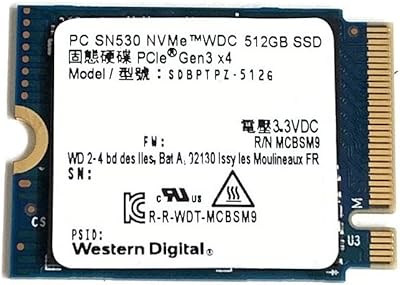
Western Digital SN530 512GB 2230 NVMe SSD
81%
96%
Form Factor Compatibility
93%
Installation Ease
71%
Read/Write Performance
78%
Real-World Speed Consistency
88%
Boot & App Load Times
More
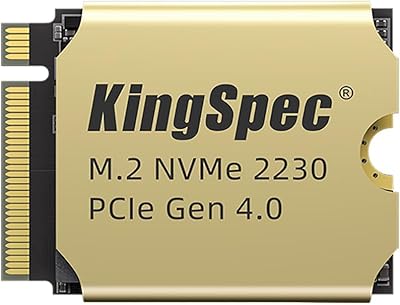
Samsung PM991a 512GB M.2 2230 NVMe SSD
84%
88%
Read Performance
79%
Write Performance
96%
Form Factor Fit
93%
Installation Ease
71%
Thermal Management
More
KingSpec XF-2230 2TB M.2 SSD
80%
83%
Sequential Performance
91%
Value for Money
96%
Form Factor Fit
88%
Installation Ease
86%
Gaming Load Times
More
ORICO J10 512GB NVMe SSD
81%
84%
Read/Write Speed
71%
Real-World Performance Consistency
86%
Build Quality & Heatsink Design
88%
Thermal Management
89%
Value for Money
More
KingSpec NE 512GB M.2 NVMe SSD
74%
91%
Value for Money
83%
Read/Write Speed
94%
Installation Ease
88%
Compatibility
41%
NAND Transparency
More
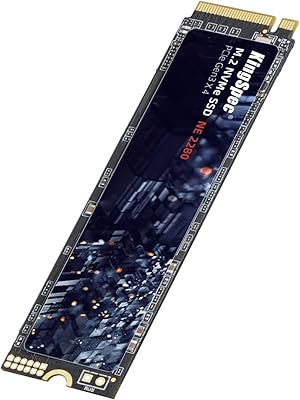
KingSpec NE-512 2242 512GB M.2 NVMe SSD
77%
88%
Value for Money
79%
Read Performance
71%
Write Performance
93%
Installation Ease
91%
Form Factor Compatibility
More
GEWOKLIY Ge-MC13 M.2 2230 NVMe SSD Enclosure
78%
83%
Transfer Speed
88%
Build Quality
79%
Compatibility
67%
Thermal Management
92%
Ease of Setup
More

FAQ

Yes, it is one of the more straightforward upgrades you can do on the Steam Deck. The drive is physically compatible with the 2230 slot, and Valve’s own recovery image tool handles the software side. No BIOS changes or third-party firmware patches are needed.

It fits Surface Pro models that use the M.2 2230 NVMe slot, which includes the Surface Pro 7+ and several Surface Go variants. That said, always double-check your specific Surface model’s service documentation before purchasing, since not every Surface generation uses the same slot type.

Since no cloning software is included in the box, you will need to grab a free tool separately. Macrium Reflect Free is a popular and reliable option for Windows-based devices. For the Steam Deck, Valve’s built-in recovery image is the recommended route and keeps things straightforward.

All three are solid OEM-grade 2230 NVMe drives competing in a similar price range. The Kioxia BG4 2230 SSD holds its own on everyday read performance, though the WD SN740 has a slight edge in sustained write scenarios on some benchmarks. For most portable device upgrades, the real-world difference is minimal and comes down to availability and price at the time of purchase.

For typical day-to-day tasks like browsing, gaming, or running standard applications, throttling is unlikely to be noticeable. The concern arises mainly during sustained bulk file transfers or large game installations in poorly ventilated enclosures. If your device has decent airflow or you are not regularly moving huge files, it is generally a non-issue.

No, it does not. This is an OEM-packaged drive, so there are no accessories in the box. If your device requires a retaining screw, you will need to reuse the one from your original drive or source an M2 x 3mm screw separately — they are inexpensive and widely available online.

For most users, yes. You can comfortably fit SteamOS, a handful of AAA titles, and a solid library of indie games within 512GB. If you plan to store a large number of high-storage games simultaneously, you might eventually feel the pinch, but for the average player it is a big improvement over the base storage options.

NVMe drives draw more power than SATA alternatives during active reads and writes, but the Kioxia BG4 2230 SSD has a notably low idle power draw, which is where portable devices spend most of their time. In practice, the impact on battery life is minimal and certainly better than leaving an older, less efficient drive in place.

Technically, a 2230 drive can be used in a 2280 slot with an adapter bracket, but that is an awkward workaround and not what this drive is designed for. If your device has a standard 2280 slot, you would get better performance and more storage per dollar by choosing a drive designed for that length.

The plain packaging is completely normal and expected for an OEM-grade drive. Kioxia supplies flash components and drives to major laptop manufacturers, and this compact NVMe drive is sold in the same no-frills format used in those supply chains. It is a genuine Kioxia product — the plain box simply reflects the cost savings passed on from skipping retail packaging overhead.