Overview

The SABRENT Rocket NVMe 2242 512GB SSD fills a gap that most storage brands ignore: the shorter 2242 M.2 slot. While the 2280 (80mm) format dominates the market, a surprising number of mini PCs, industrial boards, and select laptops only accommodate the 42mm-length variant. Sabrent has built a solid reputation in the value-oriented SSD space, and the Rocket lineup represents their best balance of speed and everyday reliability. This compact NVMe drive skips the DRAM cache not simply to cut costs, but to reduce power draw — a genuine advantage in thermally constrained systems. The bundled Acronis True Image cloning software is a practical bonus that saves you from hunting down migration tools separately.
Features & Benefits

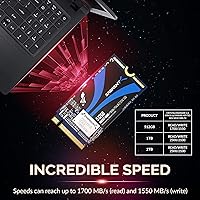
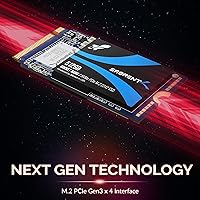
Running on a PCIe Gen3 x4 interface with NVMe 1.3, the Sabrent 2242 SSD hits up to 1700 MB/s sequential reads — fast enough that OS boot times and application launches feel snappy rather than sluggish. The 42mm length is the headline spec here; it physically fits where standard 2280 drives simply cannot. Despite being DRAM-less, Sabrent integrates support for APST, ASPM, and L1.2 power states, which keeps idle consumption low — genuinely useful in always-on embedded or server contexts. TLC NAND with Advanced Wear Leveling and Bad Block Management adds meaningful longevity for typical read-heavy workloads, and SMART and TRIM support mean your OS can actively maintain drive health over time.

Best For

This short-form SSD is purpose-built for situations where a standard M.2 drive simply won't physically fit. Think: a compact fanless mini PC being repurposed as a home server, an industrial control board with a fixed 42mm slot, or a budget ultrabook that shipped with a sluggish eMMC drive. It also suits builders who want NVMe speeds without the price premium of a DRAM-equipped alternative, as long as they understand the trade-off: sustained sequential writes under heavy load — video rendering, bulk file transfers — can throttle. For OS drives and everyday workloads, though, this compact NVMe drive punches well above its physical size.

User Feedback

Buyers consistently highlight how straightforward installation is — even in cramped chassis where every millimeter counts. Read performance in day-to-day tasks draws regular praise; people report fast boot times and snappy application loads without complaint. The Acronis cloning software earns specific mentions from users who migrated from older SATA drives, with many calling the process refreshingly painless. On the flip side, a portion of reviewers note write speed dips during prolonged large file operations, consistent with what any DRAM-less drive will do under sustained pressure. Long-term reliability feedback skews positive overall, though a small number of buyers flagged early-life failures — keeping warranty coverage in mind is sensible.

Pros

  • One of the only high-quality NVMe options designed specifically for the 2242 M.2 form factor.
  • Boot times and app launches feel genuinely fast coming from any SATA or eMMC drive.
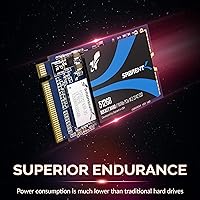
  • DRAM-less design keeps power draw low, which matters in fanless and always-on systems.
  • TLC NAND with wear leveling offers solid longevity for read-heavy, everyday workloads.
  • APST, ASPM, and L1.2 support means idle power consumption stays impressively minimal.
  • Bundled Acronis True Image makes OS migration straightforward without hunting for third-party tools.
  • Lightweight at 0.212 ounces — easy to handle and install even in the tightest chassis.
  • SMART and TRIM support lets your OS actively maintain and monitor drive health over time.
  • Clean out-of-box compatibility with Windows 10, Windows 11, and mainstream Linux distributions.
  • Competitive price within the 2242 NVMe niche where options are genuinely limited.

Cons

  • Sustained write speeds drop noticeably once the SLC cache is exhausted under heavy load.
  • No DRAM cache means the drive cannot match mid-range 2280 competitors on write-intensive tasks.
  • Price per gigabyte is less favorable than full-size NVMe drives at equivalent capacities.
  • A small but consistent pattern of early-life failures appears in verified long-term ownership reviews.
  • No thermal pad is included, requiring a separate purchase for thermally managed enclosures.
  • Cloning software activation can be inconsistent on certain OEM Windows configurations.
  • 512GB fills up faster than expected once OS overhead, updates, and apps accumulate.
  • Older UEFI firmware on some host systems may require updates before the drive is fully recognized.
  • Warranty support response times are reported as inconsistent by a portion of buyers.
  • Documentation in the box is minimal, which can create friction for first-time SSD installers.

Ratings

The SABRENT Rocket NVMe 2242 512GB SSD earns its place as one of the few compelling options in a niche that most brands overlook entirely — and these scores reflect exactly that reality. Our AI has analyzed verified buyer reviews from global markets, actively filtering out incentivized, bot-generated, and spam submissions, to surface what real owners actually experience day-to-day. Both the genuine strengths and the honest limitations of this compact NVMe drive are reflected transparently below.

Form Factor Compatibility
96%
For buyers who specifically need a 2242-length M.2 drive, this is one of the most reliable options available. Owners of mini PCs, industrial embedded boards, and certain compact laptops consistently report a clean, no-compromise physical fit in slots that reject the far more common 2280 drives.
The same specificity that makes it irreplaceable for some buyers makes it irrelevant for everyone else. If your system supports standard 2280 drives, there is simply no reason to seek this out, and a few buyers admitted purchasing it by mistake without checking their slot length first.
Sequential Read Performance
83%
In everyday workloads — booting Windows, launching productivity apps, loading large project files — the Sabrent 2242 SSD delivers noticeably faster response than SATA alternatives. Buyers upgrading from older eMMC or 2.5-inch SATA drives describe the difference as immediately obvious without needing a benchmark tool to confirm it.
While the rated 1700 MB/s ceiling is competitive for Gen3, it trails faster Gen4 drives by a meaningful margin. Power users who run parallel read-heavy tasks simultaneously may occasionally notice the gap, particularly when comparing against higher-tier NVMe options in the same price neighborhood.
Sustained Write Performance
61%
39%
For typical OS-level writes — application installs, document saves, casual file management — the drive handles things without hesitation. Users repurposing compact hardware as light-duty servers or secondary machines report no frustrating bottlenecks during routine operations.
The DRAM-less architecture shows its limits under prolonged sequential write loads. Buyers who attempted large bulk transfers or used the drive for video capture reported write speeds dropping noticeably once the SLC cache fills. This is not a drive for sustained heavy-write scenarios like video editing or continuous data logging.
Power Efficiency
91%
APST, ASPM, and L1.2 power state support means the drive enters low-power idle aggressively, which matters more than most buyers initially expect. In fanless mini PCs and always-on embedded systems, owners noted that the drive contributes minimally to thermal load even during extended operation.
A small subset of users running very specific low-power Linux configurations reported inconsistency with L1.2 state activation depending on motherboard firmware maturity. This is an edge case, but worth noting for industrial deployments where predictable power draw is critical.
Value for Money
88%
Within the narrow 2242 NVMe segment, this compact NVMe drive lands at a price point that is difficult to argue with. Buyers who had previously paid more for slower or less reliable 2242 options from lesser-known brands expressed clear satisfaction with the performance-per-dollar ratio here.
Compared to full-size 2280 NVMe drives at similar capacities, the price-per-gigabyte ratio is slightly less favorable — a natural consequence of serving a niche market. Buyers who do not specifically need the 2242 form factor will find better raw value elsewhere.
Installation Experience
89%
The physical installation process drew consistent praise, particularly from users working inside cramped chassis with limited hand clearance. The drive's light weight and compact footprint made single-handed insertion manageable even in systems where the M.2 slot sits awkwardly near other components.
A handful of users flagged that the drive lacks a pre-attached thermal pad, which required sourcing one separately for systems with active thermal management requirements. Not a dealbreaker, but worth factoring in for thermally sensitive builds.
Cloning Software Utility
82%
18%
The bundled Acronis True Image for Sabrent earned genuine appreciation from buyers migrating away from slower legacy drives. Users described the OS cloning process as straightforward, with the software handling partition resizing and boot flag preservation without manual intervention in most cases.
Some users on newer Windows installations or specific OEM configurations reported needing to consult Acronis documentation to resolve minor activation hiccups. The software is also tied to Sabrent branding, meaning it does not cover non-Sabrent drives if you ever need broader backup functionality.
Thermal Management
78%
22%
In passively cooled mini PCs and embedded systems — the primary audience for this drive — the Sabrent 2242 SSD runs cool during typical workloads. Several buyers using it in fanless systems reported no thermal throttling during web browsing, light server tasks, or media playback.
Under sustained sequential writes, surface temperatures climb more than some users expected from a DRAM-less drive. Systems without even minimal airflow over the M.2 slot may see thermal throttling kick in earlier during extended write sessions, compounding the cache-exhaustion slowdowns already inherent to the architecture.
Long-Term Reliability
76%
24%
The majority of buyers who have owned this short-form SSD for over a year report zero issues, with SMART data remaining clean and no unexpected failures. TLC NAND with wear leveling and bad block management gives reasonable confidence for read-dominant workloads over a multi-year lifespan.
A statistically small but consistent thread of early-failure reports exists across verified reviews — mostly drives failing within the first 90 days. While this may reflect normal population variance rather than a systematic defect, buyers should register for warranty coverage immediately after purchase as a precaution.
NAND Endurance
74%
26%
TLC NAND at this capacity tier offers acceptable write endurance for the target use case: OS hosting, application storage, and moderate file cycling in a compact system. Buyers using it as a primary drive in a home server or mini PC are unlikely to stress the endurance ceiling under normal conditions.
TLC without DRAM means the drive relies entirely on host memory buffer and SLC caching for write management. Heavy write cycles over time will consume the endurance budget faster than a DRAM-equipped alternative, making it a less ideal choice if the drive will see intensive write activity daily.
OS and Driver Compatibility
86%
Out of the box, the drive is recognized cleanly by Windows 10, Windows 11, and most mainstream Linux distributions without any driver installation. Buyers deploying it in NAS units and embedded systems running lightweight Linux reported equally smooth detection and initialization.
A few buyers using older UEFI firmware — particularly on refurbished mini PCs — encountered initialization delays or required a firmware update before the drive was fully recognized. These cases were relatively rare but suggest checking host system firmware version before assuming plug-and-play compatibility.
Capacity Practicality
81%
19%
At 512GB, the Sabrent 2242 SSD hits a useful middle ground for compact builds. It is enough to host a full OS with productivity software, a moderate media library, or a lightweight server stack without constantly managing free space.
For buyers who anticipated using it as the sole drive in a media-rich environment, 512GB fills up faster than expected once OS overhead, update caches, and application data accumulate. A 1TB variant exists and may be worth the incremental investment for users with heavier storage demands.
Brand Support and Documentation
72%
28%
Sabrent's customer support has a reasonable reputation within the value SSD segment, and the warranty process is generally described as functional rather than frustrating. The brand actively engages with negative reviews and posts firmware or software update notices when relevant.
Support response times are inconsistent, and some buyers waiting on RMA approvals reported longer-than-expected communication gaps. The product documentation is minimal — no printed quick-start guide is included, which some less experienced buyers found mildly inconvenient during first installation.

Suitable for:

The SABRENT Rocket NVMe 2242 512GB SSD was built for a specific type of buyer, and if you fall into that group, it is genuinely difficult to beat. Anyone upgrading a mini PC, fanless embedded system, or compact industrial board that physically only accepts the shorter 42mm M.2 slot will find this one of the very few capable NVMe options on the market. It is equally well-matched to budget-conscious builders who want a meaningful step up from SATA or eMMC performance without paying a premium for features their workloads do not require. Low-power server and NAS enthusiasts who keep systems running around the clock will appreciate the drive's aggressive power state management, which keeps idle consumption and thermal output genuinely low. Hobbyists rescuing older compact hardware — a dusty Intel NUC, a small form factor workstation, or a repurposed thin client — will find this short-form SSD breathes real life into machines that otherwise have no upgrade path.
Not suitable for:

The SABRENT Rocket NVMe 2242 512GB SSD is straightforwardly the wrong tool for several types of buyers, and it is worth being honest about that upfront. If your system accepts the standard 2280 M.2 form factor, there is no practical reason to choose this drive — you will get more performance options, better pricing per gigabyte, and more competitive choices at that slot length. Creative professionals who routinely move large video files, capture footage directly to disk, or run sustained encoding workloads will run into the DRAM-less architecture's ceiling; once the SLC cache fills, write speeds drop in ways that will disrupt time-sensitive workflows. Buyers expecting enterprise-grade write endurance or mission-critical reliability guarantees should look at purpose-built drives with DRAM buffers and higher TBW ratings. And if 512GB sounds adequate but you know your habits — large game libraries, RAW photo archives, local media servers — the capacity will feel tight sooner than expected, making the 1TB variant a smarter long-term investment.

Specifications

  • Form Factor: This drive uses the M.2 2242 form factor, meaning it is 22mm wide and 42mm long — noticeably shorter than the 80mm 2280 drives found in most consumer laptops and desktops.
  • Interface: It connects via PCIe Gen3 x4, delivering four lanes of third-generation PCI Express bandwidth for significantly faster data transfer than any SATA-based M.2 drive.
  • Protocol: The drive adheres to the NVMe 1.3 specification, which governs how the OS communicates with the storage controller for low-latency, high-throughput operations.
  • Capacity: Total usable storage capacity is 512GB, formatted and ready for use as a primary OS drive or secondary storage volume.
  • Sequential Read: Maximum rated sequential read speed is 1700 MB/s, achieved during large, contiguous file reads under optimal conditions.
  • Sequential Write: Maximum rated sequential write speed is 1550 MB/s, applicable to sustained writes within the drive's SLC cache window before throttling may occur.
  • NAND Type: Storage cells use Triple-Level Cell (TLC) NAND flash, which balances capacity, cost, and endurance for read-dominant consumer and light-server workloads.
  • Cache Architecture: This drive is DRAM-less, relying on Host Memory Buffer (HMB) and an SLC write cache rather than dedicated onboard DRAM for mapping table management.
  • Power Management: Supports APST, ASPM, and L1.2 power states, enabling the drive to aggressively reduce power consumption during idle periods in compatible host systems.
  • ONFi Support: Compatible with ONFi 2.3, 3.0, 3.2, and 4.0 interface standards, ensuring broad NAND interoperability and future-facing flash management flexibility.
  • Health Commands: Supports both SMART (Self-Monitoring, Analysis and Reporting Technology) and TRIM commands, allowing the OS to monitor drive health and maintain write efficiency over time.
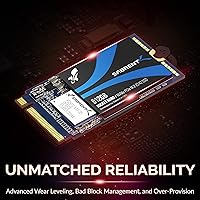
  • Endurance Features: Onboard firmware implements Advanced Wear Leveling, Bad Block Management, and Over-Provisioning to distribute write cycles evenly and extend the operational lifespan of the NAND.
  • Dimensions: Physical dimensions measure 1.7 x 0.86 x 0.11 inches (approximately 42 x 22 x 2.8mm), consistent with the standard M.2 2242 specification.
  • Weight: The drive weighs just 0.212 ounces (approximately 6 grams), making it one of the lightest internal storage upgrades available for compact systems.
  • Installation Type: Designed exclusively for internal installation into an M.2 2242-compatible slot on a motherboard, mini PC, embedded board, or compatible laptop.
  • Bundled Software: Each drive includes a license for Acronis True Image for Sabrent, a full disk-cloning and backup utility that simplifies migrating an existing OS or data to the new drive.
  • Compliance: The drive is PCIe 3.1 compliant and NVMe 1.3 compliant, meeting the standard electrical and protocol specifications for modern M.2 NVMe host controllers.
  • Color: The drive PCB is blue, though color has no functional relevance given the drive is installed internally and not visible during normal system operation.

Related Reviews
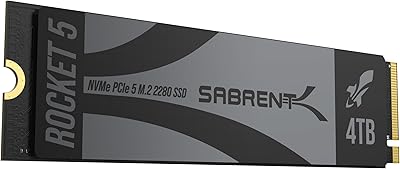
SABRENT Rocket 5 4TB NVMe SSD
88%
94%
Performance
92%
Transfer Speed
89%
Compatibility
88%
Build Quality
75%
Cooling Efficiency
More
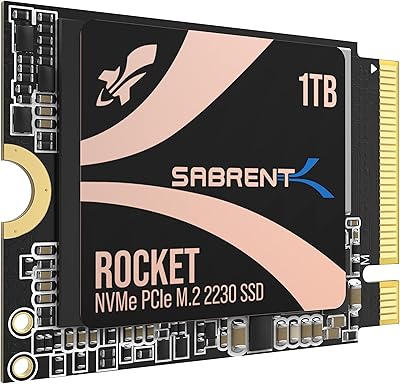
SABRENT Rocket 2230 1TB NVMe SSD
83%
88%
Read Speed Performance
71%
Write Speed Performance
93%
Form Factor Compatibility
91%
Installation Experience
74%
Thermal Management
More
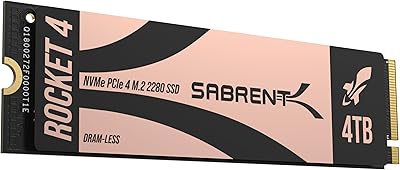
SABRENT Rocket 4 4TB NVMe SSD
84%
93%
Sequential Throughput
88%
Random I/O Performance
86%
Thermal Management
91%
PS5 Compatibility
74%
Value for Money
More
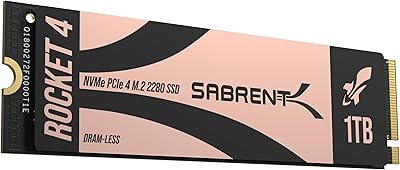
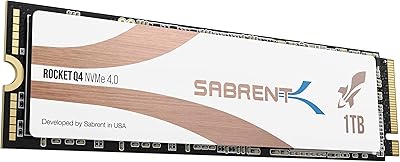
Sabrent Rocket 4 1TB NVMe SSD
86%
94%
Performance
92%
Speed (Read/Write)
74%
Thermal Management
89%
Reliability
91%
Compatibility
More
SABRENT Rocket 4 Plus 2TB NVMe SSD
83%
94%
Read/Write Performance
91%
Heatsink Build Quality
96%
PS5 Compatibility
88%
Thermal Management
83%
Value for Money
More
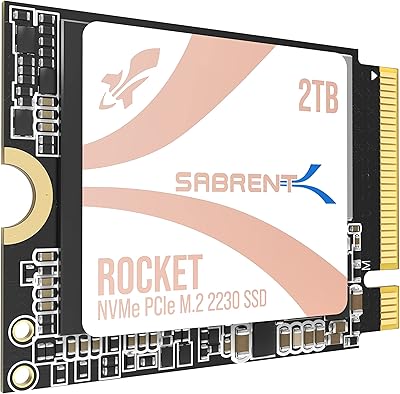
SABRENT Rocket Q4 2230 2TB NVMe SSD
81%
97%
Form Factor Compatibility
88%
Read Performance
67%
Write Performance
83%
Installation Experience
74%
Thermal Management
More
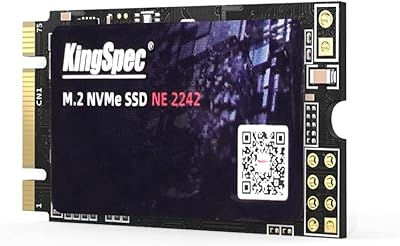
KingSpec NE-512 2242 512GB M.2 NVMe SSD
77%
88%
Value for Money
79%
Read Performance
71%
Write Performance
93%
Installation Ease
91%
Form Factor Compatibility
More
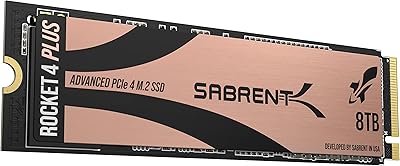
SABRENT Rocket 4 Plus 8TB NVMe SSD
80%
93%
Sequential Read Speed
89%
Sequential Write Speed
61%
Thermal Management
67%
Value for Money
88%
NAND Endurance
More
Sabrent 1TB Rocket 4 Plus NVMe 4.0 SSD
88%
94%
Performance
88%
Installation Ease
92%
Value for Money
70%
Thermal Management
91%
Compatibility
More
Sabrent Rocket RGB USB-C 20Gbps M.2 SATA/NVMe SSD Enclosure
85%
88%
Performance
94%
Ease of Setup
75%
Build Quality
85%
Heat Management
90%
Compatibility with M.2 SSDs
More

FAQ

The easiest way is to open your device and physically measure the distance from the M.2 connector to the mounting screw hole — 42mm means 2242, 80mm means 2280. Many mini PCs and thin embedded boards list the supported M.2 lengths in their official spec sheet or user manual, so checking the manufacturer's documentation before purchasing is always the safest first step.

It depends on the specific NUC generation. Some Intel NUC models include a secondary 2242 M.2 slot alongside the primary 2280 slot, while others only have one slot of a fixed length. Check your NUC's product brief or teardown guides online — the slot length is almost always documented, and communities around specific NUC models are very active with compatibility reports.

For most people, no. If you are using this compact NVMe drive as an OS drive in a mini PC, a light home server, or a repurposed laptop, the absence of DRAM cache is not something you will notice day to day. Where it does show up is during long, sustained sequential writes — like copying hundreds of gigabytes in one session or writing large video files continuously — where speeds can drop once the SLC cache fills. For typical computing tasks, it is a non-issue.

Yes, and the bundled Acronis True Image for Sabrent makes this process relatively straightforward. You would connect the Sabrent 2242 SSD via a USB-to-M.2 adapter, run the cloning process from your existing system, then physically swap the drives. Most users report the process works without issues, though OEM Windows installs with non-standard partition layouts occasionally require a bit of extra configuration inside the Acronis interface.

The only fundamental difference is physical length — 42mm versus 80mm. Both use the same M.2 connector and PCIe interface. The 2242 format exists specifically for compact devices that cannot accommodate the longer 2280 drive. Performance characteristics, NAND type, and protocols are determined by the specific model, not the length itself.

Yes, it works cleanly with mainstream Linux distributions including Ubuntu, Fedora, Debian, and their derivatives. The NVMe driver stack built into the Linux kernel handles this drive without any additional configuration in most cases. A small number of users on highly customized or older kernel builds reported needing to verify NVMe module loading, but this is rare.

Under typical workloads — OS usage, light server tasks, web browsing, media playback — the drive stays at manageable temperatures even without a heatsink. During sustained sequential writes, temperatures do climb, and in systems with zero airflow over the M.2 slot, adding a thin thermal pad against the chassis is a sensible precaution. The drive does not ship with a thermal pad included.

The majority of long-term owners report clean SMART data and no issues after a year or more of regular use. There is a small thread of early-failure reports in the wider review pool, which is not unusual for any drive at this price tier. Registering the warranty immediately after purchase and keeping an eye on SMART data using a free tool like CrystalDiskInfo is a sensible habit regardless of brand.

It works well as a primary boot drive, which is actually the most common use case. Booting an OS involves lots of small random reads and modest writes — exactly the workload profile where a DRAM-less NVMe drive performs well. The limitations of DRAM-less design are far more relevant for secondary drives handling heavy file transfers than for primary OS drives.

It genuinely depends on your use case. For a clean Windows or Linux installation with a standard set of productivity apps, 512GB is workable, though it fills faster than most people expect once updates, browser caches, and application data accumulate. If this is your only storage drive and you store photos, projects, or a game library on it, the 1TB variant is worth the incremental cost to avoid managing space constantly.

Where to Buy