Overview

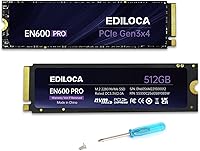
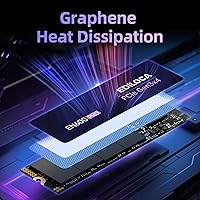
The Ediloca EN600 Pro 512GB NVMe SSD is a no-frills, budget-conscious storage upgrade aimed squarely at everyday PC users who are done waiting on slow mechanical drives. Ediloca is not a name you will find in data center discussions, but the brand has built a quietly growing presence on Amazon with competitive pricing and respectable specs. This is an M.2 2280 drive, so it slots into a wide range of laptops, desktops, and all-in-one machines without any adapter fuss. One detail worth noting at this price: it ships with a graphene cooling sticker pre-applied, a thoughtful touch for slim laptops that lack dedicated heatsink slots. Set expectations accordingly — this is a mainstream-tier drive, not something built for power users pushing large workloads around the clock.

Features & Benefits

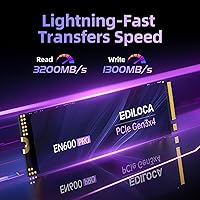
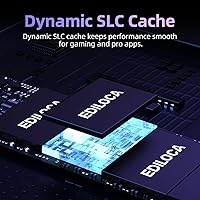
On paper, the EN600 Pro moves data at up to 3,200 MB/s read and 1,300 MB/s write — numbers that translate to noticeably faster boot times and quicker app launches compared to any old-school spinning hard drive. The drive uses a dynamic SLC cache to handle bursts of data efficiently, which works well during typical everyday tasks. Where it shows limits is during long, sustained writes — copy a large batch of files and speeds may dip as the SLC cache fills and the drive falls back to its native TLC pace. That is a known trade-off with 3D NAND TLC at this price tier, not a defect. The inclusion of a screwdriver and mounting screw in the box is a small but genuinely useful addition for first-time builders.

Best For

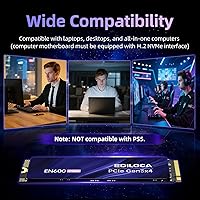
This budget M.2 SSD hits its sweet spot for users making the jump from an old HDD — the speed difference is dramatic enough that almost any application-heavy workflow feels considerably more responsive overnight. Students, remote workers, and casual home users will find it more than capable of handling daily workloads like browser multitasking, office documents, and light photo work. It also works well as a secondary storage drive in a desktop where a faster primary NVMe handles the OS and demanding applications. Keep this one away from video editing rigs doing continuous large-file writes, and it has no place in NAS setups. Hard stop: the drive is not PS5-compatible, so console storage hunters should look elsewhere entirely.

User Feedback

With over 4,100 ratings averaging 4.6 out of 5, the reception for this Ediloca NVMe drive has been broadly positive. Buyers most often praise how straightforward the installation is — particularly for first-timers — and the immediate, tangible improvement in system responsiveness after switching from a mechanical drive. On the flip side, a portion of users note that real-world write speeds fall short of the advertised figures under sustained load, which is consistent with how SLC caching behaves once the buffer fills. A few buyers also raise questions about long-term endurance, which is fair given Ediloca's relatively short track record in storage. The 3-year warranty helps offset some of that uncertainty, but it does not fully replace the confidence that comes with more established names.

Pros

  • Dramatically faster than any mechanical hard drive for daily tasks like booting, browsing, and launching applications.
  • The M.2 2280 form factor slots into a wide range of laptops, desktops, and all-in-one PCs without adapters.
  • Graphene cooling sticker is a practical, thoughtful inclusion for slim laptops lacking a dedicated M.2 heatsink slot.
  • PCIe Gen3 x4 delivers read speeds up to 3,200 MB/s — more than sufficient for home and office workloads.
  • Installation is beginner-friendly, and the box includes a screwdriver and mounting screw so no extra hardware is needed.
  • No moving parts means the drive runs silently and handles everyday bumps far better than a traditional spinning HDD.
  • Dynamic SLC cache sustains solid burst performance well during short, typical file transfer tasks.
  • Over 4,100 buyer ratings averaging 4.6 out of 5 point to consistently strong real-world satisfaction for the price tier.
  • Compatible with Windows 7 through 11 and macOS 10.9 and later, covering the vast majority of current users.
  • A 3-year limited warranty offers a reasonable layer of protection for a budget-tier storage purchase.

Cons

  • Sustained write speeds drop noticeably once the SLC cache fills — a real limitation for large, continuous transfers.
  • Real-world speeds under heavy workloads often fall short of the advertised peak figures, frustrating performance-focused buyers.
  • Ediloca is a newer brand with a limited long-term reliability track record compared to established storage manufacturers.
  • No publicly listed TBW endurance rating makes it difficult to assess how the drive holds up under intensive daily use.
  • Explicitly not compatible with PS5, ruling it out entirely as a console storage expansion option.
  • TLC NAND is less durable per write cycle than MLC alternatives, which could become a concern over several years of heavy use.
  • At 512 GB, available capacity may feel tight for users storing large game libraries, video projects, or media collections.
  • Brand support and service infrastructure are still maturing, and warranty service experience may not match that of established names.

Ratings

The Ediloca EN600 Pro 512GB NVMe SSD earned its composite scores through AI-driven analysis of thousands of verified buyer reviews collected globally, with automated filtering applied to remove suspected spam, incentivized submissions, and bot-generated activity. Every category score below reflects both the genuine strengths and the recurring pain points documented across real-world usage — nothing has been softened or inflated. The result is an honest, data-grounded picture of exactly what this drive delivers, and where it asks buyers to make trade-offs.

Value for Money
88%
At this price tier, it is genuinely difficult to find a PCIe NVMe drive that delivers this level of everyday performance. Buyers upgrading from a spinning hard drive consistently noted that the performance-per-dollar ratio felt exceptional, especially given that boot times dropped dramatically the moment the drive was installed.
A few users felt the gap between advertised and real-world sustained write speeds made the value proposition feel slightly overstated for heavier workloads. Those who compared it against similarly priced 1TB alternatives from competing brands occasionally questioned whether the 512GB capacity fully justified the spend.
Read Performance
84%
For everyday tasks, sequential read speeds approaching 3,200 MB/s translate to near-instant app launches, quick file access, and noticeably snappy OS responsiveness. Users loading games or opening large documents reported a tangible step up from anything SATA-based or HDD-based they had used previously.
Benchmark results from some buyers came in slightly below peak advertised figures, which is not unusual but did raise eyebrows among those who expected the spec sheet to match exactly. Random read performance — which matters more for complex multitasking — is more modest than the headline sequential numbers suggest.
Write Performance
67%
33%
Within the SLC cache window, write performance feels quick and responsive for typical daily tasks like saving large project files, downloading games, or transferring a batch of photos from a camera card. Users who stuck to moderate-sized transfers rarely noticed any bottleneck during normal use.
Once the SLC cache is exhausted during large, sustained transfers, write speeds can fall significantly, leaving some buyers frustrated when moving hundreds of gigabytes in a single session. This is a known limitation of budget TLC drives, but it catches users off guard who expected consistent speeds throughout a long copy operation.
Installation Ease
91%
The installation experience drew consistent praise from buyers of all skill levels, with many first-timers completing the physical process without any prior hardware experience. The bundled screwdriver and mounting screw removed one of the most common friction points in M.2 SSD installation, making the whole setup feel genuinely beginner-friendly.
A portion of users noted that while the physical install was simple, the follow-up software setup — cloning an existing drive or performing a fresh OS install — required additional tools and tutorials not covered in the box. This is a limitation of the category broadly rather than a specific shortcoming of this drive.
Compatibility
83%
The M.2 2280 form factor and broad OS support across Windows 7 through 11 and macOS 10.9 and later gave buyers strong confidence that the drive would work in their specific machine. Desktop upgraders and laptop users alike reported straightforward plug-and-play recognition without any driver headaches.
The explicit PS5 incompatibility frustrated a meaningful segment of buyers who discovered the limitation only after purchase, suggesting the product listing warrants closer reading before ordering. Additionally, users on older motherboards occasionally needed a BIOS update before the drive was recognized as a valid boot device.
Thermal Management
77%
23%
The pre-applied graphene heat dissipation sticker was highlighted by several thin-and-light laptop users as a genuinely practical inclusion, especially in machines that lack a dedicated M.2 heatsink on the motherboard. Under typical everyday workloads, the drive ran warm but stayed within acceptable operating temperature ranges.
Under sustained heavy loads, some users reported the drive throttling slightly as temperatures climbed, an issue more pronounced in poorly ventilated chassis even with the sticker in place. Desktop users whose motherboards already featured an M.2 heatsink cover found the pre-applied sticker somewhat redundant and occasionally difficult to remove cleanly.
Sustained Performance
58%
42%
For short, bursty workloads — the kind most home users encounter day to day — the drive holds up well and delivers consistent, snappy results. Installing a large game, downloading a software update, or transferring a few gigabytes of work files all fall comfortably within the drive's ability to maintain solid speeds.
The moment sustained writes extend beyond the SLC cache capacity, performance drops noticeably, and this is one of the most commonly cited frustrations across the entire review base. Users who regularly move large video archives, game backups, or bulk media collections will hit this ceiling often enough that it becomes a genuine daily concern.
Long-term Reliability
63%
37%
The TLC NAND construction and NVMe 1.3 protocol provide a reasonable baseline for everyday reliability, and many buyers reported months of trouble-free use across standard workloads. The 3-year warranty does offer a meaningful safety net should the drive fail prematurely under normal conditions.
Ediloca's short track record in the storage market means there is limited independent data on how these drives perform after two or three years of heavy daily use. A portion of users raised endurance concerns for write-heavy workloads, and the absence of a published TBW rating makes those questions difficult to answer objectively.
Packaging & Accessories
86%
Buyers appreciated that Ediloca included a screwdriver and mounting screw directly in the box, eliminating a common frustration for first-time M.2 installers who do not keep a precision tool kit readily available. The packaging itself arrived well-protected in the large majority of reported cases, with minimal transit damage complaints.
The included instruction guide is fairly minimal and does not walk buyers through the software side of setup, which some non-technical users found left them searching online for guidance on their next steps. There is no bundled drive cloning software license, which a few competing brands at similar price points choose to include.
Warranty & Support
69%
31%
A 3-year limited warranty is a reassuring commitment at this price point and gives buyers a reasonable window of protection against manufacturing defects and premature failure. Several users mentioned that Ediloca's Amazon seller support responded to queries without unreasonable delay, which is a step above many no-name storage alternatives.
Ediloca's support infrastructure is still maturing, and a portion of users found that warranty claim processes were less streamlined than those from established storage brands. The brand does not yet have the service reputation, community documentation, or breadth of independent support resources that companies with decades in the market have accumulated.
Everyday Usability
87%
For the workloads this drive is designed for — booting Windows, opening a browser, running Office apps, streaming media — it performs reliably and snappily day after day. Users who made the switch from a mechanical HDD overwhelmingly described the experience as a transformative improvement to their daily computer use.
The drive's strengths are heavily context-dependent, and users who pushed it beyond casual workloads — running virtual machines or regularly importing large media libraries, for example — occasionally hit the performance ceiling TLC NAND introduces under sustained demand. It performs best when workloads stay within the moderate range the SLC cache can comfortably handle.
Noise & Vibration
94%
With no mechanical components whatsoever, the drive operates in complete silence at all workload intensities — a benefit that laptop users working in quiet spaces like libraries, shared offices, and late-night home setups particularly appreciated. There are no spinning platters or actuating read heads to generate noise or physical vibration.
Silent operation is an inherent structural advantage shared by all solid-state drives, not a unique differentiator of this model specifically. Buyers upgrading from an HDD get quiet operation as a natural bonus, but it should not serve as a primary reason to choose one NVMe SSD over another within the same category.
Brand Trust
61%
39%
The sheer volume of verified reviews — over 4,100 ratings at a 4.6 average — provides genuine social proof that helps offset the unfamiliarity of the Ediloca name for buyers encountering the brand for the first time. Many buyers who took a chance on an unknown brand reported they were pleased with the decision.
Ediloca simply does not yet carry the years of field data, independent review coverage, or community credibility that drives from Samsung, Western Digital, or Crucial have earned over time. For buyers where brand heritage and long-term accountability are genuine deciding factors, this relative newcomer status is a legitimate and rational concern.
Shock Resistance
82%
18%
Without moving parts, the drive handles everyday bumps, jostling in a laptop bag, and general transportation far better than any mechanical hard drive — a benefit that commuters and travelers carrying their machines daily particularly noted. Solid-state construction means there are no read heads to crash or platters to physically warp under impact.
While the absence of moving parts is a core structural advantage, Ediloca provides no rated drop height or vibration tolerance specification for this drive. Buyers in industrial or field environments who need formally certified ruggedness have no concrete published data to reference when evaluating this model against more rugged alternatives.

Suitable for:

The Ediloca EN600 Pro 512GB NVMe SSD is a strong fit for anyone who has been limping along on an aging mechanical hard drive and wants a meaningful speed upgrade without a large outlay. Boot times drop dramatically, everyday apps open noticeably faster, and the whole system simply feels more responsive — all without requiring serious technical know-how to pull off. Students running office software, remote workers juggling browser tabs and video calls, and casual home users who do light photo work or media consumption will get exactly what they need from this drive. Laptop owners with an unused M.2 NVMe slot will find the M.2 2280 form factor compatible with virtually any qualifying machine, and since the box includes a screwdriver and mounting screw, you can complete the install without hunting through a junk drawer. It also works sensibly as a secondary drive in a desktop build, handling application installs and overflow storage while a faster primary drive manages the operating system.

Not suitable for:

The Ediloca EN600 Pro 512GB NVMe SSD is not the right tool for anyone who regularly moves large files for a living or as a serious hobby. Video editors pushing 4K footage, photographers batch-processing RAW files, or content creators doing sustained large-file transfers will quickly run into the drive's SLC cache ceiling — once that buffer fills, write speeds fall back to native TLC levels, which is measurably slower than the headline figure. Buyers who need a reliable endurance figure for write-heavy workflows should look at drives with a published TBW rating from brands with longer track records in storage. If you were hoping to expand PS5 storage, this drive is explicitly incompatible, so remove it from that shortlist immediately. Anyone building a high-performance gaming or creative workstation as a primary drive would be better served by a mid-range or premium NVMe option with stronger sustained performance. And if long-term brand trust is a deciding factor for you, Ediloca is still building that reputation — the 3-year warranty is a reasonable gesture, but it is not the same as buying from a name with a decade of proven storage reliability.

Specifications

  • Capacity: The drive provides 512 GB of flash-based storage for an operating system, applications, and personal files.
  • Interface: Connects via PCIe 3.0 x4 using the NVMe 1.3 protocol, delivering high-bandwidth and low-latency data transfer.
  • Form Factor: M.2 2280 format — 22mm wide and 80mm long — fits the most common M.2 slot found in modern laptops and desktops.
  • Sequential Read: Peak sequential read speed reaches up to 3,200 MB/s under optimal burst conditions.
  • Sequential Write: Peak sequential write speed reaches up to 1,300 MB/s, sustained within the active SLC cache window.
  • Flash Type: Built on 3D NAND TLC (triple-level cell) flash, which balances cost-efficiency with acceptable endurance for everyday workloads.
  • Cache Type: Uses a dynamic SLC cache to accelerate burst transfers before reverting to native TLC write speeds under sustained load.
  • Cooling: Ships with a pre-applied graphene heat dissipation sticker designed to manage thermal output during intensive read and write operations.
  • OS Compatibility: Supports Windows 7, 8, 10, and 11, as well as macOS 10.9 and all later versions.
  • Device Support: Compatible with desktops, laptops, and all-in-one PCs that are equipped with an M.2 NVMe (PCIe) slot.
  • PS5 Support: This drive is explicitly not compatible with the PlayStation 5 and cannot be used for console storage expansion.
  • Warranty: Backed by a 3-year limited service warranty provided directly by Ediloca.
  • Weight: The drive weighs approximately 1.06 oz (around 30 g), making it lightweight and straightforward to handle during installation.
  • Package Contents: Box includes the SSD, mounting screws, a small screwdriver, and a printed instruction guide.
  • Brand: Manufactured and sold by Ediloca, a storage-focused brand with a growing consumer market presence.

Related Reviews
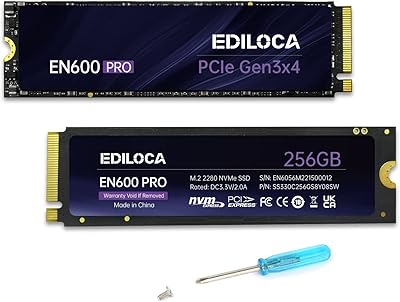
Ediloca EN600 Pro 256GB NVMe M.2 SSD
77%
93%
Value for Money
94%
Installation Experience
83%
Read Performance
57%
Sustained Write Speed
87%
Compatibility
More
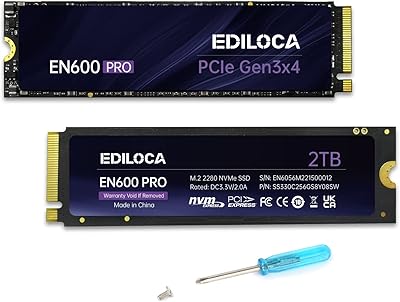
Ediloca EN600 Pro 2TB NVMe M.2 SSD
74%
91%
Value for Money
83%
Read Speed Performance
61%
Sustained Write Performance
88%
Installation Experience
67%
Thermal Management
More
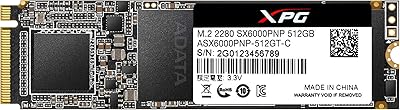
XPG SX6000 Pro 512GB NVMe SSD
75%
86%
Sequential Read Performance
61%
Sustained Write Performance
83%
Value for Money
91%
Installation Ease
58%
Compatibility & Platform Support
More
DATO DP700Pro 512GB M.2 NVMe SSD
77%
83%
Read/Write Performance
91%
Value for Money
94%
Installation Ease
61%
Thermal Management
67%
Brand Trust & Reliability
More
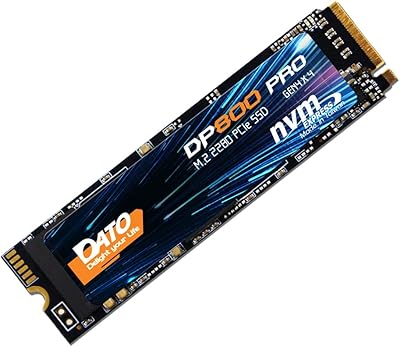
DATO DP800 Pro 512GB M.2 NVMe SSD
76%
83%
Value for Money
87%
Sequential Performance
91%
Installation Experience
57%
Thermal Management
74%
Build and Durability
More
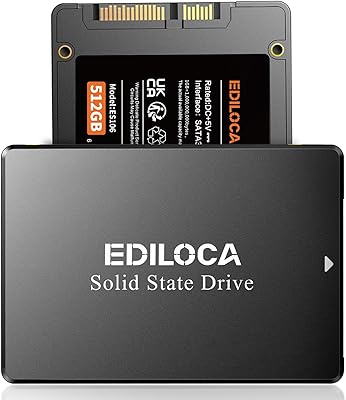
Ediloca ES106 512GB 2.5″ SATA SSD
75%
91%
Value for Money
84%
Read & Write Performance
78%
Installation Ease
89%
Compatibility
76%
Build & Durability
More
fanxiang S501Q 512GB NVMe SSD
78%
83%
Sequential Read Speed
67%
Sequential Write Speed
88%
Value for Money
74%
Build & Physical Quality
69%
Thermal Management
More
Samsung 860 Pro 512GB SSD
89%
94%
Performance
92%
Reliability
86%
Value for Money
95%
Ease of Installation
91%
Data Security
More
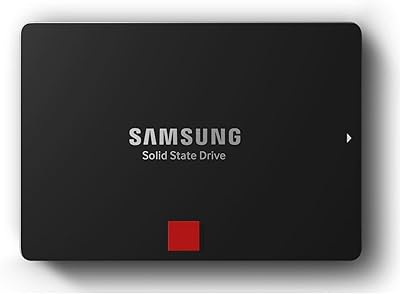
Samsung 850 PRO 512GB Internal SSD
80%
93%
Real-World Read Performance
88%
Sustained Write Throughput
96%
Long-Term Durability
57%
Value for Money
91%
Reliability & Failure Rate
More
Ediloca EN870 4TB NVMe M.2 SSD
78%
91%
Sequential Read Speed
58%
Sustained Write Performance
93%
PS5 Compatibility
84%
Value for Money
89%
Installation Experience
More

FAQ

It uses the M.2 2280 form factor, which is the most common M.2 size and fits the vast majority of laptops, desktops, and all-in-one PCs. The key thing to check before buying is that your machine has an M.2 slot that specifically supports NVMe (PCIe) — not just M.2 SATA, which is a different protocol that this drive will not work with. A quick look at your laptop or motherboard manual will confirm which type you have.

No — the EN600 Pro is explicitly not compatible with the PS5. Sony requires drives that meet specific certified speed and interface requirements, and this one does not qualify. If PS5 storage expansion is your goal, you will need a drive listed as PS5-compatible, typically a Gen 4 NVMe option.

The physical installation is straightforward even for first-timers — the drive slides into the M.2 slot and is secured with a small screw. Ediloca includes both the screw and a screwdriver in the box, so you do not need to source anything extra. The trickier part is setting up the drive afterward, whether that means cloning your existing drive or doing a fresh OS install, but free tools and step-by-step guides are widely available online for both approaches.

The improvement is genuinely dramatic and you will feel it immediately. Boot times that used to stretch past a minute can drop to under 15 seconds, and applications that felt sluggish to open will snap up almost instantly. Switching from a spinning HDD to any NVMe SSD is one of the biggest single upgrades you can make to an aging PC, and this drive delivers that leap at a price that makes the decision easy.

SLC caching is a technique where the drive temporarily treats a portion of its flash as faster single-level cell storage to handle incoming data more quickly in short bursts. For typical everyday tasks — saving documents, installing software, loading games — you will never exhaust the cache and will not notice any slowdown. The limitation shows up during very large, sustained transfers, like copying hundreds of gigabytes in one go, where speeds can dip once the cache fills. For most home and office users, this is simply not a factor in normal use.

You can technically remove it, but it is best left in place. The sticker helps pull heat away from the drive during heavy operations, which matters for longevity over time. It is especially practical in slim laptops that do not have a dedicated M.2 heatsink built into the motherboard. If your desktop motherboard already has its own M.2 heatsink cover, you can use that instead and skip the sticker.

Yes, the EN600 Pro works well as a primary OS drive. It supports Windows 7 through 11 and macOS 10.9 and later. Just confirm that your motherboard or laptop can boot from an NVMe M.2 drive — most systems built in the last several years support this natively, though some older machines may need a BIOS update to recognize NVMe boot devices.

Ediloca provides a 3-year limited service warranty covering defects and failures under normal use. If you run into an issue, you would need to contact Ediloca directly — usually through their Amazon seller page or support channels — to initiate a claim. It is worth noting that Ediloca is still a newer brand, so their support infrastructure may not be as established as that of longer-standing storage manufacturers, though the warranty coverage period itself is on par with the industry standard.

For a lot of people, 512 GB is plenty — it comfortably holds an operating system, everyday software, a handful of games, and a solid library of documents and photos. Where it starts to feel limiting is if you store large video projects, maintain a big game library, or keep a lot of offline media. If you are unsure, check how much space you currently use and whether you have cloud storage or an external drive to handle overflow before committing to this size.

For everyday computing — web browsing, office work, booting Windows, light media — the real-world gap between this drive and a premium option is smaller than the spec sheets imply. Where higher-end drives pull ahead is in sustained write performance, long-term endurance under heavy workloads, and consistency under load. If your daily use is typical home or office work, you are unlikely to feel shortchanged; if you are editing video, handling large databases, or doing anything write-intensive for hours at a time, spending more on a drive with a stronger sustained performance rating is worth it.

Where to Buy