Overview

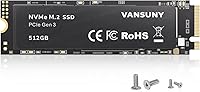
The Vansuny X15 512GB NVMe M.2 SSD enters a crowded market with a straightforward pitch: PCIe 3.0 performance at a price that won't make you wince. Vansuny isn't a household name the way Samsung or Western Digital are, and that's worth acknowledging upfront. What it offers is the M.2 2280 form factor that fits virtually any modern laptop or desktop with an NVMe slot, making it a practical upgrade path for aging machines. It currently sits at #52 in Internal SSDs on Amazon with over 850 ratings — not bad for a brand most buyers are discovering for the first time. Treat the advertised speeds as a ceiling, not a guarantee.
Features & Benefits

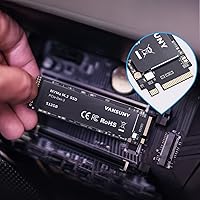
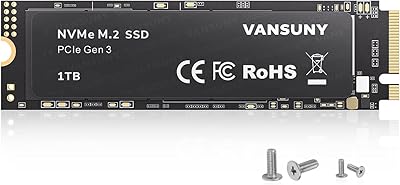
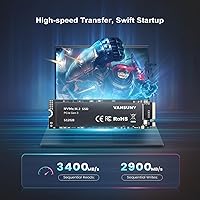
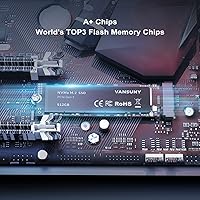
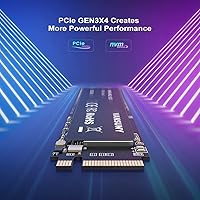
Running on a PCIe Gen3x4 interface, this NVMe drive advertises sequential reads up to 3400 MB/s and writes approaching 2900 MB/s — figures that, under ideal conditions, put it well ahead of any SATA drive you would be replacing. The 3D NAND TLC flash balances storage density with decent write endurance for everyday tasks like booting Windows, loading apps, and moving large files around. No spinning parts means heat and power draw stay low, which matters in thin laptops where thermal headroom is limited. Vansuny also includes two sets of mounting screws in the box, a small but genuinely useful touch that saves you scrambling for hardware on install day.

Best For

This budget M.2 SSD makes the most sense for someone upgrading out of an HDD or an aging SATA drive in a laptop that already has an open NVMe slot. Students pulling late nights, casual users tired of slow boot times, and budget-aware gamers loading older titles will all get real value here. It also works well as secondary storage in a desktop build — the kind of role where you park games or project files without worrying about extreme write cycles. If you have never installed an SSD before, the included screws and standard form factor make this a low-friction first upgrade with minimal guesswork.

User Feedback

Across more than 850 ratings at 4.5 stars overall, buyers seem genuinely satisfied — the most consistent praise focuses on how much snappier older machines feel after installation. That said, a portion of reviewers note that real-world speeds do not always match the spec sheet numbers, which is common with budget drives and worth keeping in mind. Installation gets positive marks, with several buyers specifically calling out the included screws as a thoughtful addition. Longer-term reliability remains the lingering question with TLC NAND from a lesser-known brand, and a few reviewers flag concerns after extended use. Most compare the value favorably to pricier name brands, openly acknowledging the trade-off between cost and pedigree.

Pros

  • PCIe Gen3x4 interface delivers a dramatic speed jump over any SATA or HDD it replaces.
  • The M.2 2280 form factor fits a wide range of laptops and desktops without adapter hassles.
  • Includes two sets of mounting screws, saving buyers a frustrating hardware hunt on install day.
  • 3D NAND TLC flash handles everyday read-heavy workloads like OS boot and app loading well.
  • Low heat output and reduced power draw make this NVMe drive a practical choice for thin laptops.
  • 512GB offers enough room for a full OS install, core apps, and a decent media or game library.
  • Competitive price point makes it one of the more accessible PCIe 3.0 NVMe options available.
  • Over 850 Amazon ratings at 4.5 stars suggests consistent satisfaction across a broad buyer base.
  • Lightweight at under one ounce, with no impact on laptop portability after installation.

Cons

  • Vansuny is a lesser-known brand with no long public track record, which adds uncertainty for risk-averse buyers.
  • Real-world speeds in everyday use often fall short of the advertised peak figures.
  • TLC NAND endurance may degrade faster than higher-tier flash types under sustained heavy write workloads.
  • No published TBW (terabytes written) rating makes it hard to evaluate true long-term durability.
  • Warranty terms and after-sales support from Vansuny are not as clearly established as major competitors.
  • 512GB capacity may feel limiting within a year or two for users with growing game libraries or media collections.
  • No bundled cloning software, so OS migration requires sourcing a third-party tool separately.
  • Brand resale value is negligible compared to drives from Samsung or WD if you later upgrade your system.

Ratings

The scores below for the Vansuny X15 512GB NVMe M.2 SSD were generated by our AI engine after analyzing verified buyer reviews from global markets, with spam, bot submissions, and incentivized feedback actively filtered out. Each category reflects the genuine distribution of praise and frustration real users reported — nothing is glossed over. Whether this budget M.2 SSD earns a spot in your build or falls short for your needs, the ratings below lay it out honestly.
Value for Money
88%
Most buyers feel the price-to-performance ratio is hard to argue with for a PCIe Gen3 NVMe drive. Upgraders replacing a mechanical hard drive report that the speed jump felt disproportionately large relative to what they spent, making the Vansuny X15 feel like a genuine bargain for its tier.
A small but vocal group of reviewers note that spending a bit more on a name-brand alternative closes the gap in reliability confidence significantly. For buyers who later encountered issues, the savings felt less compelling in retrospect.
Read/Write Performance
74%
26%
In everyday tasks like booting Windows, launching applications, and transferring moderate file batches, this NVMe drive feels noticeably responsive. Users coming from SATA drives or HDDs consistently describe the improvement as immediately obvious from the very first boot.
Benchmark-focused reviewers regularly report that sustained sequential speeds fall short of the advertised peaks, which is typical of TLC NAND without a large SLC cache buffer. Under extended write loads, speeds can drop considerably, which matters for users moving large media libraries.
Installation Ease
91%
First-time builders and upgraders repeatedly call out the installation experience as refreshingly straightforward. The included mounting screws in two size variants eliminated a common frustration, and the standard M.2 2280 footprint meant the drive slotted in without adapter headaches on virtually every compatible board tested.
A handful of buyers noted that no installation guide or cloning software is included in the box, which left less technically confident users searching for third-party tutorials. For total beginners, a printed quick-start reference would have made the experience more complete.
Build Quality
69%
31%
The drive feels solid enough in hand given its price bracket, and the all-in-one design with no moving parts means there is nothing mechanical to rattle loose over time. Several users noted it ran cooler than expected during typical workloads, which was reassuring inside thin laptops.
Vansuny does not publish detailed build specifications like controller model or NAND sourcing, which makes independent quality assessment difficult. A few long-term reviewers flagged concerns about consistency across production batches, suggesting quality control may not be as tight as established brands.
Long-Term Reliability
62%
38%
The majority of buyers who have owned this budget M.2 SSD for six months to a year report no issues, with the drive functioning exactly as expected through normal daily use. For low-intensity workloads like general computing and light gaming, user feedback skews positive over shorter ownership windows.
TLC NAND at this price tier carries inherent endurance trade-offs, and Vansuny does not publish a TBW (terabytes written) rating to set clear expectations. A pattern of early failure reports in the lower-rated reviews — though not dominant — is enough to give pause for mission-critical use cases.
Brand Trustworthiness
58%
42%
Buyers who had smooth experiences tend to view Vansuny positively given the price, and some report receiving responsive customer service when they reached out with questions pre-purchase. The brand has maintained a consistent Amazon presence since late 2022 without disappearing, which counts for something in this category.
Compared to Samsung, WD, or SK Hynix, Vansuny simply does not carry the same level of documented reliability history or transparent warranty infrastructure. For buyers who prioritize brand accountability and long-term support, the trust gap is real and not easily dismissed.
Compatibility
87%
The M.2 2280 NVMe form factor is about as universal as internal SSD standards get, and reviewers across a wide range of laptop brands and desktop builds confirm it seated and was recognized without issues. Both Windows and Linux users reported clean detection out of the box.
A small number of users with older boards that only support SATA M.2 discovered incompatibility after purchase, a problem caused by not checking specs beforehand. There is no M.2 key indicator prominently listed in the product details, which could be clearer for newer buyers.
Boot Time Improvement
86%
Upgraders replacing mechanical hard drives consistently describe boot time improvements as dramatic — machines that previously took 60 to 90 seconds to reach the desktop were loading Windows in under 15 seconds. Even users replacing older SATA SSDs noticed a meaningful step up in responsiveness during startup.
Boot time gains are less pronounced for users who were already running a mid-range SATA SSD, making the upgrade feel incremental rather than transformative in those cases. A few users also noted that the improvement leveled off after Windows optimized itself to the new drive.
Thermal Management
77%
23%
For typical daily workloads, this NVMe drive stays within acceptable temperature ranges and does not appear to cause thermal throttling issues in most laptop configurations reviewed. Users in thin-and-light laptops report that the drive runs cooler than they anticipated based on the PCIe Gen3 spec.
During prolonged sequential write sessions — like copying a 100GB folder — some reviewers using thermal monitoring tools observed temperatures climbing into ranges that triggered speed reduction. Laptops without dedicated M.2 thermal pads may see more pronounced warming under sustained load.
Packaging & Unboxing
73%
27%
The packaging is practical and protective, and the inclusion of two types of mounting screws earned genuine appreciation from buyers who had experienced the frustration of hunting for hardware mid-build. The drive arrived undamaged in all but a negligible fraction of shipment reports.
The overall unboxing experience is purely functional with no added touches like a dust cover, installation card, or warranty documentation insert. At this price point that is forgivable, but buyers used to the packaging quality of premium brands may notice the difference.
Capacity Satisfaction
79%
21%
For users installing a clean OS with a standard suite of productivity apps, 512GB provides comfortable headroom without requiring immediate storage management. Casual gamers keeping four to six titles installed at once reported feeling satisfied with the available space for the first several months of ownership.
Heavier gamers and media creators find the 512GB ceiling limiting faster than expected, particularly as game install sizes continue to grow. Several reviewers wish they had opted for the 1TB variant, noting that storage needs scaled up more quickly than they anticipated at time of purchase.
Warranty & Support
54%
46%
Vansuny does offer customer support contact through their Amazon storefront, and a handful of buyers report receiving helpful responses when they reached out with pre-purchase technical questions. For buyers who only need basic guidance, the support channel appears functional.
Warranty terms, duration, and the claims process are not clearly documented in the product listing, leaving buyers uncertain about what protection they actually have. This stands in stark contrast to established SSD brands that publish explicit warranty periods and RMA processes upfront.
Random Read/Write Speed
71%
29%
For the workloads that matter most to everyday users — opening files, switching between browser tabs, and loading game levels — the random read performance feels responsive enough to keep the experience smooth. Light multitasking on a refreshed older laptop feels far snappier than before the upgrade.
In more demanding multitasking scenarios or when running database-style applications that generate heavy random write patterns, the TLC NAND shows its limits. Users running creative workloads with many small simultaneous file operations noted occasional hesitation that name-brand drives in testing handle more gracefully.
Power Efficiency
82%
18%
Laptop users upgrading from spinning hard drives report a noticeable uptick in battery life after the switch, consistent with the lower idle power draw of a solid-state design. The drive does not appear to introduce any unexpected battery drain patterns based on user-reported real-world runtime tests.
Under sustained workloads the power draw naturally climbs, and in laptops with very tight thermal and power budgets the drive can contribute to slightly reduced runtimes compared to lower-performance SATA alternatives. This is a minor trade-off most users are comfortable accepting.

Suitable for:

The Vansuny X15 512GB NVMe M.2 SSD is a strong fit for anyone who wants to breathe new life into an older laptop or desktop without spending heavily on a name-brand drive. Students running everyday productivity apps, casual home users frustrated by sluggish boot times, and budget-aware gamers who just need more fast storage for their library will all find real, tangible improvement here. If your current machine is still limping along on a mechanical hard drive or an aging SATA SSD, swapping in this NVMe drive will feel like a meaningful upgrade rather than a minor tweak. The standard M.2 2280 form factor means compatibility is rarely an issue, and the included mounting screws make it an approachable first install even for people who have never opened a laptop before. For secondary storage in a desktop build — think a dedicated games drive or a scratch disk for light video work — this budget M.2 SSD punches well above its price tier.
Not suitable for:

The Vansuny X15 512GB NVMe M.2 SSD is not the right call for buyers who need proven long-term reliability for critical data, such as professionals storing irreplaceable project files or client work without a robust backup system in place. Vansuny does not carry the track record or warranty ecosystem of established brands, and TLC NAND at this price point comes with real questions about endurance under sustained heavy write loads over time. Power users running NVMe-intensive workloads — think large database operations, continuous 4K video editing, or server-grade applications — should invest in a drive with published endurance ratings and a reputable support network. Anyone building a high-performance primary drive for a new system where speed consistency matters should look at proven options from Samsung, WD, or SK Hynix before settling here. And if 512GB feels tight for your use case, note that storage needs have a way of growing faster than expected, so capacity planning matters before you commit.
Specifications

  • Brand: Manufactured by Vansuny under the X15 product series.
  • Model: The specific model designation is X15-Black-512G.
  • Capacity: Provides 512GB of usable flash storage for files, applications, and operating systems.
  • Interface: Uses a PCIe Gen3x4 (NVMe) interface for high-bandwidth data transfer between the drive and host system.
  • Form Factor: Follows the M.2 2280 standard, measuring 22mm wide and 80mm long as expected for this format.
  • Flash Type: Built with 3D NAND TLC (Triple-Level Cell) flash memory to balance storage density and cost efficiency.
  • Sequential Read: Advertised maximum sequential read speed reaches up to 3400 MB/s under optimal conditions.
  • Sequential Write: Advertised maximum sequential write speed reaches up to 2900 MB/s under optimal conditions.
  • Dimensions: Physical dimensions are approximately 0.87 x 3.15 x 0.18 inches (L x W x H).
  • Weight: The drive weighs approximately 0.95 ounces, making it negligible in any laptop or desktop build.
  • Installation: Designed for internal installation, slotting directly into an available M.2 NVMe slot on a compatible motherboard.
  • Compatible Devices: Compatible with laptops and desktop PCs that feature an M.2 2280 NVMe-capable slot.
  • Included Hardware: Ships with two types of mounting screws: KM2x5mm and KM3x6mm, to accommodate different motherboard configurations.
  • Moving Parts: Contains no moving mechanical components, which reduces noise, heat output, and susceptibility to physical shock.
  • Power Draw: Lower power consumption compared to mechanical drives makes this drive suitable for battery-sensitive laptops.
  • Availability Date: First made available for purchase in December 2022.
  • Platform: Designed for use in PC-based systems running compatible operating systems that support NVMe storage.
  • Ratings: Holds a 4.5-star average rating based on over 850 customer reviews on Amazon as of available data.

Related Reviews
Vansuny 1TB NVMe M.2 SSD
87%
94%
Performance (Speed)
88%
Reliability
72%
Compatibility
91%
Value for Money
85%
Build Quality
More
Vansuny 2TB NVMe M.2 SSD
86%
95%
Performance
88%
Installation Ease
78%
Thermal Management
92%
Storage Capacity
94%
Speed for Gaming
More
ORICO M.2 NVMe SSD 512GB with Heatsink
86%
89%
Performance
92%
Cooling Efficiency
85%
Installation Ease
90%
Read/Write Speeds
88%
Capacity for Gaming & Everyday Use
More
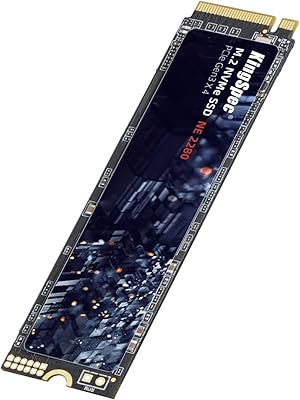
KingSpec NE 512GB M.2 NVMe SSD
74%
91%
Value for Money
83%
Read/Write Speed
94%
Installation Ease
88%
Compatibility
41%
NAND Transparency
More
KingSpec NE-512 2242 512GB M.2 NVMe SSD
77%
88%
Value for Money
79%
Read Performance
71%
Write Performance
93%
Installation Ease
91%
Form Factor Compatibility
More
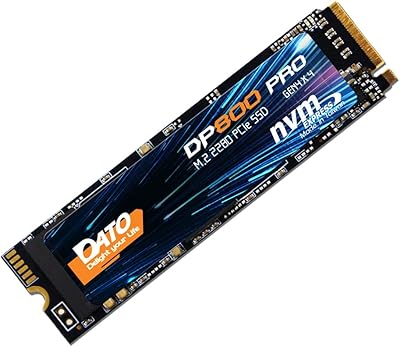
DATO DP800 Pro 512GB M.2 NVMe SSD
90%
94%
Performance
95%
Speed/Read-Write Performance
87%
Installation Ease
90%
Power Efficiency
88%
Durability (Shock Resistance)
More
Kioxia BG4 512GB M.2 2230 NVMe SSD
87%
91%
Performance Speed
87%
Compatibility with Devices
88%
Build Quality & Durability
85%
Ease of Installation
93%
Size & Form Factor
More
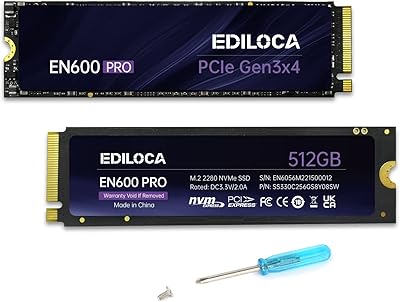
Ediloca EN600 PRO 512GB NVMe M.2 SSD
85%
91%
Performance
88%
Speed for Gaming
83%
Thermal Management
65%
Compatibility with Older Systems
90%
Build Quality
More
DATO DP700Pro 512GB M.2 NVMe SSD
77%
83%
Read/Write Performance
91%
Value for Money
94%
Installation Ease
61%
Thermal Management
67%
Brand Trust & Reliability
More
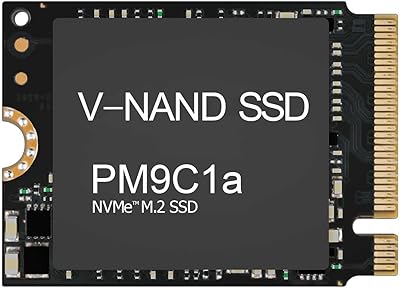
Samsung PM9C1A 512GB M.2 2230 NVMe SSD
87%
94%
Performance
92%
Speed
89%
Value for Money
88%
Ease of Installation
90%
Compatibility
More

FAQ

Check your laptop specs for an M.2 slot that supports NVMe or PCIe — not just SATA. Most laptops made after 2017 have one, but some budget models only support SATA M.2, which will not work with this NVMe drive. A quick search of your laptop model followed by 'M.2 NVMe compatible' should give you a clear answer.

Yes, it works well as a primary drive for everyday use — booting Windows or Linux, running standard applications, and storing your personal files. The PCIe Gen3 interface means it is significantly faster than any SATA SSD or hard drive it would be replacing. Just make sure you have a backup plan in place, as with any drive regardless of brand.

Not really. Vansuny includes two sets of mounting screws in the box, which covers most common motherboard configurations. You will need a small Phillips-head screwdriver to seat the retention screw, but that is about it. The drive simply slides into the M.2 slot at an angle and presses down flat to be secured.

Advertised peak speeds of up to 3400 MB/s for reads are theoretical maximums achieved under controlled benchmark conditions. In day-to-day use, you will typically see lower sustained speeds, which is normal for TLC NAND drives at this price tier. That said, the speed improvement over a mechanical hard drive or SATA SSD is still very noticeable in boot times and app loading.

No. The PS5 requires an M.2 NVMe SSD but has specific compatibility requirements including minimum speed thresholds and heatsink considerations. This budget M.2 SSD is not officially tested or validated for PS5 use, and Vansuny does not advertise console compatibility. Stick to PC installations for this one.

You do not have to, but it is one option. The easier route is to use free cloning software like Macrium Reflect or Samsung Data Migration to copy your existing Windows installation directly to the new drive. Just note that Vansuny does not include any cloning software in the box, so you will need to source and set that up yourself before swapping the drives.

It depends on your library. Modern AAA games can run anywhere from 50GB to over 150GB each, so 512GB fills up faster than you might expect if you keep a lot installed simultaneously. For a handful of active games plus your OS and apps, it is workable. If you tend to install 10 or more large games at once, you may want to consider the 1TB variant or use this as a secondary drive.

Established brands like Samsung and WD carry longer track records, published endurance ratings (TBW), stronger warranty programs, and more consistent real-world benchmarks. The Vansuny X15 trades some of that confidence for a lower price point. For non-critical secondary storage or an upgrade for an old machine, the trade-off can be reasonable. For a brand-new build or storing irreplaceable data without a robust backup, the extra investment in a name-brand drive is worth it.

Vansuny offers customer support contact for issues, but its warranty terms are not as prominently published or as straightforward as those from major SSD manufacturers. Before purchasing, it is worth checking the current warranty documentation on the product listing. Regardless of brand, always keep backups of important data — no drive is immune to failure.

NVMe drives naturally run warmer than SATA SSDs under load, but this budget M.2 SSD is built without moving parts, which helps keep thermals in check during everyday tasks. In a thin-and-light laptop without active cooling over the M.2 slot, you may see some throttling during sustained heavy transfers. For typical daily workloads like browsing, documents, and light gaming, heat is rarely a concern.