




Overview

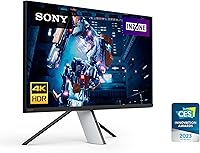
The Sony INZONE M9 27-Inch 4K Gaming Monitor is Sony's serious push into the premium gaming display market, targeting enthusiasts who refuse to compromise between competitive performance and visual fidelity. This 27-inch 4K display sits at the top of the INZONE lineup, and it shows — the IPS panel delivers crisp, accurate imagery whether you're grinding ranked matches or getting lost in an open-world RPG. The all-white build looks genuinely sharp on a desk, a welcome break from the usual aggressive black-and-RGB aesthetic. That said, this is unambiguously a premium-tier purchase, priced for buyers who know exactly what they want and are prepared to pay for it.

Features & Benefits

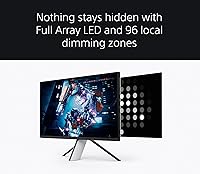
The standout here is the Full Array Local Dimming, which divides the backlight into up to 96 independent zones. Compared to a basic edge-lit panel, the difference in dark scenes is real — dungeon crawls and night missions show noticeably better shadow detail without everything washing out. The 144Hz refresh rate and 1ms GTG response time mean fast-paced titles stay sharp and responsive. NVIDIA G-SYNC compatibility and HDMI 2.1 VRR handle screen tearing on both PC and PS5. The DisplayHDR 600 certification, backed by 600-nit peak brightness and over 95% DCI-P3 coverage, produces genuinely rich HDR in supported titles. And the built-in KVM switch — often overlooked — lets you control two machines with one set of peripherals, a genuine time-saver for anyone juggling work and gaming.

Best For

The INZONE M9 hits a sweet spot for a fairly specific type of buyer. PC gamers who want one display capable of handling ranked shooters at 144Hz and narrative titles in detailed 4K will find it versatile enough to do both well. PS5 owners get a meaningful advantage here too — Auto HDR Tone Mapping and Auto Genre Picture Mode are genuine PS5-specific optimizations, not just marketing copy. Hybrid users who work at the same desk they game at will appreciate the KVM functionality more than most. Where it makes less sense is for pure value hunters — at this price point, you are paying for Sony's engineering and panel quality, not just a spec sheet.

User Feedback

With a 4.2-star average from over 360 owners, this Sony gaming monitor earns its rating without being universally loved. Buyers consistently praise the image clarity and the HDR impact in games that properly support it — titles with strong lighting design genuinely look striking on this panel. The KVM switch also draws more appreciation than you might expect, especially from remote workers. On the other side, local dimming halo around bright objects on dark backgrounds is a real complaint in edge-case scenes, and the glossy panel becomes a liability in sun-lit rooms. A recurring theme in critical reviews is the comparison to OLED alternatives at a similar price — a fair point any potential buyer should weigh before committing.

Pros

  • 4K resolution at 27 inches strikes an excellent balance between desktop pixel density and GPU demands.
  • Full Array Local Dimming with up to 96 zones meaningfully improves dark-scene contrast over standard edge-lit panels.
  • 144Hz refresh rate and 1ms GTG response time keep fast-paced games feeling sharp and responsive.
  • HDMI 2.1 VRR and NVIDIA G-SYNC compatibility cover both PS5 and PC users for tear-free gaming.
  • PS5-specific Auto HDR Tone Mapping and Auto Genre Picture Mode add genuine console optimization most rivals lack.
  • The built-in KVM switch is a practical, underrated feature for anyone running two computers at one desk.
  • DisplayHDR 600 certification with 600-nit peak brightness produces noticeably vivid HDR in well-mastered titles.
  • Over 95% DCI-P3 color coverage makes this 27-inch 4K display genuinely useful for color-sensitive creative work.
  • The white design aesthetic is clean and distinctive, fitting naturally into a modern or minimal desk setup.
  • Build quality earns consistent praise from owners, with the monitor feeling solid and well-engineered.

Cons

  • The glossy panel surface causes significant reflections in brightly lit or sun-facing rooms.
  • Local dimming halo effect around bright objects on dark backgrounds is noticeable in certain gaming scenarios.
  • At this price point, OLED alternatives with superior native contrast are a legitimate competing option buyers should evaluate.
  • No built-in speakers, which is a minor but real omission for a monitor at this tier.
  • The 27-inch screen size may feel limiting for buyers accustomed to ultrawide or larger panel formats.
  • Firmware and software updates have drawn occasional complaints from owners regarding stability and feature consistency.
  • Peak HDR brightness of 600 nits is solid but falls short of higher-tier HDR standards that some demanding content benefits from.
  • The white colorway, while attractive, can show dust and smudging more visibly than darker monitor finishes.

Ratings

The Sony INZONE M9 27-Inch 4K Gaming Monitor earns a strong overall standing based on AI analysis of hundreds of verified global user reviews, with spam, bot-submitted, and incentivized feedback actively filtered out before scoring. The ratings below reflect real ownership experiences across a wide range of use cases — from competitive PC gaming to PS5 console setups and hybrid work environments. Both the genuine strengths and the recurring frustrations are represented honestly, so you can make a fully informed call.

Image Clarity
91%
Owners consistently describe the 4K IPS panel as a standout visual experience, particularly in story-driven games with dense environments and fine texture work. At 27 inches, the pixel density is high enough that individual pixels are effectively invisible at normal viewing distances, making everything from game menus to cinematic cutscenes look genuinely sharp.
A small number of users note that realizing the full clarity benefit requires a GPU capable of driving native 4K, and those running older hardware may find themselves dropping resolution and losing some of that sharpness advantage. The panel's strengths are also less appreciable in fast-paced, visually sparse competitive titles.
HDR Performance
78%
22%
In games with strong HDR implementation, the 600-nit peak brightness and wide DCI-P3 coverage produce noticeably richer highlights and more saturated colors than SDR monitors can approach. Users playing titles like Horizon or Spider-Man specifically mention the lighting effects looking convincingly dynamic and vivid.
The Full Array Local Dimming, while better than edge-lit alternatives, still produces visible halo blooming around bright elements on dark backgrounds in certain scenes. Buyers expecting OLED-level black depth will find the IPS panel falls short, and the HDR impact is heavily dependent on whether the game or content is properly mastered for HDR.
Refresh Rate & Responsiveness
88%
The 144Hz refresh rate paired with a 1ms GTG response time delivers a noticeably fluid experience in fast multiplayer games — tracking targets in shooters feels precise and motion blur is kept well under control. Users who upgraded from 60Hz displays report the difference as immediately obvious and hard to go back from.
144Hz is competitive but no longer class-leading; buyers coming from 240Hz displays may notice the ceiling during intense sessions. Achieving 144Hz at native 4K also demands significant GPU headroom, which not all users have accounted for before purchasing.
PS5 Compatibility
89%
The Auto HDR Tone Mapping and Auto Genre Picture Mode features are repeatedly singled out by PS5 owners as genuinely useful — the monitor adjusts its picture profile automatically when switching between game and media modes without requiring manual intervention. This level of Sony-to-Sony integration is not something most third-party monitors offer.
A few users report that the auto-switching between picture modes occasionally does not trigger reliably, requiring a manual reset to correct. Those using the monitor primarily on PC rather than PS5 will also find these console-specific features entirely irrelevant to their experience.
Local Dimming Quality
72%
28%
Against a standard edge-lit monitor, the Full Array Local Dimming makes a tangible difference in dark scenes — shadow areas in horror games and night environments retain detail rather than being swallowed by uniform backlight glow. Users who game in dim rooms report that the contrast improvement is clearly perceptible during extended play.
Ninety-six dimming zones across 27 inches is an improvement over the category average but still produces the halo effect that more zone-dense or OLED displays avoid. Several users specifically mention noticing the bloom effect during space exploration games or any content with isolated bright objects against near-black backgrounds.
Build Quality
86%
The physical construction of this 27-inch 4K display draws consistent praise for feeling substantial and premium, with the stand offering stable support and smooth ergonomic adjustments. The white finish, while distinctive, is reported to feel well-applied and durable rather than like a painted-on afterthought.
The white color, though attractive, picks up fingerprints and dust more visibly than darker finishes, requiring more frequent cleaning to keep looking presentable. A small number of users also note minor cosmetic inconsistencies in the finish around ports and rear panel seams.
Glare & Reflections
58%
42%
In a controlled or dimly lit gaming environment, the glossy coating contributes to noticeably richer blacks and more saturated colors compared to matte alternatives, which some users specifically prefer for their immersive single-player gaming setup.
In brightly lit rooms or setups near windows, the glossy panel becomes a significant liability — reflections of overhead lights, windows, and even ambient room objects are clearly visible and distracting during gameplay. This is among the most frequently raised practical complaints from owners and is a genuine dealbreaker for some environments.
G-SYNC & VRR
87%
NVIDIA G-SYNC compatibility and HDMI 2.1 VRR work reliably for the majority of users, eliminating the screen tearing that was previously a constant in GPU-limited gaming scenarios. PC users with compatible NVIDIA GPUs report a noticeably smoother experience across variable frame rate situations compared to monitors without adaptive sync.
A handful of users running AMD GPUs report that the G-SYNC branding creates some confusion, as the monitor relies on G-SYNC Compatible certification rather than full G-SYNC hardware, which means FreeSync performance on AMD cards can be less consistent depending on the driver version and game.
KVM Switch
83%
The built-in KVM switch is a feature that earns disproportionate appreciation from buyers who work from home or run dual-PC setups — being able to flip between a work machine and a gaming rig using the same keyboard, mouse, and headset removes genuine daily friction. Several users describe it as the deciding factor in choosing this monitor over otherwise comparable alternatives.
The KVM functionality is less useful for users who do not run multiple desktop inputs, effectively making it a non-feature for a portion of the buyer base. Setup also requires all connected peripherals to pass through the monitor's USB hub, which adds cable management complexity some users find inconvenient.
Color Accuracy
84%
The 95%-plus DCI-P3 coverage is wide enough that hybrid users doing photo editing or light video work alongside gaming find the color rendering trustworthy and consistent. Color-conscious buyers note that the out-of-box calibration is reasonably accurate without requiring immediate manual adjustment.
For serious professional color work the monitor is not a substitute for a purpose-built, fully factory-calibrated display, and some users note visible color shift at wider viewing angles typical of IPS panels. The glossy surface also influences perceived color accuracy depending on ambient lighting conditions.
Connectivity
81%
19%
Three USB 3.0 ports and HDMI 2.1 give the monitor a genuinely practical hub function at the desk — users commonly run a keyboard, mouse, and external drive through the monitor without reaching for the PC tower. The HDMI 2.1 port handles 4K 144Hz over a single cable cleanly for both PC and PS5.
The port selection, while functional, does not include DisplayPort, which some PC users prefer for guaranteed high-refresh 4K performance and compatibility with a wider range of GPU outputs. The absence of a built-in USB-C or Thunderbolt port is also noted as a gap compared to some competing monitors at this tier.
Value for Money
63%
37%
For buyers who specifically need the PS5 optimization features, the KVM switch, and Sony's IPS panel quality in a single package, the pricing reflects a coherent bundle of features that is difficult to replicate with off-brand alternatives. Loyal Sony ecosystem users and those who value integrated hardware and software find the investment justified.
At this price tier, OLED gaming monitors from competing brands offer native per-pixel contrast that fundamentally outperforms any IPS local dimming solution, making the value proposition harder to defend for contrast-focused buyers. A meaningful portion of user reviews cite the price-to-performance ratio as the monitor's weakest point when evaluated against the current competitive landscape.
Software & Firmware
61%
39%
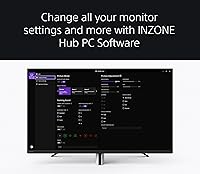
When functioning correctly, the INZONE Hub companion software provides useful picture customization and input management controls that extend the monitor's flexibility beyond its on-screen display menu. Users who experience no issues report the software as a convenient addition.
Recurring complaints about the INZONE Hub software cover crashes, settings failing to persist after power cycling, and firmware updates introducing new instability. This is one of the more consistently raised frustrations in critical reviews, and while the core display functions work without the software, the issues undermine confidence in the ecosystem.
Ergonomics & Adjustability
79%
21%
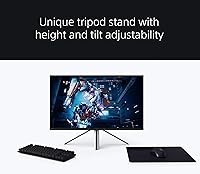
The stand supports height adjustment, tilt, and swivel, covering the basics most users need to dial in a comfortable viewing position during long sessions. The physical stability of the stand is well-regarded, with minimal wobble reported even on desks that are not completely level.
The stand does not support pivot to portrait orientation, which limits flexibility for users who want to rotate the display for coding or reading long-form content. A few users also note that the cable management routing through the stand arm is tighter than ideal when running multiple connections simultaneously.

Suitable for:

The Sony INZONE M9 27-Inch 4K Gaming Monitor is built for enthusiasts who refuse to pick between competitive performance and visual quality — and that covers a broader range of buyers than you might expect. PC gamers running a capable GPU will get real mileage out of the 144Hz refresh rate for multiplayer titles while still having a stunning 4K panel for story-driven games. PS5 owners in particular are well-served here, since the Auto HDR Tone Mapping and Auto Genre Picture Mode are purpose-built console optimizations that generic HDMI 2.1 monitors simply do not offer. Hybrid workers who game at the same desk where they run two machines will find the built-in KVM switch surprisingly practical — it removes the daily friction of swapping peripherals entirely. Anyone who values color accuracy alongside gaming, such as a creative professional who also plays at night, will appreciate the 95%-plus DCI-P3 coverage holding up across both workloads.

Not suitable for:

The Sony INZONE M9 27-Inch 4K Gaming Monitor is a hard sell for buyers prioritizing value above all else, because at this price tier, the competition includes OLED panels from LG and Samsung that deliver deeper blacks and superior contrast without the local dimming compromises. Buyers with bright, sun-facing rooms should think carefully before committing — the glossy panel surface looks premium but reflects ambient light aggressively, which can undermine the very image quality you are paying for. Pure competitive gamers who play fast-paced titles exclusively and do not care about HDR or color accuracy will find the premium hard to justify when solid 1080p or 1440p 240Hz alternatives exist at a fraction of the cost. If you are expecting OLED-level contrast, the full array local dimming across 96 zones is an improvement over edge-lit displays, but it is not a replacement — haloing around bright objects in dark scenes is a documented real-world limitation. Budget-conscious buyers or those who rarely use PS5-specific features will likely leave a significant portion of what they paid for sitting unused.

Specifications

  • Screen Size: The panel measures 27 inches diagonally, offering a desktop-friendly footprint without sacrificing pixel density at 4K resolution.
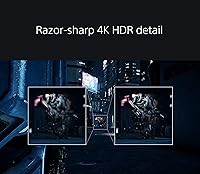
  • Resolution: Native resolution is 3840×2160 (4K UHD), delivering four times the pixel count of a standard 1080p display for sharper detail in both games and productivity work.
  • Refresh Rate: The panel runs at up to 144Hz, enabling noticeably smoother motion in fast-paced games compared to standard 60Hz or 75Hz displays.
  • Response Time: Rated at 1ms GTG (gray-to-gray), this response time minimizes ghosting and trailing during rapid on-screen movement.
  • HDR Certification: Carries VESA DisplayHDR 600 certification, confirming a verified peak brightness of 600 nits and genuine local dimming support for HDR content.
  • Local Dimming: Full Array Local Dimming divides the backlight into up to 96 independent zones, allowing more precise brightness control across different areas of the screen simultaneously.
  • Color Coverage: Covers over 95% of the DCI-P3 color gamut, supporting more than one billion colors for accurate, vivid rendering in both HDR gaming and color-sensitive work.
  • Sync Technology: Compatible with NVIDIA G-SYNC and supports HDMI 2.1 Variable Refresh Rate (VRR), reducing screen tearing and stuttering on both PC and PS5.
  • Connectivity: Equipped with HDMI 2.1 input and three USB 3.0 ports, covering both high-bandwidth console and PC connections alongside peripheral hub functionality.
  • KVM Switch: A built-in KVM switch allows a single keyboard, mouse, and headset to control two connected computers without any manual cable swapping.
  • PS5 Features: Includes Auto HDR Tone Mapping and Auto Genre Picture Mode when connected to a PlayStation 5, automatically optimizing picture settings based on content type.
  • Panel Surface: The screen uses a glossy panel coating, which enhances color vibrancy and contrast but increases reflectivity under direct or ambient lighting.
  • Aspect Ratio: Standard 16:9 widescreen aspect ratio, compatible with all mainstream gaming, streaming, and productivity content formats.
  • Dimensions: The monitor measures 9.76 × 24.21 × 18.86 inches (depth × width × height) with the stand attached.
  • Weight: Complete unit with stand weighs 15 pounds, typical for a 27-inch display with a full adjustable stand assembly.
  • Panel Color: Available in white, distinguishing it visually from most gaming monitors and suiting clean, minimal, or light-themed desk setups.
  • Power Source: Powered via standard AC connection rated at 220 volts; a compatible power adapter or voltage check is advisable for regions with different standards.
  • Release Date: First made available in July 2022 as part of Sony's dedicated INZONE gaming peripherals lineup.

Related Reviews
FYHXele 27-inch 4K 120Hz Gaming Monitor
72%
83%
Value for Money
88%
Image Sharpness
79%
Panel Response & Motion
76%
Color Accuracy
47%
HDR Performance
More
INNOCN 27M2V 27-inch 4K Gaming Monitor
85%
91%
Display Quality
89%
Gaming Performance
88%
Color Accuracy
85%
Ergonomics and Adjustability
92%
Connectivity Options
More
Acer Predator XB273K V5 27″ Gaming Monitor
80%
91%
Image Clarity
88%
Refresh Rate Flexibility
93%
Console Compatibility
86%
Motion Performance
52%
HDR Quality
More
Pixio PX27U Wave Purple 27-inch 4K Gaming Monitor
85%
94%
Gaming Performance
91%
Display Quality
85%
Color Accuracy
79%
Build Quality
88%
Ease of Setup
More
YEYIAN ODRAZ 27-inch 4K UHD IPS Gaming Monitor
86%
89%
Picture Quality
91%
Gaming Performance
85%
Color Accuracy
83%
Build Quality
88%
Ease of Setup
More
ASUS ROG Swift PG27UCDM 27-inch Gaming Monitor
82%
96%
Image Quality
97%
Black Levels & Contrast
93%
Gaming Performance
91%
Color Accuracy
88%
Text Clarity
More
ASUS ROG Strix XG27UCG-W 27-inch Gaming Monitor

79%
91%
Display Clarity
88%
Dual Mode Versatility
89%
Response Time & Motion
87%
Color Accuracy
61%
HDR Performance
More
ViewSonic VP2768a-4K 27-Inch 4K Monitor

86%
94%
Color Accuracy
88%
Ergonomics & Comfort
91%
Value for Money
89%
Build Quality
85%
Ease of Setup
More
ViewSonic VG2756-4K 27-Inch 4K Docking Monitor
80%
91%
USB-C Docking Performance
88%
Display Clarity
74%
Connectivity & Port Selection
86%
Ergonomics & Stand Quality
71%
Color Accuracy
More
ViewSonic VA2756-4K-MHD 27-Inch 4K Monitor
84%
92%
Display Quality
90%
Color Accuracy
88%
Design & Build Quality
85%
Ease of Setup
89%
Connectivity Options
More

FAQ

It genuinely works well with both, but the PS5 integration is a real differentiator here. The INZONE M9 supports Auto HDR Tone Mapping and Auto Genre Picture Mode specifically for PS5, which means the monitor adjusts its picture settings automatically depending on whether you are playing a game or watching a film. You do not get that level of native optimization on most third-party monitors.

It makes a real difference compared to edge-lit panels, particularly in dark game environments where you want shadow detail without backlight bleed washing out the whole screen. That said, it is worth being clear-eyed: 96 zones on a 27-inch IPS panel is not the same as OLED, and you can spot haloing around bright objects on very dark backgrounds if you look for it. For most gaming scenarios it is a genuine improvement, just not a perfect one.

Honestly, the glossy coating is something to think carefully about if you sit near a window or have overhead lighting facing the screen. Glossy panels produce sharper, more vivid images in controlled lighting, but they reflect ambient light quite noticeably. If your room gets significant natural light during your gaming hours, a matte-panel alternative might give you a more comfortable experience day-to-day.

The KVM switch is designed to let you share a keyboard, mouse, and headset between two connected computers — typically two PCs. For a PS5-plus-PC setup, its utility depends on how you connect your peripherals, since consoles handle input differently from computers. It works most cleanly in a dual-PC scenario, but some users do find creative ways to incorporate it into mixed setups.

To run games at native 4K and 144Hz simultaneously, you do need a high-end GPU — currently that means something like an RTX 4080 or above for demanding titles. That said, many users run 4K at lower frame rates for visually rich single-player games and drop to 1440p or use upscaling for competitive titles. The monitor handles both scenarios well, so you are not locked into needing maximum frame rates to get value from it.

Sony includes the necessary cables to get started, but it is always worth confirming you have a certified HDMI 2.1 cable for full 4K 144Hz and VRR functionality, particularly if you plan to connect a PS5. Generic or older HDMI cables can bottleneck the connection and prevent you from reaching the monitor's full capability.

The stand offers a reasonable range of ergonomic adjustment including tilt, height adjustment, and swivel, which is what you would expect from a monitor at this tier. Most users find the out-of-box positioning comfortable, and the stand feels stable without taking up excessive desk space.

The 95%-plus DCI-P3 color coverage and 4K resolution make it more capable for color work than most gaming monitors. It is not a dedicated professional color display, but for a hybrid user who edits photos or video and also games, it covers both use cases reasonably well. If you are doing color-critical commercial work, a fully calibrated professional panel would be more appropriate, but for enthusiast-level creative work it holds up.

This is a fair and important question. OLED panels deliver true per-pixel lighting with effectively infinite contrast ratios, making the black levels in particular dramatically better than any IPS display with local dimming. The trade-off is that OLEDs carry burn-in risk with static elements, and some buyers prefer the Sony ecosystem and PS5 integration that comes with the INZONE M9. If pure image contrast is your top priority, OLED alternatives are worth serious consideration at this price range.

A portion of owners have reported occasional software hiccups, including issues with the INZONE Hub companion software used to fine-tune settings. The core display functionality works without the software, so it is not a dealbreaker, but if you plan to use the app for detailed customization, be aware that the experience has been inconsistent for some users. Keeping the firmware updated tends to resolve most reported problems.

Where to Buy