
Overview

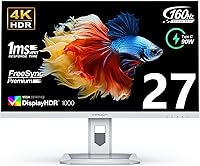
The INNOCN 27M2V 27″ 4K Gaming Monitor arrives at a price point that places it squarely between budget 4K displays and the established names that dominate the upper tier. INNOCN isn’t a household name in the West, but the brand has been quietly building credibility among display enthusiasts who care more about panel specs than logo recognition. The real differentiator here is the Mini LED backlight — a technology that puts this panel in a different league from conventional edge-lit IPS monitors. At 27 inches with a 4K resolution, pixel density is genuinely impressive, but driving this display at its peak refresh rate demands serious GPU muscle. The spec sheet is compelling; whether it holds up in practice is the right question to ask.

Features & Benefits

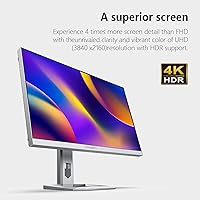
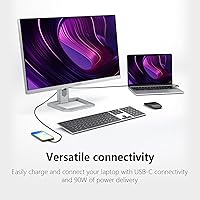
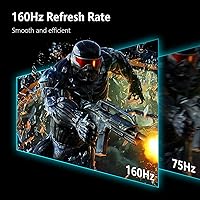
The 1152 local dimming zones are the story behind this monitor’s HDR performance — more zones mean tighter control over where the backlight brightens or dims, translating to better contrast and more convincing black levels than a typical edge-lit panel can manage. That said, 1152 zones across 27 inches isn’t OLED territory; some blooming around bright objects against dark backgrounds is still part of the deal. The 160Hz refresh rate at 4K is genuinely rare, but you’ll need a current-generation high-end GPU to come close to using it. Color coverage — 99% DCI-P3 and Adobe RGB with a factory calibration report and ΔE under 2 — gives photographers and editors real confidence. The USB-C port delivers up to 90W of power delivery, making single-cable laptop setups practical.

Best For

This Mini LED gaming display suits a fairly specific buyer profile. If you’re running an RTX 4080-class GPU or AMD’s equivalent and want to push 4K gaming above 100 frames per second, this panel has the headroom for it. Creative professionals who also game will appreciate that they don’t have to sacrifice color accuracy for refresh rate — this is one of the few displays that credibly serves both camps. Laptop power users connecting via a single USB-C cable get a full-featured 4K monitor plus meaningful device charging in one plug. Console gamers with a PS5 or Xbox Series X benefit from the dual HDMI 2.1 ports, and home office users gain a fully adjustable stand with built-in speakers that help trim desk cable clutter.

User Feedback

Buyers who’ve spent time with the 27M2V tend to highlight out-of-box color accuracy as a genuine standout — not something you typically say about a display at this price without adding a qualifier. Build quality also draws consistent appreciation; the stand feels solid rather than plasticky. Recurring frustrations center on the glossy surface, which picks up ambient light aggressively in bright rooms, and on backlight blooming in high-contrast HDR scenes — an honest limitation of the zone count, not unique to this panel but worth knowing. A handful of buyers have noted backlight uniformity variance between units, suggesting some QC inconsistency. INNOCN’s support reputation is still developing, and the relatively modest sales rank means long-term firmware support remains an open question.

Pros

  • Factory calibration with ΔE under 2 means accurate color right out of the box, no manual adjustments needed.
  • 99% DCI-P3 and 99% Adobe RGB coverage makes this INNOCN panel genuinely competitive for photo and video editing.
  • Mini LED backlighting with 1152 dimming zones delivers noticeably better contrast than conventional edge-lit IPS rivals.
  • USB-C with 90W power delivery enables true single-cable laptop connectivity with meaningful device charging.
  • Dual HDMI 2.1 ports let console gamers connect a PS5 and Xbox Series X simultaneously without swapping cables.
  • 160Hz at 4K is a rare specification at this price tier, offering real headroom for high-end GPU setups.
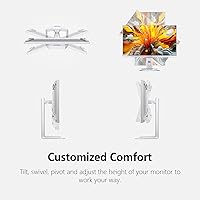
  • The fully articulating stand — height, tilt, swivel, and full pivot — is more capable than many competitors charge extra for.
  • Build quality is consistently praised by buyers as punching above what the price suggests.
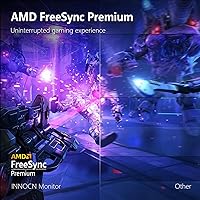
  • AMD FreeSync compatibility reduces screen tearing across a wide range of frame rates.
  • Built-in 5W stereo speakers are a practical bonus that removes the need for a separate audio solution in casual setups.

Cons

  • Glossy panel surface causes distracting reflections in any room with overhead lighting or nearby windows.
  • Blooming around bright objects against dark backgrounds is noticeable in high-contrast HDR content.
  • Driving 4K at 160Hz demands a top-tier GPU; most mid-range cards will never unlock the panel’s full potential.
  • USB-C does not support 160Hz output, so laptop users are limited to lower refresh rates on that connection.
  • Some buyers have reported backlight uniformity differences between units, pointing to inconsistent quality control.
  • INNOCN’s after-sales support infrastructure is less proven than established brands like LG or Dell.
  • The glossy screen coating has no matte option, leaving light-sensitive users without an alternative.
  • At 22 pounds, repositioning or mounting this display requires more effort than lighter panels in the same size class.
  • Long-term firmware update history is short given the product’s moderate sales volume and relatively recent launch.
  • HDR performance, while better than edge-lit panels, still falls short of what true OLED displays deliver at higher price points.

Ratings

Our AI rating system analyzed verified buyer reviews from multiple global markets for the INNOCN 27M2V 27″ 4K Gaming Monitor, actively filtering out incentivized, duplicate, and bot-generated submissions to surface what real owners actually experience. Scores reflect both the standout strengths and the recurring frustrations that emerge after extended daily use. The result is an honest, balanced picture of where this Mini LED display earns its place — and where it asks for compromise.

Color Accuracy
91%
Photographers and video editors consistently report that the 27M2V arrives with color that holds up under scrutiny right out of the box, backed by a factory calibration report with ΔE under 2. For creative work where color fidelity directly affects output quality, that out-of-box baseline is a meaningful advantage over uncalibrated rivals.
A small share of buyers noted unit-to-unit variation that didn’t match the calibration report included in the box, suggesting some QC inconsistency in the calibration process. Those users had to perform manual adjustments to bring accuracy in line with expectations.
HDR Performance
74%
26%
The Mini LED backlight with 1152 local dimming zones produces noticeably better HDR than any edge-lit IPS panel at this price, with real punch in bright highlights and deeper black levels in dark scenes. Gamers playing HDR-optimized titles report a clear visual step up from conventional monitors they’ve owned previously.
Blooming around bright objects against dark backgrounds is a recurring complaint, particularly in cinematic content and dark game environments. At 1152 zones across 27 inches, the dimming isn’t fine-grained enough to eliminate halos entirely, and buyers expecting OLED-level precision will be disappointed.
Gaming Performance
87%
The combination of 160Hz refresh rate, 1ms GtG response, and FreeSync support translates to a genuinely smooth, tear-free gaming experience for those with capable hardware. Competitive and fast-paced games feel responsive, and the IPS panel avoids the aggressive ghosting that cheaper VA alternatives often introduce.
The 160Hz ceiling is effectively inaccessible without a high-end GPU, and buyers running mid-range cards frequently report frustration that the monitor’s headline specification sits unused. At 4K, even powerful cards struggle to sustain triple-digit frame rates in modern AAA titles.
Value for Money
82%
18%
Buyers who did thorough research before purchasing consistently note that Mini LED backlighting, 99% DCI-P3 coverage, and dual HDMI 2.1 in a single panel at this price tier represents a genuinely competitive offer against better-known brands. The feature density relative to the asking price stands as one of the most cited reasons for purchase.
A subset of buyers who compared post-purchase against LG and ASUS alternatives felt the value proposition was narrower than it appeared on paper once they factored in INNOCN’s less established support ecosystem. Buyers who experienced QC issues reported feeling the brand’s warranty process added friction that established brands handle more smoothly.
Connectivity
89%
Dual HDMI 2.1 ports are a practical win for console gamers who want a PS5 and Xbox Series X connected simultaneously, while the USB-C port with 90W power delivery has become a favorite feature among laptop users who praise the single-cable desk setup it enables. Port variety here genuinely covers most common use cases without needing an adapter.
USB-C does not support the full 160Hz refresh rate, which catches some laptop users off guard when they expect the panel’s top-end performance from a single cable. The total USB hub functionality is also modest, with only two downstream USB ports available for peripherals.
Build Quality
83%
The physical construction draws consistent praise from buyers who expected a flimsier product given the brand’s lower profile. The chassis feels solid at the bezels and rear, and the stand mechanism moves with enough resistance to feel premium rather than loose.
A handful of reviewers reported minor flex in the panel chassis when adjusting the monitor’s position, and the plastic finish on the rear housing shows fingerprints and dust more readily than matte alternatives. It’s not a structural concern, but it is a quality-of-finish observation.
Stand & Ergonomics
86%
The full range of ergonomic adjustments — height, tilt, swivel, and a full pivot with automatic image rotation via the gravity sensor — is more comprehensive than what many competitors bundle at this price. Users who work long hours appreciate being able to fine-tune the display position for neck and eye comfort.
The stand base occupies a fairly significant footprint on a desk, which some buyers with compact workspaces found intrusive. A few users also reported the height adjustment mechanism developing slight wobble after several weeks of regular repositioning.
Panel Uniformity
67%
33%
Most buyers report an acceptably uniform image across the panel under normal viewing conditions, with no obvious hot spots or obvious dark corners during everyday desktop use and productivity tasks. For the majority of typical use cases, uniformity is a non-issue.
A meaningful minority of buyers flagged noticeable backlight uniformity issues, particularly in off-white or gray solid color backgrounds, suggesting unit-to-unit variation in the production run. This is the single most consistent quality control complaint, and it’s significant enough to factor into the purchase decision.
Glare & Reflections
58%
42%
In a controlled, dimmer environment, the glossy surface does enhance perceived contrast and color saturation compared to matte alternatives, and some users specifically sought out the finish for its visual pop during nighttime gaming sessions.
In home offices with windows, overhead fluorescent lighting, or any significant ambient light source, the glossy coating becomes a recurring frustration that multiple buyers mention unprompted. There is no matte variant of this panel, leaving buyers with no INNOCN alternative if reflections become intolerable in their specific setup.
Speaker Quality
61%
39%
The built-in 5W stereo speakers are consistently praised as a useful convenience for video calls, casual YouTube browsing, and background audio when users don’t want headphones. Having functional audio built in reduces desk clutter for home office users who don’t need high-fidelity sound.
Bass response is minimal and the soundstage is narrow, as expected from monitor-class speakers at this wattage. Any serious gaming, music listening, or home theater use exposes the speakers’ limitations quickly, and most buyers with audio-sensitive use cases connect external solutions regardless.
Brand Trust & Support
63%
37%
Buyers who had smooth purchase experiences and received functioning units tend to view INNOCN positively, noting that the brand communicates more openly through online channels than legacy monitor manufacturers and has improved its response to publicly posted complaints.
INNOCN’s warranty and after-sales support process lacks the infrastructure that established brands offer, with some buyers reporting slow response times and difficulty getting replacement units approved. For a mid-to-premium priced display, the support experience feels mismatched with the investment.
Setup & OSD Usability
77%
23%
Physical setup is straightforward, with a tool-free stand assembly that most buyers complete in under ten minutes. The on-screen display menu is logically organized and gives access to key settings like HDR mode, refresh rate switching, and input selection without excessive menu layers.
Some buyers found the OSD button placement on the rear of the panel awkward to reach, especially after the monitor is positioned close to a wall. A joystick-style navigator would have improved the experience, and the absence of one is noticeable at this price point.
Motion Clarity
81%
19%
At high frame rates, the 27M2V produces clean motion with minimal trailing on fast-moving objects, which competitive gamers and action game enthusiasts appreciate. The IPS panel handles fast content better than VA alternatives in the same tier, avoiding the smearing that frustrates motion-sensitive buyers.
At lower frame rates, some buyers noticed a slight persistence that became more apparent in slower-paced content or when running the panel below its optimal refresh rate. The 1ms GtG rating represents ideal conditions; real-world motion at lower brightness settings can look marginally softer.
Firmware & Software
66%
34%
The monitor operates reliably at its core functions without requiring any software installation, and buyers report that basic HDR mode switching, input management, and refresh rate changes work consistently through the hardware OSD.
INNOCN’s firmware update cadence is infrequent and not well-communicated, leaving buyers uncertain whether reported bugs will receive patches. Given the monitor’s moderate sales volume, there is reasonable concern that long-term firmware support may taper off faster than it would from a higher-volume manufacturer.

Suitable for:

The INNOCN 27M2V 27″ 4K Gaming Monitor is a strong match for buyers who refuse to choose between gaming performance and color-critical work. PC gamers running a current-generation high-end GPU will find the 160Hz ceiling at 4K genuinely usable rather than aspirational, and the factory-calibrated wide color gamut means the same display works seriously well for photo editing or video grading without a separate professional monitor. Creative professionals who game on the side get a rare combination of ΔE under 2 color accuracy and a fast IPS panel in one unit. Laptop users will appreciate the USB-C port’s 90W power delivery, which effectively turns this into a single-cable docking solution. Console gamers with a PS5 or Xbox Series X also benefit from the dual HDMI 2.1 inputs, and the fully adjustable stand with built-in speakers makes it a practical fit for tidy home office setups where minimizing cable clutter matters.

Not suitable for:

Buyers on mid-range GPU hardware should think carefully before committing to the INNOCN 27M2V 27″ 4K Gaming Monitor, because pushing 4K at triple-digit frame rates requires serious graphics card headroom that an RTX 3060 or similar simply won’t provide. Anyone who works or plays in a bright, window-lit room will find the glossy panel surface a persistent frustration, as it picks up reflections in ways a matte alternative would not. Purists chasing the absolute best HDR experience should also look elsewhere — 1152 local dimming zones produce visible blooming around high-contrast edges, and while this is a class-wide Mini LED limitation, OLED panels at a higher price point handle it far more cleanly. Buyers who prioritize brand reliability and long-established after-sales support may feel uncomfortable with INNOCN’s still-developing support track record. Finally, anyone expecting plug-and-play 160Hz from a gaming laptop via USB-C will be disappointed, as that port tops out at lower refresh rates over the connection.

Specifications

  • Panel Type: IPS panel with Mini LED backlighting featuring 1152 local dimming zones for improved contrast over conventional edge-lit displays.
  • Screen Size: 27 inches measured diagonally, with a 16:9 aspect ratio and a glossy surface finish.
  • Resolution: 3840 x 2160 (4K UHD), delivering approximately 163 pixels per inch at this screen size.
  • Refresh Rate: Up to 160Hz via DisplayPort 1.4, with 144Hz also supported across other input connections.
  • Response Time: 1ms GtG (gray-to-gray), rated for fast-motion clarity on an IPS panel.
  • Peak Brightness: 1000 cd/m² peak luminance, qualifying this display for HDR1000 certification.
  • Color Gamut: Covers 99% DCI-P3 and 99% Adobe RGB, with factory calibration ensuring ΔE under 2 color accuracy out of the box.
  • Connectivity: Inputs include USB-C (90W Power Delivery), DisplayPort 1.4, and two HDMI 2.1 ports for broad device compatibility.
  • USB-C Charging: The USB-C port supports up to 90W Power Delivery, enabling single-cable laptop connections with simultaneous display and charging.
  • Sync Technology: AMD FreeSync compatible, reducing screen tearing across a variable frame rate range.
  • Ergonomics: Stand supports height adjustment of ±5 inches, tilt from -5° to +20°, swivel of ±45°, and full ±90° pivot rotation.
  • Pivot Sensor: A built-in gravity sensor automatically detects panel orientation when pivoting and adjusts the image accordingly.
  • Speakers: Two integrated 4Ω 5W stereo speakers are built into the monitor chassis.
  • Dimensions: With stand attached, the monitor measures 24 x 14 x 2.6 inches (width x height x depth).
  • Weight: Complete unit with stand weighs 22.1 pounds.
  • USB Ports: The monitor provides 2 USB ports total in addition to the primary USB-C display and charging input.
  • Model Number: Manufacturer model designation is 27M2V, produced by Guangxi Century Innovation Display Electronics Co., Ltd.

Related Reviews
FYHXele 27-inch 4K 120Hz Gaming Monitor
72%
83%
Value for Money
88%
Image Sharpness
79%
Panel Response & Motion
76%
Color Accuracy
47%
HDR Performance
More
KTC H27T22 27″ 4K Gaming Monitor
78%
93%
Image Sharpness
88%
Color Accuracy
91%
Gaming Performance
58%
HDR Quality
89%
Ergonomics & Stand
More
ASUS VG27UQ1A 27-inch 4K Gaming Monitor
77%
93%
Image Clarity & Sharpness
88%
Gaming Performance
84%
Color Accuracy
51%
HDR Performance
91%
Adaptive Sync
More
LG 27GR93U 27″ UltraGear 4K Gaming Monitor
74%
91%
4K Image Clarity
88%
HDMI 2.1 Performance
86%
Color Accuracy
47%
HDR Experience
83%
Refresh Rate & Smoothness
More
Acer Nitro VG270K 27-inch 4K Gaming Monitor
76%
91%
Image Clarity
88%
Color Accuracy
86%
Motion Performance
83%
Refresh Rate Flexibility
61%
HDR Performance
More
YEYIAN ODRAZ 27″ 4K UHD Gaming Monitor
72%
86%
Image Quality
88%
Color Accuracy
57%
Gaming Performance
83%
Value for Money
66%
Build Quality
More
Pixio PX27U 27-inch 4K Gaming Monitor
71%
88%
Image Quality
84%
Color Accuracy
79%
Refresh Rate Performance
54%
HDR Experience
82%
Response Time & Motion
More
Sony INZONE M9 27-Inch 4K Gaming Monitor
79%
91%
Image Clarity
78%
HDR Performance
88%
Refresh Rate & Responsiveness
89%
PS5 Compatibility
72%
Local Dimming Quality
More
KOORUI S2741LM 27″ 4K Gaming Monitor
80%
88%
Image Quality
83%
HDR Performance
91%
Color Accuracy
86%
Gaming Performance
74%
Mini LED Blooming Control
More
Acer Predator XB273K V5 27″ Gaming Monitor
80%
91%
Image Clarity
88%
Refresh Rate Flexibility
93%
Console Compatibility
86%
Motion Performance
52%
HDR Quality
More

FAQ

It depends on what you want from it. Any modern GPU can drive the 27M2V at 4K resolution for desktop use and lighter gaming. But to actually hit 160Hz at 4K in demanding titles, you realistically need something in the RTX 4080 tier or AMD’s equivalent. With a mid-range card, you’ll get a beautiful 4K image but won’t come close to the panel’s refresh rate ceiling.

It depends on what you’re playing. In dark games with bright UI elements or flashlights, you will notice a soft halo around those bright objects. It’s not dramatic, but it’s there. This is a characteristic of Mini LED technology at this zone count — not a defect specific to this panel. If you play a lot of dark atmospheric games and HDR accuracy is critical, OLED would serve you better, albeit at a higher cost.

Yes, a single USB-C cable handles both display output and up to 90W of power delivery simultaneously, which is enough to charge most MacBook Pro models at a reasonable rate. Keep in mind that USB-C will not drive the display at 160Hz — that requires DisplayPort 1.4. For most laptop users, the refresh rate trade-off on USB-C is completely acceptable.

It’s genuinely competitive for both. The 99% DCI-P3 and 99% Adobe RGB coverage, combined with a factory calibration report and ΔE under 2, puts this panel in territory that dedicated professional monitors occupy. The included calibration report is a nice touch that gives you a baseline to work from. Photographers and video editors who also game will find this one of the more capable dual-purpose options available.

INNOCN isn’t the household name those brands are, and that legitimately gives some buyers pause. In terms of raw specifications, the 27M2V stacks up well — Mini LED backlighting and wide color gamut coverage at this price tier isn’t something LG or ASUS routinely offers. The trade-off is that INNOCN’s after-sales support infrastructure is less proven, and brand longevity is a fair concern for buyers who plan to keep a display for five or more years.

It can. The glossy coating enhances color vibrancy and contrast in controlled lighting, but in a room with windows behind or beside you, reflections become a real nuisance. There is no matte version of this panel available. If your workspace has strong ambient lighting or direct sunlight exposure, that’s worth factoring in seriously before buying.

Yes. The two HDMI 2.1 ports support the bandwidth needed for 4K at 120Hz, which is exactly what both current-generation consoles output at their best. You can even have both consoles plugged in simultaneously and switch between inputs. It’s a solid console gaming setup, and the display size and pixel density work well at typical living room or desk distances.

The pivot sensor is a small gravity sensor built into the monitor that detects when you rotate the display into portrait orientation and automatically flips the image — no manual display settings required. It’s a convenience feature, not essential, but it saves a few steps if you frequently switch between landscape and portrait modes for tasks like reading long documents or coding.

They’re functional for casual use — video calls, background music, or general media playback at moderate volume. At 5W per channel, don’t expect deep bass or room-filling sound. If you care about audio quality at all for gaming or entertainment, a dedicated speaker or headphone setup will serve you much better. Think of the built-ins as a convenience fallback rather than a primary audio solution.

INNOCN has been gaining traction among display enthusiasts and isn’t a fly-by-night brand, but they don’t have the decades-long support track record that LG or Dell have established. User reports on warranty service have been mixed — some buyers report smooth resolution of issues, while others note slower response times. If you do encounter a problem, document it thoroughly and contact support promptly. Buying from a retailer with a strong return policy adds an important safety net here.