Overview

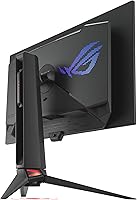
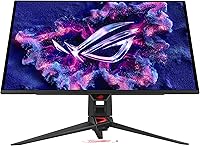
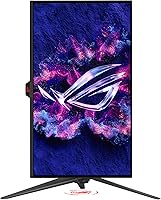
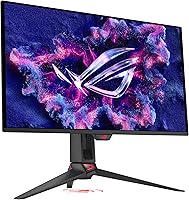
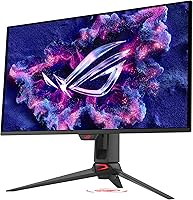
The ASUS ROG Swift PG27UCDM 27-inch Gaming Monitor arrives in early 2025 as one of the more serious attempts to combine 4K resolution with OLED speed in a single panel — and it largely delivers. Built around a 4th-generation QD-OLED panel, it represents a genuine step forward from earlier OLED generations, with sharper text, improved longevity, and better brightness handling. Worth noting upfront: the actual screen measures 26.5 inches, which is standard practice at this size class and not a meaningful drawback. This is a premium-tier display aimed squarely at enthusiast PC gamers and creative professionals who have both the hardware and budget to use it fully.
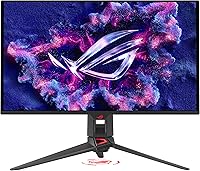
Features & Benefits

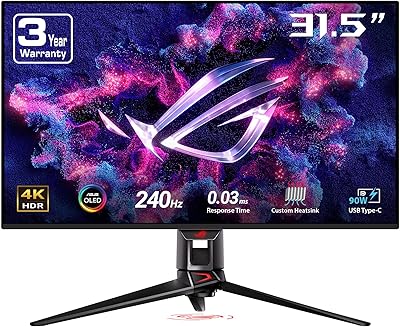
Running 4K at 240Hz is genuinely demanding, which makes the DisplayPort 2.1a connection here so important. Unlike older display interfaces that compress signal at high resolutions, this one carries enough bandwidth to push 4K at 240Hz without compromise. The 0.03ms response time matters less as a raw number and more in practice: motion looks clean and blur-free in fast-paced games. For creative work, the 99% DCI-P3 coverage and true 10-bit color with a Delta E under 2 mean color accuracy is production-grade, not just marketing copy. USB-C with 90W power delivery rounds out a genuinely flexible connectivity setup for laptop users and multi-device desks.

Best For

This QD-OLED gaming monitor makes the most sense for PC gamers running RTX 4080 or 4090-class hardware — or AMD equivalents — who can actually push 4K frame rates high enough to justify the panel. It also works well as a dual-purpose display for content creators who want accurate color for photo or video editing without a separate professional monitor. The matte screen finish is a real differentiator; glossy OLEDs pick up reflections in typical office lighting, so the anti-glare surface makes this 4K OLED display more practical as an all-day screen. Users upgrading from 1440p or first-gen OLED monitors will likely notice the sharpness and text clarity improvements right away.

User Feedback

With over 5,500 ratings averaging 4.3 stars, the ROG Swift PG27UCDM earns its score but not without some honest nuance. Buyers consistently praise the image quality and black levels, particularly those upgrading from IPS or VA panels, and many note the fourth-generation panel is a visible improvement over earlier QD-OLED units. The more common frustrations center on the price relative to screen size, the steep GPU requirements needed to fully exploit the refresh rate, and an OSD interface that some find unnecessarily complex. Burn-in remains a background concern for OLED buyers generally; the proximity sensor helps manage it but is not a complete solution. The 3-year warranty is frequently mentioned as meaningful reassurance for a premium OLED purchase.

Pros

  • The 4th-gen QD-OLED panel delivers a visible sharpness and clarity improvement over previous OLED generations.
  • Running 4K at 240Hz over DisplayPort 2.1a means no signal compression — you get the full experience the panel can offer.
  • Color accuracy is production-grade, making the ROG Swift PG27UCDM genuinely useful for photo and video work.
  • The matte screen finish is rare on OLED monitors and makes a real difference in rooms with ambient light.
  • USB-C with 90W power delivery adds practical flexibility for laptop users and cleaner desk cable management.
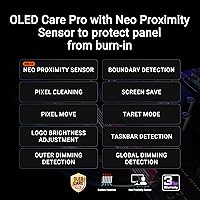
  • The Neo Proximity Sensor automatically blanks the screen when you step away, offering a smart layer of burn-in protection.
  • G-SYNC compatibility and near-instant response time keep fast-paced games looking clean and tear-free.
  • A 3-year warranty provides meaningful long-term coverage for what is a significant investment in an OLED panel.
  • True 10-bit color and Dolby Vision support make HDR content look genuinely different, not just slightly brighter.

Cons

  • Fully exploiting the 240Hz refresh rate at 4K demands extremely high-end GPU hardware that many buyers do not already own.
  • The price-to-screen-size ratio is hard to ignore — at 26.5 inches actual size, some buyers expect more physical real estate.
  • OLED burn-in remains a long-term consideration despite the protective features; static HUD elements in games are still a real risk over time.
  • The OSD software has been called clunky and unintuitive by a consistent portion of users — basic adjustments take more effort than they should.
  • At nearly 17 pounds, this 4K OLED display is on the heavier side and may require a sturdier monitor arm than buyers already own.
  • Dolby Vision and peak HDR brightness are impressive but VESA DisplayHDR 400 True Black still falls short of the top-tier HDR ceiling.
  • The tripod socket is a niche feature that adds little practical value for the vast majority of gaming or desktop setups.
  • Buyers used to brighter LCD panels may need adjustment time, as OLED peak brightness in SDR content is inherently more limited.

Ratings

Our AI scoring system analyzed thousands of verified global reviews for the ASUS ROG Swift PG27UCDM 27-inch Gaming Monitor, filtering out incentivized submissions and bot-pattern feedback to surface what real buyers actually experience. The scores below reflect both the genuine strengths that make this panel stand out in the premium 4K OLED segment and the recurring frustrations that affect specific buyer groups. Nothing has been softened — where users ran into real problems, that shows up in the numbers.

Image Quality
96%
The 4th-gen QD-OLED panel consistently earns the highest praise across all buyer segments — gamers, photographers, and video editors alike describe the picture as a step change from anything they have owned before. Colors are vibrant without looking oversaturated, and fine detail in 4K content is noticeably sharper than previous-generation OLED panels.
A small number of users coming from high-brightness LCD monitors found the SDR peak brightness lower than expected in well-lit rooms. HDR content looks exceptional, but the experience in non-HDR everyday use is more restrained than some buyers anticipated.
Black Levels & Contrast
97%
OLED blacks are the single most frequently praised attribute in user reviews — buyers consistently describe the difference as visible the moment they power the display on for the first time. Dark scenes in games and films show depth and shadow detail that no IPS or VA panel at this size can match.
The near-perfect blacks make even minor uniformity variations more noticeable in dark room conditions, and some users reported faint haloing around bright objects on dark backgrounds, which is inherent to OLED panels rather than a manufacturing defect.
Gaming Performance
93%
Users with RTX 4080 and 4090-class GPUs consistently describe motion handling as the best they have experienced at this resolution. Fast-paced shooters and action titles feel noticeably cleaner than on 144Hz or even 165Hz panels, and G-SYNC compatibility works reliably without needing a dedicated module.
The full 240Hz ceiling is realistically only achievable in lighter or older game titles at 4K — in demanding modern releases, even flagship GPUs often land in the 80 to 130 frames-per-second range, leaving buyers partially underutilizing the refresh rate they paid for.
Color Accuracy
91%
Photo editors and video colorists who picked this up as a dual-purpose display have reported that it holds up well in professional workflows without needing extensive calibration out of the box. The wide DCI-P3 coverage and true 10-bit panel produce smooth gradients with none of the banding that plagues 8-bit-plus-dithering displays.
Out-of-box calibration is strong but not always perfect across every unit — a small portion of users noted a slight warm color temperature shift that required manual adjustment to hit their preferred white point for editing work.
Text Clarity
88%
Buyers upgrading from 1440p monitors frequently single out text rendering as one of the most immediately satisfying improvements. At 4K on a 27-inch panel, pixel density is high enough that small fonts in browsers, code editors, and productivity software look crisp and readable without any scaling tricks.
Windows ClearType rendering on OLED panels can occasionally produce subtle fringing on certain font weights, which a minority of users found mildly distracting at close viewing distances. This is a Windows-level quirk rather than a flaw specific to this panel.
HDR Experience
79%
21%
The combination of true OLED blacks and Dolby Vision support makes HDR content — particularly films and HDR-enabled games — genuinely impressive, with highlight detail that IPS monitors at similar price points cannot replicate. Users watching HDR movies described the experience as close to a high-end television.
VESA DisplayHDR 400 True Black is a modest brightness certification compared to the 1000-nit and higher tiers found on premium FALD LCD monitors, which limits specular highlights in very bright HDR content. Buyers expecting TV-level HDR punch may find the peak brightness underwhelming.
Burn-in Protection
72%
28%
The Neo Proximity Sensor is genuinely useful — buyers who work at desks where they frequently step away reported that the automatic screen blanking takes the stress out of leaving static content on screen. OLED Care Pro running in the background adds another layer of comfort for users who think about long-term panel health.
Despite the protections, burn-in anxiety remains the most common source of hesitation in longer-form reviews, particularly from buyers who use this as an always-on workstation display. The safeguards help meaningfully but do not eliminate the underlying limitation of OLED technology, and ASUS does not cover burn-in under warranty.
Connectivity
86%
The port selection covers nearly every modern use case — DisplayPort 2.1a for full-bandwidth PC gaming, HDMI 2.1 for consoles, and USB-C with 90W charging for laptop users who want a single-cable desk setup. Buyers with multi-device setups consistently praised the flexibility without needing a separate hub.
There is no built-in USB hub beyond the USB-C port, which limits peripheral connectivity directly through the monitor. Users expecting to daisy-chain keyboards, mice, or audio devices through the display will need a separate hub.
OSD & Software
57%
43%
DisplayWidget Center allows monitor settings to be adjusted from the desktop using a mouse, which is a genuine quality-of-life improvement over navigating physical buttons. Users who took the time to learn the software found it capable and reasonably well-organized.
The on-screen display interface is consistently one of the most-criticized aspects across user reviews — menus are described as deep, slow to navigate, and unintuitive compared to competitors. First-time setup in particular drew complaints, with several users spending far longer than expected configuring basic preferences.
Build Quality
83%
The monitor feels solid and premium in person, with a stand that holds the panel steady without wobble during normal desk use. The matte finish on the panel itself has been praised for looking clean and professional rather than plastic-heavy compared to some gaming-branded competitors.
At nearly 17 pounds, the unit is heavier than most 27-inch monitors, and buyers who purchased lightweight monitor arms found some flex and drooping that required upgrading to a heavier-duty model. The included stand, while functional, lacks height and rotation flexibility compared to premium alternatives.
Matte Screen Finish
84%
Buyers in bright office environments or rooms with windows consistently cited the matte coating as a deciding factor over competing glossy OLED monitors. Reflections that would be distracting on a glossy panel are diffused enough to keep focus on the content through a full workday.
Compared to the glossy finish found on some rival OLED displays, the matte coating introduces a very subtle texture over fine details that a small number of users found slightly softening on high-contrast edges. It is a minor trade-off, but glossy-panel enthusiasts will notice it.
Value for Money
63%
37%
For buyers who fully utilize what this panel offers — 4K OLED at 240Hz with production-grade color accuracy — the value proposition is coherent. Reviewers who compared it directly to rivals at similar price points generally found the 4th-gen panel and DisplayPort 2.1a connectivity to justify the cost.
The price-to-screen-size ratio is the most recurring complaint in critical reviews — buyers note that 26.5 inches feels modest for the price when larger IPS or VA options exist at lower cost. Users who cannot harness the full 240Hz at 4K due to GPU constraints feel the value gap even more acutely.
Setup Experience
74%
26%
Physical assembly is straightforward — the stand clicks together without tools, and the cable routing channel keeps the back tidy. Most users had the display running within minutes of unboxing, and the out-of-box calibration is strong enough that many skipped manual color adjustments entirely.
Configuring the more advanced features — OLED Care Pro settings, refresh rate modes, and HDR toggles — requires digging through menus that many buyers found poorly labeled. A better onboarding flow or clearer documentation would reduce the frustration that surfaces consistently in early-ownership reviews.
Long-term Reliability
78%
22%
The 3-year warranty is frequently mentioned as a meaningful confidence factor, particularly given that OLED panel longevity is still a concern for buyers making a long-term investment. The 4th-gen panel is engineered for a longer rated lifespan than its predecessors, which early adopters of previous generations appreciate.
Because the display only launched in early 2025, long-term real-world reliability data beyond 12 months is limited. Buyers concerned about panel lifespan over a three-to-five year horizon are making a partially informed decision, and burn-in from heavy static-content use remains an unresolved risk outside warranty coverage.

Suitable for:

The ASUS ROG Swift PG27UCDM 27-inch Gaming Monitor is built for a specific kind of buyer, and that buyer gets a genuinely exceptional experience. PC gamers running top-tier GPUs — think RTX 4080 or 4090 territory — who want to push 4K at high frame rates will find this panel matches their hardware ambitions without bottlenecking the display side of the equation. The 4th-gen QD-OLED panel also makes it a credible dual-purpose display for content creators who do photo or video editing; the color accuracy here is not a marketing footnote but a practical tool. People upgrading from 1440p or first-generation OLED monitors will likely feel the difference immediately in sharpness, text clarity, and motion handling. The matte finish is a meaningful bonus for anyone using this in a bright room or under overhead lighting, where glossy OLED panels tend to become frustrating mirrors.

Not suitable for:

If your GPU is anything below the current high-end tier, the ROG Swift PG27UCDM is a panel you will be consistently underusing, which is a hard position to justify at this price. Budget-conscious buyers or those who game primarily at 1080p or 1440p should look elsewhere — the hardware investment required to actually run this display at its ceiling is substantial and separate from the monitor cost itself. Buyers who are deeply worried about OLED burn-in and prefer a zero-compromise solution may also find the proximity sensor reassuring in theory but not fully convincing in practice; it reduces risk, it does not eliminate it. This 4K OLED display is also not the right fit for console-first setups where a larger screen size and living-room viewing distance matter more than pixel density. Finally, anyone who finds monitor software and OSD menus frustrating to navigate may run into friction here, as the interface has drawn consistent complaints from users.

Specifications

  • Panel Type: 4th-generation QD-OLED, offering improved sharpness, text clarity, and longer lifespan compared to previous OLED generations.
  • Screen Size: The physical panel measures 26.5″ diagonally, marketed under the standard 27-inch size classification.
  • Resolution: 3840x2160 (4K UHD) at a 16:9 aspect ratio, delivering high pixel density suited for both detailed gaming and professional creative work.
  • Refresh Rate: 240Hz maximum refresh rate, enabling very smooth motion in fast-paced games when paired with capable hardware.
  • Response Time: 0.03ms gray-to-gray response time, effectively eliminating motion blur and ghosting under normal gaming conditions.
  • Color Gamut: Covers 99% of the DCI-P3 color space with true 10-bit color depth and a Delta E under 2, suitable for color-critical photo and video work.
  • HDR Support: Certified for VESA DisplayHDR 400 True Black and Dolby Vision, enabling deep blacks and expanded contrast in compatible HDR content.
  • Display Port: DisplayPort 2.1a UHBR20 with full 80Gbps bandwidth supports 4K at 240Hz without signal compression or quality compromise.
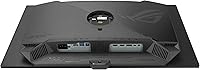
  • Other Ports: Includes HDMI 2.1 and USB-C with 90W Power Delivery, covering console connections, laptop charging, and single-cable desktop setups.
  • Screen Surface: Matte anti-glare coating reduces reflections in ambient light, an uncommon feature on OLED panels that improves usability as an all-day display.
  • Adaptive Sync: G-SYNC Compatible certification ensures smooth, tear-free gaming on supported NVIDIA GPUs without requiring a dedicated G-SYNC module.
  • Burn-in Protection: ASUS OLED Care Pro includes a Neo Proximity Sensor that detects user absence and switches to a black screen to reduce static image retention risk.
  • Brightness: VESA DisplayHDR 400 True Black compliance indicates strong contrast performance, with deep blacks central to the HDR experience on this panel type.
  • Dimensions: With stand attached, the monitor measures 8.6 x 24 x 21.6 inches (D x W x H), fitting standard desktop configurations comfortably.
  • Weight: The unit weighs 16.8 pounds with stand, which is on the heavier side for a 27-inch monitor and worth factoring in for aftermarket arm compatibility.
  • Tripod Socket: A dedicated tripod socket allows alternative mounting configurations beyond a standard desk stand or VESA arm.
  • VESA Compatibility: VESA mount support allows the panel to be attached to third-party monitor arms or wall mounts for flexible positioning.
  • Warranty: ASUS includes a 3-year manufacturer warranty, providing extended coverage for a panel type where long-term durability is a common buyer concern.
  • Availability: First listed in March 2025, placing it among the more recent 4th-gen QD-OLED monitors available in the high-end gaming display category.
  • Software: DisplayWidget Center software allows users to adjust monitor settings and access OLED Care Pro functions directly from their desktop without touching physical OSD controls.

Related Reviews
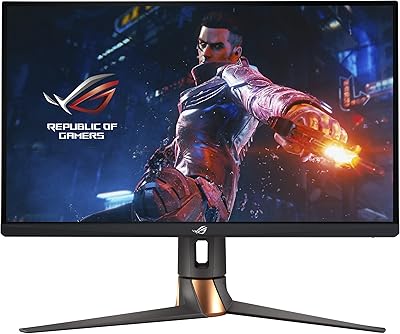
ASUS ROG Swift PG279QM 27-inch 1440p Gaming Monitor
86%
93%
Display Quality
95%
Performance for Gaming
89%
Build Quality
91%
Color Accuracy
72%
Ease of Setup
More
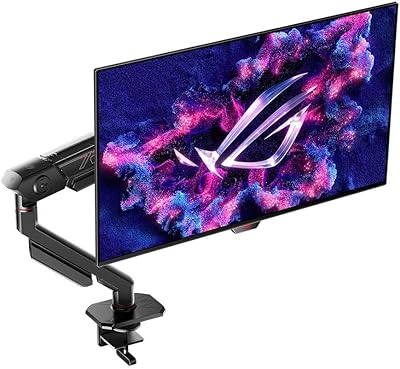
ASUS ROG Swift PG27AQDM-R 27-inch OLED Gaming Monitor

88%
94%
Display Quality
92%
Color Accuracy
91%
Refresh Rate and Response Time
88%
Build Quality
89%
Ease of Setup
More
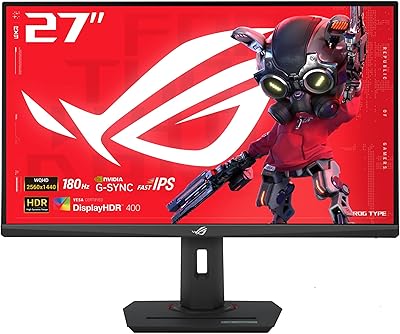
ASUS ROG Swift PG278Q 27″ 1440P Gaming Monitor
86%
93%
Display Quality
91%
Gaming Performance (Refresh Rate & Response Time)
88%
Ergonomics (Adjustable Stand)
90%
G-SYNC Functionality
77%
Color Accuracy
More
ASUS ROG Strix XG27ACS 27-inch Gaming Monitor
79%
91%
Image Clarity & Sharpness
89%
Motion Performance & Refresh Rate
86%
Color Accuracy & Vibrancy
47%
HDR Performance
88%
Adaptive Sync & G-Sync Compatibility
More
ASUS ROG Swift PG38UQ 38-inch Gaming Monitor
80%
93%
Image Quality
81%
HDR Performance
94%
Console Compatibility
88%
Motion Clarity
91%
Color Accuracy
More
ASUS ROG PG27AQDP 27-inch OLED Gaming Monitor
81%
97%
Refresh Rate Performance
96%
Panel Contrast & Black Levels
94%
Response Time & Motion Clarity
91%
Color Accuracy
63%
HDR Performance
More
ASUS ROG Swift PG32UCDM 32-inch OLED Monitor
82%
96%
Image Quality
93%
Motion Performance
94%
Color Accuracy
78%
HDR Performance
74%
Burn-In Risk & Longevity
More
ASUS ROG Swift PG32UQ 32-inch 4K HDR Gaming Monitor
89%
93%
Display Quality
90%
Gaming Performance
88%
Build Quality
92%
Color Accuracy
86%
Ease of Use/Ergonomics
More
ASUS ROG Strix XG27UCG-W 27-inch Gaming Monitor

79%
91%
Display Clarity
88%
Dual Mode Versatility
89%
Response Time & Motion
87%
Color Accuracy
61%
HDR Performance
More
ASUS ROG Strix XG27AQMR 27” Gaming Monitor
87%
94%
Gaming Performance
91%
Visual Quality
88%
Build Quality
96%
Refresh Rate & Response Time
87%
Color Accuracy
More

FAQ

Not necessarily an RTX 4090 specifically, but you do need a high-end GPU to push 4K at anywhere near 240Hz in demanding titles. An RTX 4080 or RX 7900 XTX is a realistic minimum for getting meaningful frame rates at this resolution. In less demanding or older games you will see higher numbers, but in modern AAA titles, even flagship GPUs will not always hit the ceiling. Be honest with yourself about your current setup before buying.

It is still a consideration worth taking seriously, even with the built-in protections. The Neo Proximity Sensor and OLED Care Pro features help by blanking the screen when you step away and running pixel-care routines in the background, which genuinely reduces risk. That said, if you leave static elements on screen for extended periods — like a game HUD, taskbar, or browser bookmark bar — over many hundreds of hours, the risk does not disappear entirely. Treat the protections as a meaningful safety net, not an absolute guarantee.

You need a DisplayPort 2.1 cable rated for UHBR20 bandwidth. Standard DisplayPort 1.4 cables cannot carry 4K at 240Hz without compression, so using the wrong cable will silently downgrade your output. HDMI 2.1 supports 4K at up to 144Hz on this monitor, which is sufficient for console use but falls short of the panel's PC gaming ceiling. Make sure your cable matches the port spec.

It works genuinely well for both. The color accuracy on this panel — 99% DCI-P3 coverage, true 10-bit color, and a Delta E under 2 — is not just a spec sheet claim; it reflects a level of color fidelity that professional colorists and photo editors actually care about. If you want one display for gaming at night and creative work during the day, the ROG Swift PG27UCDM is one of the more credible dual-purpose options at this size.

Matte coatings reduce reflections significantly, which makes the display much more practical under office lighting or near windows. The trade-off is a very slight reduction in perceived contrast and color pop compared to glossy panels, since the coating scatters some light. Most users find the real-world usability benefit far outweighs that subtle trade-off, especially for daytime use.

Yes, the USB-C port delivers up to 90W of power delivery, which is enough to charge most laptops including many 15-inch models at full speed. You can run video signal, data, and charging over a single USB-C cable, which keeps the desk much cleaner if your laptop supports it. Check your laptop's USB-C charging requirements to confirm 90W covers it — some larger workstation laptops need more.

Yes, both consoles connect via HDMI 2.1, which this display supports. At that connection, you can run 4K up to 144Hz, which is actually above what either current-gen console outputs in most games. For console use it is a very capable pairing, though you will not reach the 240Hz ceiling that requires DisplayPort 2.1 from a PC.

Yes, it supports VESA mounting, so you can remove the included stand and attach it to a third-party arm. Given that the monitor weighs close to 17 pounds, just make sure your arm is rated for that load — lighter arms designed for typical 24-inch monitors may not be rigid enough to hold this panel steady without sagging over time.

Honestly, it is not noticeable in practice. A half-inch difference in diagonal measurement is standard across this size category — nearly all monitors marketed as 27-inch measure between 26.4 and 26.9 inches on the actual panel. Sitting at a normal desk distance, you will never feel shortchanged by the physical size.

ASUS covers manufacturing defects and panel failures for 3 years, which is notably generous for an OLED display where burn-in and long-term panel health are common concerns. It does not cover physical damage or burn-in caused by user misuse, so it is not a complete safety net, but it does mean defective panels or hardware failures are protected for longer than most competitors offer. For a premium OLED purchase, that coverage is a genuine point in its favor.