Overview

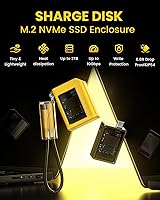
The Sharge Disk M.2 NVMe SSD Enclosure stands out in a crowded category by doing something most enclosures at this price skip entirely: it includes a built-in active cooling fan. That single design choice matters more than it might initially seem. This NVMe enclosure targets creators, professionals, and power users who push external drives hard — not just occasional backup users. It's built around the 2230 form factor, which means it works with SSDs pulled from Steam Decks, ultrabooks, and other compact devices. An IP54-rated shell and 6.6ft drop protection round out a package that clearly expects to leave the desk occasionally.

Features & Benefits

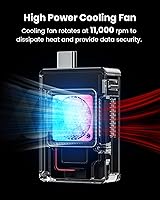
The headline spec is 10Gbps USB 3.2 Gen 2, but what actually makes the Sharge Disk worth a closer look is how it handles heat. Passive enclosures throttle when you're transferring a large batch of RAW files or a lengthy video project — this M.2 enclosure avoids that with its active cooling fan, keeping speeds consistent through sustained workloads. The built-in USB-C male port means you rarely need to hunt for a cable, and the write-protection switch is genuinely useful when plugging into a shared workstation or a hotel lobby computer. Compatibility is broad: Windows, macOS, iPadOS, Linux, Android, PS5, and Steam Deck all work out of the box.

Best For

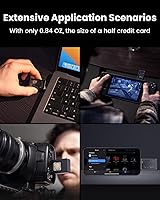
This NVMe enclosure is a natural fit for Steam Deck or ROG Ally owners who want to repurpose a spare 2230 SSD into fast portable storage — the form factor support alone makes it uniquely practical in that niche. Photographers and video editors who regularly move large libraries between machines will appreciate the consistent throughput during long transfers. Remote workers who travel and occasionally connect to public machines will find the write-protection switch earns its keep quickly. One important caveat before buying: this enclosure only supports M Key NVMe drives. B Key, B+M Key, and SATA SSDs are not compatible, so double-check your drive's specs first.

User Feedback

Among the 940-plus verified buyers, the active cooling system is the most commonly cited reason for choosing this over competitors — and most confirm it delivers in practice. Real-world transfer speeds hold up under sustained loads, which is exactly what reviewers had hoped to see. The durability also draws consistent praise; the silicone shell and rugged rating feel reassuringly solid in hand. That said, the fan does produce a faint hum during operation. It's not loud, but in a very quiet environment it's audible enough to notice. A smaller number of buyers were surprised to find their B+M Key or SATA drives incompatible — a reminder to verify SSD key type before purchasing.

Pros

  • Active cooling prevents the speed drops that plague passive enclosures during long, heavy transfers.
  • Real-world 10Gbps throughput holds up outside lab conditions, according to a consistent majority of verified buyers.
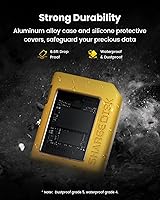
  • IP54 water and dust resistance plus 6.6ft drop protection make this a genuinely field-ready device.
  • The built-in USB-C male port means one less cable to carry or forget.
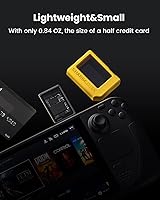
  • At under 25 grams, the Sharge Disk disappears into a pocket or clips onto a keychain without bulk.
  • A hardware write-protection switch adds a real security layer when connecting to untrusted machines.
  • Compatible out of the box with Windows, macOS, iPadOS, Linux, Android, PS5, Steam Deck, and more.
  • Tool-free installation and plug-and-play recognition across platforms make setup genuinely painless.
  • The 2230 form factor support fills a gap that most enclosures on the market ignore entirely.
  • Silicone shell feels protective and purposeful rather than decorative.

Cons

  • Only M Key 2230 NVMe SSDs are supported — B Key, B+M Key, and SATA drives will not work.
  • The fan produces a faint but constant hum that is noticeable in quiet environments.
  • No SSD is included, so the total cost of a working solution is higher than the enclosure price alone.
  • The silicone exterior picks up lint and pocket debris quickly, making it look worn fast.
  • The included USB-C cable is on the shorter side, limiting positioning flexibility at a desk.
  • The write-protection switch is small and recessed, making it easy to toggle accidentally.
  • Some users report intermittent recognition issues when connecting through older or third-party USB-C hubs.
  • The 2230 form factor limitation is not always communicated clearly enough pre-purchase, leading to avoidable returns.

Ratings

The Sharge Disk M.2 NVMe SSD Enclosure has been scored by our AI system after analyzing hundreds of verified global buyer reviews, with spam, incentivized, and bot-flagged submissions actively filtered out before any score was calculated. The ratings below reflect a transparent synthesis of what real users praised and where they ran into friction — no softening of legitimate complaints, no inflating of genuine strengths. If a category scored lower, there is a real reason behind it.
Thermal Management
93%
The built-in active cooling fan is the feature buyers come back to mention most. In sustained transfer sessions — moving a full video project or a large photo archive — the Sharge Disk holds its speed in a way that passive enclosures simply cannot match. Users who previously owned passive units noticed the difference almost immediately.
The fan does produce a faint but audible hum during operation. In a quiet home office or late-night work session, some users find it noticeable enough to be mildly distracting. It is not loud by any measure, but noise-sensitive buyers should factor this in.
Transfer Speed
88%
At 10Gbps via USB 3.2 Gen 2, real-world throughput consistently earns praise in reviews. Users describe transferring large batches of RAW photos or 4K footage in a fraction of the time they expected, and many confirm the advertised speeds hold up outside of controlled lab conditions.
Performance is ultimately gated by the SSD installed inside, which this enclosure does not include. A slower or budget-tier M Key NVMe drive will bottleneck the interface, and a handful of buyers were disappointed before realizing the drive itself was the limiting factor.
Build Quality & Durability
91%
The silicone outer shell feels genuinely protective rather than decorative, and the IP54 rating against water and dust gives it credibility as a travel-ready device. Several reviewers specifically mentioned dropping it without consequence, which aligns with the stated 6.6ft drop protection specification.
A small number of buyers noted the plastic internals feel less premium than the exterior suggests. The silicone shell does attract lint and fingerprints noticeably, which is a minor aesthetic annoyance for users who keep it in a pocket alongside other items.
Portability & Form Factor
96%
At under 25 grams and smaller than a credit card, this M.2 enclosure is about as pocketable as external storage gets. The built-in USB-C male port means it plugs directly into a laptop or phone without a dangling cable, and the keychain attachment point gets more use than most buyers expected.
The 2230-only form factor, while ideal for Steam Deck and ultrabook repurposing scenarios, is a real limitation if your spare SSD is a standard 2280 size. Buyers who discover this incompatibility after purchase represent a recurring frustration in the reviews.
Compatibility
78%
22%
Platform support is genuinely broad — Windows, macOS, iPadOS, Linux, Android, ChromeOS, PS5, and Steam Deck all work without driver installation in typical configurations. Users praise the plug-and-play experience across very different device types, including smartphones and handheld gaming consoles.
The M Key-only restriction catches a meaningful number of buyers off guard. B Key, B+M Key, and SATA SSDs are not supported, and the product page does not always communicate this as clearly as it should. A few reviewers also reported intermittent recognition issues on specific older USB-C hubs.
Write Protection Feature
83%
The physical write-protection switch is a practical addition that users in security-aware contexts — IT professionals, journalists, or anyone plugging into a shared computer — found genuinely useful. It works at a hardware level, not relying on software that could be bypassed.
The switch is small and somewhat recessed, making it slightly fiddly to toggle without a fingernail or a thin tool. A few users accidentally left it engaged and were briefly confused about why their drive appeared read-only.
Value for Money
86%
The active cooling alone would justify a price premium over passive competitors, and this NVMe enclosure is priced competitively enough that most buyers feel they are getting more than expected. The rugged build and broad compatibility strengthen the value case further.
Budget-focused shoppers can find passive 10Gbps enclosures for noticeably less. If cooling is not a priority for your workload, the price gap requires more justification. The SSD not being included also means the total cost of a working solution is higher than the enclosure price alone suggests.
Setup & Ease of Use
89%
Installation is tool-free and straightforward — the SSD slides in and the enclosure clicks shut without needing a screwdriver or any technical knowledge. Most users were up and running within minutes, and cross-platform recognition without driver installation is consistently praised.
The 2230 form factor constraint means users must confirm SSD sizing before attempting installation. A few buyers with 2242 or 2280 drives found themselves unable to close the enclosure properly, leading to confused reviews that are really about pre-purchase research rather than product failure.
Cable & Connectivity
82%
18%
The built-in USB-C male connector is a smart design choice that removes the most common point of failure in portable enclosures — a loose or forgotten cable. The included USB-C cable also supports the keychain loop, giving users a tethering option without extra accessories.
The built-in connector limits flexibility slightly; if the port on your host device is obstructed or angled awkwardly, you need the included cable rather than being able to swap to a longer or different option. A small number of users also noted the included cable is on the shorter side.
Noise Level
67%
33%
For most buyers using this M.2 enclosure at a desk or while commuting, the fan noise is a non-issue. The thermal benefit it delivers so clearly outweighs the sound output that the majority of reviewers either do not mention it or actively dismiss it as unimportant.
In genuinely quiet environments — a library, a bedroom late at night, or an open-plan office — the fan hum is noticeable enough to draw attention. Users who need completely silent storage should consider a passive enclosure instead, as there is no way to disable the fan on this unit.
Size Compatibility (2230 Form Factor)
72%
28%
For the growing segment of users with spare 2230 SSDs from Steam Decks, upgraded ultrabooks, or handheld gaming PCs, this enclosure is nearly purpose-built. Finding a quality enclosure specifically for this form factor is harder than it should be, and the Sharge Disk fills that gap well.
The 2230 exclusivity is a double-edged feature. Most SSDs on the market are 2280, and users who purchase without checking their drive size are left with an enclosure they cannot use. A clearer front-and-center callout of this limitation would prevent a significant share of negative reviews.
Aesthetic & Design
79%
21%
The yellow colorway is bold and deliberately distinctive — it stands out in a bag rather than getting lost among cables, which several buyers mentioned as a practical benefit beyond aesthetics. The overall shape is clean and purposeful, avoiding the plasticky look common in budget enclosures.
Color preference is subjective, and buyers who want a discreet or professional-looking device may find the yellow too conspicuous. The silicone surface also picks up marks and lint quickly, so it rarely looks pristine after a few days of pocket carry.
Long-Term Reliability
81%
19%
The IP54 rating and drop protection suggest Sharge engineered this unit for repeated real-world abuse rather than light occasional use. Early adopters who have used this M.2 enclosure for over a year report no degradation in performance or structural integrity under normal conditions.
The active fan introduces a moving mechanical component that passive enclosures lack, which is a theoretical long-term reliability variable. While no widespread fan failure reports appear in the current review pool, it is a factor worth considering for buyers planning multi-year continuous use.

Suitable for:

The Sharge Disk M.2 NVMe SSD Enclosure is a strong match for anyone who has a spare 2230-format M Key NVMe drive sitting unused and wants to put it to work in a practical, portable package. Steam Deck and ROG Ally owners will find it particularly well-suited, since both devices commonly use 2230 SSDs that get swapped out during storage upgrades — this enclosure gives that displaced drive a second life. Content creators who regularly shuttle large video or photo files between a workstation and a laptop will appreciate the sustained transfer speeds that active cooling makes possible, since throttling mid-transfer is a real productivity drain. Travelers and remote workers who need a backup drive that can handle being tossed in a bag, exposed to light rain, or dropped on a hard floor without drama will also find this M.2 enclosure fits the bill. Security-conscious users who occasionally plug into shared computers — at co-working spaces, client offices, or hotels — will get genuine peace of mind from the hardware write-protection switch, which is harder to bypass than any software equivalent.
Not suitable for:

The Sharge Disk M.2 NVMe SSD Enclosure is a poor fit for anyone whose spare SSD is not a 2230 M Key NVMe drive — and that is a larger group than the marketing might suggest. The vast majority of consumer SSDs are 2280 in length, and B Key, B+M Key, and SATA drives are simply not supported; there is no workaround, so confirming your drive's exact specs before purchasing is non-negotiable. Users who work in very quiet environments — recording studios, open-plan offices, shared bedrooms — should also think twice, because the built-in fan does produce an audible hum and cannot be switched off. If completely silent operation is a hard requirement, a passive enclosure is a more appropriate choice regardless of the thermal tradeoffs. This NVMe enclosure is also not the right pick for buyers on the tightest possible budget who only need occasional light transfers and have no thermal concerns, since passive alternatives exist at a lower price point for those lower-demand scenarios.

Specifications

  • Interface: Connects via USB 3.2 Gen 2, delivering a maximum data transfer rate of 10Gbps for fast, sustained file transfers.
  • Connector: Features a built-in USB-C male port on the enclosure body itself, eliminating the need to carry a separate cable for most connections.
  • Form Factor: Supports M.2 2230 SSDs exclusively, a compact size commonly found in handheld gaming devices and thin ultrabooks.
  • Key Type: Compatible with M Key NVMe SSDs only; B Key, B+M Key, and SATA drives are not supported and will not fit or function correctly.
  • Max Capacity: Supports NVMe SSDs up to 2TB in storage capacity, though the SSD itself is not included with the enclosure.
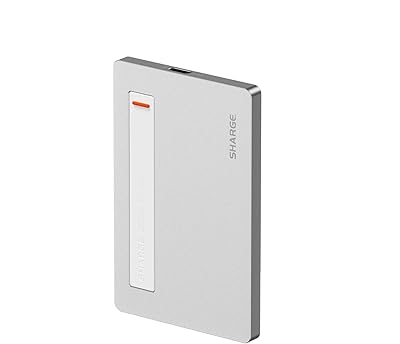
  • Dimensions: Measures 2.1″ in length, 1.57″ in width, and 0.66″ in height, making it smaller than a standard credit card in footprint.
  • Weight: Weighs approximately 24g (0.84oz) without an SSD installed, making it one of the lightest enclosures in its category.
  • Cooling System: Equipped with a built-in active cooling fan that runs during operation to dissipate heat and prevent thermal throttling under sustained workloads.
  • IP Rating: Rated IP54 for resistance against dust ingress and water splashes from any direction, suitable for outdoor and travel use.
  • Drop Protection: Engineered to withstand drops from up to 6.6ft (approximately 2 meters) onto hard surfaces without damage to the enclosure or stored drive.
  • Write Protection: Includes a physical hardware write-protection switch that prevents any data from being written to or deleted from the drive when engaged.
  • Shell Material: The outer body is constructed from silicone, providing a grippy, shock-absorbing surface that also contributes to its rugged durability.
  • Compatible OS: Works natively with Windows, macOS 10 or later, iPadOS 12.0.1 or later, Linux, Android, ChromeOS, and HarmonyOS without requiring additional drivers.
  • Compatible Devices: Plug-and-play compatible with laptops, smartphones, PS5, Steam Deck, and other devices equipped with a USB-C or USB-A port via an adapter.
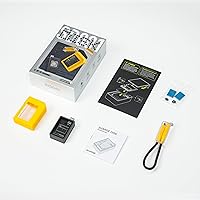
  • Included Accessories: Ships with one USB-C cable that also doubles as a lanyard or keychain attachment for securing the enclosure to a bag or zipper pull.
  • Model Number: The official model identifier for this enclosure is DISK01, manufactured by Sharge Technology (Shenzhen) Co., Ltd.
  • Marketplace Rank: Holds a Best Sellers Rank of #68 in the Enclosures category on Amazon, with a 4.3-star average across more than 940 verified ratings.
  • Date Available: This enclosure was first made available for purchase on August 16, 2023, and has been actively sold since that date.

Related Reviews

Disk Plus SSD Enclosure 10Gbps M.2 NVMe
86%
92%
Performance
88%
Portability
90%
Ease of Use
91%
Transfer Speed
85%
Build Quality
More
dockteck DH0002 M.2 NVMe/SATA SSD Enclosure
84%
88%
Transfer Speed (NVMe)
76%
SATA Drive Performance
83%
Build Quality
93%
Ease of Setup
79%
Thermal Management
More
ineo C2605-NVMe M.2 NVMe SSD Enclosure
77%
88%
Write Protection Reliability
79%
Transfer Speed Performance
82%
Thermal Management
61%
Fan Noise Level
76%
Build Quality & Materials
More
WAVLINK Dual-Bay NVMe M.2 SSD Cloner
75%
83%
Offline Cloning Reliability
78%
Transfer Speed
71%
Compatibility Range
76%
Build Quality
86%
Ease of Setup
More
Cable Matters USB4 40Gbps M.2 NVMe Enclosure
80%
88%
Data Transfer Performance
83%
Build Quality & Materials
79%
Thermal Management & Cooling
91%
Portability & Form Factor
74%
Compatibility Range
More
Plugable M.2 NVMe SSD Enclosure
87%
94%
Ease of Setup
92%
Data Transfer Speed
88%
Build Quality
90%
Port Compatibility
87%
Cooling & Thermal Management
More
elecacc M.2 NVMe SSD Enclosure Adapter
87%
92%
Ease of Use
89%
Cloning Functionality
90%
Transfer Speed
86%
Compatibility with SSD Sizes
88%
Portability
More
ANYOYO TB502Pro NVMe SSD Enclosure
78%
91%
Transfer Speed Performance
88%
Thermal Management
89%
Build Quality
86%
Thunderbolt 5 Compatibility
41%
TB3 Fallback Behavior
More
GRAUGEAR 40Gbps M.2 NVMe SSD Enclosure
85%
93%
Speed & Performance
88%
Cooling Efficiency
91%
Ease of Installation
85%
Build Quality
75%
Compatibility with Older USB Interfaces
More
GEWOKLIY 2230 M.2 NVMe SSD Enclosure
86%
88%
Performance & Speed
90%
Build Quality & Durability
93%
Portability & Design
91%
Setup & Ease of Use
85%
Compatibility with Devices
More

FAQ

In most cases, yes — but you need to confirm the size first. The original Steam Deck ships with a 2230-length M Key NVMe SSD, and this enclosure is built specifically for that format. If your drive matches that description, it will slot right in. Just double-check that it is not a B+M Key drive, since those are not supported.

The fan runs during active use rather than cycling on and off based on temperature. This means you will hear a faint hum whenever the enclosure is in operation. It is not loud — most users describe it as a low background noise — but if you are working in a very quiet room, it is worth knowing about in advance.

No. The Sharge Disk M.2 NVMe SSD Enclosure is designed exclusively for the 2230 form factor, and a standard 2280 drive is simply too long to fit inside the housing. If your spare SSD is 2280, you will need a different enclosure that supports that length.
No drivers are needed. This NVMe enclosure is plug-and-play on macOS 10 and later — just plug it in and it mounts on your desktop like any other external drive. The same applies to Windows, Linux, iPadOS, and Android.

When you slide the write-protection switch to the locked position, the drive becomes read-only — nothing can be written to it, deleted from it, or modified on it. It works at the hardware level, so it cannot be bypassed by software. It is particularly useful when you need to plug into a shared or untrusted computer and want to make sure nothing touches your files.

The SSD is not included. This is an enclosure only, meaning it is the shell that holds and connects an M.2 NVMe drive — you supply the drive yourself. If you are repurposing a spare 2230 M Key SSD, that is the ideal use case here.

Android phones with USB-C ports and the right file system support will generally recognize this M.2 enclosure without issue. iPhones are more restrictive due to iOS limitations, but iPadOS 12.0.1 and later on iPad with USB-C works well. It will not work directly with Lightning-port iPhones without an adapter and even then compatibility is limited.

It holds up well. The silicone exterior is grippy and absorbs minor impacts, and the IP54 rating means light rain or accidental splashes are not a concern. The main cosmetic downside is that silicone attracts lint and dust from pockets, so it will not look pristine after a few weeks of daily carry — but functionally it stays solid.

You can use this NVMe enclosure connected to the PS5 via USB to store and play PS4 games or use it as extended media storage. However, the PS5 internal M.2 expansion slot requires a different setup entirely — you cannot use this enclosure as a substitute for that internal slot. For PS4 game storage via USB, it works fine.

It will not work. SATA M.2 drives use a different signaling protocol and a different key configuration (typically B+M Key), and this enclosure only supports NVMe M Key drives. Physically, a SATA drive may appear to fit in some orientations, but the device will not be recognized by any host system. Always verify your drive is NVMe M Key before purchasing.

Where to Buy