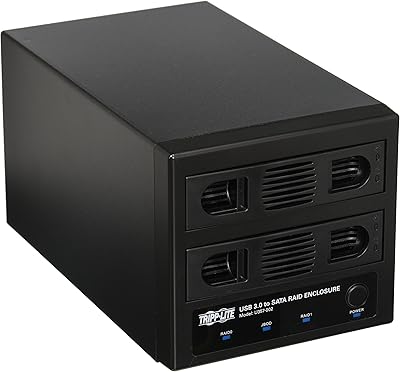
elecacc Dual Bay NVMe SATA SSD Enclosure
Overview
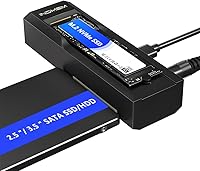
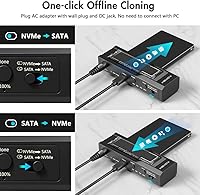
The elecacc Dual Bay NVMe SATA SSD Enclosure is a compact, affordable storage accessory that arrived in late 2024 from a brand still building its reputation in a crowded market. What makes it stand out at this price point is the ability to handle M.2 NVMe and 3.5″/2.5″ SATA drives simultaneously in a single unit — no tools, no drivers, just plug in and go. The aluminum-and-plastic chassis keeps the whole thing under 300g, so it travels well. The real draw, though, is offline cloning without needing a PC — a capability you would normally expect to pay considerably more for.
Features & Benefits
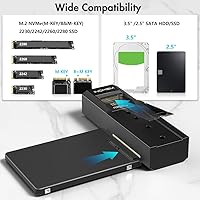
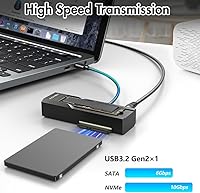
The USB 3.2 Gen 2 interface pushes NVMe reads up to 10Gbps, though real-world throughput will vary depending on the drive and host port. SATA drives, by nature, top out around 6Gbps, so do not expect NVMe-level speeds from an older hard drive just because it is plugged in here. Both bays run independently, meaning you can access one drive while cloning another, which saves real time during migrations. The standalone clone mode is the most practical feature: insert source and destination drives, hold the clone button, and duplication runs without a laptop in sight. M-Key and B+M-Key M.2 modules in 2230 through 2280 sizes are all supported.
Best For
This NVMe and SATA cloning adapter makes the most sense for people doing a one-time or occasional PC upgrade — specifically anyone migrating from an aging SATA drive to a faster M.2 NVMe SSD without wanting to reinstall Windows from scratch. Home lab tinkerers and small office setups will appreciate having a single device that replaces multiple standalone enclosures. Content creators or gamers who regularly archive large drives will find the dual-bay access genuinely useful for day-to-day file movement. It is lightweight enough to toss in a laptop bag, which adds real value for anyone working across locations. Just temper expectations — this is a capable budget tool, not professional-grade duplication hardware.
User Feedback
With around 66 ratings and a 4.3-star average, this drive duplicator has earned a respectable early score for a product that has been on the market less than a year. Buyers tend to praise the no-driver setup and how quickly the device is recognized by Windows and macOS without any configuration. On the downside, a handful of users report noticeable warmth during extended cloning sessions, and a few ran into confusion when a freshly cloned drive would not boot — almost always traced back to the source drive using MBR formatting, which newer motherboards will not recognize. Build quality feedback on the plastic components is functional, but not particularly rugged.
Pros
- Offline cloning works without a PC — just insert both drives and press a button.
- Supports a wide range of drive types, from M.2 NVMe SSDs to full-size 3.5-inch SATA hard drives.
- No tools and no drivers needed; setup takes under a minute on Windows and macOS.
- Both bays operate independently, so you can transfer files on one drive while cloning with the other.
- USB-C interface with backward compatibility means it works with older USB 3.0 ports too.
- Lightweight at under 300g, making it one of the more travel-friendly dual-bay options available.
- Solid early user satisfaction with a 4.3-star average across a growing number of ratings.
- Replaces the need for multiple separate enclosures, which saves both money and desk clutter.
- NVMe transfers reach up to 10Gbps, competitive for a dual-bay adapter at this price point.
Cons
- Cloned drives using MBR formatting will not boot on modern motherboards — a gotcha that catches less technical buyers off guard.
- Heat buildup during long cloning sessions has been flagged by some users, which could be a concern for large HDD duplications.
- elecacc is a newer brand with a limited review history, so long-term reliability data is still thin.
- Real-world NVMe speeds rarely hit the 10Gbps ceiling and depend heavily on the host port and drive quality.
- SATA drives are capped at 6Gbps by design, so do not expect any speed boost for older spinning hard drives.
- Plastic tray and connector components feel functional but not confidence-inspiring for daily heavy-duty use.
- No included software for more advanced cloning options like selective partition copying or scheduled backups.
- The review pool of roughly 66 ratings is still small enough that edge-case failure patterns may not yet be visible.
Ratings
The scores below for the elecacc Dual Bay NVMe SATA SSD Enclosure were generated by AI after analyzing verified buyer reviews worldwide, with spam, bot-submitted feedback, and incentivized reviews actively filtered out. The result is an honest snapshot of real ownership experiences — the strengths that keep buyers happy and the friction points that show up once the honeymoon period ends. Both sides are reflected transparently so you can make a genuinely informed call.
Ease of Setup
Offline Cloning
Transfer Speed
Drive Compatibility
Build Quality
Thermal Management
Value for Money
Port & Cable Quality
Software Experience
Portability
Indicator & Feedback
Brand Reliability
Suitable for:
The elecacc Dual Bay NVMe SATA SSD Enclosure is a practical pick for anyone doing a straightforward PC upgrade — particularly users migrating from an older SATA hard drive or SSD to a newer M.2 NVMe without wanting to go through a full Windows reinstall. Home lab enthusiasts and small office IT folks will find real value here because it replaces two separate enclosures and adds offline cloning in one tidy package. Content creators and gamers who regularly shuffle large files between drives will appreciate being able to access both bays simultaneously during everyday use. It also suits anyone who travels with storage gear, since the sub-300g weight and compact footprint mean it fits in a laptop bag without adding bulk. If you clone drives only occasionally and want a no-fuss, no-software solution that just works when you need it, this drive duplicator is a genuinely smart buy at its price tier.
Not suitable for:
The elecacc Dual Bay NVMe SATA SSD Enclosure is not the right tool if you need to clone drives frequently, at scale, or with guaranteed boot reliability across a variety of older system configurations. Users whose source drives use MBR partition formatting — common on machines originally set up with Windows 7 or earlier — may find that a cloned drive will not boot on any modern motherboard, which is a real frustration if you are not aware of the limitation going in. IT professionals managing enterprise deployments or repeated bulk cloning jobs would be better served by a purpose-built duplicator with more robust thermal management and a longer reliability track record. Build quality is functional rather than rugged, so anyone who needs an enclosure that can withstand daily heavy use or rough handling should look at more established brands. Finally, if sustained transfer speeds are critical and you regularly push drives to their absolute limits, the thermal behavior reported by some users during long sessions is worth factoring into your decision.
Specifications
- Interface: Connects via USB-C using the USB 3.2 Gen 2 standard, with backward compatibility for USB 3.1 and USB 3.0 host ports.
- NVMe Speed: NVMe drives can transfer data at up to 10Gbps, though real-world throughput depends on the host port and drive quality.
- SATA Speed: SATA drives operate at up to 6Gbps, consistent with the physical ceiling of the SATA interface regardless of the enclosure.
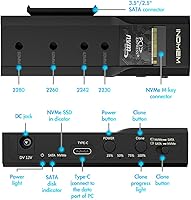
- M.2 Form Factors: Compatible with M.2 modules in 2230, 2242, 2260, and 2280 lengths covering the most common sizes on the market.
- M.2 Key Types: Accepts M-Key and B+M-Key M.2 NVMe SSDs; pure B-Key SATA M.2 modules are not supported on the NVMe bay.
- Drive Compatibility: Supports M.2 NVMe SSDs, 2.5″ SATA SSDs, 2.5″ SATA HDDs, and 3.5″ SATA HDDs across its two bays.
- Bay Count: Houses two drives simultaneously, with each bay operating fully independently without performance impact on the other.
- Offline Cloning: Standalone clone mode duplicates one drive to another without any PC, software, or driver required during the process.
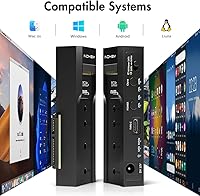
- Driver Requirement: No driver installation is needed; the enclosure is recognized automatically by Windows, macOS, and most modern Linux distributions.
- Tool Requirement: Drive installation requires no screwdrivers or additional hardware; drives are secured through a tool-free mechanism.
- Materials: The chassis combines an aluminum outer shell with plastic internal trays, balancing light weight with basic structural rigidity.
- Weight: The unit weighs 0.28 kg (9.9 oz), light enough to carry in a laptop bag without adding meaningful bulk.
- Dimensions: Packaged dimensions measure 6.73 x 5.35 x 2.2 inches, reflecting a compact footprint suited for travel or desktop use.
- Color: Available in black only, with a matte finish consistent across the aluminum and plastic sections of the housing.
- Brand: Manufactured by elecacc, a storage accessory brand that entered the market with this product in November 2024.
- Max Devices: Supports a maximum of two storage devices connected and active at the same time.
Related Reviews

WAVLINK Dual-Bay NVMe M.2 SSD Cloner

ICY DOCK ToughArmor MB998SP-B 8-Bay 2.5” SATA/SAS HDD/SSD Mobile Rack Enclosure for 5.25″ Bay
Alxum S1235A 3-in-1 Hard Drive Enclosure
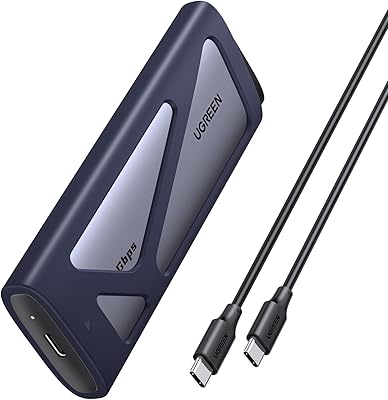
UGREEN 20Gbps M.2 NVMe SATA SSD Enclosure
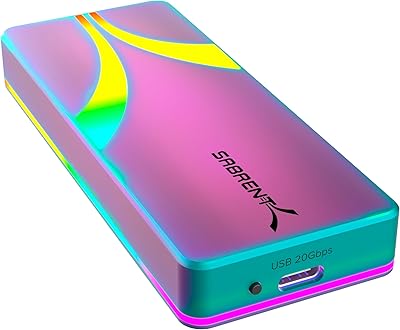
SABRENT EC-RGBC M.2 NVMe SSD Enclosure

dockteck DH0002 M.2 NVMe/SATA SSD Enclosure
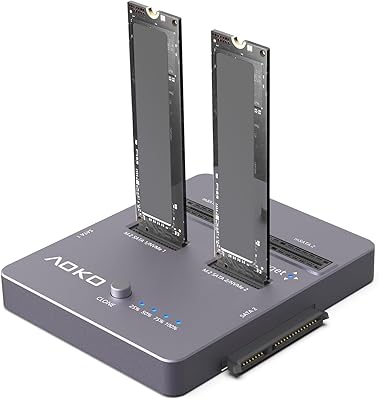
AOKO 4-in-1 M.2 NVMe Hard Drive Duplicator

Cenmate 5-Bay Hybrid HDD/NVMe Enclosure
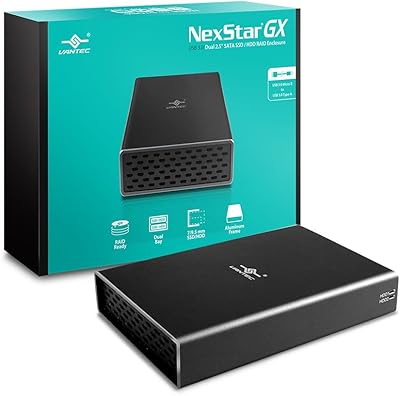
Vantec Nexstar GX Dual 2.5″ RAID Enclosure