Overview

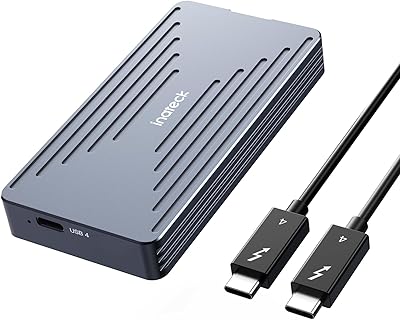
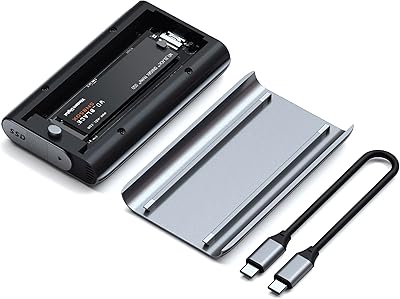
The Cable Matters USB4 40Gbps M.2 NVMe Enclosure arrived in late 2024 as one of the more capable portable enclosures targeting users who genuinely need full 40Gbps throughput. What sets it apart visually is the foldable connector design — a compact approach that puts it ahead of the typical candy-bar enclosures cluttering this space. It works with USB4 hosts and Thunderbolt 4 or 5 ports, which covers a wide range of modern laptops without much fussing over compatibility. That said, hitting peak speeds requires both a Gen 4 NVMe SSD and a TB4 or USB4 port on your machine — neither side of that equation is optional.
Features & Benefits

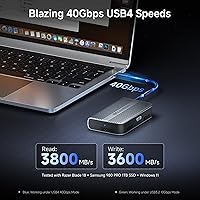
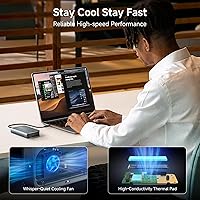
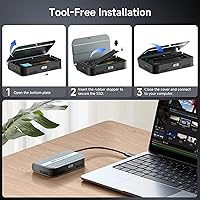
The 40Gbps USB4 interface with PCIe Gen 4x4 support can push reads up to 3800 MB/s and writes to 3600 MB/s — figures Cable Matters recorded using a Razer Blade 18, a Samsung 980 PRO 1TB, and Windows 11, so your real-world numbers will vary. The active, temperature-controlled fan is a meaningful addition; passive enclosures throttle during long transfers, while this one keeps thermals in check for sustained workloads. A dual-color LED indicator flashes blue at full 40Gbps and green at lower USB 3.2 speeds, useful for confirming you actually have the right connection. Installation is tool-free — secure the rubber stopper and you are done. Note that double-sided SSDs are not supported, so verify your drive before buying.

Best For

This USB4 enclosure is built for people who move large files professionally — video editors shuttling raw footage, photographers syncing full shoots, or anyone whose workflow involves regularly filling and emptying a fast external drive. MacBook Pro users and those with Thunderbolt 4 laptops will get the most out of it, as will travelers who want a drive that fits in a jacket pocket thanks to the folding design. Single-sided Gen 4 drives like the Samsung 990 Pro or WD_BLACK SN850X in 1TB or 2TB capacities are the right pairing. If your laptop only has USB 3.2 ports, you will be paying for bandwidth you cannot use.

User Feedback

Sitting at 4.1 out of 5 stars, the Cable Matters 40Gbps enclosure earns solid marks overall, though the picture is nuanced. Buyers consistently highlight the sturdy build quality and the practical foldable design as genuine strengths, and the LED indicator gets praise for being unexpectedly useful day-to-day. On the other side, a noticeable portion of reviewers report that the fan is audible in quiet environments — not disruptive, but present enough to matter for desktop use. Some low ratings trace back to SSD incompatibility or USB 3.2 host limitations rather than any enclosure defect. Since it launched in December 2024, long-term durability data is still limited, so take the reliability track record with that in mind.

Pros

  • Genuine 40Gbps throughput for users with compatible Thunderbolt 4 or USB4 host ports.
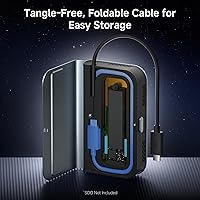
  • Foldable connector design is a real space-saver in laptop bags and jacket pockets.
  • Active fan keeps temperatures stable during long, sustained transfers without throttling.
  • Dual-color LED instantly confirms whether you are running at full 40Gbps or a lower speed.
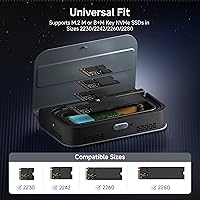
  • Tool-free installation works cleanly across 2230, 2242, 2260, and 2280 M.2 form factors.
  • Works across USB4, Thunderbolt 4, and Thunderbolt 5 hosts, covering a wide range of modern laptops.
  • Plug-and-play on Windows 11 and macOS — no driver downloads or configuration utilities needed.
  • Solid, non-flexing metal build that feels more substantial than the price tier suggests.
  • This NVMe enclosure ranks well among enclosures overall, reflecting a strong early reception.

Cons

  • Double-sided SSDs are completely unsupported — a significant gap that catches buyers off guard.
  • The active fan is audible in quiet environments and cannot be switched off.
  • Bundled cable is short, limiting placement flexibility for desktop or docked setups.
  • Peak read and write speeds require a specific combination of Gen 4 SSD and TB4 host — most buyers will see lower figures.
  • No companion software for monitoring drive temperature or fan activity.
  • Long-term durability of the foldable hinge and fan under heavy daily use is still unproven.
  • Compatibility warnings for double-sided SSDs are not clearly displayed on the physical packaging.
  • Users on USB 3.2 machines will pay for bandwidth they cannot access.

Ratings

The Cable Matters USB4 40Gbps M.2 NVMe Enclosure has been scored below by our AI system after analyzing verified buyer reviews from multiple global markets, with spam, incentivized, and bot-generated feedback actively filtered out. Scores reflect real-world usage patterns across a range of host devices, SSD configurations, and professional workflows. Both the standout strengths and the friction points buyers actually ran into are represented transparently in every category.
Data Transfer Performance
88%
Users with Thunderbolt 4 laptops and Gen 4 NVMe drives report genuinely impressive throughput, with large video file transfers completing noticeably faster than on their previous USB 3.2 enclosures. The PCIe Gen 4x4 bridge chip holds up well under sustained read workloads.
Peak speeds are only achievable under a specific combination of host port and SSD — users on USB 3.2 machines see a fraction of the advertised performance and often feel misled. Real-world speeds on non-ideal setups rarely match the headline figures.
Build Quality & Materials
83%
The enclosure feels reassuringly solid for its weight class, with a metal chassis that does not flex or creak when handled. Several buyers compared it favorably to pricier enclosures, noting it does not feel like a budget product despite its compact footprint.
A handful of reviewers noted the foldable hinge feels slightly stiff initially and raised questions about how it holds up after hundreds of fold cycles. Long-term hinge durability remains unverified given the product only launched in late 2024.
Thermal Management & Cooling
79%
21%
The temperature-controlled active fan is a real advantage over passive enclosures during sustained transfers — users copying multi-gigabyte video archives report stable speeds without the throttling dips common in fanless competitors. The fan only spins up when genuinely needed.
In quiet office or home environments, the fan is audible enough to be distracting during light tasks where you might not expect it to kick in at all. A small group of buyers specifically wished for a passive or silent mode option for low-intensity use.
Portability & Form Factor
91%
The foldable connector is the single most praised design choice in user reviews — it tucks flat enough to slip into a laptop sleeve pocket without snagging cables or adding visible bulk. Travelers and hybrid workers consistently highlight this as a reason they chose this enclosure over alternatives.
The folded profile, while compact, is slightly thicker than the thinnest passive enclosures on the market, so buyers prioritizing absolute minimum thickness may find marginally slimmer options exist. It is not quite pocketable in slim dress trousers.
Compatibility Range
74%
26%
Supporting USB4, Thunderbolt 4, and Thunderbolt 5 hosts from a single device is genuinely useful for users who work across multiple machines or plan to upgrade their laptop in the near future. M Key and B+M Key support keeps it flexible across a wide range of current NVMe drives.
The double-sided SSD exclusion is a meaningful compatibility gap — popular high-capacity drives like the WD_BLACK SN850X 4TB simply will not fit, and some buyers only discovered this after purchase. Users need to verify their specific SSD model before ordering, which adds friction.
Ease of Installation
86%
The tool-free rubber stopper mechanism works cleanly across all four supported M.2 form factors, and most reviewers had their drive installed and recognized by their OS within a few minutes. No driver installation is required on Windows 11 or recent macOS versions.
A few users found the rubber stopper fiddly to seat correctly on shorter 2230 drives, requiring a second attempt before the SSD sat flush. The lack of a printed quick-start guide left some less technical buyers searching online for guidance.
LED Indicator Usefulness
82%
18%
The dual-color LED proving blue for full 40Gbps and green for lower-speed connections gets surprisingly positive mentions in reviews — users find it genuinely helpful for confirming they are actually running at full bandwidth rather than guessing from transfer speed estimates alone.
The LED is positioned on the enclosure body in a way that can be obscured depending on desk orientation, making it less useful when the enclosure sits behind a monitor. A few buyers also noted the indicator light is not dimmable, which is mildly annoying in dark environments.
SSD Form Factor Support
77%
23%
Supporting 2230, 2242, 2260, and 2280 drives means this NVMe enclosure works with everything from compact Steam Deck-sized modules to full-length desktop drives, giving users flexibility to repurpose drives from multiple devices.
The hard exclusion of double-sided SSDs removes some of the most popular high-capacity options from compatibility, which is a real limitation for users specifically buying this to house a 4TB drive. The enclosure does not indicate this restriction externally, so it catches some buyers off guard.
Software & Driver Experience
88%
Plug-and-play behavior is consistently reported across Windows 11 and macOS — no driver download, no configuration utility required. Users simply plug in and the drive mounts, which is exactly what buyers at this tier expect.
There is no companion software for monitoring drive temperature or fan behavior, which more technically oriented users noted as a missing feature compared to some competing enclosures. This is a minor omission but worth flagging for power users.
Cable & Connector Quality
73%
27%
The included cable is functional and adequate for everyday transfers, and reviewers appreciate that Cable Matters — known primarily as a cable brand — does not skimp on the bundled connector. The foldable design means the cable stays integrated rather than being a separate item to lose.
Several users noted the bundled cable is relatively short, limiting placement flexibility when connecting to a desktop or docked workstation. Some buyers opted to use their own longer Thunderbolt 4 cable immediately, making the included one redundant.
Noise Level
66%
34%
Under light workloads and in reasonably noisy environments — a coffee shop, an open office — the fan is not perceptible. When the device is not running a sustained transfer, many users report the enclosure is effectively silent.
In quiet home offices or late-night setups, the fan spin-up is clearly audible and drew negative comments from users who expected the enclosure to operate silently throughout. This is the most polarizing user experience issue in the review pool.
Value for Money
81%
19%
Buyers who use the full 40Gbps bandwidth regularly — video editors, IT professionals, backup-heavy workflows — consistently describe the enclosure as worth the asking price given the active cooling and genuine Thunderbolt 4 compatibility. The foldable design adds perceived value over generic metal slabs.
For users who only have USB 3.2 ports or who bought a passive enclosure expecting to stay quiet, the value equation falls apart quickly. A subset of buyers felt they overpaid once they realized their host machine was the bottleneck, not the enclosure.
Long-Term Reliability
69%
31%
Early buyers — now roughly three to four months into ownership — report no connectivity issues, no SSD recognition failures, and consistent fan behavior. The initial reliability picture is encouraging for a product launched in December 2024.
The review base is still young and does not yet include users who have owned the enclosure for a year or more. Questions about the foldable hinge, fan lifespan, and thermal component durability under heavy daily use simply cannot be answered with confidence yet.
Packaging & Unboxing
76%
24%
The packaging is clean and protective, and buyers note that the enclosure arrives with all necessary accessories — cable, stopper, documentation — without excessive plastic waste. The presentation matches expectations for a mid-to-premium accessory.
The included documentation is minimal, and some users felt the compatibility warnings about double-sided SSDs should have been more prominently displayed on the box itself rather than buried in online listings. A clearer compatibility checklist would reduce return rates.

Suitable for:

The Cable Matters USB4 40Gbps M.2 NVMe Enclosure is built for users who have already invested in a Thunderbolt 4 or USB4-equipped laptop and want external storage that can actually keep up with it. Video editors and photographers who regularly move large raw files between workstations will notice the most tangible difference — sustained transfers that would take several minutes on a USB 3.2 enclosure are measurably faster here, provided you pair it with a single-sided Gen 4 NVMe drive like the Samsung 990 Pro or the WD_BLACK SN850X in 1TB or 2TB capacity. The foldable connector design makes it a natural fit for hybrid workers and frequent travelers who need a fast external drive that does not take up real estate in a laptop bag. MacBook Pro users in particular will find the Thunderbolt 4 compatibility reliable and straightforward, with no driver setup required. If you run a tight, mobile workflow where speed and packability both matter, this enclosure covers both without meaningful compromise.
Not suitable for:

Buyers with USB 3.2 or USB-C (non-Thunderbolt) ports on their laptops should look elsewhere — the Cable Matters USB4 40Gbps M.2 NVMe Enclosure will be artificially bottlenecked to a fraction of its rated bandwidth on those machines, making the premium unjustifiable. Users planning to house a high-capacity double-sided SSD — such as the WD_BLACK SN850X 4TB or 8TB, the Sabrent Rocket 4 Plus 2TB or 4TB, or the Crucial T700 and T705 in 2TB or 4TB — will hit a hard compatibility wall, as those drives simply do not fit the enclosure physically. Anyone working in a noise-sensitive environment, such as a recording studio, a shared sleeping space, or a very quiet office, should factor in that the active fan is audible and cannot be disabled. Desktop users who keep their enclosure stationary on a desk will derive no benefit from the foldable design and may find competing passive enclosures offer a better trade-off at a lower price. Finally, if long-term durability track record matters to your purchase decision, be aware that this device only launched in December 2024, and multi-year reliability data simply does not exist yet.
Specifications

  • Interface: Connects via USB4, with full backward compatibility for Thunderbolt 4 and Thunderbolt 5 host ports.
  • Max Transfer Rate: Supports up to 40 Gbps bandwidth over a compatible USB4 or Thunderbolt 4/5 connection.
  • Max Read Speed: Achieves up to 3800 MB/s sequential read under ideal conditions with a Gen 4 NVMe SSD and a Thunderbolt 4 host.
  • Max Write Speed: Achieves up to 3600 MB/s sequential write under the same ideal tested configuration.
  • PCIe Support: Uses a PCIe Gen 4x4 bridge to fully utilize the bandwidth headroom of high-performance Gen 4 NVMe drives.
  • M.2 Form Factors: Accommodates M.2 drives in 2230, 2242, 2260, and 2280 lengths.
  • Key Compatibility: Supports M Key and B+M Key NVMe SSDs; SATA M.2 drives are not supported.
  • SSD Sides: Only single-sided M.2 NVMe SSDs are compatible; double-sided drives will not fit physically.
  • Cooling System: Features a built-in temperature-controlled active fan that spins up automatically based on drive heat levels.
  • LED Indicator: Dual-color LED displays blue when operating at full 40 Gbps and green when running at 10 Gbps or lower.
  • Installation: Tool-free mounting is achieved via a rubber stopper that secures the SSD without screws or additional hardware.
  • Item Weight: Weighs 0.2 kg (7 oz), making it one of the lighter options in the active-cooled 40 Gbps enclosure category.
  • Package Dimensions: Ships in a box measuring 4.61 x 2.87 x 1.14 inches, reflecting the enclosure's compact physical footprint.
  • Design Feature: Connector folds flat against the enclosure body to reduce bulk during transport and storage.
  • Brand & Model: Manufactured by Cable Matters under model number 201379.
  • Availability Date: First became available for purchase in December 2024, making it one of the newer entrants in this category.
  • Driver Requirement: Operates as plug-and-play on Windows 11 and recent macOS versions with no additional driver installation needed.
  • Host Requirements: Full 40 Gbps performance requires a host port that is USB4 or Thunderbolt 4/5 rated; USB 3.2 ports will cap bandwidth significantly.

Related Reviews

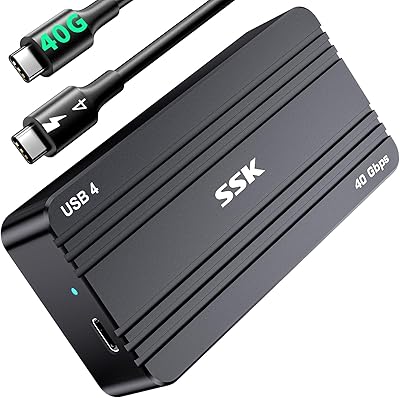
SSK M.2 NVMe SSD Enclosure 40Gbps USB4, 8TB
88%
94%
Data Transfer Speed
89%
Ease of Setup
91%
Build Quality
75%
Heat Management
88%
Compatibility with Mac/Windows
More
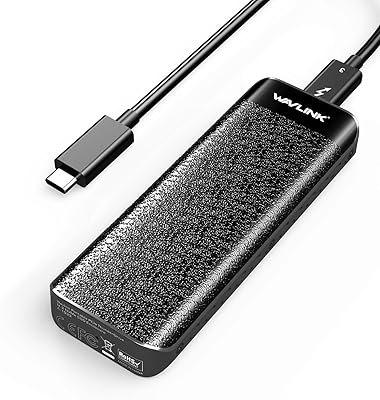
WAVLINK 40Gbps NVMe M.2 Enclosure 4TB
85%
93%
Data Transfer Speed
90%
Ease of Setup
88%
Build Quality & Durability
76%
Thermal Performance
82%
Compatibility
More
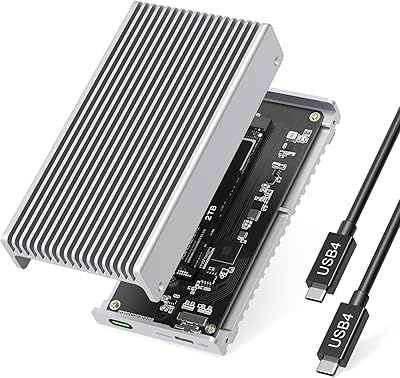
GRAUGEAR 40Gbps M.2 NVMe SSD Enclosure
85%
93%
Speed & Performance
88%
Cooling Efficiency
91%
Ease of Installation
85%
Build Quality
75%
Compatibility with Older USB Interfaces
More
Gewokliy 40Gbps M.2 NVMe Enclosure 8TB
84%
94%
Data Transfer Speed
88%
Thermal Management
90%
Build Quality
85%
Ease of Use
82%
Portability
More
MOKiN 40Gbps M.2 NVMe Enclosure with Cooling Fan
86%
93%
Data Transfer Speed
89%
Cooling Efficiency
87%
Portability
91%
Compatibility with Devices
85%
Build Quality
More
V VCOM 40Gbps M.2 NVMe SSD Enclosure
87%
92%
Performance
89%
Ease of Installation
85%
Cooling/Temperature Management
91%
Build Quality
88%
Compatibility
More
MAIWO M.2 NVMe SSD Enclosure 40Gbps, 8TB
85%
94%
Data Transfer Speed
89%
Cooling Efficiency
91%
Build Quality
87%
Ease of Setup
70%
Portability
More
StarLinker 40Gbps M.2 NVMe SSD Enclosure 8TB
87%
94%
Performance
89%
Build Quality
92%
Transfer Speed
90%
Ease of Setup
88%
Portability
More
Satechi ST-EU4NPM USB4 M.2 NVMe SSD Enclosure
81%
86%
Transfer Speed Performance
91%
Build Quality & Materials
93%
Installation & Setup Ease
74%
Thermal Management
54%
Included Accessories & Cable
More
Inateck FE2028 40Gbps M.2 NVMe SSD Enclosure 8TB
85%
94%
Data Transfer Speed
88%
Build Quality
91%
Thermal Management
86%
Portability
90%
Setup & Installation
More

FAQ

Yes, as long as your MacBook Pro has Thunderbolt 3 or Thunderbolt 4 ports — which covers all MacBook Pro models from 2016 onward. You will get the full 40 Gbps bandwidth on models with Thunderbolt 4. Older Thunderbolt 3 ports top out at 40 Gbps as well, so compatibility is solid across the board.

Unfortunately, no. The 4TB and 8TB versions of the WD_BLACK SN850X use a double-sided PCB, meaning components are mounted on both sides of the drive, and the Cable Matters USB4 40Gbps M.2 NVMe Enclosure only accommodates single-sided drives. The 1TB and 2TB variants of the same drive are single-sided and will work fine.
It is noticeable but not disruptive — somewhere between a quiet hum and the low whir of a laptop under moderate load. In a typical office or at a coffee shop you likely will not think twice about it. In a very quiet room late at night, some users do find it audible enough to be mildly annoying, and there is no way to disable it.

It will connect and function, but your speeds will be capped at whatever your port supports — typically 10 Gbps on USB 3.2 Gen 2. That is a fraction of what this enclosure is designed for, so you would be paying for capability your machine cannot use. A less expensive passive enclosure would likely serve you better in that situation.

No. On Windows 11 and current versions of macOS, the enclosure shows up as a standard external drive the moment you plug it in. There is no companion app, no firmware utility required at setup, and no additional configuration needed.

Yes, the 2230 form factor is supported. The tool-free rubber stopper accommodates all four standard M.2 lengths: 2230, 2242, 2260, and 2280. A few users have noted that seating the stopper on a 2230 drive takes slightly more care, but it works without tools.

That figure was recorded in a specific tested setup — a Razer Blade 18 running Windows 11 with a Samsung 980 PRO 1TB. Your real-world speeds depend on your host port, your SSD model, and the type of data being transferred. With a Gen 4 NVMe and a Thunderbolt 4 port, you will get close; with older hardware, expect noticeably lower numbers.

Early buyers describe the hinge as feeling solid and well-engineered, not flimsy. That said, this enclosure only launched in December 2024, so nobody has put it through years of daily folding cycles yet. The initial impression is positive, but long-term hinge durability is genuinely something we cannot confirm at this stage.

Blue means you are connected at full 40 Gbps — your host port and cable are doing their job. Green means you are running at USB 3.2 speeds of 10 Gbps or lower, which is usually a sign that the enclosure is plugged into a non-Thunderbolt port or an older hub. It sounds like a minor detail, but users consistently mention it as a genuinely handy way to troubleshoot slow transfer speeds without guessing.

Yes, a cable is included in the box. It is functional and adequate for standard transfers, which you might expect given Cable Matters is primarily a cable brand. The main complaint from users is that it is on the shorter side, which can be limiting if you want some distance between the enclosure and your laptop. If you need more reach, any high-quality Thunderbolt 4 cable will work as a replacement.