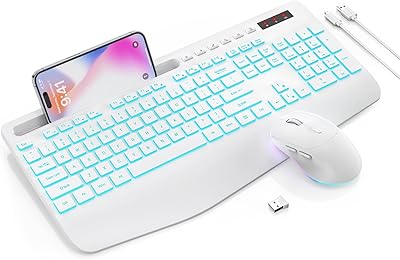
seenda SKM64-3 Wireless Keyboard and Mouse Combo
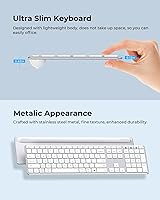

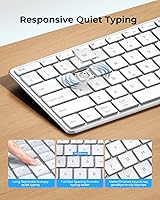
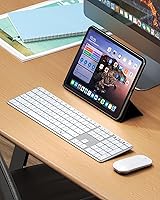
Overview
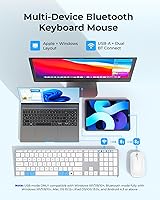
The seenda SKM64-3 Wireless Keyboard and Mouse Combo is built around a simple idea: most of us bounce between a laptop, a tablet, and maybe a desktop all day, and switching peripherals shouldn't be part of that hassle. This desk setup lets you pair across three devices at once, hopping between them through a USB receiver or two separate Bluetooth channels without digging through settings menus each time. It's aimed squarely at remote workers, students juggling a laptop and tablet, and anyone tired of keeping spare batteries on hand. Speaking of which, the rechargeable design quietly does away with the AA battery shuffle that so many budget combos still rely on, which alone makes daily use feel less like a chore.
Features & Benefits
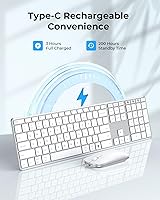
Once you're using this keyboard and mouse combo regularly, the one-tap switching between USB-A, BT1, and BT2 is what stands out first, since it genuinely clears clutter off a crowded desk. The keys use a scissor-switch mechanism with full-size spacing, and typing feels noticeably quieter than what you'd expect from a slim board, while staying accurate enough for longer writing sessions. The mouse adds adjustable DPI settings, so you can dial in 1000, 1600, or 2400 depending on whether you're doing detail work or just browsing. Charging happens over Type-C, with a claimed 200 hours of use per session, and the stainless-steel build keeps the whole combo thin enough to toss in a bag without a second thought.
Best For
This wireless combo set makes the most sense for people who genuinely move between machines during the day, not just someone who occasionally plugs in a second monitor. Think freelancers switching from a laptop to a tablet mid-project, or students taking notes on one device and editing on another. It also fits home offices or shared workspaces where loud typing becomes its own kind of distraction, since the quieter keys are easier to live with around other people. Anyone trying to keep a Mac and a Windows machine running off one set of peripherals, instead of buying two separate combos, will likely appreciate the dual-layout support. Minimalists who hate cable clutter will probably get the most satisfaction out of it.
User Feedback
Real-world impressions of this desk setup tend to be fairly consistent. Once people get through the initial pairing process, switching between paired devices is described as smooth and largely fuss-free, and the quiet keys and clicks come up again and again as a genuine highlight rather than a marketing line. The battery life claims also seem to hold up reasonably well under normal daily use, which isn't always a given with rechargeable peripherals. That said, it's not without friction: a handful of buyers mention a brief learning curve the first time they switch between connection channels, and a few note that the keys feel slightly different in texture and travel compared to a full-size desktop board they're used to.
Pros
- Switches between three paired devices with a single tap, no cables required
- Typing and clicking stay noticeably quiet, good for shared spaces
- Rechargeable battery cuts out the constant need to buy AA batteries
- Adjustable mouse DPI settings adapt easily between detail work and casual browsing
- Slim stainless-steel build feels durable while staying light enough to travel with
- Supports both Windows and Mac layouts, so one set works across machines
- Full-size key spacing keeps typing comfortable despite the thin profile
- Setup feels smooth once initial device pairing is out of the way
Cons
- Switching connection channels involves a short learning curve for first-time users
- Shallow scissor-switch keys may feel different from a full-size desktop board
- Not designed for gaming, where faster response and precision matter more
- Mouse lacks programmable buttons or advanced customization options
- Battery life claims are manufacturer-stated and may vary with real-world habits
- No dedicated software for adjusting settings beyond the built-in DPI button
- Three-device pairing requires repeating setup steps if memory gets cleared
Ratings
Our scores for the seenda SKM64-3 Wireless Keyboard and Mouse Combo are generated by AI after analyzing thousands of verified buyer reviews from around the world, with spam, bots, and incentivized feedback filtered out before anything gets scored. What's left is a fairly honest picture of how this desk setup actually performs once it leaves the box. Both the strong points and the recurring frustrations are reflected here, not just the highlight reel.
Multi-Device Switching
Typing Experience
Noise Level
Battery Life
Build Quality
Mac and Windows Compatibility
Mouse Performance
Portability
Setup Experience
Value for Money
Tablet and Mobile Compatibility
Ergonomics
Suitable for:
The seenda SKM64-3 Wireless Keyboard and Mouse Combo makes the most sense for people who actually move between devices throughout the day rather than sitting at one fixed station. Remote workers who split time between a laptop and a tablet, or students who type notes on one screen and review them on another, get real practical use out of the three-device switching. It also suits anyone setting up a home or shared office where loud key clatter is a nuisance to roommates or family nearby. Mac and Windows users who are tired of owning two separate combos for two machines will likely appreciate having one set that handles both layouts. People who prize a clean, cable-free desk and don't want to manage extra batteries every few months are also a good fit here.
Not suitable for:
This wireless combo set isn't the right call for anyone who wants a plug-and-forget experience with zero setup friction, since pairing across three channels takes a few extra minutes the first time around. Gamers or anyone needing precise, low-latency input for fast-paced titles should look elsewhere, as this combo is built for everyday productivity, not competitive response times. Buyers attached to the deeper key travel and heft of a full-size mechanical or desktop keyboard may find the slim scissor-switch keys feel comparatively shallow. The seenda SKM64-3 Wireless Keyboard and Mouse Combo also isn't ideal for anyone who refuses to deal with any kind of learning curve, however minor, when switching between paired devices. Those needing extensive customizable buttons or programmable macros on the mouse won't find that level of control here either.
Specifications
- Connectivity: The combo connects through a USB-A receiver or two separate Bluetooth channels, supporting up to three paired devices total.
- Compatible Systems: It works across Windows, Mac OS, iOS, and Android, with a layout that covers both Windows and Apple shortcuts.
- Keyboard Thickness: The keyboard measures just 0.12 inches thick at its slimmest point.
- Mouse Height: The mouse stands 0.9 inches tall, keeping it low-profile for travel.
- Mouse DPI Settings: The mouse offers three adjustable DPI levels: 1000, 1600, and 2400.
- Charging Port: Both devices charge via a Type-C port and use a built-in rechargeable battery instead of replaceable cells.
- Battery Life: A full charge is rated for up to 200 hours of use, according to the manufacturer.
- Key Switch Type: The keyboard uses scissor-switch keys designed to reduce typing noise.
- Key Spacing: Keycaps are full-size with wider spacing intended to make typing more comfortable.
- Build Material: Both the keyboard and mouse are constructed with a stainless-steel metal frame.
- Product Dimensions: The keyboard measures 16.93 x 4.33 x 0.79 inches.
- Item Weight: The combined set weighs 1.43 pounds.
- Model Number: The item model number is JP-064-3.
- Power Modes: Both devices include on/off switches and an auto-sleep mode to conserve battery.
- Mouse Operation: The mouse features noiseless clicks designed to minimize disruption in shared spaces.
Related Reviews
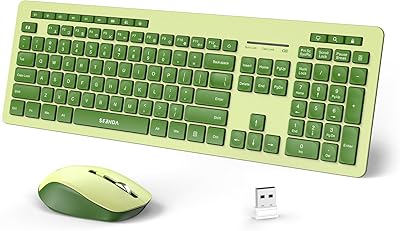
seenda Wireless Keyboard and Mouse Combo
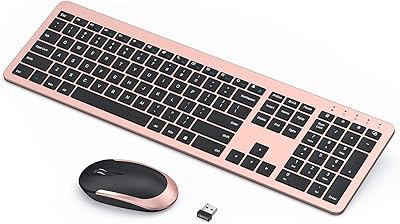
seenda Wireless Rechargeable Keyboard Mouse Combo
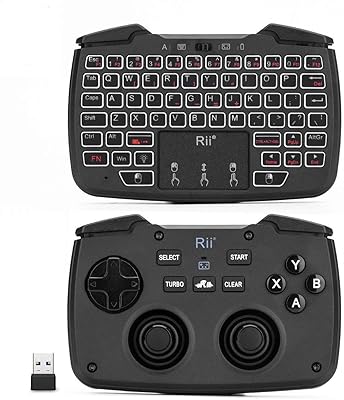
Rii RK707 3-in-1 Wireless Game Controller Keyboard
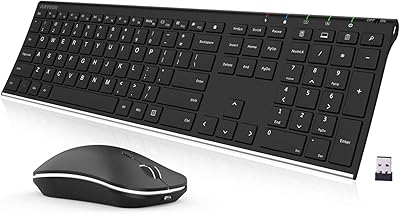
Arteck HW192 Wireless Keyboard and Mouse Combo
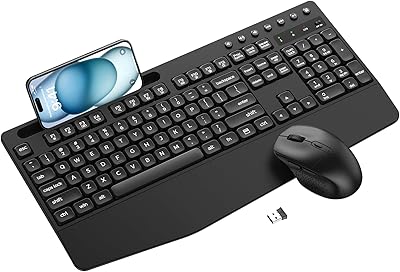
ULSOU Wireless Ergonomic Keyboard and Mouse Combo
UBOTIE Wireless Keyboard and Mouse Combo
FOPETT Retro Wireless Keyboard and Mouse Combo
TKVPJYYI Wireless Retro Typewriter Keyboard and Mouse Combo
VEILZOR UK418 Wireless Keyboard and Mouse Combo