Overview
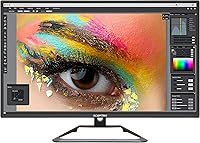
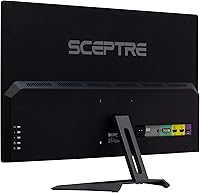
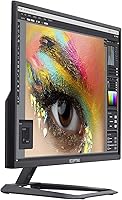
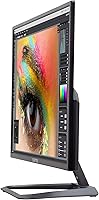
The Sceptre U279W-4000R 27″ 4K Monitor is Sceptre's straightforward answer to a question a lot of desk workers and casual users have been asking for years: can you get a large, sharp 4K display without spending a fortune? The answer here is largely yes. The frameless machine black chassis looks tidy and modern — it won't clash with most setups. Connectivity is surprisingly generous, with DisplayPort, two HDMI ports, DVI, and an audio out jack all on board. There are even built-in speakers, a nice convenience, though they're better suited for background audio than anything critical. This is an entry-level panel, and it performs accordingly — solid, practical, and honest about what it is.
Features & Benefits
The IPS panel is one of the more important choices made here — at this price, plenty of competing monitors rely on TN panels with noticeably narrower viewing angles and weaker color rendering. Text looks genuinely crisp at 3840×2160, which makes a real difference if you spend hours reading documents or editing spreadsheets. Using DisplayPort gets you up to 70Hz, keeping motion reasonably smooth. HDMI 1 handles 4K at 60Hz, which is fine for most people. One detail worth knowing upfront: HDMI 2 and DVI are limited to 30Hz at 4K, so plan your cable setup accordingly. The Blue Light Shift filter and anti-flicker backlight are both practical additions for anyone logging long hours at a desk.
Best For
This budget 4K screen makes the most sense for a specific kind of buyer. If your day involves a lot of reading, writing, or working in spreadsheets, the jump from 1080p to 4K is immediately noticeable — text becomes sharper and eye fatigue tends to drop. Casual gamers who care more about resolution than refresh rate will find it capable, especially via DisplayPort. It is also a solid pick for anyone streaming 4K video on a tight budget, or a student setting up a proper workstation for the first time. People who need to switch between devices — say, a laptop and a gaming console — will appreciate having multiple inputs without paying a premium for the privilege.
User Feedback
Across more than a thousand ratings, the 27-inch Sceptre monitor earns its four-star average mostly on the strength of its image quality relative to what you pay. Buyers consistently highlight how sharp and vibrant the picture looks straight out of the box. The recurring criticisms are worth knowing, though: a handful of users noticed backlight uniformity issues, which can appear as slightly brighter patches near screen edges in dark scenes. The built-in speakers get a pass for video calls but won't satisfy anyone who values real audio. A few buyers also discovered the 30Hz limitation on certain ports only after setup — so read the specs before plugging in. Value for money is the phrase that keeps appearing in positive reviews, and it is a fair summary.
Pros
- 4K IPS panel delivers genuinely sharp, detailed images at a price that undercuts most competing displays.
- Text clarity at 3840×2160 is a real, noticeable upgrade for anyone coming from a 1080p screen.
- IPS technology means colors and contrast hold up well even when viewing from the side.
- DisplayPort connection supports up to 70Hz, providing smoother motion than the base HDMI option.
- Generous connectivity with DisplayPort, two HDMI ports, DVI, and audio out covers most device combinations.
- Frameless bezel keeps the desk setup looking clean and modern without adding cost.
- Blue Light Shift filter is a practical inclusion for people spending long hours in front of the screen.
- Anti-flicker backlight reduces eye fatigue, especially useful during extended work sessions.
- Built-in speakers handle basic video call audio without needing an external device.
- Over 1,000 ratings averaging four stars reflects genuine buyer satisfaction at this price tier.
Cons
- HDMI 2 and DVI are limited to 30Hz at 4K, which catches many buyers off guard after setup.
- No HDR certification means high-dynamic-range content will not look meaningfully better than SDR.
- Glossy screen surface causes distracting reflections in rooms with windows or overhead lighting.
- Backlight uniformity can vary between units, with some users reporting brighter patches near the edges.
- Built-in speakers are thin and bass-light — they struggle with anything beyond basic audio needs.
- Color gamut coverage is standard for the price tier, not suitable for professional photo or video work.
- 70Hz refresh rate ceiling limits the experience for competitive or fast-paced gaming scenarios.
- No height or pivot adjustment is mentioned, which can complicate ergonomic desk setups.
- Glossy panel coating may require more frequent cleaning to maintain a clear image.
- Brand support and long-term reliability may concern buyers used to Tier-1 monitor manufacturers.
Ratings
The scores below for the Sceptre U279W-4000R 27″ 4K Monitor were generated by our AI system after analyzing thousands of verified global buyer reviews, with spam, bot-submitted, and incentivized feedback actively filtered out. Each category reflects what real owners experienced during daily use — not what the spec sheet promises. Both the genuine strengths and the frustrating trade-offs are represented transparently so you can make a confident, informed decision.
Image Sharpness
Color Accuracy
Value for Money
Connectivity
Refresh Rate & Motion
Build Quality
Viewing Angles
Eye Comfort
Built-in Speakers
Glare & Reflections
Backlight Uniformity
Setup & Out-of-Box Experience
Ergonomics & Adjustability
Suitable for:
The Sceptre U279W-4000R 27″ 4K Monitor is a strong fit for anyone who wants the visual clarity of 4K without committing to a premium-tier budget. Home office workers will notice an immediate improvement in text sharpness — reading long documents or working in multi-column spreadsheets simply feels less straining at this resolution. Students setting up their first real desk workstation get a lot of screen real estate and a clean, frameless look that doesn't cost a fortune. Casual gamers who care more about image detail than chasing triple-digit refresh rates will find the DisplayPort connection at up to 70Hz more than adequate for slower-paced or story-driven titles. It also works well as a shared living room or bedroom monitor, since the IPS panel holds up reasonably well when viewed from an angle. Anyone who juggles multiple devices — a work laptop, a personal desktop, or a console — will appreciate having DisplayPort, two HDMI ports, and DVI all available without needing an external switch.
Not suitable for:
Competitive gamers and anyone who prioritizes fast, fluid motion should look elsewhere — this Sceptre 4K display tops out at 70Hz via DisplayPort, and that ceiling will feel limiting against monitors purpose-built for high-refresh gaming. Color professionals and photo editors need to be cautious too: this is an entry-level IPS panel, and it does not carry wide color gamut or HDR certifications that serious creative work demands. Buyers expecting meaningful HDR performance will be disappointed, as this screen lacks the brightness headroom and local dimming required to make HDR content pop. The glossy screen surface can also be a problem in brightly lit rooms, where reflections become a real distraction. If you plan to run a second device through HDMI 2 or DVI at full 4K resolution, be aware that those ports are limited to 30Hz — which is noticeably sluggish for everyday desktop use. And if audio quality matters to you at all, the built-in speakers on this budget 4K screen are a last resort, not a solution.
Specifications
- Screen Size: The display measures 27 inches diagonally, providing a spacious viewing area well-suited for multitasking and media consumption.
- Resolution: Native resolution is 3840×2160 (4K UHD), delivering approximately 8 million pixels for noticeably sharper text and image detail than 1080p panels.
- Panel Type: Uses an IPS (In-Plane Switching) panel, which offers wider viewing angles and more consistent color reproduction compared to TN alternatives at this price tier.
- Aspect Ratio: Standard 16:9 widescreen aspect ratio, compatible with virtually all modern operating systems, video content, and productivity software layouts.
- Refresh Rate: Supports up to 70Hz via DisplayPort and 60Hz via HDMI 1, with HDMI 2 and DVI limited to 30Hz at full 4K resolution.
- Connectivity: Equipped with one DisplayPort, two HDMI ports (HDMI 1 at 60Hz, HDMI 2 at 30Hz), one DVI port, and one audio out jack.
- Built-in Audio: Includes integrated speakers suitable for basic audio output such as video calls and casual media playback; not intended for high-fidelity listening.
- Eye Care: Features a Blue Light Shift filter to reduce high-energy visible light exposure, helping to minimize eye fatigue during extended screen sessions.
- Flicker Reduction: Anti-flicker backlight technology stabilizes the backlight output to reduce the periodic flickering that can cause visual discomfort over long periods.
- Bezel Design: Frameless (near-borderless) bezel design on the display edges gives the monitor a clean, minimal appearance suitable for modern desk setups.
- Screen Surface: Glossy screen surface enhances color vibrancy and contrast but may produce reflections in environments with strong ambient or natural lighting.
- Dimensions: The monitor measures 27 × 17.46 × 8.06 inches (L×H×D) including the stand, fitting comfortably on standard desks with moderate depth.
- Weight: Total weight is 9.1 pounds, making it manageable for a single person to position or reposition without assistance.
- Color Finish: Available in machine black, a neutral matte-finish chassis color that blends with most workstation and gaming desk aesthetics.
- Power Input: Operates on standard 120V AC power, compatible with North American wall outlets without any adapter requirement.
- Model Series: Part of Sceptre's U279W-4000R series, designed as an accessible entry point into 4K desktop display territory for everyday users.
Related Reviews
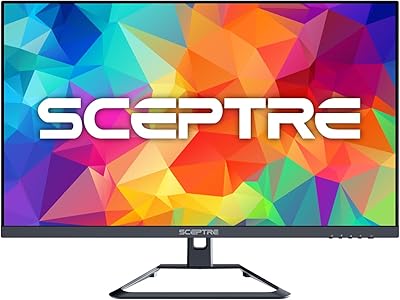
Sceptre U275W-UPT 27″ 4K IPS Monitor

ViewSonic VP2768a-4K 27-Inch 4K Monitor

ViewSonic VA2756-4K-MHD 27-inch 4K Monitor

ViewSonic VG2756-4K 27-Inch 4K Docking Monitor

ViewSonic VX2776-4K-MHDU 27-inch 4K IPS Monitor

Dell S2725QC 27-inch 4K USB-C Monitor

KOORUI N07 27-inch 4K IPS Monitor
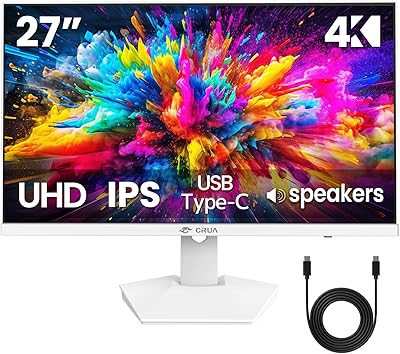
CRUA CR270H 27″ 4K Monitor
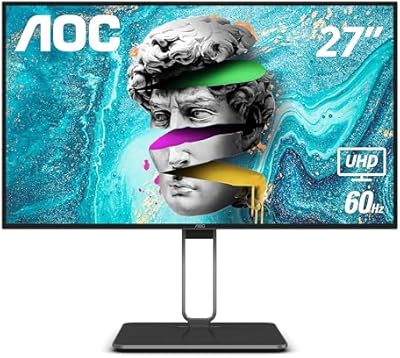
AOC U27U2DP 27″ 4K Monitor