Overview

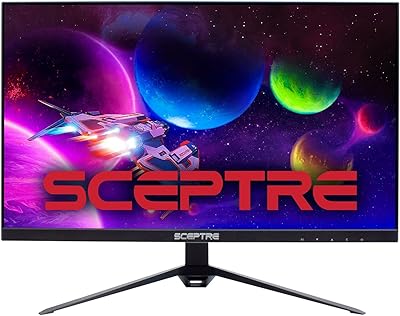
The Sceptre U275W-UPT 27″ 4K IPS Monitor sits firmly in the value tier, offering a capable display for buyers who want sharp UHD visuals without a large outlay. Sceptre has never been a flashy brand, but this Sceptre display holds its own for home office users and entry-level creatives who care more about what is actually on screen. The IPS panel quality is a genuine highlight at this price — color consistency from wide angles is noticeably better than cheaper TN alternatives. One honest caveat worth knowing upfront: the glossy screen surface can be a real nuisance in rooms with strong ambient light. Built-in speakers are a convenient touch for keeping your desk tidy.

Features & Benefits

At its core, this 27″ 4K monitor delivers a 3840×2160 UHD resolution across an IPS panel with 178-degree viewing angles in both directions, meaning color accuracy holds even when you are not sitting dead center. The DisplayPort connection pushes the refresh rate up to 70Hz — a modest but welcome improvement over the typical 60Hz standard. Worth flagging clearly: not all HDMI ports are equal here. HDMI 1 runs at 60Hz, while HDMI 2 and 3 top out at 30Hz, which regularly catches buyers off guard. Color coverage lands at 99% sRGB — solid for casual creative work, though not a stand-in for a proper wide-gamut panel. Brightness at 350 cd/m² handles most typical indoor environments comfortably.

Best For

The U275W-UPT makes the most practical sense for home office workers who spend long hours reading documents, managing spreadsheets, or sitting through video calls — the 4K resolution makes text noticeably crisper than on a standard 1080p screen. Students or remote workers building out a dual-monitor setup on a constrained budget will find this Sceptre display a solid fit. Entry-level photo editors and graphic design students can genuinely benefit from the 99% sRGB coverage, provided they understand it is not a color-critical professional tool. Casual streamers and media watchers will appreciate the resolution. Anyone who wants a tidy workspace without a separate speaker taking up room will also value the onboard audio.

User Feedback

Among buyers, the most consistent praise centers on sharpness and color that feel well above what the price suggests. That said, the glossy panel draws the most complaints — users in sun-facing rooms or offices with overhead fluorescent lighting report persistent glare as a recurring frustration. The mixed HDMI speeds also surface repeatedly in reviews; people who connect via HDMI 2 or 3 and end up stuck at 30Hz are often caught off guard. The built-in speakers earn lukewarm responses at best — functional for casual background audio, but nothing to depend on for attentive listening. A handful of owners also flag minor backlight variation, though most treat it as an acceptable trade-off at this price tier.

Pros

  • Sharp 4K resolution at 27 inches makes text and detail noticeably crisper than a 1080p screen.
  • The IPS panel holds color consistency at wide angles, which matters for shared viewing or multi-window workflows.
  • 99% sRGB coverage is a real bonus for entry-level creative work at this price tier.
  • Three HDMI ports plus DisplayPort offer genuine flexibility for users with multiple source devices.
  • VESA wall-mount compatibility gives space-conscious setups a clean, flexible option.
  • Built-in speakers reduce desk clutter without requiring a separate audio purchase.
  • Buyers report strong overall satisfaction relative to what the price asks for.
  • The 70Hz refresh rate via DisplayPort is a step up from the 60Hz standard most budget monitors offer.
  • At 27 inches, the screen size hits a practical sweet spot for both productivity and media consumption.

Cons

  • Two of the three HDMI ports are limited to 30Hz, which is a significant and easy-to-miss limitation.
  • The glossy screen surface causes noticeable glare in bright or sunlit rooms.
  • No adaptive sync support makes this a poor fit for gaming beyond casual use.
  • Color gamut coverage stops at sRGB — no DCI-P3 or Adobe RGB for professional color work.
  • Built-in speakers are underwhelming for anything beyond basic background audio.
  • Some users report minor backlight uniformity issues across the panel.
  • No USB-C port limits connectivity options for modern laptops and peripherals.
  • At 350 cd/m² brightness, the display can feel dim in very bright environments compared to higher-end panels.
  • The stand offers limited ergonomic adjustment, which may be a problem for prolonged daily use.

Ratings

The scores below for the Sceptre U275W-UPT 27″ 4K IPS Monitor were generated by our AI engine after analyzing thousands of verified buyer reviews from global markets, with spam, bot-generated, and incentivized feedback actively filtered out. Each category reflects the honest balance of what real users praised and what genuinely frustrated them. Nothing has been softened — strong points and recurring pain points are weighted equally.

Image Sharpness
91%
Buyers consistently describe text and fine detail as noticeably crisper than anything they had used before at this price. For daily document work, spreadsheet-heavy sessions, and 4K video playback, the jump in clarity is immediately obvious and regularly cited as the top reason users recommend this display.
A few users note that the sharpness advantage is somewhat dependent on your GPU — if your graphics card struggles to push 4K output smoothly, the benefit is partially lost. This is not a monitor flaw, but it catches buyers with older hardware off guard.
Color Accuracy
78%
22%
The 99% sRGB coverage earns genuine praise from entry-level designers and casual photo editors who find the color reproduction faithful and consistent across the panel. For web-focused creative work or everyday content consumption, colors look vibrant without appearing oversaturated or artificially boosted.
Professional colorists and photographers working toward print or wide-gamut standards will find the sRGB-only coverage limiting. The display does not cover DCI-P3 or Adobe RGB, and buyers who misread the specs expecting professional-grade accuracy report disappointment once they start color-critical work.
Panel Uniformity
63%
37%
Most users in typical home office conditions do not encounter uniformity issues during daily use. For productivity tasks like text editing or spreadsheet work, where you are rarely staring at a uniformly lit solid-color background, the panel performs without obvious hotspots.
A consistent minority of reviewers describe visible brightness variation toward the corners or edges of the screen, especially on light-colored backgrounds. This is a known quality-control variable at this price tier, and it becomes more noticeable when using the monitor for design tasks that require evaluating flat color fields.
Refresh Rate & Smoothness
69%
31%
For home office use and media consumption, the 70Hz refresh rate via DisplayPort delivers a noticeably smoother experience than the 60Hz standard most budget monitors offer. Buyers who use the display primarily for productivity and casual streaming report that everyday navigation feels responsive.
The inconsistency across ports is a recurring source of frustration — HDMI 2 and HDMI 3 cap at 30Hz, which makes general desktop use feel visually sluggish if you connect via the wrong cable. Several buyers only discover this limitation after setup, which generates disproportionate disappointment in reviews.
Connectivity
71%
29%
Having three HDMI ports plus a DisplayPort input is a practical advantage for users juggling multiple devices — a laptop, a console, and a streaming stick can all stay connected simultaneously. The audio-out jack is a small but useful addition that simplifies desk cable management.
The mixed HDMI speed tiers undermine the otherwise generous port count. Two of the three HDMI ports being limited to 30Hz means buyers cannot treat all inputs as equivalent, and the absence of USB-C is a real gap for modern laptop users who prefer a single-cable connection.
Glare & Screen Surface
54%
46%
In a controlled environment — a windowless office or a room where ambient light can be managed — the glossy panel rewards users with punchy, saturated colors that matte screens tend to dull slightly. Some buyers specifically prefer the look of glossy panels for media and photo viewing.
In real-world home setups, particularly rooms with windows or overhead lighting, the glossy finish produces persistent reflections that significantly impact usability. This is the single most commonly mentioned frustration in negative reviews, and it represents a meaningful daily annoyance for buyers who did not factor it into their purchase decision.
Build Quality
72%
28%
The physical construction feels solid and stable for a value-tier product — there is no obvious flex in the panel surround, and the stand holds the display firmly without wobble. Buyers who have owned more expensive monitors describe the build as surprisingly decent for the category.
The stand is clearly designed to cost, offering only basic tilt adjustment with no height, swivel, or pivot functionality. Users who spend long hours at their desks frequently find themselves supplementing with a VESA arm to compensate for the ergonomic limitations.
Ergonomics
47%
53%
The VESA mounting compatibility is the saving grace here — buyers willing to invest in a third-party monitor arm can achieve almost any position they need. Wall-mounting also works well for users who want a very clean desk surface.
Out of the box, the stand offers tilt-only adjustment, which is genuinely limiting for all-day work comfort. Users who cannot or prefer not to buy a separate arm report neck and posture discomfort after extended sessions, and this is a recurring theme in longer-form reviews.
Brightness
74%
26%
At 350 cd/m², the display is bright enough for most indoor office environments and comfortably handles typical home lighting conditions. Users who work in moderately lit rooms report no issues with visibility during standard daytime hours.
In very bright rooms or environments with strong natural light, 350 cd/m² starts to feel underpowered, especially combined with the reflective glossy surface. HDR content in particular falls flat without the high-brightness headroom that proper HDR panels provide.
Built-in Speakers
51%
49%
The speakers deliver adequate volume for video calls and background audio in a quiet room, which is genuinely useful for users who want a minimal desk setup. Having any built-in audio removes the need for an immediate secondary purchase.
Sound quality is thin and lacks any meaningful bass or spatial depth — most buyers describe them as a last-resort option rather than a primary listening solution. Users who regularly watch content or attend meetings with audio-heavy material find themselves reaching for headphones or external speakers quickly.
Value for Money
88%
Among buyers who set realistic expectations for a budget 4K display, satisfaction with the value proposition is high. Getting a 27-inch IPS panel with 4K resolution and 99% sRGB coverage at this price point represents genuine bang for the dollar in a category where most competitors cut deeper corners.
Buyers who compare it against slightly higher-priced alternatives start to notice meaningful trade-offs in ergonomics, port consistency, and panel uniformity that erode the value case. If your budget has any flexibility, the incremental cost for a step-up display may be worth considering carefully.
Setup & Ease of Use
83%
Assembly is straightforward and quick, with most buyers reporting the stand clicking into place without tools or confusion. The on-screen display menu is functional and easy to navigate for adjusting brightness, contrast, and input selection.
The lack of clear labeling or documentation around the HDMI port speed differences means a meaningful number of buyers connect to HDMI 2 or 3 and spend time troubleshooting a choppy experience before realizing the issue. Better out-of-box guidance would prevent a lot of avoidable frustration.
Gaming Performance
44%
56%
For very casual gaming — slow-paced strategy titles, RPGs, or light indie games — the display produces sharp, colorful visuals that are genuinely enjoyable. The 4K resolution adds a layer of detail that more serious budget gaming monitors at lower resolutions simply cannot match.
The 70Hz ceiling, absent adaptive sync, and the HDMI port speed inconsistencies make this a poor fit for action gaming or any fast-paced titles where smooth motion matters. Competitive gamers or anyone prioritizing frame rate and response time should look at monitors purpose-built for gaming.

Suitable for:

The Sceptre U275W-UPT 27″ 4K IPS Monitor is a practical pick for home office workers who want the text clarity of 4K without paying a premium price. If you spend your days in spreadsheets, documents, or browser tabs, the jump from 1080p to 4K at 27 inches makes a genuinely noticeable difference in readability. Students and remote workers building out a dual-monitor setup on a tight budget will find this Sceptre display punches above its weight, especially given the IPS panel's consistent color at wide viewing angles. Entry-level photographers or design students who need reasonably accurate color for non-critical work will also get solid utility from the 99% sRGB coverage. Casual streamers and media consumers who prioritize sharp, detailed visuals over fast motion response will be well served here too.

Not suitable for:

The Sceptre U275W-UPT 27″ 4K IPS Monitor is not the right tool for serious competitive gaming — a 70Hz ceiling via DisplayPort and no adaptive sync support means faster, more responsive panels exist at similar or slightly higher price points. Professional photographers, colorists, or anyone doing print-accurate color work should look elsewhere, as this display does not cover wide-gamut color spaces like DCI-P3 or Adobe RGB. If your desk sits near a window or under strong overhead lighting, the glossy panel surface will cause persistent glare that a matte-screen alternative would largely avoid. Users who rely heavily on HDMI and assume all ports perform equally will be frustrated — two of the three HDMI ports cap at 30Hz, which is genuinely limiting for everyday use. Anyone needing USB-C connectivity or built-in KVM functionality will also find this Sceptre display lacking.

Specifications

  • Screen Size: The display measures 27 inches diagonally, offering a comfortable viewing area for both productivity and media use.
  • Resolution: Native resolution is 3840×2160 (4K UHD), delivering approximately 163 pixels per inch for sharp, detailed imagery.
  • Panel Type: Uses an IPS (In-Plane Switching) panel, which provides consistent color reproduction and wide viewing angles compared to TN alternatives.
  • Refresh Rate: Supports up to 70Hz via DisplayPort; HDMI 1 is limited to 60Hz, while HDMI 2 and HDMI 3 cap at 30Hz.
  • Brightness: Peak brightness is rated at 350 cd/m², suitable for typical indoor office and home environments.
  • Color Gamut: Covers 99% of the sRGB color space, making it adequate for general creative work and content consumption.
  • Viewing Angles: Horizontal and vertical viewing angles both reach 178°, allowing consistent color from nearly any seated position.
  • Screen Surface: The panel has a glossy surface finish, which enhances color vibrancy but can produce reflections in brightly lit rooms.
  • Aspect Ratio: Standard 16:9 widescreen aspect ratio, compatible with all common video formats and operating system layouts.
  • Connectivity: Ports include one DisplayPort, three HDMI inputs (with varying refresh rate support), and one 3.5mm audio output jack.
  • Built-in Audio: Integrated stereo speakers are included, providing basic audio output without the need for external speakers.
  • Mounting: VESA wall-mount compatible, allowing the monitor to be mounted on standard third-party arms or wall brackets.
  • Dimensions: The monitor measures 24.19″ wide, 17.75″ tall, and 8.06″ deep with the stand attached.
  • Weight: Total weight with stand is 11.46 pounds, which is typical for a 27-inch display in this category.
  • Release Year: This model was first made available in July 2021 and remains in active circulation as a budget 4K option.

Related Reviews

ViewSonic VG2756-4K 27-Inch 4K Docking Monitor
80%
91%
USB-C Docking Performance
88%
Display Clarity
74%
Connectivity & Port Selection
86%
Ergonomics & Stand Quality
71%
Color Accuracy
More
Sceptre E278W-FPT 27″ Gaming Monitor
71%
91%
Value for Money
78%
Image Quality
74%
Color Accuracy
62%
Gaming Performance
63%
Build Quality
More
Sceptre E275B-QPT168 27″ QHD Monitor
75%
88%
Image Clarity
83%
Color Accuracy
91%
Refresh Rate & Smoothness
93%
Value for Money
57%
Build Quality
More
Sceptre U279W-4000R 27″ 4K Monitor
71%
88%
Image Sharpness
74%
Color Accuracy
91%
Value for Money
83%
Connectivity
67%
Refresh Rate & Motion
More
LG 27UP850K-W 27-inch 4K IPS Monitor
76%
88%
Image Quality
91%
Color Accuracy
93%
USB-C Connectivity & Power Delivery
86%
Ergonomics & Stand
84%
Build Quality & Design
More
YEYIAN ODRAZ 27″ 4K UHD Gaming Monitor
72%
86%
Image Quality
88%
Color Accuracy
57%
Gaming Performance
83%
Value for Money
66%
Build Quality
More
ViewSonic VP2768a-4K 27-Inch 4K Monitor

86%
94%
Color Accuracy
88%
Ergonomics & Comfort
91%
Value for Money
89%
Build Quality
85%
Ease of Setup
More
ViewSonic VA2756-4K-MHD 27-Inch 4K Monitor
84%
92%
Display Quality
90%
Color Accuracy
88%
Design & Build Quality
85%
Ease of Setup
89%
Connectivity Options
More
ViewSonic VX2776-4K-MHDU 27-inch 4K IPS Monitor
75%
91%
Image Clarity
93%
USB-C Convenience
78%
Color Accuracy
54%
HDR Performance
46%
Stand & Ergonomics
More
ViewSonic VP3268A-4K 32-inch 4K Monitor

79%
93%
Color Accuracy
91%
Out-of-Box Calibration
88%
Build Quality
86%
Ergonomics & Stand
89%
Connectivity
More

FAQ

Yes, the U275W-UPT is compatible with MacBooks and Mac Minis. If your Mac has a Thunderbolt or USB-C port, you will need an appropriate adapter to connect via HDMI or DisplayPort. For the best resolution and refresh rate, use the DisplayPort connection where possible.

Connect via DisplayPort to get the full 70Hz refresh rate at 4K resolution — that is the strongest connection this monitor offers. If you use HDMI, stick to HDMI 1 for 60Hz at 4K. Avoid HDMI 2 and HDMI 3 for primary use, as those ports max out at 30Hz, which can make scrolling and general desktop use feel noticeably sluggish.

Honestly, yes. At 30Hz the display refreshes only 30 times per second, which makes cursor movement and window dragging look choppy compared to 60Hz. For a secondary source like a game console used occasionally it may be acceptable, but for daily computer use you will want to use DisplayPort or HDMI 1 instead.

It depends heavily on your room. In a controlled environment with no windows directly facing the screen, the glossy panel is not a major issue. However, if you work near a bright window or under strong overhead lighting, reflections can be distracting. A matte screen protector can help, though it may slightly reduce the sharpness the panel is otherwise capable of.

It is a reasonable starting point for entry-level photo editing, thanks to its 99% sRGB coverage. Colors are fairly accurate for web-targeted work. That said, it does not cover DCI-P3 or Adobe RGB, so professional photographers or print designers who need wide-gamut accuracy should look at a more specialized display.

This Sceptre display does not carry an official HDR certification. It can technically receive an HDR signal, but without proper HDR hardware support the actual on-screen improvement is minimal. Do not factor HDR into your buying decision for this monitor.

They are fine for casual video calls and background audio, but do not expect much beyond that. Volume is adequate for a quiet room, but the sound lacks depth and bass. If audio quality matters to you, even a basic desktop speaker pair will make a meaningful difference.

The included stand offers limited ergonomic adjustment — tilt is available but there is no height adjustment, swivel, or pivot built in. If you need precise positioning, using a VESA-compatible monitor arm is a practical upgrade that this display supports.

It will work, but with a caveat. At 4K, your console will be limited to 30Hz through HDMI 2 or HDMI 3, which is below the 60Hz most console games target. To get 4K at 60Hz from a console, you would need to use HDMI 1. Keep in mind this monitor also lacks variable refresh rate support, so fast-action gaming is not where it shines.

For document work, spreadsheets, and web browsing, the 4K resolution genuinely improves the experience — text is noticeably sharper and you can fit more content on screen without squinting. Brightness at 350 cd/m² is comfortable for most office lighting. Just make sure your desk setup avoids strong backlighting behind the screen, and the glossy panel should not be a problem during a typical workday.

Where to Buy