Overview

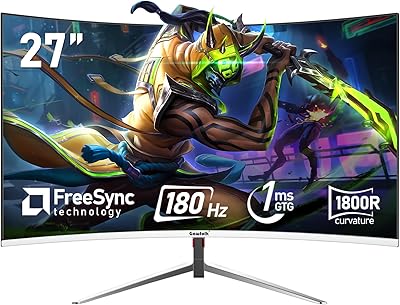
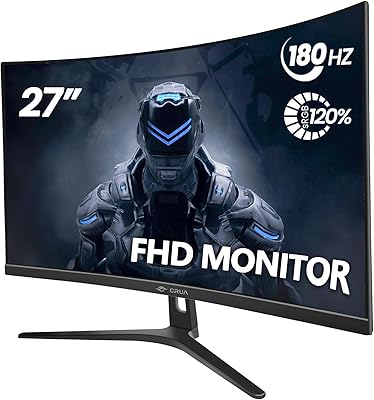
The LXZ LX270ZC 27-inch Curved Gaming Monitor enters the market as one of the more accessible options for anyone wanting a curved screen without a steep investment. The 1800R curvature at 27 inches is subtle rather than dramatic, but it does add a perceptible sense of wrap compared to a flat panel, especially during solo gaming sessions. LXZ is built by Shenzhen Yunjing Taiyuan Technology Co., Ltd. — a manufacturer most buyers will not recognize, and that is worth acknowledging honestly upfront. This is a 1080p display, not 1440p or 4K, placing it in competitive gaming territory rather than content creation or cinematic workflows. Already ranked in the top 200 computer monitors on Amazon since its late 2024 debut, the early sales momentum is at least encouraging.

Features & Benefits

At 180Hz, this curved gaming display offers a noticeable step up from the 144Hz panels that dominated budget gaming setups for years. In fast-paced shooters, those extra frames do register — though you need a GPU capable of pushing that output to actually feel it. AMD FreeSync eliminates most screen tearing without the latency penalty V-Sync introduces, which is a practical win. The 1800R curve works best at roughly arm's length, pulling peripheral vision into the action in a way flat screens simply do not. Flicker-Free and low blue light features make long sessions less fatiguing, which matters more than most spec sheets acknowledge. Port selection is lean — one HDMI, one DisplayPort — so plan ahead if you switch between devices. The built-in speakers are fine for background audio but do not factor them into your buying decision.

Best For

This budget curved screen makes the most sense for someone stepping up from an older flat monitor running at 60Hz or 75Hz — the jump in motion clarity alone will feel substantial. Casual and mid-level PC gamers who prioritize smooth gameplay over pixel-perfect sharpness will appreciate what it offers. Console players connecting a PS4, PS5, or Xbox will find the HDMI input straightforward and the curved screen a worthwhile upgrade over a typical television for close-range gaming. Dorm rooms and compact home setups are a natural fit, given the manageable footprint and low weight. And if you regularly clock long hours at a desk — whether gaming, studying, or working — the eye-care features are a genuine quality-of-life addition that is easy to undervalue until you notice the difference.

User Feedback

Buyers who have picked up the LXZ 27-inch monitor tend to highlight the image vibrancy and how quick the setup is — most report being up and running within minutes. The value-for-price reaction is consistently positive among those upgrading from older or smaller screens. That said, detail-oriented users note that 1080p across 27 inches can look noticeably soft, particularly in text-heavy applications or when sitting close. A few buyers have flagged stand wobble as a minor annoyance, and the glossy bezel finish draws mixed reactions depending on personal taste. Speaker feedback is predictably lukewarm — functional, but nothing worth writing home about. Colors are generally described as punchy out of the box with little need for manual calibration, which is a reasonable out-of-box experience for this price tier.

Pros

  • 180Hz refresh rate delivers noticeably smoother motion in fast-paced games compared to standard 60Hz or 75Hz monitors.
  • AMD FreeSync eliminates screen tearing without adding input lag, a practical win for competitive gaming sessions.
  • The 1800R curved panel adds real immersion during solo gaming without needing a wider or more expensive screen.
  • Flicker-free backlight and low blue light support meaningfully reduce eye fatigue during long gaming or work sessions.
  • Colors appear vibrant and punchy right out of the box with little need for manual calibration.
  • Setup is fast and simple — most buyers report being up and running within minutes of unboxing.
  • At under 10 pounds, this curved gaming display suits small desks, dorm rooms, and compact home setups well.
  • Full HD 1080p at 180Hz is easy on mid-range and budget GPUs, so demanding hardware is not required.
  • HDMI connectivity makes it a cost-effective upgrade for PS4, PS5, and Xbox players ditching a bulky television.
  • Competitive pricing for a curved 180Hz panel puts it ahead of many flat alternatives at the same budget level.

Cons

  • 1080p across 27 inches produces noticeable softness in pixel density, especially in text-heavy apps or detailed content.
  • The stand has been flagged by multiple buyers for slight wobble — a minor but persistent everyday annoyance.
  • LXZ is a largely unknown brand with a thin support history, making long-term reliability harder to assess.
  • One HDMI and one DisplayPort is the full connectivity offering — multi-device users will find this limiting fast.
  • The glossy screen surface catches reflections easily in bright rooms or near windows, reducing overall visibility.
  • Built-in speakers deliver thin, underwhelming audio — they function as a last resort, not a genuine feature.
  • No height adjustment, pivot, or swivel on the stand limits ergonomic flexibility compared to rivals at similar price points.
  • Dynamic contrast figures advertised are almost certainly inflated; real-world contrast will be considerably more modest in practice.
  • The glossy bezel finish collects fingerprints readily and is more prone to visible scratches than a matte surface would be.

Ratings

Our AI rating system analyzed verified buyer reviews for the LXZ LX270ZC 27-inch Curved Gaming Monitor sourced globally, actively filtering out incentivized, spam, and bot-generated submissions to surface only authentic user experiences. The scores below reflect what real buyers consistently praised and where they ran into genuine friction — nothing is glossed over and nothing is inflated. From competitive gamers chasing smooth frame rates to budget-conscious first-timers, both the strengths and the real trade-offs are transparently captured in each category.

Value for Money
84%
Buyers upgrading from basic flat panels consistently flag the price-to-performance ratio as a genuine standout. Getting a curved panel with a 180Hz refresh rate at this budget level is uncommon, and most users feel they received meaningfully more than the price suggested.
Cut costs do become visible on closer inspection — the stand feels lightweight and the glossy bezel shows wear faster than expected. For users who need more connectivity options or a sturdier physical build, the value equation starts to thin out.
Refresh Rate Performance
88%
The jump from 60Hz or 75Hz to 180Hz is immediately obvious in fast-paced shooters and racing titles — motion reads as dramatically cleaner and more responsive with no ambiguity. Users on mid-range GPUs report that hitting the frame counts needed to utilize 180Hz is achievable without demanding top-tier hardware.
Buyers on older or entry-level GPUs sometimes struggle to consistently push frame rates into the 180Hz range, leaving the panel's ceiling underutilized. Console users also note that most titles output at 60Hz, making the high refresh rate essentially irrelevant for their primary setup.
Gaming Performance
83%
The pairing of 180Hz and AMD FreeSync delivers noticeably tear-free, fluid gameplay in competitive titles — users in fast-paced games report a responsive and clean visual experience during extended sessions. Both AMD and compatible Nvidia GPU owners confirm that adaptive sync works reliably without additional configuration.
Without a confirmed FreeSync operating range, frame rate dips below the lower sync threshold can still introduce tearing during graphically demanding scenes. Casual users who do not regularly hit high frame counts may not notice the adaptive sync benefit at all.
Image Quality
71%
29%
Colors arrive vivid and well-saturated right out of the box, with most buyers noting they jumped straight into gaming without touching any settings. The 100% sRGB coverage produces consistent hues across standard gaming and media content without looking washed out or muted.
Spreading 1080p across 27 inches results in roughly 82 pixels per inch, and detail-oriented users notice the softness in UI text, fine in-game textures, and desktop productivity work. Buyers who expected 1440p-level sharpness at this screen size are consistently let down.
Eye Comfort
81%
19%
Late-night gaming sessions are where the flicker-free backlight and low blue light mode earn real credibility — users who game after dark report noticeably less eye fatigue compared to monitors without these features. The implementation does not appear to meaningfully dull colors during casual gaming use.
The glossy screen surface partially undermines the eye-care benefits in brighter rooms, as reflections and glare introduce their own visual fatigue that no software mode can address. Some buyers also note the low blue light setting introduces a warm color cast that not everyone finds comfortable for extended periods.
Color Accuracy
73%
27%
Out-of-box color presentation reads as energetic and punchy, which suits gaming content well — buyers consistently describe the image as vibrant without needing calibration. The 8-bit panel with 100% sRGB coverage means standard gaming and media content looks true to intent for most everyday users.
The glossy finish can exaggerate perceived saturation, making colors appear slightly overcooked under brighter ambient lighting conditions. Users with a critical eye — particularly anyone doing photo editing or graphic work — will find the panel falls well short of professional color accuracy standards.
Panel Sharpness
65%
35%
For gaming purposes — especially fast-paced competitive titles where smooth motion outweighs pixel-level detail — the resolution is perfectly serviceable. Users who primarily game rather than work at the screen rarely raise sharpness as a meaningful complaint in their feedback.
At 27 inches, 1080p pixel density hovers around 82 pixels per inch, producing a noticeably softer image than the same resolution on a 24-inch panel or a 1440p screen at this size. Text-heavy work, web browsing, and spreadsheets look visibly soft to anyone accustomed to a sharper display.
Build Quality
62%
38%
For a budget entry into curved displays, the chassis makes a reasonably solid first impression at a glance. The slim bezel profile looks modern on a desk, and the overall construction does not feel as cheap as the lowest-tier monitors in this price segment.
Stand wobble is a recurring complaint — the base lacks the rigidity of more expensive monitors, and any bump to the desk causes visible screen movement during sessions. The glossy bezel also scratches and collects fingerprints more readily than a matte alternative, frustrating buyers who notice it over time.
Display Curvature
76%
24%
At the right viewing distance — roughly arm's length — the 1800R curve wraps naturally into peripheral vision and genuinely adds immersion during solo gaming sessions. Users coming from flat panels consistently describe the curve as a pleasant upgrade that exceeded their expectations for a 27-inch screen.
At this screen size, the curvature is subtle rather than dramatic, and users sitting farther from the screen may barely register it. The curve also makes this screen less ideal for shared viewing situations, where off-angle image quality drops noticeably for anyone not sitting directly in front.
Setup & Ease of Use
86%
Nearly every buyer who comments on setup describes the process as fast and intuitive — most report having the monitor assembled and displaying an image within 10 to 15 minutes. The on-screen display menu is easy to navigate, and out-of-box image quality requires minimal adjustment to feel usable.
The included documentation is minimal, leaving some users uncertain about optimal display settings for specific use cases. A few buyers also flagged ambiguity around which cables are included in the box, which can slow down setup if the right cable is not already available.
Connectivity
57%
43%
One HDMI and one DisplayPort cover the core needs of single-device users — a PC gamer with a dedicated GPU and a console player each have a working port without requiring adapters. For straightforward single-source setups, the selection is genuinely sufficient.
Anyone running more than one device will hit the port ceiling almost immediately, with no secondary HDMI, no USB hub, and no dedicated audio output to fall back on. Switching between a PC and a console means manually swapping cables every single time, which gets old fast.
Ergonomics
53%
47%
The tilt range of -5 to 15 degrees covers the most practical ergonomic adjustment for a standard desk setup, and most buyers in typical seated positions find the default height workable for casual gaming sessions.
There is no height adjustment, pivot, or swivel on the stand, placing it behind many comparably priced competitors that offer at least one additional axis of movement. Users with non-standard desk heights or multi-monitor configurations frequently note that a VESA arm is effectively required, adding cost to the overall purchase.
Speaker Quality
41%
59%
Having built-in speakers at all is useful for quick background audio, casual video calls, or desktop media playback where pulling out headphones feels unnecessary. Buyers who treat the speakers purely as a backup audio option report no serious frustration at that specific use level.
Any buyer expecting usable gaming audio will be disappointed — the output is thin, lacks bass entirely, and becomes muddy at higher volumes. Feedback from users who attempted to game with the built-in speakers is consistently lukewarm, and most eventually switched to a headset or external speaker after a short period.
Brand & Support Trust
48%
52%
A portion of buyers who approached the purchase with measured expectations report that the monitor arrived undamaged and worked as described, with Amazon's return window providing sufficient peace of mind for the initial purchase decision.
LXZ is not a recognized brand in most Western markets, and warranty terms are absent or unclear in the product documentation — making long-term ownership a calculated risk. Buyers who have encountered hardware issues report difficulty reaching meaningful after-sales support, a recurring pattern across monitors sold under less-established brand labels.

Suitable for:

The LXZ LX270ZC 27-inch Curved Gaming Monitor is a strong fit for budget-conscious buyers who want to step up from a basic flat panel without committing to a premium display investment. If you are running a mid-range GPU and playing fast-paced competitive titles, the 180Hz refresh rate paired with AMD FreeSync will deliver noticeably smoother motion than the 60Hz or 75Hz screens most first-timers are upgrading from. Console players connecting a PS4, PS5, or Xbox via HDMI will find this curved screen a meaningful improvement over gaming on a standard television, especially for solo sessions where the 1800R wrap adds genuine immersion. Dorm rooms and small home setups are a natural match given the lightweight build and tilt-adjustable stand that handles basic ergonomic needs without requiring a separate arm. Anyone logging long hours in front of a screen — whether gaming, studying, or working — will also appreciate the flicker-free backlight and low blue light support as practical protections against eye fatigue.
Not suitable for:

Buyers who prioritize sharpness and pixel density should look elsewhere — 1080p stretched across a 27-inch glossy panel is a real compromise, and the softness will be visible in fine text, UI details, and any content that rewards high resolution. Creative professionals and content creators who need color accuracy and panel pedigree for design or editing work will find the LXZ LX270ZC 27-inch Curved Gaming Monitor falls short of what purpose-built displays offer. Anyone who needs to connect multiple devices simultaneously will hit the port ceiling quickly — one HDMI and one DisplayPort means constant cable swapping in a multi-source setup. The stand offers only tilt adjustment, so buyers who need height, pivot, or rotation control will need to budget for a VESA arm separately. Finally, those who have been burned by unknown overseas brands before may find the limited support track record a genuine dealbreaker, which is a fair concern regardless of price.
Specifications

  • Screen Size: The display measures 27 inches diagonally, providing a wide viewing area suited to both gaming and general desktop use.
  • Resolution: Native resolution is 1920x1080 pixels (Full HD), the standard high-definition format rendered across the full 27-inch panel surface.
  • Refresh Rate: The panel supports a maximum refresh rate of 180Hz at native resolution, enabling smoother motion rendering in fast-paced gaming content.
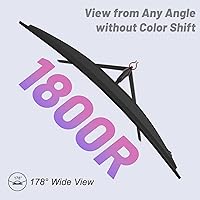
  • Panel Curvature: The screen uses an 1800R curvature radius, producing a gentle inward curve designed to align with the viewer's natural peripheral vision range.
  • Aspect Ratio: The 16:9 widescreen aspect ratio matches the standard format used by HD gaming content, video streaming, and typical desktop environments.
  • Color Depth: The panel operates at 8-bit color depth, reproducing up to 16.7 million distinct colors for general consumer visual content.
  • Color Gamut: Color coverage spans 100% of the sRGB color space, providing consistent color rendering for standard digital content and everyday gaming use.
  • Contrast Ratio: A dynamic contrast ratio of 4000:1 is specified; dynamic figures represent peak conditions and real-world static contrast performance will be considerably lower.
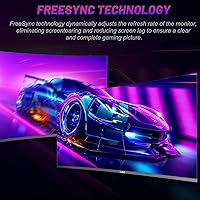
  • Sync Technology: AMD FreeSync adaptive sync is supported, reducing screen tearing and frame stuttering when paired with compatible AMD or Nvidia graphics hardware.
  • Connectivity: Input options are limited to one DisplayPort and one HDMI port; no USB hub, additional video inputs, or dedicated audio output jack are listed in the specifications.
  • Eye Care: The monitor incorporates Flicker-Free backlighting and a low blue light output mode to help reduce eye strain during extended viewing or gaming sessions.
  • Speakers: Two built-in stereo speakers are integrated into the monitor chassis, providing basic audio output without a separate external sound device.
  • Tilt Range: The included stand supports a tilt adjustment range of -5 to 15 degrees, allowing basic forward and backward angle changes for ergonomic positioning.
  • Surface Finish: The screen uses a glossy surface finish, which can enhance perceived color saturation but is more prone to reflections under bright ambient lighting.
  • Item Weight: The complete monitor unit weighs approximately 9.98 pounds (4.53 kg), making it manageable for single-person setup and desk repositioning.
  • Power Input: The monitor operates on a 12-volt DC supply, consistent with the external adapter configuration typical for displays in this product category.
  • Manufacturer: This monitor is produced by Shenzhen Yunjing Taiyuan Technology Co., Ltd., a Chinese electronics manufacturer marketing the product under the LXZ brand name.

Related Reviews
Skytech Gaming Moonshadow 27-inch Curved Gaming Monitor
83%
88%
Image Quality
91%
Refresh Rate Performance
86%
Adaptive-Sync
83%
VA Panel Contrast
84%
Stand & Ergonomics
More
Sealan 27-inch Curved Gaming Monitor
82%
85%
Display Quality
90%
Ease of Setup
91%
Value for Money
87%
Performance in Gaming
83%
Color Accuracy
More
FYHXele 27-inch Curved Gaming Monitor
73%
84%
Gaming Performance
71%
Image Quality
88%
Value for Money
83%
Design & Aesthetics
62%
Build Quality
More
GreBear BM27QA 27-inch Curved Gaming Monitor
65%
83%
Image Quality
78%
Gaming Performance
74%
Refresh Rate Value
61%
Build Quality
44%
Ergonomics & Adjustability
More
Samsung S39C 27-Inch Curved Gaming Monitor
75%
83%
Picture Quality & Color Accuracy
88%
Curvature & Immersion
61%
Refresh Rate & Gaming Performance
86%
Eye Comfort & Long-Session Usability
79%
Build Quality & Aesthetics
More
Viewedge CS27FHUS 27-inch Curved Gaming Monitor
72%
88%
Value for Money
84%
Gaming Performance
86%
Display Immersion
71%
Image Quality
43%
Ergonomics & Adjustability
More
GAMEPOWER T50 27-Inch Curved Gaming Monitor
66%
83%
Value for Money
79%
Gaming Performance
74%
Display Quality
61%
Pixel Density & Sharpness
62%
Build Quality
More
CRUA CR270C 27″ Curved Gaming Monitor
71%
83%
Value for Money
78%
Image Quality
81%
Refresh Rate Performance
86%
Panel Contrast & Blacks
67%
Build Quality
More
Great Voell 27-Inch Curved Gaming Monitor
86%
91%
Value for Money
89%
Display Quality
87%
Gaming Performance
84%
Eye Comfort
80%
Build Quality
More
ArcticPro AD27EF4C 27-inch Curved Gaming Monitor
74%
88%
Value for Money
91%
Refresh Rate Performance
79%
Panel & Image Quality
76%
Motion Clarity
53%
Ergonomics & Adjustability
More
DJiEX Q27P28 27-inch Curved Gaming Monitor
72%
88%
Value for Money
81%
Image Quality
86%
Gaming Performance
91%
Aesthetic Design
47%
Stand & Ergonomics
More

FAQ

Yes, both consoles connect via HDMI, and this monitor has an HDMI port that handles the connection without adapters. Keep in mind that most console titles run at 60Hz rather than 180Hz, so you will not be tapping the full refresh rate potential — but the curved screen still provides a noticeably better close-range gaming experience than a large living room television.

The 180Hz rating applies at the native 1920x1080 resolution, so there is no need to reduce the resolution to unlock the top refresh rate. The real limiting factor is your GPU — your graphics card needs to push enough frames per second for the difference to matter, and lower-powered hardware may not fully utilize the ceiling.

This is one of the most honest questions to ask before buying. At 27 inches, 1080p works out to roughly 82 pixels per inch, which is noticeably softer than the same resolution on a smaller 24-inch panel. For fast-paced gaming it holds up reasonably well since you are rarely scrutinizing fine detail, but for reading small text or productivity work up close, the pixel density limitation becomes more apparent.

The product listing does not clearly confirm which cables are included. Budget monitors in this range often pack only one cable or sometimes none at all, so it is a practical precaution to have both an HDMI and a DisplayPort cable available before you start the setup process.

VESA compatibility is not explicitly confirmed in the available product specifications, and no mounting pattern dimensions are listed. If using a monitor arm is important to your setup, it is worth contacting the seller directly before purchasing to verify whether the rear panel supports standard VESA attachment points.

Most buyers describe the colors as vivid and punchy without touching any settings, which makes the initial experience straightforward. The glossy panel can make colors appear slightly oversaturated depending on your room lighting, so if accuracy matters beyond casual gaming, spending a few minutes adjusting brightness and color temperature in the on-screen menu is a worthwhile step.

It is gentle rather than dramatic — this is not the deep curve you see on ultra-wide monitors. Sitting at roughly arm's length, around 80 to 100 cm away, you will notice the screen edges pulling slightly into your peripheral vision in a way a flat panel does not replicate. It adds genuine depth without being disorienting, which suits solo gaming particularly well.

They handle system sounds and background audio at a basic level, but anyone who cares about sound quality will want an external solution. The output is thin and lacks meaningful bass, which is typical of monitor speakers at any price tier. Plan on pairing this screen with a headset or a budget desktop speaker for any real gaming or media use.

Nvidia has supported FreeSync displays through its G-Sync Compatible program since 2019, so most modern Nvidia GPUs can enable adaptive sync on this curved gaming display without issue. Compatibility can vary slightly by GPU model and driver version, but for the majority of current Nvidia hardware it functions correctly without additional configuration.

LXZ is not a widely established brand in Western markets, and warranty terms are not prominently detailed in the product listing. Your most reliable protection is Amazon's own return and buyer guarantee policies. Before purchasing, it is worth messaging the seller directly to confirm the warranty duration and understand what the support process looks like if a hardware issue arises.