
Overview

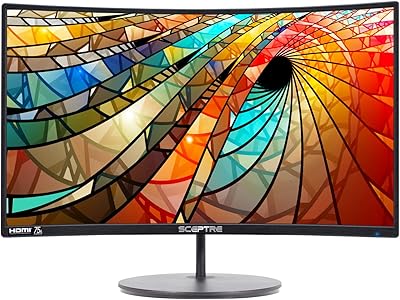
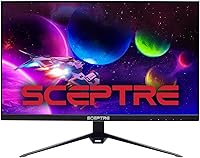
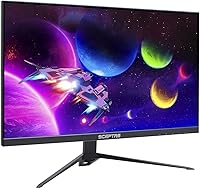
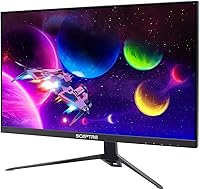
The Sceptre E275B-QPT168 27″ QHD Monitor sits in a competitive corner of the display market where buyers want meaningful resolution upgrades without spending heavily. Sceptre isn't a household name like LG or Dell, but this 27″ QHD display makes a strong case for itself: a genuine IPS panel running at 1440p resolution is a real step up from full HD, and the difference is immediately noticeable whether you're browsing, editing documents, or watching video. Build quality is predictably modest — plastic-heavy construction, a basic stand — but that's the honest trade-off at this price tier. For what it delivers visually, the value is hard to argue with.

Features & Benefits

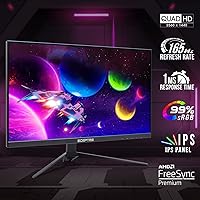
The 165Hz refresh rate paired with AMD FreeSync Premium is where this budget 1440p screen punches above its weight for gamers — fast action stays fluid, and screen tearing becomes a non-issue when your GPU supports it. The IPS panel delivers wide viewing angles that hold up even from off-center positions, and 99% sRGB coverage means colors look accurate enough for casual photo editing or design work. Brightness tops out at 300 cd/m², which handles typical indoor environments comfortably but may feel limiting in a sun-drenched room. The built-in speakers work in a pinch — don't expect much from them, but they're handy for calls or background audio. DisplayPort and HDMI inputs cover most setups without any adapter gymnastics.

Best For

This Sceptre monitor makes the most sense for someone stepping up from a 1080p screen who isn't ready to spend heavily on a premium brand. The clarity jump from 1080p to 1440p at 27 inches is noticeable in everyday tasks — text is sharper, spreadsheets show more at once, and images look cleaner. Students, home office workers, and casual gamers all fit the intended audience well. It's also a reasonable pick for content consumers who care about color accuracy more than HDR or extreme peak brightness. Where it falls short: demanding professionals needing precise color calibration, or anyone wanting flexible ergonomics like height adjustment or portrait rotation.

User Feedback

With over 1,200 ratings averaging 4.4 stars, this 27″ QHD display has clearly earned broad buyer confidence. The most consistent praise centers on picture quality that surprises at this price — many reviewers note colors look richer and more vibrant than expected. Setup draws frequent compliments too; most buyers report a plug-and-play experience with no configuration headaches. On the other side, the stand attracts regular criticism — no height adjustment is a genuine inconvenience, and the plastic chassis feels lightweight in a way some find underwhelming. The speakers barely earn a mention, which says enough. Overall, the consensus points to a capable performer where it counts, with trade-offs that are tolerable when you go in with clear expectations.

Pros

  • IPS panel delivers accurate, consistent colors that genuinely exceed expectations at this price point.
  • 1440p resolution at 27 inches produces noticeably sharper text and images compared to 1080p screens.
  • 165Hz refresh rate keeps gaming fluid and responsive without requiring a high-end display budget.
  • AMD FreeSync Premium eliminates screen tearing effectively when paired with a compatible AMD GPU.
  • 99% sRGB coverage makes this budget 1440p screen surprisingly capable for casual creative work.
  • Matte screen surface reduces glare and eye strain during extended work or gaming sessions.
  • Setup is straightforward — most buyers report a true plug-and-play experience out of the box.
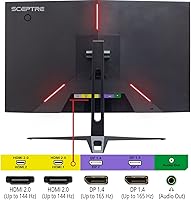
  • DisplayPort and HDMI inputs provide flexible compatibility across a range of PCs and consoles.
  • Over 1,200 buyer ratings averaging 4.4 stars signals reliable, consistent real-world satisfaction.
  • Built-in speakers handle basic audio needs without requiring an immediate external speaker purchase.

Cons

  • The stand offers very limited adjustability — no height or swivel range beyond basic tilt.
  • Plastic build quality feels lightweight and less premium compared to similarly sized competitors.
  • 300 cd/m² brightness is adequate indoors but falls short in well-lit or sunny environments.
  • No HDR support limits the display for buyers who want richer contrast in films or modern games.
  • Built-in speaker audio quality is thin and underwhelming for anything beyond minimal background use.
  • Sceptre's brand reputation and after-sales support infrastructure lags behind more established monitor makers.
  • No USB hub or convenience ports on the panel limits desk cable management options.
  • Color accuracy straight out of the box may benefit from manual calibration for serious creative work.

Ratings

The scores below for the Sceptre E275B-QPT168 27″ QHD Monitor were generated by our AI system after analyzing verified buyer reviews from multiple global markets, with spam, bot-submitted, and incentivized feedback actively filtered out. Each category reflects the honest distribution of real user experiences — strengths and frustrations alike — so you get a transparent picture of where this display genuinely delivers and where it falls short.

Image Clarity
88%
Buyers consistently report that the jump from 1080p to 1440p at 27 inches is immediately noticeable — text looks sharper on screen, fine UI details are crisper, and images appear more defined during both work sessions and gaming. For a budget-tier panel, the clarity regularly surprises first-time QHD users.
A handful of users note that pixel-level sharpness doesn't quite match premium IPS panels from well-established brands, and some report minor inconsistencies in uniformity toward screen edges when displaying solid colors or light backgrounds.
Color Accuracy
83%
The 99% sRGB coverage translates into noticeably rich, well-saturated colors in day-to-day use — photos look vibrant, and video content plays back with convincing depth. Casual designers and social media creators find it more than adequate for their workflow without needing a dedicated color-accurate display.
Factory calibration is inconsistent across units, and buyers doing serious color-grading or print preparation work often find they need manual adjustments out of the box. Wide color gamut support beyond sRGB is absent, limiting usefulness for DCI-P3 or Adobe RGB workflows.
Refresh Rate & Smoothness
91%
At 165Hz, this budget 1440p screen handles fast-paced games with noticeably fluid motion that most buyers in this price range wouldn't expect. Combined with FreeSync Premium, GPU-synced gameplay feels responsive and clean, and even desktop animations benefit from the higher refresh.
Reaching the full 165Hz requires a capable GPU and a DisplayPort connection — users running older hardware or connecting via HDMI may be limited to lower refresh rates. Some buyers also note the monitor defaults to a lower refresh rate out of the box and requires a manual change in display settings.
Value for Money
93%
This is where the display earns its strongest praise across buyer reviews — getting an IPS panel, QHD resolution, and a 165Hz refresh rate at this price point is genuinely difficult to match. Most buyers feel they received well above what the price tag implied, and many describe it as the best purchase in their monitor history at the budget tier.
While the value proposition is strong on paper, buyers who expected premium build quality or advanced ergonomics alongside those specs were occasionally disappointed. The trade-offs feel more noticeable after extended ownership, particularly around stand limitations and build material quality.
Build Quality
57%
43%
The overall assembly is solid enough that the monitor doesn't flex or wobble during normal desktop use, and most buyers report no structural issues after months of ownership. For a screen that sits stationary on a desk, the chassis does the basic job without complaint.
The plastic construction feels noticeably lightweight and inexpensive to the touch, and several buyers describe the chassis as feeling fragile compared to similarly sized competitors. The rear panel in particular draws consistent criticism for its hollow feel, which can undermine confidence in long-term durability.
Stand & Ergonomics
41%
59%
The stand is stable on flat surfaces and keeps the monitor from wobbling during typing or general desk activity. For users whose desk setup happens to align with the fixed height, it works without issue and requires no adjustment at all.
The stand offers only basic tilt adjustment with no height, swivel, or pivot range, which is a recurring pain point in buyer reviews. Users who prefer a raised or angled viewing position frequently end up purchasing a separate monitor arm, adding unexpected cost to an otherwise budget-friendly setup.
AMD FreeSync Performance
84%
AMD GPU users report a clean, noticeably tear-free experience in games that support variable refresh rate, and the FreeSync Premium specification means it maintains low framerate compensation for titles that dip below the monitor's minimum refresh threshold. For mid-range AMD builds, the pairing works very naturally.
The adaptive sync feature is AMD-exclusive out of the box, and while some newer Nvidia cards support FreeSync over DisplayPort, this is not a guaranteed or officially supported configuration. Buyers with Nvidia GPUs should verify compatibility before purchasing with sync as a priority.
Brightness
67%
33%
For a typical indoor office or bedroom setup with controlled lighting, 300 cd/m² is sufficient — colors remain readable and the matte coating reduces reflective glare effectively in most situations. Evening and low-light gaming sessions look particularly well-balanced at moderate brightness settings.
In bright rooms with direct sunlight or strong overhead lighting, the panel can feel underpowered and washed out at maximum brightness. Users who work near windows during the day frequently mention needing to reposition the monitor or add window coverings to maintain a comfortable viewing experience.
Setup & Ease of Use
89%
Assembly from box to working display typically takes under fifteen minutes with no tools required, and the majority of buyers describe the experience as genuinely plug-and-play. The OSD menu is straightforward, and switching between inputs or adjusting basic display settings doesn't require consulting a manual.
A few buyers report that the monitor defaults to a non-optimal refresh rate or color profile on first boot, requiring a quick trip into display settings to unlock full performance. The OSD button placement on the rear of the panel is also described as slightly awkward to navigate by touch alone.
Built-in Speakers
38%
62%
The speakers are functional enough to handle a video call or casual background audio without requiring an external device. For buyers in temporary setups or those who use headphones most of the time, the speakers serve as a convenient fallback that costs nothing extra.
Audio quality is consistently described as thin, tinny, and lacking any meaningful bass — buyers using the speakers for music, movies, or games almost universally report dissatisfaction. Most reviews treat the speakers as an afterthought, and many buyers report switching to external audio within the first week of ownership.
Gaming Performance
86%
The combination of IPS clarity, 165Hz, and FreeSync Premium makes this 27″ QHD display a capable gaming monitor for casual and mid-core players — titles with fast movement and rich environments look sharp and fluid in a way that budget TN panels simply can't replicate. Many buyers mention it transformed their gaming experience compared to their previous 1080p screen.
Competitive esports players who prioritize response time above all else may find the IPS panel's typical gray-to-gray performance slightly behind specialized TN or fast IPS gaming monitors. HDR-enabled titles also cannot be experienced as intended due to the monitor's lack of HDR support.
Connectivity
78%
22%
Having both DisplayPort and HDMI available covers the needs of the vast majority of users — PC gamers can use DisplayPort for full 165Hz performance while keeping an HDMI port free for a console or secondary device. Most buyers find the port selection sufficient for their existing setup without adapters.
The absence of USB hub ports or USB-C connectivity is a noticeable limitation for buyers used to modern monitors that consolidate cable management. Users running multiple devices through a single monitor, or those with USB-C-only laptops, will need additional adapters or docking solutions to keep things tidy.
Eye Comfort
74%
26%
The matte screen surface does a reliable job reducing ambient reflections during long work or study sessions, and most buyers report no unusual eye strain after extended use at moderate brightness levels. The IPS panel's even backlight distribution also avoids the distracting hotspots sometimes seen on cheaper VA or TN alternatives.
The monitor does not advertise flicker-free or low blue light certification, which may matter to buyers who are particularly light-sensitive or spend many consecutive hours in front of a screen. A few reviewers mention needing to manually lower color temperature to reduce perceived eye fatigue over long sessions.
Matte Coating Quality
77%
23%
The anti-glare coating performs well in mixed indoor lighting, keeping the image clear without introducing the harsh graininess sometimes associated with aggressive matte finishes. Buyers who moved from glossy panels specifically mention appreciating the reduced glare during daytime productivity sessions.
Under certain lighting conditions — particularly bright side-lit rooms — the coating can introduce a subtle haziness or crystalline texture over fine details that some users find mildly distracting. It is a minor issue for most, but buyers sensitive to coating quality may notice it on high-contrast content like white backgrounds.

Suitable for:

The Sceptre E275B-QPT168 27″ QHD Monitor is a strong match for buyers who want a meaningful visual upgrade without committing to a premium price tag. Gamers stepping up from a 1080p setup will immediately notice the sharper detail that 1440p brings at this screen size, and the 165Hz refresh rate with AMD FreeSync Premium keeps fast-paced gameplay smooth and responsive. Home office users and students who spend long hours multitasking across windows will appreciate the extra screen real estate and the IPS panel's consistent color rendering from various viewing angles. If you do casual photo editing, social content creation, or any color-sensitive work on a tight budget, the 99% sRGB coverage makes this display a genuinely capable tool. First-time monitor buyers who want a no-fuss setup with broad connection options will also find it straightforward to get up and running quickly.

Not suitable for:

The Sceptre E275B-QPT168 27″ QHD Monitor is not the right pick for buyers with ergonomic priorities — the stand offers minimal adjustability, and anyone who needs height, tilt range, or portrait mode rotation will be disappointed without investing in a separate arm. Professional photographers, video editors, or designers who require factory-calibrated color accuracy and wide color gamut coverage beyond sRGB should look at purpose-built displays with more rigorous panel validation. Those working in bright, sun-lit environments may find the 300 cd/m² brightness ceiling limiting, especially compared to higher-brightness panels available on pricier models. Competitive esports players chasing the absolute lowest input lag or G-Sync compatibility on an Nvidia setup may also want to explore alternatives. And if speaker quality matters to your daily workflow, this display will likely leave you reaching for external audio sooner rather than later.

Specifications

  • Panel Type: This monitor uses an IPS (In-Plane Switching) panel, which provides consistent color accuracy and wide viewing angles compared to TN alternatives.
  • Screen Size: The display measures 27 inches diagonally, offering a comfortable amount of screen real estate for both gaming and productivity tasks.
  • Resolution: Native resolution is 2560 x 1440 (QHD), delivering noticeably sharper detail than standard 1080p at this screen size.
  • Refresh Rate: The panel supports a maximum refresh rate of 165Hz, enabling smoother motion in fast-paced games and animations.
  • Adaptive Sync: AMD FreeSync Premium is supported, synchronizing the monitor's refresh rate with compatible AMD GPU output to reduce tearing and stuttering.
  • Color Gamut: The display covers 99% of the sRGB color space, making colors appear rich and accurate for general use and casual creative work.
  • Brightness: Peak brightness reaches 300 cd/m² (300 Lux), which is adequate for typical indoor lighting conditions.
  • Aspect Ratio: The screen uses a standard 16:9 widescreen aspect ratio, compatible with virtually all modern content formats and applications.
  • Screen Surface: A matte anti-glare coating covers the panel surface, reducing reflections from ambient light sources during extended use.
  • Connectivity: The monitor includes at least one DisplayPort and one HDMI input, supporting flexible connections to a range of PCs, laptops, and gaming consoles.
  • Built-in Audio: Integrated speakers are included in the monitor chassis, providing basic audio output without the need for external speakers in low-demand scenarios.
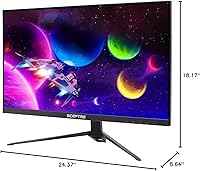
  • Dimensions: The full unit with stand measures approximately 24.37 inches wide, 18.17 inches tall, and 8.64 inches deep.
  • Weight: The complete monitor with stand weighs approximately 11 pounds, making it manageable for a single person to set up and reposition.
  • Model Number: The official model identifier is E275B-QPT168, which should be used when searching for compatible accessories, mounts, or firmware support.
  • Release Year: This monitor was first made available in 2021, representing Sceptre's QHD IPS offering for the value-focused segment of the display market.
  • VESA Compatibility: The monitor is compatible with standard VESA mounting patterns, allowing users to attach a third-party monitor arm or wall mount if the included stand is insufficient.
  • Power Input: The unit operates at up to 240V input voltage, making it compatible with standard North American and international power supplies with the appropriate adapter.

Related Reviews
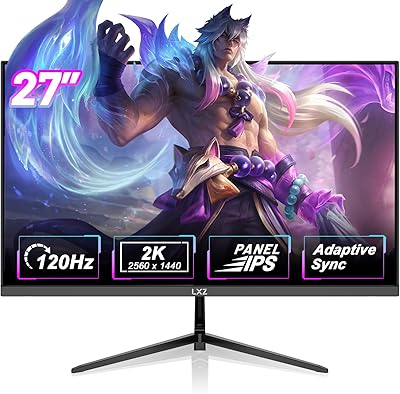
LXZ LX270ZA 27″ QHD Monitor
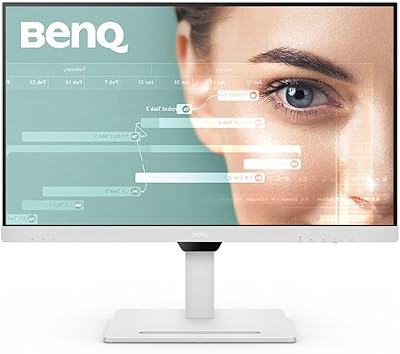
87%
94%
Display Quality
91%
Color Accuracy
90%
Refresh Rate Performance
88%
Adaptive Sync & Gaming
85%
Build Quality
More
BenQ GW2790QT 27″ QHD Monitor
87%
94%
Display Quality
90%
Ergonomics & Adjustability
91%
Connectivity (USB-C)
93%
Color Accuracy
72%
Audio Performance
More
Sceptre C278W-1920R 27″ Curved Monitor
71%
91%
Value for Money
83%
Curvature & Immersion
67%
Image Quality
76%
Refresh Rate & Motion
71%
Build Quality
More
Sceptre 32″ QHD 1440p LED Monitor
79%
91%
Value for Money
88%
Display Quality
81%
Build Quality
85%
Ease of Setup
83%
Connectivity & Ports
More
BenQ PD2706QN 27” 2K QHD Monitor
87%
95%
Color Accuracy
88%
Ergonomics
90%
Display Quality
91%
USB-C Integration
75%
Brightness in Bright Environments
More
Dell S2725DS 27-inch QHD Monitor
81%
91%
Image Clarity & Resolution
88%
Eye Comfort & Low Fatigue
89%
Ergonomics & Stand Flexibility
79%
Refresh Rate & Motion Smoothness
74%
Contrast & Black Levels
More
KTC H27T13 27-inch QHD IPS Monitor
75%
88%
Image Clarity & Sharpness
83%
Color Accuracy & Vibrancy
91%
Value for Money
79%
Eye Comfort & Anti-Blue Light
74%
Refresh Rate & Smoothness
More
memzuoix 27-inch QHD 165Hz Gaming Monitor
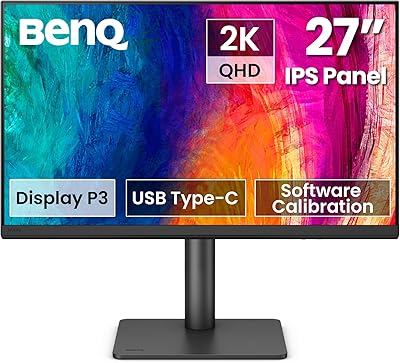
70%
88%
Image Clarity
84%
Refresh Rate Performance
91%
Value for Money
82%
Adaptive Sync (FreeSync/G-Sync)
77%
Color Accuracy
More
KOORUI 27E3Q 27-inch QHD Gaming Monitor
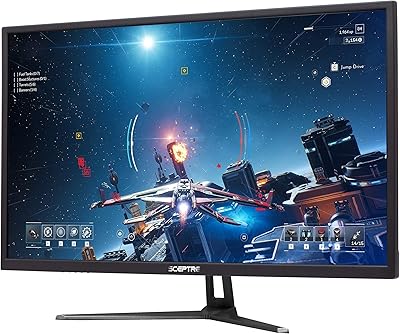
76%
88%
Value for Money
83%
Image Quality
76%
Refresh Rate Performance
91%
Stand & Ergonomics
47%
HDR Performance
More
ViewSonic VG2748A-2K 27-Inch QHD Monitor
85%
93%
Display Quality
90%
Ergonomics/Comfort
89%
Connectivity Options
85%
Ease of Setup
87%
Value for Money
More

FAQ

The display works perfectly fine with Nvidia GPUs — you can run it at full 1440p and up to 165Hz without any issues. The AMD FreeSync Premium feature specifically requires a compatible AMD GPU to activate adaptive sync, so Nvidia users won't get tear-free variable refresh rate support unless they have a card that supports FreeSync over HDMI or DisplayPort, which some newer Nvidia cards do.

Yes, you can connect a PS5 or Xbox Series X via HDMI. Keep in mind that consoles currently output a maximum of 120Hz at lower resolutions, so you won't be using the full 165Hz capability — but the 1440p IPS panel still produces a sharp, great-looking image for console gaming.

No, the included stand does not offer height adjustment. It provides basic tilt only. If ergonomics are important to you, picking up an aftermarket VESA monitor arm is worth considering, as the monitor does support standard VESA mounting.

Most users find the image quality acceptable straight out of the box for everyday use. If you plan to use this 27″ QHD display for color-sensitive work like photo editing, spending a few minutes adjusting brightness, contrast, and color temperature in the OSD menu will noticeably improve accuracy. A hardware calibrator isn't necessary for casual use.

It handles typical indoor office lighting well enough, but if your workspace gets a lot of direct sunlight, the 300 cd/m² brightness ceiling may feel limiting. The matte screen coating does a solid job reducing reflections, which helps, but peak brightness is not this monitor's strongest suit.

Sceptre typically includes a power cable and one video cable in the box, though the exact contents can vary by retail package. It is worth checking your specific shipment, as some buyers report receiving an HDMI cable while others get a DisplayPort cable. Having both connection types on hand is useful regardless.

No, this monitor does not support HDR. It is a standard dynamic range display, which is entirely normal at this price point. If HDR support is important for your gaming or media consumption, you would need to look at a higher-tier panel.

They are functional for low-demand situations like video calls, casual YouTube, or background audio, but the sound quality is thin and lacks bass. Most users who care about audio will want external speakers or headphones fairly quickly. Think of the built-in speakers as a convenience rather than a feature.

Yes, as long as your laptop has an HDMI or DisplayPort output, connecting this as a second screen is straightforward. Most modern laptops will detect it automatically and let you choose between mirroring or extending your display. USB-C users may need a USB-C to DisplayPort or HDMI adapter depending on their laptop model.

Sceptre is a value-focused display brand that has been around for years, and this specific model has accumulated over 1,200 ratings with a strong average score, which is a reasonable indicator of consistent quality at this tier. That said, like most budget hardware, unit-to-unit variation can occasionally occur. Buying from a seller with a clear return policy is always a good idea just in case.

Where to Buy