LG 27UP850K-W 27-inch 4K IPS Monitor



Overview
The LG 27UP850K-W 27-inch 4K IPS Monitor sits comfortably in the mid-range for professionals who want color-accurate output without climbing into workstation-display pricing. The white finish alone makes it stand out — most monitors at this price come in matte black, and this one simply looks better on a tidy desk. LG's UltraFine branding signals a genuine focus on color fidelity over speed, and that intent shows in how the display is tuned. It handles light gaming adequately, but productivity is clearly the priority. For laptop users, USB-C 90W power delivery is the feature that often closes the deal.
Features & Benefits
The IPS panel produces sharp 4K detail with wide viewing angles and reliable color accuracy that holds up for photo editing and design without requiring manual calibration. HDR400 is included, though it's worth being direct: the improvement over non-HDR content is subtle, not dramatic. The ergonomic stand supports height, tilt, and pivot adjustments — something many competing displays at this tier omit. Connectivity is well-rounded, covering two HDMI ports, DisplayPort, USB-C, two USB 3.0 ports, and a headphone jack. Built-in speakers handle video calls without issue but won't satisfy anyone who cares about audio quality beyond bare functionality.
Best For
The 27UP850K-W suits home office users who want a capable 4K display with minimal cable clutter. MacBook Pro owners and other USB-C laptop users will find the single-cable setup — display plus 90W charging through one connection — genuinely useful every day. Photographers and graphic designers benefit from the accurate IPS color rendering in practical workflows. It also makes a compelling upgrade for anyone coming from a 1080p or 1440p screen, where the resolution jump at 27 inches is immediately noticeable. Competitive gamers, however, should look elsewhere — the 60Hz refresh rate is a real constraint for fast-paced titles.
User Feedback
Most buyers highlight image sharpness and color accuracy as the strongest points, with many noting the display looked great right out of the box. The ergonomic stand draws consistent praise for making quick posture adjustments effortless. Criticism tends to cluster around a few predictable areas: the 60Hz rate frustrates buyers who expected more gaming flexibility, and the built-in speakers get described as passable at best. LG's on-screen display menu navigation receives mixed reactions — it works, but feels dated compared to the rest of the hardware. On value, the majority of reviewers consider this money well spent for a productivity-focused 4K setup, with dissatisfaction mostly tied to mismatched expectations.
Pros
- Single-cable USB-C setup delivers both 4K video and 90W laptop charging simultaneously.
- Color accuracy out of the box is strong enough for photo editing without manual calibration.
- Full ergonomic stand includes height, tilt, and pivot — unusually complete for this price tier.
- Sharp 4K resolution makes a clearly visible difference over 1080p and 1440p panels at 27 inches.
- Two HDMI inputs allow easy switching between a laptop and a console or second machine.
- Matte anti-glare coating reduces eye strain during long work sessions near bright windows.
- All essential cables — USB-C, HDMI, DisplayPort — are included in the box from day one.
- Clean white design stands out on modern desks where most monitors default to matte black.
- Solid connectivity suite with USB 3.0 downstream ports reduces the need for a separate hub.
Cons
- 60Hz refresh rate makes fast-paced or competitive gaming noticeably less smooth than modern gaming monitors.
- HDR400 performance is subtle — buyers expecting vivid HDR highlights will be underwhelmed.
- OSD navigation uses rear physical buttons that are awkward to find and slower than joystick controls.
- Built-in speakers sound thin at higher volumes and lack the bass needed for any real listening.
- The stand base has a large footprint that can crowd smaller or shallower desks.
- No swivel adjustment on the stand, which limits flexible positioning in shared or tight spaces.
- The white rear panel shows dust and fingerprints more visibly than darker alternatives.
- Occasional USB-C handshake delays when waking from sleep have been reported by a subset of users.
Ratings
The LG 27UP850K-W 27-inch 4K IPS Monitor earns its reputation as a dependable choice for home office setups and creative work, and the scores below reflect exactly that — strengths and shortcomings alike. These ratings were generated by AI after analyzing thousands of verified global user reviews, with spam, bot activity, and incentivized feedback actively filtered out. The result is an honest picture of where this display genuinely delivers and where it falls short for certain buyers.
Image Quality
Color Accuracy
USB-C Connectivity & Power Delivery
Ergonomics & Stand
Build Quality & Design
Refresh Rate & Gaming Performance
Response Time
HDR Performance
Connectivity & Ports
Built-in Speakers
OSD & Menu Controls
Setup & Out-of-Box Experience
Value for Money
Matte Screen Finish
Energy Efficiency
Suitable for:
The LG 27UP850K-W 27-inch 4K IPS Monitor is built for people who spend most of their day working at a desk and want a display that pulls its weight across multiple tasks without requiring a cluttered cable setup. MacBook Pro and USB-C laptop users get the most immediate value — plugging in a single cable to handle video output and 90W charging simultaneously is a real daily convenience that adds up fast. Photographers and graphic designers will appreciate the color-accurate IPS panel, which handles sRGB work reliably straight out of the box. It also suits anyone stepping up from a 1080p or 1440p monitor for the first time, where the jump to 4K at 27 inches produces a visible improvement in text sharpness and image detail. The full ergonomic stand makes it a smart pick for home office setups where posture and adjustability matter, and the white finish appeals to users who care about how their workspace looks.
Not suitable for:
The 27UP850K-W is a poor fit for anyone who games seriously or expects smooth motion in fast-paced titles — the 60Hz refresh rate is a hard ceiling that no software mode can overcome, and competing monitors at similar prices now offer 144Hz or higher. Buyers focused exclusively on HDR quality should also look elsewhere; DisplayHDR 400 is an entry-level certification, and the visual difference over standard content is modest rather than transformative. Users who prioritize audio and want usable built-in sound will likely feel underwerfed by the speakers, which are adequate only for muted background use. If USB-C charging is not part of your workflow and you only need a straightforward 4K display, the price premium may be harder to justify against alternatives that offer better refresh rates or brighter panels for similar money. Those with limited desk space may also find the stand base footprint larger than expected.
Specifications
- Panel Type: The display uses an IPS (In-Plane Switching) panel, which delivers consistent colors and wide viewing angles compared to TN or VA alternatives.
- Resolution: Native resolution is 3840 x 2160 pixels, commonly referred to as 4K UHD, providing approximately 163 pixels per inch at 27 inches.
- Screen Size: The active display area measures 27 inches diagonally, making it a full-size desktop monitor suited to both single and multi-monitor setups.
- Refresh Rate: The panel runs at a maximum of 60Hz, which is standard for productivity-oriented displays but below what dedicated gaming monitors offer.
- Response Time: Rated at 5ms (GtG), the response time is adequate for everyday work and casual media consumption with minimal ghosting under normal use.
- HDR Support: Certified to VESA DisplayHDR 400, the monitor supports high dynamic range content with a peak brightness threshold suitable for entry-level HDR viewing.
- USB-C Power: The USB-C port supports up to 90W power delivery, allowing compatible laptops to charge fully while connected through a single cable.
- Ports: Connectivity includes two HDMI 2.0 ports, one DisplayPort 1.4, one USB-C, two USB 3.0 downstream ports, and a 3.5mm headphone jack.
- Stand Adjustments: The included stand supports tilt, height, and pivot adjustments, enabling a wide range of ergonomic positioning without requiring a third-party arm.
- Speakers: Two built-in speakers are integrated into the monitor housing, providing basic stereo audio output for calls and casual listening.
- Panel Surface: The screen features a matte anti-glare coating that reduces reflections from ambient light sources, improving comfort during extended use.
- Color: The monitor is available in white, distinguishing it visually from the majority of monitors in its category which ship in matte black.
- Dimensions: With the stand attached, the monitor measures approximately 9.4 x 24.2 x 22.4 inches (depth x width x height).
- Weight: The complete unit including the stand weighs 12.98 pounds, which is typical for a 27-inch monitor with a full ergonomic stand assembly.
- Cables Included: The box includes a power cable, one HDMI cable, one DisplayPort cable, and one USB-C cable, covering all major connection scenarios immediately.
- Voltage: The monitor operates at 240 volts, and buyers outside compatible regions should verify local power compatibility before purchase.
- VESA Compatibility: The panel supports VESA mount patterns, allowing users to remove the included stand and attach a third-party monitor arm if preferred.
- Aspect Ratio: The display uses a standard 16:9 widescreen aspect ratio, which is compatible with the vast majority of modern content and software interfaces.
Related Reviews
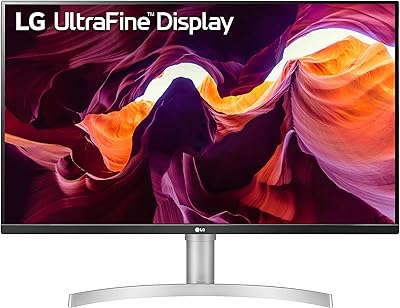
LG 27UL550-W 27-inch 4K UHD Monitor
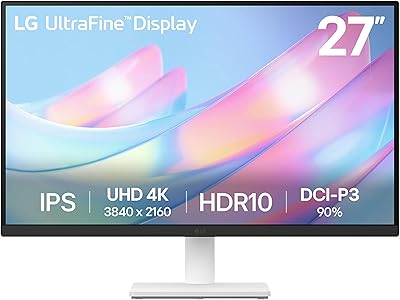
LG 27US500-W 27″ 4K UHD Monitor
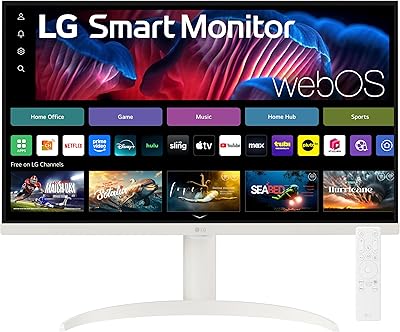
LG 27SR75U-W 27-inch 4K Smart Monitor

ViewSonic VG2756-4K 27-Inch 4K Docking Monitor
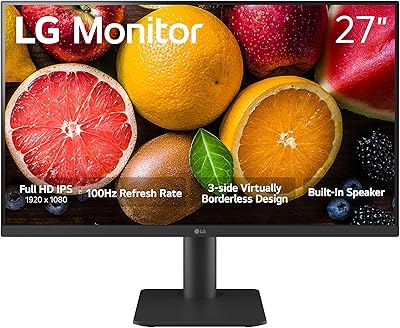
LG 27MS550-B 27-inch IPS Monitor
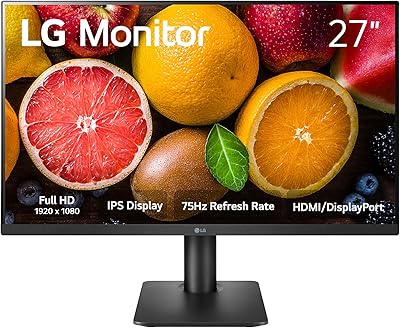
LG 27MP450 27-inch FHD IPS Monitor
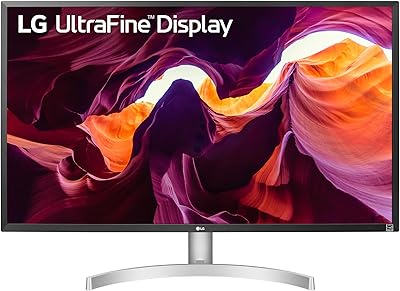
LG 32UL500-W 32-Inch 4K VA Monitor
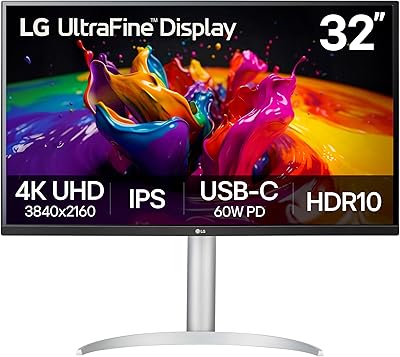
LG 32UP83A-W 32-inch 4K UHD Monitor
LG 27SR50F-W 27-Inch Smart Monitor