Overview

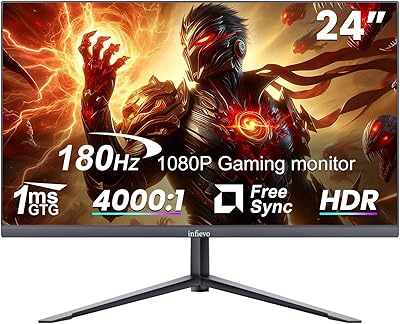
The Sceptre E248B-FPN168 24-inch Gaming Monitor sits in a competitive corner of the market where you're asking a lot for not much money — and it largely delivers. Sceptre isn't a household name like ASUS or LG, but that's partly how this Sceptre monitor undercuts the competition while still offering an IPS panel and a 165Hz refresh rate via DisplayPort. The edgeless design and machine black finish look genuinely sharp on a desk, punching above what you'd expect at this price tier. This isn't built for color professionals or hardcore esports purists — but for solid everyday gaming, it holds its own.

Features & Benefits

The IPS panel is the real headline here. At 1080p, colors look vibrant and accurate without needing much tweaking out of the box. More importantly, the AMD FreeSync Premium certification means the monitor syncs with compatible GPUs at a minimum of 120Hz — so you get genuinely smooth gameplay, not just a high-refresh-rate number on a spec sheet. The 1ms response time is worth unpacking, though: that figure reflects MPRT, not GtG, measuring motion blur reduction rather than true pixel transition speed. Blue Light Shift is a welcome addition for long desk sessions. The built-in speakers work in a pinch, but they're not a reason to skip external audio.

Best For

This 24-inch gaming display is a particularly strong match for anyone stepping up from a 60Hz monitor for the first time — the jump to 120Hz or 165Hz is immediately noticeable and hard to go back from. Console gamers will appreciate the dual HDMI inputs, which support up to 120Hz for PS5 or Xbox Series X. It's also a sensible choice for students or anyone splitting time between work and gaming who needs a capable all-rounder without a large outlay. The 24-inch form factor fits comfortably on tighter desks, and at 1080p, even a mid-range GPU can push high frame rates without struggle.

User Feedback

Real owners are largely satisfied, with color accuracy and out-of-box brightness drawing consistent praise — most say they barely touched the settings before jumping in. The stand's limited adjustability comes up repeatedly; it tilts but offers no height or swivel movement. Worth knowing before you buy, though the monitor is VESA-compatible, so a third-party arm resolves that cleanly. A handful of users mention minor backlight bleed along the corners — not unusual at this price point, and most say it only shows against solid dark backgrounds. The speakers get a passing nod as functional, nothing more. Across the board, buyers consistently feel they got strong value for their money.

Pros

  • IPS panel delivers accurate colors and wide viewing angles straight out of the box with minimal calibration needed.
  • AMD FreeSync Premium ensures smooth, tear-free gameplay at 1080p with a guaranteed 120Hz floor.
  • Full 165Hz refresh rate is accessible via DisplayPort, a rare offering at this price tier.
  • Dual HDMI ports supporting up to 120Hz make this Sceptre monitor a practical pick for next-gen console setups.
  • Edgeless design looks clean and modern, well above what the price tag suggests.
  • Blue Light Shift helps reduce eye fatigue during long work or gaming sessions.
  • VESA compatibility means stand limitations are easy to work around with an aftermarket arm.
  • Overall image brightness is frequently praised by owners as punchy and vibrant for everyday use.
  • Compact 24-inch footprint works well on smaller desks without sacrificing screen real estate.
  • Strong owner satisfaction overall, with most buyers feeling the value-to-performance ratio is hard to beat.

Cons

  • The stand only tilts — no height adjustment or swivel, which limits ergonomic flexibility for many users.
  • The 1ms response time is MPRT, not GtG, so fast-motion pixel clarity may disappoint those expecting a true 1ms response.
  • Resolution is capped at 1080p, leaving users who want sharper detail looking elsewhere.
  • Built-in speakers are barely adequate — functional at best, and not suitable for regular media or music use.
  • Glossy screen surface can produce noticeable reflections in brightly lit rooms.
  • Some units show minor backlight bleed at the corners, most visible against dark content.
  • No USB hub or extra connectivity beyond DisplayPort and two HDMI ports.
  • Sceptre's long-term brand reliability and customer support are less proven than major monitor manufacturers.

Ratings

The scores below reflect our AI-powered analysis of verified global buyer reviews for the Sceptre E248B-FPN168 24-inch Gaming Monitor, with spam, bot activity, and incentivized feedback actively filtered out before scoring. Each category is weighted against real-world usage patterns reported by owners — not manufacturer claims — so both the highlights and the frustrations are represented honestly. Where this display genuinely punches above its price tier, the scores show it; where it falls short of expectations, we haven't softened those numbers either.

Value for Money
91%
Buyers consistently describe this as one of the better-value monitors they've owned at this price point, particularly given the IPS panel and 165Hz ceiling. For first-time high-refresh-rate buyers, the gap between what they paid and what they received feels genuinely surprising in a good way.
A small number of reviewers note that once you factor in the cost of a monitor arm — necessary if you want ergonomic flexibility the stand doesn't offer — the total outlay edges up. For buyers on an absolute tight budget, that additional spend can sting.
Image Quality
86%
Out-of-box color accuracy gets frequent praise, with owners noting they barely touched the settings before the image looked vibrant and well-balanced. The IPS panel's wide viewing angles make it comfortable for co-op couch gaming or sharing the screen with someone sitting slightly off-axis.
The glossy screen surface causes noticeable reflections in bright rooms, which can undermine the otherwise solid image quality during daytime use. A few users also note the panel lacks the refined HDR punch they expected, as no HDR certification is included.
Gaming Performance
84%
The jump from 60Hz to 120Hz or 165Hz is immediately and dramatically felt, especially in fast-moving titles where screen tearing used to be a constant irritant. AMD FreeSync Premium keeps gameplay smooth across a wide frame rate range, and most mid-range GPUs have no trouble keeping the panel fed at 1080p.
The 1ms response time is MPRT-based, not a true GtG pixel transition measurement, which means fast-motion clarity in competitive shooters may not match expectations set by panels with verified GtG specs. Buyers coming from high-end 240Hz displays may also notice the performance ceiling relatively quickly.
Refresh Rate
89%
Getting 165Hz at 1080p via DisplayPort at this price is genuinely competitive, and owners frequently call it out as a key reason they chose this display over alternatives. Console gamers also benefit from 120Hz over HDMI, which covers PS5 and Xbox Series X without needing a DisplayPort setup.
The refresh rate split between DisplayPort and HDMI can catch buyers off guard — those assuming both ports deliver 165Hz are in for a minor disappointment. It requires a bit of cable awareness that less technically experienced buyers sometimes miss at setup.
Build Quality
71%
29%
The edgeless frame and machine black finish give the monitor a cleaner, more premium look than its price would suggest. Most owners report the overall chassis feels solid enough for desktop use, with no concerning flex or wobble in the panel itself.
The plastic construction doesn't inspire long-term confidence compared to monitors from larger brands in a higher price bracket. A handful of reviewers mention the stand base feels lightweight and slightly cheap, which affects first-impression quality when unboxing.
Stand & Ergonomics
58%
42%
The included stand is stable enough for everyday use and does provide basic tilt adjustment, which handles minor viewing angle corrections without any additional purchases. For buyers who already own a VESA-compatible monitor arm, the compatibility here means this limitation is easily bypassed.
Tilt-only adjustment is a genuine restriction that limits how comfortably this display can be positioned for extended sessions — users who need to raise or lower their monitor for posture reasons will feel it almost immediately. No height, swivel, or pivot option makes the factory stand feel underdeveloped relative to what buyers at this tier reasonably expect.
Color Accuracy
82%
18%
For a budget IPS panel, color reproduction is considered strong by the majority of owners, with natural-looking skin tones and punchy game environments straight from the factory. Casual creative work like light photo browsing or document review benefits noticeably from the IPS panel over a TN equivalent.
The monitor lacks factory calibration data or a color profile report, so professional-grade accuracy cannot be assumed. Buyers doing color-sensitive design or photography work will likely find the panel insufficient without external calibration tools.
Connectivity
78%
22%
Two HDMI ports plus one DisplayPort covers the practical needs of most users — PC gamers can use DisplayPort for maximum refresh rate while keeping an HDMI slot free for a console or secondary device simultaneously. The port selection is well thought out for the target audience.
There is no USB hub, headphone jack confirmation, or additional video inputs like VGA or DVI, which limits flexibility for users with older hardware or multi-device setups. Buyers who need more connectivity out of a single monitor will find this selection lean.
Brightness & Contrast
74%
26%
Brightness levels are praised as adequate for indoor gaming environments, with owners noting the display handles moderately lit rooms without washing out. The IPS panel's contrast holds up well for everyday content like streaming, browsing, and general gaming.
In very bright rooms or near windows, the glossy surface combined with the monitor's brightness ceiling can make viewing uncomfortable without repositioning the display. Contrast depth at the darker end of scenes is not particularly impressive, which affects cinematic immersion in dark-heavy game environments.
Eye Comfort
77%
23%
The Blue Light Shift feature is genuinely appreciated by users who spend long hours in front of the monitor for work and gaming combined, reducing the tired, strained feeling that comes with extended screen sessions. Several owners specifically mention using it during late-night gaming without experiencing the usual eye fatigue.
Blue Light Shift noticeably warms the color tone when activated, which some users find acceptable and others find distracting, particularly when switching between creative work and gaming. The feature also cannot compensate for the glossy panel's contribution to eye strain in high-ambient-light environments.
Setup & Installation
88%
Assembly is quick and straightforward — most owners report having the monitor out of the box and running within ten minutes, with no driver installation required for basic use. The out-of-box image quality means there is very little setup friction before the display is ready to use.
Users who want to squeeze the best performance out of the display — enabling FreeSync, confirming 165Hz in display settings, or adjusting refresh rate manually — occasionally report mild confusion navigating the on-screen menu. The OSD (on-screen display) controls are functional but not the most intuitive on the market.
Built-in Speakers
46%
54%
Having integrated speakers at all is a minor convenience that makes the monitor functional in situations where no external audio setup is available — a temporary desk arrangement, a guest room setup, or a quick video call without headphones nearby.
Sound quality is thin and flat, with almost no bass and limited volume headroom before distortion creeps in. Owners are nearly unanimous that the speakers are a fallback option at best, and anyone who cares even slightly about audio will want a headset or external speakers from day one.
Motion Clarity
69%
31%
At 120Hz or 165Hz with FreeSync active, motion in most games looks smooth and controlled, with fast camera pans and action sequences handling significantly better than on a standard 60Hz panel. Casual and mid-level gamers will likely be fully satisfied with the motion performance in day-to-day play.
The MPRT-based response time spec means that in extremely fast-paced competitive gameplay, some ghosting or motion artifact can appear in ways that a true low-GtG panel would suppress more effectively. Hardcore FPS players who prioritize zero-compromise motion clarity may notice the difference.
Backlight Uniformity
63%
37%
The majority of units ship with acceptable backlight uniformity for everyday use, and most gaming environments — which tend toward colorful, dynamic scenes — mask any minor inconsistencies naturally. Owners using the monitor primarily for gaming rarely report uniformity as a meaningful issue.
Corner backlight bleed is an acknowledged issue for a subset of buyers, appearing most visibly in dark loading screens, black title cards, or any solid dark content. It's consistent with what you'd typically find at this IPS panel price tier, but buyers sensitive to bleed or who watch a lot of dark cinematic content should factor it in.

Suitable for:

The Sceptre E248B-FPN168 24-inch Gaming Monitor is a strong fit for budget-conscious buyers who want a meaningful upgrade without spending heavily — particularly first-time PC gamers making the jump from 60Hz who will immediately feel the difference at 120Hz or 165Hz. Console players will appreciate the dual HDMI ports supporting up to 120Hz, making it a practical pairing with a PS5 or Xbox Series X. Students and home office users who split their screen time between productivity and casual gaming get solid all-around performance from one affordable display. The 24-inch size and 1080p resolution are well-matched to mid-range GPUs that can actually sustain high frame rates, so nothing feels wasted. Anyone working with limited desk space will also find the compact, edgeless form factor easy to live with day to day.

Not suitable for:

The Sceptre E248B-FPN168 24-inch Gaming Monitor is not the right call for buyers who need more than 1080p resolution — content creators, photo editors, or anyone working with detailed visuals will quickly feel the ceiling of a 1920x1080 panel. Competitive esports players who demand true GtG pixel response times should know that the advertised 1ms figure is MPRT-based, which measures motion blur reduction rather than actual pixel transition speed, and real-world fast-motion clarity may not match expectations set by higher-end panels. If ergonomics matter to you, the stand only tilts — there is no height or swivel adjustment, which can be a genuine problem for users with specific posture needs, though a VESA arm does resolve this. Audiophiles or anyone who relies on monitor speakers for regular media consumption will find the built-in audio underwhelming and will need external speakers. Those chasing 1440p or 4K for immersive single-player experiences should look at a higher tier entirely.

Specifications

  • Panel Type: This monitor uses an IPS (In-Plane Switching) panel, which provides consistent color accuracy and wide viewing angles compared to TN alternatives.
  • Screen Size: The display measures 24 inches diagonally, making it a compact and practical choice for most standard desk setups.
  • Resolution: Native resolution is 1920x1080 (Full HD 1080p), delivering a sharp image well-suited to the 24-inch screen size.
  • Refresh Rate: The maximum refresh rate is 165Hz when connected via DisplayPort; HDMI connections support up to 120Hz.
  • Response Time: The advertised 1ms response time is MPRT (Moving Picture Response Time), which measures motion blur reduction rather than actual pixel transition speed.
  • Aspect Ratio: The panel uses a standard 16:9 widescreen aspect ratio, compatible with virtually all modern content and gaming resolutions.
  • Adaptive Sync: AMD FreeSync Premium is supported, guaranteeing a minimum 120Hz sync range at 1080p to eliminate tearing and stuttering during gameplay.
  • Connectivity: The monitor includes one DisplayPort input and two HDMI ports, covering both PC and console connection scenarios.
  • Built-in Audio: Two integrated speakers are included for basic audio output, though no headphone jack specifications are listed in the official product data.
  • Eye Care: Blue Light Shift technology is built in to reduce blue light emission, helping to minimize eye strain during extended use sessions.
  • Screen Surface: The panel uses a glossy screen surface, which can enhance color vibrancy but may produce reflections in bright ambient lighting conditions.
  • Design Style: The monitor features an edgeless (frameless) design on three sides, reducing visual borders and creating a cleaner, more immersive viewing experience.
  • Color: The chassis is finished in Machine Black, a neutral matte-style tone that suits most desk setups and PC builds.
  • VESA Support: The monitor is VESA mount compatible, allowing users to attach third-party monitor arms or wall mounts for improved ergonomic positioning.
  • Stand Adjustment: The included stand supports tilt adjustment only; height, swivel, and pivot adjustments are not available with the factory stand.
  • Dimensions: The monitor measures 21.39 x 17.76 x 8.09 inches (with stand), and weighs approximately 9.17 pounds fully assembled.
  • G-Sync Support: The monitor does not carry NVIDIA G-Sync certification; adaptive sync functionality is limited to AMD FreeSync Premium compatible systems.
  • HDR Support: No HDR certification is listed in the official product specifications for this monitor.

Related Reviews
Sceptre E248W-FW100T 24-inch Gaming Monitor
76%
91%
Value for Money
74%
Image Quality
78%
Gaming Performance
82%
Refresh Rate & Sync
67%
Response Time & Motion
More
Sceptre C248W-1920RN 24-inch Curved Gaming Monitor
76%
91%
Value for Money
78%
Display Quality
83%
Curvature & Immersion
74%
Refresh Rate & Motion Clarity
67%
Build Quality & Design
More
Viewedge USC2412FDA-P 24-inch FHD 144Hz Gaming Monitor
71%
83%
Value for Money
79%
Gaming Performance
76%
Image Quality
81%
Eye Comfort
63%
Build Quality
More
INFIEVO 24-inch 180Hz Gaming Monitor
84%
88%
Display Quality
92%
Value for Money
83%
Build Quality
90%
Gaming Performance
85%
Ease of Setup
More
INFIEVO 24-inch 165Hz FHD Gaming Monitor
72%
88%
Value for Money
84%
Gaming Performance
82%
Response Time
71%
Color Accuracy
41%
HDR Quality
More
CUNPU 24-inch 240Hz Gaming Monitor
83%
88%
Gaming Performance
90%
Visual Quality
92%
Response Time
65%
Build Quality
89%
Color Accuracy
More
AOC 24G4 24-inch Gaming Monitor
76%
93%
Refresh Rate Performance
78%
IPS Color Quality
84%
Motion Clarity
91%
Value for Money
87%
Adaptive-Sync Implementation
More
KTC 24-inch 190Hz Gaming Monitor

86%
92%
Performance
89%
Display Quality
85%
Ease of Setup
91%
Gaming Experience
87%
Color Accuracy
More
STGAubron 24-Inch Gaming Monitor LCD2401
83%
92%
Value for Money
89%
Display Quality
85%
Ergonomics/Comfort
91%
Color Accuracy
88%
Connectivity Options
More
KOORUI E2411K 24-inch Gaming Monitor
76%
91%
Value for Money
83%
Gaming Performance
74%
Image & Color Quality
88%
Refresh Rate & Smoothness
81%
Eye Comfort
More

FAQ

No, HDMI on this Sceptre monitor tops out at 120Hz. To hit the full 165Hz, you need to connect via DisplayPort. If your PC or graphics card has a DisplayPort output, use that cable — it makes a noticeable difference for fast-paced gaming.

Yes, and it works well for console gaming. Both the PS5 and Xbox Series X support 120Hz output over HDMI, and this 24-inch gaming display has two HDMI ports that handle exactly that. Just make sure your console settings are configured for 1080p at 120Hz.

The 1ms figure here refers to MPRT — Moving Picture Response Time — which measures how effectively the monitor reduces motion blur, not how quickly individual pixels actually switch states. That's a different spec called GtG (Gray-to-Gray). In practice, most casual and mid-level gamers won't notice the distinction, but if you've seen monitors advertised with GtG response times, those aren't directly comparable to this 1ms claim.

The factory stand only tilts — there's no height, swivel, or pivot adjustment. It's a common trade-off at this price point. If that's a problem for your setup or posture, the good news is the monitor is VESA compatible, so swapping in an adjustable third-party arm is straightforward and relatively inexpensive.

Most owners report that the image quality is solid right out of the box and doesn't require major calibration. You may want to tweak brightness or contrast slightly depending on your room lighting, but it's not something you need to spend time on before your first gaming session.

They're functional, but don't expect much. The built-in speakers are fine for a video call or background audio while you work, but they're not going to replace a decent headset or external speakers for gaming or media. Treat them as a backup option, not a feature.

Yes, it'll work as a standard display with any NVIDIA graphics card. The adaptive sync feature is AMD FreeSync Premium, which means NVIDIA's G-Sync is not officially supported. Some newer NVIDIA cards do work with FreeSync monitors in a limited capacity via G-Sync Compatible mode, but results can vary — check your GPU's specifications before assuming full sync support.

A handful of users do mention minor backlight bleed along the corners, which is fairly common on IPS panels at this price range. It's most noticeable in very dark scenes or on solid black backgrounds. For most gaming and general use, it won't be a distraction, but if you watch a lot of dark cinematic content, it's worth being aware of.

Sceptre typically includes a DisplayPort cable and at least one HDMI cable in the box with the Sceptre E248B-FPN168 24-inch Gaming Monitor, but it's always smart to confirm the package contents at purchase since accessories can vary by retailer or shipment batch.

It can handle general creative work, but it's not purpose-built for professional color work. The IPS panel does give you decent color accuracy and wide viewing angles, which is better than a TN panel for design tasks. That said, the 1080p resolution and lack of factory calibration data or color profile certification mean serious photo or video editors would be better served by a display specifically designed for that use case.