Overview

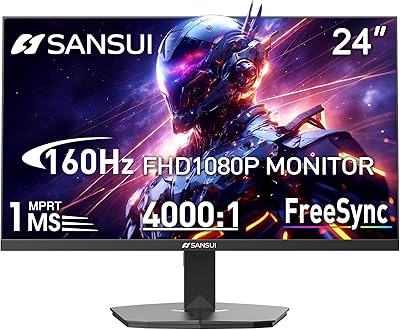
The INFIEVO 24-inch 180Hz FHD Gaming Monitor enters a crowded budget segment with one clear pitch: fast refresh at a low price. INFIEVO isn't a household name, and that's worth acknowledging upfront — you won't find decades of brand reputation backing this display. What you do get is a 1080p panel tuned for speed, not resolution bragging rights. Choosing FHD over QHD here is a practical call; it keeps GPU load lighter and the 180Hz rate more achievable on modest hardware. Think of this as an honest entry-level gaming monitor, not a flagship with a discounted sticker.
Features & Benefits

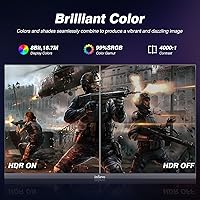
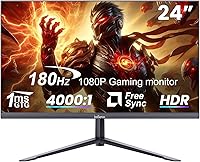
At 180Hz with FreeSync, this 24-inch gaming display handles fast-paced shooters and racing games noticeably better than a standard 60Hz screen — motion stays clean, and tearing is largely a non-issue. The 1ms MPRT response time keeps ghosting at bay during quick movements. Visually, the 4000:1 contrast ratio punches above the budget-tier average, and 99% sRGB coverage means colors look reasonably saturated out of the box, though viewing angles can shift depending on panel type, so calibration helps. HDR is listed as a feature, but at 250 nits of brightness, real HDR impact is minimal — don't expect dramatic highlight performance. Connectivity covers HDMI, DisplayPort, and USB, handling PC, consoles, and Nintendo Switch without adapter juggling.

Best For

This budget 180Hz screen is an easy recommendation for first-time monitor buyers making the jump from a 60Hz display — the difference in feel is immediate and hard to go back from. Students building a dual-use desk setup will appreciate that it handles spreadsheets and late-night gaming sessions equally well. Console players on PS or Xbox get a low-latency 1080p screen without overspending. The compact, frameless 24-inch footprint works well in tighter spaces where a 27-inch would feel cramped. It's less suited to creative professionals needing accurate color grading or anyone chasing QHD or 4K resolution for cinematic single-player experiences.

User Feedback

With a 4.4-star average across nearly 450 ratings, this INFIEVO monitor earns consistent praise for image clarity at the price and how painless the setup process is. Buyers frequently highlight the fast-feel refresh as the standout win. On the flip side, stand stability draws recurring complaints — it functions, but feels less solid than many reviewers expected, and a VESA wall mount may be worth considering. The absence of built-in speakers is a genuine inconvenience for some. A handful of users note colors look better after a few manual adjustments rather than straight out of the box. The 3-year warranty is appreciated, though few have had cause to test it yet.

Pros

  • 180Hz refresh rate delivers visibly smoother gameplay compared to standard 60Hz monitors.
  • FreeSync support effectively eliminates screen tearing during fast-paced sessions.
  • 1ms MPRT response time keeps motion blur and ghosting minimal in competitive play.
  • 4000:1 contrast ratio produces deeper blacks than most monitors at this price point.
  • Broad connectivity with HDMI, DisplayPort, and USB covers PC, consoles, and Switch with no adapters needed.
  • Matte anti-glare panel surface handles ambient light well in bright room environments.
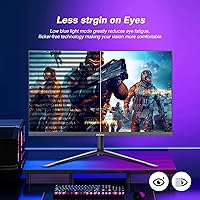
  • Flicker-free technology and a blue light filter make long work or gaming sessions easier on the eyes.
  • 75x75mm VESA compatibility gives buyers a clean wall-mount or arm upgrade path.
  • 3-year warranty offers reasonable peace of mind for a lesser-known brand at this price tier.
  • Frameless design looks clean on a desk and works well in dual-monitor configurations.

Cons

  • The included stand feels wobbly and offers only basic tilt adjustment with no height control.
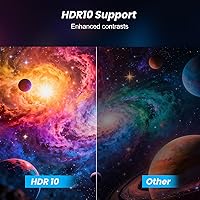
  • HDR support is largely cosmetic at 250 nits — do not expect meaningful highlight or shadow performance.
  • Color accuracy out of the box requires manual calibration to get the most from the 99% sRGB coverage.
  • Viewing angles can shift noticeably depending on your seating position, suggesting a TN or VA panel type.
  • No built-in speakers means you must source external audio separately from day one.
  • INFIEVO's limited brand presence makes long-term after-sales support harder to predict or verify.
  • At 9 pounds with a basic stand, the overall build feels light in a way that affects perceived durability.
  • Brightness tops out at 250 nits, which may feel dim in very bright or sunlit environments.

Ratings

Our AI-driven scoring for the INFIEVO 24-inch 180Hz FHD Gaming Monitor was built by analyzing verified global buyer reviews, with spam, bot submissions, and incentivized feedback actively filtered out before any score was calculated. The ratings below reflect both what real users genuinely praised and the recurring pain points that surfaced across hundreds of honest assessments. Nothing has been softened — if buyers had a consistent gripe, it shows up in the numbers.
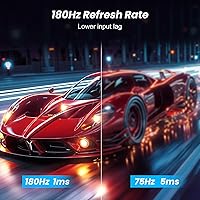
Refresh Rate Performance
91%
The jump to 180Hz is where this monitor earns its keep. Gamers coming from a 60Hz display consistently described the motion clarity in fast-paced shooters and racing titles as immediately and unmistakably better — tracking moving targets felt tighter, and the overall fluidity made lower frame rates more noticeable by comparison.
Reaching the full 180Hz requires a DisplayPort connection and a manual refresh rate change in display settings, which catches some buyers off guard. Users with older GPUs or consoles won't benefit from the upper range at all, making the headline spec feel irrelevant for a portion of buyers.
Response Time & Motion Clarity
83%
In competitive gaming scenarios — fast camera sweeps in FPS titles, high-speed racing sequences — the 1ms MPRT response time keeps ghosting and trailing artifacts well under control. Most users found the motion handling noticeably cleaner than budget monitors they had owned previously.
It's worth clarifying that MPRT measures backlight strobe timing, not the actual pixel transition speed, which can be slower in practice. Some users reported faint ghosting in extreme contrast transitions during darker game scenes, which is a realistic limitation of the underlying panel technology at this price.
Image & Color Quality
74%
26%
Out of the box, colors are reasonably vibrant and the 4000:1 contrast ratio gives the image more punch than typical budget IPS panels. After spending 10 to 15 minutes adjusting color temperature and brightness in the OSD, a good number of buyers were genuinely impressed by how much better the picture got.
Factory calibration leaves something to be desired — several users noted a cold, slightly bluish default tone that needs correcting before the screen looks its best. Viewing angles also shift noticeably when you're not sitting directly centered, which points to the panel behaving more like a TN or VA type than a wide-angle IPS.
HDR Experience
47%
53%
The HDR mode is present and technically functional, and some users appreciated having the option available when connecting content from streaming sources. For casual viewers not accustomed to true HDR displays, the mode can add a slight perceived contrast boost over the default SDR picture.
At 250 nits of peak brightness, this is entry-level HDR in the most basic sense — highlights don't pop, shadow detail doesn't dramatically improve, and several buyers explicitly warned others not to factor HDR into their purchase decision. Compared to any mid-range display with genuine local dimming, the difference is stark.
Connectivity & Compatibility
88%
Having both HDMI and DisplayPort on a budget monitor is genuinely useful — it means you can keep a gaming PC on DisplayPort and a console on HDMI simultaneously without swapping cables. Users praised how easily this 24-inch gaming display connected to PS4, Xbox, Switch, and a variety of laptops without needing adapters.
There is no USB-C or Thunderbolt input, which is a real gap for users with modern ultrabooks or MacBooks. The single HDMI port also limits multi-device setups if you need to run two consoles at the same time without a switch.
Stand & Ergonomics
53%
47%
The stand gets the monitor into a usable position quickly and without tools, and the tilt range is functional for most standard desk heights. For buyers who immediately plan to pair it with a monitor arm, the 75x75mm VESA compatibility makes the upgrade genuinely straightforward.
Stand wobble is the most commonly cited complaint across user reviews — bumping the desk sends a visible shake through the panel. The lack of height or swivel adjustment is also a real ergonomic limitation for taller users or anyone who shares the monitor at different sitting positions.
Build Quality & Materials
61%
39%
The slim bezels give this budget 180Hz screen a cleaner, more modern look than older chunky-framed monitors in the same class. Most buyers found the overall fit and finish acceptable for the price, with no major cosmetic defects reported on arrival.
The plastic used throughout the chassis feels lightweight and slightly hollow when handling, and a few users noted creaking around the panel housing during adjustments. It doesn't feel built to last a decade, which is a fair expectation to calibrate at this price tier.
Eye Comfort & Long Sessions
78%
22%
Buyers who use this monitor for 6-plus hour work and gaming sessions reported less eye fatigue compared to older displays they had replaced, crediting the flicker-free backlight in particular. The matte panel surface also helped reduce the reflective glare that causes strain in bright home offices.
The blue light filter, while present, is a fairly basic implementation and doesn't offer the granular adjustment levels found on more expensive displays. At maximum brightness in a dim room, some users found the screen harder on the eyes than expected — dialing brightness down to around 70% was a common recommendation in the reviews.
Setup & Out-of-Box Experience
86%
Assembly is fast — stand attaches with a single click and the monitor is ready in under five minutes. The included cables cover basic connectivity needs, and buyers consistently praised how intuitive the OSD menu was compared to other budget monitors with confusing button layouts.
The default picture settings are noticeably off, and new users who don't realize they need to calibrate may be underwhelmed by the initial image. The manual is thin on useful calibration guidance, leaving first-time monitor buyers to rely on community forums for OSD tuning tips.
FreeSync & Tear-Free Gaming
84%
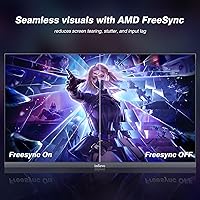
FreeSync worked reliably across the refresh range for users with compatible AMD GPUs, and most confirmed that screen tearing was a non-issue during extended gaming sessions. The variable refresh range is wide enough to stay active even during frame rate dips, which is where adaptive sync matters most.
FreeSync is not compatible with Nvidia GPUs on this monitor, which cuts out a significant portion of PC gamers from the feature entirely. Users with Nvidia hardware reported having to rely on in-game V-Sync, which introduces its own input lag trade-off.
Value for Money
89%
At its price point, offering 180Hz, FreeSync, DisplayPort, and a 3-year warranty in a single package is a genuinely strong proposition. Buyers upgrading from aging 60Hz monitors in particular felt they received well more than what they paid for, which is reflected in the high satisfaction rate among verified purchasers.
The value calculation changes if you factor in the cost of a monitor arm to compensate for the weak stand, or external speakers to fill the audio gap. For buyers who want the full package experience without supplementary purchases, a slightly higher budget would buy meaningfully better build quality.
Brand Trust & After-Sales
58%
42%
INFIEVO does back this display with a 3-year warranty, which is longer than many established brands offer at this price. A portion of buyers who contacted support reported reasonably prompt responses and satisfactory resolution for minor issues.
INFIEVO is a lesser-known brand with limited service infrastructure compared to names like LG, ASUS, or AOC, and buyers noted uncertainty about what happens if a warranty claim arises years down the line. The brand's limited review history outside Amazon also makes it harder to assess long-term reliability with real confidence.
Console Gaming Performance
82%
18%
PS and Xbox users praised the clean 1080p output and low perceived input lag for action-heavy titles. Connecting via HDMI was plug-and-play with no compatibility issues, and the display's response time made a clear improvement over budget TVs several users had been gaming on previously.
Console users are capped at the HDMI refresh ceiling and won't access the monitor's full 180Hz potential, which means the headline spec essentially becomes irrelevant for console-only setups. There's also no dedicated game mode or console-optimized preset in the OSD to simplify setup for less technical buyers.
Brightness & Visibility
63%
37%
In a controlled indoor environment with moderate ambient light, the screen delivers a clear and comfortable image. The matte anti-glare surface does a reasonable job of handling indirect window light, which is genuinely useful for daytime desk use without blackout curtains.
At 250 nits, this budget 180Hz screen struggles in brightly lit rooms, and users placed near windows during daylight hours found the image washes out noticeably. It's not a monitor designed for use near strong natural light, and that's a practical limitation for buyers without control over their room environment.

Suitable for:

The INFIEVO 24-inch 180Hz FHD Gaming Monitor is a strong fit for anyone who wants a genuine high-refresh-rate experience without stretching their budget thin. First-time PC builders and students setting up a dual-purpose desk will find it handles everyday productivity and competitive gaming in equal measure. If you're currently on a 60Hz display, the jump to 180Hz is immediately noticeable in fast-paced games — enemies track more smoothly, and movement feels sharper and more responsive. Console gamers connecting a PS or Xbox will also benefit from the low input lag and clean 1080p image without needing to spend significantly more. The compact 24-inch footprint and VESA compatibility make it a practical choice for smaller rooms or wall-mount setups where space is a real constraint.

Not suitable for:

The INFIEVO 24-inch 180Hz FHD Gaming Monitor is not the right call for buyers who place a premium on color-critical work like photo editing, video grading, or digital art, where panel accuracy and wide viewing angles matter more than refresh rate. The HDR label on this display should not be taken at face value — at 250 nits of peak brightness, the real-world HDR effect is negligible compared to what you'd see on a proper HDR-capable screen. Gamers who have already experienced QHD or 4K resolution and are used to sharper detail may find 1080p a step backward, particularly for slower, story-driven titles where image fidelity matters more than frame speed. The stand has drawn enough criticism for wobble and limited adjustability that buyers who prefer a stable, height-adjustable setup may be frustrated unless they opt for a third-party arm. Finally, those who rely on built-in speakers for desktop audio will need to budget separately for external sound.
Specifications

  • Screen Size: The actual viewable panel measures 23.8 inches diagonally, marketed as a 24-inch display.
  • Resolution: Native resolution is 1920x1080 pixels, delivering Full HD image quality across the 16:9 aspect ratio panel.
  • Refresh Rate: The panel runs at a maximum of 180Hz, allowing up to 180 frames to be displayed per second for smoother motion.
  • Response Time: Rated at 1ms MPRT, which measures how quickly individual pixels transition to reduce perceived motion blur during fast movement.
  • Panel Surface: A matte anti-glare coating reduces reflections from ambient light sources, making the screen more usable in bright rooms.
  • Contrast Ratio: Static contrast ratio is rated at 4000:1, which is higher than the typical 1000:1 found on many budget IPS panels.
  • Color Gamut: Covers 99% of the sRGB color space, providing reasonably saturated and consistent color for general use and gaming.
  • Brightness: Peak brightness is rated at 250 cd/m², which is adequate for indoor use but limited for meaningful HDR highlight performance.
  • HDR Support: The monitor carries an HDR label, though at 250 nits the real-world dynamic range improvement over standard content is minimal.
  • Sync Technology: AMD FreeSync is supported, synchronizing the display’s refresh rate with compatible GPU output to reduce screen tearing.
  • Ports: Connectivity includes one HDMI port, one DisplayPort, and a USB input, supporting a range of PCs, consoles, and portable devices.
  • VESA Mount: The rear of the monitor includes a standard 75x75mm VESA pattern, compatible with most third-party wall mounts and monitor arms.
  • Tilt Adjustment: The included stand supports tilt adjustment between -5° and +15°, but does not offer height, swivel, or pivot adjustments.
  • Eye Care: Flicker-free backlight technology and a built-in blue light filter are included to help reduce eye fatigue during extended use.
  • Dimensions: The monitor measures 24 x 17 x 8 inches with the stand attached, making it compact enough for most standard desks.
  • Weight: Total weight including the stand is 9.08 pounds, which is typical for a monitor of this size class.
  • Speakers: No built-in speakers are included; users will need to connect external audio equipment separately.
  • Warranty: INFIEVO covers this monitor with a 3-year warranty against manufacturing defects, with customer support available for after-sales issues.

Related Reviews
FYHXele 24-inch Gaming Monitor FHD 1080p 180Hz

86%
88%
Performance (Smooth Gaming)
85%
Display Quality
82%
Build Quality & Durability
90%
Ease of Setup
91%
Value for Money
More
Viewedge USC2412FDA-P 24-inch FHD 144Hz Gaming Monitor
71%
83%
Value for Money
79%
Gaming Performance
76%
Image Quality
81%
Eye Comfort
63%
Build Quality
More
INFIEVO 24-inch 165Hz FHD Gaming Monitor

72%
88%
Value for Money
84%
Gaming Performance
82%
Response Time
71%
Color Accuracy
41%
HDR Quality
More
ReHisk 241KV2 24-inch Gaming Monitor
73%
91%
Refresh Rate Performance
88%
Adaptive Sync
79%
Panel & Color Quality
54%
Brightness & HDR
67%
Build Quality
More
KTC 24.5″ Gaming Monitor 180Hz FHD
87%
89%
Display Quality
91%
Response Time
92%
Refresh Rate
88%
Color Accuracy
85%
Build Quality
More
KTC H24T7 24-inch QHD Gaming Monitor
78%
88%
Image Sharpness & Clarity
86%
Refresh Rate & Responsiveness
83%
Color Accuracy
47%
HDR Performance
81%
Build Quality & Stand
More
Samsung Odyssey G3 24-Inch Gaming Monitor
79%
93%
Refresh Rate Performance
86%
Response Time & Motion Clarity
89%
AMD FreeSync Premium
88%
Stand & Ergonomics
91%
Value for Money
More
SANSUI ES-G24F4M 24-inch Gaming Monitor
73%
88%
Value for Money
91%
Gaming Performance
86%
Motion Clarity
58%
Color Accuracy
79%
Contrast & Black Levels
More
LG 24GN60R-B 24-inch FHD Gaming Monitor
71%
88%
Value for Money
84%
Gaming Performance
81%
Image Quality
51%
HDR Performance
43%
Stand & Ergonomics
More
ViewSonic VX2428A 24-inch Gaming Monitor
77%
88%
Gaming Performance
79%
Image Quality
91%
Refresh Rate & Smoothness
86%
Response Time
83%
Eye Comfort
More

FAQ

To reach 180Hz you’ll want to use the DisplayPort connection, as HDMI may cap you at a lower refresh rate depending on the version supported. Always check your GPU’s output specs and set the refresh rate manually in your display settings after connecting, since it won’t always default to 180Hz automatically.

Yes, it connects to both consoles via HDMI without any issues. Keep in mind that current-gen consoles output at up to 120Hz over HDMI 2.1, so you’ll get a smooth experience, though the full 180Hz is only accessible from a PC via DisplayPort.

Honestly, not much. At 250 nits of peak brightness, the HDR implementation here is entry-level at best. You’ll see the HDR mode toggle in settings, but don’t expect the deep blacks and blown-out highlights you’d get from a dedicated HDR display. For most users, leaving HDR off and tuning brightness and contrast manually produces better results.

It holds up well for general use. The matte anti-glare coating is genuinely useful at a regular desk, and text at 1080p on a 24-inch panel is sharp enough for comfortable reading. Colors are decent after a bit of manual calibration, though the viewing angles aren’t as forgiving as an IPS panel if you’re often viewing the screen from an angle.

It’s a fair concern. The stand does its job for most setups, but it’s not the most rigid construction, and some users notice some wobble when bumping the desk. If stability matters to you, the 75x75mm VESA mount makes it straightforward to swap in a proper monitor arm, which is worth considering.

For competitive titles like Valorant, CS2, or Rocket League, a mid-range GPU should hit 180fps at 1080p without much trouble. Demanding AAA games at max settings are a different story, but you can dial back some settings and still land well above 60fps, making the high refresh rate feel worthwhile.

Yes, it connects to the Switch dock via HDMI with no extra hardware needed. The Switch outputs at 1080p in docked mode, which matches the monitor’s native resolution perfectly. The refresh rate beyond 60Hz won’t come into play since the Switch doesn’t push frames that high, but the image looks clean and the setup is simple.

They’re a relatively new and lesser-known name in the monitor market, which is worth factoring into your decision. The 3-year warranty is a reassuring commitment on paper, and buyer reviews suggest the company is responsive to support requests. That said, you won’t have the same peace of mind you’d get from a more established brand with a long service track record.

Absolutely. The back of this 24-inch gaming display has a standard 75x75mm VESA pattern, which is compatible with the vast majority of aftermarket monitor arms and wall mounts. Swapping to an arm also solves the stand wobble issue and gives you much better ergonomic flexibility.

It does take the edge off for extended sessions, though results vary by person. The flicker-free backlight is arguably more impactful than the blue light filter for reducing fatigue, as PWM flicker is a common cause of headaches during long use. Both features are genuine and functional here, not just checkbox marketing, though they won’t replace taking regular screen breaks.