Overview

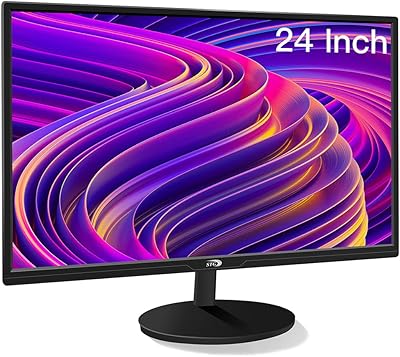
The KOORUI E2411K 24-inch Gaming Monitor sits in a crowded corner of the budget display market, but it holds its ground better than most. KOORUI has been quietly building credibility on Amazon — currently ranking among the top 40 computer monitors — and this screen reflects that trajectory. The slim bezels and clean matte finish give it a look that punches above its price tier. That said, set expectations accordingly: this is a capable, value-driven IPS display, not a replacement for higher-end panels. Approach it with realistic expectations and it delivers a lot for what you spend.
Features & Benefits

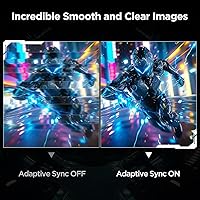
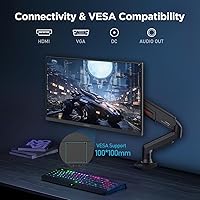
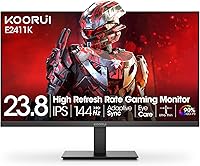
The headline spec here is the 144Hz refresh rate paired with Adaptive Sync support, which eliminates screen tearing without requiring a high-end GPU. That combination alone makes a noticeable difference coming from a standard 60Hz screen. The IPS panel brings consistent color across wide angles — handy whether you're gaming or browsing from an off-center seat. Color coverage sits at 99% sRGB, solid for gaming and everyday media; just don't expect it to satisfy a photo editor's standards. Connectivity covers HDMI, VGA, and audio-out, so older and newer hardware connects without adapters. The VESA mount support lets you reclaim desk space with an arm or wall bracket.

Best For

The E2411K makes the most sense for first-time monitor buyers stepping up from a 60Hz display and wanting a real improvement without a big investment. It's also a solid pick for students who need a reliable screen for both studying and casual gaming — decent color accuracy handles spreadsheets and video just as comfortably as fast-paced matches. Older console setups benefit from the VGA port, which is increasingly rare at this size. Anyone working with a compact desk will appreciate the slim profile and mounting flexibility. It is not the right fit for professional color work or users who need height and pivot adjustments from their stand.

User Feedback

Buyers consistently highlight the easy out-of-box setup and crisp image quality as standout wins — most report being impressed with how sharp the panel looks right after plugging it in. The slim, clean design also draws praise from people working with tighter desk setups. Where feedback turns more mixed is the stand: it tilts, and that's about it. No height adjustment, no pivot, no swivel. A handful of users also flag slight backlight bleed in dark scenes, which is fairly typical at this price point. KOORUI's 12-month warranty is shorter than some rivals offer, and a few buyers wish the support documentation were clearer, though serious issues appear rare.

Pros

  • The 144Hz refresh rate delivers noticeably smoother motion compared to standard 60Hz monitors.
  • FreeSync support eliminates screen tearing without requiring a high-end GPU.
  • IPS panel provides consistent color and wide viewing angles that TN panels at this price cannot match.
  • Matte anti-glare coating handles ambient light well in typical home or office environments.
  • HDMI, VGA, and audio-out ports cover a wide range of devices without needing adapters.
  • Flicker-free backlight and low blue light mode make extended sessions noticeably more comfortable.
  • VESA 100x100mm compatibility allows easy wall or arm mounting to free up desk space.
  • Slim bezel design keeps the footprint clean and works well in multi-monitor arrangements.
  • The E2411K ranks among the top 40 computer monitors on Amazon, reflecting solid buyer confidence.
  • Setup is straightforward — most users report being up and running within minutes of unboxing.

Cons

  • Stand offers tilt only — no height, swivel, or pivot adjustment without purchasing a separate arm.
  • 72% NTSC color coverage is modest and unsuitable for professional color-critical work.
  • Brightness tops out at 250 cd/m², which can feel dim in very bright rooms.
  • Backlight bleed in dark scenes is a recurring complaint, consistent with budget IPS panels.
  • The 12-month warranty is shorter than many competitors offer at a comparable price point.
  • No built-in speakers, so external audio is required for any sound output.
  • Warranty documentation and support clarity have drawn some criticism from buyers needing assistance.
  • Plastic build quality feels utilitarian and may not satisfy buyers who prefer a more premium feel.

Ratings

The KOORUI E2411K 24-inch Gaming Monitor has been evaluated by our AI system after analyzing thousands of verified buyer reviews from global markets, with spam, bot-submitted, and incentivized feedback actively filtered out. The scores below reflect a balanced picture of where this display genuinely delivers and where real-world buyers have run into frustrations. Nothing has been smoothed over — the strengths and the trade-offs are both represented transparently.

Value for Money
91%
This is where the E2411K earns its reputation. Buyers consistently express surprise at getting a 144Hz IPS panel with FreeSync at this price point — a combination that was significantly more expensive just a few years ago. For first-time monitor buyers or anyone on a tight budget, the dollar-to-performance ratio is hard to argue with.
A small segment of buyers feel the value perception drops when they factor in the need to purchase a monitor arm separately to compensate for the limited stand. If you account for that extra cost, the overall value calculation becomes a bit less clear-cut.
Gaming Performance
83%
The jump from 60Hz to 144Hz is immediately noticeable in fast-paced shooters and action games — motion looks considerably smoother and more responsive. FreeSync works reliably with compatible AMD GPUs and most NVIDIA cards via G-Sync Compatible mode, keeping gameplay tear-free without needing high-end hardware.
Hardcore competitive gamers note that the response time and input lag, while acceptable, do not match faster TN or premium IPS gaming panels. In highly competitive play where milliseconds matter, users chasing the absolute lowest latency will likely feel limited.
Image & Color Quality
74%
26%
The IPS panel delivers noticeably better color consistency and wider viewing angles than TN alternatives at the same price, which everyday users and casual gamers genuinely appreciate. Out of the box, colors are vibrant enough for gaming and media consumption without requiring immediate adjustments.
The 72% NTSC coverage is a real ceiling for anyone doing photo editing, video color grading, or design work. A few buyers also report that colors shift slightly after extended use, and the out-of-box calibration leaves some brightness and saturation settings in need of manual tweaking.
Refresh Rate & Smoothness
88%
At 144Hz, day-to-day use — from scrolling through browsers to navigating the desktop — feels noticeably fluid compared to 60Hz panels. Gamers playing titles like CS2, Valorant, or fast-paced platformers report that the smoothness improvement is one of the most satisfying aspects of the purchase.
To actually benefit from 144Hz in demanding games, your GPU needs to push frame rates above 60fps consistently, which not all mid-range or older hardware can do. Users with lower-powered systems may not fully utilize the refresh rate advantage they are paying for.
Eye Comfort
81%
19%
The flicker-free backlight and low blue light mode are genuinely appreciated by users who spend long hours in front of the screen — students and remote workers especially mention reduced end-of-day eye fatigue compared to older monitors. The matte coating also cuts down on reflective glare in typical indoor environments.
The low blue light mode noticeably warms the color temperature, which some users find bothersome during color-sensitive tasks. A few buyers also note that at lower brightness settings, the panel can exhibit minor uniformity issues that become apparent during dark-scene gaming.
Build Quality
66%
34%
For the price tier, the physical construction is considered acceptable by most buyers. The slim bezel design feels cleaner and more modern than similarly priced competitors, and the overall unit does not feel dangerously flimsy on a stable desk.
The plastic chassis feels noticeably budget-grade to the touch, and the stand exhibits a small amount of wobble when the desk is bumped. Several buyers note that the build quality is the clearest reminder that this is a value-tier product, with components that feel like they reflect the cost.
Stand & Ergonomics
51%
49%
The tilt range of -5° to +15° covers the basic adjustment most users need for a comfortable seated viewing angle. For buyers who plan to mount the display on a VESA arm anyway, the stand limitations are largely irrelevant.
The lack of height adjustment, swivel, and pivot is a recurring complaint, particularly from taller users or those with dual-monitor setups who need more precise positioning. Buyers who do not want to invest in a separate arm will find themselves stuck with a fixed ergonomic position that may not suit everyone.
Connectivity
79%
21%
Having both HDMI and VGA ports is genuinely useful for buyers connecting older PCs, laptops, or legacy devices that lack modern outputs. The audio-out jack adds flexibility for users who route sound through the monitor to external speakers.
There is no DisplayPort, which is a noticeable omission for PC gamers who prefer it for higher bandwidth and monitor chaining. Buyers with newer hardware who rely exclusively on modern connectivity will find the port selection a bit dated.
Setup & Installation
87%
Assembly is consistently praised as quick and hassle-free — most buyers report the monitor is fully set up within ten minutes of opening the box. The stand attaches simply, cables are easy to route, and the on-screen display menu is straightforward to navigate.
The included documentation is minimal, and some users have to look up online guides to enable 144Hz in Windows display settings, which is not explained in the box. A clearer quick-start guide would reduce that friction for less experienced buyers.
Backlight Uniformity
59%
41%
In normal gaming and general desktop use with varied on-screen content, the backlight uniformity is acceptable and does not distract from the experience. Most users who game in lit rooms or with mixed content on screen do not flag this as a concern.
Backlight bleed is a recurring complaint in reviews, particularly noticeable in dark scenes or when displaying solid black backgrounds. This is a known characteristic of budget IPS panels, but buyers who watch a lot of dark cinematic content or horror games will likely notice it.
Glare & Reflection Control
78%
22%
The matte anti-glare coating handles reflections from windows and ceiling lights reasonably well, making it a practical choice for home office setups without dedicated lighting control. Users working near windows during the day specifically mention this as a benefit.
In very bright rooms or under direct sunlight, the 250 cd/m² brightness ceiling makes the screen harder to read clearly. The anti-glare coating helps, but it cannot fully compensate for the relatively modest peak brightness in challenging lighting environments.
VESA & Mounting
84%
The 100x100mm VESA compatibility works reliably with standard monitor arms and wall brackets, and buyers who mount it report a much better ergonomic experience than using the stock stand. At just over 8 pounds, it is light enough for most arms to handle without strain.
The mounting hardware itself is not included — buyers need to supply their own VESA arm or wall mount separately. For users who did not plan on this additional purchase, it can feel like an unexpected extra cost to unlock the full ergonomic potential.
Warranty & Support
57%
43%
KOORUI's support team receives generally positive feedback for straightforward defect cases — buyers with clearly faulty units at arrival tend to report resolution without excessive back-and-forth. The replacement warranty does cover a reasonable range of scenarios including missing accessories.
A 12-month warranty is noticeably shorter than the 2 to 3 year coverage offered by competing brands at comparable prices, and some buyers have flagged this as a concern for long-term ownership confidence. The support process for edge-case issues has been described as slow and unclear by a subset of users.
Desk Footprint & Design
82%
18%
The slim bezels and clean matte-black finish give this 24-inch gaming display a modern, understated look that fits comfortably into both gaming setups and office desks. Buyers working in tighter spaces appreciate how little horizontal room the stand consumes relative to other monitors in this size class.
The all-plastic construction, while visually clean, lacks the premium tactile feel that some buyers expect even at this price. The cable management situation behind the monitor is basic, with no routing channels on the stand to keep things tidy.

Suitable for:

The KOORUI E2411K 24-inch Gaming Monitor is a strong match for anyone who wants a meaningful upgrade from a basic 60Hz display without stretching their budget. PC gamers running mid-range hardware will get the most out of the 144Hz refresh rate and FreeSync support — the difference in motion clarity is immediately noticeable in fast-paced games. Students and remote workers will appreciate the IPS panel's consistent colors and the eye-care features during long sessions. If you have an older machine still running a VGA output, the included port means you won't need an adapter just to get up and running. Compact desk setups also benefit here, since the slim bezels and VESA mounting compatibility give you real flexibility in how you arrange your workspace.
Not suitable for:

The KOORUI E2411K 24-inch Gaming Monitor is not the right call for anyone whose work depends on precise color reproduction — the 72% NTSC coverage is acceptable for gaming and general use, but photo editors, graphic designers, and video colorists will find it limiting. Competitive gamers who prioritize response time above all else may also want to look at TN or fast IPS panels that offer lower latency than this display. The stand is genuinely basic: tilt is your only adjustment, so users who need height, pivot, or swivel control will likely need to budget for a monitor arm separately. The 12-month replacement warranty is shorter than what several competing brands offer at a similar price, which is worth factoring in if long-term peace of mind matters to you. Anyone expecting premium build quality or zero backlight bleed should calibrate their expectations — this is a budget panel, and it occasionally shows.
Specifications

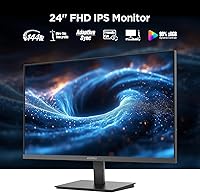
  • Screen Size: The display measures 24 inches diagonally, offering a comfortable viewing area suited to standard desk distances.
  • Panel Type: Uses an IPS (In-Plane Switching) panel, which delivers consistent color accuracy and wide viewing angles compared to TN alternatives.
  • Resolution: Native resolution is 1920 x 1080 pixels (Full HD), providing sharp, clear visuals at standard 24-inch viewing distances.
  • Refresh Rate: Runs at 144Hz, meaning the screen refreshes 144 times per second for noticeably smoother motion in games and fast-moving content.
  • Adaptive Sync: Supports FreeSync (Adaptive Sync), which synchronizes the monitor's refresh rate with compatible AMD and select NVIDIA GPUs to reduce screen tearing.
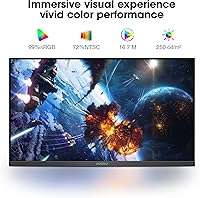
  • Color Coverage: Covers 99% of the sRGB color space and 72% of the NTSC color gamut, suitable for gaming and general media but not professional color grading.
  • Brightness: Peak brightness is rated at 250 cd/m², adequate for indoor environments with controlled ambient lighting.
  • Surface Finish: Features a matte anti-glare coating that reduces reflections from windows and overhead lighting in typical home or office setups.
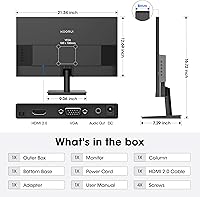
  • Connectivity: Includes one HDMI port, one VGA port, and one 3.5mm audio-out jack for connecting external speakers or headphones.
  • VESA Mount: Compatible with the 100x100mm VESA mounting standard, allowing attachment to most third-party monitor arms and wall mounts.
  • Tilt Range: The stand supports tilt adjustment from -5° (forward) to +15° (backward); height, swivel, and pivot adjustments are not available.
  • Eye Care: Equipped with a flicker-free backlight and a low blue light mode to help reduce eye fatigue during extended use.
  • Dimensions: The monitor measures 21.34 inches wide, 16.72 inches tall, and 7.29 inches deep with the stand attached.
  • Weight: Complete unit with stand weighs 8.08 pounds, making it light enough to reposition or mount without difficulty.
  • Aspect Ratio: Standard 16:9 widescreen aspect ratio, compatible with virtually all modern games, video content, and operating systems.
  • Warranty: Backed by a 12-month replacement warranty from KOORUI, covering manufacturing defects, malfunctions, and missing accessories.

Related Reviews

KOORUI G2511E 24.5-Inch 320Hz Gaming Monitor
78%
93%
Refresh Rate Performance
88%
Response Time
84%
Color Accuracy
51%
HDR Quality
67%
Panel Uniformity
More
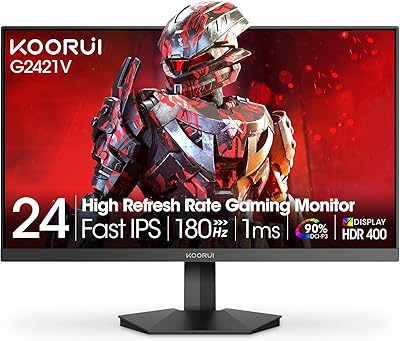
KOORUI G2421V 24″ 1440p Gaming Monitor
77%
91%
Image Sharpness
88%
Refresh Rate & Smoothness
74%
Color Accuracy
83%
Response Time & Motion Clarity
51%
HDR Performance
More
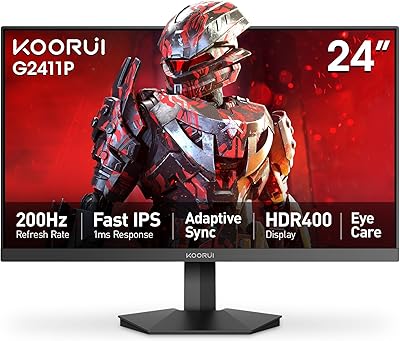
KOORUI G2411P 24″ Gaming Monitor
78%
93%
Refresh Rate Performance
88%
Color Accuracy
86%
Response Time & Motion Clarity
91%
Value for Money
74%
Build Quality & Design
More
DJiEX Z24B12 24-inch Gaming Monitor
84%
92%
Value for Money
87%
Display Quality
85%
Ergonomics and Comfort
89%
Color Accuracy
80%
Connectivity Options
More
Sceptre E248W-FW100T 24-inch Gaming Monitor
76%
91%
Value for Money
74%
Image Quality
78%
Gaming Performance
82%
Refresh Rate & Sync
67%
Response Time & Motion
More
KOORUI G2721E 27-inch Gaming Monitor
78%
93%
Refresh Rate Performance
88%
Image Clarity & Resolution
84%
Color Accuracy
81%
Motion Handling
52%
HDR Quality
More
Raywego Q24B16 24-inch Curved Gaming Monitor
73%
88%
Refresh Rate Performance
84%
Contrast & Black Levels
91%
Value for Money
76%
Image Sharpness
47%
HDR Quality
More
AOC 24G4 24-inch Gaming Monitor
76%
93%
Refresh Rate Performance
78%
IPS Color Quality
84%
Motion Clarity
91%
Value for Money
87%
Adaptive-Sync Implementation
More
AOC G2490VXS 24″ Gaming Monitor
80%
88%
Gaming Performance
83%
Color Quality
86%
Contrast & Black Levels
91%
Refresh Rate & Smoothness
74%
Build Quality
More
STGAubron LCD2401 24-Inch Gaming Monitor
71%
83%
Value for Money
76%
Image Quality
79%
Color Accuracy
47%
Gaming Performance
43%
Screen Glare & Reflections
More

FAQ

You do need to enable it manually on most systems. By default, Windows often sets a new monitor to 60Hz. Go to Display Settings, then Advanced Display Settings, and change the refresh rate to 144Hz. It takes about 30 seconds and makes a real difference.

Yes, via HDMI. Keep in mind that current-generation consoles cap most games at 60Hz, so you won't be using the full 144Hz potential. That said, the image quality and response are still solid for console gaming, and the 1080p resolution is a natural fit.

Yes, NVIDIA added support for FreeSync monitors through its G-Sync Compatible program starting with the GTX 10-series and newer. You will need to enable it in the NVIDIA Control Panel, but it generally works well once activated.

Absolutely. The E2411K supports the 100x100mm VESA mounting standard, which is compatible with the vast majority of third-party monitor arms and wall mounts. Just remove the stock stand before attaching the arm.

Out of the box, most users find the picture acceptable for everyday use and gaming. That said, spending five minutes adjusting brightness, contrast, and color temperature in the OSD menu can make a noticeable improvement. Full professional calibration is not necessary for typical use.

No, there are no built-in speakers. It does include a 3.5mm audio-out port, so you can connect external speakers or a headset directly to the monitor if your PC setup routes audio that way.

Some users do report minor backlight bleed in dark scenes or solid black backgrounds, which is fairly common on IPS panels at this price range. It is generally not noticeable during normal gaming or video content, but if you watch a lot of dark cinematic content, it is worth being aware of.

Unfortunately, no. The included stand only supports tilt adjustment, ranging from -5° to +15°. If you need height adjustment or portrait orientation, you will need a compatible VESA monitor arm, which is a straightforward solution.

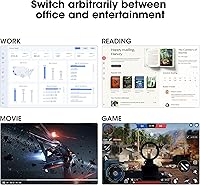
It handles everyday productivity tasks well. The IPS panel and 1080p resolution produce crisp, readable text at normal desk distances. The low blue light mode is a useful addition for long work sessions. It is not a professional color display, but for writing, browsing, and spreadsheets, it performs comfortably.

KOORUI covers the monitor with a 12-month replacement warranty, which handles manufacturing defects, functional issues, and missing accessories. It is worth noting that 12 months is shorter than the 2 to 3 year warranties some competitors offer. User experiences with support have generally been positive for clear-cut issues, though some buyers have noted that the documentation and process could be more streamlined.