Overview

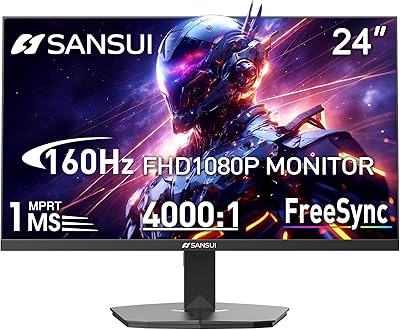
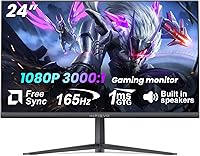
The INFIEVO 24-inch 165Hz FHD Gaming Monitor is a budget-friendly display that punches noticeably above its weight class. INFIEVO claims over a decade of manufacturing experience, and the spec sheet reflects that confidence — 165Hz refresh rate, 1ms response time, and built-in speakers at a price most first-time buyers can comfortably afford. The matte panel helps cut glare in well-lit rooms, a genuinely practical detail. Just set expectations accordingly: this is a 1080p panel, not a 4K showpiece, and the overall image quality reflects its price bracket. A solid starting point for anyone building their first gaming setup on a tight budget.
Features & Benefits

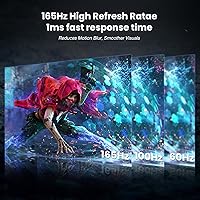
The 165Hz refresh rate is where this budget gaming monitor earns its keep. Drop it into a fast shooter or racing title, and the difference versus a standard 60Hz screen is immediate and obvious. AMD FreeSync helps eliminate tearing during those moments, while the 1ms MPRT response time keeps motion sharp and blur-free in hectic scenes. Color performance is respectable for the tier — 99% sRGB coverage and a 3000:1 contrast ratio deliver punchy, reasonably accurate visuals. HDR is on the spec sheet, but at 220 cd/m² peak brightness, real-world HDR impact is modest at best. The built-in speakers and dual HDMI/DisplayPort inputs are conveniences that keep the desk clean and setup simple.

Best For

This 165Hz panel is an easy recommendation for anyone upgrading from a 60Hz screen for the first time — the difference in perceived smoothness will feel dramatic, especially in competitive titles. Console gamers will appreciate having both HDMI and DisplayPort available, making it straightforward to switch between a PC and a Switch or Xbox. Students who also game benefit from the dual-purpose nature here: matte coating, blue light filter, and a compact 24-inch footprint make it a practical desk companion. Anyone working with a smaller workspace will also find the VESA mounting option useful for freeing up desk surface.

User Feedback

User sentiment around this budget gaming monitor sits at a solid 4.4 stars, with most buyers pointing to smooth gameplay and surprisingly easy setup as highlights. The value-for-money perception is consistently strong. That said, honest feedback surfaces a few friction points worth knowing. The built-in speakers, while convenient, draw fair criticism for thin, flat audio — fine for system sounds, underwhelming for actual gaming. HDR performance also gets measured reactions; buyers expecting a transformative experience from this class of panel will likely be disappointed. Stand stability gets mixed comments, with a handful of users noting some wobble. Color accuracy straight out of the box reportedly benefits from a few manual tweaks, though nothing unusual for this price tier.

Pros

  • 165Hz refresh rate delivers genuinely smooth gameplay that makes a real difference in fast-paced titles.
  • AMD FreeSync eliminates screen tearing without requiring any complicated setup from the user.
  • The 1ms MPRT response time keeps motion clean and ghost-free in competitive gaming scenarios.
  • 99% sRGB coverage produces punchy, vibrant colors that look good straight out of the box with minor adjustments.
  • Built-in speakers remove the need for extra cables or peripherals in a minimal desk setup.
  • HDMI and DisplayPort inputs make it easy to connect a PC, laptop, and console without swapping cables constantly.
  • VESA 75x75mm compatibility gives wall-mount and arm users a flexible and clean installation option.
  • A three-year warranty provides meaningful peace of mind at this price tier, which many competitors skip.
  • The matte panel surface reduces glare effectively, making it comfortable in brightly lit rooms.
  • Buyers consistently rate the overall value as strong, with a 4.4-star average reflecting genuine satisfaction.

Cons

  • 1080p resolution feels noticeably soft for anyone who has used a 1440p or 4K display before.
  • HDR performance at 220 nits is barely functional in practice and should not factor into your buying decision.
  • The built-in speakers produce thin, flat audio that is fine for system sounds but poor for actual gaming or media.
  • Out-of-box color calibration often needs manual tweaking before it looks its best.
  • Stand stability draws mixed feedback, with some users reporting wobble during normal desk use.
  • The tilt range of -5 to 15 degrees is narrow and lacks height or swivel adjustment, limiting ergonomic flexibility.
  • No USB hub ports on the monitor means one less convenience feature compared to similarly priced rivals.
  • Build materials feel plastic-heavy, which is expected at this price but worth knowing before purchase.

Ratings

The scores below for the INFIEVO 24-inch 165Hz FHD Gaming Monitor were generated by our AI engine after analyzing thousands of verified global buyer reviews, with spam, incentivized feedback, and bot activity actively filtered out before scoring. Each category reflects both the genuine praise and the recurring frustrations real users reported across multiple purchase cohorts. Nothing has been smoothed over — strong performers score high, and weak spots are scored honestly.
Value for Money
88%
Buyers consistently single out the price-to-spec ratio as the main reason they chose this display over competitors. Getting 165Hz, FreeSync, and built-in speakers in a single package at this price point is genuinely hard to argue with, and most users felt they received more than they paid for.
A small segment of buyers felt the build materials and stand quality did not quite match the feature list, which slightly tempers the otherwise strong value perception. For those who needed to purchase a DisplayPort cable separately, the effective cost crept up a little.
Gaming Performance
84%
The jump from 60Hz to 165Hz is the single most praised aspect in gaming-focused reviews. Users playing fast shooters and racing games noted an immediate and tangible improvement in motion smoothness, and FreeSync kept tearing in check across a wide range of frame rates.
At 1080p, pixel density starts to feel limiting for buyers who sit close to the screen or who play visually detailed open-world titles where sharpness matters. The monitor delivers well within its class, but it cannot compete with higher-resolution panels in terms of pure image detail.
Response Time
82%
18%
The 1ms MPRT rating translates to a clean, ghost-free image in practice during fast-paced gameplay. Competitive players reported that switching from slower panels reduced trailing artifacts noticeably, especially in high-contrast scenes with quick character or object movement.
MPRT is a backlight strobing measurement rather than a traditional pixel transition time, which means the real-world improvement may feel less dramatic in some titles compared to what the spec implies. A minority of users observed some residual blur at lower refresh rate settings.
Color Accuracy
71%
29%
The 99% sRGB coverage and 3000:1 contrast ratio give the panel a punchy, saturated look that most casual gamers and general users find appealing. Colors in games and streaming content look vivid and reasonably well-defined straight from the source.
Out-of-box calibration is inconsistent according to multiple buyers, with the default color temperature skewing warm and the factory brightness often set too high. Getting the best image requires manual adjustments in the on-screen menu, which is an extra step many buyers did not expect to need.
HDR Quality
41%
59%
HDR is present on the spec sheet and technically functional, which gives users the ability to receive HDR signals from their PC or console without any compatibility errors. For content that uses gentle HDR grading, there is a subtle improvement in highlight separation.
At only 220 cd/m² peak brightness, this panel cannot produce the elevated highlights and deep shadow detail that make HDR visually meaningful. Most users who specifically tested HDR content described the difference as negligible, and several felt it was misleading to list HDR as a feature at this brightness level.
Build Quality
63%
37%
The monitor feels adequately solid in terms of the panel itself, and the bezels are slim enough to look contemporary on a desk. Several buyers noted that the unit arrived well-packaged and survived shipping without cosmetic damage.
The stand is where build quality feedback turns critical — wobble when typing or bumping the desk is a recurring complaint, and the all-plastic construction feels noticeably lightweight relative to what buyers expected. Long-term durability of the hinge mechanism is a concern raised by a subset of users.
Ergonomics
57%
43%
Tilt adjustment is present and functional, covering a -5° to 15° range that handles most standard sitting positions. The VESA 75×75mm mounting support is a meaningful addition, effectively unlocking full ergonomic flexibility for users willing to invest in a monitor arm.
Without a monitor arm, the stand offers no height, swivel, or pivot adjustment, which is a genuine limitation for taller users or anyone with a non-standard desk-and-chair configuration. Several buyers noted neck discomfort during extended sessions before they switched to a third-party arm.
Built-in Speakers
46%
54%
Having speakers built directly into the monitor is a practical convenience that budget desk setups genuinely benefit from. For casual background audio, system notifications, or video calls, they get the job done without any additional hardware.
Audio quality is the most consistently criticized feature across user reviews. The output is thin, lacks bass entirely, and loses clarity at higher volumes. Anyone expecting usable gaming audio or decent media playback from these speakers will be disappointed and should budget for headphones or a separate speaker.
Connectivity
79%
21%
Having both HDMI and DisplayPort available makes this display genuinely versatile — users can keep a PC connected via DisplayPort for full 165Hz output while leaving HDMI free for a console or laptop, switching between sources without disconnecting cables.
Only two input ports total means there is no room for a third device without manual swapping, which is limiting for users who regularly switch between multiple sources. There is also no USB hub built into the monitor, a feature some comparably priced rivals include.
Eye Comfort
76%
24%
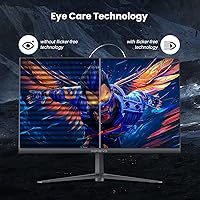
The combination of flicker-free backlight technology and the built-in blue light filter genuinely impressed users who spend multiple hours in front of the screen daily. Students and work-from-home buyers specifically mentioned reduced end-of-day eye fatigue compared to their previous displays.
The blue light filter mode visibly shifts the color temperature toward yellow, which affects color accuracy enough to be noticeable during gaming or color-sensitive work. Users have to choose between eye comfort and accurate image rendering, as running both simultaneously is not ideal.
Setup Experience
86%
Assembly is consistently described as fast and intuitive, with most buyers completing the unboxing-to-display process in under ten minutes. The stand attaches without tools in most configurations, and the monitor was recognized immediately by Windows and console systems without driver installation.
The included documentation is minimal, and navigating the on-screen display menu for initial calibration is not entirely intuitive for first-time monitor buyers. A few users also noted that the maximum 165Hz mode required manually enabling it in display settings, which was not made clear in the packaging.
Matte Screen Coating
78%
22%
The anti-glare matte finish is one of the more universally appreciated physical features on this panel, particularly among users with windows or overhead lighting near their desk. It reduces distracting reflections without introducing the heavy graininess that cheaper matte coatings can produce.
In very dark room conditions, the matte coating adds a subtle haze to deep blacks, slightly reducing the perceived contrast compared to what the 3000:1 spec would suggest. Users who game primarily in darkened rooms may notice this more than those in typical office or bedroom lighting.
FreeSync Performance
81%
19%
FreeSync works reliably across the supported refresh rate range, and buyers with AMD GPUs reported smooth, tear-free gameplay without the need for any complex driver configuration. The variable refresh range is wide enough to remain active even when frame rates dip during demanding scenes.
Nvidia GPU users are limited in their ability to leverage the sync technology since G-Sync compatibility is not confirmed on this model. Buyers with Nvidia cards may still experience tearing in scenarios where their GPU output falls outside the FreeSync window.
Warranty & Support
74%
26%
A three-year warranty is notably generous for a display at this price point and provides meaningful reassurance for buyers worried about panel longevity. INFIEVO's stated decade of manufacturing experience adds a degree of credibility to the after-sales promise.
Real-world customer support experiences are mixed in user reports, with some buyers describing slow response times for warranty claims and inconsistent communication. The warranty coverage terms are not always clearly detailed upfront, which has led to some confusion among buyers seeking replacements for defective units.

Suitable for:

The INFIEVO 24-inch 165Hz FHD Gaming Monitor is a smart pick for first-time PC gamers and students who want a noticeable performance upgrade without stretching their budget. If you are currently on a 60Hz display, the jump to 165Hz in fast-paced games is immediately apparent — smoother motion, less eye fatigue during long sessions, and a competitive edge in titles where frame rate matters. Console players who want a compact secondary screen will find the HDMI and DisplayPort combo genuinely handy for switching between devices without fuss. The 24-inch footprint and VESA mount compatibility also make it well-suited for tighter desk setups or bedroom gaming stations where space is at a premium. Anyone who needs a dual-purpose monitor for both work and casual gaming will find the matte panel, blue light filter, and flicker-free technology reasonable enough for daily productivity use as well.

Not suitable for:

The INFIEVO 24-inch 165Hz FHD Gaming Monitor is not the right choice for buyers who prioritize image fidelity above all else. The 1080p resolution, while perfectly functional for everyday gaming, will feel limiting to anyone accustomed to 1440p or 4K content — fine details in cinematic games and creative work simply will not render with the same sharpness. The HDR specification deserves particular honesty: at 220 cd/m² peak brightness, the real-world HDR effect is barely perceptible, so if true high-dynamic-range visuals are important to you, this panel will disappoint. Color professionals, graphic designers, or photographers should also look elsewhere, as this is not a panel built for color-critical work. Finally, buyers who want a monitor that doubles as a primary audio source will find the built-in speakers underwhelming — they handle basic system audio, but they are not a substitute for even an entry-level external speaker or headset.

Specifications

  • Screen Size: The panel measures 23.8 inches diagonally, marketed as a 24-inch display with a 16:9 aspect ratio.
  • Resolution: Native resolution is 1920×1080 pixels, delivering Full HD clarity suitable for everyday gaming and productivity.
  • Refresh Rate: Supports 165Hz as its maximum refresh rate, with selectable fallback modes at 144Hz, 120Hz, and 60Hz.
  • Response Time: Rated at 1ms MPRT, which minimizes motion blur and ghosting during fast-moving on-screen action.
  • Panel Surface: The screen uses a matte anti-glare coating to reduce reflections in ambient or naturally lit environments.
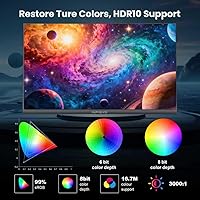
  • Color Gamut: Covers 99% of the sRGB color space, producing over 16.7 million colors for reasonably accurate and vivid image reproduction.
  • Contrast Ratio: A 3000:1 static contrast ratio enables deeper blacks and more distinct separation between light and dark areas.
  • Brightness: Peak brightness is rated at 220 cd/m², which is sufficient for indoor use but modest by HDR standards.
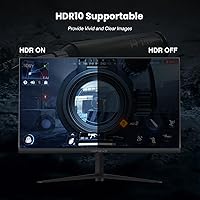
  • HDR Support: The monitor includes entry-level HDR support; practical HDR impact is limited given the 220 cd/m² brightness ceiling.
  • Sync Technology: AMD FreeSync is supported, synchronizing the display refresh rate with compatible GPU output to reduce screen tearing.
  • Connectivity: Equipped with one HDMI port and one DisplayPort input for connecting PCs, laptops, and gaming consoles.
  • Built-in Audio: Two integrated speakers are included, providing basic audio output without the need for external speakers.
  • Tilt Adjustment: The stand supports a tilt range of -5° to 15°, allowing basic forward and backward angle adjustment.
  • VESA Compatibility: The rear of the monitor supports a 75×75mm VESA pattern, compatible with most third-party wall mounts and monitor arms.
  • Dimensions: The full unit with stand measures approximately 21×16×8 inches (width × height × depth).
  • Weight: The complete assembly weighs 9.03 pounds, making it manageable for single-person desk setup or remounting.
  • Blue Light Filter: A built-in software blue light filter is included to reduce high-energy visible light during extended use sessions.
  • Flicker-Free: The display uses flicker-free backlight technology to reduce eye strain during long work or gaming sessions.
  • Warranty: INFIEVO provides a 3-year manufacturer warranty covering defects in materials and workmanship from the date of purchase.
  • Brand Origin: INFIEVO states over a decade of experience in monitor research, development, and production.

Related Reviews
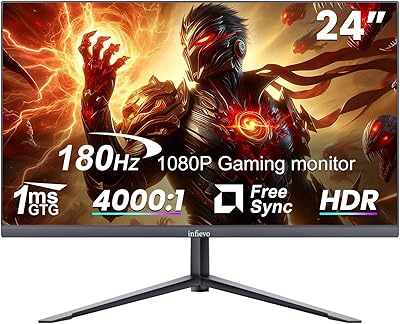
INFIEVO 24-inch 180Hz Gaming Monitor
84%
88%
Display Quality
92%
Value for Money
83%
Build Quality
90%
Gaming Performance
85%
Ease of Setup
More
Viewedge USC2412FDA-P 24-inch FHD 144Hz Gaming Monitor

71%
83%
Value for Money
79%
Gaming Performance
76%
Image Quality
81%
Eye Comfort
63%
Build Quality
More
ReHisk 241KV2 24-inch Gaming Monitor
73%
91%
Refresh Rate Performance
88%
Adaptive Sync
79%
Panel & Color Quality
54%
Brightness & HDR
67%
Build Quality
More
SANSUI ES-G24F4M 24-inch Gaming Monitor
73%
88%
Value for Money
91%
Gaming Performance
86%
Motion Clarity
58%
Color Accuracy
79%
Contrast & Black Levels
More
FYHXele 24-inch Gaming Monitor FHD 1080p 180Hz
86%
88%
Performance (Smooth Gaming)
85%
Display Quality
82%
Build Quality & Durability
90%
Ease of Setup
91%
Value for Money
More
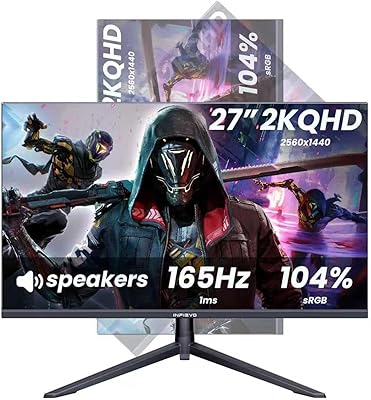
INFIEVO 27-Inch QHD 165Hz Gaming Monitor
76%
88%
Image Clarity
91%
Refresh Rate & Smoothness
93%
Ergonomic Stand
94%
Value for Money
52%
HDR Performance
More
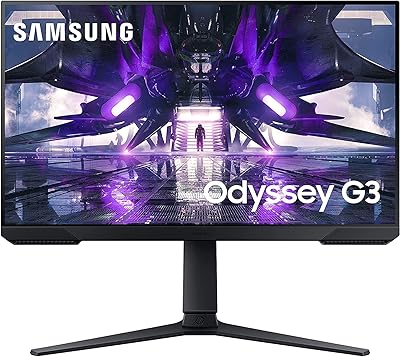
Samsung Odyssey G3 24-Inch Gaming Monitor
79%
93%
Refresh Rate Performance
86%
Response Time & Motion Clarity
89%
AMD FreeSync Premium
88%
Stand & Ergonomics
91%
Value for Money
More
LG 24GN60R-B 24-inch FHD Gaming Monitor

71%
88%
Value for Money
84%
Gaming Performance
81%
Image Quality
51%
HDR Performance
43%
Stand & Ergonomics
More
EPORMOT 24.5-inch 165Hz 2K Portable Gaming Monitor
83%
89%
Display Quality
92%
Portability
90%
Gaming Performance
85%
Ease of Use
78%
Build Quality
More
KOORUI E2411K 24-inch Gaming Monitor
76%
91%
Value for Money
83%
Gaming Performance
74%
Image & Color Quality
88%
Refresh Rate & Smoothness
81%
Eye Comfort
More

FAQ

You do need to enable it manually — most monitors do not default to their maximum refresh rate out of the box. Head into your operating system display settings and set the refresh rate to 165Hz after connecting via DisplayPort. Note that HDMI may cap you at a lower refresh rate depending on your cable version and GPU, so DisplayPort is the better choice if hitting 165Hz is your goal.

Yes, both consoles connect via HDMI and will work with this display without issue. Keep in mind that consoles typically output at 60Hz for most titles, so you will not be using the full 165Hz capability in that scenario, but the picture quality and response time will still be a step up from a standard TV for gaming.

They are genuinely functional but nothing more than that. Voices and system sounds come through clearly enough, but the audio lacks depth, bass, and volume for a real gaming or movie experience. If sound quality matters to you at all, plug in a headset or a small external speaker — you will notice the difference immediately.

Honestly, not much. The panel's brightness tops out at 220 cd/m², which is well below what is needed to produce a convincing HDR effect. You can enable it and it technically meets an entry-level HDR specification, but do not expect the dramatic contrast and highlight detail you would see on a higher-end HDR display. Treat HDR as a minor bonus here rather than a feature to buy for.

Yes, the back of the monitor has a 75×75mm VESA mounting pattern, which is compatible with the vast majority of aftermarket monitor arms and wall mounts. Removing the stock stand first is straightforward — typically just a few screws — and using an arm is actually a great way to compensate for the stand's limited adjustment range.

Unfortunately, just tilt — the range runs from -5° to 15° forward and back. There is no height adjustment and no swivel on the included stand. If ergonomics are important to your setup, this is where a VESA-compatible monitor arm earns its value quickly.

Out of the box, colors are usable but several buyers note the default settings lean a little warm or oversaturated depending on the preset. A few minutes in the on-screen menu adjusting color temperature, contrast, and brightness will get you to a noticeably better result. You do not need any special hardware to improve it — manual tweaks in the monitor's own settings menu are enough for most users.

It is one of the better-value entry points for that exact jump. The difference between 60Hz and 165Hz is immediately obvious in fast games — motion looks smoother and the experience feels more responsive overall. If competitive shooters, racing games, or action titles are part of your regular rotation, the upgrade will feel significant and worthwhile.

Packaging contents can vary by shipment, but typically an HDMI cable is included. A DisplayPort cable is often not included, so if you want to run at full 165Hz via DisplayPort, you may need to purchase one separately. It is worth checking the box contents listed in your order confirmation before the monitor arrives so you can have a cable ready if needed.

Quite well for this price range. The matte finish does a solid job of diffusing reflections and reducing glare from overhead lighting or nearby windows. It will not eliminate harsh direct sunlight entirely, but for typical indoor environments it noticeably outperforms glossy panels in terms of comfort during extended use.