Overview

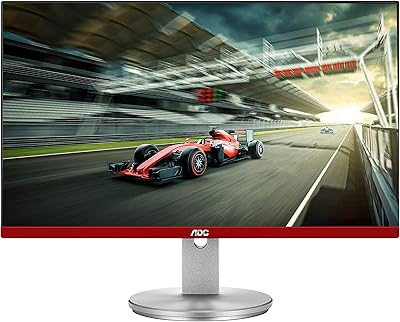
The AOC 24G4 24-inch Gaming Monitor arrived on the market in April 2025, positioning itself as one of the more compelling budget IPS options for entry-level PC and console gamers. At this price tier, landing a 180Hz refresh rate on an IPS panel is genuinely rare — most competitors at the same cost still ship with TN panels or cap out at 144Hz. The trade-offs are real, though: you get Full HD resolution only, no HDR support, and a glossy screen coating that can work against you in brightly lit rooms. Think of it as a focused, performance-first display rather than an all-rounder.
Features & Benefits

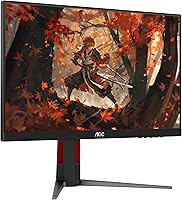
The IPS panel here delivers noticeably better color consistency and viewing angles than the TN panels you typically find in competing monitors at this price — helpful when a friend pulls up a chair. The 180Hz refresh rate pairs with Adaptive-Sync, meaning both AMD and Nvidia GPU owners get tear-free visuals without needing a brand-specific sync license. Worth clarifying: the 1ms MPRT spec refers to motion blur reduction, not true pixel response time (GtG), so don't expect that figure to reflect raw pixel transitions. Console gamers connecting via HDMI 2.0 can reach up to 120Hz on a PS5 or Xbox Series X — a real step up over older 60Hz budget panels. Connectivity is lean but sufficient, and the 3-year warranty covering zero-bright-dot and accidental damage is well above average for this segment.

Best For

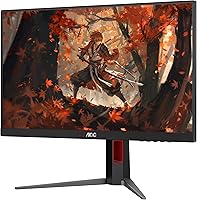
This AOC gaming monitor makes the most sense for competitive FPS players who prioritize frame rate over pixel density — think Counter-Strike, Valorant, or Apex Legends where hitting high fps matters more than a sharper image. Console gamers wanting to unlock the PS5 or Xbox Series X's full 120Hz potential without spending heavily will find it a practical fit. Students and first-time buyers stepping up from a basic office monitor will notice a meaningful improvement in motion clarity. The slim three-sided bezel also makes it a reasonable choice for dual-monitor builds, whether as a primary or a side screen. It's a poor match for color-sensitive editing work, anyone chasing 1440p, or users who need height-adjustable ergonomics.

User Feedback

The 24G4 has gathered roughly 2,000 ratings since its April 2025 launch, holding at 4.5 stars — a strong early signal for a monitor this new. Buyers frequently highlight color vibrancy as a pleasant surprise for the price bracket, and motion smoothness in fast-paced games earns consistent praise. The criticisms are predictable but worth knowing upfront: the glossy coating generates real glare in bright rooms, and the tilt-only stand frustrates anyone wanting height or swivel adjustments. Buyers comparing it to the LG 24GN650 generally find the AOC competitive on refresh performance, with color accuracy coming in roughly on par. Long-term reliability remains an open question — the monitor simply hasn't been on shelves long enough for durability patterns to surface.

Pros

  • IPS panel delivers noticeably better colors and viewing angles than TN alternatives at a similar price.
  • 180Hz refresh rate is rare and genuinely competitive at this budget tier.
  • Adaptive-Sync works with both AMD and Nvidia GPUs, so there are no compatibility hoops to jump through.
  • Console gamers can reach 120Hz via HDMI 2.0, which is a meaningful upgrade over older budget panels.
  • The three-sided frameless design keeps bezels slim, making dual-monitor setups look clean.
  • AOC backs the 24G4 with a 3-year zero-bright-dot guarantee plus 1-year accidental damage coverage — well above average for this segment.
  • Early user ratings sit at 4.5 stars from nearly 2,000 reviews, a strong signal for a monitor launched in early 2025.
  • The 3.5mm audio output is a small but handy addition for quick headphone connections.
  • Buyers frequently report smooth, blur-free motion in fast-paced games straight out of the box.

Cons

  • The glossy screen coating causes distracting glare in any room with bright ambient lighting or nearby windows.
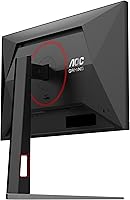
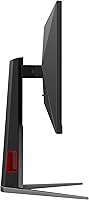
  • The stand offers tilt only — no height, swivel, or pivot adjustments, which limits ergonomic flexibility.
  • The 1ms MPRT spec refers to motion blur reduction technology, not true GtG pixel response time, which is a common source of confusion.
  • Full HD resolution starts to look soft when paired with a powerful GPU that could comfortably push 1440p.
  • Port selection is minimal — one HDMI 2.0 and one DisplayPort means tight options for users with multiple source devices.
  • No HDR support at all, which is a noticeable omission as more games ship with HDR as a standard feature.
  • The monitor launched in April 2025, so long-term reliability and panel degradation data simply do not exist yet.
  • At 15.32 pounds, the unit is heavier than several competing 24-inch panels, which can complicate mounting or repositioning.

Ratings

The scores below for the AOC 24G4 24-inch Gaming Monitor were generated by our AI system after analyzing thousands of verified global buyer reviews, with spam, incentivized, and bot-flagged submissions actively filtered out before scoring. Each category reflects the honest distribution of real user sentiment — strong points are recognized where they are earned, and recurring pain points are not softened. The result is a transparent, balanced breakdown designed to help you decide whether this 24-inch IPS display fits your specific situation.
Refresh Rate Performance
93%
Users consistently highlight how noticeable the jump to 180Hz feels coming from a 60Hz or even 144Hz panel — especially in fast-paced shooters where enemy movement and camera sweeps look dramatically cleaner. Competitive players in particular rate this as the single strongest reason to choose the 24G4 over comparable budget alternatives.
A small number of users note that reaching 180Hz requires a capable GPU, and those pairing it with older mid-range cards sometimes find they cannot maintain frame rates high enough to make full use of the ceiling. The benefit is real but hardware-dependent.
IPS Color Quality
78%
22%
For a budget IPS panel, reviewers are genuinely pleasantly surprised by how punchy and vivid colors look out of the box — particularly in gaming environments where saturation and contrast matter more than strict accuracy. Users upgrading from TN panels almost universally report a visible improvement in image depth and off-angle viewing.
Buyers with any background in content creation or color-sensitive work quickly notice that factory calibration leaves something to be desired, and the panel does not come close to professional-grade accuracy. It is a solid gaming display, not a color-grading workstation, and treating it as the latter will lead to disappointment.
Motion Clarity
84%
Fast-moving scenes in action games and FPS titles track cleanly with minimal perceived blur, which users attribute to the combination of high refresh rate and MPRT-based motion enhancement. Reviewers playing titles like Apex Legends and Valorant specifically mention how tracking moving targets feels more precise than on their previous displays.
It is worth understanding that the 1ms figure advertised is MPRT, not GtG pixel response — so users who dig into the technical side sometimes feel the spec is slightly misleading. In darker scenes with rapid movement, a faint trail can occasionally still be visible under close inspection.
Value for Money
91%
The combination of an IPS panel, 180Hz refresh rate, Adaptive-Sync, and a strong multi-year warranty at this price tier is difficult to match in the current market. Reviewers who comparison-shopped against LG and Samsung options in the same bracket frequently conclude that the 24G4 offers the best specification-per-dollar ratio they found.
A handful of buyers feel the value equation shifts if you already own a monitor with a VESA-compatible arm, since the tilt-only stand may prompt an immediate additional purchase. The absence of HDR is also a visible omission for buyers who feel it should be table-stakes at any price point by 2025.
Adaptive-Sync Implementation
87%
Users with both AMD and Nvidia GPUs report that variable refresh rate kicks in reliably without needing to fiddle with obscure driver settings — enabling it is straightforward, and screen tearing effectively disappears during normal gaming sessions. The GPU-agnostic nature of Adaptive-Sync is a practical advantage reviewers frequently call out.
At the very low end of the supported refresh range, a small number of users report occasional flicker — a known behavior with FreeSync-class implementations when frame rates drop significantly below the panel's lower sync threshold. Most users never encounter this under normal gaming conditions.
Console Compatibility
82%
18%
PS5 and Xbox Series X owners consistently confirm that 120Hz mode activates correctly via the HDMI 2.0 connection, and the low input lag mode makes a tangible difference in responsiveness for console play. Reviewers switching from a standard TV setup to this AOC gaming monitor describe the latency reduction as immediately obvious.
The single HDMI port means users who want to connect a console and a PC simultaneously cannot do so without a switch or by unplugging cables. The maximum 120Hz ceiling via HDMI 2.0 also means console users cannot access the full 180Hz the panel supports — that requires DisplayPort and a PC.
Build Quality
69%
31%
The overall construction feels solid enough for a monitor in this segment — the panel itself has no obvious flex, and the stand holds the display at a stable angle without wobble during normal use. The three-sided frameless design looks noticeably cleaner and more modern than the plastic-heavy bezels common on older budget panels.
The plastic finish on the rear and base feels noticeably budget-grade up close, and several reviewers mention that the stand base is lighter than expected given the monitor's overall weight. A few long-term users have noted minor creaking around the hinge area after several months of regular tilt adjustments.
Stand & Ergonomics
47%
53%
The stand assembles quickly without tools and keeps the monitor stable on a flat desk surface. For users who happen to find their ideal eye-level with the fixed height, initial setup is genuinely hassle-free.
Tilt is the only adjustment available, and this is one of the most consistently criticized aspects in buyer reviews — especially from users who work long hours at the desk and need height or swivel flexibility. Many reviewers end up purchasing a third-party arm almost immediately, which adds unexpected cost to the total setup budget.
Glare & Screen Coating
52%
48%
In dim or controlled lighting environments, the glossy coating makes colors appear noticeably richer and more saturated compared to matte alternatives at the same spec level. Reviewers gaming in darkened rooms rarely raise glare as a concern and often actively prefer the visual output.
Users with bright ambient lighting — particularly those near windows or under strong overhead LEDs — report that reflections become a persistent and distracting issue during long sessions. This is the most commonly mentioned environmental complaint in one-star and two-star reviews, and it is a genuine deal-breaker for a meaningful subset of buyers.
Connectivity & Ports
63%
37%
For a single-source setup — one PC or one console — the available HDMI 2.0 and DisplayPort inputs cover everything most users need without cable management complications. The built-in 3.5mm audio output is a small but appreciated convenience for headphone users who prefer a shorter cable run.
Two input ports total is limiting for anyone who wants to quickly switch between a PC and a console without unplugging cables, and the lack of USB hub functionality means no pass-through ports for peripherals. Buyers coming from more fully equipped monitors in higher price brackets will notice the reduced connectivity options immediately.
Out-of-Box Setup
88%
Assembly is straightforward and takes most reviewers under five minutes — the stand clicks into place and the monitor powers on with sensible default settings that are usable without any immediate calibration. First-time monitor buyers specifically appreciate how little friction is involved in getting up and running.
The on-screen display menu navigation using the physical buttons on the rear edge is functional but not intuitive, and a few users find it fiddly to locate the right button without looking. The manual is minimal, which causes some confusion around enabling specific console or low-latency modes for the first time.
Warranty & After-Sales
92%
The three-year zero-bright-dot guarantee, three-year advance replacement, and one-year accidental damage coverage is a standout package that buyers in this segment rarely see from competing brands. Reviewers who have actually needed to contact AOC support describe the advance replacement process as faster and less bureaucratic than expected.
Accidental damage coverage only lasts one year, which feels short given that physical mishaps often occur later in a product's life cycle. A small number of international buyers also report that warranty servicing availability varies by region, so it is worth confirming local coverage terms before purchasing.
Multi-Monitor Suitability
79%
21%
The three-sided frameless bezel genuinely delivers on its promise for dual or triple monitor setups — the gap between screens is narrow enough that most users find it visually clean without spending on premium thin-bezel alternatives. Budget-conscious setup builders frequently single this out as a key reason they chose the 24G4 over bulkier-framed competitors.
Matching monitor heights across a dual setup is awkward given the tilt-only stand, and users typically need a VESA arm to align screens precisely. Connecting more than one source device also requires external switching given the limited port count.
Long-Term Reliability
61%
39%
Early user data from the months following the April 2025 launch shows no widespread pattern of defects, and the zero-bright-dot warranty provides a meaningful safety net if panel issues do emerge later. Buyers who have had the monitor for several months report that image quality and performance remain consistent with day-one experience.
The 24G4 simply has not been on the market long enough to draw confident conclusions about multi-year durability — the existing review base reflects early adopters rather than long-term owners. Buyers who prioritize proven hardware longevity may want to revisit the evidence base in another six to twelve months before committing.

Suitable for:

The AOC 24G4 24-inch Gaming Monitor is a strong fit for budget-conscious gamers who want a high-refresh-rate IPS display without paying a premium for it. Competitive FPS players running titles like Valorant, Apex Legends, or Counter-Strike will appreciate the 180Hz ceiling and Adaptive-Sync, which together keep motion fluid and tearing out of the picture. Console gamers with a PS5 or Xbox Series X will find this 24-inch IPS display genuinely useful — HDMI 2.0 support means you can actually hit 120Hz, which still feels noticeably sharper than a standard 60Hz panel. Students and first-time monitor buyers stepping up from an older office screen will notice an immediate improvement in clarity and motion response. The slim three-sided bezel also makes it a practical pick for anyone building a dual-monitor setup on a tight budget, where visual continuity between screens matters.
Not suitable for:

The AOC 24G4 24-inch Gaming Monitor is not the right choice for anyone prioritizing image quality over speed. Content creators, photographers, or video editors need accurate, calibrated color output — this IPS panel is decent for gaming, but it is not a professional-grade display and should not be treated as one. The glossy screen coating is a genuine problem for users who work or game in rooms with overhead lighting or windows nearby; glare is real and persistent. Buyers wanting ergonomic flexibility will also hit a wall fast, as the stand only tilts — no height adjustment, no swivel, no pivot. Anyone already considering a 1440p or 4K panel for a more immersive single-player experience should look elsewhere, since Full HD starts to feel limiting on larger, high-end builds.
Specifications

  • Panel Type: The display uses an IPS (In-Plane Switching) panel, which provides wider viewing angles and more consistent color reproduction than TN alternatives at a comparable price.
  • Screen Size: The physical screen measures 24 inches diagonally, with an actual viewable area of 23.8 inches.
  • Resolution: The native resolution is 1920x1080 (Full HD), delivering a standard 1080p image across the 16:9 aspect ratio panel.
  • Refresh Rate: The panel supports a maximum refresh rate of 180Hz, enabling significantly smoother motion compared to standard 60Hz or 144Hz displays.
  • Response Time: The rated response time is 1ms MPRT (Moving Picture Response Time), which represents motion blur reduction performance rather than raw GtG pixel transition speed.
  • Adaptive-Sync: The monitor supports Adaptive-Sync (FreeSync compatible), dynamically matching the display's refresh rate to the GPU's output to reduce screen tearing on both AMD and Nvidia graphics cards.
  • Screen Surface: The panel features a glossy screen coating, which enhances color vibrancy but can reflect ambient light sources in bright environments.
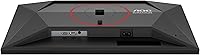
  • Connectivity: Input options include one HDMI 2.0 port and one DisplayPort, providing standard connectivity for both PC and console sources.
  • Audio Output: A 3.5mm earphone output jack is built into the monitor, allowing direct headphone or headset connections without a separate audio device.
  • Console Support: Via HDMI 2.0, the monitor supports console frame rates up to 120Hz, making it compatible with PS5 and Xbox Series X high-frame-rate game modes.
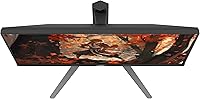
  • Bezel Design: The monitor features a three-sided frameless bezel design, minimizing border width on the top and both side edges to suit multi-monitor configurations.
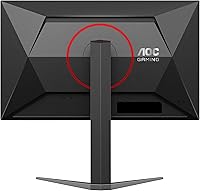
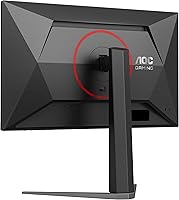
  • Stand Adjustment: The included stand supports tilt adjustment only; height, swivel, and pivot adjustments are not available without a third-party VESA mount.
  • Dimensions: The assembled monitor measures 21.26 inches wide, 19.49 inches tall, and 9.44 inches deep, including the stand.
  • Weight: The unit weighs 15.32 pounds fully assembled with the stand attached.
  • HDR Support: This monitor does not support HDR (High Dynamic Range), so HDR content will be displayed in standard dynamic range only.
  • Warranty: AOC covers this monitor with a 3-year zero-bright-dot guarantee, 3-year advance replacement service, and 1-year accidental damage protection.
  • Availability: The 24G4 first became available in April 2025, making it a relatively recent release with a still-growing long-term reliability record.

Related Reviews

AOC G2490VXS 24-inch Gaming Monitor
86%
92%
Value for Money
89%
Gaming Performance
87%
Display Quality
91%
Color Accuracy
85%
Design and Build
More
Sceptre E248W-FW100T 24-inch Gaming Monitor
76%
91%
Value for Money
74%
Image Quality
78%
Gaming Performance
82%
Refresh Rate & Sync
67%
Response Time & Motion
More
Sealan 24-Inch Curved Gaming Monitor
86%
92%
Gaming Performance
88%
Visual Quality
91%
Refresh Rate Smoothness
85%
Design & Build
87%
Eye Care Features
More
ViewSonic XG2431 24-Inch Gaming Monitor
86%
92%
Gaming Performance
88%
Display Quality
93%
Response Time
85%
Ergonomics and Comfort
89%
Visual Clarity
More
DJiEX Z24B12 24-inch Gaming Monitor
84%
92%
Value for Money
87%
Display Quality
85%
Ergonomics and Comfort
89%
Color Accuracy
80%
Connectivity Options
More
STGAubron 24-Inch Gaming Monitor LCD2401
83%
92%
Value for Money
89%
Display Quality
85%
Ergonomics/Comfort
91%
Color Accuracy
88%
Connectivity Options
More
INFIEVO 24 Inch Gaming Monitor 165Hz
83%
92%
Value for Money
89%
Gaming Performance (Refresh Rate)
87%
Color Accuracy
65%
Brightness
91%
Ease of Setup
More
AOC C24G42E 24″ Curved Gaming Monitor
86%
92%
Value for Money
95%
Gaming Performance
88%
Display Quality
84%
Design and Build
91%
Color Accuracy
More
CRUA 24.5-Inch Gaming Monitor
84%
92%
Display Quality
89%
Gaming Performance
88%
Color Accuracy
84%
Ergonomics/Adjustability
90%
Setup Ease
More
Raywego Q24B16 24-inch Curved Gaming Monitor
73%
88%
Refresh Rate Performance
84%
Contrast & Black Levels
91%
Value for Money
76%
Image Sharpness
47%
HDR Quality
More

FAQ

Yes, it does — but only over HDMI 2.0, which is the port included on the 24G4. You will need to enable 120Hz mode in your console's display settings, and the game itself also needs to support that frame rate. Not every title does, so check your game library before expecting 120fps across the board.

No, and this is worth understanding before you buy. MPRT (Moving Picture Response Time) measures how long a pixel stays visible during motion, which relates to perceived blur. GtG (Grey-to-Grey) measures how fast a pixel actually transitions between shades. The AOC 24G4 24-inch Gaming Monitor advertises 1ms MPRT, not GtG — so while motion looks clean in practice, the underlying pixel switching speed may be somewhat slower than that figure implies.
It works with both. Adaptive-Sync is the open standard that Nvidia has supported on its GPUs for several years now, so you do not need an AMD card to benefit from tear-free gameplay. Just make sure G-Sync Compatible mode is turned on in your Nvidia control panel.

It depends on where your monitor sits. If you have a window or bright overhead light directly behind or above you, glare will be noticeable and distracting. In a darker or controlled-lighting setup, the glossy coating actually makes colors look punchier. If your desk faces a window, a matte panel might be a better fit for you.

Tilt is the only adjustment available with the included stand. If you need height, swivel, or pivot control, you will need to pick up a third-party monitor arm or VESA-compatible stand. The good news is that VESA mounting is supported, so there are plenty of aftermarket options available.

The two are very close competitors. The 24G4 edges ahead on refresh rate — 180Hz versus 144Hz on the LG — which is a meaningful difference for competitive gaming. Color performance is roughly comparable between the two IPS panels. The LG has a slight edge in brand recognition and longer user review history, while this AOC gaming monitor offers a better warranty package and the higher refresh rate ceiling.

At 24 inches, 1080p sits at a pixel density where most people won't notice individual pixels during normal gaming at a standard desk distance. If you're mainly gaming at 60cm or more from the screen, 1080p holds up well. If you plan to do any browsing, reading, or productivity work up close for long stretches, 1440p does start to look noticeably sharper. For fast-paced gaming specifically, 1080p at 180Hz is a practical trade-off many competitive players actively prefer.

No, there are no built-in speakers. The 24G4 includes a 3.5mm headphone output jack on the monitor itself, so you can plug headphones directly into the display. For speaker audio, you will need to route sound through your PC, console, or a separate speaker setup.

AOC's zero-bright-dot guarantee means that if any pixel on your panel gets permanently stuck in a lit (bright) state, AOC will replace the monitor — even if it's just a single defective pixel. Most monitor warranties only act on dead pixels once you hit a threshold of several affected pixels, so this is a stronger-than-average coverage policy. The full package also includes 3-year advance replacement and 1-year accidental damage protection.

It works well as a dual-monitor option, particularly because of the three-sided frameless bezel design that keeps the gap between screens minimal. If you are pairing it with a second identical unit, the visual continuity is clean. Keep in mind that both monitors will need their own input connection, and since the 24G4 only has one HDMI and one DisplayPort, you will need to plan your cable routing accordingly.