Sceptre E248W-FW100T 24-inch Gaming Monitor
Overview
The Sceptre E248W-FW100T 24-inch Gaming Monitor is Sceptre's latest push into the budget gaming space, and it lands in a crowded category with a surprisingly capable spec sheet for the price. Available since mid-2025 under its 2026 model designation, this Sceptre monitor targets buyers who want a real gaming display without overspending. Sceptre has been making affordable monitors for years, and that experience shows in how they have packaged this one. The 24-inch size hits a practical sweet spot — big enough to feel immersive, compact enough for tight desks. Don't expect flagship panel quality, but for this price tier, the overall performance is genuinely solid.
Features & Benefits
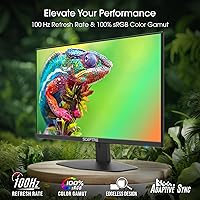
The 100Hz refresh rate and AMD FreeSync work together to keep fast-paced gameplay looking smooth — a real step up from a standard 60Hz panel. It is worth clarifying that the 1ms Blur Reduction is a backlight strobing technique, not a native pixel response measurement, so motion clarity improves but it is not identical to a true 1ms GtG display. The near-bezel-free design is a standout for the price, making this gaming display a natural fit for dual-monitor arrangements. Blue Light Shift helps reduce eye fatigue during long sessions, and the built-in speakers, while not impressive audio-wise, mean one less cable to manage on a tight desk.
Best For
This Sceptre monitor is a strong pick for first-time PC gamers ready to step up from a television or a basic office screen. Students and remote workers will also find it practical — the 1080p resolution keeps text crisp for productivity, while the 100Hz panel handles casual gaming without needing a high-end GPU to push it. The 24-inch footprint works especially well in compact desk setups where space is limited. Console gamers with a PlayStation or Xbox will appreciate having two HDMI inputs available. Anyone who stares at a screen for long stretches will find the Blue Light Shift feature a worthwhile baseline comfort tool.
User Feedback
With nearly 38,000 ratings and a strong average score, the 24-inch Sceptre has clearly resonated with mainstream buyers. Most praise centers on value for money and how good the image looks right out of the box with minimal calibration needed. The thin bezels draw consistent positive mentions from people running dual-monitor setups. On the critical side, some reviewers note that color accuracy and vibrancy fall short compared to pricier IPS-panel alternatives — not unusual at this price point, but worth knowing upfront. The stand also draws occasional complaints about limited tilt adjustability. Built-in speakers are appreciated as a convenience, though nobody is mistaking them for quality audio.
Pros
- The 100Hz refresh rate delivers noticeably smoother visuals compared to standard 60Hz monitors, especially in fast games.
- AMD FreeSync support keeps gameplay free of screen tearing without requiring any manual configuration.
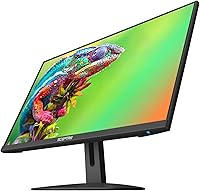
- The near-borderless design looks clean on a desk and works particularly well in side-by-side dual-monitor setups.
- Two HDMI ports make it easy to connect a PC and a console simultaneously without swapping cables.
- 1080p resolution on a 24-inch panel keeps pixel density high enough for sharp text and detailed images.
- Blue Light Shift is a practical inclusion for anyone logging long hours at a screen each day.
- Built-in speakers mean one fewer item to buy or plug in for users who just need basic audio.
- The matte panel surface cuts down on glare in brightly lit rooms, making it usable in a wider range of environments.
- At this price tier, out-of-box image quality is consistently praised by buyers as better than expected.
- The compact form factor fits comfortably on smaller desks without dominating the workspace.
Cons
- Color accuracy and vibrancy are noticeably limited compared to IPS-panel monitors at slightly higher price points.
- The stand only offers basic tilt adjustment, with no height, swivel, or pivot options included.
- Blur Reduction is a backlight strobing feature, not a native fast pixel response, so motion handling has real limits.
- Built-in speaker quality is weak enough that most users with any audio expectations will want an external solution.
- No USB hub functionality means fewer connectivity options compared to similarly priced monitors from competing brands.
- The 100Hz ceiling will feel restrictive for PC gamers who can push higher frame rates with a capable GPU.
- Panel uniformity can vary unit to unit, with some buyers reporting minor backlight inconsistencies near screen edges.
- Ergonomic flexibility is minimal, which may cause discomfort for users who need to fine-tune monitor height or angle.
Ratings
The scores below for the Sceptre E248W-FW100T 24-inch Gaming Monitor were generated by our AI system after analyzing thousands of verified global buyer reviews, with spam, bot activity, and incentivized feedback actively filtered out. Each category reflects the honest consensus of real users — not marketing claims — capturing both what this gaming display does well and where it genuinely falls short.
Value for Money
Image Quality
Gaming Performance
Refresh Rate & Sync
Response Time & Motion
Build Quality
Stand & Ergonomics
Built-in Speakers
Eye Comfort
Connectivity
Bezel & Aesthetics
Setup & Installation
Dual-Monitor Compatibility
Long-Term Reliability
Suitable for:
The Sceptre E248W-FW100T 24-inch Gaming Monitor is a genuinely smart pick for anyone entering PC gaming on a tight budget who wants a real upgrade over a television or a decades-old office display. Students who split their screen time between writing papers and playing games after hours will find the combination of sharp 1080p text rendering and a smoother-than-standard refresh rate covers both needs without compromise. Remote workers running lean desk setups benefit from the compact footprint and the built-in speakers, which eliminate the need for extra peripherals when desk real estate is precious. Console gamers, particularly those with multiple devices, will appreciate having two HDMI ports available without needing a switch. The near-bezel-free design also makes this Sceptre monitor a logical starting point for anyone thinking about expanding to a dual-monitor arrangement down the line.
Not suitable for:
Buyers who prioritize rich, accurate color reproduction for photo editing, graphic design, or color-critical creative work will likely find the Sceptre E248W-FW100T 24-inch Gaming Monitor falls short of their needs, as its panel characteristics favor general use over color fidelity. Competitive gamers who demand the absolute lowest input lag and highest refresh rates — the kind chasing triple-digit frame rates in fast-paced shooters — will want to look at 144Hz or higher displays with true fast-response IPS or TN panels. Anyone expecting flagship ergonomics will be disappointed; the stand offers limited adjustability, which can be a real issue for users with specific posture or height requirements. Those who care about audio quality should budget separately for even a basic external speaker or headset, as the built-in speakers are purely a convenience feature. If screen size matters and you prefer something larger than 24 inches for an immersive single-monitor experience, this gaming display is simply not built for that use case.
Specifications
- Screen Size: The display measures 24 inches diagonally, offering a compact footprint well-suited for single or dual-monitor desk setups.
- Resolution: Native resolution is 1920x1080 (Full HD), delivering sharp pixel density appropriate for everyday productivity and gaming at this screen size.
- Refresh Rate: The panel runs at 100Hz, providing noticeably smoother motion compared to a standard 60Hz display during gameplay and fast-scrolling content.
- Response Time: A 1ms Blur Reduction (BR) rating is achieved via backlight strobing, which reduces perceived motion blur rather than reflecting native pixel transition speed.
- Adaptive Sync: AMD FreeSync is supported, synchronizing the monitor's refresh rate with a compatible GPU's output to minimize screen tearing during gaming.
- Connectivity: The monitor includes two HDMI ports and one DisplayPort, allowing simultaneous connection of multiple sources such as a PC and a gaming console.
- Built-in Audio: Integrated speakers are included, providing basic audio output without the need for external speakers or an additional cable run.
- Eye Care: Blue Light Shift technology is built in, reducing high-energy blue light emissions to help lower eye fatigue during extended viewing sessions.
- Panel Surface: The screen uses a matte anti-glare coating, which reduces reflections in ambient light conditions and helps maintain image clarity in bright rooms.
- Aspect Ratio: The 16:9 widescreen aspect ratio is the standard format for modern gaming, streaming, and general computing content.
- Bezel Design: A near-borderless bezel surrounds the display on three sides, making it a practical choice for side-by-side multi-monitor arrangements.
- Dimensions: The assembled monitor measures approximately 21.3 inches wide, 17.2 inches tall, and 7.6 inches deep including the stand base.
- Weight: Total weight with stand is approximately 9.98 pounds, making it easy to reposition or transport without assistance.
- Color Finish: The chassis is finished in Machine Black, a neutral matte tone that blends with most desk setups and peripheral color schemes.
- Panel Type: The specific panel technology is not officially disclosed by Sceptre, though performance characteristics are consistent with a TN or VA-type panel.
- VESA Compatibility: The monitor is compatible with standard VESA wall-mount brackets, giving users the option to free up desk space by mounting it on an arm or wall.
- Model Series: This unit belongs to the E248W-FW100T series, released under Sceptre's 2026 lineup and first made available in May 2025.
Related Reviews
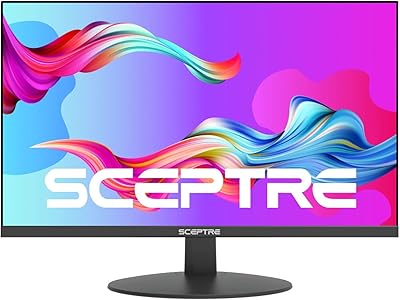
Sceptre E248W-FPT 24-inch IPS Monitor
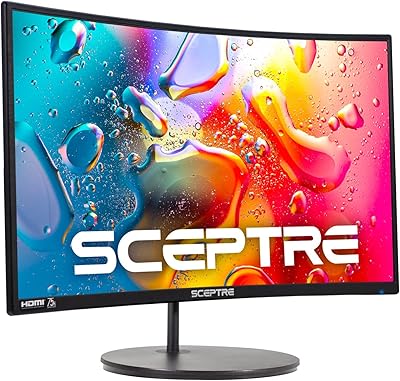
Sceptre C248W-1920RN 24-inch Curved Gaming Monitor
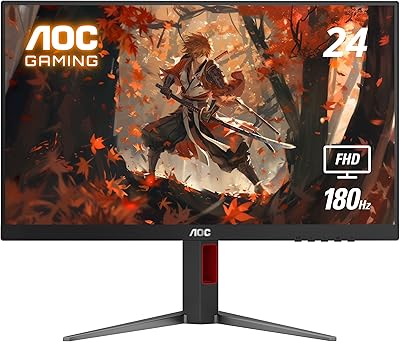
AOC 24G4 24-inch Gaming Monitor

KOORUI E2411K 24-inch Gaming Monitor

CRUA CR245ZB 24.5″ Gaming Monitor

ViewSonic XG2431 24-Inch Gaming Monitor
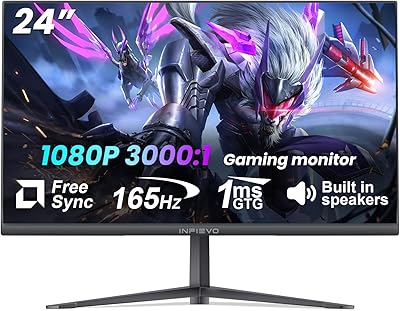
INFIEVO 24-inch 165Hz FHD Gaming Monitor
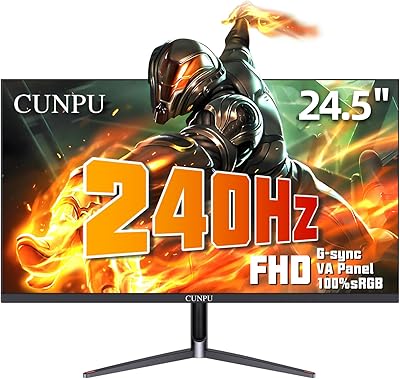
CUNPU 24-Inch 240Hz VA Gaming Monitor

Sealan 24-Inch Curved Gaming Monitor